30th January 2026 at 7:58am
The --tp-animation-duration CSS variable represents the "Animation duration" setting in the control panel. The ms suffix is added.
The --tp-animation-duration CSS variable represents the "Animation duration" setting in the control panel. The ms suffix is added.
The --tp-body-font-size CSS variable represents the "Font size for tiddler body" setting in Theme Tweaks.
The --tp-body-line-height CSS variable represents the "Line height for tiddler body" setting in Theme Tweaks.
The --tp-code-font-family CSS variable represents the "Code font family" setting in Theme Tweaks.
The --tp-code-wrapping CSS variable represents the "Wrap long lines in code blocks" setting in Theme Tweaks. Its value is pre when the setting is set to "No", and pre-wrap when set to "Yes".
The --tp-editor-font-family CSS variable represents the "Editor font family" setting in Theme Tweaks.
The --tp-font-family CSS variable represents the "Font family" setting in Theme Tweaks.
The --tp-font-size CSS variable represents the "Font size" setting in Theme Tweaks.
The --tp-line-height CSS variable represents the "Line height" setting in Theme Tweaks.
The --tp-sidebar-breakpoint CSS variable represents the minimum page width at which the story river and sidebar will appear side by side.
The --tp-sidebar-width CSS variable represents the width of the sidebar in fluid-fixed layout.
The --tp-story-left CSS variable represents how far the left margin of the story river (tiddler area) is from the left of the page.
The --tp-story-right CSS variable represents how far the left margin of the sidebar is from the left of the page.
The --tp-story-top CSS variable represents how far the top margin of the story river is from the top of the page.
The --tp-story-width CSS variable represents the overall width of the story river.
The --tp-tiddler-width CSS variable represents the tiddler width within the story river.
--tpc-* variables are CSS variables of palette colors. They can be accessed via appending the palette color names to the bottom. For example:
.code {
background-color: var(--tpc-code-background);
color: var(--tpc-code-foreground);
}Interesting article giving the perspective of someone who has been away from TiddlyWiki for a few years:
Way back in the mists of time (actually, January 2009) I wrote about a really cool tool called TiddlyWiki, a “non-linear personal web notebook”. Fast forward to today and I just had an out of body experience: Completely by accident I found a TiddlyWiki that I started when I wrote that piece and it still works!
Finding code that works flawlessly after just two or three years is magical enough but after seven years?! And given that TiddlyWiki is written as a single page Web application and considering how different browsers are now than they were in 2009, the fact that the old version of TiddlyWiki still works is not short of miraculous.
A thesis notebook based on TiddlyWiki.
This is an example of a thesis notebook powered by TiddlyWiki 5.0.8-beta.
TiddlyWiki is a great piece of software created by Jeremy Ruston. It allows you, among other things, to take notes, organise ideas, store information, and display all your stuff the way you want. It is an incredibly flexible tool you can adapt to fit almost all your needs.
This TiddlyWiki has been customized to serve as a philosophy notebook centered around authors, books and papers, concepts and theories, and personal notes. I use it along with Zotero, which is a dedicated bibliography software. Both are free, open source projects. TiddlyWiki can be downloaded at https://tiddlywiki.com.
A desktop application for TiddlyWiki, running on Windows.
https://lamusia.github.io/#ATWiki
TiddlyWiki for Windows. A unique non-linear notebook for capturing, organising and sharing complex information.
buggyj has created several useful plugins, including a WYSIWYG HTML editor, a configurable calendar and tag lists with draggable ordering.
A collection of customisations and macros from Danielo Rodriguez.
http://braintest.tiddlyspot.com/
This is my personal tiddlywiki file for testing.
Here I will post the tools and Macros that I develop for this awesome tool. That way, all the help the community gave me can came back to the community again.
Task & Delegation Tracking, Meetings & Agenda Items, Project Roles, Progress & Status Updates, Reference Items, Tickler Calendar, Conversation Logging, Book Notes & Library, and More!
https://web.archive.org/web/20181114094516/http://cardo.wiki/#Joe%20Cardo:%5B%5BJoe%20Cardo%5D%5D
Cardo is a standalone, browser-based tool that can be used as a simple task manager, or as a complex Project Management system (and indeed, I do use it this way in my daily work) as well as a fully Wiki-ized personal knowledge store. It runs completely independently in the browser, even without an Internet connection, making it possible to carry around on a USB stick, or to use on the morning commute.
An adaptor to enable TiddlyWiki to sync changes with a CouchDB database.
https://github.com/wshallum/couchadaptor
CouchDB sync adaptor for TiddlyWiki 5. Requires TiddlyWiki >= 5.1.2.
Works in limited testing. Not sure how well it handles conflicts.
A guide to creating a baby journal with TiddlyWiki.
http://a-penguin-in-redmond.blogspot.co.uk/2014/02/creating-baby-journal-with-tiddlywiki-5.html
Keeping a journal about your baby is fun. It allows you to keep track of those events in your baby's life and development that are most important to you, and to tell them in your own words. [...]
There are plenty of online services that can help to keep such a diary, but you need to have an internet connection to access them, and you have to trust them to keep your data safe.
A dark palette for TiddlyWiki.
https://draculatheme.com/tiddlywiki
Install manually
Open the Control Panel > Appereance > Palette, scroll down and clone a platte, rename it to Dracula and copy the code from the website.
Activating theme
- Open the Control Panel > Appereance > Palette
- Scroll down and select Dracula
- Boom! It's working
A adaptation of TiddlyWiki perfect for using as a Notebook sysetem.
https://github.com/bmann/drift-tiddlywiki-template/tree/master/drift
Drift is an adaptation of TiddlyWiki with the goal of helping you Collect. Organise. and Grow. your ideas while keeping tab on how they interconnect together and fluidly Drift from one to another.
The 2 main components of Drift are TWCrosslinks and DailyNotes so you never miss an idea
Drift was inspired by TiddlyBlink / Stroll and adapted to fit my needs.
A TiddlyWiki plugin for kanban-like organisation in the style of Trello™ using boards, lists, and cards.
Dynamic Tables is a set of macros that allow you to create tables where the rows are created from tiddlers and the columns from the tiddler fields, or where the columns are created from tiddlers and the rows from their fields. Individual cells can be edited on the fly. Row tables can be sorted by columns and column tables can be sorted by rows.
A plugin that allows to encrypt your tiddlers individually Danielo Rodriguez.
http://danielorodriguez.com/TW5-EncryptTiddlerPlugin/
Advantages:
- You can specify a different password for each tiddler if you want.
- You don't have to encrypt your whole wiky.
- If you forget your password, you only lose a tiddler.
- It's possible to edit the tiddler content , tags and fields except the encrypt field after encryption.
- [...]
An extension for Mozilla Firefox that smoothes out some of the friction from TiddlyWiki's built-in HTML5 saver, making it almost as easy to use as TiddlyFox. The workflow is intended to work out of the box, without configuration.
https://github.com/pmario/file-backups which contains links to the documentation and introduction video(s).
A chrome version is planned!
This wiki gives examples for various filters and their use in the list widget
http://tobibeer.github.io/tw/filters/#Filter%20Examples
This wiki gives examples for various filters and their use in the list widget. A good starting point to understand what filters yield which results also is test-filters.js.
The Font Awesome 5 Free SVG images collection converted to tiddlers that you can easily import (drag'n'drop) in your wiki.
An adaption of the "Ghostwriter" theme for TiddlyWiki.
https://ibnishak.github.io/ghostwriter/
Ghostwriter is a popular, minimalist and mobile responsive theme for the blogging platform ghost. This is an adaptation for TiddlyWiki.
Creates bubble maps of Biblical texts.
http://giffmex.org/gospels.bubbles.html#Gospels%20Bubbles
This TiddlyWiki, which is still under construction, has several features that together make it lightning fast to find passages, types of passages, themes, people, places and images in the New Testament Gospels. The bubblemaps are color-coded overviews of each Gospel. Each type of passage (miracle story, parable, etc) was assigned a color. Bubblemaps allow you to do three things:
- The bubblemaps are color-coded overviews of each Gospel. Each type of passage (miracle story, parable, etc) was assigned a color. Bubblemaps allow you to do three things:
- See how the different types of passages are distributed throughout each Gospel.
- Hover over passages to see the verses and titles.
- Click on a passage to open it and see the themes and other data it mentions.
- The themes by passage indexes are lists of the passages in each Gospel, followed by the themes and other data found in the passage. Clicking on a theme calls up a list of all the passages that mention that theme.
- The indexes of themes contain lists of links to each theme, person, group, place and image. Clicking on a theme calls up a list of all the passages that mention that theme.
- There is a search window hidden in the right hand menu. Use the search window to find passages quickly, by typing things like sower or paralytic. Click the arrows in the upper right of the screen to open the menu and search.
Grok TiddlyWiki by Soren Bjornstad is an interactive learning environment for TiddlyWiki. It bundles three complementary modes of learning into one TiddlyWiki:
An adaptation of the TiddlyWiki powered GTD® system formerly known as MonkeyGTD for TiddlyWiki version 5.
GSD5 is a Getting-Thing-Done tool for TiddlyWiki5 based off the mGSD classic TiddlyWiki.
A collection of helpers by Thomas Elmiger, among them a tweet button macro, a text-stretch solution, a snippet extraction macro and a tiddler that installs a scroll-to-top button via drag-and-drop.
Quick Extensions for TiddlyWiki 5 – […] As I take from the community, I am happy if I can give back. You can use my stuff to do whatever you like, but remember to save a back-up first.
Thomas
A guide in Russian to creating an online shop with TiddlyWiki. No serverside code is needed, instead orders are handled by Disqus.
An extensive collection of hints and tips from Jed Carty.
http://inmysocks.tiddlyspot.com
I made this so that some of my friends with absolutely no coding experience could use some of the better features of TW5 without having to learn much. I am hopefully going to continue updating it as I learn new things. There isn't really anything here that isn't available in plenty of other places, but I figured that since I spent a while putting it together and people keep saying that TW needs more documentation I would post it here.
Some palettes by JD.
http://j.d.palette.tiddlyspot.com/
You can install any or all of these by dragging any of the below links into your Tiddlywiki:
- Brown One
- C8 Dark
- Cool Mint
- Neonize
- Spartan Day
- Spartan Night
A complete online shop made in TiddlyWiki!
https://web.archive.org/web/20241127033249/http://luckysushi.ru/habarovsk/heeg.html#index
A collection of extensions by @malgam
http://malsandbox.tiddlyspot.com
The "loadnew" plugin provides the JavaScript module $:/plugins/malgam/loadnew/loadnew.js that implements an incremental load command for Tiddlywiki 5.
The javascript code is based on the built-in module $:/core/modules/commands/load.js that loads tiddlers from a Tiddlywiki file into a node.js Tiddlywiki instance. This command loads all non-system tiddlers, irrespective of whether they have been modified since last loaded. As a result, all tiddlers in the node.js tiddlers folder will end up with a new modification date.
In contrast, the loadnew command only loads tiddlers that either don't already exist in the tiddlers folder, or have a newer modified date than the existing tiddler.
With a backup strategy that uses a file system snapshot process to preserve historical versions of tiddlers, the loadnew command minimises the sizes of the resulting snapshots.
Mathcell allows spreadsheet-like abilities in a completely contained TiddlyWiki.
http://mathcell.tiddlyspot.com/
Mathcell allows spreadsheet-like abilities in a completely contained TiddlyWiki. Additional abilities allow it work as a general math engine.
A Spanish guide to using TiddlyWiki on Android.
http://3palmeras.wordpress.com/2014/11/05/microblogging-con-tiddlywiki/
Tiddlywiki software is prodigious based on javascript which is capable of holding a notepad that can be edited with Internet Explorer or function as a full blog, contained in a single file.
Translation by Google Translate
An adaption of the "Moments" theme for TiddlyWiki.
http://tesseractmoments.surge.sh/
Moments is a beautiful free and responsive theme available for wordpress from here: http://www.s5themes.com/theme/moments/. This is an adaptation of the same for TW5 platform. All the design credits goes to the site and the original designer. If TW5 is going to be here for 25 years, might as well suit up.
This theme by JD features a left side bar, advanced functionality from the search bar and plenty of customizability built in.
A terrific demo of drag and drop, pan and zoom, and other sophisticated touch effects. Based on the muuri plugin by Uwe Stuehler.
Notebook is a clean, uncluttered theme for TiddlyWiki.
https://saqimtiaz.github.io/sq-tw/notebook.html
Notebook is a clean, uncluttered theme for TiddlyWiki.
- The theme is responsive and comes with mobile support through the included notebook-mobile plugin.
- Notebook comes with 3 default colour palettes, a grey, beige and dark one. To switch between colour palettes, click the color palette switch button in the top bar.
- Notebook uses a custom left sidebar, with another sticky bar at the top of the page (or at the bottom on mobile).
NoteSelf is your personal, private, customisable, Evernote-like experience. You want cloud? Fine! You don't? Fine too! It's all yours, It's your decision! Why not be a bit selfish?
NoteSelf is the perfect place to store your ideas, notes, thoughts, tips, tricks, recipes... whatever you want to put into it! NoteSelf will store, index, and make it easily searchable, so you will find it instantly whenever you need it!
You already know and love Evernote, we know it. It is comfortable, it syncs, has search capabilities... Wow, it's almost perfect, but what about:
- Privacy - Everything is stored on the Evernote's servers!
- Customisation - If you don't like the interface of Evernote, there's nothing you can do
NoteSelf is built on top of TiddlyWiki, a powerful, free, highly customisable and open-source personal wiki. We took the best of it, it's powerful customisation system, and mixed it with one of the best embedded databases available, PouchDb, for bringing the synchronisation capabilities you need.
A quick guide to using TiddlyWiki (written in German)
http://michaelsonntag.net/notizen-mit-tiddlywiki-systemuebergreifend-nutzen
Those using multiple different computer platforms (if only PC and Android) knows for certain: You would like to sync notes across computers and thereby be independent of any apps or services. I am concerned at any rate so and so I am constantly looking for the perfect solution.
With TiddlyWiki I found it mostly. As the name suggests, it TiddlyWiki is a Wikisystem. In contrast to all other wikis, TiddlyWiki is a single HTML file that runs in the browser and thus can be used on all modern operating systems. And because there is only one file, it can be very easily via the well-known cloud services (Dropbox, Google Drive, ownCloud) or synchronized with FTP or used on a USB stick.
(Translation from German by Google Translate)
A fast Forth interpreter for the Commodore PET, written in 6502 assembly language. The TiddlyWiki containing program documentation is automatically generated from the source code: see https://github.com/chitselb/pettil.
Objectives of the project are, in no particular order:
- make a Forth that runs on my Commodore PET 2001
- have fun
- improve my "6502 assembly golf" skills
- find other people who are interested in this project
Embed Reveal.js presentations inside your TiddlyWiki.
https://sukima.github.io/tiddlywiki-reveal-js/
reveal.js enables you to create beautiful interactive slide decks using HTML.
With the power of TiddlyWiki and Reveal.js one can…
- …make an interactive tiddler with fancy animations
- …Make it go full screen for professional keynote
- …Distribute the slideshow with examples and additional resources in one HTML file
Detailed description of setting up TiddlyWiki on Node.js on OS X.
http://undefinedvalue.com/2015/04/02/setting-personal-tiddlywiki-server-os-x
For a new job, I decided to set up a personal wiki to keep notes. I wanted to keep it simple, meeting these requirements:
- All the data is in a Dropbox folder (so it can be automatically synced between machines)
- It must support Markdown syntax
After looking at the options, I settled on TiddlyWiki. I've used "classic TiddlyWiki" before, and liked its simplicity, but I was always a little annoyed with the weird steps you have to go through to save changes. The new version of TiddlyWiki includes support for running it as a real HTTP server, so you can use it just like an online wiki.
But it took me a couple of hours to figure out how to set that up. The TiddlyWiki documentation is not clear ("not clear" is a euphemistic way of saying "terrible"). So, I've written up these instructions in the hope it will spare somebody else all the frustration I had.
A gamers guide to using TiddlyWiki.
http://helugame.wordpress.com/2013/09/07/shining-ark-7-using-tiddlywiki/
I’ve been using TiddlyWiki for this game mainly to record the monsters’ locations and the items that they drop. This is so that when I need a certain item to upgrade/create weapons, I can quickly look it up; which monsters drop it and which quests have those monsters.
As I play the game, as I encounter new information, I just input them into my Shining Ark TiddlyWiki. It’s like I’m building a wiki from scratch. The reason why I don’t just use online wikis is that 1) it’s too easy to get spoiled and 2) sometimes online wikis provide too much information (who cares about the non-gameplay related descriptions that can be found in the game, etc).
A collection of plugins by Stephen Kimmel, including a number of additional editor toolbar buttons.
http://skplugins.tiddlyspot.com/
In keeping with the general spirit of the TiddlyWiki community, ie, you develop something useful and/or potentially interesting you share it with others, I'm sharing some of the plugins I've developed to go with the new Editor Toolbar. You'll find them and a more extensive discussion of what each does at http://skplugins.tiddlyspot.com/
Slides and Stories is a repository of the tools to optimise TW for scientific research and for presenting and publishing results.
http://slidesnstories.tiddlyspot.com
SlidesnStories
...is a tool to save and reload sets of Tiddlers. This is already working, The aim is to develop a mechanism to transform these into instant slideshows.
MetaTabs
is a tool which gives you the possibility to attach and show specific information in tabs at the bottom of each Tiddler: ideas, notes, tasks, stories and presentations, comments, annotations and footnotes.
It is inspired by MagicTabs and Tiddlyscholar by Alberto Molina Pérez, which are very elaborated tools that alas do not seem to be in active development any more. I wanted to change the behaviour in some ways. For example I wanted show tabs only if they have content....furthermore there is
- an export-plugin,
- a footnote-plugin,
- and a plugin to rearrange Tiddlers in the StoryRiver
A adaptation of TiddlyWiki perfect for using as a Notebook sysetem.
https://giffmex.org/stroll/stroll.html
Stroll is a TiddlyWiki adaptation imitating certain features of Roam to help users easily see connections between their notes and navigate between them. Features include:
- bi-directional links,
- autocompletion when linking,
- renaming of links upon changing tiddler titles,
- side-by-side editing of multiple notes.
An enormous collection of tips beautifully curated by Tobias Beer. It is actually a collection of sites, with sub-sites dedicated to topics such as filtering (http://tobibeer.github.io/tw/filters/).
http://tobibeer.github.io/tb5/
A collection of references and sandbox for testing concepts around TiddlyWiki 5...
A Kanban implementation for TiddlyWiki with a familiar look and feel (see the demo).
https://ibnishak.github.io/Tesseract/projects/tekan/Tekan.html
This is Tekan, a TW based kanban. The easiest way to know tekan is to use it. So let us begin, shall we?
Note: This is an older version of TiddlyServer. A modern version can be referenced here.
TiddlyServer is a special purpose Desktop app, designed to facilitate managing multiple instances of TiddlyWiki running as a server. It does not require internet acess to access the wikis.
https://github.com/mklauber/TiddlyServer/releases/
TiddlyServer can import both TiddlyWiki files and TiddlyFolder wikis. For each wiki, you specify a prefix to serve it with and the source to import from. It will copy the wikis to its own internal store and begin serving them up at http://localhost:8080/{prefix}/. The export button for each wiki will convert it to a single file wiki.
A adaptation of TiddlyWiki perfect for using as a Notebook sysetem.
https://postkevone.github.io/tiddlystudy/
Tiddly Research is a free and local note-taking environment based on TiddlyWiki
Core Features:
- Bidirectional note linking on multiple levels
- Tags
- Linked references
- Unlinked references
- Transclusions
- Bullet point based hierarchical note taking structure
- Integration with the spaced repetition flashcards tool Anki
- TODOs
- and more
Reaction to TiddlyWiki5 from the translator of the German edition of TiddlyWikiClassic.
http://blog.netplanet.org/2014/01/03/tiddlywiki-5-im-betatest/
There is little software that can still inspire me so even after years, as on the first day. This includes TiddlyWiki, the "pocket-wiki". The latter is because the Wiki completely fits into an HTML file, and this HTML file brings everything - JavaScript program logic, CSS appearance and the entire Wiki content as stored records. So a TiddlyWiki file is then sometimes happy times some megabytes in size, but just has the unbeatable advantage that it works just as fast file created locally in a variety of browsers.
(Translation from German by Google Translate)
An early release of an edition of TiddlyWiki customised for rigorous, academic notetaking.
http://tw5.scholars.tiddlyspot.com/
TiddlyWiki for Scholars is a personal customisation of TiddlyWiki 5.0.13-beta I made for note-taking from readings, but it can be useful for other purposes. The idea behind this adaptation is to show and to allow creating relevant data related to the current tiddler without leaving the tiddler.
A collection of tips and guides in French, introduced by this blog post:
http://sylvain.naud.in/post/2014/10/29/Ressources-pour-TiddlyWiki-5-%28FR%29
Ce guide de prise en main de TiddlyWiki vous permettra de débuter sur ce logiciel : rédiger du texte avec la syntaxe wiki, insérer des images, créer des Tiddler, faire une recherche, ajouter des fonctionnalités, et bien d'autres choses.. Bonne lecture ! Sylvain
A Knowledge Network about TiddlyWiki.
http://confocal-manawatu.pbworks.com/w/page/113574373/TiddlyWiki
Interconnected with the visual taxonomy at every node: http://debategraph.org/Stream.aspx?nid=457381&vt=bubble&dc=focus
TWKN will be transferred into TWederation/TiddlyMap format as soon as I am convinced in reliable and secure versioning and multi-user operation in TW format. Your assistance and support would be highly appreciated.
Notes and tips by a developer working on writing TiddlyWiki plugins – including TWExe, a widget for running Windows scripts and executables.
A collection of articles covering integration with Fargo, Font Awesome and Google Calendar, and tips for managing task lists. The original site is missing, but a link to an archive is provided.
https://web.archive.org/web/20221015011644/http://blog.jeffreykishner.com/tiddlywiki/
I have become a regular user of TiddlyWiki and have become so accustomed to using Font Awesome icons in Fargo that I wanted to incorporate the icons into my wikis as well.
A topical index of known plugins, tutorials, themes, and other helpful tools for TiddlyWiki.
https://dynalist.io/d/zUP-nIWu2FFoXH-oM7L7d9DM
Some of the topics indexed so far include:
A translation of the tiddlywiki.com documentation from Bram Chen, TiddlyWiki's Chinese translator.
Dutch blog post about TiddlyWiki
https://breinbout.wordpress.com/2014/11/26/tiddlywiki/
I'm allergic to websites that are highly dependent on JavaScript. I think that JavaScript has many useful applications to add functionality to a site, but content needs to be visible if JavaScript is switched off. I use the NoScript extension for Firefox and surf with pleasure over the Internet without spontaneous things happen that I do not give permission. I love JavaScript on a short leash. More crazier maybe I'm so excited about TiddlyWiki.
(Translation from Dutch by Google Translate)
An extensive collection of tips and resources for users of TiddlyWiki in Japanese.
http://bacchus.ivory.ne.jp/bourbon/
TiddlyWikiをHTML5にしたTiddlyWiki5が正式にリリースされました。このTiddlyWiki5の使い方について、自分で試した機能を中心に解説します。
TiddlyWiki5は、非常に多機能なローカルWikiです。このブログに書いてあることは、TiddlyWiki5で出来ることのごく一部です。
A TiddlyWiki5 forum on Reddit.
https://www.reddit.com/r/TiddlyWiki5/
A TiddlyWiki5 forum on Reddit. As of 2016, it claims to have the most up-to-date list of plugins available for TW5.
Huge collection of customisations and tweaks from Ton Gerner.
http://tongerner.tiddlyspot.com/
I am a longtime user of TiddlyWiki Classic and still use it daily since you can't do everything in TiddlyWiki 5 (yet) ;)
I started experimenting with TW5 at the end of September 2013 (alpha10). Since I missed a few things in the layout I got used to in TiddlyWiki Classic 1, I started with modifying the layout of TW5. To share my knowledge, I made a few guides about these 'modifications'. The guides started as a non-linear personal web notebook (yeah, the subtitle of TiddlyWiki!). I started experimenting with layout things and used TW5 to document my experiments.
A wealth of hints, tips and notes about using TiddlyWiki on Node.js:
TiddlyWiki is different from other wikis because of its principle of dynamically customizeable "storyline" based on tiddlers as basic units of information. That is, the user "composes" their own version of the webpage by clicking on tiddler links, which add tiddlers to the page in order to compose a storyline.
The Node.js implementation in TiddlyWiki5 adds all the advantages of flat-file markup language based type of site. This makes TiddlyWiki an excellent alternative to flat-file based CMS/webpage/blog authoring systems for the web.
Also very cool is the treatment of tags as menus everywhere.
http://larigot.avarts.ionio.gr/users/iani/wikis/tw5square.html
Also available on GitHub (download and save index.html and open it in your browser).
Stephan Hradek's growing catalogue of tips, tutorials, and other resources. Stephan has also developed several plugins and macros that you can find at http://tiddlystuff.tiddlyspot.com/.
http://tw5magick.tiddlyspot.com/
Some things in TiddlyWiki seem like Magic. As my preferred nick is Skeeve, I felt that TW5 Magick is a proper name for this collection of some of the "magic" tricks one can do with TiddlyWiki.
Tips and guides for using TiddlyWiki.
http://techlifeweb.com/tw5tribalknowledge.html
I never used Node.js until a couple weeks ago when I wanted to try a TW5 installation on Node and expand my knowledge a bit. I figured someone else may be in the same boat so I wrote it all down
An alternative LaTeX plugin for TiddlyWiki5. It supports a wider set of LaTeX commands than KaTeX, though not as extensive as MathJax
http://tw5-texzilla.tiddlyspot.com
This plugin provides LaTeX support in TiddlyWiki5, using the TeXZilla latex parser to generate MathML.
Only Firefox and Safari support MathML at the moment, so the plugin is only useful if you're using one of these browsers. It might be possible to combine this plugin with MathJax to convert MathML to something that other browsers can understand, e.g. HTML+CSS, but I haven't tried this.
A guide (in French) to using TiddlyWiki on the BiblioBox, a variation of the PirateBox mobile communication and file sharing system.
I've known TiddlyWiki since its beginning in 2004. For personal or professional needs, I used it regularly for notepad staff in 2007 and 2012. But I admit I ignored the tool during the past two years. And then I said yesterday: but why not put TiddlyWiki on a BiblioBox? Because it is a single HTML file with javascript. In addition I knew the existence of a server version for saving online amendments.
Hand optimised from a translation by Google Translate
A beautiful theme that leverages the white spaces between elements.
A collection of references for testing concepts around TiddlyWiki 5...
This is PMario's playground with ramblings about TiddlyWiki and related stuff.
It basically is a "jump off" page to various TiddlyWiki sites, that show editions, themes and plugins.
Matabele's stylish and clean system for personal task management.
This is my work in progress version of TW5, incorporating various features and ideas as and when they intrigue me. To grab any feature you may wish to try, drag the listed tiddlers across to the dropzone of an empty TiddlyWiki 5.0.10-beta
An experiment to embed interactive 3D graphics within TiddlyWiki by Jamal Wills. It is based X3DOM, an open source JavaScript library.

I make random software.

I make random software

Hello TiddlyWikiers - I have been a long time fan, recent contributor to the TW community. Recently I have volunteered to run the TiddlyWiki Newsletter to spread the great news about TW.
I have been in the IT industry for about thirty years, mostly as a consultant and technical arcitect. More recently I went back to study a masters in IT focussing on AI and data science. Now my partner and I have started our own business (Sphere Innovations) - in consulting and building web applications for small to medium size businesses here in Australia.

Hello! My name is Eric Shulman. I am the author of www.TiddlyTools.com (Small Tools for Big Ideas! ™), a popular collection of original plugins, macros, widgets, templates and stylesheets for TiddlyWiki that I have created and shared with the TiddlyWiki community.
Think of TiddlyTools as a virtual hardware store and "demonstration showroom", offering tools, parts and techniques that provide a rich variety of new functionality and feature enhancements to help you turn a general-purpose TiddlyWiki "info-house" into a comfortable, custom-built "info-home".
The TiddlyWiki core system provides the basic structure and utilities: the foundation, framing, walls, roof, windows/doors, plumbing, heating, and electrical systems. Then, TiddlyTools helps you with all the "finish work": the appliances, fixtures, lighting, cabinets, furniture, paint, wallpaper, carpeting, etc. to best suit your specific needs and personal style.
Since the early days of TiddlyWiki (April 2005), I have worked closely with its inventor, Jeremy Ruston, to help develop and improve TiddlyWiki's core functions. I am also a key contributor and administrator of the online TiddlyWiki Discourse and GoogleGroups discussion forums, providing ongoing assistance to the worldwide TiddlyWiki community. I have written over 15,000 detailed responses to individual questions posted online. For several years I was also the lead developer and maintainer of the TiddlyWiki Classic codebase.
I was born and raised in suburban Long Island, NY, and attended Carnegie Mellon University (CMU) in Pittsburgh, PA, where I studied Computer Science, Cognitive Psychology, Sociology, Human Factors Design, and Artificial Intelligence. As an undergraduate at CMU, I was privileged to work with some of the major luminaries in early software research and design, including Herbert Simon, Allen Newell, James Gosling, and Raj Reddy. I was also employed in several Computer Science Department research projects, including the development of speech recognition technologies, graphical interface systems, and interactive applications for instruction in physics, art and music. I received a Bachelor of Science in "Interactive Systems Design" from CMU in 1985.
During my early post-graduate years, I worked for several notable software development companies, including Honeywell Information Systems and Lotus Software. I was an integral member of the 1-2-3 spreadsheet development team where I helped create the first GUI-based application interfaces for Microsoft Windows and IBM OS/2.
Since 1998, I have been an independent design consultant, living and working in Silicon Valley, where I apply more than 40 years of experience to provide analysis, design and software development services for commercial companies and not-for-profit organizations, with emphasis on information architecture and interaction/visual design standards to improve ease-of-use for new and existing software products and online environments.

I'm the original inventor of TiddlyWiki. You can hire me through my consultancy company Intertwingled Innovations or contact me directly.
Further information:


Since 2014, when I started college, I've been on a quest for a lifelong PKM tool. I cherish my life and all my experiences, and I don’t want to forget any of them. When I’m deeply focused on a task, it’s easy to lose sight of other important parts of my life—so I needed a system to help me stay balanced.
Early on, I tried TiddlyWiki several times, but I was initially put off by its save mechanism and markup editing. That changed when I discovered an auto-backup script, which gave me the confidence to fully commit. Over time, I improved the script and eventually transitioned to using TidGi-Desktop and TidGi-Mobile.
Today, my TiddlyWiki holds all my game design ideas and progress logs—it has truly become my second brain. With the help of LLM-powered programming tools, I’ve enhanced it with numerous plugins, allowing me to manage my mind in a more programmable and structured way. As a game developer, TiddlyWiki isn't the core of my professional work; But I've invested so much time because it's fundamentally about upgrading my mind.
Most of my notes are open by default and shared publicly on my homepage as a digital garden.

Motovun Jack is a robot that helps maintain the TiddlyWiki project infrastructure. It is not a person, but rather a set of automated scripts and tools that assist in managing the various services and resources used by the TiddlyWiki community.
The origin of the name "Motovun Jack" is a lovable and playful kitten encountered by @Jermolene in the beautiful medieval hill town of Motovun in Croatia. Jack was first adopted as the TiddlyWiki 5 mascot in 2012.

Hi, My name is Mario Pietsch. Back in 2009 I was searching for a simple presentation tool and discovered TiddlyWiki Classic, Monkey Pirate TiddlyWiki (MPTW) with TagglyTagging, Eric Shulman's TiddlyTools, Saq Imtiaz's navigation macros, and more. — I was captivated.
After a deep dive, I combined these elements into my own "Presentation Manager", along 3 step by step tutorials to help others build it.
Thanks to the positive spirit of the TiddlyWiki community, I am proud to be part of it since 2009.
When Jeremy started developing TiddlyWiki 5 on GitHub, I joined in—opening issue no. 1 all the way up to 13. For what that’s good ;) Since then, I have submitted nearly 600 pull requests and more than 500 issues, many of which have been merged or resolved.
My TiddlyWiki 5 "laboratory" is at https://wikilabs.github.io, and I also share content on my YouTube channel: https://www.youtube.com/@pmario
Have fun!
Mario

I am a Project Maintainer for TiddlyWiki 5. I have a background as a UX designer, developer, doctor, photographer, and a non-profit educational sector jack of all trades, plus a few other things I often forget.
I first discovered TiddlyWiki in early 2005, and fully embraced it in 2006 while searching for a practical way to prototype software solutions for the educational non-profit I was working with at the time. What began as a tool quickly became a teacher. Through TiddlyWiki, I learned how to code, earned my chops in JavaScript and frontend development, and grew into technical leadership and project lead roles. I later formalized this experience with a Master’s degree in IT, with a focus on user experience design.
My work with TiddlyWiki today centers on using it as an application prototyping and development platform, with a particular focus on its true offline-first capabilities and its strength as a tool for thinking, building, and iterating without friction.
TiddlyWiki is an incredibly flexible and versatile tool that is conceived and constructed differently than most software. This can make it hard to understand until the moment when it clicks, and becomes a seamless extension of your brain.
Starting with the basics, TiddlyWiki is a note-taking web application you can download for free, store wherever you like and customise however you wish. Use it to capture, organise and share your notes in ways that word processors and other note-taking tools cannot.
TiddlyWiki is designed to be non-linear, structuring content with stories, tags, hyperlinks, and other features. You can organise and retrieve your notes in ways that conform to your personal thought patterns, rather than feel chained to one preset organisational structure.
You can use TiddlyWiki as a single file that you view and edit through any web browser, whether you are online or offline. Or you can use it as a powerful Node.js application that stores each of your notes as a separate file.
How can you make TiddlyWiki work for you? We recommend you start with our introductory documentation listed below, and then browse the TableOfContents, available in the Contents tab in the sidebar. Or just follow our simple instructions and try it out for yourself!
Also see:
| purpose | calculate the absolute value of a list of numbers |
|---|---|
| input | a selection of titles |
| output | the absolute value of the input numbers |
Learn more about how to use Filters
Introduced in v5.1.20 See Mathematics Operators for an overview.
[[-2000]abs[]]=-1 =-2 =3 =4 =5 +[abs[]]A plugin to integrate the Ace editor into TiddlyWiki.
Being quite new to TW5 development I tried my best to draft a SyncAdaptor to store tiddlers in IndexedDb. This is quite useful if an application / plugin installation is not possible (we have quite some restrictions at work...).
TiddlyWiki wouldn't be possible without the ongoing support of the TiddlyWiki Community. Their attention and feedback has made it possible to gain an understanding of what is wanted from the product, and their passion for it has taught me that it is worth the investment.
TiddlyWiki incorporates code from these fine OpenSource projects:
| purpose | calculate the arccosine value (in radians) of a list of numbers |
|---|---|
| input | a selection of titles |
| output | the arccosine (in radians) of the input numbers |
Learn more about how to use Filters
Introduced in v5.1.21 See Mathematics Operators for an overview.
[[2]acos[]]=1 =2 =3 =4 +[acos[]]Introduced in v5.1.23The action-confirm widget is an action widget that prompts the user for confirmation and invokes other action widgets contained within it only if the user confirms. ActionWidgets are used within triggering widgets such as the ButtonWidget.
The action-confirm widget is invisible. Any content within it is only processed if the user confirms the action, or the confirmation has been disabled by the $prompt attribute.
| Attribute | Description |
|---|---|
| $message | Optional message displayed to the user when asking for confirmation. |
| $prompt | Optional flag, set to "no" to disable the prompt for confirmation. Defaults to "yes" |
Here is an example of a button that asks the user for confirmation, before deleting the caption and tags fields of the current tiddler:
<$button>
<$action-confirm $message="Do you wish to delete the caption and tags?">
<$action-deletefield caption tags/>
Delete "caption" and "tags"
</$action-confirm>
</$button>That renders as:
Here is an example of a button that uses the optional $prompt attribute to control whether to prompt the user before deleting the text field of the tiddler HelloThere:
<$button>
<$action-confirm $message="Do you wish to delete the text field?" $prompt={{$:/state/promptUser}}>
<$action-deletefield $tiddler="HelloThere" $field="text"/>
</$action-confirm>
Delete text from ~HelloThere
</$button>That renders as:
The $action-createtiddler widget is an action widget that creates new tiddlers. Action widgets are used within triggering widgets such as the ButtonWidget.
There are several differences from the tm-new-tiddler message:
The action-createtiddler widget is invisible.
| Attribute | Description |
|---|---|
| $basetitle | The initial title that will be attempted. If a tiddler with that title already exists, then a numerical counter is added to the title and incremented until it is unique |
| $savetitle | Deprecated fromv5.1.20(seeActionCreateTiddlerWidget Example 5) A text reference identifying a field or index into which the title of the newly created tiddler will be stored after it is created |
| $savedrafttitle | Deprecated fromv5.1.20(seeActionCreateTiddlerWidget Example 5) A text reference identifying a field or index into which the draft title associated with the newly created tiddler will be stored after it is created. This is useful when using a sequence of action widgets to create a new tiddler, put it into edit mode, and position it within the list of its parent tag |
| $timestamp | Specifies whether the timestamp(s) of the target tiddler will be updated (modified and modifier, plus created and creator for newly created tiddlers). Can be "yes" (the default) or "no" |
| $template | Introduced in v5.1.22 The title of a template tiddler, that will be used to create a new tiddler |
| $overwrite | Introduced in v5.1.22 If set to "yes", it will overwrite existing tiddlers. Be careful! |
| {any attributes not starting with $} | Each attribute name specifies a field to be created in the new tiddler |
Introduced in v5.2.0 The content of the $action-createtiddler widget is executed after the new tiddler has been created. The title of the newly created tiddler is stored in the variable createTiddler-title.
| Variables | Description |
|---|---|
createTiddler-title | The tittle of the tiddler that has been created. See ActionCreateTiddlerWidget Example 5 |
createTiddler-draftTitle | This variable only exists to have feature parity with the deprecated parameters. It contains the title of a "draft tiddler" |
Use the $action-createtiddler widget to create and open a new, non-functional page control button tiddler
| title | Output |
Caption for new button:
The button in this example uses the $action-createtiddler widget to create "New Tiddler", "New Tiddler 1", " New Tiddler 2" and so on
| title | Output |
The $action-createtiddler widget in this example uses the base title defined in $:/language/DefaultNewTiddlerTitle.
It will overwrite the tiddler if the button is clicked several times.
| title | Output |
The $action-createtiddler widget in this example uses the basetitle attribute and template: ActionCreateTiddlerWidget Template.
Clicking the button will create: "base", "base 1", "base 2" and so on
| title | Output |
The $action-createtiddler widget in this example uses the basetitle attribute and template: ActionCreateTiddlerWidget Template.
There will be new fields "aa" and "bb" which are added to the new tiddlers.
| title | Output |
The $action-createtiddler widget in this example uses the createTiddler-title variable to navigate to the created tiddler
| title | Output |
Use the $action-createtiddler widget to create and open a new, non-functional page control button tiddler
| title | Output |
Caption for new button:
The button in this example uses the $action-createtiddler widget to create "New Tiddler", "New Tiddler 1", " New Tiddler 2" and so on
| title | Output |
The $action-createtiddler widget in this example uses the base title defined in $:/language/DefaultNewTiddlerTitle.
It will overwrite the tiddler if the button is clicked several times.
| title | Output |
The $action-createtiddler widget in this example uses the basetitle attribute and template: ActionCreateTiddlerWidget Template.
Clicking the button will create: "base", "base 1", "base 2" and so on
| title | Output |
The $action-createtiddler widget in this example uses the basetitle attribute and template: ActionCreateTiddlerWidget Template.
There will be new fields "aa" and "bb" which are added to the new tiddlers.
| title | Output |
The $action-createtiddler widget in this example uses the createTiddler-title variable to navigate to the created tiddler
| title | Output |
This is a tiddler used as a template in: ActionCreateTiddlerWidget Example 3
The action-deletefield widget is an action widget that deletes specified fields of a tiddler. ActionWidgets are used within triggering widgets such as the ButtonWidget.
The action-deletefield widget is invisible. Any content within it is ignored.
| Attribute | Description |
|---|---|
| $tiddler | The title of the tiddler whose fields are to be modified (if not provided defaults to the current tiddler) |
| $field | Optional name of a field to delete |
| $timestamp | New in v5.3.4 Specifies whether the timestamp(s) of the target tiddler will be updated (modified and modifier, plus created and creator for newly created tiddlers). Can be "yes" (the default) or "no" |
| {any attributes not starting with $} | Each attribute name specifies a field to be deleted. The attribute value is ignored and need not be specified |
Use the $action-deletefield widget to delete the "caption" and "tags" fields of the current tiddler
| title | Output |
| caption | A caption |
| tags | tag1 tag2 tag3 |
Click and watch the "caption" and "tags" field disappear.
Use the $action-deletefield widget to delete the "list" and "tags" fields of the tiddler HelloThere
| title | Output |
Click HelloThere, then click and watch the "list" and "tags" fields disappear
Use the $field attribute of the $action-deletefield widget to delete the "text" field of the tiddler HelloThere
| title | Output |
Click HelloThere, then click and watch the contents of the "text" field disappear
Use the $field attribute of the $action-deletefield widget to delete a variable field name
| title | Output |
| description | This field will be deleted |
Click and watch the "description" field disappear.
Use the $timestamp attribute of the $action-deletefield widget to prevent creation/change of "modified" and "created" fields
| title | Output |
| description | This field will be deleted |
Click and watch the "description" field disappear without the "modified" and "created" fields getting added
The action-deletetiddler widget is an action widget that deletes tiddlers. ActionWidgets are used within triggering widgets such as the ButtonWidget.
There are several differences compared to the WidgetMessage: tm-delete-tiddler:
The action-deletetiddler widget is invisible. Any content within it is ignored.
| Attribute | Description |
|---|---|
| $tiddler | Optional title of the tiddler to be deleted |
| $filter | Optional filter identifying tiddlers to be deleted |
Use the $tiddler attribute of the $action-deletefield widget to delete the "HelloThere" tiddler
| title | Output |
Use the $filter attribute of the $action-deletefield widget to delete all tiddlers tagged "TableOfContents"
| title | Output |
The action-listops widget is an action widget that manipulates user lists in any field or data index. ActionWidgets are used within triggering widgets such as the ButtonWidget.
The action-listops widget is invisible. Any content within it is ignored.
| Attribute | Description |
|---|---|
| $tiddler | The title of the tiddler whose lists are to be modified (if not provided defaults to the current tiddler) |
| $field | The name of a field to be manipulated as a list (defaults to 'list') |
| $index | Optional index of a property in a data tiddler index to be manipulated as a list |
| $filter | An optional filter expression, the output of which will be saved to the field/index being manipulated |
| $subfilter | An optional subfilter expression, which takes the list being manipulated as input, and saves the modified list back to the field/index being manipulated |
| $tags | An optional subfilter expression, which takes the tags field of the target tiddler as input, and saves the modified list of tags back to the tags field |
If the manipulation depends on the current contents of the list, e.g. when using the toggle operator to toggle the presence of an element, the Filter Run would be prefixed with the + / :and filter run prefix so that it properly receives the list as input.
<$action-listops $subfilter="+[toggle[List Item]]"/>The above widget will toggle the presence of the element List Item in the field list of the current tiddler, removing or adding the element as necessary.
Similarly, if an element is to always be removed when it is present, the - / :except filter run prefix can be used. Both of the following yield the same result:
<$action-listops $subfilter="-[[ListItem]]"/>
<$action-listops $subfilter="+[remove[ListItem]]"/>Without any prefixes, the filter run output is simply dominantly appended to the list.
See also the Examples.
Standalone use of the $subfilter attribute can be replaced by using a (more complicated) $filter attribute value.
For example, the items "abc" and "123" can be appended to the field myfield using the $subfilter attribute:
<$action-listops $field="myfield" $subfilter="abc 123"/>The same can be achieved using the $filter attribute and prepending the Filter Run [enlist{!!myfield}] to the Filter Expression:
<$action-listops $field="myfield" $filter="[enlist{!!myfield}] abc 123"/>The short form is more convenient, but the long form is useful for live-debugging complicated $subfilter values using the filter tab of $:/AdvancedSearch. By using $:/AdvancedSearch, the Filter Expression can be tested before using action-listops to modify actual tiddler fields. For this use case, the all[current] portion of the expression needs to be changed to select the proper test tiddler.
Tagging is implemented using a tiddler's 'tags' field, so appending the tags "abc" and "123" using the $tags attribute like this:
<$action-listops $tags="abc 123"/>is mostly equivalent to using $subfilter along with "tags" for the value of $field:
<$action-listops $field="tags" $subfilter="abc 123"/>In general, ActionSetFieldWidget is better for setting multiple fields at once and for replacing the value of a field, which can also be a list. The ActionListopsWidget is better for modifying a list field based on the existing list and for using a Filter Expression to derive the value of the field.
The ActionSetFieldWidget sets the value of a field using $field and $value attribute pairs or attributes that do not start with a $. A single ActionSetFieldWidget can be used to set any number of fields of a single tiddler.
The ActionListopsWidget replaces or modifies a single field's value using filter expressions.
The following widgets are functionally equivalent:
<$action-setfield $field="myfield" $value="abc 123"/>
<$action-setfield myfield="abc 123"/>
<$action-listops $field="myfield" $filter="abc 123"/>Note that abc 123 in the first two cases is a literal string that is assigned to the field myfield, but in the third case a filter expression which evaluates to the same string.
A number of Extended Listops Filters are necessary for the manipulation of lists. These operators have been designed primarily for use in subfilter expressions whereby the modified current list is returned in place of the current list.
In some cases, there may occur unexpected de-duplication of lists.
list fieldWhen assigning filter results to the list field (default), the generated list is automatically de-duplicated, so
<$action-listops $filter="[[1]] :and[[1]]"/>will result in the list field of the current tiddler containing the string 1, but not 1 1.
The input to the subfilter expression in the $subfilter attribute is also de-duplicated. If you rely on lists containing duplicates, consider using this alternative using the $filter attribute:
<$button>
<$action-listops $field="myfield" $filter="[enlist:raw{!!myfield}] :all[[abc]]" />
Add 'abc' to 'myfield'
</$button>
<$list filter="[enlist:raw{!!myfield}]" template="$:/core/ui/ListItemTemplate" />
That renders as:
raw suffix will enlist the list saved in myfield of the current tiddler without de-duplication, while e.g. the list Operator will always de-duplicate. The widget then adds the item abc – whether or not it is already included in the list – and replaces the original list in myfield.In this example we shall populate and then clear a list in an ordinary field (myfield) of this tiddler (the default).
<$button>
<$action-listops $field="myfield" $filter="efg hlm pqr"/>
Populate 'myfield'
</$button>
<$button>
<$action-listops $field="myfield" $subfilter="abc xyz"/>
Append More Items
</$button>
<$button>
<$action-listops $field="myfield" $subfilter="-abc -hlm"/>
Remove Items
</$button>
<$button>
<$action-listops $field="myfield" $filter="[[]]"/>
Clear 'myfield'
</$button>
<$list filter="[list[!!myfield]]">
</$list>That renders as:
In this example we shall append and remove items from a list in an ordinary field (myfield) of this tiddler (the default) and sort the resultant list. We shall then remove some of the appended items and sort the resulting list in reverse order.
<$button>
<$action-listops $field="myfield" $subfilter="-efg ijk xyz [[this is a title]] +[sort[]]"/>
Mangle List
</$button>
<$button>
<$action-listops $field="myfield" $subfilter="-xyz -[[this is a title]] +[!sort[]]"/>
Unmangle List
</$button>
<$list filter="[list[!!myfield]]">
</$list>That renders as:
The following example toggles the tag Examples for the current tiddler.
<$button>
<$action-listops $tags="+[toggle[Examples]]"/>
Toggle 'Examples' tag
</$button>
That renders as:
In this example we shall append a few tags to the 'tags' field of this tiddler (the default). We shall then remove some of the appended tags.
<$button>
<$action-listops $tags="+[append{Days of the Week!!short}] $:/tag1 $:/tag2 $:/tag3"/>
Populate 'tags'
</$button>
<$button>
<$action-listops $tags="+[!remove:2{!!tags}]"/>
Remove Last Two Tags
</$button>
<$button>
<$action-listops $tags="+[!prefix[$:/]]"/>
Remove System Tags
</$button>
<$button>
<$action-listops $tags="-Mon -Tue"/>
Remove Mon and Tue
</$button>
<$button>
<$action-listops $tags="+[prefix[$:/]] ActionWidgets Widgets"/>
Remove User Tags
</$button>
<$button>
<$action-listops $tags="+[[]] ActionWidgets Widgets"/>
Clear Tags
</$button>
<$list filter="[list[!!tags]]">
</$list>That renders as:
Introduced in v5.1.23 The $action-log widget is an action widget that can be used to output debugging information to the JavaScript console supported by most browsers. This can be useful to observe and debug the behavior within a sequence of actions.
When the action is invoked, the names and values of all attributes are logged to the JavaScript console.
<$action-log name=value />ActionWidgets are used within triggering widgets such as the ButtonWidget.
The $action-log widget is invisible. Any content within it is ignored.
New in v5.4.0 Any multi-valued variables or attributes are logged as a list of values.
| Attribute | Description |
|---|---|
$$filter | (Optional) All variables whose name matches the Filter Expression will be logged |
$$message | (Optional) A message to display as the title of the information logged. Useful when several $action-log widgets are used in sequence |
$$all | (Optional) Set to yes to log all variables |
Log the value of variable name, the first result of the filter expression [tag[Learning]] and the value of field created of the current tiddler:
<$action-log name=<<name>> filter={{{ [tag[Learning]] }}} created={{!!created}} />$$filter and $$message Log all core variables (which start with tv-) with a table title:
<$action-log $$message="Core Variables" $$filter="[prefix[tv-]]" />Change a misbehaving $action-setfield widget to an $action-log widget to verify that currentTiddler and value match their expected values:
<$action-log $tiddler=<<currentTiddler>> $field="text" $value=<<value>> />This application is the primary reason that the attributes of the $action-log widget are prefixed with two dollar signs instead of one. Otherwise, the attributes of the original widget could be interpreted as attributes to $action-log and lead to unintended consequences.
Log the tiddlerList function definition and its first evaluation result:
\function tiddlerList() [tag[Learning]]
<$action-log $$filter="[title[tiddlerList]]" value=<<tiddlerList>> />The action-navigate widget is an action widget that sends a tm-navigate message back up the widget tree. ActionWidgets are used within triggering widgets such as the ButtonWidget.
The action-navigate widget is invisible. Any content within it is ignored.
| Attribute | Description |
|---|---|
| $to | The title of the target tiddler for the navigation (if not provided defaults to the current tiddler |
| $scroll | Optional parameter determining whether the navigation will also cause a scroll to the target tiddler (see below) |
The optional $scroll attribute can be set to "yes" to force scrolling to occur to bring the target tiddler into view. If set to "no" then scrolling does not occur. If the $scroll attribute is omitted then scrolling occurs unless either:
Note that if navigating to multiple tiddlers at once you should use the same $scroll setting for all of them.
Here is an example of button that navigates to two different tiddlers at once:
<$button>
<$action-navigate $to="ButtonWidget"/>
<$action-navigate $to="ActionWidgets"/>
Click me!
</$button>That renders as:
The action-popup widget is an action widget that triggers the display of a popup defined via a state tiddler, or clears all displayed popups. ActionWidgets are used within triggering widgets such as the ButtonWidget.
The action-popup widget is invisible. Any content within it is ignored.
| Attribute | Description |
|---|---|
| $state | The title of the state tiddler for the popup |
| $coords | Optional coordinates for the handle to which popup is positioned (see Coordinate Systems for the supported formats) |
| $floating | Introduced in v5.2.0 Optional. Defaults to no. Set to yes to create a popup that must be closed explicitly. |
Introduced in v5.1.23 If the $coords attribute is missing or empty then all popups are cancelled.
Introduced in v5.2.4 The $coords attribute supports absolute and relative coordinates. See Coordinate Systems for more information.
Here is an example of button that triggers the "more" button in the sidebar "Tools" tab. You may need to scroll to see the popup
<$button>
<$action-setfield $tiddler="$:/state/tab/sidebar--595412856" $value="$:/core/ui/SideBar/Tools"/>
<$action-popup $state="$:/state/popup/more--810643385" $coords="(0,20,0,0)"/>
Click me!
</$button>That renders as:
The action-sendmessage widget is an action widget that sends a message back up the widget tree. ActionWidgets are used within triggering widgets such as the ButtonWidget.
The action-sendmessage widget is invisible. Any content within it is ignored.
| Attribute | Description |
|---|---|
| $message | The message to send (eg, WidgetMessage: tm-new-tiddler) |
| $param | Optional parameter string whose meaning is dependent on the message being sent |
| $name | Optional name of additional parameter |
| $value | Value for optional parameter whose name is specified in $name |
| $names | Introduced in v5.2.1 Optional filter evaluating to a list of additional parameter names |
| $values | Introduced in v5.2.1 Optional filter evaluating to a list of parameter values corresponding to the parameters names specified in $names |
| {any attributes not starting with $} | Multiple additional, optional named parameters that are attached to the message |
Here is an example of button that displays both a notification and a wizard, and creates a new tiddler with tags and text:
<$button>
<$action-sendmessage $message="tm-modal" $param="SampleWizard"/>
<$action-sendmessage $message="tm-notify" $param="SampleNotification"/>
<$action-sendmessage $message="tm-new-tiddler" title="This is newly created tiddler" tags="OneTag [[Another Tag]]" text=<<now "Today is DDth, MMM YYYY">>/>
Click me!
</$button>That renders as:
The action-setfield widget is an action widget that assigns values to the fields of a tiddler. ActionWidgets are used within triggering widgets such as the ButtonWidget.
The action-setfield widget is invisible. Any content within it is ignored.
| Attribute | Description |
|---|---|
| $tiddler | The title of the tiddler whose fields are to be modified (if not provided defaults to the current tiddler) |
| $field | Optional name of a field to be assigned the $value attribute |
| $index | Optional index of a property in a data tiddler to be assigned the $value attribute |
| $value | The value to be assigned to the field or index identified by the $field or $index attribute. If neither is specified then the value is assigned to the text field. If no value is specified, $field or $index will be deleted. |
| $timestamp | Specifies whether the timestamp(s) of the target tiddler will be updated (modified and modifier, plus created and creator for newly created tiddlers). Can be "yes" (the default) or "no" |
| {any attributes not starting with $} | Each attribute name specifies a field to be modified with the attribute value providing the value to assign to the field |
Here is an example of a pair of buttons that open the control panel directly to specified tabs. They work by using action-setfield to set the state tiddler for the control panel tabs.
<$button>
<$action-setfield $tiddler="$:/state/tab-1749438307" text="$:/core/ui/ControlPanel/Appearance"/>
<$action-navigate $to="$:/ControlPanel"/>
Go to Control Panel "Appearance" tab
</$button>
<$button>
<$action-setfield $tiddler="$:/state/tab-1749438307" text="$:/core/ui/ControlPanel/Settings"/>
<$action-navigate $to="$:/ControlPanel"/>
Go to Control Panel "Settings" tab
</$button>That renders as:
Here is an example of a button that assigns tags and fields to the tiddler HelloThere, and then navigates to it and opens the tiddler info panel on the "Fields" tab:
<$button>
<$action-setfield $tiddler="HelloThere" tags="NewTag [[Another New Tag]]" color="red"/>
<$action-setfield $tiddler="$:/state/popup/tiddler-info--1779055697" text="(568,1443,33,39)"/>
<$action-setfield $tiddler="$:/state/tab--1890574033" text="$:/core/ui/TiddlerInfo/Fields"/>
<$action-navigate $to="HelloThere"/>
Modify ~HelloThere
</$button>That renders as:
Here is an example of a button that assigns tags and fields to the tiddler HelloThere, and then initiates editing it:
<$button>
<$action-setfield $tiddler="HelloThere" tags="MoreTag [[Further More Tags]]" color="green"/>
<$action-sendmessage $message="tm-edit-tiddler" $param="HelloThere"/>
Edit ~HelloThere
</$button>That renders as:
Here is an example of a button that opens the control panel directly to the "Appearance" tabs:
<$button>
<$action-setfield $tiddler="$:/state/tab-1749438307" $field="text" $value="$:/core/ui/ControlPanel/Appearance"/>
<$action-navigate $to="$:/ControlPanel"/>
Go to Control Panel "Appearance" tab
</$button>That renders as:
Here is an example of a button that will update the value of an existing field in a tiddler
<$button>
<$action-setfield $tiddler="Test" existing_field_name="new field value"/>
Update Field existing_field_name in tiddler Test
</$button>That renders as:
The action-setmultiplefields widget is an action widget that assigns multiple fields to a tiddler where the names and values of the fields are specified as separate filters. ActionWidgets are used within triggering widgets such as the ButtonWidget.
The action-setmultiplefields widget is invisible. Any content within it is ignored.
| Attribute | Description |
|---|---|
| $tiddler | Optional title of the tiddler to modify (defaults to the current tiddler) |
| $fields | Optional filter evaluating to the names of a list of fields to assign. Either $fields or $indexes must be specified |
| $indexes | Optional filter evaluating to the names of a list of indexes to assign. Either $fields or $indexes must be specified |
| $values | Filter evaluating to the values to be assigned to the fields or indexes |
| $timestamp | Specifies whether the timestamp(s) of the target tiddler will be updated (modified and modifier, plus created and creator for newly created tiddlers). Can be "yes" (the default) or "no" |
Here is an example of button that uses the data in Days of the Week to assign fields day-Monday, day-Tuesday etc. to the tiddler "HelloThere":
<$button>
<$action-setmultiplefields $tiddler="HelloThere" $fields="[list[Days of the Week]addprefix[day-]]" $values="[list[Days of the Week]]"/>
Click me!
</$button>That renders as:
The variable actionTiddler is used in subtly different ways by different widgets:
The variable actionTiddlerList is used:
Introduced in v5.2.0 The default behaviour of action widgets has some peculiarities that often cause confusion. There is now an improved mode that simplifies how things work, but due to BackwardsCompatibility constraints, it must be explicitly engaged in order to take advantage of it.
The peculiarities relate to the way that the results of previous action widgets are available to subsequent action widgets. By default, action widgets are refreshed before each execution which ensure that they reflect the results of previous actions. However, ordinary widgets are not updated in the same way.
In the following contrived example, a button triggers a series of actions that should result in the string foo being assigned to the text field of the tiddler ActionTestTiddler. However, it fails to produce the expected result because the <$set> widget is not refreshed with the new value of ActionTestTiddler after the execution of the first <$action-setfield> widget.
\define actions()
<$action-setfield $tiddler="ActionTestTiddler" $field="text" $value="FOO"/>
<$set name="newvalue" value={{{ [{ActionTestTiddler}lowercase[]] }}}>
<$action-setfield $tiddler="ActionTestTiddler" $field="text" $value=<<newvalue>>/>
</$set>
\end
Current value of ActionTestTiddler: {{ActionTestTiddler}}
<$button actions=<<actions>>>
Click me
</$button>That renders as:
Current value of ActionTestTiddler:
The new behaviour avoids these problems by refreshing all widgets before execution, not just action widgets. It is engaged by running the actions in a scope that includes the variable tv-action-refresh-policy set to the value always. (The default value for tv-action-refresh-policy is once).
The assignment can be done within an action string, or via a local variable declaration containing the widget triggering the action.
The example above works as expected with the addition of tv-action-refresh-policy:
\define tv-action-refresh-policy() always
\define actions()
<$action-setfield $tiddler="ActionTestTiddler" $field="text" $value="FOO"/>
<$set name="newvalue" value={{{ [{ActionTestTiddler}lowercase[]] }}}>
<$action-setfield $tiddler="ActionTestTiddler" $field="text" $value=<<newvalue>>/>
</$set>
\end
Current value of ActionTestTiddler: {{ActionTestTiddler}}
<$button actions=<<actions>>>
Click me
</$button>That renders as:
Current value of ActionTestTiddler:
Action widgets are a special type of widget that have no visual appearance but perform an action when triggered (such as sending a message, navigating to a tiddler, or changing the value of a tiddler). Action widgets are used in association with other widgets that trigger those actions (for example, the ButtonWidget).
The following action widgets are provided:
There are two ways to use action widgets:
actions) on the triggering widget (this is the preferred way)The action widgets are passed as a string to the actions attribute of the triggering widget. Usually, it is more convenient to use a macro to assign the action widgets to a variable. For example, here is a button that triggers two actions of sending different messages:
\define my-actions()
<$action-sendmessage $message="tm-home"/>
<$action-sendmessage $message="tm-full-screen"/>
\end
<$button actions=<<my-actions>>>
Click me!
</$button>The action widgets need not be immediate children of their triggering widget, but they must be descendents of it. The actions are performed in sequence. Here is the above example rewritten to use embedding:
<$button>
<$action-sendmessage $message="tm-home"/>
<$action-sendmessage $message="tm-full-screen"/>
Click me!
</$button>Introduced in v5.2.0 The default behaviour of action widgets has some peculiarities that often cause confusion. There is now an improved mode that simplifies how things work, but due to BackwardsCompatibility constraints, it must be explicitly engaged in order to take advantage of it.
The peculiarities relate to the way that the results of previous action widgets are available to subsequent action widgets. By default, action widgets are refreshed before each execution which ensure that they reflect the results of previous actions. However, ordinary widgets are not updated in the same way.
In the following contrived example, a button triggers a series of actions that should result in the string foo being assigned to the text field of the tiddler ActionTestTiddler. However, it fails to produce the expected result because the <$set> widget is not refreshed with the new value of ActionTestTiddler after the execution of the first <$action-setfield> widget.
\define actions()
<$action-setfield $tiddler="ActionTestTiddler" $field="text" $value="FOO"/>
<$set name="newvalue" value={{{ [{ActionTestTiddler}lowercase[]] }}}>
<$action-setfield $tiddler="ActionTestTiddler" $field="text" $value=<<newvalue>>/>
</$set>
\end
Current value of ActionTestTiddler: {{ActionTestTiddler}}
<$button actions=<<actions>>>
Click me
</$button>That renders as:
Current value of ActionTestTiddler:
The new behaviour avoids these problems by refreshing all widgets before execution, not just action widgets. It is engaged by running the actions in a scope that includes the variable tv-action-refresh-policy set to the value always. (The default value for tv-action-refresh-policy is once).
The assignment can be done within an action string, or via a local variable declaration containing the widget triggering the action.
The example above works as expected with the addition of tv-action-refresh-policy:
\define tv-action-refresh-policy() always
\define actions()
<$action-setfield $tiddler="ActionTestTiddler" $field="text" $value="FOO"/>
<$set name="newvalue" value={{{ [{ActionTestTiddler}lowercase[]] }}}>
<$action-setfield $tiddler="ActionTestTiddler" $field="text" $value=<<newvalue>>/>
</$set>
\end
Current value of ActionTestTiddler: {{ActionTestTiddler}}
<$button actions=<<actions>>>
Click me
</$button>That renders as:
Current value of ActionTestTiddler:
| purpose | treating each input title as a number, add to each the numeric value of the parameter |
|---|---|
| input | a selection of titles |
| parameter | N=a number |
| output | the input as numbers, but with N added to each one |
Learn more about how to use Filters
Introduced in v5.1.20 See Mathematics Operators for an overview.
[[23]add[19]]=1 =2 =3 =4 +[add[4]]The standard mechanisms in TiddlyWiki for creating Table-of-Contents are macros known collectively as "toc" macros (click on link to learn more about macros). They use Tagging as their means of creating relationships, so be sure to review the Tagging topic tiddler if tagging is a new concept for you.
A customisable table of contents can be added to the sidebar with the following steps:
<div class="tc-table-of-contents">
<<toc-selective-expandable 'TableOfContents'>>
</div>Add entries to the table of contents by creating tiddlers tagged TableOfContents. An easy way is to choose new here from the tiddler toolbar of the TableOfContents tiddler. (if you don't see the "new here" button, click on the down arrow to see more menu options.)
To create child tiddlers (tiddlers that come below other tiddlers), tag them with the name of the parent tiddler.
Here's a macro that provides a Twitter Follow button for a particular username:
\define twitterFollowButton(username)
<iframe allowtransparency="true" frameborder="0" scrolling="no" src="//platform.twitter.com/widgets/follow_button.html?screen_name=$username$" style="width:300px; height:20px;"></iframe>
\endThe only change from the version published at https://dev.twitter.com/docs/follow-button is that new lines have been removed.
Note that the src URL is given without a protocol (ie "http" or "https"). It's done this way so that it works on sites whether they are hosted on a HTTP or HTTPS domain. If you want the Twitter button to work while using a TiddlyWiki offline on a "file://" URL, then you'll need to manually add the protocol. For example:
<iframe allowtransparency="true" frameborder="0" scrolling="no" src="https://platform.twitter.com/widgets/follow_button.html?screen_name=jermolene" style="width:300px; height:20px;"></iframe>| purpose | extend each input title with a prefix |
|---|---|
| input | a selection of titles |
| parameter | S=a string of characters |
| output | the input, but with S added to the start of each title |
Cat Garden [[Favourite Armchair]] +[addprefix[My ]]| purpose | extend each input title with a suffix |
|---|---|
| input | a selection of titles |
| parameter | S=a string of characters |
| output | the input, but with S added to the end of each title |
[[London]addsuffix[ Underground]]As the structures within your TiddlyWiki documents get more complex it can be hard to keep the titles of tiddlers consistent. For example, should terms be defined in the plural or the singular? Camel case or separate words?
Recording a formal titling policy can help to reduce confusion. For example, the titling policies for this wiki are recorded in the Documentation Style Guide.
A useful convention is to use the prefix $:/_ for any system tiddlers that you create to ensure that they are near the top of the system tiddler listing in the sidebar
| purpose | find which input title follows a specified one |
|---|---|
| input | a selection of titles |
| parameter | T=one of those titles |
| output | the title that immediately follows T in the input |
Learn more about how to use Filters
If T is not present in the input, or is the last title there, then the output is empty.
These examples make use of the Days of the Week tiddler. The Thursday tiddler shows a further example.
[list[Days of the Week]after[Monday]][list[Days of the Week]after[Sunday]]Alerts are displayed as yellow boxes overlaying the main TiddlyWiki window. Each one corresponds to a tiddler with the tag $:/tags/Alert. Clicking the delete icon on an alert deletes the corresponding tiddler.
Here's a demo .
Alert tiddlers should have the following fields:
| Field | Description |
|---|---|
| title | By default, alert titles have the prefix $:/temp/alerts/ |
| text | The text of the alert message |
| modified | Date of the alert (used for ordering the alerts on screen) |
| component | Component name associated with the alert |
| tags | Must include $:/tags/Alert |
| purpose | union of sets without de-duplication |
|---|---|
| input | all titles from previous filter runs |
| output | output titles are appended to the output of previous filter runs without de-duplication. |
This prefix has an optional shortcut syntax symbol =run
| purpose | find all titles of a fundamental category |
|---|---|
| input | ignored, unless the parameter is empty |
| parameter | zero or more categories |
| output | the titles that belong to all the specified categories |
Learn more about how to use Filters
The parameter specifies zero or more fundamental categories using the following filter step syntax:
| Category | Members | Sorted |
|---|---|---|
current | just the current tiddler | – |
missing | all non-existent tiddlers to which there is at least one hard link | no |
orphans | all tiddlers to which there are no hard links | by title |
shadows | all the shadow tiddlers that exist, including any that have been overridden with non-shadow tiddlers | no |
tags | all the tags in use on non-shadow tiddlers | no |
tiddlers | all the non-shadow tiddlers that exist | no |
If the parameter specifies more than one category, they are processed from left to right. The overall output is initially empty, and each category's output is dominantly appended to it in turn. Unrecognised categories contribute nothing to the output.
As a special case, if the parameter is empty, the output is simply a copy of the input. This can be useful when the parameter is a soft parameter.
The is operator is similar, but its scope is restricted to its input.
[all[shadows]][all[shadows+tiddlers]][all[tiddlers+shadows]][all[orphans+missing+current]][all[current]][all[current]tag[Operator Examples]][all[current]tag[Recipes]]Monday Thursday +[all[]]| purpose | discard all items except those after the marker |
|---|---|
| input | a list of items |
| suffix | specifying a suffix ('include') will include the marker in the output |
| parameter | marker=the list item to be used as a marker |
| output | all items after the marker |
These examples make use of the Days of the Week tiddler.
[list[Days of the Week]] +[allafter[Wednesday]][list[Days of the Week]] +[allafter:include[Wednesday]]| purpose | discard all items except those before the marker |
|---|---|
| input | a list of items |
| suffix | specifying a suffix ('include') will include the marker in the output |
| parameter | marker=the list item to be used as a marker |
| output | all items before the marker |
These examples make use of the Days of the Week tiddler.
[list[Days of the Week]allbefore[Wednesday]][list[Days of the Week]allbefore:include[Wednesday]]A B C D E +[allbefore:include[C]count[]]Current tiddlers:
Here are the details of the alpha releases of TiddlyWiki5. See TiddlyWiki5 Versioning for details of how releases are named.
Released 6th December 2013 at 17:53
See GitHub for detailed change history of this release
$:/theme isn't defined or refers to a missing tiddler, then fallback through Snow White to Vanilla. This means that empty.html now defaults to Snow White$:/tags/PageControls tiddlers from being reordered5.0.x-beta and the final release will be 5.1.xIntroduced in v5.1.23 You can have multiple alternative page layouts and switch between them. To see a list of available layouts and switch between them, use the keyboard shortcut ctrl-shift-L.
Creating an alternative layout goes beyond adding or removing features from the default interface, which also known as standard layout, and allows you to create an entirely new layout from scratch.
To create an alternative page layout and have the ability to switch to it, you need to create an alternative page template tiddler with the SystemTag: $:/tags/Layout.
This alternative page template can either be a tweaked and modified version of the default page template, or something entirely different. The layout switching mechanism requires that your page template tiddler has the fields name and description, which are used in the listing in the switching user interface.
\whitespace trim
\import [subfilter{$:/core/config/GlobalImportFilter}]
\define containerClasses()
tc-page-container tc-language-$(languageTitle)$ your-plugin-name-container
\end
\procedure redirected-navigate-actions()
<$action-setfield $tiddler="$:/layout" text="" $timestamp="no" />
<$action-navigate $to=<<event-navigateTo>> $scroll="yes" />
\end
<$navigator story="$:/StoryList" history="$:/HistoryList" openLinkFromInsideRiver={{$:/config/Navigation/openLinkFromInsideRiver}} openLinkFromOutsideRiver={{$:/config/Navigation/openLinkFromOutsideRiver}} relinkOnRename={{$:/config/RelinkOnRename}}>
<$messagecatcher $tm-navigate=<<redirected-navigate-actions>>>
{{$:/core/ui/CommandPaletteTemplate}}
<div class=<<containerClasses>>>
<!-- Your layout content here -->
</div>
</$messagecatcher>
</$navigator>It includes
redirected-navigate-actions $navigator and $messagecatcher will redirect user back to standard layout, and open the tiddler there.$:/core/ui/CommandPaletteTemplate or $:/core/ui/PageTemplate/sidebar, if you want them exist on your layout.The Amazon Web Services Plugin provides several tools for working with Amazon Web Services:
In TiddlyWiki anchor links can help us link to target points and distinct sections within rendered tiddlers. They can help the reader navigate longer tiddler content.
For example this link, Bottom, should take you to the bottom of this tiddler. The "Back to the top" link below should return you back to the top of this tiddler.
There are only 2 steps to making anchor links.
That's it.
Step 1: Create an 'anchor' (link target)
<a id="#Bottom_of_tiddler"></a>id attribute to any HTML5 tag and place a single # before the 'address' value. Here are some suggestions of tags you can use.Step 2: Create a link to the target anchor
<a href="##Bottom_of_tiddler">Bottom</a><a href> link using exactly the same 'address' value as the target but with double ## characters preceding it.The above example can be adapted to work for many situations in TiddlyWiki, such as the table of contents at the top of this tiddler.
Is it really that simple?
Yes, it's that simple. BUT... in TiddlyWiki there are some small differences from standard HTML5 anchor links and some specific TiddlyWiki limitations.
Step 1: Creating the target anchor
# character in front of the target address value that follows the id attribute. (Notice the single # character used in the #Bottom_of_tiddler in Example 1.)id attribute, navigation will take place to the first instance found that satisfies the above criteria. To avoid this, you can use the qualify macro in both the id and the href attributes in a similar style to the example given below: Avoiding duplicate IDs when transcluding.Step 2: Creating the link to the target
href value should start with two # characters, one more than the id value of the target anchor.Step 3: Navigating to the target
Normally you can click on the link and TiddlyWiki will scroll the window so the target anchor is at the top of the window, but there are several limitations:
<h2 id="#heading-01"> My Target Heading</h2>
<a href="##heading-01">Link to My Target Heading</a>
This looks like:
<section id="#unique001">
!! My Target section
A `<section>` HTML tag is generally used to define sections in an HTML document, such as chapters, headers, footers, or any other sections of the document.
</section>
Clicking this anchor link goes to: <a href="##unique001">Link to My Target Section</a>This looks like:
A <section> HTML tag is generally used to define sections in an HTML document, such as chapters, headers, footers, or any other sections of the document.
Clicking this anchor link goes to: Link to My Target Section
Some suggestions for the HTML element you choose for marking a position using the id attribute:
| Element | Sample code | Observations |
|---|---|---|
| anchor | <a id="#part001-of-TiddlerName"></a> | Should work perfectly everywhere |
| heading | <h2 id="#a-new-heading">A New Heading</h2> | Headings can have id attributes as well |
| section | <section id="#sect001-of-TiddlerName">This is a new section</section> | If you use the section element it should probably have an id of its own |
| span | <span id="#007">Marker 007 is here!</span> | span elements can be used to insert an id mid-paragraph |
| Sample code | Observations | |
|---|---|---|
| Recommended | <a id="#part001-of-TiddlerName"></a> | Include the tiddler name for easy unique ids |
| Avoid: whitespace | <h2 id="#0 0 1">A New Heading</h2> | Whitespace is not guaranteed to work in all browsers |
| Avoid: % | <section id="#sect001%20of%20TiddlerName">This is a new section</section> | URI encoding (turning space into %20 and so on) may not work in some browsers |
| Avoid: duplicate IDs | <span id="#007">Marker 007 is here!</span> | id values should be unique within entire wiki |
| Avoid: duplicate IDs | <a id="#007"></a>A different marker 007 | If id values are duplicated, one will be ignored |
id and anchor link to this header has been made as follows:<a href=<<qualify "##qualify-example">>>Avoiding duplicate IDs when transcluding</a>
<h2 id=<<qualify "#qualify-example">>>Avoiding duplicate IDs when transcluding</h2>href and id values use the macro invocation syntax for attributes, using the qualify Macro to create a unique id value.id and the anchor link must be in the same tiddler.= and the <<.> characters after the target name, two >> to close the <<qualify macro, and one > to close the <a tag.If you don't want the link to look like an external link, give the <a> element's class attribute the value tc-tiddlylink and if you want the link to also be italic & bold, give the additional classes tc-tiddlylink-missing tc-tiddlylink-shadow like below:
<a class="tc-tiddlylink" href="##Introduction:Anchor-Links-using-HTML">Back to the top</a> or just back to <a class="tc-tiddlylink tc-tiddlylink-missing tc-tiddlylink-shadow" href=<<qualify ##Hints>>>Hints</a>.Back to the top or just back to Style Hints.
If you want to include an id attribute to a link in your sidebar Table of Contents, you can include it in your listed tiddler's caption field similar to the way shown below:
<span id=#some-value>Your caption</span>| input | the filter output of all previous runs so far |
|---|---|
| output | output titles replace the output of previous filter runs |
This prefix has an optional shortcut syntax symbol +run
| purpose | append a range of items from an array to the list |
|---|---|
| input | a list of items |
| suffix | an integer N, defaulting to all |
| parameter | list=the array of items to be appended to the tail of the list |
| output | a list with items appended from the head of the parameter array |
! output | a list with items appended from the tail of the parameter array |
These examples make use of the Days of the Week tiddler.
[list[Days of the Week]append[Tomorrow]][list[Days of the Week]append[Yesterday Today Tomorrow]][list[Days of the Week]append:4{Days of the Week!!short}]| purpose | applies a set of patches to transform the input |
|---|---|
| input | a selection of titles |
| parameter | P=a string containing patches from the makepatches Operator |
| output | the transformed input to which the patches P have been applied |
Here are some recent articles written about TiddlyWiki. Submit new articles via GitHub or by posting in the TiddlyWiki Groups.
A collection of articles covering integration with Fargo, Font Awesome and Google Calendar, and tips for managing task lists. The original site is missing, but a link to an archive is provided.
https://web.archive.org/web/20221015011644/http://blog.jeffreykishner.com/tiddlywiki/
I have become a regular user of TiddlyWiki and have become so accustomed to using Font Awesome icons in Fargo that I wanted to incorporate the icons into my wikis as well.
Interesting article giving the perspective of someone who has been away from TiddlyWiki for a few years:
Way back in the mists of time (actually, January 2009) I wrote about a really cool tool called TiddlyWiki, a “non-linear personal web notebook”. Fast forward to today and I just had an out of body experience: Completely by accident I found a TiddlyWiki that I started when I wrote that piece and it still works!
Finding code that works flawlessly after just two or three years is magical enough but after seven years?! And given that TiddlyWiki is written as a single page Web application and considering how different browsers are now than they were in 2009, the fact that the old version of TiddlyWiki still works is not short of miraculous.
Detailed description of setting up TiddlyWiki on Node.js on OS X.
http://undefinedvalue.com/2015/04/02/setting-personal-tiddlywiki-server-os-x
For a new job, I decided to set up a personal wiki to keep notes. I wanted to keep it simple, meeting these requirements:
- All the data is in a Dropbox folder (so it can be automatically synced between machines)
- It must support Markdown syntax
After looking at the options, I settled on TiddlyWiki. I've used "classic TiddlyWiki" before, and liked its simplicity, but I was always a little annoyed with the weird steps you have to go through to save changes. The new version of TiddlyWiki includes support for running it as a real HTTP server, so you can use it just like an online wiki.
But it took me a couple of hours to figure out how to set that up. The TiddlyWiki documentation is not clear ("not clear" is a euphemistic way of saying "terrible"). So, I've written up these instructions in the hope it will spare somebody else all the frustration I had.
Dutch blog post about TiddlyWiki
https://breinbout.wordpress.com/2014/11/26/tiddlywiki/
I'm allergic to websites that are highly dependent on JavaScript. I think that JavaScript has many useful applications to add functionality to a site, but content needs to be visible if JavaScript is switched off. I use the NoScript extension for Firefox and surf with pleasure over the Internet without spontaneous things happen that I do not give permission. I love JavaScript on a short leash. More crazier maybe I'm so excited about TiddlyWiki.
(Translation from Dutch by Google Translate)
A quick guide to using TiddlyWiki (written in German)
http://michaelsonntag.net/notizen-mit-tiddlywiki-systemuebergreifend-nutzen
Those using multiple different computer platforms (if only PC and Android) knows for certain: You would like to sync notes across computers and thereby be independent of any apps or services. I am concerned at any rate so and so I am constantly looking for the perfect solution.
With TiddlyWiki I found it mostly. As the name suggests, it TiddlyWiki is a Wikisystem. In contrast to all other wikis, TiddlyWiki is a single HTML file that runs in the browser and thus can be used on all modern operating systems. And because there is only one file, it can be very easily via the well-known cloud services (Dropbox, Google Drive, ownCloud) or synchronized with FTP or used on a USB stick.
(Translation from German by Google Translate)
Reaction to TiddlyWiki5 from the translator of the German edition of TiddlyWikiClassic.
http://blog.netplanet.org/2014/01/03/tiddlywiki-5-im-betatest/
There is little software that can still inspire me so even after years, as on the first day. This includes TiddlyWiki, the "pocket-wiki". The latter is because the Wiki completely fits into an HTML file, and this HTML file brings everything - JavaScript program logic, CSS appearance and the entire Wiki content as stored records. So a TiddlyWiki file is then sometimes happy times some megabytes in size, but just has the unbeatable advantage that it works just as fast file created locally in a variety of browsers.
(Translation from German by Google Translate)
| purpose | calculate the arcsine value (in radians) of a list of numbers |
|---|---|
| input | a selection of titles |
| output | the arcsine (in radians) of the input numbers |
Learn more about how to use Filters
Introduced in v5.1.21 See Mathematics Operators for an overview.
[[2]asin[]]=1 =2 =3 =4 +[asin[]]| purpose | calculate the arctangent value (in radians) of a list of numbers |
|---|---|
| input | a selection of titles |
| output | the arctangent (in radians) of the input numbers |
Learn more about how to use Filters
Introduced in v5.1.21 See Mathematics Operators for an overview.
[[2]atan[]]=1 =2 =3 =4 +[atan[]]| purpose | returns the angle in the plane (in radians) between the positive x-axis and the ray from (0,0) to the point (x,y), for [Y]atan2[X] |
|---|---|
| input | a selection of titles = coordinate Y (Y) |
| parameter | X=coordinate X |
| output | the angle in radians (in [ - π , π ] ) between the positive x-axis and the ray from (0,0) to the point (x,y) |
Learn more about how to use Filters
Introduced in v5.1.21 See Mathematics Operators for an overview.
[[2]atan2[5]]=1 =2 =3 =4 +[atan2[4]]Learn more at: Attribute selectors - CSS or CSS-Specification
Audio files can be incorporated into TiddlyWiki in a very similar way to images.
Small audio files can be embedded directly within TiddlyWiki. Embedding isn't suitable for large files (over a few hundred kilobytes) because it increases the size of the TiddlyWiki file.
For example, the tiddler TiddlyWiki.mp3 contains an MP3 recording of the word "TiddlyWiki". If you visit that tiddler, you should see an audio player that will play back the recording.
You can also transclude audio files. For example:
{{TiddlyWiki.mp3}}That renders as:
External audio tiddlers use the _canonical_uri field to point to an external audio file/stream, and have their text field blocked. This reduces their size considerably, but still allows for playback.
For example, the tiddler Caruso - Ave Maria points to an online audio recording hosted on http://archive.org:
{{Caruso - Ave Maria}}That renders as:
If there is a SavingMechanism available that supports it, TiddlyWiki will automatically trigger a save of the current document on clicking ok or delete when editing a tiddler.
You should see a yellow notification at the top right of the window to confirm that an automatic save has taken place.
Automatic saving can be enabled or disabled through the Settings tab of the control panel . Behind the scenes, it is controlled through the configuration tiddler $:/config/AutoSave, which must have the value yes to enable automatic saving.
| purpose | treating each input title as a number, compute their arithmetic mean |
|---|---|
| input | a selection of titles |
| output | the arithmetic mean of the input as numbers |
Learn more about how to use Filters
Introduced in v5.2.0 See Mathematics Operators for an overview.
=1 =3 =4 =5 +[average[]]Note that if there is no input the operator returns NaN
[tag[NotATiddler]get[price]] +[average[]]Background actions are performed whenever there are changes to the results of a filter.
They can be useful for hooking into existing functionality by tracking changes to the tiddler store.
The following example tracks changes to the story list, reusing itself as the text of a notification at the same time:
| tags | $:/tags/BackgroundAction |
| track-filter | [list[$:/StoryList]] |
<$action-sendmessage $message="tm-notify" $param="SampleBackgroundAction: Story Change" list={{$:/StoryList!!list}}/>
Story List:
<ol>
<$list filter="[enlist<list>]">
<li>
<$text text=<<currentTiddler>>/>
</li>
</$list>
</ol>
| purpose | find the titles that link to each input title |
|---|---|
| input | a selection of titles |
| parameter | none |
| output | any non-system titles that contain hard links to the input titles |
Learn more about how to use Filters
Each input title is processed in turn. The corresponding tiddler's list of backlinks is generated, sorted alphabetically by title, and then dominantly appended to the operator's overall output.
[[HelloThere]backlinks[]][tag[TableOfContents]backlinks[]][all[current]backlinks[]]| purpose | find the titles that transclude each input title |
|---|---|
| input | a selection of titles |
| parameter | none |
| output | any non-system titles that hard-transclude the input titles |
Learn more about how to use Filters
New in v5.3.4 Each input title is processed in turn. The corresponding tiddler's list of backtransclusions is generated, sorted alphabetically by title, and then dominantly appended to the operator's overall output. Analogous to backlinks.
[[Motovun Jack.jpg]backtranscludes[]][[Transclusion]backtranscludes[]]The bags and recipes model is a reference architecture for how tiddlers can be shared between multiple wikis. It was first introduced by TiddlyWeb in 2008.
The principles of bags and recipes can be simply stated:
A very simple example of the recipe/bag model might be for a single user who maintains the following bags:
Those bags would be used with the following recipes:
All of this will work dynamically, so changes to the app bag will instantly ripple into the affected hosted wikis.
A more complex example might be for a teacher working with a group of students:
Those bags would be exposed through the following hosted wikis:
Base64 is a way of representing binary data, such an image, as a string of text.
| purpose | find which input title precedes a specified one |
|---|---|
| input | a selection of titles |
| parameter | T=one of those titles |
| output | the title that immediately precedes T in the input |
Learn more about how to use Filters
If T is not present in the input, or is the first title there, then the output is empty.
These examples make use of the Days of the Week tiddler. The Thursday tiddler shows a further example.
[list[Days of the Week]before[Saturday]][list[Days of the Week]before[Monday]]Called in normal wikitext context: <$transclude $variable=myvar/> or <<myvar>>
Called via widget attribute: <div class=<<myvar>>/>
Called via filter operator parameter: [<myvar>]
Called via function call in a filter expression: [function[.myfun]]
Below is an example macro, procedure and function definition. All three forms of parameter substitution $a1$, <<__a1__>>, and <<a1>> are included in each definition. The output helps illustrate when each form of substitution will or will not have affect.
\define m1(a1) $a1$ - <<__a1__>> - <<a1>>
\procedure p1(a1) $a1$ - <<__a1__>> - <<a1>>
\function f1(a1) $a1$ "-" [<__a1__>] ="-" [<a1>] :and[join[ ]]| Variable transclusion | output |
|---|---|
<<m1 foo>> | foo - foo - |
<<p1 foo>> | $a1$ - - foo |
<<f1 foo>> | $a1$ - - foo |
| Widget attribute | output |
<$text text=<<m1 foo>>/> | foo - <<__a1__>> - <<a1>> |
<$text text=<<p1 foo>>/> | $a1$ - <<__a1__>> - <<a1>> |
<$text text=<<f1 foo>>/> | $a1$ - - foo |
| Filter operator parameter | output |
[<m1 foo>] | foo - <<__a1__>> - <<a1>> |
[<p1 foo>] | $a1$ - <<__a1__>> - <<a1>> |
[<f1 foo>] | $a1$ - - foo |
| Function call in filter expression | output |
[function[m1],[foo]] | --tp-animation-duration CSS Variable |
[function[p1],[foo]] | --tp-animation-duration CSS Variable |
[function[f1],[foo]] | $a1$ - - foo |
| how declared | behaviour |
|---|---|
\define, $set, $let, $vars, \procedure, \widget | Every function is a variable, but only variables defined using \function are callable using the function filter operator. Attempts to use a non-function variable is the same as if the function doesn't exist. The behavior in this case is like the identity function. All filter input is passed unchanged to the output. |
| \function | The body text of the function is treated as a filter expression and evaluated. This filter expression can itself contain a function call. Filter expressions can be factored out into functions arbitrarily deep. |
| how declared | behaviour |
|---|---|
| \define | Textual substitution of parameters is performed on the body text. No further processing takes place. The result after textual substitution is used as the filter operator's parameter. |
$set, $let, $vars, \procedure, \widget | Body text is retrieved as-is and used as the filter operator's parameter. |
| \function | The body text of the function is treated as a filter expression and evaluated. The first result is passed to the operator as a parameter. The remaining results are discarded. |
| how declared | behaviour |
|---|---|
| \define | All wikitext and variable substitution and textual substitution takes place |
$set, $let, $vars, \procedure, \widget | All wikitext and variable substitution takes place |
| \function | Invoking a function in this way (<<.myfun>>) is a synonym for <$text text={{{[function[.myfun]]}}}/>. As with any filtered transclusion (i.e. triple curly braces), all results except the first are discarded |
| how declared | behaviour |
|---|---|
| \define | Textual substitution of parameters is performed on the body text. No further processing takes place. The result after textual substitution is used as the attribute's value |
$set, $let, $vars, \procedure, \widget | Body text is retrieved as-is and used as the attribute's value. |
| \function | When a function (e.g. .myfun) is invoked as <div class=<<.myfun>>/>, it is a synonym for <div class={{{[function[.myfun]]}}}/>. As with any filtered transclusion (i.e. triple curly braces), all results except the first are discarded. That first result is used as the attribute's value. Note that functions are recursively processed even when invoked in this form. In other words a filter expression in a function can invoke another function and the processing will continue |
New in v5.4.0 Using the multi-valued variable attribute syntax ((var)) instead of <<var>> passes the complete list of values to the attribute rather than just the first value. This is primarily useful for passing multi-valued variables to procedure and function parameters via the TranscludeWidget.
Here are the details of the beta releases of TiddlyWiki5. See TiddlyWiki5 Versioning for details of how releases are named.
Released 17th September 2014 at 21:10
See GitHub for detailed change history of this release
This is a minor release prior to the full release of TiddlyWiki on September 20th. The documentation has been cleaned up and improved (with more improvements to come).
The layout of files on tiddlywiki.com has been adjusted to make it more logical. See the ticket for a discussion. You can see the source files that make up tiddlywiki.com at https://github.com/Jermolene/jermolene.github.com
list-links macro (further improvements are planned).markdown and .md filestimeline macro to support a subfilter.jpeg file extensions@Jermolene would like to thank the contributors to this release who have generously given their time to help improve TiddlyWiki:
Some WikiText is recognised only while the parser is in block mode.
Common characteristics of such block mode WikiText:
| WikiText | Punctuation |
|---|---|
| Block Quotes in WikiText | Multi-line block quotes are enclosed by lines containing only the text <<<; single line block quotes are also possible. |
| Code Blocks in WikiText | Enclosed by lines containing only the text ``` |
| Description Lists in WikiText | Each term is on its own line and each definition is on its own line. |
| Hard Linebreaks in WikiText | Enclosed by lines containing only the text """. |
| Headings in WikiText | Entire line starting with !. |
| Horizontal Rules in WikiText | A line containing only the text ---. |
| Lists in WikiText | Each list item is on its own line. |
| Paragraphs in WikiText | Any text other than the start punctuation of one of the other block mode WikiText will start a paragraph. Even the start punctuation of inline mode WikiText will start a paragraph. The parser includes all following lines into the paragraph until it encounters a blank line. |
| Styles and Classes in WikiText | Enclosed by lines starting with @@. |
| Tables in WikiText | Each table row is a line starting and ending with |. |
| Typed Blocks in WikiText | Enclosed by lines starting with $$. |
The above WikiText types are only recognised in block mode. However, the text enclosed by most of them will be parsed in inline mode (Block Quotes in WikiText and Styles and Classes in WikiText are the two exceptions in which the parser will continue in block mode). While in inline mode the parser may encounter something which moves it to block mode (see WikiText parser mode transitions).
At the end of the terminating line, the parser will return to block mode.
If the punctuation for the above types of WikiText is encountered while the parser is in inline mode, it will be ignored and output as-is.
Paragraphs are the most common WikiText. It is important to know they do not end until a blank line is encountered. Once a paragraph starts the parser will be in inline mode. Until that blank line is encountered other block mode syntax will be ignored:
This is a paragraph. Only __//inline mode//__ punctuation is recognised here. Block mode punctuation will be <b>ignored</b> until the paragraph ends (i.e. a blank line is encountered). For example: * List item punctuation is ignored * So is this horizontal rule: --- |tables|are|ignored| ! headings are ignored <<< multi-line block quotes are ignored <<<That renders as:
This is a paragraph. Only inline mode punctuation is recognised here. Block mode punctuation will be ignored until the paragraph ends (i.e. a blank line is encountered). For example: * List item punctuation is ignored * So is this horizontal rule: — |tables|are|ignored| ! headings are ignored <<< multi-line block quotes are ignored <<<
To get the parser to recognise the above block mode WikiText, a blank line needs to be inserted after the "For example:" line. The blank line will be treated as the end of the paragraph and the parser will start recognising block mode punctuation again. Like this:
This is a paragraph. Only __//inline mode//__ punctuation is recognised here. Block mode punctuation will be <b>ignored</b> until the paragraph ends (i.e. a blank line is encountered). For example, here is a blank line: * due to above blank line, * list items work * the following horizontal rule also works: --- |!tables|!work| |cell 1| cell 2| ! Headings work <<< multi-line block quotes work <<< ; Term : Definition of that term Another paragraph can start here, but it will not end until blank lineThat renders as:
This is a paragraph. Only inline mode punctuation is recognised here. Block mode punctuation will be ignored until the paragraph ends (i.e. a blank line is encountered). For example, here is a blank line:
- due to above blank line,
- list items work
- the following horizontal rule also works:
tables work cell 1 cell 2 Headings work
multi-line block quotes work
- Term
- Definition of that term
Another paragraph can start here, but it will not end until blank line
All the block mode examples above except for the paragraph are written one line after the other without blanks between. Those types of WikiText don't require the extra blank line to terminate.
There are two ways to produce HTML block quotes in TiddlyWiki5, one for content spread across multiple lines, and one for single line content.
The syntax for multi-line block quotes () is:
<<<
This is a block quoted paragraph
written in English
<<<
That renders as:
This is a block quoted paragraph written in English
... and the underlying HTML is:
<blockquote class="tc-quote"><p>This is a block quoted paragraph
written in English
</p></blockquote>A citation can be added to the quote like this:
<<<
Computers are like a bicycle for our minds
<<< Steve Jobs
That renders as:
Computers are like a bicycle for our minds
Steve Jobs
... and the underlying HTML is:
<blockquote class="tc-quote"><p>Computers are like a bicycle for our minds
</p><cite>Steve Jobs</cite></blockquote>CSS classes can be added to a block quote:
<<<.myClass.another-class
Operating systems are like a brick wall for our minds
<<< Nobody
That renders as:
Operating systems are like a brick wall for our minds
Nobody
... and the underlying HTML is:
<blockquote class="tc-quote myClass another-class"><p>Operating systems are like a brick wall for our minds
</p><cite>Nobody</cite></blockquote>The core includes the class tc-big-quote that renders block quotes with outsize double quotes:
<<<.tc-big-quote
A dramatic quote
<<< Somebody Important
That renders as:
A dramatic quote
Somebody Important
... and the underlying HTML is:
<blockquote class="tc-quote tc-big-quote"><p>A dramatic quote
</p><cite>Somebody Important</cite></blockquote>The single-line syntax for block quotes is actually an extension of the syntax for Lists in WikiText. For example:
> Quoted text
> Another line of quoted text
That renders as:
Quoted textAnother line of quoted text
... and the underlying HTML is:
<blockquote><div>Quoted text</div><div>Another line of quoted text</div></blockquote>You can also nest quotes like this:
> A top quote
>> A subquote
> Another top quoteWhich renders as:
A top quoteA subquoteAnother top quote
You can also mix block quotes with other list items. For example:
* List One
** List Two
**> A quote
**> Another quote
* List Three
That renders as:
A quoteAnother quote
... and the underlying HTML is:
<ul><li>List One<ul><li>List Two<blockquote><div>A quote</div><div>Another quote</div></blockquote></li></ul></li><li>List Three</li></ul>You can also mix block quotes with paragraphs and other block wikitext. Be mindful of block mode - if other quoted content follows a paragraph, end it with a blank line. The final paragraph in the quote does not need to end with a blank line. If using indentation, make sure not to indent the blank lines. The parser will interpret this as additional inline content and not return to block mode. For example:
<<< Mixing Block Quotes with Inline Wikitext
A paragraph appears before other //wikitext//, which needs to end with a blank line.
* List One
** List Two
**> A quote
"""
A poem
with line beaks
needs to have
a blank line after
the final quotes
if followed
by other content
"""
<<<< Deep Block Quote
A paragraph before other //wikitext//, which ends with a blank line.
! A Header
Another paragraph, which needs to end with a blank line.
!! Sub Header
A final paragraph, which __does not__ need to end with a blank line as the Block Quote ends.
<<<<
<<<
That renders as:
Mixing Block Quotes with Inline WikitextA paragraph appears before other wikitext, which needs to end with a blank line.
- List One
- List Two
A quoteA poem
with line beaks
needs to have
a blank line after
the final quotes
if followed
by other contentDeep Block QuoteA paragraph before other wikitext, which ends with a blank line.
A Header
Another paragraph, which needs to end with a blank line.
Sub Header
A final paragraph, which does not need to end with a blank line as the Block Quote ends.
... and the underlying HTML is:
<blockquote class="tc-quote"><cite>Mixing Block Quotes with Inline Wikitext</cite><p>A paragraph appears before other <em>wikitext</em>, which needs to end with a blank line.</p><ul><li>List One<ul><li>List Two<blockquote><div>A quote</div></blockquote></li></ul></li></ul><p>A poem<br>with line beaks<br>needs to have<br>a blank line after<br>the final quotes<br>if followed<br>by other content<br></p><blockquote class="tc-quote"><cite>Deep Block Quote</cite><p>A paragraph before other <em>wikitext</em>, which ends with a blank line.</p><h1 class="">A Header</h1><p>Another paragraph, which needs to end with a blank line.</p><h2 class="">Sub Header</h2><p>A final paragraph, which <u>does not</u> need to end with a blank line as the Block Quote ends.
</p><blockquote class="tc-quote"><blockquote class="tc-quote"></blockquote></blockquote></blockquote></blockquote>The Blog edition of TiddlyWiki contains tools to help publish static HTML blogs written in TiddlyWiki. It is currently designed for use under Node.js.
While documentation is being prepared, see https://github.com/Jermolene-blog/blog for an example of use.

WikiText syntax uses a number of different types of brackets. Their names are shown in the table below:
| Appearance | Name | Short name | Usage |
|---|---|---|---|
() | Round brackets | Parenthesis | Not used in WikiText |
[] | Square brackets | Brackets | Links, Filters |
{} | Curly brackets | Braces | Text references, Filtered attributes |
<> | Angle brackets | Chevrons | HTML elements and widgets, Macros |
TiddlyWiki is designed to work with HTML5-compatible browsers.
The following table summarises the browser versions that are known to work with TiddlyWiki
| Browser | Status |
|---|---|
| Internet Explorer | Version 10 and above |
| Chrome | All recent versions |
| Firefox | All recent versions |
| Firefox for Android | All recent versions |
| Safari | Version 6 and above |
The BrowserStorage Plugin enables TiddlyWiki to save tiddlers in browser local storage. This means that changes are stored within the browser, and automatically re-applied any time the base wiki is reloaded.
Browser local storage is not a panacea for TiddlyWiki:
Please use this plugin with caution. There are a number of unresolved issues and open questions.
The BrowserStorage Plugin can be installed from the plugin library.
The browse widget displays an HTML file browser button that allows the user to choose one or more files to import. It sends a WidgetMessage: tm-import-tiddlers carrying a JSON representation of the tiddlers imported from the files up through its parents. This message is usually handled by the NavigatorWidget which adds the tiddlers to the store and updates the story to display them.
The content of the $BrowseWidget widget is ignored.
| Attribute | Description |
|---|---|
| multiple | Set to "multiple" to select multiple file upload |
| deserializer | Introduced in v5.1.15 Optional name of deserializer to be used (by default the deserializer is derived from the file extension or type) |
| tooltip | Optional tooltip text |
| accept | Introduced in v5.1.23 Optional comma delimited list of file accepted extensions and/or MIME types |
| message | Optional override of widget message to be generated. The files will be passed in the JavaScript object event.target.files |
| param | Optional parameter to be passed with the custom message |
| disabled | New in v5.3.7 Optional. Set to "yes" to disable file browser. Defaults to "no". |
| tabindex | New in v5.3.7 Optional. Sets the tabindex attribute of the HTML select element to the given value |
| data-* | New in v5.3.2 Optional data attributes to be assigned to the HTML element |
| style.* | New in v5.3.2 Optional CSS properties to be assigned to the HTML element |
On iPhone/iPad choosing the multiple option will remove the ability to take photographs/videos directly into TiddlyWiki.
e.g.
<$browse/>renders as:
BT (née British Telecom) is the UK's largest telecommunications company. In 2007, Osmosoft was acquired by BT. @Jermolene subsequently left BT in 2011.
Build the specified build targets for the current wiki. If no build targets are specified then all available targets will be built.
--build <target> [<target> ...]Build targets are defined in the tiddlywiki.info file of a wiki folder.
See tiddlywiki.info Files for details of defining build targets.
TiddlyWiki5 can be used to build older 2.x.x versions of TiddlyWikiClassic from their constituent components. Doing so involves these features:
tiddlywiki/classictools plugin, containing a deserializer module which allows tiddlers to be loaded from TiddlyWiki 2.x.x .recipe filesstripcomments format for the ViewWidget, which strips single line JavaScript comments starting //#stripTitlePrefix='yes' attribute of the FieldsWidget, which removes prefixes wrapped in curly braces from the title attribute{tiddler}HelloThere would be transformed to HelloThereTiddlyWikiClassic is built from the command line by running TiddlyWiki on Node.js. A typical usage would be:
node ../../tiddlywiki.js \
--verbose \
--load <path_to_recipe_file> \
--rendertiddler $:/core/templates/tiddlywiki2.template.html <path_to_write_index_file> text/plain \
|| exit 1| purpose | discard the last N input titles |
|---|---|
| input | a selection of titles |
| parameter | N=an integer, defaulting to 1 |
| output | all but the last N input titles |
Learn more about how to use Filters
Introduced in v5.2.2 The butlast operator returns the input list unchanged if N is 0. This is consistent with the behaviour of the rest Operator.
These examples make use of the Days of the Week tiddler.
[list[Days of the Week]butlast[]][list[Days of the Week]butlast[0]][list[Days of the Week]butlast[2]]A B C D E F G H I J K L M +[butlast[7]]The button widget displays an HTML <button> element that can perform a combination of optional actions when clicked:
actions attribute, which is the preferred approachactions attributeThe integrated actions are provided as a shortcut for invoking common actions. The same functionality is available via ActionWidgets, with the exception of the support for highlighting selected popups.
The content of the <$button> widget is displayed within the button.
| Attribute | Description |
|---|---|
| actions | A string containing ActionWidgets to be triggered when the key combination is detected. Introduced in v5.1.23 the modifier variable lists the modifier keys that are pressed when the action is invoked. The possible modifiers are ctrl, ctrl-alt, ctrl-shift, alt, alt-shift, shift and ctrl-alt-shift |
| to | The title of the tiddler to navigate to |
| message | The name of the widget message to send when the button is clicked |
| param | The optional parameter to the message |
| set | A TextReference to which a new value will be assigned |
| setTitle | A title to which a new value will be assigned, without TextReference. Gets preferred over set |
| setField | A field name to which the new value will be assigned, if the attribute setTitle is present. Defaults to the text field. Takes preference over setIndex |
| setIndex | An index to which the new value will be assigned, if the attribute setTitle is present. Ignored if setField is also present |
| setTo | The new value to assign to the TextReference identified in the set attribute or the text field / the field specified through setField / the index specified through setIndex of the title given through setTitle |
| selectedClass | An optional additional CSS class to be assigned if the popup is triggered or the state identified by set or setTitle already has the value specified in setTo |
| selectedAria | New in v5.4.0 An ARIA attribute to be set to true or false when selectedClass is defined. Allowed values are aria-checked (default), aria-selected and aria-pressed |
| default | Default value if the state identified by set or setTitle is missing for testing against setTo to determine selectedClass |
| popup | Title of a state tiddler for a popup that is toggled when the button is clicked. See PopupMechanism for details |
| popupTitle | Title of a state tiddler for a popup that is toggled when the button is clicked. In difference to the popup attribute, no TextReference is used. See PopupMechanism for details |
| popupAbsCoords | Introduced in v5.2.4 If set to yes writes absolute coordinates to the tiddler referenced by the popup. If set to no (the default) uses relative coordinates. See Coordinate Systems for details |
| aria-label | Optional Accessibility label |
| role | Introduced in v5.2.3 Optional ARIA role |
| tooltip | Optional tooltip |
| class | An optional CSS class name to be assigned to the HTML element |
| data-* | New in v5.3.2 Optional data attributes to be assigned to the HTML element |
| style.* | New in v5.3.2 Optional CSS properties to be assigned to the HTML element |
| aria-* | New in v5.4.0 Optional ARIA attributes. |
| style | An optional CSS style attribute to be assigned to the HTML element |
| tag | An optional html tag to use instead of the default "button" |
| dragTiddler | An optional tiddler title making the button draggable and identifying the payload tiddler. See DraggableWidget for details |
| dragFilter | An optional filter making the button draggable and identifying the list of payload tiddlers. See DraggableWidget for details |
| tabindex | Sets the tabindex attribute of the button to the given value |
| disabled | Introduced in v5.1.23 Optional, disables the button if set to "yes". Defaults to "no" |
Note: In almost all other cases where a TextReference is used as a widget attribute, it will be placed between curly brackets, to transclude the value currently stored there. However, when we use a TextReference as the value of a button widget's set attribute, we are referencing the storage location itself, rather than the value stored there, so we do not use curly brackets there. Example: we could code a button widget that sets the caption field of TiddlerA to be the same as that of TiddlerB as:
<$button set="TiddlerA!!caption" setTo={{TiddlerB!!caption}} >
Press me!
</$button>Tip: Set class to tc-btn-invisible tc-tiddlylink to have a button look like an internal link.
callee-name is a sequence of non-whitespace characters other than ( or >.whitespace denotes a sequence of whitespace characters.Each individual param-value has the following syntax:
param-name is a sequence of letters (A–Z, a–z), digits (0–9), hyphens (-) and underscores (_).value is specified as follows:new-value can either be a plain value or a full callee-name call, allowing for dynamic parameter values.This tiddler describes the different ways in which procedures, functions and macros can be called. See Call Syntax for a formal description of the syntax.
To perform a call, place <<double angle brackets>> around the callee name and any parameter values.
<<my-procedure param="This is the parameter value">>By default, parameters are interpreted as being in the same order as in the definition. A parameter value can be labelled with its name and an equals sign to allow them to be listed in a different order.
If no value is specified for a parameter, the default value given for that parameter in the procedure definition, function definition or macro definition is used instead. (If no default value was defined, the parameter is blank).
Each parameter value can be enclosed in 'single quotes', "double quotes", """triple double quotes""" or [[double square brackets]]. Triple double quotes allow a value to contain almost anything. If a value contains no spaces or single or double quotes, it requires no delimiters. Substituted Attribute Values enclosed in single or triple back quotes are also supported.
See the discussion about parser modes
Positional, old style colon named parameters, and new-style equals sign named parameters support static values
| title | Output |
foo1 - foo2 - foo3
foo 4 - foo 5 - foo 6
foo 7 - foo 8 - foo 9
foo 10 - foo 11 - foo 12
foo 13 - foo 14 - foo 15
New-style equals sign named parameters support dynamic values
| title | Output |
foo 1 - foo 2 - foo 3 - foo 4 - foo 5 - foo 6
$transclude WidgetThe shortcut syntax expands to the $transclude widget with the $variable attribute specifying the name of the procedure to transclude.
<$transclude $variable="my-procedure" param="This is the parameter value"/>The widget itself offers greater flexibility than the shortcut syntax, including the ability to override it with a custom widget.
The text returned from a call can be directly assigned to an attribute of a widget or HTML element. The result of the call is not wikified, which means that parameter handling does not take place.
<div class=<<myclasses>>>
...
</div>Calls can be used in filters. The text is not wikified which again means that the parameters will be ignored.
Note that currently only literal string parameters are supported
<$list filter="[<my-procedure>]">
...
</$list>CamelCase is formed by taking a phrase, capitalising the initial letter of each word, and smashing the words together to form a portmanteau word. Traditionally most wikis including TiddlyWiki use CamelCase to signal phrases that should automatically become links.
You can also disable CamelCase linking in TiddlyWiki if you want.
New in v5.3.0 CamelCase is disabled by default in new wikis.
| purpose | modify input titles by successively evaluating a list of filters and applying the first result |
|---|---|
| input | the filter output of all previous runs so far |
| output | the input titles as modified by the filters returned by this filter run |
The filter expression for this filter run is evaluated to return a list of filters. Each input title is then evaluated against each of the filters in turn, and the input title is replaced with the first result of the first filter that returns a non-empty list. If none of the filters return a result for an input title, it is replaced with an empty string.
The following variables are available within the filter run:
currentTiddler - the input title..currentTiddler - the value of the variable currentTiddler outside the filter run.The :cascade filter run prefix is used by the TiddlyWiki core to choose the colour for each tiddler as used in the tag pill generated by the tag macro.
:cascade[all[shadows+tiddlers]tag[$:/tags/TiddlerColourFilter]!is[draft]get[text]]
The filter expression inside the above :cascade filter run returns a list of filters from the text fields of tiddlers tagged as shown below:
[has[color]then{!!color}][tag[TableOfContents]then[#1e90ff]] [tag[Working with TiddlyWiki]then[darkorchid]]
[[$:/config/DefaultTiddlerColour]has[text]get[text]trim[]]
For each input title, each of these filters is now applied to in turn until the first filter that returns a non-empty list. The first result from this non-empty list replaces that input title and is used as the colour for that tiddler.
[all[shadows+tiddlers]] :cascade[all[shadows+tiddlers]tag[$:/tags/TiddlerColourFilter]!is[draft]get[text]] +[!is[blank]limit[10]]This example illustrates step-by-step how the :cascade filter run works.
A filter expression whose output returns a list of filters is required. Typically such a filter expression will construct the list of filters by querying some field in a set of tiddlers (likely via tag). To keep this example self-contained, 3 filters are stored in the filter1, filter2 and filter3 fields of this tiddler. Text references and instances of the append operator are used to combine the fields into a list of filters.
The filter [{!!filter1}append{!!filter2}append{!!filter3}], generates this list of filters:
[prefix[ca]then[ca]]
[suffix[at]then[at]]
other
For this example, cat can bat bug will be used as the input titles. Each input title will be evaluated by :cascade against each of the above filters in turn. To help understand what :cascade sees internally, the following table uses the Map Filter Run Prefix to show the result of each individual filter.
cat can bat bug :map[prefix[ca]then[ca]] | cat can bat bug :map[suffix[at]then[at]] | cat can bat bug :map[[other]] |
Click "Try it" on the above 3 examples. The first non-blank value from each row as read from left to right will be returned when :cascade is used. Click "Try it" below to see the final result:
cat can bat bug :cascade[{!!filter1}append{!!filter2}append{!!filter3}]Cascades are a key mechanism used to construct and customise TiddlyWiki's user interface.
Cascades provide a means to select one of multiple values based on flexible, extensible criteria. They can be thought of as a list of conditions that are evaluated in turn until one of them matches.
Each cascade is defined by a special tag which identifies the tiddlers containing the conditions to be matched. The Order of Tagged Tiddlers determines the order in which the conditions are processed, and provides the means for arranging new rules at specific points in the cascade.
The conditions are defined by a Filter Expression in the text field. The filters are evaluated with the list of input titles set to the title of the tiddler to be considered. The currentTiddler variable is also set to the title of the tiddler to be considered.
If the filter returns no result then that result will be ignored and the cascade proceeds to test the next condition. If the filter expression does return at least one result then it serves as the result of the entire cascade.
The Cascade Filter Run Prefix provides the implementation of the underlying logic.
The Story Tiddler Template Cascade contains the logic for determining a tiddler should be displayed as an editable draft or in view mode. By default, it consists of two tiddlers containing the following list of rules:
[is[draft]then{$:/config/ui/EditTemplate}] – if it is a draft tiddler, use the template title given in the tiddler $:/config/ui/EditTemplate[{$:/config/ui/ViewTemplate}] – otherwise, use the template title given in the tiddler $:/config/ui/ViewTemplateThe TiddlyWiki core uses cascades to choose the following elements:
| Story Tiddler Template Cascade | The template used to display a particular tiddler in the story river. By default, the edit template is chosen for draft tiddlers, and the view template for others |
| Tiddler Icon Cascade | The optional icon associated with a particular tiddler (displayed alongside the title) |
| Tiddler Colour Cascade | The optional colour associated with a particular tiddler (used to colour the tiddler icon and if the tiddler is used as a tag also provides the colour for the tag pill) |
| View Template Title Cascade | The template used to display the title of a particular tiddler (used by the default view template to display the tiddler title) |
| View Template Body Cascade | The template used to display the view mode body of a particular tiddler (used by the default view template to display the tiddler body) |
| Edit Template Body Cascade | The template used to display the edit mode body of a particular tiddler (used by the default edit template to display the tiddler body editor) |
| Field Editor Cascade | The template used to display the edit mode of a tiddler field (used by the default edit template to display the field editor) |
You can see the current settings for each cascade in $:/ControlPanel under the Info -> Advanced -> Cascades tab.
CSS is a standard plain-text format used for defining the presentational style of the various elements on a web page.
| purpose | rounds a list of numbers up to the next largest integer |
|---|---|
| input | a selection of titles |
| output | rounds each of the input numbers up to the next largest integer |
Learn more about how to use Filters
Introduced in v5.1.20 See Mathematics Operators for an overview.
[[1.6]ceil[]][[-1.6]ceil[]]=-1.2 =-2.4 =3.6 =4.8 =5.1 +[ceil[]]The changecount macro returns the number of times the current tiddler has been created, stored or deleted during the current TiddlyWiki session.
If a tiddler is deleted and subsequently recreated, its changecount will be increased by two.
(none)
<<changecount>>The value will increase if you edit this tiddler and store it again, even without making any changes to its content.
To access the changecount of a different tiddler, use a $tiddler widget:
<$tiddler tiddler="Draft of 'New Tiddler'">
<<changecount>>
</$tiddler>The value shown will increase whenever you create, store or delete New Tiddler.
This release resolves a number of inconsistencies with the way that filters are handled. The changes mean that existing filters may need to be updated - particularly those that must deal with missing or shadow tiddlers.
Most filter operators act by choosing some or all of their source titles to pass through or re-order. Those that add new entries that are not drawn from the source list are referred to as selectors. Prior to 5.0.9-beta, a few filter operators were inconsistent in whether they filtered from the source list or selected new entries into it.
The specific changes are:
The sources for the all operator can be combined with the + character. For example, [all[shadows+tiddlers]] returns all shadow tiddlers and all ordinary tiddlers.
Previously, it was common to have [is[shadow]] at the start of a filter string to select all the shadow tiddlers. In 5.0.9 and above, this will not return all the shadow tiddlers, but instead just those ordinary tiddlers that are also shadow tiddlers (by virtue of having overridden one). The resolution is to use the new all operator. For example, consider this filter from 5.0.8:
[is[shadow]!has[draft.of]tag[$:/tags/AdvancedSearch]] [!is[shadow]!has[draft.of]tag[$:/tags/AdvancedSearch]] +[tag[$:/tags/AdvancedSearch]]In 5.0.9, that filter has been changed to:
[all[shadows+tiddlers]tag[$:/tags/AdvancedSearch]!has[draft.of]]Note how the all operator allows operations to be performed on tiddlers from combinations of sources.
[is[current]]One result of the changes is that [is[current]] now strictly filters from the source tiddlers; so, if the current tiddler is a missing tiddler not in the source list, then [is[current]] will return an empty list.
The solution is generally to use [all[current]] instead. It doesn't read as well, but has the required behaviour of returning just the current tiddler, regardless of whether it is in the source tiddlers.
There are minor changes to the way that the title and field operators work.
The title operator is a selector: it returns the specified title regardless of whether it is in the current source. title is used as the default operator if none is specified
The field operator is a filter: it only returns a subset of the source tiddlers. field is used as the default operator if the supplied operator is not defined (the supplied operator is passed as the suffix to the field operator, so [description[Missing]] is equivalent to [field:description[Missing]]).
| purpose | generates string characters from their numeric character codes |
|---|---|
| input | ignored |
| parameter | C=numeric character code |
| output | a string formed from concatenating the characters specified by the numeric codes given in the parameter(s) |
Learn more about how to use Filters
This operator returns a string formed from concatenating the characters specified by the numeric codes given in one or more parameters. It is useful for generating special characters such as tab (charcode[9]) or new line (charcode[13],[10]).
[charcode[65]match[A]]The checkbox widget displays an HTML <input type="checkbox"> element that is dynamically bound to either:
The content of the <$checkbox> widget is displayed within an HTML <label> element immediately after the checkbox itself. This means that clicking on the content will toggle the checkbox.
| Attribute | Description |
|---|---|
tiddler | Title of the tiddler to manipulate (defaults to the Current Tiddler) |
| The name of the tag to which the checkbox is bound | |
invertTag | When set to yes, flips the tag binding logic so that the absence of the tag causes the checkbox to be checked |
| The name of the field to which the checkbox is bound | |
| Introduced in v5.2.3 The name of the field that contains the list to which the checkbox is bound | |
| Introduced in v5.1.14 The property of the DataTiddler to which the checkbox is bound | |
Introduced in v5.2.3 Like index, but treats the value as a list the same way that listField does | |
| Introduced in v5.2.3 A filter whose output determines the checked state of the checkbox | |
checked | The value of the field corresponding to the checkbox being checked |
unchecked | The value of the field corresponding to the checkbox being unchecked |
default | The default value to use if the field is not defined |
| Whether ambiguous values can produce indeterminate checkboxes (see below) | |
class | The class that will be assigned to the <label> element |
actions | Introduced in v5.1.14 A string containing ActionWidgets to be triggered when the status of the checkbox changes (whether it is checked or unchecked) |
uncheckactions | Introduced in v5.1.16 A string containing ActionWidgets to be triggered when the checkbox is unchecked |
checkactions | Introduced in v5.1.20 A string containing ActionWidgets to be triggered when the checkbox is checked |
disabled | Introduced in v5.1.23 Optionally disables the checkbox if set to yes (defaults to no) |
tabindex | New in v5.3.7 Optional. Sets the tabindex attribute of the HTML select element to the given value |
data-* | New in v5.3.2 Optional data attributes to be assigned to the HTML <input> element |
style.* | New in v5.3.2 Optional CSS properties to be assigned to the HTML <input> element |
tag ModeUsing the checkbox widget in tag mode requires the tag attribute to specify the name of the tag. The checkbox will be checked if the tiddler specified in the tiddler attribute has the specified tag and unchecked if it does not.
This example creates a checkbox that flips the done tag on the current tiddler:
<$checkbox tag="done"> Is it done?</$checkbox>That renders as:
When the attribute invertTag is set to yes, the checkbox will be checked if the tiddler does not have the specified tag and unchecked if it does.
<$checkbox tag="done" invertTag="yes"> Is it not done?</$checkbox>That renders as:
field ModeUsing the checkbox widget in field mode requires the field attribute to specify the name of the field. The checked and unchecked attributes specify the values to be assigned to the field to correspond to its checked and unchecked states respectively. The default attribute is used as a fallback value if the field is missing or contains a value that does not correspond to the value of the checked or unchecked attributes.
This example creates a checkbox that is checked if the field status is equal to open and unchecked if the field is equal to closed. If the field value is undefined then it defaults to closed.
<$checkbox field="status" checked="open" unchecked="closed" default="closed"> Is it open?</$checkbox>
''status:'' {{!!status}}That renders as:
status:
filter ModeUsing the checkbox widget in filter mode requires the filter attribute to contain a filter whose output will determine the checked state of the checkbox. In filter mode, checking the checkbox will not automatically make changes to any field of any tiddler. Instead, you can use the actions attribute (or the checkactions and uncheckactions attributes) to specify what should happen when the checkbox is toggled. It is your responsibility to make sure the actions cause changes to the tiddlers or fields that the filter results depend on, so that the checkbox becomes properly checked or unchecked after the actions have triggered and the filter has updated.
If the filter returns an empty result, the checkbox will be unchecked. Otherwise, if the filter result is non-empty, the checkbox will be checked.
However, if either the checked or unchecked attributes (or both) are specified, then their values will be looked for in the filter result, instead of considering any non-empty value to mean checked.
This example creates the same checkbox as in the , selecting between red and green in the colors list field, but using filters and actions to make the change.
\define checkActions() <$action-listops $field="colors" $subfilter="-red green"/>
\define uncheckActions() <$action-listops $field="colors" $subfilter="red -green"/>
<$checkbox filter="[list[!!colors]]" checked="green" unchecked="red" default="red" checkactions=<<checkActions>> uncheckactions=<<uncheckActions>> > Is "green" in colors?</$checkbox>
''colors:'' {{!!colors}}
That renders as:
colors:
indeterminate CheckboxesIf both the checked and unchecked attributes are specified, but neither one is found in the specified field (or index), the result can be ambiguous. Should the checkbox be checked or unchecked? Normally in such cases the checkbox will be unchecked, but if the indeterminate attribute is set to yes (default is no), the checkbox will instead be in an "indeterminate" state. An indeterminate checkbox counts as false for most purposes — if you click it, the checkbox will become checked and the checkactions, if any, will be triggered — but indeterminate checkboxes are displayed differently in the browser.
This example shows indeterminate checkboxes being used for categories in a shopping list (which could also be sub-tasks in a todo list, or many other things). If only some items in a category are selected, the category checkbox is indeterminate. You can click on the category checkboxes to see how indeterminate states are treated the same as the unchecked state, and clicking the box checks it and applies its check actions (in this case, checking all the boxes in that category). Try editing the fruits and vegetables fields on this tiddler and see what happens to the example when you do.
\define check-all(field-name:"items") <$action-listops $field="selected-$field-name$" $filter="[list[!!$field-name$]]" />
\define uncheck-all(field-name:"items") <$action-listops $field="selected-$field-name$" $filter="[[]]" />
<$checkbox filter="[list[!!selected-fruits]count[]]" checked={{{ [list[!!fruits]count[]] }}} unchecked="0" checkactions=<<check-all fruits>> uncheckactions=<<uncheck-all fruits>> indeterminate="yes"> fruits</$checkbox>
<ul style="list-style: none">
<$list variable="fruit" filter="[list[!!fruits]]">
<li><$checkbox listField="selected-fruits" checked=<<fruit>>> <<fruit>></$checkbox></li>
</$list>
</ul>
<$checkbox filter="[list[!!selected-vegetables]count[]]" checked={{{ [list[!!vegetables]count[]] }}} unchecked="0" checkactions=<<check-all vegetables>> uncheckactions=<<uncheck-all vegetables>> indeterminate="yes"> veggies</$checkbox>
<ul style="list-style: none">
<$list variable="veggie" filter="[list[!!vegetables]]">
<li><$checkbox listField="selected-vegetables" checked=<<veggie>>> <<veggie>></$checkbox></li>
</$list>
</ul>
<p>Selected veggies: {{!!selected-vegetables}}<br/>
Selected fruits: {{!!selected-fruits}}</p>That renders as:
Selected veggies:
Selected fruits:
index ModeTo use the checkbox widget in index mode set the index attribute to a property of a DataTiddler. The checked and unchecked attributes specify the values to be assigned to the property and correspond to its checked and unchecked states respectively. The default attribute is used as a fallback value if the property is undefined.
The example below creates a checkbox that is checked if the property in the tiddler ExampleData by the name of the current tiddler is equal to selected and unchecked if the property is an empty string. If the property is undefined then it defaults to an empty string, meaning the checkbox will be unchecked if the property is missing.
<$checkbox tiddler="ExampleData" index=<<currentTiddler>> checked="selected" unchecked="" default=""> Selected?</$checkbox>That renders as:
listField ModeUsing the checkbox widget in list mode requires the listField attribute to specify the name of a field containing a list. The checked attribute specifies the value that should be present or absent in the list when the checkbox is checked or unchecked respectively. If checked is absent (or empty) but unchecked is present, then the logic will be inverted: the checkbox will be checked when the unchecked value is missing from the list, and unchecked when the unchecked value is found in the list. If both checked and unchecked are present, the checkbox will work like a toggle, replacing the checked value with the unchecked value and vice-versa. Finally, if neither checked nor unchecked is specified, the checkbox will be checked if the field has anything in it, but unchecked if the field is missing or empty. (This is rarely useful. Most of the time you want to specify checked or unchecked or both.)
The default attribute is used as a fallback for the checkbox state if the field is not defined.
The following table summarizes the possible combinations:
| defined attributes | |||
|---|---|---|---|
| neither | field missing or list empty no default defined | field has any value | – |
checked=item1 | item1 removed from list | item1 added to list | – |
unchecked=item2 | item2 added to list | item2 removed from list | – |
| both | item1 removed from listitem2 added to list | item1 added to listitem2 removed from list | item1 not in listitem2 not in listno default defined |
This example creates a checkbox that is checked if the list field named colors contains green and unchecked if the field contains red. If the field is undefined, or if neither green nor red appears in the field, then it defaults to green, meaning that the checkbox will be checked.
<$checkbox listField="colors" checked="green" unchecked="red" default="green"> Is "green" in colors?</$checkbox><br />''colors:'' {{!!colors}}That renders as:
colors:
Try editing the colors field of this tiddler to see how the example changes.
listIndex ModeUsing the checkbox widget in index list mode requires the listIndex attribute to specify the the property of a DataTiddler. This property contains a list. The checked attribute specifies the value that should be present or absent in the list when the checkbox is checked or unchecked respectively. If checked is absent (or empty) but unchecked is present, then the logic will be inverted: the checkbox will be checked when the unchecked value is missing from the list, and unchecked when the unchecked value is found in the list. If both checked and unchecked are present, the checkbox will work like a toggle, replacing the checked value with the unchecked value and vice-versa. Finally, if neither checked nor unchecked is specified, the checkbox will be checked if the field has anything in it, but unchecked if the field is missing or empty. (This is rarely useful. Most of the time you want to specify checked or unchecked or both.)
The default attribute is used as a fallback for the checkbox state if the property is undefined.
The following table summarizes the possible combinations:
| defined attributes | |||
|---|---|---|---|
| neither | property missing or list empty no default defined | property has any value | – |
checked=item1 | item1 removed from list | item1 added to list | – |
unchecked=item2 | item2 added to list | item2 removed from list | – |
| both | item1 removed from listitem2 added to list | item1 added to listitem2 removed from list | item1 not in listitem2 not in listno default defined |
The example below creates three checkboxes that each control a different value in a property of the ExampleData tiddler.
<$set name=indexName filter="[<currentTiddler>addsuffix[ Colors]]" >
<$checkbox tiddler="ExampleData" listIndex=<<indexName>> checked="green" unchecked="red" default="red"> Green or red?</$checkbox><br/>
<$checkbox tiddler="ExampleData" listIndex=<<indexName>> checked="yellow" unchecked="blue" default="blue"> Yellow or blue?</$checkbox><br/>
<$checkbox tiddler="ExampleData" listIndex=<<indexName>> checked="orange" unchecked="purple" default="purple"> Orange or purple?</$checkbox><br/>
Colors list: <$text text={{{ [[ExampleData]getindex<indexName>] }}} />
</$set>
That renders as:
Colors list:
tag ModeUsing the checkbox widget in tag mode requires the tag attribute to specify the name of the tag. The checkbox will be checked if the tiddler specified in the tiddler attribute has the specified tag and unchecked if it does not.
This example creates a checkbox that flips the done tag on the current tiddler:
<$checkbox tag="done"> Is it done?</$checkbox>That renders as:
When the attribute invertTag is set to yes, the checkbox will be checked if the tiddler does not have the specified tag and unchecked if it does.
<$checkbox tag="done" invertTag="yes"> Is it not done?</$checkbox>That renders as:
Clear the password for subsequent crypto operations
--clearpasswordYou can use triple backticks ``` to mark code blocks ():
``` This will be monospaced ```
Renders as:
This will be monospacedTo be interpreted correctly, the three backticks need to be at the start of the line and immediately followed by a line-break.
Be aware that any preceding paragraph content should be properly terminated with a double line break, too. So, this example is wrong:
This is an ordinary paragraph ``` This will be monospaced ```
The correct version is:
This is an ordinary paragraph ``` This will be monospaced ```
Note that some keyboard layouts treat the backtick as a dead key, making it hard to type. The trick is to type three backticks followed by a space. Alternatively, type all six backticks in one go, then a space, and then move the cursor back three characters to type or paste the content.
The codeblock widget renders text in <pre> and <code> blocks, causing it to be
displayed monospace. A language may optionally be specified using the
language attribute, however syntax highlighting will only be used if the
Highlight Plugin is installed.
The content of the <$codeblock> widget is ignored.
| Attribute | Description |
|---|---|
| code | Contents of the block to render as code |
| language | Programming language for syntax highlighting |
The language attribute accepts either:
text/html or image/svg+xml)Here is an example embedding the contents of a tiddler as a code block.
<$codeblock code={{$:/editions/tw5.com/macro-examples/say-hi}} />That renders as:
\define sayhi(name:"Bugs Bunny",address:"Rabbit Hole Hill")
Hi, I'm $name$ and I live in $address$.
\end
A codeblock may also specify a language.
<$codeblock code="SELECT * FROM users WHERE deleted = false" language="sql" />That renders as:
SELECT * FROM users WHERE deleted = falseThe CodeMirror plugin adds a sophisticated web-based editor to TiddlyWiki.
See https://tiddlywiki.com/plugins/tiddlywiki/codemirror for a demo.
The colour (or color) macro returns the CSS value of one the colours in the current palette.
If no such entry exists in the current palette, the vanilla palette is used instead. If no such entry exists in the vanilla palette, the system looks for a configuration tiddler with the title $:/config/DefaultColourMappings/<colour-name> and transcludes the colour from the text field. This enables to plugins to ship defaults for colours that are not present in the core palettes.
page-background<<colour code-border>><<colour foreground>><<colour page-background>><<colour sidebar-tab-background>><<colour tag-foreground>>Colour: <$edit-text tiddler='$:/_MyColour' tag='input' placeholder='(unset)' default=''/>
---
<$macrocall $name='colour-picker' actions="
<$action-setfield $tiddler='$:/_MyColour' $value=<<colour-picker-value>>/>
"/>A colour palette is a data tiddler that supplies a CSS colour value, such as yellow or #fe0, for each of several colour names, like this:
page-background: #fe0
table-border: #ccc
...Several palettes form part of the core. The system tiddler $:/palette always contains the title of the currently selected palette tiddler. You can change a palette using the palette button, found on the "Tools" tab in the sidebar.
To retrieve the value of a named colour from the current palette, e.g. for use in a stylesheet tiddler, use the colour macro:
<<colour page-background>>Palette tiddlers should have the following fields:
| Name | Value |
|---|---|
| title | Typically starting with $:/ |
| type | application/x-tiddler-dictionary |
| tags | $:/tags/Palette |
| name | Displayed in the palette browser |
| description | Displayed in the palette browser |
| text | name: value colour definitions |
CSV is a standard plain-text format for storing a table of data.
Each row of the table is called a record and occupies one line.
The columns are called fields. Each field of a row is separated from the next by a comma, and is often delimited by quotation marks.
The csvtiddlers macro returns tiddler content in this format.
A command is one of the following words, written with a -- prefix and used as a command-line option under Node.js, indicating which action is desired. See Using TiddlyWiki on Node.js for details of how to use them.
Commands
Deprecated Commands
| purpose | select the titles of all the Node.js commands |
|---|---|
| input | ignored |
| parameter | none |
| output | the command words that can be given to TiddlyWiki on Node.js |
[commands[]]Sequentially run the command tokens returned from a filter
--commands <filter>Examples
--commands "[enlist:raw{$:/build-commands-as-text}]"--commands "[{$:/build-commands-as-json}jsonindexes[]] :map[{$:/build-commands-as-json}jsonget<currentTiddler>]"The TiddlyWiki community is an enthusiastic group of users and developers who work together to make TiddlyWiki better, and help each other get the best out of it.
The TiddlyWiki Project is the coordinated, ongoing effort to maintain and improve TiddlyWiki, and to support the TiddlyWiki community.
Please note that Community Cards are a new initiative started in September 2025. There is further work required to complete the team and people information.
@Jermolene
The project team is responsible for the overall TiddlyWiki project, its vision, mission and values, and ensuring that it meets the needs of the community.
Areas of responsibility include:
@Jermolene
The core team is responsible for the maintenance and development of the TiddlyWiki core and official plugins.
title: Quality Assurance Team
The Quality Assurance Team is responsible for ensuring the quality and reliability of TiddlyWiki releases. This includes reviewing code submissions, testing new features, identifying bugs, and verifying that fixes are effective.
@kjharcombe
The Infrastructure Team is responsible for maintaining and improving the infrastructure that supports the TiddlyWiki project. This includes the hosting, deployment, and management of the TiddlyWiki websites and services, as well as the tools and systems used by the TiddlyWiki community.
The infrastructure includes:
The MultiWikiServer development repository is at https://github.com/TiddlyWiki/MultiWikiServer
@Jermolene
The Succession Team is responsible for ensuring that personnel changes do not impact access to the external infrastructure used by the project.
@pmario
The Developer Experience Team improves the experience of software contributors to the TiddlyWiki project. This includes enhancing documentation, streamlining contribution processes, and providing tools and resources to help developers effectively contribute to TiddlyWiki.
Tools and resources managed by the Developer Experience Team include:
@Christian_Byron
The Newsletter Team is responsible for producing the TiddlyWiki Newsletter. We would love to have your help if you would like to get involved.
The newsletter is intended for TiddlyWiki end users who do not track all the discussions on https://talk.tiddlywiki.org/.
Coverage of developer topics such as JavaScript and intricate wikitext should be handled thoughtfully to avoid alienating the core audience of end users.
Subscribing to the newsletter is intended to give people confidence that they will not miss any important developments.
@BurningTreeC
The TiddlyDesktop development repository is at https://github.com/TiddlyWiki/TiddlyDesktop
The purpose of Community Cards is to allow project plans and other community activities to be linked to the people who are involved in them. They also allow people to share their interests and activities in the TiddlyWiki community, and to help people in the TiddlyWiki community get to know each other better.
Please note that Community Cards are a new initiative started in September 2025. There is further work required to complete the team and people information.
Please note that Community Cards are a new initiative started in September 2025. There is further work required to complete the team and people information.
These are prepackaged editions created by the TiddlyWiki Community. These are TiddlyWikis with added plugins and configurations to facilitate a certain use-case. These are great starting points if you want to quickly jump into TiddlyWiki and start using it without spending too much time configuring yourself.
Lifelong knowledge, deep in Mind.
Tidme uses advanced Incremental Learning concepts to make it your powerful second brain for acquiring lifelong knowledge.
A adaptation of TiddlyWiki perfect for using as a Notebook sysetem.
https://postkevone.github.io/tiddlystudy/
Tiddly Research is a free and local note-taking environment based on TiddlyWiki
Core Features:
- Bidirectional note linking on multiple levels
- Tags
- Linked references
- Unlinked references
- Transclusions
- Bullet point based hierarchical note taking structure
- Integration with the spaced repetition flashcards tool Anki
- TODOs
- and more
A adaptation of TiddlyWiki perfect for using as a Notebook sysetem.
https://github.com/bmann/drift-tiddlywiki-template/tree/master/drift
Drift is an adaptation of TiddlyWiki with the goal of helping you Collect. Organise. and Grow. your ideas while keeping tab on how they interconnect together and fluidly Drift from one to another.
The 2 main components of Drift are TWCrosslinks and DailyNotes so you never miss an idea
Drift was inspired by TiddlyBlink / Stroll and adapted to fit my needs.
Project & todo management for TiddlyWiki.
https://github.com/ThaddeusJiang/Projectify
Projectify is a TiddlyWiki plugin for managing projects & todo lists, inspired by products like Todoist and Basecamp.
Projectify features:
Note: The original site, https://projectify.wiki, no longer exists. The provided site is a maintained fork, though not by the original creator.
An adaptation of the TiddlyWiki powered GTD® system formerly known as MonkeyGTD for TiddlyWiki version 5.
GSD5 is a Getting-Thing-Done tool for TiddlyWiki5 based off the mGSD classic TiddlyWiki.
NoteSelf is your personal, private, customisable, Evernote-like experience. You want cloud? Fine! You don't? Fine too! It's all yours, It's your decision! Why not be a bit selfish?
NoteSelf is the perfect place to store your ideas, notes, thoughts, tips, tricks, recipes... whatever you want to put into it! NoteSelf will store, index, and make it easily searchable, so you will find it instantly whenever you need it!
You already know and love Evernote, we know it. It is comfortable, it syncs, has search capabilities... Wow, it's almost perfect, but what about:
- Privacy - Everything is stored on the Evernote's servers!
- Customisation - If you don't like the interface of Evernote, there's nothing you can do
NoteSelf is built on top of TiddlyWiki, a powerful, free, highly customisable and open-source personal wiki. We took the best of it, it's powerful customisation system, and mixed it with one of the best embedded databases available, PouchDb, for bringing the synchronisation capabilities you need.
A collection of references for testing concepts around TiddlyWiki 5...
This is PMario's playground with ramblings about TiddlyWiki and related stuff.
It basically is a "jump off" page to various TiddlyWiki sites, that show editions, themes and plugins.
An early release of an edition of TiddlyWiki customised for rigorous, academic notetaking.
http://tw5.scholars.tiddlyspot.com/
TiddlyWiki for Scholars is a personal customisation of TiddlyWiki 5.0.13-beta I made for note-taking from readings, but it can be useful for other purposes. The idea behind this adaptation is to show and to allow creating relevant data related to the current tiddler without leaving the tiddler.
Task & Delegation Tracking, Meetings & Agenda Items, Project Roles, Progress & Status Updates, Reference Items, Tickler Calendar, Conversation Logging, Book Notes & Library, and More!
https://web.archive.org/web/20181114094516/http://cardo.wiki/#Joe%20Cardo:%5B%5BJoe%20Cardo%5D%5D
Cardo is a standalone, browser-based tool that can be used as a simple task manager, or as a complex Project Management system (and indeed, I do use it this way in my daily work) as well as a fully Wiki-ized personal knowledge store. It runs completely independently in the browser, even without an Internet connection, making it possible to carry around on a USB stick, or to use on the morning commute.
A adaptation of TiddlyWiki perfect for using as a Notebook sysetem.
https://giffmex.org/stroll/stroll.html
Stroll is a TiddlyWiki adaptation imitating certain features of Roam to help users easily see connections between their notes and navigate between them. Features include:
- bi-directional links,
- autocompletion when linking,
- renaming of links upon changing tiddler titles,
- side-by-side editing of multiple notes.
The TiddlyWiki Community Links Aggregator is a collection of regularly updated links to useful and interesting TiddlyWiki material curated by our team of community editors. The site aggregates links curated by individual members of the TiddlyWiki community. It lets you see the latest links, and explore them through categories and timelines.
This site works best with a crowd of people posting links. The pressure on individuals is reduced because not everybody needs to catch every interesting link that flies past. The aggregation effects reduce the impact of mistakes. For example, if one person mis-tags a link under an inappropriate topic, the site will show that only one person added that tag, versus the majority using more appropriate tags. In that way, we hope that a sort of wisdom of the crowds will emerge, with consensus emerging as to the most useful ways to describe and categorise links.
This is a list of palettes made by members of the TiddlyWiki Community. Palettes change the colourscheme of TiddlyWiki and can be used in combination with themes.
Some palettes by JD.
http://j.d.palette.tiddlyspot.com/
You can install any or all of these by dragging any of the below links into your Tiddlywiki:
- Brown One
- C8 Dark
- Cool Mint
- Neonize
- Spartan Day
- Spartan Night
A dark palette for TiddlyWiki.
https://draculatheme.com/tiddlywiki
Install manually
Open the Control Panel > Appereance > Palette, scroll down and clone a platte, rename it to Dracula and copy the code from the website.
Activating theme
- Open the Control Panel > Appereance > Palette
- Scroll down and select Dracula
- Boom! It's working
These are plugins created by the TiddlyWiki Community. Visit their website to try out the plugin. Carefully read the installing instructions and back up before installing! These plugins may not always be up to date and can contain bugs or unwanted behaviour. For even more plugins, visit the TiddlyWiki Groups. New plugins get posted and announced there first.
Slider is a plugin to create an ordered set of tiddlers also called Trail.
https://kookma.github.io/TW-Slider/
A trail can be used to create a sequence of selected contents like step by step tutorial, guided help, lessons and similar.
The slider plugin user interface contains three sections
TW5-Graph is a framework to integrate TiddlyWiki with existing graphing and visualization engines (such as Vis-Network). The plugin allows for easy and sophisticated graphs to represent your tiddlers, or whatever else you want.
It is the spiritual successor to TiddlyMap.
With TW5-Graph you can:
There's loads TW5-Graph can do for you. Check out its demo website here.
Or visit its source code here.
TiddlyWiki-based memory programme using advanced FSRS algorithm
Project & todo management for TiddlyWiki.
https://github.com/ThaddeusJiang/Projectify
Projectify is a TiddlyWiki plugin for managing projects & todo lists, inspired by products like Todoist and Basecamp.
Projectify features:
Note: The original site, https://projectify.wiki, no longer exists. The provided site is a maintained fork, though not by the original creator.
BuggyJay's TiddlyClip browser extension for Firefox permits clipping of text and graphics from web pages:
http://tiddlyclip.tiddlyspot.com
TiddlyClip allows parts of webpages to be clipped into a TiddlyWiki, and consists of two parts, the browser addon and the TiddlyWiki plugin. The addon is completely memoryless, any configuration is determined by the current TiddlyWiki that the user has select to work with (we say that the addon is docked to the TiddlyWiki). TiddlyClip is designed to work (in a basic mode) without configuration. Once the addon and plugin are installed, all the user has to do is select which TW to dock to.
An adaptation of the TiddlyWiki powered GTD® system formerly known as MonkeyGTD for TiddlyWiki version 5.
GSD5 is a Getting-Thing-Done tool for TiddlyWiki5 based off the mGSD classic TiddlyWiki.
Stephan Hradek's growing catalogue of tips, tutorials, and other resources. Stephan has also developed several plugins and macros that you can find at http://tiddlystuff.tiddlyspot.com/.
http://tw5magick.tiddlyspot.com/
Some things in TiddlyWiki seem like Magic. As my preferred nick is Skeeve, I felt that TW5 Magick is a proper name for this collection of some of the "magic" tricks one can do with TiddlyWiki.
An interactive network visualisation plugin based on Vis.js. A demo that also contains installation instructions can be found here: http://tiddlymap.org. The plugin's GitHub repository can be found here.
TiddlyMap is a TiddlyWiki plugin that allows you to link your wiki-topics (tiddlers) in order to create clickable graphs. By creating relations between your topics you can easily do the following:
- Create concept maps and quickly manifest your ideas in tiddlers.
- Create task-dependency graphs to organise and describe your tasks.
- Visualise your topic structures to get an immediate grasp of topics and relations.
In general you may create, visualise and describe any network-structure you have in mind.
A plugin that allows to encrypt your tiddlers individually Danielo Rodriguez.
http://danielorodriguez.com/TW5-EncryptTiddlerPlugin/
Advantages:
- You can specify a different password for each tiddler if you want.
- You don't have to encrypt your whole wiky.
- If you forget your password, you only lose a tiddler.
- It's possible to edit the tiddler content , tags and fields except the encrypt field after encryption.
- [...]
An interactive timeline visualisation plugin based on Vis.js. A demo can be found here: http://kixam.github.io/TW5-visjsTimeline/.
vis.js Timeline is a TiddlyWiki plugin that allows you to link your wiki-topics (tiddlers) in order to create clickable timelines. This project is a direct continuation of emkay's plugin.
The Tinka plugin provides the ability to create and modify plugins in the browser, without requiring the use of Node.js.
See https://github.com/TinkaPlugin/Tinka for the GitHub repo.
https://tinkaplugin.github.io/
This is a Control Panel extension that aims to simplify the plugin creation and editing process. After installing, you will find a new tab in your control panel that makes creating and modifying plugins a little bit easier.
Featuring plugins that integrate two interesting new capabilities:
I developed some plugins related to engineering tasks.
After using them for personal projects I'm glad to share with TiddlyWiki community.
A collection of plugins from TheDiveO.
TheDiveO's Third Flow plugin construction system:
The ThirdFlow plugin brings to you another way to develop customisation plugins for TiddlyWiki 5. It is not enforcing a specific development flow, it simply tries to help you. Otherwise, it tries to stay out of your way.
TheDiveO's FontAwesome plugin:
The FontAwesome plugin supports embedding Font Awesome in TiddlyWiki 5. There is no need to install this font into your operating system in order to use it with TiddlyWiki 5. The font is already embedded in this TiddlyWiki 5 customisation plugin instead, so nothing else to install.
An experimental MathJax plugin for TiddlyWiki version 5. As Martin says, the implementation is a bit of a hack but may be useful until we have a better alternative.
http://mathjax-tw5.kantorsite.net
Welcome. I have created plugin for TiddlyWiki 5 which allows you to use MathJax (math in TeX and MathML) inside TiddlyWiki 5. It's unofficial plugin and it doesn't follow general policy of TiddlyWiki as stand-alone solution but it works. So you can use it if you want.
For those who use many tags or store many different topics in a common wiki the Locator plugin is a table of contents widget and an enhanced search engine that gives you the opportunity to filter results by related tags. Unlike table of contents, standard search and list of tags, this plugin offers these features in an organic, collaborative way.
A mapping plugin based on Leaflet library. Allows you to create maps based upon geographical data contained in tiddlers.
http://sycom.github.io/TiddlyWiki-Plugins/#Leaflet%20plugin
The leaflet plugin is a (working) attempt to integrate the leaflet library in TiddlyWiki in order to display geographical purpose tiddlers.
For now
<$leafmap>widget displays an interactive map. Select size, location and zoom, clustering distance, and background. You can display data : geojson, point(s), polygon(s) and/or polyline(s) directly or calling GeoTiddler(s). Tiddler can be called individually, by list or with a filter.Have a look at demo page on the web.
The purpose of the kin operator with examples:
Extend tiddlywiki to parse complex ("nested") json data tiddlers.
Json Mangler introduces a new path syntax for indexes of json data tiddlers , and includes many supporting tools, filters, widgets, etc.
Example Wiki: https://joshuafontany.github.io/TW5-JsonMangler/
A plugin that allows changes to be synchronised with the IndexedDB database that is built-in to most browsers.
https://web.archive.org/web/20180118083556/http://tw5-dev.cibm.de/
Being quite new to TW5 development I tried my best to draft a SyncAdaptor to store tiddlers in IndexedDb. This is quite useful if an application / plugin installation is not possible (we have quite some restrictions at work...).
A plugin to integrate the popular lunr.js search engine, giving TiddlyWiki much more sophisticated search capabilities:
https://hoelz.ro/files/fts.html
Provides an alternative search result list that orders results by search relevance and ignores differences in word forms (ex. tag vs tags).
On my personal wiki, I have the problem that there are terms I use across a lot of tiddlers, and sometimes I'll use different forms (such as the aforementioned tag vs tags). I wanted a plugin to allow me to find the tiddler I'm looking for quickly and didn't require me to worry about how I declined a noun or inflected a verb - so I wrote this plugin, which provides an alternative search list powered by lunr.js.
I collect my tw5 creations on-line as http://eucaly-tw5.tiddlyspot.com/
Available Plugins :
Use this plugin to give your visitors the opportunity to comment on your tiddlers without changing the wiki itself.
Disqus is a networked community platform used by hundreds of thousands of sites all over the web. With Disqus, your website gains a feature-rich comment system complete with social network integration, advanced administration and moderation options, and other extensive community functions.
An interactive date picker plugin based on Pikaday. A demo can be found here: http://kixam.github.io/TW5-datePicker/.
datepicker is a TiddlyWiki plugin that allows you to use a widget much like EditTextWidget to pick a date, and optionaly a time. It shows a nice interactive mini-calendar when clicked, allows you to set a date format for display, and is compatible with core date fields such as
modifiedandcreated.
A plugin to integrate the Ace editor into TiddlyWiki.
Being quite new to TW5 development I tried my best to draft a SyncAdaptor to store tiddlers in IndexedDb. This is quite useful if an application / plugin installation is not possible (we have quite some restrictions at work...).
A collection of references for testing concepts around TiddlyWiki 5...
This is PMario's playground with ramblings about TiddlyWiki and related stuff.
It basically is a "jump off" page to various TiddlyWiki sites, that show editions, themes and plugins.
An alternative LaTeX plugin for TiddlyWiki5. It supports a wider set of LaTeX commands than KaTeX, though not as extensive as MathJax
http://tw5-texzilla.tiddlyspot.com
This plugin provides LaTeX support in TiddlyWiki5, using the TeXZilla latex parser to generate MathML.
Only Firefox and Safari support MathML at the moment, so the plugin is only useful if you're using one of these browsers. It might be possible to combine this plugin with MathJax to convert MathML to something that other browsers can understand, e.g. HTML+CSS, but I haven't tried this.
Huge collection of customisations and tweaks from Ton Gerner.
http://tongerner.tiddlyspot.com/
I am a longtime user of TiddlyWiki Classic and still use it daily since you can't do everything in TiddlyWiki 5 (yet) ;)
I started experimenting with TW5 at the end of September 2013 (alpha10). Since I missed a few things in the layout I got used to in TiddlyWiki Classic 1, I started with modifying the layout of TW5. To share my knowledge, I made a few guides about these 'modifications'. The guides started as a non-linear personal web notebook (yeah, the subtitle of TiddlyWiki!). I started experimenting with layout things and used TW5 to document my experiments.
A Kanban implementation for TiddlyWiki with a familiar look and feel (see the demo).
https://ibnishak.github.io/Tesseract/projects/tekan/Tekan.html
This is Tekan, a TW based kanban. The easiest way to know tekan is to use it. So let us begin, shall we?
Slides and Stories is a repository of the tools to optimise TW for scientific research and for presenting and publishing results.
http://slidesnstories.tiddlyspot.com
SlidesnStories
...is a tool to save and reload sets of Tiddlers. This is already working, The aim is to develop a mechanism to transform these into instant slideshows.
MetaTabs
is a tool which gives you the possibility to attach and show specific information in tabs at the bottom of each Tiddler: ideas, notes, tasks, stories and presentations, comments, annotations and footnotes.
It is inspired by MagicTabs and Tiddlyscholar by Alberto Molina Pérez, which are very elaborated tools that alas do not seem to be in active development any more. I wanted to change the behaviour in some ways. For example I wanted show tabs only if they have content....furthermore there is
- an export-plugin,
- a footnote-plugin,
- and a plugin to rearrange Tiddlers in the StoryRiver
A collection of plugins by Stephen Kimmel, including a number of additional editor toolbar buttons.
http://skplugins.tiddlyspot.com/
In keeping with the general spirit of the TiddlyWiki community, ie, you develop something useful and/or potentially interesting you share it with others, I'm sharing some of the plugins I've developed to go with the new Editor Toolbar. You'll find them and a more extensive discussion of what each does at http://skplugins.tiddlyspot.com/
A collection of extensions by @malgam
http://malsandbox.tiddlyspot.com
The "loadnew" plugin provides the JavaScript module $:/plugins/malgam/loadnew/loadnew.js that implements an incremental load command for Tiddlywiki 5.
The javascript code is based on the built-in module $:/core/modules/commands/load.js that loads tiddlers from a Tiddlywiki file into a node.js Tiddlywiki instance. This command loads all non-system tiddlers, irrespective of whether they have been modified since last loaded. As a result, all tiddlers in the node.js tiddlers folder will end up with a new modification date.
In contrast, the loadnew command only loads tiddlers that either don't already exist in the tiddlers folder, or have a newer modified date than the existing tiddler.
With a backup strategy that uses a file system snapshot process to preserve historical versions of tiddlers, the loadnew command minimises the sizes of the resulting snapshots.
A plugin that improves the usability of TiddlyWiki on smartphones by JD:
buggyj has created several useful plugins, including a WYSIWYG HTML editor, a configurable calendar and tag lists with draggable ordering.
Tiddlyshow is a small application of Tiddlywiki for presentation and slideshow. It can also be used as a plugin.
https://kookma.github.io/Tiddlyshow/
Tiddlyshow contains the following features
Refnotes plugin is a set of macros and stylesheets for creating abbreviations, footnotes and citations. It also makes tables of footnotes, abbreviations (glossary) and references (bibliography table).
https://kookma.github.io/TW-Refnotes/
Refnotes contains codes and elements to
Timelines plugin is for creating vertical and horizontal timeline and sequences.
https://kookma.github.io/TW-Timelines/
The content or description and data of events are stored in individual tiddlers.
Timelines contain two timeline macros and two sequence macros. A sequence macro shows event contents in sequence not necessarily in chronological order. The order can be determined by tag or list field or other methods.
This library contains most useful plugins developed under the name Kookma for Tiddlywiki 5.
https://kookma.github.io/TW-PluginLibrary/
It has two parts
The plugin library introduces a very simple mechanism like Tiddlywiki Official Plugin Library to let select among the published plugins and install any number of them you like.
Searchwikis plugin uses index (dataTiddler) to search multiple external Tiddlywikis.
https://kookma.github.io/TW-Searchwikis/
It has two parts
Then one master wiki can host many index tiddlers and lets to search several external wikis through index tiddlers.
Searchwikis enable to have a central wiki and search all other wikis from one place.
The utility plugin objective is to provide set of tools for developers and authors.
https://kookma.github.io/TW-Utility/
These tools include simple transclusions, show raw contents of tiddlers, author tools, wikitext macros, show fields in view mode, etc.
Favorites plugin is a set of tool for creating favorites (bookmarks) in Tiddlywiki. Each favorite item is a shortcut to a tiddler.
https://kookma.github.io/TW-Favorites/
A favorite item also called a bookmark is a shortcut, you are creating for quick access to it. You can access that bookmark at any time and view that as many times as you want without having to search and find it again.
The Favorites plugin contains three modes
The concept behind Trashbin plugin is to have a simple mechanism to move deleted tiddlers to Trashbin and be able to restore them later if required.
https://kookma.github.io/TW-Trashbin/
The trash (also known as the Recycle Bin in Microsoft Windows) is a temporary storage for tiddlers that have been deleted in a Tiddlywiki by the user, but not yet permanently erased.
Typically, a trash bin is presented as a special storage, allowing the user to browse deleted (removed) tiddlers, undelete those that were deleted by mistake, or delete them permanently (either one by one, or by the "Empty Trash" function).
Todolist is a small pure wikitext plugin, contain all tools to work with todo list.
https://kookma.github.io/TW-Todolist/
With Todolist, easily organise and prioritise your tasks and projects so you’ll always know exactly what to work on next.
Todolist creates custom UI and lets you to add new items, set priority, done/undone items, archive, delete. Using Todolist plugin it is possible to create several todo lists in one Tiddlywiki.
Shiraz plugin is a very small in size and framework to create stylish contents in Tiddlywiki.
https://kookma.github.io/TW-Shiraz/
Shiraz plugin contains extended markups, macros, styles, and many customisation to empty Tiddlywiki and can be used as a starter kit.
Some of Shiraz features are:
Adding Shiraz plugin to any Tiddlywiki converts it to a full production tool. Shiraz uses modified CSS classes from Bootstrap.
Tiddler Commander plugin, in short Commander is a unique tool for batch operations on tiddlers.
https://kookma.github.io/TW-Commander/
Commander has many features including:

The core developers work hard year by year to continuously improve TiddlyWiki. Part of the satisfaction is that we are not just building software for ourselves, we’re serving the needs of a wider community of users.
That begs the question of how we can understand the needs of these other users. We do it in an informal way through every interaction with users on the forum, or on GitHub, but once in a while it can be useful to do take a more formal approach, and so we undertook the TiddlyWiki Community Survey 2025. This brief, anonymous survey was designed to give us insight into the needs of TiddlyWiki users, with a mix of structured and freeform questions.
The raw results of the survey are available in TiddlyWiki form on this new site:
https://tiddlywiki.com/surveys.html
The results of this survey will help inform future developments, helping us focus on what would make TiddlyWiki better for you, both as software and as a community. Even longer-term, it will help us refine the future vision of the project, ensuring it is based on the needs of our community. We intend to publish further analysis of the survey results in the coming weeks.
The new Surveys site also include the "The Great Viral TiddlyWiki Interview Project" from 2010. We invited TiddlyWiki users to join the interview project with these words:
For many people that use it. there is a distinct discovery moment when TiddlyWiki explodes in their brain. For others, it is a challenge to get their heads around TiddlyWiki at all.This project explores how people think about TiddlyWiki by collecting together responses to a set of questions about it.
This is a list of themes made by members of the TiddlyWiki Community. Themes change the look and feel of TiddlyWiki, allowing for another degree of customisation. Installing themes works the same as plugins.
Notebook is a clean, uncluttered theme for TiddlyWiki.
https://saqimtiaz.github.io/sq-tw/notebook.html
Notebook is a clean, uncluttered theme for TiddlyWiki.
- The theme is responsive and comes with mobile support through the included notebook-mobile plugin.
- Notebook comes with 3 default colour palettes, a grey, beige and dark one. To switch between colour palettes, click the color palette switch button in the top bar.
- Notebook uses a custom left sidebar, with another sticky bar at the top of the page (or at the bottom on mobile).
An adaption of the "Moments" theme for TiddlyWiki.
http://tesseractmoments.surge.sh/
Moments is a beautiful free and responsive theme available for wordpress from here: http://www.s5themes.com/theme/moments/. This is an adaptation of the same for TW5 platform. All the design credits goes to the site and the original designer. If TW5 is going to be here for 25 years, might as well suit up.
An adaption of the "Ghostwriter" theme for TiddlyWiki.
https://ibnishak.github.io/ghostwriter/
Ghostwriter is a popular, minimalist and mobile responsive theme for the blogging platform ghost. This is an adaptation for TiddlyWiki.
This theme by JD features a left side bar, advanced functionality from the search bar and plenty of customizability built in.
A beautiful theme that leverages the white spaces between elements.
| purpose | filter the input by comparing each item against the parameter |
|---|---|
| input | a selection of titles |
| suffix | the compare operator uses a rich suffix, see below for details |
| parameter | the value to compare |
| output | those input titles matching the specified comparison |
! output | those input titles not matching the specified comparison |
Learn more about how to use Filters
Introduced in v5.1.22The compare filter allows numerical, string and date comparisons to be performed.
The compare operator uses an extended syntax to specify all the options:
[compare:<type>:<mode>[<parameter>]]The type can be:
The mode can be:
The operator compares each item in the selection against the value of the parameter, retaining only those items that pass the specified condition.
For example:
[[2]compare:number:eq[3]] returns nothing
[[2]compare:number:lt[3]] returns "2"
[[2]compare::eq[2]] returns "2"Note that several of the variants of the compare operator are synonyms for existing operators, and are provided in the interests of consistency. For example, compare:string:eq[x] is a synonym for match[x].
[[20200101]compare:date:gt[201912311852]][[202001011852]compare:integer:gt[20191231]][list[Days of the Week]compare:string:gt[M]compare:string:lt[W]][[v5.1.23-prerelease]compare:version:gt[v5.1.22]][[1]compare:number:gt[2]then[yes]else[no]][[-2]compare::lt[-1]]Compound tiddlers are a special type of tiddler that can store one or more payload tiddlers. The tiddlers within a compound tiddler are only accessible via special operations, typically with the TestCaseWidget.
The compound tiddler format is extremely simple, and includes the notable flaw that it does not permit tiddlers that contain a plus sign (+) on a line by itself. It is not intended as a general purpose way of storing tiddler data.
Compound tiddlers are identified by having their type field set to text/vnd.tiddlywiki-multiple.
The content of a compound tiddler consists of a sequence of tiddlers separated by a plus sign (+) on a line by itself. Each tiddler uses the same format as .tid files.
For example:
title: First
tags: one two
This is the first tiddler
+
title: Second
tags: three four
This is the second tiddler
+
title: third
tags: five six
This is the third tiddlerAlso see: TestCaseTiddlers
<$let hash={{{ [<currentTiddler>encodeuricomponent[]] }}}>
<a href=`${ [{!!base-url}] }$#$(hash)$`>this tiddler on tiddlywiki.com</a>
</$let>That renders as:
this tiddler on tiddlywiki.com
... and the underlying HTML is:
<p>
<a href="#Concatenating%20a%20text%20reference%20to%20create%20a%20URL">this tiddler on tiddlywiki.com</a>
</p>Since New in v5.3.0 it is recommended to use substituted attributes or the substitute filter operator to concatenate text and variables.
It's a frequent use case in TiddlyWiki that you will want to put the results of variables together with various bits of strings of text. This process in some programming languages is often referred to as "concatenating" text.
You might, for instance want to set up a template for your customer database, where links will automatically refer to additional contact information about your customer. Inside your tiddler, you might try something like this:
| ⚠Warning: Don't do it this way! |
|
But that won't work. If you try this, the link will be interpreted very literally, and will attempt to take you to:
<<currentTiddler>>-ContactThe solution is to use a macro to put the rendered value of <<currentTiddler>> together with the bit of additional text, -Contact.
Create a macro at the top of the tiddler like this:
\define linkup(link) [[Additional Info|$link$-Contact]]You might be tempted to invoke the new macro like this:
| ⚠Warning: Don't do it this way! |
|
But if you do, you will find that <<currentTiddler>> doesn't get rendered, but instead gets passed literally.
Instead, you could use the MacroCallWidget widget, like this:
<$macrocall $name="linkup" link=<<currentTiddler>> />In this case, we passed the value of a variable directly to our macro. This is often a general way to go about this task. If you wanted to create more links based on other variables you could re-use the macro for each situation.
If, as in this case, the only variable you are using is currentTiddler then you could write a simple macro, like this:
\define linkup() [[Additional Info|$(currentTiddler)$-Contact]]Notice that in this case we don't pass an argument. Instead, we reference the variable using the special syntax $(variable)$. Since we don't pass an argument, we can invoke it without the <$macrocall> widget more simply, like this:
<<linkup>><$let hash={{{ [<currentTiddler>encodeuricomponent[]] }}}>
<a href=`http://tiddlywiki.com/#$(hash)$`>this tiddler on tiddlywiki.com</a>
</$let>That renders as:
this tiddler on tiddlywiki.com
... and the underlying HTML is:
<p>
<a href="http://tiddlywiki.com/#Concatenating%20variables%20to%20create%20a%20URL">this tiddler on tiddlywiki.com</a>
</p>These are the concepts underlying TiddlyWiki. Understanding how these ideas fit together is the key to getting the most from TiddlyWiki.
Introduced in v5.1.20 The conditional filter operators allow if-then-else logic to be expressed within filters.
The foundation is the convention that an empty list can be used to represent the Boolean value false and a list with at one (or more) entries to represent true.
The conditional operators are:
[[HelloThere]is[missing]then[FOO]]evaluates to(empty)[[Missing Tiddler]is[missing]then[FOO]]evaluates toFOO[[HelloThere]is[tiddler]else[BAR]]evaluates toHelloThere[[Missing Tiddler]is[tiddler]else[BAR]]evaluates toBARThese operators can be combined. For example:
[[New Tiddler]is[missing]then[I am missing]else[No I am not missing]]The else operator can be used to apply a defaults for missing values. In this example, we take advantage of the fact that the get operator returns an empty list if the field or tiddler does not exist:
[[HelloThere]get[custom-field]else[default-value]]Filter Run Prefixes
The :then and :else named filter run prefixes serve a similar purpose as the conditional operators.
Also see: Named Filter Run Prefix
New in v5.3.2 The conditional shortcut syntax provides a convenient way to express if-then-else logic within WikiText. It evaluates a filter expression and considers the condition to be true if there is at least one result (regardless of the value of that result).
Within an "if" or "elseif" clause, the variable condition contains the value of the first result of evaluating the filter condition.
A simple example:
<%if [{$:/info/url/protocol}match[file:]] %>
Loaded from a file URI
<%else%>
Not loaded from a file URI
<%endif%>
That renders as:
Not loaded from a file URIOne or more <%elseif%> clauses may be included before the <%else%> clause:
<%if [{$:/info/url/protocol}match[file:]] %>
Loaded from a file URI
<%elseif [{$:/info/url/protocol}match[https:]] %>
Loaded from an HTTPS URI
<%elseif [{$:/info/url/protocol}match[http:]] %>
Loaded from an HTTP URI
<%else%>
Loaded from an unknown protocol
<%endif%>
That renders as:
Loaded from an unknown protocolThe conditional shortcut syntax can be nested:
\procedure test(animal)
<%if [<animal>match[Elephant]] %>
It is an elephant
<%else%>
<%if [<animal>match[Giraffe]] %>
It is a giraffe
<%else%>
It is completely unknown
<%endif%>
<%endif%>
\end
<<test "Giraffe">>
<<test "Elephant">>
<<test "Antelope">>
That renders as:
It is a giraffe It is an elephant It is completely unknownNotes:
<%if %>, <%elseif%> or <%else%> with two line breaksYou can configure TiddlyWiki to start up using whatever individual or group of tiddlers you want using the default tiddlers mechanism.
In the control panel under the info tab is an input field labeled "Choose which tiddlers are displayed at startup". You can list whatever tiddlers you want to open at startup. Use double square brackets for titles containing spaces. For example:
FirstTiddler
SecondTiddler
[[Third Tiddler]]You can also use filter expressions to open more than one tiddler. For example:
[tag[HelloThere]]will open all tiddlers tagged as .
You can also use this technique to preserve open tiddlers at startup
See also StartupActions for controlling more advanced startup behaviours.
The configuration tiddler $:/config/TiddlerInfo/Default contains the title of the tiddler containing the default tiddler info tab.
The default value is $:/core/ui/TiddlerInfo/Fields corresponding to the Fields tab. Other possible values are:
The Consent Banner Plugin helps make websites that are compliant with "cookie legislation" such as the EU General Data Protection Regulation. It presents a banner inviting the user to accept or reject cookies, keeping track of their consent in local storage so that the banner can be hidden on subsequent visits.
By default, content embedded with <iframe>, <embed> and <object> is blocked unless the user consents to accept cookies.
Consent status is available via a configuration tiddler so that it is possible to construct content that behaves differently depending upon whether consent has been granted. As an example, a macro is provided for embedding YouTube videos that automatically uses the youtube-nocookie.com variant of video URLs unless the user has accepted cookies.
Please note that using this plugin does not guarantee compliance with any particular legislation. You will need to understand the technical issues specific to your situation, and if necessary seek legal advice.
See JSON in TiddlyWiki for an overview of using JSON in TiddlyWiki.
JSON data is just plain text, and so there are an wide variety of techniques to generate it in wikitext.
At a high level, we have several ways to generate JSON data in TiddlyWiki's own tiddler format:
When constructing JSON data manually, the jsonstringify Operator is needed to ensure that any special characters are properly escaped.
| purpose | filter the input by searching list fields for a value |
|---|---|
| input | a selection of titles |
| suffix | F=the name of a field (defaults to list) |
| parameter | S=a possible value to be found in list field F |
| output | those input tiddlers in which the list field F contains the value S |
! output | those input tiddlers in which the list field F does not contain the value S |
[contains:tags[HelloThere]][[$:/StoryList]contains[HelloThere]]This is an example tiddler. SeeTable-of-Contents Macros (Examples).
Lorem ipsum dolor sit amet, consectetur adipisicing elit, sed do eiusmod tempor incididunt ut labore et dolore magna aliqua. Ut enim ad minim veniam, quis nostrud exercitation ullamco laboris nisi ut aliquip ex ea commodo consequat. Duis aute irure dolor in reprehenderit in voluptate velit esse cillum dolore eu fugiat nulla pariatur. Excepteur sint occaecat cupidatat non proident, sunt in culpa qui officia deserunt mollit anim id est laborum.
Used in Internet protocols to indicate the type that should be used to interpret the content of a web resource.
In TiddlyWiki, the type field gives the content type to apply to the main text field.
| Group | Type | Content of type field |
|---|---|---|
| Developer | Data dictionary | application/x-tiddler-dictionary |
| Compound Tiddler | text/vnd.tiddlywiki-multiple | |
| JavaScript code | application/javascript | |
| JSON data | application/json | |
| Static stylesheet | text/css | |
| Image | GIF image | image/gif |
| ICO format icon file | image/x-icon | |
| JPEG image | image/jpeg | |
| PDF image | application/pdf | |
| PNG image | image/png | |
| Structured Vector Graphics image | image/svg+xml | |
| Text | HTML markup | text/html |
| CSS stylesheet | text/css | |
| Comma-separated values | text/csv | |
| Plain text | text/plain | |
| TiddlyWiki 5 | text/vnd.tiddlywiki | |
| TiddlyWiki Classic | text/x-tiddlywiki |
The contrastcolour macro returns whichever of two given CSS colours is deemed to contrast best with another.
An example can be seen in the template tiddler for tag pills.
target is undefined or not a valid colourHere we focus on contributions via GitHub Pull Requests but there are many other ways that anyone can help the TiddlyWiki project, such as reporting bugs or helping to improve our documentation.
PRs must meet these minimum requirements before they can be considered for merging:
The "imperative mood" means written as if giving a command or instruction. See this post for more details, but the gist is that the title of the PR should make sense when used to complete the sentence "If applied, this commit will...". So for example, these are good PR titles:
These a poorly worded PR titles:
PR titles may also include a short prefix to indicate the subsystem to which they apply. For example:
One of the principles of open source is that many pairs of eyes on the code can improve quality. So, we welcome comments and critiques of pending PRs. Conventional Comments has some techniques to help make comments as constructive and actionable as possible. Notably, they recommend prefixing a comment with a label to clarify the intention:
| praise | Praises highlight something positive. Try to leave at least one of these comments per review. Do not leave false praise (which can actually be damaging). Do look for something to sincerely praise |
| nitpick | Nitpicks are small, trivial, but necessary changes. Distinguishing nitpick comments significantly helps direct the reader's attention to comments requiring more involvement |
| suggestion | Suggestions are specific requests to improve the subject under review. It is assumed that we all want to do what's best, so these comments are never dismissed as “mere suggestions”, but are taken seriously |
| issue | Issues represent user-facing problems. If possible, it's great to follow this kind of comment with a suggestion |
| question | Questions are appropriate if you have a potential concern but are not quite sure if it's relevant or not. Asking the author for clarification or investigation can lead to a quick resolution |
| thought | Thoughts represent an idea that popped up from reviewing. These comments are non-blocking by nature, but they are extremely valuable and can lead to more focused initiatives and mentoring opportunities |
| chore | Chores are simple tasks that must be done before the subject can be “officially” accepted. Usually, these comments reference some common process. Try to leave a link to the process description so that the reader knows how to resolve the chore |
Like other OpenSource projects, TiddlyWiki5 needs a signed contributor license agreement from individual contributors. This is a legal agreement that allows contributors to assert that they own the copyright of their contribution, and that they agree to license it to the UnaMesa Association (the legal entity that owns TiddlyWiki on behalf of the community).
Create a GitHub pull request to add your name to cla-individual.md or cla-entity.md, with the date in the format (YYYY/MM/DD).
step by step
tiddlywiki-comJeremy Ruston, @Jermolene, 2011/11/22The CLA documents used for this project were created using Harmony Project Templates. "HA-CLA-I-LIST Version 1.0" for "CLA-individual" and "HA-CLA-E-LIST Version 1.0" for "CLA-entity".
Here we focus on contributions via GitHub Pull Requests but there are many other ways that anyone can help the TiddlyWiki project, such as reporting bugs or helping to improve our documentation.
PRs must meet these minimum requirements before they can be considered for merging:
The "imperative mood" means written as if giving a command or instruction. See this post for more details, but the gist is that the title of the PR should make sense when used to complete the sentence "If applied, this commit will...". So for example, these are good PR titles:
These a poorly worded PR titles:
PR titles may also include a short prefix to indicate the subsystem to which they apply. For example:
One of the principles of open source is that many pairs of eyes on the code can improve quality. So, we welcome comments and critiques of pending PRs. Conventional Comments has some techniques to help make comments as constructive and actionable as possible. Notably, they recommend prefixing a comment with a label to clarify the intention:
| praise | Praises highlight something positive. Try to leave at least one of these comments per review. Do not leave false praise (which can actually be damaging). Do look for something to sincerely praise |
| nitpick | Nitpicks are small, trivial, but necessary changes. Distinguishing nitpick comments significantly helps direct the reader's attention to comments requiring more involvement |
| suggestion | Suggestions are specific requests to improve the subject under review. It is assumed that we all want to do what's best, so these comments are never dismissed as “mere suggestions”, but are taken seriously |
| issue | Issues represent user-facing problems. If possible, it's great to follow this kind of comment with a suggestion |
| question | Questions are appropriate if you have a potential concern but are not quite sure if it's relevant or not. Asking the author for clarification or investigation can lead to a quick resolution |
| thought | Thoughts represent an idea that popped up from reviewing. These comments are non-blocking by nature, but they are extremely valuable and can lead to more focused initiatives and mentoring opportunities |
| chore | Chores are simple tasks that must be done before the subject can be “officially” accepted. Usually, these comments reference some common process. Try to leave a link to the process description so that the reader knows how to resolve the chore |
Like other OpenSource projects, TiddlyWiki5 needs a signed contributor license agreement from individual contributors. This is a legal agreement that allows contributors to assert that they own the copyright of their contribution, and that they agree to license it to the UnaMesa Association (the legal entity that owns TiddlyWiki on behalf of the community).
Create a GitHub pull request to add your name to cla-individual.md or cla-entity.md, with the date in the format (YYYY/MM/DD).
step by step
tiddlywiki-comJeremy Ruston, @Jermolene, 2011/11/22The CLA documents used for this project were created using Harmony Project Templates. "HA-CLA-I-LIST Version 1.0" for "CLA-individual" and "HA-CLA-E-LIST Version 1.0" for "CLA-entity".
This file was automatically generated by TiddlyWiki5
Like other OpenSource projects, TiddlyWiki5 needs a signed contributor license agreement from individual contributors. This is a legal agreement that allows contributors to assert that they own the copyright of their contribution, and that they agree to license it to the UnaMesa Association (the legal entity that owns TiddlyWiki on behalf of the community).
The following individuals have generously given their time to contribute to the development of TiddlyWiki:
TiddlyWiki (primarily the RevealWidget) supports two coordinate systems for positioning popups (see PopupMechanism to learn more about popups).
Introduced in v5.2.4 We introduced absolute coordinates that may not work with all extensions and plugins. For maximum backwards compatibility, use absolute coordinates only where necessary.
The default coordinate system is relative to the nearest positioned ancestor element. This is either:
For tiddlers the nearest positioned ancestor element mostly is the body of the tiddler. Read the next chapter to learn about the exceptions.
Relative coordinates are expressed in the form (x,y,w,h). Where x and y represent the position and w and h the width and height of the element.
The relative coordinate system works flawless most of the time. Problems occure if the target element (for example, a popup) and the source element (the triggering button) do not share the same positioned ancestor element. This is often the case if the popup is declared outside a table and the triggering button is declared within a table cell. In this case the coordinate systems have different origins and the popup will be displayed in the wrong location.
Absolute coordinates can fix this problem by using the root element of the page (the upper-left corner of the page) as the origin of the coordinate system. Absolute coordinates are expressed in the form @(x,y,w,h). Where x and y represent the position and w and h the width and height of the element. The leading @-symbol marks these coordinates as absolute.
The ButtonWidget has an option (popupAbsCoords) to put absolute coordinates into the state tiddler. The DraggableWidget and the EventCatcherWidget provide the absolute coordinate of an event within the attribute tv-popup-abs-coords.
The following example shows a popup that is triggered from within a table cell. The table cell is the nearest positioned ancestor element. The popup was defined outside the table cell. The button using relative coordinates will open the popup in the wrong location because the button and the popup do not agree on the same coordinate system. Using absolute coordinates fixes this problem.
<$reveal type="popup" state="$:/state/CoordinateSampleReveal">
<div class="tc-drop-down">
Popup
</div>
</$reveal>
| Table Row 1 |<$button popup="$:/state/CoordinateSampleReveal">Relative coordinates</$button>|
| Table Row 2 |<$button popup="$:/state/CoordinateSampleReveal" popupAbsCoords="yes">Absolute coordinates</$button>|That renders as:
| Table Row 1 | |
| Table Row 2 |
The copy-to-clipboard macro displays a button that copies specified text to the clipboard. A notification is displayed if the operation is successful; some browsers do not permit the operation.
tc-btn-invisible)<<copy-to-clipboard "Mary had a little lamb">><$macrocall $name="copy-to-clipboard" src={{$:/SiteTitle}}/>You can copy an individual tiddler from one TiddlyWiki file to another by dragging a link to the tiddler from one browser window to another.
If you want to drag a link, first move it vertically, because horizontal movement is recognized by the browser as text selection.
TiddlyWiki class definitions are prefixed with tc- and are mainly used in the "vanilla base" theme. The tc- prefix is reserved for TiddlyWiki, so it should not be used for user defined classes.
Users, especially plugin developers, should use their own prefixes eg: mytc- or something similar.
The following info can also be found in the $:/ControlPanel -> Advanced -> Stylesheets tab
All stylesheets used in this wiki are: (shadow tiddlers are bold)
Also see: Utility Classes
New in v5.4.0 Tiddlywiki CSS variable definitions starts with --tp-* and --tpc-*. They are mainly used to Write stylesheets in vanilla CSS. These prefixes are reserved for Tiddlywiki, so it should not be used for user defined CSS variables. It is also not recommended to override these core CSS variables.
Core CSS variables are defined in $:/core/stylesheets/custom-properties.
TiddlyWiki includes over 100 custom vector icons. They feature in the user interface and are also available for authors to use in their own applications. See Icon Gallery for a complete listing.
The core icons are used by transcluding them. For example:
{{$:/core/images/new-image-button}}
That renders as:
The core icons are parameterised. The first parameter size specified the size at which the icon should be rendered:
{{$:/core/images/picture|64px}}
<$transclude $tiddler="$:/core/images/picture" size="32px"/>
That renders as:
Here is an example of dynamically resizing icons:
<$list filter="[range[24,56,8]]" variable=iconSize>
<$text text={{{ [<iconSize>addsuffix[px]] }}} />
<$transclude $tiddler="$:/core/icon" size=<<iconSize>>/>
</$list>
That renders as:
24px 32px 40px 48px 56px
Some icons take further parameters to customise how they are rendered. For example, the $:/core/images/new-journal-button icon takes an additional parameter day that specifies the day of the month that should be shown on the calendar. It defaults to the current date if not specified
{{$:/core/images/new-journal-button|48px|17}}
<$transclude $tiddler="$:/core/images/new-journal-button" day="17"/>
That renders as:
The core icons are implemented as embedded SVG elements, and not as full-blown SVG images. This means that they can be styled using CSS. For example, the CSS property fill can be used to change the colour of the icons. For example:
<span style="fill: red;">{{$:/core/images/opacity}}</span>
That renders as:
The following macros are built into TiddlyWiki's core:
Widget messages are generated by Widgets in response to user actions. Messages have a name, an optional primary parameter, and one or more optional named parameters. These messages travel up the widget tree where they are handled by ancestor widgets or the core itself.
The following widget messages are implemented by the core:
@Jermolene
The core team is responsible for the maintenance and development of the TiddlyWiki core and official plugins.
The following variables are built into TiddlyWiki's core:
The core will also use various configuration variables and macros if you define them:
TiddlyWiki's display is driven by an underlying collection of widgets. These are organised into a tree structure: each widget has a parent widget and zero or more child widgets.
TiddlyWiki generates this widget tree by parsing the WikiText of tiddlers. Each component of the WikiText syntax, including even the trivial case of ordinary text, generates a corresponding widget. The widget tree is an intermediate representation that is subsequently rendered into the actual display.
Widgets are analogous to elements in an HTML document. Indeed, HTML tags in WikiText generate dedicated element widgets.
Each class of widget contributes a specific ability to the overall functionality, such as the ability to display an image or a button, to call a macro or transclude text from elsewhere, or to mark a piece of text as a heading.
The more specialised widgets use a general-purpose widget syntax as their only possible WikiText representation.
The following classes of widget are built into the core:
| purpose | calculate the cosine value of a list of angles (given in radians) |
|---|---|
| input | a selection of titles |
| output | the cosine of the input angles (numeric value between -1 and 1) |
Learn more about how to use Filters
Introduced in v5.1.21 See Mathematics Operators for an overview.
[[2]cos[]]=1 =2 =3 =4 +[cos[]]| purpose | count the number of entries in a list |
|---|---|
| input | a selection of titles |
| output | a new list containing the number of items in the input list as a decimal string |
Learn more about how to use Filters
The number of the entries in the input list is counted and a decimal representation returned as a single string.
[tag[HelloThere]count[]]The count widget displays the number of unique items in the output of specified filter expressions.
The content of the <$count> widget is ignored.
| Attribute | Description |
|---|---|
| filter | The filter expression to count |
There are <$count filter="[tag[Examples]]"/> tiddlers tagged with ExamplesThat renders as:
There are 8 tiddlers tagged with Examples
To create a custom export format that exports tiddlers as their raw body text:
.tid)\define renderContent()
{{{ $(exportFilter)$ ||$:/core/templates/plain-text-tiddler}}}
\end
<<renderContent>>The variable exportFilter contains a filter defining which tiddlers should be exported.
By default, TiddlyWiki displays a blank screen while it is loading. You can add a special "splash screen" that is displayed while the wiki loads.
Larger TiddlyWiki files and those loaded over a slow network connection may take a little time to load. Once fully loaded, performance improves, because everything is now running entirely within the browser. Using a splash screen ensures people know the loading process is taking place, reducing the chance they will leave the page.
In order for the splash screen to be displayed before TiddlyWiki is initialised or decrypted, it is embedded as static HTML/CSS within the TiddlyWiki HTML file. This is done with the SystemTag: $:/tags/RawMarkupWikified/TopBody, or any of the other system tags beginning with $:/tags/RawMarkup.
In order to remove the splash screen when the wiki has finished loading, the HTML should be wrapped in a container with the special class tc-remove-when-wiki-loaded. Any DOM elements with this class are automatically deleted by the core once the wiki has loaded.
Here's an example of a simple splash screen that just displays the text Loading. To use it, copy the text into a new tiddler, give it the type "text/plain" and the tag "$:/tags/RawMarkupWikified/TopBody":
<div class="tc-remove-when-wiki-loaded">
Loading...
</div>If the tiddler is given the WikiText type text/vnd.tiddlywiki then the contents are wikified as the file is saved, allowing transclusion etc. For example, here's an example that quotes the site title in the loading message. To use it, copy the text into a new tiddler, give it the type "text/vnd.tiddlywiki" and the tag "$:/tags/RawMarkupWikified/TopBody":
\rules only filteredtranscludeinline transcludeinline
<div class="tc-remove-when-wiki-loaded">
Please wait while {{$:/SiteTitle}} is loading
</div>The \rules directive is used to limit the wikitext syntax that is recognised to the two forms of inline transclusion. This avoids accidental wikification of tiddler content.
There is a more complex example splash screen using CSS animations and images configured in this wiki: see $:/SplashScreen
You create a tiddler either by clicking the button in the sidebar, or by clicking on a link to a missing tiddler. Links to missing tiddlers are shown in blue italics.
See also:
To edit an existing tiddler, click the button at the top right of the tiddler.
When you create a new tiddler or edit an existing one, the tiddler will go into draft mode. This presents a control panel for modifying the tiddler in various ways. It has several parts, from top to bottom:
text/vnd.tiddlywiki, which means the tiddler contains WikiTextWhen you have finished editing, click a button at the top right of the tiddler:
Journal tiddlers are tiddlers that use a date and/or time as their title. They are typically used as a quick way to record time-stamped information.
You can use additional tags on a journal tiddler to link it to other tiddlers, helping to establish the relationships between items of information.
For example, you might use a journal tiddler called 10th October 2014 to record thoughts and information captured on that particular day. The tags Shopping and London might be used to indicate that the entry concerns shopping in London.
The easiest way to create a journal tiddler is to use the new journal button in the Tools tab of the sidebar. If you find yourself often using the button, click the checkbox next to it to make the button available just above the search box.
The new journal button creates a journal entry as a blank tiddler with the tag Journal and a title derived from today's date. If a journal tiddler with that title already exists, then this is opened for editing.
A common sequence of actions is to create (or reopen) today's journal entry and tag it with the title of another tiddler. This can be done with the new journal here button in the other tiddler's toolbar. You can find this button in the Tools tab of the tiddler's InfoPanel.
For example, you might be reviewing a tiddler called Oxford Street and realise that it's relevant for planning your shopping trip. Click the new journal here button on the Oxford Street tiddler to bring up a journal entry tagged with Oxford Street.
To configure how new journal entries are created, visit the Basics tab under Info in the control panel :
DDth MMM YYYY causes new entries to have titles of the form "10th October 2014"Journal [[Summer vacation]]Hint: if you want to create a separate journal tiddler whenever you click new journal (even if you do this several times in the same day), you can include the clock time in the title format. Specify something like YYYY-0MM-0DD at 0hhh0mm'0ss'' as the date format.
Another useful trick is to include <<currentTiddler>> somewhere in the title format. This means that if you click new journal here on several different tiddlers, the title of each of those tiddlers will form part of the name of the resulting journal entries.
Visit the Making a custom journal button tiddler for instructions on how to make your own custom New Journal button
Let's say you have a skeleton tiddler called 'Recipe template', and you want to have a button available in the tiddler ViewToolbar to create new recipe tiddlers on demand. This will require the following steps:
show into the text area, and save. If you want to hide it, type hide into the text area and save. The button will also be accessable from the Control Panel : Appearance : Toolbars : View Toolbar tab\define newHereButtonTags()
[[$(currentTiddler)$]]
\end
\define newHereButton()
<$button class=<<tv-config-toolbar-class>>>
<$action-sendmessage
$message="tm-new-tiddler"
$param="TITLE OF YOUR SKELETON BUTTON"
title="New tiddler"
tags=<<newHereButtonTags>> />
<$list filter="[<tv-config-toolbar-icons>match[yes]]">
{{TITLE OF YOUR SVG IMAGE TIDDLER}}
</$list>
<$list filter="[<tv-config-toolbar-text>match[yes]]">
<span class="tc-btn-text"><$text text="CAPTION FOR YOUR BUTTON"/></span>
</$list>
</$button>
\end
<<newHereButton>>This example shows how to create a sub-story within a tiddler that is independent of the main story. The NavigatorWidget and ListWidget work together to:
Here is the example code (see also StateMechanism for related discussion):
<$navigator story="$:/temp/DemoStoryList" history="$:/temp/DemoHistoryList">
{{$:/core/ui/SideBarSegments/search}}
<$list
filter="[list[$:/temp/DemoStoryList]]"
history="$:/temp/DemoHistoryList"
template={{$:/config/ui/ViewTemplate}}
editTemplate={{$:/config/ui/EditTemplate}}
storyview="classic"
emptyMessage="Use search box above. Clicked search links will open here instead of in the main story.<p>No search ideas? Click this link to get started: HelloThere</p>"/>
</$navigator>That renders as:
Use search box above. Clicked search links will open here instead of in the main story.No search ideas? Click this link to get started: HelloThere
The csvtiddlers macro returns the fields of a selection of tiddlers in CSV form, with one record (row) per tiddler.
An example can be seen in the template tiddler for CSV exports.
quoted-comma-sepThe current tiddler provides the context in which several aspects of WikiText are interpreted.
For example, {{!!title}} denotes the value of the title field of whatever the current tiddler happens to be. This technique can be used to create general-purpose template tiddlers.
The title of the current tiddler can always be found in the currentTiddler variable.
The two most common ways in which the current tiddler is changed are:
The current tiddler is therefore often not the same as the tiddler that is being viewed or edited.
The currentTab variable contains the title of the current tab within an enclosing set of tabs generated by the tabs Macro.
When a tiddler is transcluded within a tab, any use of the currentTiddler Variable will point to the tiddler containing the tabs Macro call. This may lead to surprises if the transcluded tiddler was originally written to display by itself in the Story River in ways that rely on self-reference. The currentTab macro enables a similar effect to currentTiddler for the special case of a tiddler rendered as a tab.
Compare currentTiddler.
The currentTiddler variable contains the title of the current tiddler.
Several aspects of WikiText use this tiddler as their context. As a result, within a $list widget or a template tiddler, there is often no need to explicitly specify a tiddler title.
Compare storyTiddler.
The following two examples have the same meaning:
<$view field=title/><$view tiddler=<<currentTiddler>> field=title/>This next example shows how the $list widget changes the current tiddler:
<ol>
<$list filter="[prefix[J]]">
<li><<currentTiddler>></li>
</$list>
</ol>The TiddlyWiki core adds several attributes to the rendered content. These make it possible to apply custom styles to tiddlers.
For example this tiddler is tagged: and so the attribute looks like this:
data-tags="[[How to apply custom styles]] example-test"Important: Tiddler tags are not sorted so the order in the rendered output may be different!
The following CSS is defined in Custom data-styles and creates a pink border for all tiddlers (including this one) tagged with example-test.
[data-tags*="example-test"] {
border: 2px solid pink;
}So to display tiddlers tagged: data-tags-styles in a decent way we can use the following code. (I could have used: $:/tags/Stylesheet, but that would affect all stylesheets in this wiki, which is not intended. amt ;)
Important: Don't forget to also specify .tc-tiddler-body or the whole tiddler, including the title, will be changed! see: Custom data-styles
[data-tags*="data-tags-styles"] .tc-tiddler-body {
display: block;
padding: 14px;
margin-top: 1em;
margin-bottom: 1em;
word-break: normal;
word-wrap: break-word;
white-space: pre-wrap;
background-color: #f5f5f5;
border: 1px solid #cccccc;
padding: 0 3px 2px;
border-radius: 3px;
font-family: Monaco, Consolas, "Lucida Console", "DejaVu Sans Mono", monospace;
}This mechanism may be handy for users who want to write prose text! See: Hard Linebreaks with CSS
Learn more at: Attribute selectors - CSS or CSS-Specification
The TiddlyWiki core adds several attributes to the rendered content. With those attributes it's possible to apply custom styles to the tiddler content.
For example this tiddler is named: "Custom styles by data-tiddler-title" so the attribute looks like this:
data-tiddler-title="Custom styles by data-tiddler-title"The following CSS is defined in Custom data-styles and creates a blue border for exactly this tiddler.
[data-tiddler-title="Custom styles by data-tiddler-title"] {
border: 1px solid blue;
}To create a green border for every tiddler that starts with $:/ aka system tiddlers, you'd need to use CSS like so: (not applied here but you can experiment with it! )
[data-tiddler-title^="$:/"] {
border: 1px solid green;
}Learn more at: Attribute selectors - CSS or CSS-Specification
Tiddler Field: class Introduced in v5.1.16
The tag manager allows us to set a tiddler color field, that is used to define the "tag-pill" colour. Since: Introduced in v5.1.16 we can define a class field, that is directly inserted into the ViewTemplate and it can be used for styling:
title: anyName
tags: $:/tags/Stylesheet
class: myClass
Every tiddler, that has a class field can be styled that way!
.myClass {
border: 2px solid blue;
}
Learn more at: How to apply custom styles
Introduced in v5.2.0 The attribute data-tag-title was added to tag pills visible in the tiddler view template.
New in v5.3.0 The attribute was added to every tag pill visible in the standard TiddlyWiki UI. Especially the edit template tag list, the tag-picker dropdown, the Right sidebar -> More -> Tags tab and the $:/TagManager
The data-tag-title HTML attribute only contains the tag-title visible in the tag pill. It can be used to style the tag-pill.
If you want to style the whole tiddler have a look at: Custom styles by data-tiddler-title
If you use the following CSS in a new tiddler tagged: $:/tags/Stylesheet every tag that starts with a # will have a new border radius. So those tags stand out in contrast to the default tags.
You have to define both CSS rules, due to the existing UI structure to catch all tag-pills in the existing TW UI.
[data-tag-title^="#"] .tc-tag-label,
[data-tag-title^="#"].tc-tag-label {
border-radius: 3px;
}Learn more at: Attribute selectors - CSS or CSS-Specification
New in v5.3.0 A custom widget is a special kind of procedure that can be called using the same syntax as widgets.
Custom widgets can also be used to override built-in JavaScript widgets to customise their behaviour.
Custom widgets are usually defined with the Pragma: \widget:
\widget $my.widget(attribute:"Default value")
This is the widget, and the attribute is <<attribute>>.
\endThe name of the widget must start with a dollar sign. If it is a user defined widget that does not override an existing widget then it must include at least one period (dot) within the name (for example $my.widget or $acme.logger).
Note that the Pragma: \whitespace setting is inherited from the parsing context in which the procedure definition occurs. That means that a tiddler containing multiple procedure definitions only needs a single whitespace pragma at the top of the tiddler, and the setting will be automatically inherited by the procedure definitions without needing the pragma to be repeated.
Custom widgets are called in the same way as ordinary built-in widgets:
<$my.widget/>
<$my.widget attribute="The parameter"/>The attributes that are specified in the widget call are made available as parameter variables.
Within the definition of a custom widget the content of the calling widget is available via the <$slot $name="ts-raw"/> widget. The contents of the $slot widget is used as the default content if the widget was called without any content.
For example:
\widget $my.widget(one:'Jaguar')
<$text text=<<one>>/>
<$slot $name="ts-raw">
Whale
</$slot>
\end
<$my.widget one="Dingo">
Crocodile
</$my.widget>
<$my.widget/>That renders as:
Dingo Crocodile
Jaguar Whale
Custom widgets are implemented as a special kind of variable. The only thing that distinguishes them from ordinary variables is the way that they can be called as a custom widget with attributes mapped to parameters.
Custom widgets can use the $genesis widget to invoke the original widget, bypassing the override. For example, here we override the $codeblock widget to add ≤≥ symbols around each string of text.
\widget $codeblock(code)
<$genesis $type="$codeblock" $remappable="no" code={{{ [<code>addprefix[≤]addsuffix[≥]] }}}/>
\end
<$codeblock code="Kangaroo"/>
<$codeblock code={{$:/SiteTitle}}/>
```
Python
```
<$let test="Tiger">
<$codeblock code=<<test>>/>
</$let>That renders as:
≤Kangaroo≥≤TiddlyWiki Pre-release≥≤Python≥
≤Tiger≥Information about customising TiddlyWiki. See Customising TiddlyWiki's user interface for an overview of the mechanisms employed.
By default, the results for the sidebar search box are displayed as a simple list of tiddler titles. The search results can be customised by adding plugin visualisations that show the search results in different ways. (Tabs are shown automatically if an additional search result visualisation is detected).
Search result visualisations are stored in tiddlers tagged $:/tags/SearchResults. The default search result listing is implemented in the system tiddler $:/core/ui/DefaultSearchResultList.
To create a new search result visualisation:
If you'd like the new visualisation to be the default, create a tiddler called $:/config/SearchResults/Default containing the title of the tiddler containing the search visualisation that you want to display by default.
Here is an example of an alternative visualisation that displays results in reverse chronological order:
\define searchResults()
<$set name="resultCount" value="""<$count filter="[!is[system]search{$(searchTiddler)$}]"/>""">
{{$:/language/Search/Matches}}
</$set>
<<timeline subfilter:"!is[system]search{$(searchTiddler)$}">>
\end
<<searchResults>>Introduced in v5.1.23 The sidebar search introduces a more sophisticated search-mechanism which makes it possible to navigate the search results using the keyboard shortcuts Down and Up. To add that mechanism to your own custom search results follow these simple steps:
configTiddler variableuserInput variablefirst-search-filter and second-search-filter to store the filters used for your search results. See the tiddler $:/core/ui/DefaultSearchResultList for details<$list filter="[<userInput>minlength[1]]" variable="ignore">
<$list filter={{{ [<configTiddler>get[first-search-filter]] }}}>
<span class={{{[<currentTiddler>addsuffix[-primaryList]] -[<searchListState>get[text]] +[then[]else[tc-list-item-selected]] }}}>
<$transclude tiddler="$:/core/ui/ListItemTemplate"/>
</span>
</$list>
</$list>By default, a TiddlyWiki on Node.js instance using a wiki folder will create new tiddler files by using the sanitised and disambiguated title as filename. All filepath operations are relative to a default-tiddler-location which defaults to the wiki folder's tiddlers/ directory. This can be overridden by mapping a path in the wiki's tiddlywiki.info file, by using a default-tiddler-location property in the config object.
The default file extension of .tid is used for tiddlers that are missing the type field, or for tiddlers of type "text/vnd.tiddlywiki". Tiddlers of other types are saved according to their MIME types (defined at boot startup).
Both the logical path (directory and file name) and the file extension can be customised independently by creating optional tiddlers $:/config/FileSystemPaths and $:/config/FileSystemExtensions.
The logical path can be customised by creating a $:/config/FileSystemPaths tiddler containing one or more filter expressions, each on a line of its own. Every time a tiddler is saved to disk it is tested against each filter in turn, and the first output of the first filter to produce any output is taken as a logical path to be used for the tiddler file. If the logical path has changed a new file is created and the old file is deleted.
Tiddlers are limited to being written to the wiki folder, the path defined in the default-tiddler-location setting, or the specific path saved in the $:/config/OriginalTiddlerPaths tiddler (see tiddlywiki.files Files). Any error saving a tiddler to disk, with a logical path that does not start with the wiki folder's path the most common error, causes the filepath to be encoded via Javascript's encodeURIComponent() method and the tiddler is saved as this file in the wiki folder's default-tiddler-location.
Logical paths do not include the file-on-disk's extension (see below), and they can use / or \ as directory separator (when generating the physical path, this is replaced by the correct separator for the platform TiddlyWiki is running on). If none of the filters match, the logical path is simply the title with all occurrences of the characters /\<>~:"|?*^ replaced by _ in order to guarantee that the resulting path is legal on all supported platforms. Logical paths are also limited to 200 characters. If a file with this name already exists, a space and a number will be appended to the final filepath, and with the number incremented until an unused path is found.
[is[system]!has[draft.of]removeprefix[$:/]addprefix[_system/]]
[is[draft]search-replace:g:regexp[/|\\],[_]addprefix[drafts/]]
[tag[task]addprefix[mytasks/]]
[!tag[externalnote]addprefix[wiki/]]This will store newly created system tiddlers that are not drafts of other tiddlers in ./_system/ (after stripping the $:/ prefix). Next, all drafts have the path separator characters in their titles replaced by "_" and are stored in ./drafts/. Then tiddlers tagged task are stored in a subdirectory ./mytasks/. Finally, all tiddlers not tagged with "externalnote" will match the final [!tag[externalnote]addprefix[wiki/]] storing these in ./wiki/. In this example, tiddlers tagged with "externalnote" have been imported using tiddlywiki.files Files with an "isEditableFile" flag set to true, causing the server to remember their original file path in the $:/config/OriginalTiddlerPaths tiddler.
Whenever a tiddler generates a $:/config/FileSystemPaths filter match, any / or \ in the tiddler title is mapped to a path separator. With the above filters, the non-system, non-draft tiddler titled some/thing/entirely/new (with no tags) will be saved to ./wiki/some/thing/entirely/new.tid (ie, the file new.tid in a directory called entirely/). Thus, $:/config/FileSystemPaths itself will end up in ./_system/config/FileSystemPaths.tid or .\_system\config\FileSystemPaths.tid, depending on the platform.
Normally, the file system extension of a tiddler on disk is determined by the presence of field values containing newlines or field values that start or end with whitespace (other than the text field), in which case the single file ".json" tiddler file format is used.
If the tiddler does not have such field values, then the type field is referenced to find a matching file-type, with .tid used for tiddlers without a type value. The boot engine defines a set of these tiddler-type to file-type relationships in the $:/boot/boot.js tiddler. Search for // Add file extension information to find the section of code that defines these relationships.
The file extension of individual tiddlers can be customised by creating a tiddler $:/config/FileSystemExtensions containing one or more filter expressions, each on a line of its own. Every time a tiddler is saved to disk it is tested against these filters, and the first output of the first filter to produce any output is taken as the file extension to be used for the tiddler file. Extensions should always start with a leading dot (see example). If no filter matches, the default extension is used. If the extension has changed a new file is created and the old file is deleted.
[tag[.txt]then[.txt]]
[tag[.json]then[.json]]
[tag[.tid]then[.tid]]This will cause all tiddlers that have the tag ".txt" to be saved at the filepath determined by the File System Paths filters, but with their text field saved as a *.txt file, and all other fields saved as a *.txt.meta file.
Next, all tiddlers that have the ".json" tag are saved as *.json files. Finally, all tiddlers that have tag ".tid" are saved as single files. If a tiddler matches none of the filters, the default extension determined by the tiddlers type field would be used.
TiddlyWiki’s user interface is designed to be highly extensible. Every element can be augmented, removed, or rearranged.
Several different mechanisms are used to achieve this:
Here we provide an overview of those mechanisms and how they relate together.
Special fields are used to assign an appearance or behaviour to individual tiddlers. They can be thought of as flags or values that directly control the tiddler to which they are applied.
For example:
icon field to the title of an image tiddler to be used as the icon for this tiddlercolor field to a CSS colour that is then used for icons and tag pills associated with this tiddlerhide-body field to yes to hide the view template body for this tiddlerSee TiddlerFields for details of all the special fields.
Certain special titles identify configuration tiddlers that customise TiddlyWiki's appearance or behaviour. They can be thought of as global settings that affect an entire wiki.
For example:
Many of TiddlyWiki's configuration tiddlers are presented as options in $:/ControlPanel. Less commonly used configuration tiddlers do not have a user interface, but are documented in Hidden Settings.
Special tags assign special behaviour or appearance to all of the tiddlers to which they are applied. They can be thought of as establishing ordered lists of tiddlers that are processed or displayed in a particular way.
For example:
See SystemTags for details of all the special tags.
The entire TiddlyWiki user interface is constructed from lists formed from special system tags.
The ordering of these lists is determined by the order of tagged tiddlers rules. Users can re-order tags using drag and drop within a tag dropdown.
Cascades provide a means to select one of multiple values based on flexible, extensible criteria. They can be thought of as a list of conditions that are evaluated in turn until one of them matches.
For example, the core uses the template $:/core/ui/ViewTemplate to display tiddlers in view mode, and $:/core/ui/EditTemplate to display tiddlers in edit mode. A cascade is used to choose which template to use for a particular tiddler:
The list of conditions is defined via a special tag, making it possible to insert additional conditions anywhere in the list.
For example, a plugin might add a special template $:/plugins/example/map-template for tiddlers that have the tag $:/tags/Map by inserting an additional rule:
See Cascades for more details.
When editing a tiddler the EditTemplate normally renders fields as simple input boxes. To modify this behaviour, the cascade mechanism can be used. Via the Field Editor Cascade the name of the tiddler used for rendering the field editor can be specified. The content of this tiddler is transcluded to represent the content of the field.
To modify the appearance of all fields whose name ends with -date create a new tiddler and add the $:/tags/FieldEditorFilter tag to it. Add a list-before field and assign the value $:/config/FieldEditorFilters/default. Now you have to put the filter for the cascade into the tiddler's text field: [suffix[-date]then[$:/config/EditTemplateFields/Templates/dates]]. This will transclude the tiddler named $:/config/EditTemplateFields/Templates/dates to render the input elements for all fields with names matching the regular expression.
The variables currentTiddler, currentField and currentFieldName are set to pass information about the tiddler and field that are edited to the transcluded tiddler.
currentTiddler | The tiddler that must be used to store the field value. |
currentField | The field within the currentTiddler that must be used to store the field name. This is an opaque value hat may contain any field name (even text), use currentFieldName to make decisions based on the actual name of the currently edited field. |
currentFieldName | The name of the currently edited field. |
For example, a tiddler containing the following WikiText would render the field as an HTML input element of the type date. This will show a date picker for the fields on all modern browsers:
<$edit-text tiddler=<<currentTiddler>> field=<<currentField>> tag="input" type="date" class="tc-edit-texteditor tc-edit-fieldeditor" placeholder="Set your date" tabindex={{$:/config/EditTabIndex}} cancelPopups="yes"/>The tabindex and cancelPopups attributes make sure the HTML input element behaves exactly the default elements provided by TiddlyWiki.
Not only the EditTextWidget can be used. A tiddler containing the following WikiText will render the field as a drop-down-list that allows the user to select the name of a tiddler. The name of the selected tiddler will be stored in the field.
<$select tiddler=<<currentTiddler>> field=<<currentField>> class="tc-edit-texteditor tc-edit-fieldeditor" cancelPopups="yes">
<$list filter='[all[tiddlers]sort[title]]'>
<option value=<<currentTiddler>>><$view field='title'/></option>
</$list>
</$select>The classes tc-edit-texteditor and tc-edit-fieldeditor should be used to style the input and select elements to match the theme of the TiddlyWiki installation.
When using multiple field editors for creating fields within the EditTemplate, every field editor tiddler returned by the Field Editor Cascade gets its own storage tiddler. This is done to prevent problems with incompatible values when the user is switching between fields governed by different field editors.
There is a cascade that returns a special field editor for all fields starting with the string "my-". All other fields use the default field editor. If you type a new value into the "field value" input box and select any field not starting with "my-", the value will be kept. If you switch to a field, that starts with "my-", the "field value" input field will be empty again because a new type of field editor is used. If you now type a value and switch to another field starting with "my-" the value will be kept. If you switch to a field that does not start with "my-" the previously typed value (that was stored for the default editor) will reappear.
| purpose | toggle the titles specified in the first parameter in a cyclical manner |
|---|---|
| input | a list of items |
| parameter | the cycle operator accepts 1 or 2 parameters, see below for details |
| output | the input list with the titles specified in the parameter toggled in a cyclical manner |
Learn more about how to use Filters
The cycle operator requires at least one parameter.
[cycle[<titles>],[step-size]]Cycle through a list of values to add as a tag:
<$action-listops $tiddler="target" $tags="+[cycle[todo soon now maybe done ]]" />Cycle through a list of values to add as a tag, in reverse order:
<$action-listops $tiddler="target" $tags="+[cycle[todo soon now maybe done ],[-1]]" />These examples make use of the Days of the Week tiddler.
[list[Days of the Week]first[]] +[cycle{Days of the Week!!list}][list[Days of the Week]first[]] +[cycle{Days of the Week!!list},[2]]Deprecated fromv5.3.4 The D3 plugin integrates the D3 visualisation library with TiddlyWiki.
See https://tiddlywiki.com/plugins/tiddlywiki/d3/
See the demo at https://tiddlywiki.com/plugins/tiddlywiki/d3
You can create an n-dash with a double hyphen – and an m-dash with a triple hyphen ---.
* -- n-dash example
* --- m-dash example --- have fun!That renders as:
... and the underlying HTML is:
<ul><li>– n-dash example </li><li>— m-dash example — have fun!</li></ul>A data URI is a way of storing data (such as an image) in a way that is compatible with the addresses used by web pages and stylesheets to access external resources.
The datauri macro can be used to generate data URIs within TiddlyWiki.
A data tiddler is a miniature database contained within a tiddler.
There are two standard formats:
Other formats of tiddler can also be parsed to yield blocks of data that behave like data tiddlers.
See JSON in TiddlyWiki for an overview.
The datauri macro returns a data URI for the content of a tiddler.
It is often used in stylesheet tiddlers to reference things like inline images and fonts:
background: url(<<datauri "Motovun Jack.jpg">>);
The data URI is automatically base64-encoded in the case of a non-text tiddler.
<style>
.jack {
background: url(<$macrocall $name="datauri" title="Motovun Jack.jpg" $output="text/plain"/>);
height: 300px;
}
</style>
<div class="jack"/>The example has to invoke datauri through the $macrocall widget. It needs to prevent the macro's output from being parsed as WikiText, as that would transform the data URI into a $link widget and break the example. If the example was in a CSS tiddler, you could simply write:
background: url(<<datauri "Motovun Jack.jpg">>);
The data widget is used with the $testcase widget and the Innerwiki Plugin to specify payload tiddlers that are to be included in the test case or innerwiki.
The content of the data widget is ignored. It supports the following attributes:
| Attribute | Description |
|---|---|
$tiddler | Optional title of a tiddler to be used as a payload tiddler (optional) |
$filter | Optional filter string identifying tiddlers to be used as payload tiddlers (optional) |
$compound-tiddler | Optional title of a tiddler containing payload tiddlers in text/vnd.tiddlywiki-multiple format (see below) |
$compound-filter | New in v5.3.6 Optional filter, to create a list of tiddlers that contain compound tiddlers. |
| any attribute not starting with $ | Field values to be assigned to the payload tiddler(s) |
The data widget is not rendered when used within the $testcase widget or the Innerwiki Plugin but for ease of testing, when used elsewhere it renders a JSON representation of the payload tiddlers.
Without any of the attributes $tiddler, $filter or $compound-tiddler, any attributes whose name does not start with $ are used as the field values for creating a single new tiddler.
Using the data widget to create a tiddler with the title "Epsilon" and the text "Theta"
| title | Output |
[
{
"title": "Epsilon",
"text": "Theta"
}
]If any of the attributes $tiddler, $filter or $compound-tiddler are specified then they are used to generate base tiddlers that are then modified with the addition of fields derived from any attributes whose name does not start with $.
The attribute $tiddler is used to ingest a single tiddler from the wiki containing the data widget:
Using the data widget to create a tiddler that is a copy of the tiddler "Hello" with the addition of the field "custom" set to "Alpha"
| title | Output |
[
{
"title": "Hello",
"modifier": "JoeBloggs",
"text": "This is the Hello tiddler",
"custom": "Alpha"
}
]The attribute $filter is used to ingest multiple tiddlers from the wiki containing the data widget:
Using the data widget to create copies of all the tiddlers with the title prefix "Day: T", adding the field "custom" set to "Beta"
| title | Output |
[
{
"title": "Day: Thursday",
"text": "Today is Thursday",
"custom": "Beta"
},
{
"title": "Day: Tuesday",
"text": "Today is Tuesday",
"custom": "Beta"
}
]Compound tiddlers provide a way to easily create multiple tiddlers from within a single tiddler. They are contained in tiddlers of type text/vnd.tiddlywiki-multiple. The text field consists of a series of tiddlers in the same format as .tid files, each separated by a line containing a single + character.
Using the data widget to import a tiddler stored in a compound tiddler
| title | Output |
[
{
"title": "Payload Tiddler",
"tags": "Alpha Beta Gamma",
"text": "This is a payload tiddler from a compound tiddler",
"custom": "Alpha"
}
]Certain fields of a tiddler are used to store dates and times. TiddlyWiki supports dates from the year -9999 to the year 9999.
The two standard date fields are created and modified.
Values of date fields are 17 or 18-character strings:
- to indicate a negative yearTo avoid problems arising from differences of time zone, TiddlyWiki always uses UTC.
The DateFormat template for storage of dates in these fields is [UTC]YYYY0MM0DD0hh0mm0ss0XXX.
As an example, the created field of this tiddler has the value 20150117190213631.
Dates can be converted to other formats for display:
<$view field="created" format="date" template="DDD DDth MMM YYYY"/>That renders as:
Saturday 17th January 2015
The default representation of dates is a compact string such as 20230226144359284. The associated template is [UTC]YYYY0MM0DD0hh0mm0ss0XXX. For example, the created and modified fields are stored like this.
The display format for this string can be controlled with a template. For example, transcluding the modified field automatically applies a template to display the date as "Sun Feb 26 2023 14:43:59 GMT+0000 (Coordinated Universal Time)". A few widgets and filter operators allow you to manually specify a template, for example the ViewWidget:
<$view field=modified format=date template="DDth mmm YYYY 0hh:0mm:0ss" />
The date string is processed with the following substitutions:
| Token | Substituted Value |
|---|---|
[UTC] | Time-shift the represented date to UTC. Must be at very start of format string |
YYYY | Full year |
YY | Two-digit year |
wYYYY | Full year with respect to week number |
aYYYY | Introduced in v5.1.23 Full year but negative dates are displayed as positive |
wYY | Two digit year with respect to week number |
{era:BCE||CE} | Introduced in v5.1.23 Displays a different string for years that are negative, zero or positive (see below) |
MMM | Month in full (e.g. "July") |
mmm | Short month (e.g. "Jul") |
MM | Month number |
0MM | Adds leading zero |
ddddd | Introduced in v5.2.0 Day of year (1 to 365, or 366 for leap years) |
0ddddd | Introduced in v5.2.0 Zero padded day of year (001 to 365, or 366 for leap years) |
DDD | Day of week in full (e.g. "Monday") |
ddd | Short day of week (e.g. "Mon") |
dddd | Introduced in v5.2.0 Weekday number from 1 through 7, beginning with Monday and ending with Sunday |
DD | Day of month |
0DD | Adds a leading zero |
DDth | Adds a suffix |
WW | ISO-8601 week number of year |
0WW | Adds a leading zero |
hh | Hours |
0hh | Adds a leading zero |
hh12 | Hours in 12 hour clock |
0hh12 | Hours in 12 hour clock with leading zero |
mm | Minutes |
0mm | Minutes with leading zero |
ss | Seconds |
0ss | Seconds with leading zero |
XXX | Milliseconds |
0XXX | Milliseconds with leading zero |
am or pm | Lower case am/pm indicator |
AM or PM | Upper case AM/PM indicator |
TZD | Timezone offset from UTC (e.g. "+01:00", "-05:00"…) |
TIMESTAMP | Introduced in v5.2.4 Number of milliseconds since the ECMAScript epoch, 1 January 1970. |
\x | Used to escape a character that would otherwise have special meaning |
Note that other text is passed through unchanged, allowing commas, colons or other separators to be used.
The {era:BCE||CE} notation can specify different strings for years that are negative, zero or positive. For example {era:BC|Z|AD} would display BC for negative years, AD for positive years, and Z for year zero.
| Template | Output |
|---|---|
DDth MMM YYYY | 16th February 2011 |
DDth MMM \M\M\M YYYY | 16th February MMM 2011 |
DDth mmm YYYY 0hh:0mm:0ss | 16th Feb 2011 11:38:42 |
TIMESTAMP to calculate time differenceYou can calculate the difference between two dates by doing the following:
abs operator to get an absolute value after subtractionHere is an example of calculating the number of days that passed between creation and last modification of current tiddler:
created and modified fields to timestamps86400000 which is the number of milliseconds in a day<$let
timestamp-modified={{{ [{!!modified}format:date[TIMESTAMP]] }}}
timestamp-created={{{ [{!!created}format:date[TIMESTAMP]] }}}
difference-days={{{ [<timestamp-modified>subtract<timestamp-created>divide[86400000]floor[]] }}}>
* ''Modified date:'' <$text text={{{ [{!!modified}format:date[YYYY-0MM-0DD]] }}}/>
* ''Created date:'' <$text text={{{ [{!!created}format:date[YYYY-0MM-0DD]] }}}/>
* ''Difference in days:'' <<difference-days>> days
</$let>An interactive date picker plugin based on Pikaday. A demo can be found here: http://kixam.github.io/TW5-datePicker/.
datepicker is a TiddlyWiki plugin that allows you to use a widget much like EditTextWidget to pick a date, and optionaly a time. It shows a nice interactive mini-calendar when clicked, allows you to set a date format for display, and is compatible with core date fields such as
modifiedandcreated.
| purpose | filter the input by date |
|---|---|
| input | a selection of titles |
| suffix | F=the name of a date field, defaulting to modified |
| parameter | D=a { positive | negative } number of days, defaulting to 0 |
| output | those input tiddlers in which field F is D days in the { future | past } or any time { before | after } that, including { past | future } |
! output | those input tiddlers in which field F is at least D days in the { future | past } |
Learn more about how to use Filters
Select tiddlers where a specified date field (default "modified") is within a specified date range. Time portion is ignored.
[days[-14]][!days:created[-800]]The filter can be used to highlight new items in a list. For example:
<ul>
<$list filter="[tag[ReleaseNotes]!<currentTiddler>!sort[modified]]">
<li>
<$link><$view field="title"/></$link>
<$list filter="[<currentTiddler>days[-180]]"> @@color:red;^^new^^@@</$list>
<$list filter="[<currentTiddler>days[-500]!days[-180]]"> @@color:black;^^recent^^@@</$list>
</li>
</$list>
</ul>That renders as:
The core shadow tiddler $:/snippets/DebugStylesheets contains a simple tool for tracking down certain problems with mismatched brackets and other nested structures.
In the list below, any stylesheets containing an error will be marked with a red cross:
| purpose | apply base 64 decoding to a string |
|---|---|
| input | a selection of titles |
| suffix | optional: binary to produce binary output, urlsafe for URL-safe input |
| output | the input with base 64 decoding applied |
Learn more about how to use Filters
Introduced in v5.2.6See Mozilla Developer Network for details of base 64 encoding. TiddlyWiki uses library code from @nijikokun to handle the conversion.
The input strings must be base64 encoded. The output strings are the text (or binary data) decoded from base64 format.
The optional binary suffix, if present, changes how the input is processed. The input is normally assumed to be UTF-8 text encoded in base64 form (such as what the encodebase64 operator produces), so only certain byte sequences in the input are valid. If the input is binary data encoded in base64 format (such as an image, audio file, video file, etc.), then use the optional binary suffix, which will allow all byte sequences. Note that the output will then be binary, not text, and should probably not be passed into further filter operators.
The optional urlsafe suffix, if present, causes the decoder to assume that the base64 input uses - and _ instead of + and / for the 62nd and 63rd characters of the base64 "alphabet", which is usually referred to as "URL-safe base64" or "bae64url".
[[dGVzdA==]decodebase64[]][[8J+Yjg==]decodebase64[]][[8J-Yjg==]decodebase64:urlsafe[]]| purpose | apply HTML decoding to a string |
|---|---|
| input | a selection of titles |
| output | the input with HTML decoding applied |
Learn more about how to use Filters
Introduced in v5.1.14"HTML decoding" means replacing HTML entities that represent special characters with that character:
& replaced with & replaced with (non breaking space)< replaced with <> replaced with >" replaced with "[[Title with < angle brackets >]] +[decodehtml[]][[Title with an & ampersand]] +[decodehtml[]]| purpose | apply URI decoding to a string |
|---|---|
| input | a selection of titles |
| output | the input with URI decoding applied |
Learn more about how to use Filters
Introduced in v5.1.14[[Title%20with%20Space]] +[decodeuri[]][[Title%20with%20Space]] [[Another%20title%20with%20Space]] +[decodeuri[]]| purpose | apply URI component decoding to a string |
|---|---|
| input | a selection of titles |
| output | the input with URI component decoding applied |
Learn more about how to use Filters
Introduced in v5.1.14See Mozilla Developer Network for details of the decodeURIComponent operation.
[[Title%20with%20Space]] +[decodeuricomponent[]][[Title%20with%20Space]] [[Another%20title%20with%20Space]] +[decodeuricomponent[]]"Default tiddlers" refers to the list of tiddlers that are opened at startup in the browser if the address bar does not include a permalink.
There are two ways default tiddlers can be defined:
TiddlerTitle and [[Title with spaces]][tag[HelloThere]]The resulting list of titles is then inserted into the story river.
The control panel -> Info -> Basics -> Default tiddler setting includes a text box for direct access to $:/DefaultTiddlers.
These are definitions of technical words and phrases used in this documentation. (As distinct from the Concepts that make up TiddlyWiki itself).
To use HTML Definition Lists through WikiText, see Description Lists in WikiText.
Introduced in v5.1.20 Deletes a group of tiddlers identified by a filter.
--deletetiddlers <filter>The keyboard-driven-input Macro is used to create filtered lists that update as the user types. It also allows navigating the lists, and invoking macros using list items, with the keyboard.
It consists of an edit-text widget wrapped in keyboard widgets. There are keyboard widgets to listen for ((input-accept)), ((input-accept-variant)), and ((input-cancel)) keyboard shortcuts, but there is no default behaviour in response to these events; macros must be written to suit the use-case. There is also no default visualisation of the filtered options list.
keyboard-driven-input macro:The following keyboard events invoke macros defined alongside keyboard-driven-input in $:/core/macros/keyboard-driven-input.
| Input | Purpose | Macro |
| typing input | composing a string to be used within list filters | keyboard-input-actions |
((input-up)) (
Up
) | temporarily selecting the previous item in the filtered list | input-next-actions with parameters afterOrBefore="before", reverse="reverse[]" |
((input-down)) (
Down
) | temporarily selecting the next item in the filtered list | input-next-actions with afterOrBefore="after", reverse="" |
All of the above actions generate or modify data which keyboard-driven-input keeps in tiddlers specified using the macro's parameters. The data can then be accessed not only by the macros invoked by keyboard shortcuts, but also outside of these, e.g. a macro to display the filtered list(s).
The following keyboard events invoke macros whose names are specified in parameters to keyboard-driven-input. The intended purpose is suggested by the parameter name, but there are no default macros defined within $:/core/macros/keyboard-driven-input.
| Keyboard shortcut descriptor | Key combination | Parameter |
((input-accept)) | Enter | inputAcceptActions |
((input-accept-variant)) | ctrl-Enter | inputAcceptVariantActions |
((input-cancel)) | Escape | inputCancelActions |
keyboard-driven-input can be seen in action as part of various core features in TiddlyWiki, e.g.: the search feature, the tag-picker Macro, and dropdown interfaces in the Editor toolbar such as Insert link.
Keeping in mind that the keyboard-driven-input macro does not, by itself, display list results, or do anything with a selected option, a minimal demonstration of the keyboard-driven-input macro requires:
keyboard-driven-input macro will change their contents.By default, keyboard-driven-input will look for filters in the first-search-filter and second-search-filter fields of a tiddler (whose title is specified by a parameter discussed below).
This filter can refer to a variable called userInput, which shows the contents of the edit-text widget, as stored in a state tiddler (discussed below), at the time of the latest Up or Down event.
Note: If this filter is to be referred to in a context outside the keyboard-driven-input macro (such as in a popup showing the filtered options), the variable userInput has to be defined in those contexts as well (by reading it from a state tiddler).
| Parameter name | Notes |
configTiddlerFilter | This is a filter, rather than a tiddler title, allowing conditional behaviour (e.g. checking for an active tab, or preferring a filter that may not be present, with a fallback). The title returned must belong to an existing tiddler, containing at least one filter with which keyboard-driven-input can generate its results list. |
tiddler | This tiddler contains either the typed input, or the instantaneous result selection, depending upon the most recent event. It is updated with each keystroke in the edit-text widget, and when the user uses the Up or Down key to cycle through filtered results. |
storeTitle | This tiddler always reflects the user input (transcluded from the tiddler tiddler after each keystroke into the edit-text widget). |
selectionStateTitle | This tiddler is updated on Up or Down events and contains either the user input with the suffix -userInput, or the instantaneous selection with the suffix -primaryList or -secondaryList, depending on which of up to two filters generated the list it came from. |
I have created a tiddler called kdi-demo-configtid and put the following filter into its first-search-filter field:
[!is[system]search:title<userInput>sort[]].
This filters for non-system tiddlers whose titles contain the text the user has typed.
To use the above filter with keyboard-driven-input, the value of the parameter configTiddlerFilter should be a filter that returns kdi-demo-configtid.
I can select tiddler, storeTitle, and selectionStateTitle fairly arbitrarily (just making sure not to use titles of tiddlers that I do not want changed).
This demonstration can now be invoked with the following macro call:
<$macrocall $name=keyboard-driven-input
tiddler="kdi-demo-tiddler"
storeTitle="kdi-demo-storeTitle"
selectionStateTitle="kdi-demo-selectionStateTitle"
configTiddlerFilter="[[kdi-demo-configtid]]"
/>Try typing in here:
Observe the changes in the various state tiddlers in the below table. Use Up and Down keys to navigate among filter results. If nothing changes, try a shorter input to widen the filter. If the input has zero length, the list will contain all non-system tiddlers.
| Parameter name | Tiddler title | Contents of text field of the tiddler |
tiddler | kdi-demo-tiddler | |
storeTitle | kdi-demo-storeTitle | |
selectionStateTitle | kdi-demo-selectionStateTitle |
The keyboard-driven-input macro has many parameters available, including all the attributes of the enclosed edit-text widget, which make it very flexible in how it is used and how results can be displayed and interacted with.
See also: Customising search results and $:/core/ui/DefaultSearchResultList
Deprecated features of TiddlyWiki are those that have been superseded by newer, improved ways of doing the same thing.
Deprecated features will still work, but are not recommended for new content.
Tiddlers tagged $:/deprecated:
Deprecated features are marked with a special warning button. See: How to apply custom styles by tag for an example.
These Core Classes are considered deprecated. It is not recommend to use them for styling.
tc-tagged-* Deprecated fromv5.1.16 Use Custom styles by data-tags instead.tc-reveal Deprecated fromv5.3.8 for styling purposes as it is subject to change.tc-language-(language code) Deprecated fromv5.3.8 Please use :lang() instead.Most deprecated macros are defined in $:/core/macros/deprecated. It is discouraged to use them.
Deprecated fromv5.4.0 The following core macros used to made it easy to specify alternative browser-specific properties when constructing a stylesheet tiddler. They are deprecated after 2017 baseline is supported in v5.4.0:
<<box-shadow shadow>>x-box-shadow properties<<filter filter>>x-filter properties<<transition transition>>x-transition properties<<transform-origin origin>>x-transition-origin properties<<background-linear-gradient gradient>>x-linear-gradient values of the background-image property<<column-count columns>>x-column-count propertyHTML description lists (AKA definition lists) are created with this syntax:
; Term being described
: Description / Definition of that term
; Another term
: Another description / definition
That renders as:
... and the underlying HTML is:
<dl><dt>Term being described</dt><dd>Description / Definition of that term</dd><dt>Another term</dt><dd>Another description / definition</dd></dl>You can create multiple descriptions for a term, or multiple terms with a single description:
; Mouse
: A rodent with a small body and a long tail
: A pointing device used to interact with a computer
; Apple
; Pear
: A type of fruit belonging to the Rosaceae family
That renders as:
... and the underlying HTML is:
<dl><dt>Mouse</dt><dd>A rodent with a small body and a long tail</dd><dd>A pointing device used to interact with a computer</dd><dt>Apple</dt><dt>Pear</dt><dd>A type of fruit belonging to the Rosaceae family</dd></dl>Description lists may also be nested to create lists within lists:
; Coffee
: A beverage prepared from roasted coffee beans
:; Black coffee
:: Coffee served without any additives
:; Milk coffee
:: Coffee combined with steamed or frothed milk
::; Latte
::: A coffee made with espresso and steamed milk
; Tea
: A beverage typically made from tea leaves
That renders as:
... and the underlying HTML is:
<dl><dt>Coffee</dt><dd>A beverage prepared from roasted coffee beans<dl><dt>Black coffee</dt><dd>Coffee served without any additives</dd><dt>Milk coffee</dt><dd>Coffee combined with steamed or frothed milk<dl><dt>Latte</dt><dd>A coffee made with espresso and steamed milk</dd></dl></dd></dl></dd><dt>Tea</dt><dd>A beverage typically made from tea leaves</dd></dl>| purpose | extract JSON representation of tiddlers from the input strings |
|---|---|
| input | a selection of strings |
| parameter | the deserializer module to be used to extract tiddlers from the input |
| output | JSON representations of tiddlers extracted from input titles. |
Learn more about how to use Filters
New in v5.3.0Deserializer modules parse text in various formats into their JSON representation as tiddlers. The deserializer modules available in a wiki can be seen using the deserializers operator and can be used with the deserialize Operator.
The TiddlyWiki core provides the following deserializers:
| Deserializer | Description |
|---|---|
| (DOM) | Extracts tiddlers from a DOM node, should not be used with the deserialize[] operator |
| application/javascript | Parses a JavaScript module as a tiddler extracting fields from the header comment |
| application/json | Parses JSON into tiddlers |
| application/x-tiddler | Parses the .tid file format as a tiddler |
| application/x-tiddler-html-div | Parses the <DIV>.tiddler file format as a tiddler |
| application/x-tiddlers | Parses the MultiTiddlerFile format as tiddlers |
| text/css | Parses CSS as a tiddler extracting fields from the header comment |
| text/html | Parses an HTML file into tiddlers. Supports TiddlyWiki Classic HTML files, TiddlyWiki5 HTML files and ordinary HTML files |
| text/plain | Parses plain text as a tiddler |
This example uses the predefined variable html-data:
<!doctype html>
<html lang="en">
<head>
<meta charset="utf-8">
<title>Test Data</title>
</head>
<body>
<!--~~ Ordinary tiddlers ~~-->
<div id="storeArea" style="display:none;"><div title="Hello "There"" type="text/vnd.tiddlywiki">
<pre>Abacus</pre>
</div>
</div>
<script class="tiddlywiki-tiddler-store" type="application/json">[{"title":"Hello \"There\"","text":"Calculator"},{"title":"Hello \"There\"","text":"Protractor"}]</script>
</body>
</html>[<html-data>deserialize[text/html]]Deserializer modules parse text in various formats into their JSON representation as tiddlers. The deserializer modules available in a wiki can be seen using the deserializers operator and can be used with the deserialize Operator.
The TiddlyWiki core provides the following deserializers:
| Deserializer | Description |
|---|---|
| (DOM) | Extracts tiddlers from a DOM node, should not be used with the deserialize[] operator |
| application/javascript | Parses a JavaScript module as a tiddler extracting fields from the header comment |
| application/json | Parses JSON into tiddlers |
| application/x-tiddler | Parses the .tid file format as a tiddler |
| application/x-tiddler-html-div | Parses the <DIV>.tiddler file format as a tiddler |
| application/x-tiddlers | Parses the MultiTiddlerFile format as tiddlers |
| text/css | Parses CSS as a tiddler extracting fields from the header comment |
| text/html | Parses an HTML file into tiddlers. Supports TiddlyWiki Classic HTML files, TiddlyWiki5 HTML files and ordinary HTML files |
| text/plain | Parses plain text as a tiddler |
| input | ignored |
|---|---|
| parameter | none |
| output | the title of each available deserializer |
Learn more about how to use Filters
Introduced in v5.2.0[deserializers[]]Die deutsche Übersetzung von TiddlyWiki ist verfügbar unter:
Siehe auch: Deutsch (Österreich) Edition.
Die österreichische Übersetzung von TiddlyWiki ist verfügbar unter:
Siehe auch: Deutsch (Deutschland) Edition.
@pmario
The Developer Experience Team improves the experience of software contributors to the TiddlyWiki project. This includes enhancing documentation, streamlining contribution processes, and providing tools and resources to help developers effectively contribute to TiddlyWiki.
Tools and resources managed by the Developer Experience Team include:
A dictionary tiddler is a kind of data tiddler that contains a simple list of name: value pairs.
Its ContentType is application/x-tiddler-dictionary.
The text field consists of one or more lines of the form name: value.
ColourPalettes, such as the default Vanilla palette, are dictionary tiddlers.
Introduced in v5.1.16 The diff text widget analyses the differences between a pair of source and destination text strings and displays the results as highlighted insertions and deletions (similar to the "track changes" function of a word processor).
<$diff-text source="This is the original text" dest="This is the text to compare to" mode="words>
These are the <<diff-count>> differences:
</$diff-text>The content of the $diff-text widget is displayed immediately before the differences. Within the content, the variable diff-count is available, containing the number of differences found. If the widget has no content then it automatically transcludes the tiddler $:/language/Diffs/CountMessage.
| Attribute | Description |
|---|---|
source | The source text |
dest | The destination text |
cleanup | Optional post-processing to improve readability (default is semantic) |
editcost | New in v5.4.0 Threshold parameter for efficiency cleanup mode (default is 4) |
mode | New in v5.4.0 Specifies the granularity at which differences are computed and displayed (default is chars) |
cleanup / editcostThe cleanup attribute determines which optional post-processing should be applied to the diffs:
none: No cleanup is performedsemantic (default): Optimizes the differences for readabilityefficiency: Optimizes the differences to minimise the number of operations for subsequent processingefficiency mode, the editcost parameter controls the cost threshold for the cleanup algorithm, determining how aggressively the diff algorithm merges nearby edits for better human readability (default value is 4).modeThe mode attribute determines how differences are computed and displayed:
chars: Compares differences at the character level for precise change detectionwords: Compares differences at the word level for more readable text comparisonslines: Compares differences at the line level for better visibility of structural changesA basic example:
<$diff-text source="The quick brown fox jumps" dest="The slick brown fox leaps"/>In words mode, differences are computed at the words level:
<$diff-text mode="words" source="The quick brown fox jumps" dest="The slick brown fox leaps"/>To see the effects of all parameters, use this example:
This is a test tiddler is called SampleTiddlerFirstSecond.↲
It is used in [[DiffTextWidget]].↲
You can modifyedit its content.mode
cleanup
editcost: 4
Plugins can be disabled by creating a tiddler titled $:/config/Plugins/Disabled/ concatenated with the plugin title, and setting its text to yes.
For example, to disable the plugin $:/plugins/tiddlywiki/highlight, the title would be:
$:/config/Plugins/Disabled/$:/plugins/tiddlywiki/highlightYou've never seen anything like TiddlyWiki. TiddlyWiki is:
TiddlyWiki is first and foremost a tool: it is a free downloadable tool for capturing and organising content from the web, from your documents or from your brain. It is a tool for note-taking, bookmarking, pinning, writing, managing to-do lists and projects, collaborating, blogging, and publishing.
In TiddlyWiki you create or paste content into notes called tiddlers, then connect your tiddlers with hyperlinks and tags. You can then quickly retrieve your notes through features such as tag pills, sidebar tabs, and TiddlyWiki's lightning fast search window. You can even dynamically include one tiddler's content inside another - similar to using building blocks - to create articles, lists, presentations and more.
In addition to being a versatile tool, TiddlyWiki is also a toolbox.
Where other note-taking products hook you with the basic program then charge you for the really helpful features, TiddlyWiki has an ever-expanding collection of completely free visual themes, colour palettes, plugins, widgets and macros, which you can then mix and match so that you can tweak and tailor your TiddlyWiki to get it just the way you want it.
We are a community of users and developers who help each other imagine new ways of thinking and organising and create new solutions, so that TiddlyWiki is continually adapting to better serve your needs. TiddlyWiki users and developers share questions and advice at a TiddlyWiki Google group. They also create tutorials, adaptations, and plugins to enhance your TiddlyWiki experience. See the section Community of the TableOfContents for more details.
The purpose of taking and organising a note (or recording any kind of content) is to be able to retrieve it later. If you can't find your notes in your note-taking system, your note-taking becomes a colossal waste of time.
The TiddlyWiki philosophy is that the best way to take notes is to separate them into tiddlers, the smallest semantic units possible. A tiddler might be an image, a webpage link, a concept, the definition of a term, or a specific customisation such as a macro.
These tiddlers can then be woven together to create longer units: stories, articles, lists, image galleries, and much more. TiddlyWiki's features such as tagging, hyperlinking, and filters are specially designed to help you relate and connect tiddlers together in multiple ways, facilitating your future retrieval of your notes and even helping you see unexpected relationships among your tiddlers and the information they contain.
This is an inline card for
@Jermolene
and
@ericshulman
which can be used in the middle of a sentence.
This is a stack of inline cards:
@Arlen22
@BurningTreeC
@Christian_Byron
@ericshulman
@Jermolene
@kjharcombe
@linonetwo
@MotovunJack
@pmario
@saqimtiaz
Here is a full format card:
I'm the original inventor of TiddlyWiki. You can hire me through my consultancy company Intertwingled Innovations or contact me directly.
Further information:
This is how the card looks when there is no such person:
This is a card for a project team:
@Jermolene
The project team is responsible for the overall TiddlyWiki project, its vision, mission and values, and ensuring that it meets the needs of the community.
Areas of responsibility include:
Use this plugin to give your visitors the opportunity to comment on your tiddlers without changing the wiki itself.
Disqus is a networked community platform used by hundreds of thousands of sites all over the web. With Disqus, your website gains a feature-rich comment system complete with social network integration, advanced administration and moderation options, and other extensive community functions.
| purpose | treating each input title as a number, divide it by the numeric value of the parameter |
|---|---|
| input | a selection of titles |
| parameter | N=a number |
| output | the input as numbers, but with each one divided by N |
Learn more about how to use Filters
Introduced in v5.1.20 See Mathematics Operators for an overview.
[[355]divide[113]]=1 =2 =3 =4 +[divide[2]]The DOM of a web page is a tree-shaped model of its content, maintained internally by the web browser as the user interacts with that content. Each point in the tree is called a node.
When TiddlyWiki is running in a web browser, its widgets are rendered into DOM nodes for display.
When TiddlyWiki is running on Node.js, it uses a fake DOM to simulate the behaviour of a browser.
The following macros are used throughout TiddlyWiki's documentation. Their names start with a dot to keep them out of the way of names that a user might try experimenting with.
| Macro | Used for | Example | Rendered |
| .def | the defining instance of a term | <<.def widget>> | widget |
| .em | minor emphasis within a sentence | <<.em not>> | not |
| .place | a placeholder for the user to fill in | <<.place tagname>> | tagname |
| .strong | major emphasis within a tiddler | <<.strong Important!>> | Important! |
| .word | a mention of an ordinary word or phrase | <<.word "hello world">> | "hello world" |
| .icon | an icon, sized to match the surrounding text | <<.icon "$:/core/images/globe">> |
doc-notedoc-tipdoc-warning| Macro | Used for | Example | Renderd |
| .infoBox | Text-box with an icon | <<.infoBox text:"A generic ...">> | |
| .note | Infos with a title | <<.note text:"Some text ...">> | |
| .tip | hints and tips | <<.tip text:"Eg: Turn ...">> | |
| .warning | warning advice | <<.warning text:"Eg: Make a backup ...">> |
| Macro | Example | Used for |
| .preamble | <<.preamble "your text comes here">> |
|
| Macro | Used for | Example | Rendered | ||||||||
| .tid | a tiddler title | <<.tid Example>> | Example | ||||||||
| .tag | a tag | <<.tag Example>> | Example | ||||||||
| .field | a field name | <<.field example>> | example | ||||||||
| .value | a field value | <<.value "example value">> | example value | ||||||||
| .op | a filter operator | <<.op backlinks>> | backlinks | ||||||||
| .var | a variable or macro name | <<.var currentTiddler>> | currentTiddler | ||||||||
| .wid | a widget name | <<.wid list>> | $list | ||||||||
| .attr | an attribute name | <<.attr filter>> | filter | ||||||||
| .param | a macro parameter name | <<.param text>> | text | ||||||||
| .tiddler-fields | a list of tiddler fields | <<.tiddler-fields "Monday">> | Monday
|
| Macro | Used for | Example | Renderd |
|---|---|---|---|
| .link | link containing WikiText | <<.link "^^an^^ ~~example~~" Example>> | an |
| .clink | code link | <<.clink `<$list>` ListWidget>> | <$list> |
| .dlink | definition link for a instance of a term | <<.dlink widget Widgets>> | widget |
| .dlink-ex | external link to a defining instance of a term | <<.dlink-ex Example "http://example.com/">> | Example |
| .flink | field link | <<.flink ListField>> | list |
| .mlink | macro link | <<.mlink qualify>> | qualify |
| .mlink2 | macro link with a specified target | <<.mlink2 foo "Examples of Macros">> | foo |
| .olink | operator link | <<.olink prefix>> | prefix |
| .olink2 | operator link with specified target | <<.olink2 foo prefix>> | foo |
| .vlink | variable link | <<.vlink currentTiddler>> | currentTiddler |
| .vlink2 | variable link with specified target | <<.vlink2 foo "Examples of Variables">> | foo |
| .wlink | widget link | <<.wlink ButtonWidget>> | $button |
| .wlink2 | widget link with specified text | <<.wlink2 foo ButtonWidget>> | foo |
| Macro | Used for | Example | Rendered |
| .key | a key on the keyboard | <<.key Escape>> | Escape |
| .keys | a key combination | <<.keys Ctrl+Enter>> | Ctrl+Enter |
See: CheckboxWidget
| Macro | Used for | Example |
| .doc-tabs | showing a tab set in a documentation tiddler | – |
| .doc-tab-link | button to activate a tab | – |
| .widget-attr-link | button with a widget attribute name to activate a tab | – |
| Macro | Used for | Example | Rendered |
| .sidebar-tab | the name of a sidebar tab | <<.sidebar-tab More>> | More |
| .more-tab | the name of a subtab of the More tab | <<.more-tab Shadows>> | Shadows |
| .info-tab | the name of a tiddler info tab | <<.info-tab Fields>> | Fields |
| .controlpanel-tab | the name of a Control Panel tab | <<.controlpanel-tab Settings>> | Settings |
| .advancedsearch-tab | the name of an Advanced Search tab | <<.advancedsearch-tab Filter>> | Filter |
| .toc-tab | name of the tw5.com TOC tab | <<.toc-tab>> | Contents |
| .example-tab | an example tab name | <<.example-tab "Notes">> | Notes |
| Open | <<.sidebar-tab Open>> | Open |
| Recent | <<.sidebar-tab Recent>> | Recent |
| Tools | <<.sidebar-tab Tools>> | Tools |
| More | <<.sidebar-tab More>> | More |
| All | <<.more-tab All>> | All |
| Recent | <<.more-tab Recent>> | Recent |
| Tags | <<.more-tab Tags>> | Tags |
| Missing | <<.more-tab Missing>> | Missing |
| Drafts | <<.more-tab Drafts>> | Drafts |
| Orphans | <<.more-tab Orphans>> | Orphans |
| Types | <<.more-tab Types>> | Types |
| System | <<.more-tab System>> | System |
| Shadows | <<.more-tab Shadows>> | Shadows |
| Tools | <<.info-tab Tools>> | Tools |
| References | <<.info-tab References>> | Backlinks |
| Tagging | <<.info-tab Tagging>> | Tagging |
| List | <<.info-tab List>> | List |
| Listed | <<.info-tab Listed>> | Listed |
| Fields | <<.info-tab Fields>> | Fields |
| Advanced | <<.info-tab Advanced>> | Advanced |
| Info | <<.controlpanel-tab Info>> | Info |
| Appearance | <<.controlpanel-tab Appearance>> | Appearance |
| Settings | <<.controlpanel-tab Settings>> | Settings |
| Saving | <<.controlpanel-tab Saving>> | Saving |
| Plugins | <<.controlpanel-tab Plugins>> | Plugins |
| Standard | <<.advancedsearch-tab Standard>> | Standard |
| System | <<.advancedsearch-tab System>> | System |
| Shadows | <<.advancedsearch-tab Shadows>> | Shadows |
| Filter | <<.advancedsearch-tab Filter>> | Filter |
| Macro | Used for | Example | Rendered |
| .button | a standard button name and icon | <<.button "new-tiddler">> |
| clone | <<.button "clone">> | |
| close | <<.button "close">> | |
| close-others | <<.button "close-others">> | |
| edit | <<.button "edit">> | |
| export-tiddler | <<.button "export-tiddler">> | |
| info | <<.button "info">> | |
| more-tiddler-actions | <<.button "more-tiddler-actions">> | |
| new-here | <<.button "new-here">> | |
| new-journal-here | <<.button "new-journal-here">> | |
| permalink | <<.button "permalink">> |
| cancel | <<.button "cancel">> | |
| delete | <<.button "delete">> | |
| save | <<.button "save">> |
| advanced-search | <<.button "advanced-search">> | |
| close-all | <<.button "close-all">> | |
| control-panel | <<.button "control-panel">> | |
| encryption | <<.button "encryption">> | |
| export-page | <<.button "export-page">> | |
| full-screen | <<.button "full-screen">> | |
| home | <<.button "home">> | |
| import | <<.button "import">> | |
| language | <<.button "language">> | |
| more-page-actions | <<.button "more-page-actions">> | |
| new-journal | <<.button "new-journal">> | |
| new-tiddler | <<.button "new-tiddler">> | |
| permaview | <<.button "permaview">> | |
| refresh | <<.button "refresh">> | |
| save-wiki | <<.button "save-wiki">> | |
| storyview | <<.button "storyview">> | |
| tag-manager | <<.button "tag-manager">> | |
| theme | <<.button "theme">> |
The documentation for TiddlyWiki tries to follow a consistent editorial style. It has two main areas, each with its own tone and audience:
We keep the two areas distinct. This avoids overwhelming relative newcomers, while still providing quick access to the information that expert users need.
Additional topics:
Filters manipulate sets of titles in which no title may appear more than once. Furthermore, they often need to append one such set to another.
This is done in such a way that, if a title would be duplicated, the earlier copy of that title is discarded. The titles being appended are dominant.
For example, if a selection contains Andrew Becky Clara Daniel and Andrew Barney Clara Daisy is then appended to it, the result is Becky Daniel Andrew Barney Clara Daisy.
This behaviour can cause unexpected results when working with Mathematics Operators. For example, 1 2 3 +[sum[]] evaluates to 6, as expected. But 1 1 1 +[sum[]] evaluates to 1. Removing the +[sum[]] from each filter reveals the problem: 1 2 3 evaluates to the list 1, 2, 3, while 1 1 1 evaluates to the single item 1 due to de-duplication.
In such situations, the = prefix can be used to disable the de-duplication. For example, =1 =1 =1 +[sum[]] evaluates to 3 as expected. Alternatively, the split Operator can be used: [[1,1,1]split[,]sum[]].

TiddlyWiki is a free and open source project, and we rely on your generous donations to cover hosting costs and to support the ongoing growth of the project.
You can donate here:
https://opencollective.com/tiddlywiki
See Funding TiddlyWiki for more information about TiddlyWiki's funding and how you can help support the project.
Tiddlers that have a draft.of field are treated as pending drafts of the tiddler specified in the field. Draft tiddlers should also have a draft.title field that specifies the title that will be given to the tiddler when it is saved.
Several features work in concert to give the desired behaviour for draft tiddlers:
tm-new-tiddler for creating a new tiddler in draft modetm-edit-tiddler for moving a tiddler into edit mode tm-cancel-tiddler for cancelling a tiddler out of edit modetm-save-tiddler for saving a draft tiddlerTiddlyWiki uses drag and drop to power two separate features:
Tiddler manipulation via drag and drop is supported by the core user interface in the following contexts:
All tiddler links are draggable by default. They can be dragged within a browser window for manipulating tiddlers, or dragged to a different browser window to initiate an import operation
If you want to drag a link, first move it vertically, because horizontal movement is recognized by the browser as text selection.
Tag pills are also draggable, and are equivalent to simultaneously dragging all of the individual tiddlers carrying the tag.
Some common scenarios for drag and drop tiddler manipulation are available as reusable macros:
See DragAndDropMechanism for details of how to use the low level drag and drop primitives to build more complex interactions.
The standard HTML 5 drag and drop APIs used by TiddlyWiki are not generally available on mobile browsers on smartphones or tablets. The Mobile Drag And Drop Shim Plugin adds an open source library that implements partial support on many mobile browsers, including iOS and Android.
This tiddler discusses the internal mechanisms that are used to implement drag and drop features in TiddlyWiki. See Drag and Drop for a general description of the features.
The following widgets are concerned with drag and drop features:
The general sequence of a drag and drop operation is as follows:
The DraggableWidget creates a DOM element that can be dragged by the user. It only works on browsers that support drag and drop, which typically means desktop browsers, but there are workarounds.
The draggable element can be assigned a list of tiddlers that are used as the payload. If desired it can invoke actions when dragging starts and when it ends. See DragAndDropMechanism for an overview.
| Attribute | Description |
|---|---|
| tiddler | Optional title of the payload tiddler for the drag |
| filter | Optional filter defining the payload tiddlers for the drag |
| tag | Optional tag to override the default "div" element created by the widget |
| selector | Introduced in v5.2.2 Optional CSS Selector to identify a DOM element within the widget that will be used as the drag handle |
| class | Optional CSS classes to assign to the DOM element created by the widget. The class tc-draggable is added to the the DOM element created by the widget unless the selector attribute is used. The class tc-dragging is applied to the DOM element created by the widget while the element is being dragged |
| enable | Introduced in v5.2.3 Optional value "no" to disable the draggable functionality (defaults to "yes") |
| startactions | Optional action string that gets invoked when dragging starts |
| endactions | Optional action string that gets invoked when dragging ends |
| dragimagetype | Introduced in v5.2.0 Optional type of drag image: dom (the default) or blank to disable the drag image |
| data-* | New in v5.3.2 Optional data attributes to be assigned to the HTML element |
| style.* | New in v5.3.2 Optional CSS properties to be assigned to the HTML element |
Either or both of the tiddler and filter attributes must be specified in order for there to be a payload to drag.
The actionTiddler Variable is accessible in both startactions and endactions. It holds the payload tiddler(s) specified through the tiddler and filter attributes as a Title List using double square brackets to quote titles that include whitespace.
The LinkWidget incorporates the functionality of the DraggableWidget via the draggable attribute.
Introduced in v5.2.3 The following variables are accessible in the startactions and the endactions:
| Variables | Description |
|---|---|
modifier | The modifier Variable contains the Modifier Key held while dragging |
dom-* | All DOM attributes of the node being dragged are made available as variables, with the prefix dom- |
tv-popup-coords | A relative co-ordinate string that can be used with the ActionPopupWidget to trigger a popup at the DOM node matching the selector where the event originated (see Coordinate Systems for more information) |
tv-popup-abs-coords | Introduced in v5.2.4 An absolute co-ordinate string that can be used with the ActionPopupWidget to trigger a popup at the DOM node matching the selector where the event originated (see Coordinate Systems for more information) |
tv-selectednode-posx | x offset position of the dragged DOM node |
tv-selectednode-posy | y offset position of the dragged DOM node |
tv-selectednode-width | offsetWidth of the dragged DOM node |
tv-selectednode-height | offsetHeight of the dragged DOM node |
event-fromselected-posx | x position of the event relative to the dragged DOM node |
event-fromselected-posy | y position of the event relative to the dragged DOM node |
event-fromviewport-posx | x position of the event relative to the viewport |
event-fromviewport-posy | y position of the event relative to the viewport |
The droppable widget creates a DOM element onto which dragged items can be dropped by the user, triggering the specified actions. It only works on browsers that support drag and drop, which typically means desktop browsers, but there are workarounds.
See DragAndDropMechanism for an overview.
| Attribute | Description |
|---|---|
| actions | Actions to be performed when items are dropped. It activates 1 action per item |
| listActions | New in v5.3.4 Actions to be performed when items are dropped. It activates 1 action for a the whole list of items |
| class | Optional CSS classes to assign to the draggable element. The class tc-droppable is added automatically, and the class tc-dragover is applied while an item is being dragged over the droppable element |
| tag | Optional tag to override the default of a "div" element when the widget is rendered in block mode, or a "span" element when it is rendered in inline mode |
| enable | Introduced in v5.1.22 Optional value "no" to disable the droppable functionality (defaults to "yes") |
| data-* | New in v5.3.2 Optional data attributes to be assigned to the HTML element |
| style.* | New in v5.3.2 Optional CSS properties to be assigned to the HTML element |
Within the action string, the following variables are generated by the DroppableWidget:
| Variables | Description |
|---|---|
actionTiddler | For parameter actions, the actionTiddler Variable contains the title of the item being dropped |
actionTiddlerList | For parameter listActions the actionTiddlerList Variable contains a Title List of all the items being dropped |
modifier | The modifier Variable contains the modifier key held while dragging (can be normal, ctrl, shift or ctrl-shift) |
This example displays a palette of icons. Dragging a tiddler onto one of the icons assigns that icon to the tiddler.
Similarly, this example shows a palette of colours. Dragging a tiddler onto one of the colours assigns that colour to be used for rendering the icon of the tiddler.
Drag the tag pill or a single tiddler link HelloThere into the "Drop Area" below. It will show the "Title List" stored in $:/temp/drop/TitleList
The dropzone widget creates an area into which the user can drag files and other objects. It also supports pasting via the clipboard, although browser support is currently limited.
It sends a WidgetMessage: tm-import-tiddlers carrying a JSON representation of the tiddlers to be imported up through its parents. This message usually trapped by the NavigatorWidget which adds the tiddlers to the store and updates the story to display them.
| Attribute | Description |
|---|---|
| deserializer | Introduced in v5.1.15 Optional name of deserializer to be used (by default the deserializer is derived from the file extension) |
| enable | Introduced in v5.1.22 Optional value "no" to disable the dropzone functionality (defaults to "yes") |
| class | Introduced in v5.1.22 Optional CSS class to be assigned to the DOM node created by the dropzone (defaults to "tc-dropzone") |
| autoOpenOnImport | Introduced in v5.1.23 Optional value "no" or "yes" that can override tv-auto-open-on-import |
| importTitle | Introduced in v5.1.23 Optional tiddler title to use for import process instead of $:/Import |
| actions | Introduced in v5.2.0 Optional actions string to be invoked after the tm-import-tiddlers message has been sent. The variable importTitle provides the title of the tiddler used for the import process. |
| contentTypesFilter | Introduced in v5.2.0 Optional filter that specifies the content types accepted by the dropzone. |
| filesOnly | Introduced in v5.2.0 Optional. When set to "yes", the dropzone only accepts files and not string data. Defaults to "no" |
The dropzone widget displays any contained content within the dropzone.
The dropzone widget creates an HTML <div class="tc-dropzone"> to contain its content. During a drag operation the class tc-dragover is added. CSS is used to provide user feedback. For custom styling of this state where a drag is in progress, specify a custom class name with the class attribute and use CSS with the selector .myclass.tc-dragover.
The following data transfer types are supported:
The dumpvariables macro returns a table showing the values of all variables and macros that exist at that position in the widget tree.
It is useful for debugging and exploring TiddlyWiki's internals.
Placeholders are replaced with values in the normal way, but using the default values for all macro parameters.
(none)
<$set name="EXAMPLE" value="123.$(EXAMPLE2)$.789">
<$set name="EXAMPLE2" value="456">
<<dumpvariables>>
</$set>
</$set>| purpose | find titles that yield duplicate slugs |
|---|---|
| input | a selection of titles |
| output | input titles that yield duplicate slugs |
Learn more about how to use Filters
Introduced in v5.1.23 The slugify operator can be used to transform arbitrary tiddler titles into human readable strings suitable for use in URLs or filenames. However, it is possible for multiple different titles to slugify to the same string. The duplicateslugs operator can be used to display a warning. For example:
<$list filter="[!is[system]duplicateslugs[]limit[1]]" emptyMessage="There are no duplicate slugs">
The following tiddlers have duplicate slugs:
<ul>
<$list filter="[!is[system]duplicateslugs[]]">
<li><$link><$text text=<<currentTiddler>>/></$link></li>
</$list>
</ul>
</$list>That renders as:
The following tiddlers have duplicate slugs:
The Dynaview Plugin makes it possible to build user interfaces that dynamically respond to changes in the browser viewport via scrolling or zooming:
See the demo at https://tiddlywiki.com/plugins/tiddlywiki/dynaview
| purpose | select one of each group of input titles by field |
|---|---|
| input | a selection of titles |
| suffix | optionally, list-item or value |
| parameter | F=the name of a field, defaulting to title |
| output | a selection containing the first input title encountered for each distinct value of field F |
Learn more about how to use Filters
Each input title is processed in turn. The value of field F in the corresponding tiddler is examined.
Note that if a tiddler does not contain field F, it is treated as if the value of the field were empty. Thus, a filter expression such as [each[motovun]] will return one tiddler that doesn't have a motovun field, as well as one tiddler with each distinct value of that field, if any. To obtain just the tiddlers that have a non-blank value for the motovun field one can use [each[motovun]has[motovun]].
[each[color]][sort[title]each[type]][each:list-item[list]][[Non existing]] [[GettingStarted]] +[each:value[]]+[each[]] below[[Non existing]] [[GettingStarted]] +[each[]]+[each:value[]] above| purpose | select one of each group of input titles by date |
|---|---|
| input | a selection of titles |
| parameter | F=the name of a date field, defaulting to modified |
| output | a selection containing the first input title encountered for each distinct value (ignoring times of day) of field F |
Learn more about how to use Filters
Each input title is processed in turn. The value of field F in the corresponding tiddler is examined, and as long as this indicates a date that has not been encountered before, the title is appended to the output.
If a tiddler doesn't contain field F, it contributes nothing to the output.
[eachday[created]]For an example of using the eachday operator to generate a two-tier list of groups and members, see GroupedLists.
La edición española de TiddlyWiki se encuentra aquí:
The edit template body cascade is a cascade used by the default edit template to choose the template for displaying the tiddler body.
The core edit template body cascade can be found in $:/core/ui/EditTemplate/body
The default edit template body cascade consists of:
You can see the current settings for the view template body cascade in $:/ControlPanel under the Info -> Advanced -> Cascades -> Edit Template Body tab.
The edit bitmap widget provides a user interface in the browser for editing bitmap tiddlers.
The content of the <$edit-bitmap> widget is ignored.
| Attribute | Description |
|---|---|
| tiddler | The tiddler to edit (defaults to the current tiddler) |
The edit bitmap widget can be configured with these system tiddlers:
Michael Fogleman has written an Emacs major mode called tid-mode, which is for editing TiddlyWiki .tid files. It is derived from text-mode, uses the useful minor modes org-struct and subword, and updates the modified times when you save a .tid file.
He also wrote two helper functions for using TiddlyWiki in Emacs. The first opens a tiddlers directory in Dired; the second opens TiddlyWiki in the browser.
(defun open-wiki ()
"Opens a TiddlyWiki directory in Dired."
(interactive)
(dired "~/Dropbox/wiki/tiddlers/"))(defun browse-wiki ()
"Opens TiddlyWiki in the browser."
(interactive)
(browse-url "127.0.0.1:8080/"))This latter function may require specifying a browser:
(setq browse-url-browser-function 'browse-url-generic
browse-url-generic-program "chromium")You can bind either of these functions with the global-set-key function:
(global-set-key (kbd "C-c w") 'open-wiki)At the moment, these are not integrated into tid-mode.
Devin Weaver has written a Vim plugin at https://github.com/sukima/vim-tiddlywiki
It supports most of the TiddlyWiki syntax and includes a filetype plugin which will auto update the modified field.
| purpose | select the descriptions of the input editions |
|---|---|
| input | a selection of edition names |
| parameter | none |
| output | the description string of each edition in the input |
Learn more about how to use Filters
Each input title is processed in turn, ignoring any that is not the name of a TiddlyWiki edition.
TiddlyWiki is distributed in several distinct editions that are tuned for specific purposes.
An edition consists of the TiddlyWiki core components along with plugins, documentation and sample content to get you up and running as quickly as possible.
You can mix and match the components of these editions, to make a unique solution for your particular application.
| purpose | select the names of all the TiddlyWiki editions |
|---|---|
| input | ignored |
| parameter | none |
| output | the name of each TiddlyWiki edition, in alphabetical order |
Learn more about how to use Filters
Lists the names and descriptions of the available editions. You can create a new wiki of a specified edition with the --init command.
--editionsThe editor toolbar is a toolbar that helps you format text easily. It appears above the text input field in a tiddler when in edit mode. It has a similar appearance to desktop text editors like Microsoft Word or Libre Office Write.
When you press the button for a function, it will insert the WikiText in the text field. As an example, if you press the bold button it will insert '' ''.
If you highlight a piece of text the markup code will automatically go around the highlighted text.
If you are in another mode, like MarkDown, the toolbar will change to that syntax and insert appropriate code. However It will not change previously typed text or markup.
Besides the standard WikiText formatting, the Editor toolbar has the following buttons:
The edit text widget provides a user interface in the browser for editing text tiddler fields. The editing element is dynamically bound to the underlying tiddler value: changes to the tiddler are instantly reflected, and any edits are instantly propagated.
By default, applying the EditTextWidget to the text field of a tiddler will generates an HTML <textarea> element, i.e. a multi-line editor. Applying the EditTextWidget to any other field generates an HTML <input type="text"> element, a single-line editor. This behaviour can be overridden with the tag and type attributes.
The content of the <$edit-text> widget is ignored.
| Attribute | Description |
|---|---|
| tiddler | The tiddler to edit (defaults to the current tiddler) |
| field | The field to edit (defaults to text). Takes precedence over the index attribute |
| index | The index to edit |
| default | The default text to be provided when the target tiddler doesn't exist |
| class | A CSS class to be assigned to the generated HTML editing element |
| placeholder | Placeholder text to be displayed when the edit field is empty |
| focusPopup | Title of a state tiddler for a popup that is displayed when the editing element has focus |
| focus | Set to "yes" or "true" to automatically focus the editor after creation |
| focusSelectFromStart | Introduced in v5.2.6 If the focus attribute is enabled, determines the position of the start of the selection: 0 (default) places the start of the selection at the beginning of the text, 1 places the start of the selection after the first character, etc. |
| focusSelectFromEnd | Introduced in v5.2.6 If the focus attribute is enabled, determines the position of the end of the selection: 0 (default) places the end of the selection at the end of the text, 1 places the start of the selection before the final character, etc. |
| tabindex | Sets the tabindex attribute of the input or textarea to the given value |
| autocomplete | Introduced in v5.1.23 An optional string to provide a hint to the browser how to handle autocomplete for this input |
| tag | Overrides the generated HTML editing element tag. For a multi-line editor use tag=textarea. For a single-line editor use tag=input |
| type | Overrides the generated HTML editing element type attribute |
| size | The size of the input field (in characters). This exact result depends on browser and font. Use the class attribute to style width for precise control |
| autoHeight | Either "yes" or "no" to specify whether to automatically resize textarea editors to fit their content (defaults to "yes"). This setting can be changed globally with an editor toolbar button |
| minHeight | Minimum height for automatically resized textarea editors, specified in CSS length units such as "px", "em" or "%". Has no effect if the CodeMirror Plugin is active |
| rows | Sets the rows attribute of a generated textarea. When combined with autoHeight="yes" (the default), it sets the initial rendered height; the textarea still grows to fit content. To force a fixed number of rows, pair rows with autoHeight="no". |
| cancelPopups | Introduced in v5.1.23 if set to "yes", cancels all popups when the input gets focus |
| inputActions | Introduced in v5.1.23 Optional actions that are triggered every time an input event occurs within the input field or textarea. Introduced in v5.2.1 The variable actionValue is available to the inputActions and contains the value of the input field. |
| refreshTitle | Introduced in v5.1.23 An optional tiddler title that makes the input field update whenever the specified tiddler changes |
| disabled | Introduced in v5.1.23 Optional, disables the text input if set to "yes". Defaults to "no" |
| fileDrop | Introduced in v5.2.0 Optional. When set to "yes" allows dropping or pasting images into the editor to import them. Defaults to "no" |
If you wanted to change the field myconfig of the tiddler AppSettings, you could use an EditTextWidget to edit the field, and then show the result anywhere else by using {{AppSettings!!myconfig}}. Note that this will create tiddler AppSettings if it doesn't already exist.
<$edit-text tiddler="AppSettings" field="myconfig"/><p/>
Value of ''myconfig'' : {{AppSettings!!myconfig}}
If the edit field already contains text or a default value is provided, you can use the focusSelectFromStart and focusSelectFromEnd attributes to only select part of the text when using focus="yes".
Partial selection when editing this tiddler's caption field:
<$edit-text tiddler=<<currentTiddler>> field="caption" focus="yes" focusSelectFromStart="5" />
Provide a dated heading for this example where only the placeholder (but not the date) is selected for easier text input:
<$edit-text tiddler=<<currentTiddler>> field="heading" size="25" focus="yes" focusSelectFromEnd="13" default={{{ [[Heading Text (]] [<now YYYY-0MM-0DD>] [[)]] +[join[]] }}} />
\procedure onInput()
<%if [get[temp]match[$:/]] %>
<$action-confirm $message="Yes, this is how system tiddler names begin!"/>
<%endif%>
\end
Type a new tiddler name, starting with the system prefix `$:/`: <$edit-text inputActions=<<onInput>> field="temp" class="tc-edit-texteditor"/>
The edit widget provides a general purpose interface for editing a tiddler. It dynamically chooses the appropriate widget depending on the type of the tiddler (currently either the EditTextWidget or the EditBitmapWidget).
The content of the <$edit> widget is ignored.
| Attribute | Description |
|---|---|
| tiddler | The tiddler to edit (defaults to the current tiddler) |
| field | The field to edit (defaults to text). Takes precedence over the index attribute |
| index | The index to edit |
| class | A CSS class to be added the generated editing widget |
| tabindex | Sets the tabindex attribute of the input or textarea to the given value |
| autocomplete | Introduced in v5.1.23 An optional string to provide a hint to the browser how to handle autocomplete for this input |
| cancelPopups | Introduced in v5.1.23 if set to "yes", cancels all popups when the input gets focus |
| inputActions | Introduced in v5.1.23 Optional actions that are triggered every time an input event occurs within the input field or textarea |
| refreshTitle | Introduced in v5.1.23 An optional tiddler title that makes the input field update whenever the specified tiddler changes |
<$edit tiddler=<<now YYYY-0MM-0DD>> class="tc-edit-texteditor"/>
<$edit-text tiddler="$:/status/UserName" tag="input" size=40 autocomplete="email"/>
| purpose | the filter run is only evaluated if the filter output of all previous runs so far is an empty list |
|---|---|
| input | all titles from previous filter runs |
| output | if the filter output so far is an empty list then the output titles of the run are dominantly appended to the filter's output. if the filter output so far is not an empty list then the run is ignored. |
This prefix has a Shortcut Filter Run Prefix symbol ~run
Also see: Then Filter Run Prefix | then Operator and else Operator
| purpose | if the list of input titles is empty then return a list consisting of a single constant string, otherwise return the original titles |
|---|---|
| input | a selection of titles |
| parameter | E=a string |
| output | the original input titles unless empty, in which case return a list with the single entry E |
Learn more about how to use Filters
Introduced in v5.1.20 See Conditional Operators for an overview.
Also see: then Operator | Then Filter Run Prefix and Else Filter Run Prefix
[[HelloThereMissing]is[missing]else[yes]][[HelloThere]is[missing]else[yes]]This method is useful if, for any reason, you should find your current TiddlyWiki instance is not saving (e.g. a plugin or a server has stopped working). It should work on just about any platform.
[!is[system]!sort[modified]limit[25]]tiddlers.json file can be imported (tools in sidebar) or drag and drop the file on the top line of the story river of another TW . import.The "empty" edition of TiddlyWiki is a vanilla distribution, with no additional plugins or configuration beyond the core code.
The empty edition can be downloaded from:
Your browser may ask you to accept the download before it begins
| purpose | apply base 64 encoding to a string |
|---|---|
| input | a selection of titles |
| suffix | optional: binary to treat input as binary data, urlsafe for URL-safe output |
| output | the input with base 64 encoding applied |
Learn more about how to use Filters
Introduced in v5.2.6See Mozilla Developer Network for details of base 64 encoding. TiddlyWiki uses library code from @nijikokun to handle the conversion.
The input strings are interpreted as UTF-8 encoded text (or binary data instead if the binary suffix is present). The output strings are base64 encoded.
The optional binary suffix, if present, causes the input string to be interpreted as binary data instead of text. Normally, an extra UTF-8 encoding step will be added before the base64 output is produced, so that emojis and other Unicode characters will be encoded correctly. If the input is binary data, such as an image, audio file, video, etc., then the UTF-8 encoding step would produce incorrect results, so using the binary suffix causes the UTF-8 encoding step to be skipped.
The optional urlsafe suffix, if present, will use the alternate "URL-safe" base64 encoding, where - and _ are used instead of + and / respectively, allowing the result to be used in URL query parameters or filenames.
[[test]encodebase64[]][[😎]encodebase64[]][[😎]encodebase64:urlsafe[]]| purpose | apply HTML encoding to a string |
|---|---|
| input | a selection of titles |
| output | the input with HTML encoding applied |
Learn more about how to use Filters
Introduced in v5.1.14"HTML encoding" means replacing special HTML characters with the corresponding HTML entity:
& replaced with &< replaced with <> replaced with >" replaced with "[[Title with <angle brackets>]] +[encodehtml[]][[Title with an & ampersand]] +[encodehtml[]]| purpose | apply URI encoding to a string |
|---|---|
| input | a selection of titles |
| output | the input with URI encoding applied |
Learn more about how to use Filters
Introduced in v5.1.14[[Title with Space]] +[encodeuri[]][[Title with Space]] [[Another title with Space]] +[encodeuri[]]| purpose | apply URI component encoding to a string |
|---|---|
| input | a selection of titles |
| output | the input with URI component encoding applied |
Learn more about how to use Filters
Introduced in v5.1.14See Mozilla Developer Network for details of the encodeURIComponent operation.
Introduced in v5.2.6 In addition to the characters mentioned in the article above, the following additional characters are also percent encoded: !'()*
[[Title with Space]] +[encodeuricomponent[]][[Title with Space]] [[Another title with Space]] +[encodeuricomponent[]]There have been some problems with importing encrypted TWs into version v5.2.0 and v5.2.1.
While encrypting and decrypting single file wikis with v5.2.0 and v5.2.1 works as intended. There are some problems if encrypted wikis are imported, if those wikis have been encrypted with any other version.
So if you import a wiki that was been encrypted with eg: TW v5.1.23 into v5.2.0 or v5.2.1 the v5.1.23 wiki could not be decrypted by v5.2.0 or v5.2.1.
When used as a single HTML file, TiddlyWiki5 allows content to be encrypted with AES 256 bit encryption in CCM mode using the Stanford JavaScript Crypto Library.
Note that TiddlyWiki has two other unrelated features concerned with passwords/encryption:
The encrypt widget renders a filtered list of tiddlers to an encrypted block with the password currently held in the PasswordVault. The encrypted block can subsequently be decrypted by the TiddlyWiki5 BootMechanism. See the EncryptionMechanism for more details.
The content of the <$encrypt> widget is ignored.
| Attribute | Description |
|---|---|
| filter | Filter defining the tiddlers to be included in the encrypted block. If not specified then all non-system tiddlers are used |
| purpose | select titles from the parameter interpreted as a title list |
|---|---|
| input | ignored |
! input | a selection of titles |
| suffix | D=Introduced in v5.1.20 dedupe (the default) to remove duplicates, raw to leave duplicates untouched |
| parameter | L=a title list |
| output | the titles stored as a title list at L |
! output | those input titles that are not listed in L |
Learn more about how to use Filters
<$set name="myList" value="first [[second with a space]] third">
<$list filter="[enlist<myList>]">
...[enlist[one two three]addsuffix[!]][enlist[one one one]][enlist:raw[one one one]][enlist{$:/StoryList!!list}]| purpose | select titles by interpreting each input title as a title list |
|---|---|
| input | a selection of titles |
| suffix | D=dedupe (the default) to remove duplicates, raw to leave duplicates untouched |
| output | the titles stored as a title list in each input title |
Learn more about how to use Filters
<$vars days={{{ [[Days of the Week]get[list]] }}}>
{{{ [enlist<days>] }}}
</$vars>is equivalent to:
{{{ [[Days of the Week]get[list]enlist-input[]] }}}[[Days of the Week]get[list]enlist-input[]]Contrast with:
[[Days of the Week]get[list]]'HelloThere GettingStarted [[Customise TiddlyWiki]]' +[enlist-input[]]'HelloThere GettingStarted [[Customise TiddlyWiki]]''HelloThere HelloThere GettingStarted [[Customise TiddlyWiki]]' +[enlist-input:raw[]]'HelloThere HelloThere GettingStarted [[Customise TiddlyWiki]]' +[enlist-input[]]The entity widget displays a specified HTML character entity.
The content of the <$entity> widget is not used.
| Attribute | Description |
|---|---|
| entity | The entity to display (eg, ×) |
TiddlyWiki on Node.js supports the following OS environment variables for specifying a delimited list of paths to search for plugins and editions:
TIDDLYWIKI_PLUGIN_PATH - Search path for ordinary pluginsTIDDLYWIKI_THEME_PATH - Search path for themesTIDDLYWIKI_LANGUAGE_PATH - Search path for languagesTIDDLYWIKI_EDITION_PATH - Search path for editions (used by the InitCommand)The additional paths should each point to folders structured like the equivalent directories in the TiddlyWiki5 GitHub repository: the plugin, theme and language directories contain publisher/pluginname/<files> while the edition directories contain editionname/<files>
For example:
export TIDDLYWIKI_PLUGIN_PATH=~/MyPluginStore
tiddlywiki mywiki --build indexIntroduced in v5.2.4 The $error widget is used by the core to display error messages such as the recursion errors reported by the $transclude widget.
The $error does not provide any useful functionality to end users. It is only required by the core for technical reasons.
The content of the $error widget is ignored.
| Attribute | Description |
|---|---|
| $message | The error message |
| purpose | apply CSS escaping to a selection of titles through the CSS.escape() method / operation |
|---|---|
| input | a selection of titles |
| output | the input with CSS escaping applied through the CSS.escape() method |
Learn more about how to use Filters
Introduced in v5.1.20See Mozilla Developer Network for details of the CSS.escape() operation.
[all[tiddlers]tag[Resources]escapecss[]]| purpose | escape special characters used in regular expressions |
|---|---|
| input | a selection of titles |
| output | the input with escaping applied to special regular expression characters |
Learn more about how to use Filters
Introduced in v5.1.14See Mozilla Developer Network for details of the regular expression syntax.
[[Title with dots . and dollars $]] +[escaperegexp[]]I collect my tw5 creations on-line as http://eucaly-tw5.tiddlyspot.com/
Available Plugins :
This is an advanced widget intended for use by those familiar with HTML, CSS and JavaScript handling of DOM events.
The event catcher widget traps DOM-initiated Javascript events dispatched within its child content, and allows invoking a series of ActionWidgets in response to those events.
Use of the event catcher widget is beneficial when using large numbers of other trigger widgets such as the ButtonWidget is causing performance problems. The workflow it enables is akin to what is referred to as "event delegation" in JavaScript parlance.
In order for the events to be trapped:
selector attributematchSelector attributeenabled="yes")The content of the <$eventcatcher> widget is displayed normally.
| Attribute | Description |
|---|---|
| selector | A CSS selector. Only events originating inside a DOM node with this selector will be trapped |
| matchSelector | Introduced in v5.2.2 An optional CSS selector. Only events targeting DOM nodes matching this selector will be trapped |
| {any attributes starting with $} | Introduced in v5.2.0 Each attribute name (excluding the $) specifies the name of an event, and the value specifies the action string to be invoked. For example: $click=<<clickActions>> |
| tag | Optional. The HTML element the widget creates to capture the events, defaults to: » span when parsed in inline-mode» div when parsed in block-mode |
| class | Optional. A CSS class name (or names) to be assigned to the widget HTML element |
| stopPropagation | Introduced in v5.2.0 Optional. Set to "always" to always stop event propagation even if there are no corresponding actions to invoke, "never" to never stop event propagation, or the default value "onaction" with which event propagation is only stopped if there are corresponding actions that are invoked |
| enabled | New in v5.4.0 Optional. Enables or disables the event catcher widget. Set to "no" to remove all event listeners while keeping the widget’s DOM structure intact. Defaults to "yes" |
| pointerCapture | New in v5.4.0 Optional. Enables native pointer capture for pointer events. Possible values are "no", "yes", or "dynamic". Defaults to "no" |
| events | (removed – see below) Space separated list of JavaScript events to be trapped, for example "click" or "click dblclick" |
| actions-* | (removed – see below) Action strings to be invoked when a matching event is trapped. Each event is mapped to an action attribute name of the form actions-event |
New in v5.4.0 The attributes events and actions-* have been removed as they are no longer needed. Instead you can use attributes starting with $ where the attribute name (excluding the $) specifies the name of the event and the value specifies the action string to be invoked.
New in v5.4.0
The pointerCapture attribute enables native Pointer Events support using setPointerCapture(). This allows pointer interactions to continue to be tracked even if the pointer moves outside the widget’s DOM nodes or the browser viewport.
This is particularly useful for drag-and-drop interfaces, sliders, drawing tools, and other pointer-driven interactions.
no (default) Pointer capture is not used. Pointer events are only received while the pointer remains within the widget’s DOM nodes.
yes Pointer capture is enabled whenever a pointerdown event occurs. All pointer event handlers specified on the widget remain active for the lifetime of the widget.
dynamic Pointer capture is enabled only for the duration of an active pointer interaction.
Event handlers for pointerup, pointercancel, and optionally pointermove are attached only while pointer capture is active and are removed when the interaction ends.
This mode minimizes active event listeners and is recommended for performance-sensitive use cases.
pointerdown, pointermove, pointerup, and pointercancelpointerup or pointercancelNew in v5.4.0
The enabled attribute allows the event catcher widget to be temporarily disabled without removing it from the DOM.
When enabled="no":
The following variables are made available to the actions:
| Variables | Description |
|---|---|
dom-* | All DOM attributes of the node matching the given selector are made available as variables, with the prefix dom- |
modifier | The modifier Variable contains the Modifier Key held during the event |
event-mousebutton | The mouse button (if any) used to trigger the event (can be "left", "right" or "middle") |
event-type | The type property of the JavaScript event. Deprecated fromv5.4.0 Removed in favour of eventJSON |
event-detail-* | Any properties in the detail attribute of the event are made available with the prefix event-detail-. Deprecated fromv5.4.0 Removed in favour of eventJSON |
tv-popup-coords | A relative coordinate string that can be used with the ActionPopupWidget |
tv-popup-abs-coords | Introduced in v5.2.4 An absolute coordinate string that can be used with the ActionPopupWidget |
tv-widgetnode-width | Introduced in v5.2.3 offsetWidth of the DOM node created by the eventcatcher widget |
tv-widgetnode-height | Introduced in v5.2.3 offsetHeight of the DOM node created by the eventcatcher widget |
tv-selectednode-posx | x offset position of the selected DOM node |
tv-selectednode-posy | y offset position of the selected DOM node |
tv-selectednode-width | offsetWidth of the selected DOM node |
tv-selectednode-height | offsetHeight of the selected DOM node |
event-fromselected-posx | x position of the event relative to the selected DOM node |
event-fromselected-posy | y position of the event relative to the selected DOM node |
event-fromcatcher-posx | x position of the event relative to the event catcher DOM node |
event-fromcatcher-posy | y position of the event relative to the event catcher DOM node |
event-fromviewport-posx | Introduced in v5.2.0 x position of the event relative to the viewport |
event-fromviewport-posy | Introduced in v5.2.0 y position of the event relative to the viewport |
eventJSON | New in v5.4.0A stringified JSON object containing string-safe copies of the event’s own properties. Can be accessed using the jsonget Operator. |
This example illustrates how to work with click and right click events:
\procedure card-click-actions()
<$action-setfield $tiddler="$:/temp/selected-card" text=<<dom-data-card-id>>/>
\end
\procedure card-context-actions()
<$action-setfield $tiddler="$:/temp/context-menu"
text=`Showing context menu for card: {{!!card}}`
card=<<dom-data-card-id>>
x=<<event-fromviewport-posx>>
y=<<event-fromviewport-posy>>/>
\end
<$eventcatcher
selector=".gallery-card"
$click=<<card-click-actions>>
$contextmenu=<<card-context-actions>>
class="card-gallery">
<div class="gallery-card" data-card-id="card1" style="border: 1px solid #ccc; padding: 10px; margin: 5px; cursor: pointer;">
<h3>1: Mountain Landscape</h3>
<p>Click to select, right-click for options</p>
</div>
<div class="gallery-card" data-card-id="card2" style="border: 1px solid #ccc; padding: 10px; margin: 5px; cursor: pointer;">
<h3>2: Ocean View</h3>
<p>Click to select, right-click for options</p>
</div>
<div class="gallery-card" data-card-id="card3" style="border: 1px solid #ccc; padding: 10px; margin: 5px; cursor: pointer;">
<h3>3: City Skyline</h3>
<p>Click to select, right-click for options</p>
</div>
</$eventcatcher>
<!-- Display selected card info -->
<$reveal type="nomatch" state="$:/temp/selected-card" text="">
<div style="background: #f0f0f0; padding: 10px; margin-top: 10px;">
<strong>Selected:</strong> {{$:/temp/selected-card}}
</div>
</$reveal>
<!-- Display context menu info -->
<$reveal type="nomatch" state="$:/temp/context-menu" text="">
<div style="background: #ffe0e0; padding: 10px; margin-top: 10px;">
{{$:/temp/context-menu}}
</div>
</$reveal>title: $:/config/tiddlyweb/host
text: $protocol$//$host$/MyApp/
{
"name": "MyStuff",
"description": "A description of this wiki",
"dependencies": {
"sax": "1.2.4",
"tiddlywiki": "*"
}
}<div class="tc-table-of-contents">
<<toc-expandable "Contents">>
</div><div class="tc-table-of-contents">
<<toc-selective-expandable "Contents">>
</div>Introduced in v5.2.4 It is possible to define the toc-open-icon and toc-closed-icon variable, to change the icons used by the toc macros. This setting works for all toc-macro variants
<$let toc-open-icon="$:/core/images/fold-button" toc-closed-icon="$:/core/images/folder">
<div class="tc-table-of-contents">
<<toc-selective-expandable "Contents">>
</div>
</$let><div class="tc-table-of-contents">
<<toc "Contents">>
</div><div class="tc-table-of-contents">
<<toc tag:"Contents" level:"1">>
</div><div class="tc-table-of-contents">
<<toc tag:"Contents" level:"2">>
</div><div class="tc-table-of-contents">
<<toc tag:"Contents" level:"4">>
</div>toc-level-indicator macro. \define toc-level-indicator()
<!-- remove the indicator -->
\end
<div class="tc-table-of-contents">
<<toc tag:"Contents" level:"1">>
</div><div class="tc-table-of-contents">
<<toc-expandable "Contents" "sort[title]">>
</div>Select a topic in the table of contents. Click the arrow to expand a topic.
<$macrocall
$name="toc-tabbed-external-nav"
tag="TableOfContents"
selectedTiddler="$:/temp/toc/selectedTiddler"
unselectedText="<p>Select a topic in the table of contents. Click the arrow to expand a topic.</p>"
missingText="<p>Missing tiddler.</p>"
/>Select a topic in the table of contents. Click the arrow to expand a topic.
<$macrocall
$name="toc-tabbed-internal-nav"
tag="TableOfContents"
selectedTiddler="$:/temp/toc/selectedTiddler"
unselectedText="<p>Select a topic in the table of contents. Click the arrow to expand a topic.</p>"
missingText="<p>Missing tiddler.</p>"
/>{
"description": "My wiki",
"plugins": [
"tiddlywiki/tiddlyweb",
"tiddlywiki/filesystem"
],
"themes": [
"tiddlywiki/vanilla",
"tiddlywiki/snowwhite"
]
}
<?xml version="1.0" encoding="UTF-8"?>
<configuration>
<system.webServer>
<handlers>
<add
name="httpplatformhandler"
path="*"
verb="*"
modules="httpPlatformHandler"
resourceType="Unspecified"
requireAccess="Script" />
</handlers>
<httpPlatform
stdoutLogEnabled="true"
stdoutLogFile=".\node.log"
startupTimeLimit="20"
processPath="C:\Program Files\nodejs\node.exe"
arguments=".\node_modules\tiddlywiki\tiddlywiki.js ./wiki --listen port=PORT path-prefix=/MyApp">
<environmentVariables>
<environmentVariable name="PORT" value="%HTTP_PLATFORM_PORT%" />
<environmentVariable name="NODE_ENV" value="Production" />
</environmentVariables>
</httpPlatform>
</system.webServer>
</configuration>
This collection showcases inspiring and interesting examples of TiddlyWiki being used in the wild. Submit new entries to this collection via GitHub or by posting in the TiddlyWiki Groups.
A complete online shop made in TiddlyWiki!
https://web.archive.org/web/20241127033249/http://luckysushi.ru/habarovsk/heeg.html#index
Creates bubble maps of Biblical texts.
http://giffmex.org/gospels.bubbles.html#Gospels%20Bubbles
This TiddlyWiki, which is still under construction, has several features that together make it lightning fast to find passages, types of passages, themes, people, places and images in the New Testament Gospels. The bubblemaps are color-coded overviews of each Gospel. Each type of passage (miracle story, parable, etc) was assigned a color. Bubblemaps allow you to do three things:
- The bubblemaps are color-coded overviews of each Gospel. Each type of passage (miracle story, parable, etc) was assigned a color. Bubblemaps allow you to do three things:
- See how the different types of passages are distributed throughout each Gospel.
- Hover over passages to see the verses and titles.
- Click on a passage to open it and see the themes and other data it mentions.
- The themes by passage indexes are lists of the passages in each Gospel, followed by the themes and other data found in the passage. Clicking on a theme calls up a list of all the passages that mention that theme.
- The indexes of themes contain lists of links to each theme, person, group, place and image. Clicking on a theme calls up a list of all the passages that mention that theme.
- There is a search window hidden in the right hand menu. Use the search window to find passages quickly, by typing things like sower or paralytic. Click the arrows in the upper right of the screen to open the menu and search.
A personal website built with TiddlyWiki.
TriTarget.org is a name I came up with in high school. I was big into computer programming and wanted a company name that was kinda catchy. When I made a few programs in BASIC I would brand them with TriTarget as a way to show off my company (Even though I didn't have one).
A git choose-your-own-adventure!ⓡ for walking yourself though fixing a broken Git repository.
http://sukima.github.io/GitFixUm/
This document is an attempt to be a fairly comprehensive guide to recovering from what you did not mean to do when using git. It isn't that git is so complicated that you need a large document to take care or your particular problem, it is more that the set of things that you might have done is so large that different techniques are needed depending on exactly what you have done and what you want to have happen.
A system for lesson planning built with TiddlyWiki.
I built a program to help enter and store lesson plan information and then facilitate/automate some of the tedious work involved in creating the actual lesson plan document.
A simple game built with TiddlyWiki, introduced in this post.
http://zorklike.tiddlyspot.com
I decided to see if it was possible to make some sort of game using only the core tiddlywiki with no plugins or javascript. I made a very bare bones zork/interactive fiction type game. It is currently the simplest thing I could make and claim it was a game, but I may add on to it in the future. It uses the 5.1.5 prerelease because the action-setfield widget saved lots of work making macros.
One goal of this is to use nothing besides what is contained in the core tiddlywiki, so there is no javascript and no plugins.
A fast Forth interpreter for the Commodore PET, written in 6502 assembly language. The TiddlyWiki containing program documentation is automatically generated from the source code: see https://github.com/chitselb/pettil.
Objectives of the project are, in no particular order:
- make a Forth that runs on my Commodore PET 2001
- have fun
- improve my "6502 assembly golf" skills
- find other people who are interested in this project
A thesis notebook based on TiddlyWiki.
This is an example of a thesis notebook powered by TiddlyWiki 5.0.8-beta.
TiddlyWiki is a great piece of software created by Jeremy Ruston. It allows you, among other things, to take notes, organise ideas, store information, and display all your stuff the way you want. It is an incredibly flexible tool you can adapt to fit almost all your needs.
This TiddlyWiki has been customized to serve as a philosophy notebook centered around authors, books and papers, concepts and theories, and personal notes. I use it along with Zotero, which is a dedicated bibliography software. Both are free, open source projects. TiddlyWiki can be downloaded at https://tiddlywiki.com.
| purpose | if output titles of this filter run are contained in the output of previous filter runs, they are removed, and otherwise ignored |
|---|---|
| input | all titles from previous filter runs |
| output | output titles are removed from the filter's output (if such tiddlers exist) |
This prefix has a Shortcut Filter Run Prefix symbol -run
| purpose | convert each number to exponential notation with N digits |
|---|---|
| input | a selection of titles |
| parameter | N=a number |
| output | the input as numbers converted to exponential notation with N digits |
Learn more about how to use Filters
Introduced in v5.1.20 See Mathematics Operators for an overview.
The exponential operator returns a string representation of the input number in exponential notation with the specified number of digits. If a number has more digits than requested, the number is rounded to the nearest number represented by the specified number of digits
123456789 +[exponential[4]]123456789 +[exponential[13]]1.23E23 +[exponential[90]]A number of filters are used to manipulate lists.
Some filters are designed to move items from the tail of the list and insert them at specified locations in the list, e.g. putafter or putbefore. Items are often appended to the list before using these filters. In general, these filters accept a suffix specifying the number of items to move (default to 1.)
Some filters are designed to either add or remove from the list, a selected range of items from an array, e.g. append or remove. These filters are best used with a reference to an array, stored in a field or data index elsewhere in the wiki (they may be used with a simple list of items, provided the items do not include white space.) In general, these filters accept a suffix specifying the number of items to move (default to All.)
| Listops Operators | |||
|---|---|---|---|
| Operator | Purpose | ✓ | ! |
| allafter | discard all items except those after the marker | ||
| allbefore | discard all items except those before the marker | ||
| append | append a range of items from an array to the list | ||
| cycle | toggle the titles specified in the first parameter in a cyclical manner | ||
| insertafter | insert an item T into a list immediately after an item A |
||
| insertbefore | insert an item T into a list immediately before an item B |
||
| move | move marker N places in the list | ||
| prepend | prepend a range of items from an array to the list | ||
| putafter | move N trailing items after the marker | ||
| putbefore | move N trailing items before the marker | ||
| putfirst | move N trailing items to the head of the list | ||
| putlast | move N leading items to the tail of the list | ||
| remove | remove a list of titles specified in the parameter from the input | ||
| replace | replace marker with N trailing items | ||
| sortby | sort the current list in the order of the list referenced in the parameter | ||
| toggle | toggle the title specified in the parameter in the input | ||
| unique | remove all duplicate items from the current list | ||
In this example we shall populate the 'DataIndex' index of the tiddler 'MyData' with the names of the days of the week, then clear this list.
<$button>
<$action-listops $tiddler="ListopsData" $index="DataIndex" $filter="[list[Days of the Week]]"/>
Get days-of-the-week
</$button>
<$button>
<$action-listops $tiddler="ListopsData" $index="DataIndex" $filter="[[]]"/>
Clear
</$button>
{{ListopsData}}That renders as:
DataIndex:
In this example we shall slice the populated list from the 'DaysOfTheWeek' index of the tiddler 'MyData' in order to insert items before and after a marker item (Wednesday) that are first appended to the list.
<$button>
<$action-listops $tiddler="ListopsData" $index="DataIndex" $subfilter="one two +[putbefore:2[Wednesday]]"/>
Put 2 Items Before Wednesday
</$button>
<$button>
<$action-listops $tiddler="ListopsData" $index="DataIndex" $subfilter="four five +[putafter:2[Wednesday]] three +[putbefore[Wednesday]]"/>
Put One Item Before & Two Items After Wednesday
</$button>
{{ListopsData}}That renders as:
DataIndex:
In this example we shall slice the populated list from the 'DaysOfTheWeek' index of the tiddler 'MyData' in order to replace the marker item (Wednesday) with items which are first appended to the list. We shall then move 3 items to the head of the list which have first been appended to the list from referenced fields.
<$button>
<$action-listops $tiddler="ListopsData" $index="DataIndex" $subfilter="[[---o]] [[o---]] +[replace:2{!!marker}]"/>
Replace '!!marker' with 2 Items
</$button>
<$button>
<$action-listops $tiddler="ListopsData" $index="DataIndex" $subfilter="[{!!item1}] [{!!item2}] [{!!item3}] +[putfirst:3[]]"/>
Put 3 Items First
</$button>
{{ListopsData}}That renders as:
DataIndex:
In this example we shall slice the populated list from the 'DaysOfTheWeek' index of the tiddler 'MyData' in order to append to the truncated list, items from a referenced field. We shall then remove the first two of the items added.
|list: |<$view field="list"/> |
<$button>
<$action-listops $tiddler="ListopsData" $index="DataIndex" $subfilter="+[allbefore:include[Wednesday]] +[prepend{!!list}]"/>
Prepend '!!list' to items before 'Wednesday'
</$button>
<$button>
<$action-listops $tiddler="ListopsData" $index="DataIndex" $subfilter="+[remove:2{!!list}]"/>
Remove first two items in '!!list' from current list
</$button>
<$button>
<$action-listops $tiddler="ListopsData" $index="DataIndex" $subfilter="+[!remove:1{!!list}]"/>
Remove last item in '!!list' from current list
</$button>
{{ListopsData}}That renders as:
| list: | Yesterday Today Tomorrow |
DataIndex:
In this example we shall populate the list with numbers, then move items one by one from the head to the tail and from the tail to the head (best seen by clicking the lower buttons several times.)
This example illustrates that the append[] and prepend[] operators do not enforce unique instances of an item and that, with the next run, any duplicates are removed.
<$button>
<$action-listops $tiddler="ListopsData" $index="DataIndex" $filter="[[]]" $subfilter="+[append:3{!!numbers}]"/>
Setup some numbers
</$button>
<$button>
<$action-listops $tiddler="ListopsData" $index="DataIndex" $subfilter="+[!append:6{!!numbers}]"/>
Append more numbers
</$button>
<$button>
<$action-listops $tiddler="ListopsData" $index="DataIndex" $subfilter="+[putfirst:2[]]"/>
Move last 2 items to the head
</$button>
<$button>
<$action-listops $tiddler="ListopsData" $index="DataIndex" $subfilter="+[putlast[]]"/>
Move the head to the last item
</$button>
{{ListopsData}}That renders as:
DataIndex:
The External Attachments Plugin provides support for importing tiddlers as external attachments. That means that instead of importing binary files as self-contained tiddlers, they are imported as "skinny" tiddlers that reference the original file via the _canonical_uri field. This reduces the size of the wiki and thus improves performance. However, it does mean that the wiki is no longer fully self-contained.
This plugin only works when using TiddlyWiki with platforms such as TiddlyDesktop that support the path attribute for imported/dragged files.
External images in TiddlyWiki are tiddlers that point to the URI of an image, rather than embedding the full image data. They can perform better than embedded images, particularly with large numbers or sizes of images. However, using them breaks the single file pattern of TiddlyWiki.
External images are used in the browser. They can be created by the Node.js configuration when it builds a TiddlyWiki, or they can be created manually within the browser.
An external image is an ordinary image tiddler that has a _canonical_uri field containing the URI of the image. The URI can be absolute or relative to the HTML document. If the canonical URI is provided then the text field of the tiddler is ignored and so should be omitted.
To manually create an external image just create the tiddler with the appropriate image content type, and add a _canonical_uri field with a URI pointing to the actual image location.
IMPORTANT: Double-check your spelling. _canonical_uri is spelled URI, not URL.
The following steps are used to create a static HTML file version of a wiki accompanied by an images folder containing the referenced external images:
Note the image files must be saved before they are externalised. Externalising them destroys the text field within the in-memory copy of the wiki store, meaning that attempts to save them will fail.
For an example create an externalimages build target in a tiddlywiki.info file:
"build": {
"externalimages": [
--save [is[image]] images
--setfield [is[image]] _canonical_uri $:/core/templates/canonical-uri-external-image text/plain
--setfield [is[image]] text "" text/plain
--render $:/core/save/all externalimages.html text/plain
]
}The following --save command (see SaveCommand) can be used to save the images of a wiki into an images subfolder:
--save [is[image]] imagesTwo --setfield commands are used: the first sets the _canonical_uri field to a URI derived from the title of the tiddler, and the second clears the text field.
--setfield [is[image]] _canonical_uri $:/core/templates/canonical-uri-external-image text/plain
--setfield [is[image]] text "" text/plainThe template tiddler $:/core/templates/canonical-uri-external-image contains:
<!-- This template is used to assign the ''_canonical_uri'' field to external images. Change the `./images/` part to a different base URI. The URI can be relative or absolute. --> ./images/<$view field="title" format="doubleurlencoded"/>
Note that these operations modify the tiddlers in the wiki store and so may affect the operation of subsequent commands.
The following command will create external images in the myWiki/output folder.
tiddlywiki myWiki --build externalimagesOn Windows the following command will create external images that are part of the tw5.com edition. The files will be created in the output directory.
tiddlywiki .\editions\tw5.com --build indexYou can't edit an external image directly in the browser except by changing the URI field to point to a different image.
%20--%3E%0A%0A%3Csvg%0A%20%20%20width%3D%22128%22%0A%20%20%20height%3D%22128%22%0A%20%20%20viewBox%3D%220%200%20128%20128.00001%22%0A%20%20%20version%3D%221.1%22%0A%20%20%20id%3D%22svg1%22%0A%20%20%20inkscape%3Aversion%3D%221.3%20(0e150ed6c4%2C%202023-07-21)%22%0A%20%20%20sodipodi%3Adocname%3D%22favicons.svg%22%0A%20%20%20xml%3Aspace%3D%22preserve%22%0A%20%20%20inkscape%3Aexport-filename%3D%22png%5Ctiddlywiki.com.png%22%0A%20%20%20inkscape%3Aexport-xdpi%3D%2296%22%0A%20%20%20inkscape%3Aexport-ydpi%3D%2296%22%0A%20%20%20xmlns%3Ainkscape%3D%22http%3A%2F%2Fwww.inkscape.org%2Fnamespaces%2Finkscape%22%0A%20%20%20xmlns%3Asodipodi%3D%22http%3A%2F%2Fsodipodi.sourceforge.net%2FDTD%2Fsodipodi-0.dtd%22%0A%20%20%20xmlns%3Axlink%3D%22http%3A%2F%2Fwww.w3.org%2F1999%2Fxlink%22%0A%20%20%20xmlns%3D%22http%3A%2F%2Fwww.w3.org%2F2000%2Fsvg%22%0A%20%20%20xmlns%3Asvg%3D%22http%3A%2F%2Fwww.w3.org%2F2000%2Fsvg%22%3E%3Csodipodi%3Anamedview%0A%20%20%20%20%20id%3D%22namedview1%22%0A%20%20%20%20%20pagecolor%3D%22%23ffffff%22%0A%20%20%20%20%20bordercolor%3D%22%23666666%22%0A%20%20%20%20%20borderopacity%3D%221.0%22%0A%20%20%20%20%20inkscape%3Ashowpageshadow%3D%222%22%0A%20%20%20%20%20inkscape%3Apageopacity%3D%220.0%22%0A%20%20%20%20%20inkscape%3Apagecheckerboard%3D%22true%22%0A%20%20%20%20%20inkscape%3Adeskcolor%3D%22%23d1d1d1%22%0A%20%20%20%20%20inkscape%3Adocument-units%3D%22px%22%0A%20%20%20%20%20inkscape%3Azoom%3D%227.1015625%22%0A%20%20%20%20%20inkscape%3Acx%3D%2264.140814%22%0A%20%20%20%20%20inkscape%3Acy%3D%2264.140814%22%0A%20%20%20%20%20inkscape%3Awindow-width%3D%221920%22%0A%20%20%20%20%20inkscape%3Awindow-height%3D%221147%22%0A%20%20%20%20%20inkscape%3Awindow-x%3D%22-8%22%0A%20%20%20%20%20inkscape%3Awindow-y%3D%22-8%22%0A%20%20%20%20%20inkscape%3Awindow-maximized%3D%221%22%0A%20%20%20%20%20inkscape%3Acurrent-layer%3D%22g11%22%20%2F%3E%3Cdefs%0A%20%20%20%20%20id%3D%22defs1%22%3E%3ClinearGradient%0A%20%20%20%20%20%20%20id%3D%22swatch12%22%0A%20%20%20%20%20%20%20inkscape%3Aswatch%3D%22solid%22%0A%20%20%20%20%20%20%20inkscape%3Alabel%3D%22server%22%3E%3Cstop%0A%20%20%20%20%20%20%20%20%20style%3D%22stop-color%3A%23da5577%3Bstop-opacity%3A1%3B%22%0A%20%20%20%20%20%20%20%20%20offset%3D%220%22%0A%20%20%20%20%20%20%20%20%20id%3D%22stop12%22%20%2F%3E%3C%2FlinearGradient%3E%3ClinearGradient%0A%20%20%20%20%20%20%20id%3D%22swatch11%22%3E%3Cstop%0A%20%20%20%20%20%20%20%20%20style%3D%22stop-color%3A%23000000%3Bstop-opacity%3A1%3B%22%0A%20%20%20%20%20%20%20%20%20offset%3D%220%22%0A%20%20%20%20%20%20%20%20%20id%3D%22stop11%22%20%2F%3E%3C%2FlinearGradient%3E%3ClinearGradient%0A%20%20%20%20%20%20%20id%3D%22swatch9%22%0A%20%20%20%20%20%20%20inkscape%3Aswatch%3D%22solid%22%0A%20%20%20%20%20%20%20inkscape%3Alabel%3D%22white%22%3E%3Cstop%0A%20%20%20%20%20%20%20%20%20style%3D%22stop-color%3A%23ffffff%3Bstop-opacity%3A1%3B%22%0A%20%20%20%20%20%20%20%20%20offset%3D%220%22%0A%20%20%20%20%20%20%20%20%20id%3D%22stop9%22%20%2F%3E%3C%2FlinearGradient%3E%3ClinearGradient%0A%20%20%20%20%20%20%20id%3D%22swatch1%22%3E%3Cstop%0A%20%20%20%20%20%20%20%20%20style%3D%22stop-color%3A%23000000%3Bstop-opacity%3A1%3B%22%0A%20%20%20%20%20%20%20%20%20offset%3D%220%22%0A%20%20%20%20%20%20%20%20%20id%3D%22stop1%22%20%2F%3E%3C%2FlinearGradient%3E%3ClinearGradient%0A%20%20%20%20%20%20%20id%3D%22swatch8%22%0A%20%20%20%20%20%20%20inkscape%3Aswatch%3D%22solid%22%0A%20%20%20%20%20%20%20inkscape%3Alabel%3D%22org%22%3E%3Cstop%0A%20%20%20%20%20%20%20%20%20style%3D%22stop-color%3A%2356bdbf%3Bstop-opacity%3A1%3B%22%0A%20%20%20%20%20%20%20%20%20offset%3D%220%22%0A%20%20%20%20%20%20%20%20%20id%3D%22stop8%22%20%2F%3E%3C%2FlinearGradient%3E%3ClinearGradient%0A%20%20%20%20%20%20%20id%3D%22swatch7%22%0A%20%20%20%20%20%20%20inkscape%3Aswatch%3D%22solid%22%0A%20%20%20%20%20%20%20inkscape%3Alabel%3D%22dev%22%3E%3Cstop%0A%20%20%20%20%20%20%20%20%20style%3D%22stop-color%3A%23f5a622%3Bstop-opacity%3A1%3B%22%0A%20%20%20%20%20%20%20%20%20offset%3D%220%22%0A%20%20%20%20%20%20%20%20%20id%3D%22stop7%22%20%2F%3E%3C%2FlinearGradient%3E%3ClinearGradient%0A%20%20%20%20%20%20%20id%3D%22swatch6%22%0A%20%20%20%20%20%20%20inkscape%3Aswatch%3D%22solid%22%0A%20%20%20%20%20%20%20inkscape%3Alabel%3D%22prerelease%22%3E%3Cstop%0A%20%20%20%20%20%20%20%20%20style%3D%22stop-color%3A%23000000%3Bstop-opacity%3A1%3B%22%0A%20%20%20%20%20%20%20%20%20offset%3D%220%22%0A%20%20%20%20%20%20%20%20%20id%3D%22stop6%22%20%2F%3E%3C%2FlinearGradient%3E%3ClinearGradient%0A%20%20%20%20%20%20%20id%3D%22swatch4%22%0A%20%20%20%20%20%20%20inkscape%3Aswatch%3D%22solid%22%0A%20%20%20%20%20%20%20inkscape%3Alabel%3D%22static%22%3E%3Cstop%0A%20%20%20%20%20%20%20%20%20style%3D%22stop-color%3A%2375da4e%3Bstop-opacity%3A1%3B%22%0A%20%20%20%20%20%20%20%20%20offset%3D%220%22%0A%20%20%20%20%20%20%20%20%20id%3D%22stop4%22%20%2F%3E%3C%2FlinearGradient%3E%3ClinearGradient%0A%20%20%20%20%20%20%20id%3D%22swatch3%22%0A%20%20%20%20%20%20%20inkscape%3Aswatch%3D%22solid%22%0A%20%20%20%20%20%20%20inkscape%3Alabel%3D%22main%22%3E%3Cstop%0A%20%20%20%20%20%20%20%20%20style%3D%22stop-color%3A%235778d8%3Bstop-opacity%3A1%3B%22%0A%20%20%20%20%20%20%20%20%20offset%3D%220%22%0A%20%20%20%20%20%20%20%20%20id%3D%22stop3%22%20%2F%3E%3C%2FlinearGradient%3E%3ClinearGradient%0A%20%20%20%20%20%20%20inkscape%3Acollect%3D%22always%22%0A%20%20%20%20%20%20%20xlink%3Ahref%3D%22%23swatch3%22%0A%20%20%20%20%20%20%20id%3D%22linearGradient3%22%0A%20%20%20%20%20%20%20x1%3D%220%22%0A%20%20%20%20%20%20%20y1%3D%2264%22%0A%20%20%20%20%20%20%20x2%3D%22128%22%0A%20%20%20%20%20%20%20y2%3D%2264%22%0A%20%20%20%20%20%20%20gradientUnits%3D%22userSpaceOnUse%22%20%2F%3E%3ClinearGradient%0A%20%20%20%20%20%20%20inkscape%3Acollect%3D%22always%22%0A%20%20%20%20%20%20%20xlink%3Ahref%3D%22%23swatch4%22%0A%20%20%20%20%20%20%20id%3D%22linearGradient4%22%0A%20%20%20%20%20%20%20x1%3D%220%22%0A%20%20%20%20%20%20%20y1%3D%2264%22%0A%20%20%20%20%20%20%20x2%3D%22128%22%0A%20%20%20%20%20%20%20y2%3D%2264%22%0A%20%20%20%20%20%20%20gradientUnits%3D%22userSpaceOnUse%22%20%2F%3E%3CclipPath%0A%20%20%20%20%20%20%20clipPathUnits%3D%22userSpaceOnUse%22%0A%20%20%20%20%20%20%20id%3D%22clipPath5%22%3E%3Crect%0A%20%20%20%20%20%20%20%20%20style%3D%22fill%3Anone%3Bfill-opacity%3A1%3Bstroke-width%3A8%3Bstroke-linecap%3Around%3Bstroke-linejoin%3Around%22%0A%20%20%20%20%20%20%20%20%20id%3D%22rect5%22%0A%20%20%20%20%20%20%20%20%20width%3D%22128%22%0A%20%20%20%20%20%20%20%20%20height%3D%22128%22%0A%20%20%20%20%20%20%20%20%20x%3D%220%22%0A%20%20%20%20%20%20%20%20%20y%3D%220%22%0A%20%20%20%20%20%20%20%20%20inkscape%3Alabel%3D%22clip%22%20%2F%3E%3C%2FclipPath%3E%3ClinearGradient%0A%20%20%20%20%20%20%20inkscape%3Acollect%3D%22always%22%0A%20%20%20%20%20%20%20xlink%3Ahref%3D%22%23swatch6%22%0A%20%20%20%20%20%20%20id%3D%22linearGradient6%22%0A%20%20%20%20%20%20%20x1%3D%220%22%0A%20%20%20%20%20%20%20y1%3D%2264%22%0A%20%20%20%20%20%20%20x2%3D%22128%22%0A%20%20%20%20%20%20%20y2%3D%2264%22%0A%20%20%20%20%20%20%20gradientUnits%3D%22userSpaceOnUse%22%20%2F%3E%3ClinearGradient%0A%20%20%20%20%20%20%20inkscape%3Acollect%3D%22always%22%0A%20%20%20%20%20%20%20xlink%3Ahref%3D%22%23swatch7%22%0A%20%20%20%20%20%20%20id%3D%22linearGradient7%22%0A%20%20%20%20%20%20%20x1%3D%220%22%0A%20%20%20%20%20%20%20y1%3D%2264%22%0A%20%20%20%20%20%20%20x2%3D%22128%22%0A%20%20%20%20%20%20%20y2%3D%2264%22%0A%20%20%20%20%20%20%20gradientUnits%3D%22userSpaceOnUse%22%20%2F%3E%3ClinearGradient%0A%20%20%20%20%20%20%20inkscape%3Acollect%3D%22always%22%0A%20%20%20%20%20%20%20xlink%3Ahref%3D%22%23swatch8%22%0A%20%20%20%20%20%20%20id%3D%22linearGradient8%22%0A%20%20%20%20%20%20%20x1%3D%220%22%0A%20%20%20%20%20%20%20y1%3D%2264%22%0A%20%20%20%20%20%20%20x2%3D%22128%22%0A%20%20%20%20%20%20%20y2%3D%2264%22%0A%20%20%20%20%20%20%20gradientUnits%3D%22userSpaceOnUse%22%20%2F%3E%3ClinearGradient%0A%20%20%20%20%20%20%20inkscape%3Acollect%3D%22always%22%0A%20%20%20%20%20%20%20xlink%3Ahref%3D%22%23swatch3%22%0A%20%20%20%20%20%20%20id%3D%22linearGradient1%22%0A%20%20%20%20%20%20%20x1%3D%220%22%0A%20%20%20%20%20%20%20y1%3D%2264%22%0A%20%20%20%20%20%20%20x2%3D%22128%22%0A%20%20%20%20%20%20%20y2%3D%2264%22%0A%20%20%20%20%20%20%20gradientUnits%3D%22userSpaceOnUse%22%20%2F%3E%3ClinearGradient%0A%20%20%20%20%20%20%20inkscape%3Acollect%3D%22always%22%0A%20%20%20%20%20%20%20xlink%3Ahref%3D%22%23swatch9%22%0A%20%20%20%20%20%20%20id%3D%22linearGradient10%22%0A%20%20%20%20%20%20%20gradientUnits%3D%22userSpaceOnUse%22%0A%20%20%20%20%20%20%20x1%3D%220%22%0A%20%20%20%20%20%20%20y1%3D%2264%22%0A%20%20%20%20%20%20%20x2%3D%22128%22%0A%20%20%20%20%20%20%20y2%3D%2264%22%0A%20%20%20%20%20%20%20gradientTransform%3D%22matrix(0.9375%2C0%2C0%2C0.9375%2C4%2C4)%22%20%2F%3E%3ClinearGradient%0A%20%20%20%20%20%20%20inkscape%3Acollect%3D%22always%22%0A%20%20%20%20%20%20%20xlink%3Ahref%3D%22%23swatch6%22%0A%20%20%20%20%20%20%20id%3D%22linearGradient11%22%0A%20%20%20%20%20%20%20x1%3D%2233%22%0A%20%20%20%20%20%20%20y1%3D%2264.499634%22%0A%20%20%20%20%20%20%20x2%3D%2295.999908%22%0A%20%20%20%20%20%20%20y2%3D%2264.499634%22%0A%20%20%20%20%20%20%20gradientUnits%3D%22userSpaceOnUse%22%20%2F%3E%3ClinearGradient%0A%20%20%20%20%20%20%20inkscape%3Acollect%3D%22always%22%0A%20%20%20%20%20%20%20xlink%3Ahref%3D%22%23swatch12%22%0A%20%20%20%20%20%20%20id%3D%22linearGradient12%22%0A%20%20%20%20%20%20%20x1%3D%220%22%0A%20%20%20%20%20%20%20y1%3D%2264%22%0A%20%20%20%20%20%20%20x2%3D%22128%22%0A%20%20%20%20%20%20%20y2%3D%2264%22%0A%20%20%20%20%20%20%20gradientUnits%3D%22userSpaceOnUse%22%20%2F%3E%3C%2Fdefs%3E%3Cg%0A%20%20%20%20%20inkscape%3Agroupmode%3D%22layer%22%0A%20%20%20%20%20id%3D%22layer3%22%0A%20%20%20%20%20inkscape%3Alabel%3D%22tiddlywiki.com%22%0A%20%20%20%20%20inkscape%3Ahighlight-color%3D%22%235778d8%22%3E%3Ccircle%0A%20%20%20%20%20%20%20style%3D%22fill%3Aurl(%23linearGradient3)%3Bstroke-width%3A7.99998%3Bstroke-linecap%3Around%3Bstroke-linejoin%3Around%22%0A%20%20%20%20%20%20%20id%3D%22path3%22%0A%20%20%20%20%20%20%20cx%3D%2264%22%0A%20%20%20%20%20%20%20cy%3D%2264%22%0A%20%20%20%20%20%20%20r%3D%2264%22%0A%20%20%20%20%20%20%20inkscape%3Alabel%3D%22circle%22%20%2F%3E%3Cpath%0A%20%20%20%20%20%20%20d%3D%22m%2043.041717%2C108.67854%200.751889%2C0.22182%20c%200.944816%2C-0.42273%202.84402%2C0.23061%203.851461%2C0.55003%20-1.855114%2C-2.05655%20-4.649979%2C-5.07657%20-6.663583%2C-6.98047%20-0.660927%2C-2.30497%20-0.37892%2C-4.624354%20-0.236721%2C-6.977384%20l%200.02852%2C-0.194662%20c%20-0.793713%2C1.883661%20-1.800961%2C3.714696%20-2.342334%2C5.697446%20-0.633527%2C2.6749%202.815658%2C5.56097%204.153111%2C7.21503%20z%20m%2057.494073%2C11.31289%20c%20-5.176865%2C-0.14634%20-7.45389%2C-0.13375%20-10.090375%2C-4.46924%20l%20-2.054834%2C0.0589%20c%20-2.391765%2C-0.10621%20-1.395001%2C-0.0581%20-2.990656%2C-0.13751%20-2.667869%2C-0.10382%20-2.240498%2C-2.63873%20-2.709843%2C-3.97803%20-0.750795%2C-4.5463%200.993529%2C-9.1161%200.938501%2C-13.663293%20-0.01948%2C-1.614147%20-2.303594%2C-7.327643%20-3.119609%2C-9.370339%20-2.558104%2C0.481634%20-5.130085%2C0.573461%20-7.725288%2C0.702779%20-5.981958%2C-0.01466%20-11.923347%2C-0.747185%20-17.821779%2C-1.677423%20-1.149456%2C4.748289%20-4.566087%2C11.394302%20-1.741972%2C16.220026%203.42795%2C4.99165%205.83352%2C6.37456%209.56221%2C6.67553%203.72865%2C0.30073%204.570606%2C4.51045%203.66851%2C6.01401%20-0.798461%2C1.03913%20-2.201806%2C1.22775%20-3.394119%2C1.4795%20l%20-2.384948%2C0.11209%20c%20-1.876755%2C-0.0631%20-3.554228%2C-0.56985%20-5.226509%2C-1.35134%20-2.792698%2C-1.55893%20-5.677038%2C-4.7999%20-7.820048%2C-7.12669%200.498909%2C0.92916%200.796495%2C2.74306%200.343977%2C3.58717%20-1.267037%2C1.79491%20-6.746985%2C1.78394%20-9.256605%2C0.66857%20-2.850888%2C-1.2668%20-9.739741%2C-10.16165%20-10.804821%2C-16.823492%202.833503%2C-5.358459%206.961359%2C-10.026002%209.049766%2C-15.860562%20-4.552172%2C-2.904652%20-6.990252%2C-7.633183%20-6.673751%2C-12.989413%20l%200.114239%2C-0.620021%20c%20-4.479132%2C0.838514%20-2.156357%2C0.52654%20-6.97473%2C0.891035%20C%208.0781524%2C68.286706%20-5.4165029%2C57.882298%202.1821351%2C41.712001%20c%200.4941401%2C-0.957532%200.9642068%2C-1.828092%201.8018738%2C-1.412334%200.6723209%2C0.333607%200.5757456%2C1.671844%200.2375704%2C3.155882%20-4.34348771%2C19.321322%2016.8849057%2C19.469204%2029.9343757%2C15.893894%201.29515%2C-0.354917%203.871013%2C-2.745269%205.655363%2C-3.537694%202.916681%2C-1.29519%206.08244%2C-1.820682%209.224204%2C-2.199327%207.814184%2C-0.890406%2017.205875%2C3.226084%2021.977769%2C3.360498%204.77195%2C0.134409%2011.560224%2C-1.14261%2015.727266%2C-0.873733%203.023544%2C0.138339%205.992475%2C0.684094%208.909715%2C1.461516%201.888294%2C-9.200899%202.021793%2C-15.982204%206.498248%2C-17.552121%202.62723%2C0.414952%204.65169%2C3.995151%206.15018%2C5.908061%20l%200.006%2C-0.0011%20c%203.0518%2C-0.120395%205.95595%2C0.653873%208.84349%2C1.513196%205.22772%2C-0.741874%209.61454%2C-3.677579%2014.23119%2C-5.961293%20-0.0144%2C0.07197%20-0.0899%2C0.09631%20-0.13483%2C0.144733%20-4.54334%2C3.67438%20-5.17796%2C9.887706%20-4.64341%2C15.633427%200.19879%2C2.981492%20-0.6437%2C6.218521%20-1.68521%2C9.271173%20-1.94903%2C4.973519%20-5.71304%2C10.215962%20-10.08168%2C9.947083%20-1.65151%2C-0.05224%20-2.61091%2C-0.987376%20-3.83837%2C-1.985753%20-0.23812%2C2.022227%20-1.17396%2C3.826663%20-2.07611%2C5.615136%20-2.08332%2C3.965414%20-7.52746%2C5.712859%20-12.568439%2C9.947104%20-5.040634%2C4.23431%201.612996%2C19.356811%203.226255%2C22.112181%201.612994%2C2.75564%206.115934%2C3.76373%204.368644%2C6.25076%20-0.53454%2C0.82135%20-1.35188%2C1.11511%20-2.2254%2C1.43375%20z%22%0A%20%20%20%20%20%20%20fill%3D%22%23000000%22%0A%20%20%20%20%20%20%20id%3D%22path2%22%0A%20%20%20%20%20%20%20style%3D%22opacity%3A1%3Bfill%3A%23ffffff%3Bstroke-width%3A1.33333%22%0A%20%20%20%20%20%20%20inkscape%3Alabel%3D%22motovun%22%0A%20%20%20%20%20%20%20clip-path%3D%22url(%23clipPath5)%22%20%2F%3E%3C%2Fg%3E%3Cg%0A%20%20%20%20%20inkscape%3Agroupmode%3D%22layer%22%0A%20%20%20%20%20id%3D%22g4%22%0A%20%20%20%20%20inkscape%3Alabel%3D%22tiddlywiki.com.static%22%0A%20%20%20%20%20inkscape%3Ahighlight-color%3D%22%2375da4e%22%0A%20%20%20%20%20style%3D%22display%3Anone%22%3E%3Ccircle%0A%20%20%20%20%20%20%20style%3D%22fill%3Aurl(%23linearGradient4)%3Bstroke-width%3A7.99998%3Bstroke-linecap%3Around%3Bstroke-linejoin%3Around%22%0A%20%20%20%20%20%20%20id%3D%22circle3%22%0A%20%20%20%20%20%20%20cx%3D%2264%22%0A%20%20%20%20%20%20%20cy%3D%2264%22%0A%20%20%20%20%20%20%20r%3D%2264%22%0A%20%20%20%20%20%20%20inkscape%3Alabel%3D%22circle%22%20%2F%3E%3Cpath%0A%20%20%20%20%20%20%20d%3D%22m%2043.041717%2C108.67854%200.751889%2C0.22182%20c%200.944816%2C-0.42273%202.84402%2C0.23061%203.851461%2C0.55003%20-1.855114%2C-2.05655%20-4.649979%2C-5.07657%20-6.663583%2C-6.98047%20-0.660927%2C-2.30497%20-0.37892%2C-4.624354%20-0.236721%2C-6.977384%20l%200.02852%2C-0.194662%20c%20-0.793713%2C1.883661%20-1.800961%2C3.714696%20-2.342334%2C5.697446%20-0.633527%2C2.6749%202.815658%2C5.56097%204.153111%2C7.21503%20z%20m%2057.494073%2C11.31289%20c%20-5.176865%2C-0.14634%20-7.45389%2C-0.13375%20-10.090375%2C-4.46924%20l%20-2.054834%2C0.0589%20c%20-2.391765%2C-0.10621%20-1.395001%2C-0.0581%20-2.990656%2C-0.13751%20-2.667869%2C-0.10382%20-2.240498%2C-2.63873%20-2.709843%2C-3.97803%20-0.750795%2C-4.5463%200.993529%2C-9.1161%200.938501%2C-13.663293%20-0.01948%2C-1.614147%20-2.303594%2C-7.327643%20-3.119609%2C-9.370339%20-2.558104%2C0.481634%20-5.130085%2C0.573461%20-7.725288%2C0.702779%20-5.981958%2C-0.01466%20-11.923347%2C-0.747185%20-17.821779%2C-1.677423%20-1.149456%2C4.748289%20-4.566087%2C11.394302%20-1.741972%2C16.220026%203.42795%2C4.99165%205.83352%2C6.37456%209.56221%2C6.67553%203.72865%2C0.30073%204.570606%2C4.51045%203.66851%2C6.01401%20-0.798461%2C1.03913%20-2.201806%2C1.22775%20-3.394119%2C1.4795%20l%20-2.384948%2C0.11209%20c%20-1.876755%2C-0.0631%20-3.554228%2C-0.56985%20-5.226509%2C-1.35134%20-2.792698%2C-1.55893%20-5.677038%2C-4.7999%20-7.820048%2C-7.12669%200.498909%2C0.92916%200.796495%2C2.74306%200.343977%2C3.58717%20-1.267037%2C1.79491%20-6.746985%2C1.78394%20-9.256605%2C0.66857%20-2.850888%2C-1.2668%20-9.739741%2C-10.16165%20-10.804821%2C-16.823492%202.833503%2C-5.358459%206.961359%2C-10.026002%209.049766%2C-15.860562%20-4.552172%2C-2.904652%20-6.990252%2C-7.633183%20-6.673751%2C-12.989413%20l%200.114239%2C-0.620021%20c%20-4.479132%2C0.838514%20-2.156357%2C0.52654%20-6.97473%2C0.891035%20C%208.0781524%2C68.286706%20-5.4165029%2C57.882298%202.1821351%2C41.712001%20c%200.4941401%2C-0.957532%200.9642068%2C-1.828092%201.8018738%2C-1.412334%200.6723209%2C0.333607%200.5757456%2C1.671844%200.2375704%2C3.155882%20-4.34348771%2C19.321322%2016.8849057%2C19.469204%2029.9343757%2C15.893894%201.29515%2C-0.354917%203.871013%2C-2.745269%205.655363%2C-3.537694%202.916681%2C-1.29519%206.08244%2C-1.820682%209.224204%2C-2.199327%207.814184%2C-0.890406%2017.205875%2C3.226084%2021.977769%2C3.360498%204.77195%2C0.134409%2011.560224%2C-1.14261%2015.727266%2C-0.873733%203.023544%2C0.138339%205.992475%2C0.684094%208.909715%2C1.461516%201.888294%2C-9.200899%202.021793%2C-15.982204%206.498248%2C-17.552121%202.62723%2C0.414952%204.65169%2C3.995151%206.15018%2C5.908061%20l%200.006%2C-0.0011%20c%203.0518%2C-0.120395%205.95595%2C0.653873%208.84349%2C1.513196%205.22772%2C-0.741874%209.61454%2C-3.677579%2014.23119%2C-5.961293%20-0.0144%2C0.07197%20-0.0899%2C0.09631%20-0.13483%2C0.144733%20-4.54334%2C3.67438%20-5.17796%2C9.887706%20-4.64341%2C15.633427%200.19879%2C2.981492%20-0.6437%2C6.218521%20-1.68521%2C9.271173%20-1.94903%2C4.973519%20-5.71304%2C10.215962%20-10.08168%2C9.947083%20-1.65151%2C-0.05224%20-2.61091%2C-0.987376%20-3.83837%2C-1.985753%20-0.23812%2C2.022227%20-1.17396%2C3.826663%20-2.07611%2C5.615136%20-2.08332%2C3.965414%20-7.52746%2C5.712859%20-12.568439%2C9.947104%20-5.040634%2C4.23431%201.612996%2C19.356811%203.226255%2C22.112181%201.612994%2C2.75564%206.115934%2C3.76373%204.368644%2C6.25076%20-0.53454%2C0.82135%20-1.35188%2C1.11511%20-2.2254%2C1.43375%20z%22%0A%20%20%20%20%20%20%20fill%3D%22%23000000%22%0A%20%20%20%20%20%20%20id%3D%22path5%22%0A%20%20%20%20%20%20%20style%3D%22opacity%3A1%3Bfill%3A%23ffffff%3Bstroke-width%3A1.33333%22%0A%20%20%20%20%20%20%20inkscape%3Alabel%3D%22motovun%22%0A%20%20%20%20%20%20%20clip-path%3D%22url(%23clipPath5)%22%20%2F%3E%3C%2Fg%3E%3Cg%0A%20%20%20%20%20inkscape%3Agroupmode%3D%22layer%22%0A%20%20%20%20%20id%3D%22g6%22%0A%20%20%20%20%20inkscape%3Alabel%3D%22tiddlywiki.com.prerelease%22%0A%20%20%20%20%20inkscape%3Ahighlight-color%3D%22%23000000%22%0A%20%20%20%20%20style%3D%22display%3Anone%22%3E%3Ccircle%0A%20%20%20%20%20%20%20style%3D%22fill%3Aurl(%23linearGradient6)%3Bstroke-width%3A7.99998%3Bstroke-linecap%3Around%3Bstroke-linejoin%3Around%22%0A%20%20%20%20%20%20%20id%3D%22circle5%22%0A%20%20%20%20%20%20%20cx%3D%2264%22%0A%20%20%20%20%20%20%20cy%3D%2264%22%0A%20%20%20%20%20%20%20r%3D%2264%22%0A%20%20%20%20%20%20%20inkscape%3Alabel%3D%22circle%22%20%2F%3E%3Cpath%0A%20%20%20%20%20%20%20d%3D%22m%2043.041717%2C108.67854%200.751889%2C0.22182%20c%200.944816%2C-0.42273%202.84402%2C0.23061%203.851461%2C0.55003%20-1.855114%2C-2.05655%20-4.649979%2C-5.07657%20-6.663583%2C-6.98047%20-0.660927%2C-2.30497%20-0.37892%2C-4.624354%20-0.236721%2C-6.977384%20l%200.02852%2C-0.194662%20c%20-0.793713%2C1.883661%20-1.800961%2C3.714696%20-2.342334%2C5.697446%20-0.633527%2C2.6749%202.815658%2C5.56097%204.153111%2C7.21503%20z%20m%2057.494073%2C11.31289%20c%20-5.176865%2C-0.14634%20-7.45389%2C-0.13375%20-10.090375%2C-4.46924%20l%20-2.054834%2C0.0589%20c%20-2.391765%2C-0.10621%20-1.395001%2C-0.0581%20-2.990656%2C-0.13751%20-2.667869%2C-0.10382%20-2.240498%2C-2.63873%20-2.709843%2C-3.97803%20-0.750795%2C-4.5463%200.993529%2C-9.1161%200.938501%2C-13.663293%20-0.01948%2C-1.614147%20-2.303594%2C-7.327643%20-3.119609%2C-9.370339%20-2.558104%2C0.481634%20-5.130085%2C0.573461%20-7.725288%2C0.702779%20-5.981958%2C-0.01466%20-11.923347%2C-0.747185%20-17.821779%2C-1.677423%20-1.149456%2C4.748289%20-4.566087%2C11.394302%20-1.741972%2C16.220026%203.42795%2C4.99165%205.83352%2C6.37456%209.56221%2C6.67553%203.72865%2C0.30073%204.570606%2C4.51045%203.66851%2C6.01401%20-0.798461%2C1.03913%20-2.201806%2C1.22775%20-3.394119%2C1.4795%20l%20-2.384948%2C0.11209%20c%20-1.876755%2C-0.0631%20-3.554228%2C-0.56985%20-5.226509%2C-1.35134%20-2.792698%2C-1.55893%20-5.677038%2C-4.7999%20-7.820048%2C-7.12669%200.498909%2C0.92916%200.796495%2C2.74306%200.343977%2C3.58717%20-1.267037%2C1.79491%20-6.746985%2C1.78394%20-9.256605%2C0.66857%20-2.850888%2C-1.2668%20-9.739741%2C-10.16165%20-10.804821%2C-16.823492%202.833503%2C-5.358459%206.961359%2C-10.026002%209.049766%2C-15.860562%20-4.552172%2C-2.904652%20-6.990252%2C-7.633183%20-6.673751%2C-12.989413%20l%200.114239%2C-0.620021%20c%20-4.479132%2C0.838514%20-2.156357%2C0.52654%20-6.97473%2C0.891035%20C%208.0781524%2C68.286706%20-5.4165029%2C57.882298%202.1821351%2C41.712001%20c%200.4941401%2C-0.957532%200.9642068%2C-1.828092%201.8018738%2C-1.412334%200.6723209%2C0.333607%200.5757456%2C1.671844%200.2375704%2C3.155882%20-4.34348771%2C19.321322%2016.8849057%2C19.469204%2029.9343757%2C15.893894%201.29515%2C-0.354917%203.871013%2C-2.745269%205.655363%2C-3.537694%202.916681%2C-1.29519%206.08244%2C-1.820682%209.224204%2C-2.199327%207.814184%2C-0.890406%2017.205875%2C3.226084%2021.977769%2C3.360498%204.77195%2C0.134409%2011.560224%2C-1.14261%2015.727266%2C-0.873733%203.023544%2C0.138339%205.992475%2C0.684094%208.909715%2C1.461516%201.888294%2C-9.200899%202.021793%2C-15.982204%206.498248%2C-17.552121%202.62723%2C0.414952%204.65169%2C3.995151%206.15018%2C5.908061%20l%200.006%2C-0.0011%20c%203.0518%2C-0.120395%205.95595%2C0.653873%208.84349%2C1.513196%205.22772%2C-0.741874%209.61454%2C-3.677579%2014.23119%2C-5.961293%20-0.0144%2C0.07197%20-0.0899%2C0.09631%20-0.13483%2C0.144733%20-4.54334%2C3.67438%20-5.17796%2C9.887706%20-4.64341%2C15.633427%200.19879%2C2.981492%20-0.6437%2C6.218521%20-1.68521%2C9.271173%20-1.94903%2C4.973519%20-5.71304%2C10.215962%20-10.08168%2C9.947083%20-1.65151%2C-0.05224%20-2.61091%2C-0.987376%20-3.83837%2C-1.985753%20-0.23812%2C2.022227%20-1.17396%2C3.826663%20-2.07611%2C5.615136%20-2.08332%2C3.965414%20-7.52746%2C5.712859%20-12.568439%2C9.947104%20-5.040634%2C4.23431%201.612996%2C19.356811%203.226255%2C22.112181%201.612994%2C2.75564%206.115934%2C3.76373%204.368644%2C6.25076%20-0.53454%2C0.82135%20-1.35188%2C1.11511%20-2.2254%2C1.43375%20z%22%0A%20%20%20%20%20%20%20fill%3D%22%23000000%22%0A%20%20%20%20%20%20%20id%3D%22path6%22%0A%20%20%20%20%20%20%20style%3D%22opacity%3A1%3Bfill%3A%23ffffff%3Bstroke-width%3A1.33333%22%0A%20%20%20%20%20%20%20inkscape%3Alabel%3D%22motovun%22%0A%20%20%20%20%20%20%20clip-path%3D%22url(%23clipPath5)%22%20%2F%3E%3C%2Fg%3E%3Cg%0A%20%20%20%20%20inkscape%3Agroupmode%3D%22layer%22%0A%20%20%20%20%20id%3D%22g7%22%0A%20%20%20%20%20inkscape%3Alabel%3D%22tiddlywiki.com.dev%22%0A%20%20%20%20%20inkscape%3Ahighlight-color%3D%22%23f5a622%22%0A%20%20%20%20%20style%3D%22display%3Anone%22%3E%3Ccircle%0A%20%20%20%20%20%20%20style%3D%22fill%3Aurl(%23linearGradient7)%3Bstroke-width%3A7.99998%3Bstroke-linecap%3Around%3Bstroke-linejoin%3Around%22%0A%20%20%20%20%20%20%20id%3D%22circle6%22%0A%20%20%20%20%20%20%20cx%3D%2264%22%0A%20%20%20%20%20%20%20cy%3D%2264%22%0A%20%20%20%20%20%20%20r%3D%2264%22%0A%20%20%20%20%20%20%20inkscape%3Alabel%3D%22circle%22%20%2F%3E%3Cpath%0A%20%20%20%20%20%20%20d%3D%22m%2043.041717%2C108.67854%200.751889%2C0.22182%20c%200.944816%2C-0.42273%202.84402%2C0.23061%203.851461%2C0.55003%20-1.855114%2C-2.05655%20-4.649979%2C-5.07657%20-6.663583%2C-6.98047%20-0.660927%2C-2.30497%20-0.37892%2C-4.624354%20-0.236721%2C-6.977384%20l%200.02852%2C-0.194662%20c%20-0.793713%2C1.883661%20-1.800961%2C3.714696%20-2.342334%2C5.697446%20-0.633527%2C2.6749%202.815658%2C5.56097%204.153111%2C7.21503%20z%20m%2057.494073%2C11.31289%20c%20-5.176865%2C-0.14634%20-7.45389%2C-0.13375%20-10.090375%2C-4.46924%20l%20-2.054834%2C0.0589%20c%20-2.391765%2C-0.10621%20-1.395001%2C-0.0581%20-2.990656%2C-0.13751%20-2.667869%2C-0.10382%20-2.240498%2C-2.63873%20-2.709843%2C-3.97803%20-0.750795%2C-4.5463%200.993529%2C-9.1161%200.938501%2C-13.663293%20-0.01948%2C-1.614147%20-2.303594%2C-7.327643%20-3.119609%2C-9.370339%20-2.558104%2C0.481634%20-5.130085%2C0.573461%20-7.725288%2C0.702779%20-5.981958%2C-0.01466%20-11.923347%2C-0.747185%20-17.821779%2C-1.677423%20-1.149456%2C4.748289%20-4.566087%2C11.394302%20-1.741972%2C16.220026%203.42795%2C4.99165%205.83352%2C6.37456%209.56221%2C6.67553%203.72865%2C0.30073%204.570606%2C4.51045%203.66851%2C6.01401%20-0.798461%2C1.03913%20-2.201806%2C1.22775%20-3.394119%2C1.4795%20l%20-2.384948%2C0.11209%20c%20-1.876755%2C-0.0631%20-3.554228%2C-0.56985%20-5.226509%2C-1.35134%20-2.792698%2C-1.55893%20-5.677038%2C-4.7999%20-7.820048%2C-7.12669%200.498909%2C0.92916%200.796495%2C2.74306%200.343977%2C3.58717%20-1.267037%2C1.79491%20-6.746985%2C1.78394%20-9.256605%2C0.66857%20-2.850888%2C-1.2668%20-9.739741%2C-10.16165%20-10.804821%2C-16.823492%202.833503%2C-5.358459%206.961359%2C-10.026002%209.049766%2C-15.860562%20-4.552172%2C-2.904652%20-6.990252%2C-7.633183%20-6.673751%2C-12.989413%20l%200.114239%2C-0.620021%20c%20-4.479132%2C0.838514%20-2.156357%2C0.52654%20-6.97473%2C0.891035%20C%208.0781524%2C68.286706%20-5.4165029%2C57.882298%202.1821351%2C41.712001%20c%200.4941401%2C-0.957532%200.9642068%2C-1.828092%201.8018738%2C-1.412334%200.6723209%2C0.333607%200.5757456%2C1.671844%200.2375704%2C3.155882%20-4.34348771%2C19.321322%2016.8849057%2C19.469204%2029.9343757%2C15.893894%201.29515%2C-0.354917%203.871013%2C-2.745269%205.655363%2C-3.537694%202.916681%2C-1.29519%206.08244%2C-1.820682%209.224204%2C-2.199327%207.814184%2C-0.890406%2017.205875%2C3.226084%2021.977769%2C3.360498%204.77195%2C0.134409%2011.560224%2C-1.14261%2015.727266%2C-0.873733%203.023544%2C0.138339%205.992475%2C0.684094%208.909715%2C1.461516%201.888294%2C-9.200899%202.021793%2C-15.982204%206.498248%2C-17.552121%202.62723%2C0.414952%204.65169%2C3.995151%206.15018%2C5.908061%20l%200.006%2C-0.0011%20c%203.0518%2C-0.120395%205.95595%2C0.653873%208.84349%2C1.513196%205.22772%2C-0.741874%209.61454%2C-3.677579%2014.23119%2C-5.961293%20-0.0144%2C0.07197%20-0.0899%2C0.09631%20-0.13483%2C0.144733%20-4.54334%2C3.67438%20-5.17796%2C9.887706%20-4.64341%2C15.633427%200.19879%2C2.981492%20-0.6437%2C6.218521%20-1.68521%2C9.271173%20-1.94903%2C4.973519%20-5.71304%2C10.215962%20-10.08168%2C9.947083%20-1.65151%2C-0.05224%20-2.61091%2C-0.987376%20-3.83837%2C-1.985753%20-0.23812%2C2.022227%20-1.17396%2C3.826663%20-2.07611%2C5.615136%20-2.08332%2C3.965414%20-7.52746%2C5.712859%20-12.568439%2C9.947104%20-5.040634%2C4.23431%201.612996%2C19.356811%203.226255%2C22.112181%201.612994%2C2.75564%206.115934%2C3.76373%204.368644%2C6.25076%20-0.53454%2C0.82135%20-1.35188%2C1.11511%20-2.2254%2C1.43375%20z%22%0A%20%20%20%20%20%20%20fill%3D%22%23000000%22%0A%20%20%20%20%20%20%20id%3D%22path7%22%0A%20%20%20%20%20%20%20style%3D%22opacity%3A1%3Bfill%3A%23ffffff%3Bstroke-width%3A1.33333%22%0A%20%20%20%20%20%20%20inkscape%3Alabel%3D%22motovun%22%0A%20%20%20%20%20%20%20clip-path%3D%22url(%23clipPath5)%22%20%2F%3E%3C%2Fg%3E%3Cg%0A%20%20%20%20%20inkscape%3Agroupmode%3D%22layer%22%0A%20%20%20%20%20id%3D%22g11%22%0A%20%20%20%20%20inkscape%3Alabel%3D%22tiddlywiki.com.server%22%0A%20%20%20%20%20inkscape%3Ahighlight-color%3D%22%23da5577%22%0A%20%20%20%20%20style%3D%22display%3Anone%22%3E%3Ccircle%0A%20%20%20%20%20%20%20style%3D%22fill%3Aurl(%23linearGradient12)%3Bstroke-width%3A7.99998%3Bstroke-linecap%3Around%3Bstroke-linejoin%3Around%22%0A%20%20%20%20%20%20%20id%3D%22circle11%22%0A%20%20%20%20%20%20%20cx%3D%2264%22%0A%20%20%20%20%20%20%20cy%3D%2264%22%0A%20%20%20%20%20%20%20r%3D%2264%22%0A%20%20%20%20%20%20%20inkscape%3Alabel%3D%22circle%22%20%2F%3E%3Cpath%0A%20%20%20%20%20%20%20d%3D%22m%2043.041717%2C108.67854%200.751889%2C0.22182%20c%200.944816%2C-0.42273%202.84402%2C0.23061%203.851461%2C0.55003%20-1.855114%2C-2.05655%20-4.649979%2C-5.07657%20-6.663583%2C-6.98047%20-0.660927%2C-2.30497%20-0.37892%2C-4.624354%20-0.236721%2C-6.977384%20l%200.02852%2C-0.194662%20c%20-0.793713%2C1.883661%20-1.800961%2C3.714696%20-2.342334%2C5.697446%20-0.633527%2C2.6749%202.815658%2C5.56097%204.153111%2C7.21503%20z%20m%2057.494073%2C11.31289%20c%20-5.176865%2C-0.14634%20-7.45389%2C-0.13375%20-10.090375%2C-4.46924%20l%20-2.054834%2C0.0589%20c%20-2.391765%2C-0.10621%20-1.395001%2C-0.0581%20-2.990656%2C-0.13751%20-2.667869%2C-0.10382%20-2.240498%2C-2.63873%20-2.709843%2C-3.97803%20-0.750795%2C-4.5463%200.993529%2C-9.1161%200.938501%2C-13.663293%20-0.01948%2C-1.614147%20-2.303594%2C-7.327643%20-3.119609%2C-9.370339%20-2.558104%2C0.481634%20-5.130085%2C0.573461%20-7.725288%2C0.702779%20-5.981958%2C-0.01466%20-11.923347%2C-0.747185%20-17.821779%2C-1.677423%20-1.149456%2C4.748289%20-4.566087%2C11.394302%20-1.741972%2C16.220026%203.42795%2C4.99165%205.83352%2C6.37456%209.56221%2C6.67553%203.72865%2C0.30073%204.570606%2C4.51045%203.66851%2C6.01401%20-0.798461%2C1.03913%20-2.201806%2C1.22775%20-3.394119%2C1.4795%20l%20-2.384948%2C0.11209%20c%20-1.876755%2C-0.0631%20-3.554228%2C-0.56985%20-5.226509%2C-1.35134%20-2.792698%2C-1.55893%20-5.677038%2C-4.7999%20-7.820048%2C-7.12669%200.498909%2C0.92916%200.796495%2C2.74306%200.343977%2C3.58717%20-1.267037%2C1.79491%20-6.746985%2C1.78394%20-9.256605%2C0.66857%20-2.850888%2C-1.2668%20-9.739741%2C-10.16165%20-10.804821%2C-16.823492%202.833503%2C-5.358459%206.961359%2C-10.026002%209.049766%2C-15.860562%20-4.552172%2C-2.904652%20-6.990252%2C-7.633183%20-6.673751%2C-12.989413%20l%200.114239%2C-0.620021%20c%20-4.479132%2C0.838514%20-2.156357%2C0.52654%20-6.97473%2C0.891035%20C%208.0781524%2C68.286706%20-5.4165029%2C57.882298%202.1821351%2C41.712001%20c%200.4941401%2C-0.957532%200.9642068%2C-1.828092%201.8018738%2C-1.412334%200.6723209%2C0.333607%200.5757456%2C1.671844%200.2375704%2C3.155882%20-4.34348771%2C19.321322%2016.8849057%2C19.469204%2029.9343757%2C15.893894%201.29515%2C-0.354917%203.871013%2C-2.745269%205.655363%2C-3.537694%202.916681%2C-1.29519%206.08244%2C-1.820682%209.224204%2C-2.199327%207.814184%2C-0.890406%2017.205875%2C3.226084%2021.977769%2C3.360498%204.77195%2C0.134409%2011.560224%2C-1.14261%2015.727266%2C-0.873733%203.023544%2C0.138339%205.992475%2C0.684094%208.909715%2C1.461516%201.888294%2C-9.200899%202.021793%2C-15.982204%206.498248%2C-17.552121%202.62723%2C0.414952%204.65169%2C3.995151%206.15018%2C5.908061%20l%200.006%2C-0.0011%20c%203.0518%2C-0.120395%205.95595%2C0.653873%208.84349%2C1.513196%205.22772%2C-0.741874%209.61454%2C-3.677579%2014.23119%2C-5.961293%20-0.0144%2C0.07197%20-0.0899%2C0.09631%20-0.13483%2C0.144733%20-4.54334%2C3.67438%20-5.17796%2C9.887706%20-4.64341%2C15.633427%200.19879%2C2.981492%20-0.6437%2C6.218521%20-1.68521%2C9.271173%20-1.94903%2C4.973519%20-5.71304%2C10.215962%20-10.08168%2C9.947083%20-1.65151%2C-0.05224%20-2.61091%2C-0.987376%20-3.83837%2C-1.985753%20-0.23812%2C2.022227%20-1.17396%2C3.826663%20-2.07611%2C5.615136%20-2.08332%2C3.965414%20-7.52746%2C5.712859%20-12.568439%2C9.947104%20-5.040634%2C4.23431%201.612996%2C19.356811%203.226255%2C22.112181%201.612994%2C2.75564%206.115934%2C3.76373%204.368644%2C6.25076%20-0.53454%2C0.82135%20-1.35188%2C1.11511%20-2.2254%2C1.43375%20z%22%0A%20%20%20%20%20%20%20fill%3D%22%23000000%22%0A%20%20%20%20%20%20%20id%3D%22path11%22%0A%20%20%20%20%20%20%20style%3D%22opacity%3A1%3Bfill%3A%23ffffff%3Bstroke-width%3A1.33333%22%0A%20%20%20%20%20%20%20inkscape%3Alabel%3D%22motovun%22%0A%20%20%20%20%20%20%20clip-path%3D%22url(%23clipPath5)%22%20%2F%3E%3C%2Fg%3E%3Cg%0A%20%20%20%20%20inkscape%3Agroupmode%3D%22layer%22%0A%20%20%20%20%20id%3D%22g8%22%0A%20%20%20%20%20inkscape%3Alabel%3D%22tiddlywiki.org%22%0A%20%20%20%20%20inkscape%3Ahighlight-color%3D%22%2356bdbf%22%0A%20%20%20%20%20style%3D%22display%3Anone%22%3E%3Ccircle%0A%20%20%20%20%20%20%20style%3D%22fill%3Aurl(%23linearGradient8)%3Bstroke-width%3A7.99998%3Bstroke-linecap%3Around%3Bstroke-linejoin%3Around%22%0A%20%20%20%20%20%20%20id%3D%22circle7%22%0A%20%20%20%20%20%20%20cx%3D%2264%22%0A%20%20%20%20%20%20%20cy%3D%2264%22%0A%20%20%20%20%20%20%20r%3D%2264%22%0A%20%20%20%20%20%20%20inkscape%3Alabel%3D%22circle%22%20%2F%3E%3Cpath%0A%20%20%20%20%20%20%20d%3D%22m%2043.041717%2C108.67854%200.751889%2C0.22182%20c%200.944816%2C-0.42273%202.84402%2C0.23061%203.851461%2C0.55003%20-1.855114%2C-2.05655%20-4.649979%2C-5.07657%20-6.663583%2C-6.98047%20-0.660927%2C-2.30497%20-0.37892%2C-4.624354%20-0.236721%2C-6.977384%20l%200.02852%2C-0.194662%20c%20-0.793713%2C1.883661%20-1.800961%2C3.714696%20-2.342334%2C5.697446%20-0.633527%2C2.6749%202.815658%2C5.56097%204.153111%2C7.21503%20z%20m%2057.494073%2C11.31289%20c%20-5.176865%2C-0.14634%20-7.45389%2C-0.13375%20-10.090375%2C-4.46924%20l%20-2.054834%2C0.0589%20c%20-2.391765%2C-0.10621%20-1.395001%2C-0.0581%20-2.990656%2C-0.13751%20-2.667869%2C-0.10382%20-2.240498%2C-2.63873%20-2.709843%2C-3.97803%20-0.750795%2C-4.5463%200.993529%2C-9.1161%200.938501%2C-13.663293%20-0.01948%2C-1.614147%20-2.303594%2C-7.327643%20-3.119609%2C-9.370339%20-2.558104%2C0.481634%20-5.130085%2C0.573461%20-7.725288%2C0.702779%20-5.981958%2C-0.01466%20-11.923347%2C-0.747185%20-17.821779%2C-1.677423%20-1.149456%2C4.748289%20-4.566087%2C11.394302%20-1.741972%2C16.220026%203.42795%2C4.99165%205.83352%2C6.37456%209.56221%2C6.67553%203.72865%2C0.30073%204.570606%2C4.51045%203.66851%2C6.01401%20-0.798461%2C1.03913%20-2.201806%2C1.22775%20-3.394119%2C1.4795%20l%20-2.384948%2C0.11209%20c%20-1.876755%2C-0.0631%20-3.554228%2C-0.56985%20-5.226509%2C-1.35134%20-2.792698%2C-1.55893%20-5.677038%2C-4.7999%20-7.820048%2C-7.12669%200.498909%2C0.92916%200.796495%2C2.74306%200.343977%2C3.58717%20-1.267037%2C1.79491%20-6.746985%2C1.78394%20-9.256605%2C0.66857%20-2.850888%2C-1.2668%20-9.739741%2C-10.16165%20-10.804821%2C-16.823492%202.833503%2C-5.358459%206.961359%2C-10.026002%209.049766%2C-15.860562%20-4.552172%2C-2.904652%20-6.990252%2C-7.633183%20-6.673751%2C-12.989413%20l%200.114239%2C-0.620021%20c%20-4.479132%2C0.838514%20-2.156357%2C0.52654%20-6.97473%2C0.891035%20C%208.0781524%2C68.286706%20-5.4165029%2C57.882298%202.1821351%2C41.712001%20c%200.4941401%2C-0.957532%200.9642068%2C-1.828092%201.8018738%2C-1.412334%200.6723209%2C0.333607%200.5757456%2C1.671844%200.2375704%2C3.155882%20-4.34348771%2C19.321322%2016.8849057%2C19.469204%2029.9343757%2C15.893894%201.29515%2C-0.354917%203.871013%2C-2.745269%205.655363%2C-3.537694%202.916681%2C-1.29519%206.08244%2C-1.820682%209.224204%2C-2.199327%207.814184%2C-0.890406%2017.205875%2C3.226084%2021.977769%2C3.360498%204.77195%2C0.134409%2011.560224%2C-1.14261%2015.727266%2C-0.873733%203.023544%2C0.138339%205.992475%2C0.684094%208.909715%2C1.461516%201.888294%2C-9.200899%202.021793%2C-15.982204%206.498248%2C-17.552121%202.62723%2C0.414952%204.65169%2C3.995151%206.15018%2C5.908061%20l%200.006%2C-0.0011%20c%203.0518%2C-0.120395%205.95595%2C0.653873%208.84349%2C1.513196%205.22772%2C-0.741874%209.61454%2C-3.677579%2014.23119%2C-5.961293%20-0.0144%2C0.07197%20-0.0899%2C0.09631%20-0.13483%2C0.144733%20-4.54334%2C3.67438%20-5.17796%2C9.887706%20-4.64341%2C15.633427%200.19879%2C2.981492%20-0.6437%2C6.218521%20-1.68521%2C9.271173%20-1.94903%2C4.973519%20-5.71304%2C10.215962%20-10.08168%2C9.947083%20-1.65151%2C-0.05224%20-2.61091%2C-0.987376%20-3.83837%2C-1.985753%20-0.23812%2C2.022227%20-1.17396%2C3.826663%20-2.07611%2C5.615136%20-2.08332%2C3.965414%20-7.52746%2C5.712859%20-12.568439%2C9.947104%20-5.040634%2C4.23431%201.612996%2C19.356811%203.226255%2C22.112181%201.612994%2C2.75564%206.115934%2C3.76373%204.368644%2C6.25076%20-0.53454%2C0.82135%20-1.35188%2C1.11511%20-2.2254%2C1.43375%20z%22%0A%20%20%20%20%20%20%20fill%3D%22%23000000%22%0A%20%20%20%20%20%20%20id%3D%22path8%22%0A%20%20%20%20%20%20%20style%3D%22opacity%3A1%3Bfill%3A%23ffffff%3Bstroke-width%3A1.33333%22%0A%20%20%20%20%20%20%20inkscape%3Alabel%3D%22motovun%22%0A%20%20%20%20%20%20%20clip-path%3D%22url(%23clipPath5)%22%20%2F%3E%3C%2Fg%3E%3Cg%0A%20%20%20%20%20inkscape%3Agroupmode%3D%22layer%22%0A%20%20%20%20%20id%3D%22layer1%22%0A%20%20%20%20%20inkscape%3Alabel%3D%22tiddlywiki.com.upgrade%22%0A%20%20%20%20%20inkscape%3Ahighlight-color%3D%22%235778d8%22%0A%20%20%20%20%20style%3D%22display%3Anone%22%3E%3Cg%0A%20%20%20%20%20%20%20fill-rule%3D%22evenodd%22%0A%20%20%20%20%20%20%20id%3D%22g2%22%0A%20%20%20%20%20%20%20style%3D%22stroke-width%3A0.229167%22%0A%20%20%20%20%20%20%20inkscape%3Alabel%3D%22download-button%22%3E%3Ccircle%0A%20%20%20%20%20%20%20%20%20style%3D%22display%3Ainline%3Bfill%3Aurl(%23linearGradient10)%3Bstroke-width%3A7.99998%3Bstroke-linecap%3Around%3Bstroke-linejoin%3Around%22%0A%20%20%20%20%20%20%20%20%20id%3D%22circle8%22%0A%20%20%20%20%20%20%20%20%20cx%3D%2264%22%0A%20%20%20%20%20%20%20%20%20cy%3D%2264%22%0A%20%20%20%20%20%20%20%20%20r%3D%2260%22%0A%20%20%20%20%20%20%20%20%20inkscape%3Alabel%3D%22circle%22%20%2F%3E%3Cpath%0A%20%20%20%20%20%20%20%20%20d%3D%22M%2064%2C128%20C%2099.346%2C128%20128%2C99.346%20128%2C64%20128%2C28.654%2099.346%2C0%2064%2C0%2028.654%2C0%200%2C28.654%200%2C64%20c%200%2C35.346%2028.654%2C64%2064%2C64%20z%20m%200%2C-16%20C%2090.51%2C112%20112%2C90.51%20112%2C64%20112%2C37.49%2090.51%2C16%2064%2C16%2037.49%2C16%2016%2C37.49%2016%2C64%20c%200%2C26.51%2021.49%2C48%2048%2C48%20z%22%0A%20%20%20%20%20%20%20%20%20class%3D%22tc-image-download-button-ring%22%0A%20%20%20%20%20%20%20%20%20id%3D%22path1%22%0A%20%20%20%20%20%20%20%20%20style%3D%22fill%3Aurl(%23linearGradient1)%3Bstroke-width%3A0.229167%22%0A%20%20%20%20%20%20%20%20%20inkscape%3Alabel%3D%22circle%22%20%2F%3E%3Cpath%0A%20%20%20%20%20%20%20%20%20d%3D%22m%2034.35%2C66.43%2026.892%2C27.205%20a%204.57%2C4.57%200%200%200%206.516%2C0%20L%2094.65%2C66.43%20a%204.7%2C4.7%200%200%200%200%2C-6.593%204.581%2C4.581%200%200%200%20-3.258%2C-1.365%20h%20-8.46%20c%20-2.545%2C0%20-4.608%2C-2.087%20-4.608%2C-4.661%20v%20-15.15%20c%200%2C-2.575%20-2.063%2C-4.662%20-4.608%2C-4.662%20H%2055.284%20c%20-2.545%2C0%20-4.608%2C2.087%20-4.608%2C4.662%20v%2015.15%20c%200%2C2.574%20-2.063%2C4.661%20-4.608%2C4.661%20h%20-8.46%20C%2035.063%2C58.472%2033%2C60.559%2033%2C63.134%20a%204.69%2C4.69%200%200%200%201.35%2C3.296%20z%22%0A%20%20%20%20%20%20%20%20%20id%3D%22path2-3%22%0A%20%20%20%20%20%20%20%20%20style%3D%22fill%3Aurl(%23linearGradient11)%3Bstroke-width%3A0.229167%22%0A%20%20%20%20%20%20%20%20%20inkscape%3Alabel%3D%22arrow%22%20%2F%3E%3C%2Fg%3E%3C%2Fg%3E%3C%2Fsvg%3E%0A)
Favorites plugin is a set of tool for creating favorites (bookmarks) in Tiddlywiki. Each favorite item is a shortcut to a tiddler.
https://kookma.github.io/TW-Favorites/
A favorite item also called a bookmark is a shortcut, you are creating for quick access to it. You can access that bookmark at any time and view that as many times as you want without having to search and find it again.
The Favorites plugin contains three modes
Further information about specific TiddlyWiki features:
Last but not least, TiddlyWiki is a rare example of a practical quine
Fetch one or more files over HTTP/HTTPS, and import the tiddlers matching a filter, optionally transforming the incoming titles.
--fetch file <url> <import-filter> <transform-filter>
--fetch files <url-filter> <import-filter> <transform-filter>
--fetch raw-file <url> <transform-filter>
--fetch raw-files <url-filter> <transform-filter>The "file" and "files" variants fetch the specified files and attempt to import the tiddlers within them (the same processing as if the files were dragged into the browser window). The "raw-file" and "raw-files" variants fetch the specified files and then store the raw file data in tiddlers, without applying the import logic.
With the "file" and "raw-file" variants only a single file is fetched and the first parameter is the URL of the file to read.
With the "files" and "raw-files" variants, multiple files are fetched and the first parameter is a filter yielding a list of URLs of the files to read. For example, given a set of tiddlers tagged "remote-server" that have a field "url" the filter [tag[remote-server]get[url]] will retrieve all the available URLs.
For the "file" and "files" variants, the <import-filter> parameter specifies a filter determining which tiddlers are imported. It defaults to [all[tiddlers]] if not provided.
For all variants, the <transform-filter> parameter specifies an optional filter that transforms the titles of the imported tiddlers. For example, [addprefix[$:/myimports/]] would add the prefix $:/myimports/ to each title.
Preceding the --fetch command with --verbose will output progress information during the import.
Note that TiddlyWiki will not fetch an older version of an already loaded plugin.
The following example retrieves all the non-system tiddlers from https://tiddlywiki.com and saves them to a JSON file:
tiddlywiki --verbose --fetch file "https://tiddlywiki.com/" "[!is[system]]" "" --rendertiddler "$:/core/templates/exporters/JsonFile" output.json text/plain "" exportFilter "[!is[system]]"The following example retrieves the "favicon" file from tiddlywiki.com and saves it in a file called "output.ico". Note that the intermediate tiddler "Icon Tiddler" is quoted in the "–fetch" command because it is being used as a transformation filter to replace the default title, while there are no quotes for the "–savetiddler" command because it is being used directly as a title.
tiddlywiki --verbose --fetch raw-file "https://tiddlywiki.com/favicon.ico" "[[Icon Tiddler]]" --savetiddler "Icon Tiddler" output.icoThe field editor cascade is a cascade used to choose a template for rendering the field editor within the EditTemplate.
The core field editor cascade can be found in $:/core/ui/EditTemplate/fields
The default field editor cascade only contains one element:
See Customizing EditTemplate field rendering for more details.
You can see the current settings for the field editor cascade in $:/ControlPanel under the Info -> Advanced -> Cascades -> Field Editor tab.
| purpose | filter the input by field |
|---|---|
| input | a selection of titles |
| suffix | F=the name of a field |
| parameter | S=a possible value of field F |
| output | those input tiddlers in which field F has the value S |
! output | those input tiddlers in which field F does not have the value S |
Learn more about how to use Filters
If S is empty, field will match both of the following:
FF exists but has an empty valueThe syntax of a filter step treats any unrecognised filter operator as if it was the suffix to the field operator.
[field:author[JeremyRuston]][plugin-type[theme]author[JeremyRuston]]
<$fieldmangler>
Add tag ''example'' to this tiddler (current)<$button message="tm-add-tag" param="example">{{$:/core/images/new-button}}</$button>
<br>
Remove tag ''example'' to this tiddler (current)<$button message="tm-remove-tag" param="example">{{$:/core/images/delete-button}}</$button>
</$fieldmangler>
<$fieldmangler tiddler="Hello World">
Add tag ''example'' to the Hello World tiddler<$button message="tm-add-tag" param="example">{{$:/core/images/new-button}}</$button>
<br>
Remove tag ''example'' to the Hello World tiddler<$button message="tm-remove-tag" param="example">{{$:/core/images/delete-button}}</$button>
</$fieldmangler>
The field mangler widget manipulates the fields and tags of a tiddler. It does so in response to the following Messages:
| Message | Description |
|---|---|
| tm-remove-field | Remove the field specified in event.param |
| tm-add-field | Add the field specified in event.param |
| tm-remove-tag | Remove the tag specified in event.param |
| tm-add-tag | Add the tag specified in event.param |
The field mangler widget displays any contained content, and responds to Messages dispatched within it.
| Attribute | Description |
|---|---|
| tiddler | Title of the tiddler to manipulate (defaults to the current tiddler) |
| purpose | select all field names of the input titles |
|---|---|
| input | a selection of titles |
| suffix | Introduced in v5.1.22 optional: include, exclude parameter list |
| parameter | Introduced in v5.1.22 optional: a list of field names |
| output | all the field names contained in the input tiddlers |
Learn more about how to use Filters
Each input title is processed in turn. Its list of field names is retrieved (in no particular order) and then dominantly appended to the operator's output.
Introduced in v5.1.22 If the include suffix is used, fields are only included, if they exist. It doesn't matter, if fields have a value. The exclude suffix is there for convenience, since it would be possible to use a second filter run. For more info see the examples.
[[HelloThere]fields[]][[HelloThere]fields:include[list title text non-existing]][[HelloThere]fields:include[list title text]sortby[title list text]][[HelloThere]fields:exclude[list title text]][[HelloThere]fields[]] -list -title -text[tag[Common Operators]fields[]]The fields widget renders each field of a specified tiddler through a simple text template. A list of fields to exclude can be provided. It is used internally by TiddlyWiki5, notably by the FileSavingMechanism.
The provided template is rendered with the following special substitutions:
| Symbol | Substitution |
|---|---|
| $name$ | Field name |
| $value$ | Field value |
| $encoded_value$ | HTML encoded form of field value |
The content of the <$fields> widget is ignored.
| Attribute | Description |
|---|---|
| tiddler | Title of the tiddler from which the fields are to be displayed (defaults to the current tiddler) |
| template | Text of the template (see above) |
| exclude | Lists of fields to be excluded (defaults to "text") |
| include | Lists of fields to be included, if the field exists. This parameter takes precedence over "exclude" |
| sort | Sorts the fields by name (defaults to "yes"). Set to "no", if "include" order should be retained! |
| sortReverse | Reverses the sort order |
| stripTitlePrefix | If set to "yes" then curly bracketed prefixes are removed from titles (for example {prefix}HelloThere converts to HelloThere) |
The stripTitlePrefix attribute is used when building TiddlyWiki Classic; see editions/tw2 in the TiddlyWiki5 repo.
New in v5.3.0 The $fill widget is used within a $transclude widget to specify the content that should be copied to the named "slot". Slots are defined by the $slot widget within the transcluded content.
See the $transclude widget for details and an example. More examples can be found in the $slot widget documentation.
The content of the $fill widget is used as the content to be passed to the transclusion.
| Attribute | Description |
|---|---|
| $name | The name of the slot to be filled |
A filter expression is the outermost level of the filter syntax. It consists of filter runs with optional filter run prefixes. Multiple filter runs are separated by whitespace.
| purpose | remove every input title for which the filter run output is an empty list |
|---|---|
| input | the filter output of all previous runs so far |
| output | the input titles for which the filter run is not empty |
It receives the filter output so far as its input. The next run is evaluated for each title of the input, removing every input title for which the output is an empty list.
Note that within the filter run, the currentTiddler variable is set to the title of the tiddler being processed. This permits filter runs like :filter[{!!price}multiply{!!cost}compare:integer:gteq[5]] to be used for computation. The value of currentTiddler outside the run is available in the variable ..currentTiddler.
The following variables are available within the filter run:
currentTiddler - the input title..currentTiddler - the value of the variable currentTiddler outside the filter run.index - Introduced in v5.2.1 the numeric index of the current list item (with zero being the first item in the list).revIndex - Introduced in v5.2.1 the reverse numeric index of the current list item (with zero being the last item in the list).length - Introduced in v5.2.1 the total length of the input list.[tag[HelloThere]] :filter[get[text]length[]compare:integer:gteq[1000]][tag[HelloThere]] :filter[get[text]length[]compare:integer:lteq[2000]][tag[HelloThere]] :filter[get[text]length[]compare:integer:gteq[1000]] :filter[get[text]length[]compare:integer:lteq[2000]][tag[Features]] :filter[links[]!is[shadow]is[missing]]A B C D E F :filter[<index>remainder[2]compare:integer:eq[0]][tag[shopping]] :filter[{!!quantity}compare:integer:gt[4]] :map[addprefix[ ]addprefix{!!quantity}][tag[shopping]] :filter[{!!quantity}compare:integer:lteq[4]] :map[addprefix[ ]addprefix{!!quantity}]:filter and :and/+ filter run prefixesThe functionality of the :filter filter run prefix has some overlap with the :and prefix (alias +). Notice the filter expressions above all have the following two properties:
get[text]length[], links[], <index>remainder[2], {!!quantity}.compare, is).The purpose of the :filter prefix is to return the original input titles despite property #1 causing those input titles to be transformed. That way, the "meet some condition" check can be performed on something other than the original input. If some filter expression does not require property #1, then the :and prefix can be used instead.
:filter | :and |
[tag[HelloThere]] :filter[get[text]length[]compare:integer:gteq[1000]] | [tag[HelloThere]] :and[get[text]length[]compare:integer:gteq[1000]] |
[tag[Features]] :filter[links[]!is[shadow]is[missing]] | [tag[Features]] :and[links[]!is[shadow]is[missing]] |
| results are the same | |
|---|---|
cat can bat bug :filter[suffix[at]minlength[3]] | cat can bat bug :and[suffix[at]minlength[3]] |
| purpose | apply a subfilter to each input title and return the titles that return a non-empty result from the subfilter |
|---|---|
| input | a selection of titles passed as input to the filter |
! input | a selection of titles passed as input to the filter |
| parameter | S=a filter expression |
| output | the selection of titles that pass the filter S |
! output | those input titles that do not pass the filter S |
Learn more about how to use Filters
Introduced in v5.1.23 The filter operator runs a subfilter for each input title, and returns those input titles for which the subfilter returns a non-empty result (in other words the result is not an empty list). The results of the subfilter are thrown away.
Simple filter operations can be concatenated together directly (eg [tag[HelloThere]search[po]]) but this doesn't work when the filtering operations require intermediate results to be computed. The filter operator can be used to filter on an intermediate result which is discarded. To take the same example but to also filter by those tiddlers whose text field is longer than 1000 characters:
<$vars myfilter="[get[text]length[]compare:integer:gteq[1000]]">
<$list filter="[tag[HelloThere]search[po]filter<myfilter>]">
<div>
<$link>
<$text text=<<currentTiddler>>/>
</$link>
</div>
</$list>
</$vars>Note that within the subfilter, the "currentTiddler" variable is set to the title of the tiddler being processed. The value of currentTiddler outside the subfilter is available in the variable "..currentTiddler". Introduced in v5.2.0
\define larger-than-1k() [get[text]length[]compare:integer:gteq[1000]]
{{{ [tag[HelloThere]filter<larger-than-1k>] }}}is equivalent to:
{{{ [tag[HelloThere]] :filter[get[text]length[]compare:integer:gteq[1000]] }}}These examples use the following predefined variables:
[get[text]length[]compare:integer:gteq[1000]][get[text]length[]compare:integer:lteq[2000]][links[]!is[shadow]is[missing]][tag[HelloThere]filter<larger-than-1k>][tag[HelloThere]filter<smaller-than-2k>][tag[HelloThere]filter<larger-than-1k>filter<smaller-than-2k>][tag[Features]filter<contains-missing-links>]A filter operator is a predefined keyword attached to an individual step of a filter. It defines the particular action of that step.
Table legend:
| ✓ | ... | Used to mark the most common ones |
! | ... | The column indicates whether an operator allows negation using the ! prefix.For specifics as to each operator's negated output please refer to its documentation |
C | ... | Most steps process the selection of titles that are supplied as their input, but a few construct an entirely new selection instead, as indicated by the last column. A C? indicates it might construct a new selection, depending on usage. For specifics as to each operator's selection creation please refer to its documentation |
The following table lists all core operators:
| Operator | Purpose | ✓ | ! |
C |
|---|---|---|---|---|
| all | find all titles of a fundamental category | ✓ | C? |
|
| backlinks | find the titles that link to each input title | |||
| backtranscludes | find the titles that transclude each input title | |||
| charcode | generates string characters from their numeric character codes | |||
| contains | filter the input by searching list fields for a value | ! |
||
| count | count the number of entries in a list | |||
| days | filter the input by date | ! |
||
| duplicateslugs | find titles that yield duplicate slugs | |||
| each | select one of each group of input titles by field | |||
| eachday | select one of each group of input titles by date | |||
| else | if the list of input titles is empty then return a list consisting of a single constant string, otherwise return the original titles | |||
| enlist | select titles from the parameter interpreted as a title list | ! |
C |
|
| field | filter the input by field | ✓ | ! |
|
| fields | select all field names of the input titles | |||
| filter | apply a subfilter to each input title and return the titles that return a non-empty result from the subfilter | ! |
||
| function | apply a function to the input list, and return the result | |||
| get | select all values of a field in the input titles | |||
| getindex | select all values of a data property in the input titles | |||
| has | filter the input by field existence | ✓ | ! |
|
| haschanged | filter the input by tiddler modification status | ! |
||
| indexes | select all data properties of the input titles | |||
| is | filter the input by fundamental category | ✓ | ! |
|
| join | join a list of strings together with the separator S |
|||
| jsondelete | delete a property from JSON objects | |||
| jsonextract | retrieve the JSON string of a property from JSON strings | |||
| jsonget | retrieve the value of a property from JSON strings | |||
| jsonindexes | retrieve the value of a property from JSON strings | |||
| jsonset | set the value of a property in JSON objects | |||
| jsontype | retrieve the type of a property from JSON strings | |||
| length | returns the number of characters of each item in the list | |||
| links | find the titles linked to by each input title | ✓ | ||
| list | select titles via a list field | ! |
C |
|
| listed | find the titles that list the input titles | |||
| lookup | applies a prefix to each input title to yield the title of a tiddler from which the final value is retrieved. With a single parameter, the default field is "text" and the default index is "0". If a second parameter is provided, that becomes the target field or index. | |||
| lowercase | returns each item in the list as lowercase | |||
| match | returns each item in the list that matches the parameter string | |||
| minlength | filter items whose length is greater than or equal to the specified minimum length | |||
| range | generate a range of numbers | ! |
C |
|
| reduce | apply a subfilter to each input title in turn, accumulating a single value | |||
| regexp | filter the input by pattern-matched field | ! |
||
| sameday | filter the input by date | |||
| search | filter the input by searching tiddler content | ✓ | ! |
|
| sentencecase | returns each item in the list with the first letter capitalised | |||
| slugify | returns each item in the list in a human-readable form for use in URLs or filenames | |||
| split | returns each item in the list split into separate strings according to the specified separator S; duplicates are not removed |
|||
| splitregexp | returns each item in the list split into separate strings according to the specified regular expression R |
|||
| subfilter | select titles from the parameter interpreted as a filter expression | ! |
C? |
|
| then | replace input titles by a constant string | |||
| title | select a single title | ✓ | ! |
C |
| titlecase | returns each item in the list with each word capitalised | |||
| transcludes | find the titles transcluded by each input title | ✓ | ||
| uppercase | returns each item in the list as uppercase | |||
| Order Operators | ||||
| after | find which input title follows a specified one | |||
| before | find which input title precedes a specified one | |||
| bf | same as rest |
|||
| butfirst | same as rest |
|||
| butlast | discard the last N input titles |
|||
| first | select the first N input titles |
|||
| last | select the last N input titles |
|||
| limit | select the first or last N input titles |
✓ | ! |
|
| next | find which titles in a list field follow the input ones |
|||
| nsort | sort the input by number field | ! |
||
| nsortcs | sort the input titles by number field, treating upper and lower case as different | ! |
||
| nth | select the Nth input title |
|||
| order | selectively reverse the input list | ✓ | ||
| previous | find which titles in a list field precede the input ones |
|||
| rest | discard the first N input titles |
|||
| reverse | reverse the order of the input titles | |||
| sort | sort the input by text field | ✓ | ! |
|
| sortan | sort the input by text field considering them as alphanumerics | ✓ | ! |
|
| sortcs | sort the input by text field, treating upper and lower case as different | ! |
||
| sortsub | sort the input by the result of evaluating a subfilter for each item | ! |
||
| zth | select the Zth input title |
|||
| Listops Operators | ||||
| allafter | discard all items except those after the marker | |||
| allbefore | discard all items except those before the marker | |||
| append | append a range of items from an array to the list | |||
| cycle | toggle the titles specified in the first parameter in a cyclical manner | |||
| insertafter | insert an item T into a list immediately after an item A |
|||
| insertbefore | insert an item T into a list immediately before an item B |
|||
| move | move marker N places in the list | |||
| prepend | prepend a range of items from an array to the list | |||
| putafter | move N trailing items after the marker | |||
| putbefore | move N trailing items before the marker | |||
| putfirst | move N trailing items to the head of the list | |||
| putlast | move N leading items to the tail of the list | |||
| remove | remove a list of titles specified in the parameter from the input | |||
| replace | replace marker with N trailing items | |||
| sortby | sort the current list in the order of the list referenced in the parameter | |||
| toggle | toggle the title specified in the parameter in the input | |||
| unique | remove all duplicate items from the current list | |||
| String Operators | ||||
| addprefix | extend each input title with a prefix | |||
| addsuffix | extend each input title with a suffix | |||
| applypatches | applies a set of patches to transform the input | |||
| compare | filter the input by comparing each item against the parameter | ! |
||
| decodebase64 | apply base 64 decoding to a string | |||
| decodehtml | apply HTML decoding to a string | |||
| decodeuri | apply URI decoding to a string | |||
| decodeuricomponent | apply URI component decoding to a string | |||
| encodebase64 | apply base 64 encoding to a string | |||
| encodehtml | apply HTML encoding to a string | |||
| encodeuri | apply URI encoding to a string | |||
| encodeuricomponent | apply URI component encoding to a string | |||
| enlist-input | select titles by interpreting each input title as a title list | |||
| escapecss | apply CSS escaping to a selection of titles through the CSS.escape() method / operation | |||
| escaperegexp | escape special characters used in regular expressions | |||
| format | format the input string according to one of supported formats | |||
| jsonstringify | apply JSON string encoding to a string, see also the similar stringify |
|||
| levenshtein | determine the Levenshtein distance of the input title(s) and a given string | |||
| makepatches | returns a set of patches that transform the input to a given string | |||
| pad | returns each item in the list padded to the specified length | |||
| prefix | filter the input titles by how they start | ! |
||
| removeprefix | filter the input titles by how they start, deleting that prefix | |||
| removesuffix | filter the input titles by how they end, deleting that suffix | |||
| search-replace | returns each item in the list, replacing within each title the string specified by the first parameter with the second parameter | |||
| sha256 | apply sha256 hash to a string | |||
| splitbefore | select a delimited prefix from each input title | |||
| stringify | apply JavaScript string encoding to a string, see also the similar jsonstringify |
|||
| substitute | returns each item in the list, replacing within each title placeholders for filters, parameters and variables with their corresponding values | |||
| suffix | filter the input titles by how they end | ! |
||
| trim | returns each item in the list with whitespace, or a given character string, trimmed from the start and/or end | |||
| Mathematics Operators | ||||
| abs | calculate the absolute value of a list of numbers | |||
| acos | calculate the arccosine value (in radians) of a list of numbers | |||
| add | treating each input title as a number, add to each the numeric value of the parameter | |||
| asin | calculate the arcsine value (in radians) of a list of numbers | |||
| atan | calculate the arctangent value (in radians) of a list of numbers | |||
| atan2 | returns the angle in the plane (in radians) between the positive x-axis and the ray from (0,0) to the point (x,y), for [Y]atan2[X] |
|||
| average | treating each input title as a number, compute their arithmetic mean | |||
| ceil | rounds a list of numbers up to the next largest integer | |||
| compare | filter the input by comparing each item against the parameter | ! |
||
| cos | calculate the cosine value of a list of angles (given in radians) | |||
| divide | treating each input title as a number, divide it by the numeric value of the parameter | |||
| exponential | convert each number to exponential notation with N digits |
|||
| fixed | convert each number to fixed point notation with N digits after the decimal point |
|||
| floor | rounds a list of numbers to the largest integer less than or equal to each number | |||
| log | treating each input title as a number, return its logarithm with base equal to the numeric value of the parameter if specified, otherwise base e |
|||
| max | treating each input title as a number, take the maximum of its value and the numeric value of the parameter | |||
| maxall | find the largest of a list of numbers | |||
| median | treating each input title as a number, compute their median value | |||
| min | treating each input title as a number, take the minimum of its value and the numeric value of the parameter | |||
| minall | find the smallest of a list of numbers | |||
| multiply | treating each input title as a number, multiply it by the numeric value of the parameter | |||
| negate | calculate the negation of a list of numbers | |||
| power | treating each input title as a number, raise it to the power of the numeric value of the parameter | |||
| precision | convert each number to a string with N significant digits |
|||
| product | produce the product of the input numbers | |||
| remainder | treating each input title as a number, return the remainder when divided by the numeric value of the parameter | |||
| round | rounds a list of numbers to the nearest integer | |||
| sign | return -1, 0 or 1 for a list of numbers according to whether each number is negative, zero, or positive | |||
| sin | calculate the sine value of a list of angles (given in radians) | |||
| standard-deviation | treating each input title as a number, compute their standard-deviation | |||
| subtract | treating each input title as a number, subtract from each the numeric value of the parameter | |||
| sum | produce the sum of the input numbers | |||
| tan | calculate the tangent value of a list of angles (given in radians) | |||
| trunc | truncates a list of numbers to their integer part, removing any fractional part | |||
| untrunc | rounds a list of numbers to the next integer with largest absolute value, that is, away from zero | |||
| variance | treating each input title as a number, compute their variance | |||
| Tag Operators | ||||
| tag | filter the input by tag | ✓ | ! |
|
| tagging | find the tiddlers that have the input tags | |||
| tags | select all tags of the input tiddlers | |||
| untagged | discard any input titles that have tags | ! |
||
| Special Operators | ||||
| commands | select the titles of all the Node.js commands | C |
||
| deserialize | extract JSON representation of tiddlers from the input strings | |||
| deserializers | C |
|||
| editiondescription | select the descriptions of the input editions | |||
| editions | select the names of all the TiddlyWiki editions | C |
||
| getvariable | select all values of variables named in the input titles | |||
| modulesproperty | retrieve a module property | |||
| modules | select the names of all modules of the input module types | |||
| moduletypes | select the names of all TiddlyWiki module types | C |
||
| plugintiddlers | select all shadow titles in the input plugins | |||
| shadowsource | select the plugin titles that contain the input shadows | |||
| storyviews | select the names of all the story views | C |
||
| subtiddlerfields | select all fields present in the selected tiddlers within a plugin | |||
| variables | select the names of all the actively defined variables | C |
||
A typical step is written as [operator[parameter]], although not all of the operators need a parameter.
For the exact rules, see Filter Syntax.
The parameter to a filter operator can be:
[like this]{like this}<like this>[<now [UTC]YYYY0MM0DD0hh0mm0ssXXX>].(like this)Introduced in v5.1.23 Filter Steps support multiple parameters which are separated by a , character.
For example: [param1],[param2] or <param1>,{param2} or [param1],(param2)
A run consists of steps, and it outputs a selection that contributes to a larger filter expression.
The steps are processed from left to right. The input to the first step is same as the input to the run. For each subsequent step, the input is the output of the previous step.
The lower three options in the diagram match syntax like HelloThere, "HelloThere", 'HelloThere' and "Filter Operators". They are short for [title[...]].
The quoted options exist to support titles that contain square brackets, as in "An [[[[Unusual]]]] Tiddler".
There are 2 types of filter run prefixes that are interchangeable; named prefixes and shortcut prefixes.
:filter examplesSee Filter Filter Run Prefix (Examples)
:intersection examplesSee Intersection Filter Run Prefix (Examples)
:reduce examplesSee Reduce Filter Run Prefix (Examples)
:sort examplesA filter step represents a single operation within a filter run.
In programming terms, it is akin to a function call to which the step's input is passed as a parameter. A step's output is a title selection that contributes to a filter run and hence to the entire filter expression that contains it.
The step's operator is drawn from a list of predefined keywords which are known as filter operators.
Many steps require an explicit parameter, that further defines what the step is to do.
The suffix is additional text, often the name of a field, that extends the meaning of certain operators. Suffixes are separated by : characters, and each suffix group can contain multiple comma-separated values. For example, in compare:number:gteq, the first suffix is number and the second is gteq. In :sort:string:reverse,casesensitive, the first suffix is string and the second suffix group contains both reverse and casesensitive.
If a step's operator and suffix are omitted altogether, it defaults to the title operator. If a suffix is present but the operator name before the colon is empty (e.g. [:fieldname[value]]), the operator defaults to field.
Introduced in v5.1.23 Some steps accept multiple parameters which are separated by a , character.
Any unrecognised operator is treated as if it was the suffix to the field operator. New in v5.3.0 However, unrecognised operators whose name contains a . (dot) character are treated as user-defined filter operators, resolved by looking up a variable or function with that name.
Filter operators can be extended by plugins.
The output of a Filter Step depends on its operator:
A good example of a constructor is title. The output of [title[A]title[B]] is just B. But the field operator is a modifier, so [title[A]field:title[B] outputs nothing at all.
The following filter Operators are tagged :
A filter is a pipeline for transforming an input into an output. Both the input and the output are ordered sets of titles of tiddlers and fields.
Filters are expressions constructed from smaller building blocks, called runs, which are built using steps. Each of which also transforms an input to an output.
A filter starts with an empty output. Its runs are processed from left to right, progressively modifying the output.
The "Filter Syntax" description starts with:
In response to a discussion about the filter syntax in TiddlyWiki5 I posted this brief personal history.
For context, before TiddlyWiki, I only had practical experience of a very small number of languages: machine code, assembly language, BASIC, FORTH, C, C++ and of course JavaScript. I had a smattering of Java, Pascal and one or two other ancient languages but no experience of actor based languages like Erlang, or modern functional languages.
The story starts with the double square bracket syntax used in wikitext for links. In 2004 this was already an established usage in wikis. However, I switched the ordering of pretty links because I thought Wikipedia's [[link address|link text]] was the wrong way around. It broke up sentences: The file is [[https://site.com/thing|here]] seems less readable than The file is [[here|https://site.com/thing]]. For a long time I regretted this decision, and wished that I had just gone with Wikipedia's established usage. Others have since pointed out that TiddlyWiki's ordering is actually consistent with Markdown, which might be regarded as the winner of the markup wars.
I looked at the double square bracket link syntax is that it establishes a way to quote page/tiddler titles so that they may contain spaces, and don't have to use CamelCase. Thus, right at the start of TiddlyWiki Classic when I was implementing the first iteration of the DefaultTiddlers feature it was natural to use double square brackets to quote titles containing spaces, making a list of titles to be opened at startup.
Soon, I wanted to extend the implementation of DefaultTiddlers so that it could be used to open all tiddlers with a particular tag while retaining backwards compatibility.
A trick that I am apt to use in such situations is to try to engineer things so that the current behaviour is re-interpreted as a shortcut syntax for a new, richer syntax that provides more flexibility. In this case, the idea was that in filters we would interpret [[mytiddler]] as a shortcut for [title[mytiddler]]. Then we could put any keywords we like in place of "title", giving us an infinitely extensible syntax. A similar example is the way that we implemented filter run prefixes by retrospectively defining the absence of a prefix as implying a default prefix.
The new syntax was first introduced in 2007, with a simplified syntax that only supported a single tag operator but was just about sufficient for intended purpose. The only documentation was a comment in the source code (complete with a typo):
// Filter a list of tiddlers
//# filter - filter expression (eg "tidlertitle [[multi word tiddler title]] [tag[systemConfig]]")
//# Returns an array of Tiddler() objects that match the filter expressionProvision to combine the filter operators had been on my mind from the beginning. When TiddlyWiki 5 started in 2011 I reused the simple implementation from TiddlyWiki Classic. Smashing operators was finally implemented in May 2012. By the time of the launch the filter language had grown into pretty much what it is today – see the documentation for TiddlyWiki v5.1.0.
The filter syntax had undoubtedly evolved into something approaching a programming language. As others have probably expressed much more eloquently, a characteristic of the programming languages that I love is that they start with a small number of principles that are consistently applied and combined. In the case of TiddlyWiki, the list would be very roughly:
{{!!myfield}}{{##myindex}}][As I have written about elsewhere I was privileged to know Joe Armstrong, the co-inventor of Erlang, in the last few years of his life – we were working together on a book about TiddlyWiki when he passed away in 2019. Joe had contacted me out of the blue ten years before to express his admiration for TiddlyWiki, and we had developed a friendship. He was actually a big fan of TW5's filter syntax, and used to make me feel better about it by joking that I had (re-)invented the monad, which sounded impressive to me. That doesn't make the filter language any easier to learn, but it does mean that it is *worth* learning: it's a real language, based on the same principles as other languages.
I find it pleasing that the TW5 filter language has its roots in decisions that were taken in the TWC days. It's still hard to learn, but that's an ongoing paradox of programming: people want to do complicated things, and complicated things are complicated. It's hard to see how we could have made filters any simpler without depriving users of the possibility of doing complicated things.
Filtered attribute values are indicated with triple curly braces around a Filter Expression. The value will be the first item in the resulting list, or the empty string if the list is empty.
Introduced in v5.2.2 To improve readability, newlines can be included anywhere that whitespace is allowed within filtered attributes.
This example shows how to add a prefix to a value:
<$text text={{{ [<currentTiddler>addprefix[$:/myprefix/]] }}} />You can think of TiddlyWiki as a database in which the records are tiddlers. A database typically provides a way of discovering which records match a given pattern, and in TiddlyWiki this is done with filters.
A filter is a concise notation for selecting a particular set of tiddlers, known as its output. Whenever TiddlyWiki encounters a filter, it calculates the output. Further work can then be done with just those tiddlers, such as counting or listing them.
The following example passes a filter to the list-links macro. It displays a list of all tiddlers using the tag "Filters":
<<list-links "[tag[Filters]]">>That renders as:
A filter output can change as tiddlers are added and deleted in the wiki. TiddlyWiki recalculates on the fly, automatically updating any filter-based counts or lists as well.
Find out more:
Resources to help you learn more about TiddlyWiki and its community.

This is a prerelease build for testing and review
Find out how you can help support TiddlyWiki financially

Subscribe to the TiddlyWiki Newsletter, a summary of the most interesting and relevant news from the TiddlyWiki community
Explore the responses to the 2025 community survey

Short video introducing basic TiddlyWiki concepts

A comprehensive interactive guide to TiddlyWiki, from the very basics to the advanced concepts, featuring exercises and takeaways to aid learning

Find out more about the new MultiWikiServer plugin that turns TiddlyWiki into a full-fledged server system supporting multiple user accounts and tiddler sharing

Celebrating 20 years since the launch of TiddlyWiki

With care, TiddlyWiki can be used totally privately, without needing to trust anything or anyone but your own device

Explore commercial products and services for TiddlyWiki

Support the development of TiddlyWiki by hiring Jeremy Ruston through Intertwingled Innovations Limited

Links to TiddlyWiki-related content collected by the community

Use TiddlyWiki plugins to easily create visualizations of your tiddlers.
This is an example tiddler. SeeTable-of-Contents Macros (Examples).
Lorem ipsum dolor sit amet, consectetur adipisicing elit, sed do eiusmod tempor incididunt ut labore et dolore magna aliqua. Ut enim ad minim veniam, quis nostrud exercitation ullamco laboris nisi ut aliquip ex ea commodo consequat. Duis aute irure dolor in reprehenderit in voluptate velit esse cillum dolore eu fugiat nulla pariatur. Excepteur sint occaecat cupidatat non proident, sunt in culpa qui officia deserunt mollit anim id est laborum.
| purpose | select the first N input titles |
|---|---|
| input | a selection of titles |
| parameter | N=an integer, defaulting to 1 |
| output | the first N input titles |
These examples make use of the Days of the Week tiddler.
[list[Days of the Week]first[]][list[Days of the Week]first[5]][tag[Filter Operators]!sort[title]first[]]This is an example tiddler. SeeTable-of-Contents Macros (Examples).
Lorem ipsum dolor sit amet, consectetur adipisicing elit, sed do eiusmod tempor incididunt ut labore et dolore magna aliqua. Ut enim ad minim veniam, quis nostrud exercitation ullamco laboris nisi ut aliquip ex ea commodo consequat. Duis aute irure dolor in reprehenderit in voluptate velit esse cillum dolore eu fugiat nulla pariatur. Excepteur sint occaecat cupidatat non proident, sunt in culpa qui officia deserunt mollit anim id est laborum.
This is an example tiddler. SeeTable-of-Contents Macros (Examples).
Lorem ipsum dolor sit amet, consectetur adipisicing elit, sed do eiusmod tempor incididunt ut labore et dolore magna aliqua. Ut enim ad minim veniam, quis nostrud exercitation ullamco laboris nisi ut aliquip ex ea commodo consequat. Duis aute irure dolor in reprehenderit in voluptate velit esse cillum dolore eu fugiat nulla pariatur. Excepteur sint occaecat cupidatat non proident, sunt in culpa qui officia deserunt mollit anim id est laborum.
This is an example tiddler. SeeTable-of-Contents Macros (Examples).
Lorem ipsum dolor sit amet, consectetur adipisicing elit, sed do eiusmod tempor incididunt ut labore et dolore magna aliqua. Ut enim ad minim veniam, quis nostrud exercitation ullamco laboris nisi ut aliquip ex ea commodo consequat. Duis aute irure dolor in reprehenderit in voluptate velit esse cillum dolore eu fugiat nulla pariatur. Excepteur sint occaecat cupidatat non proident, sunt in culpa qui officia deserunt mollit anim id est laborum.
| purpose | convert each number to fixed point notation with N digits after the decimal point |
|---|---|
| input | a selection of titles |
| parameter | N=a number |
| output | the input as numbers converted to fixed point notation with N digits after the decimal point |
Learn more about how to use Filters
Introduced in v5.1.20 See Mathematics Operators for an overview.
The fixed operator returns a string representation of the input number that does not use exponential notation and has exactly the specified number of digits after the decimal place. The number is rounded if necessary, and the fractional part is padded with zeros if necessary so that it has the specified length.
10.123456789 +[fixed[5]][[355]divide[113]fixed[7]][[1]divide[2]fixed[3]]| purpose | rounds a list of numbers to the largest integer less than or equal to each number |
|---|---|
| input | a selection of titles |
| output | rounds each of the input numbers to the largest integer less than or equal to the given number |
Learn more about how to use Filters
Introduced in v5.1.20 See Mathematics Operators for an overview.
[[1.6]floor[]][[-1.6]floor[]]=-1.2 =-2.4 =3.6 =4.8 =5.1 +[floor[]]| purpose | format the input string according to one of supported formats |
|---|---|
| input | a selection of titles |
| suffix | B=one of supported formats |
| parameter | C=optional format string for the formats |
| output | input strings formatted according to the specified suffix B |
Learn more about how to use Filters
The suffix B is one of the following supported string formats:
| Format | Description |
date | The input string is interpreted as a UTC date and displayed according to the DateFormat specified in the optional parameter C. (Defaults to "YYYY MM DD 0hh:0mm") |
json | Introduced in v5.2.4 The input string is interpreted as JSON and displayed with standard formatting. The optional parameter C specifies the number of spaces to use for indenting, or a string to use for indenting. Nothing is returned if the input string is not valid JSON |
relativedate | The input string is interpreted as a UTC date and displayed as the interval from the present instant. Any operator parameters C are ignored |
timestamp | New in v5.3.0 The input string is interpreted as number of milliseconds since the ECMAScript epoch, 1 January 1970, and displayed according to the DateFormat specified in the optional operator parameter. (Defaults to "[UTC]YYYY0MM0DD0hh0mm0ss0XXX") |
titlelist | Introduced in v5.2.0 The input string wrapped in double square brackets if it contains a space. Appropriate for use in a title list. |
Invalid input strings are dropped by the format operator.
These examples use the tiddler HelloThere.
Created date with no format string specified:
[[HelloThere]get[created]format:date[]]Created date with a format string supplied as operator parameter:
[[HelloThere]get[created]format:date[DDth MMM YYYY]]Modified date shown as a relative date:
[[HelloThere]get[modified]format:relativedate[]]Get the date and time exactly 24 hours (86,400,000 milliseconds) from now:
[<now [UTC]YYYY0MM0DD0hh0mm0ss0XXX>format:date[TIMESTAMP]add[86400000]format:timestamp[DDth mmm YYYY 0hh:0mm:0ss]]A tiddler title with spaces formatted as a title list:
[[Hello There]format:titlelist[]]All tiddler titles tagged with formatted as a title list:
[tag[TableOfContents]format:titlelist[]]A JSON string formatted as JSON – note how the JSON string is normalised to remove the duplicated properties:
[[{"one":"first","one":"another","two":"second"}]format:json[]][tag[TableOfContents]format:titlelist[]join[ ]]For example, to save titles tagged TableOfContents to the titles field of the tiddler format titlelist test:
<$button>Try it
<$action-setfield $tiddler="format titlelist test" titles={{{ [tag[TableOfContents]format:titlelist[]join[ ]] }}}/>
</$button>That renders as:
Available character formatting in WikiText includes:
| Wikitext | Button | Shortcut | Rendered Output |
Double single quotes are used for ''bold text'' | ctrl-B | Double single quotes are used for bold text | |
Double slashes are used for //italic text// | ctrl-I | Double slashes are used for italic text | |
Double underscores are used for __underlined text__ | ctrl-U | Double underscores are used for underlined text | |
Double circumflex accents are used for ^^superscripted^^ text | ctrl-shift-P | Double circumflex accents are used for superscripted text | |
Double commas are used for ,,subscripted,, text | ctrl-shift-B | Double commas are used for subscripted text | |
Double tilde signs are used for ~~strikethrough~~ text | ctrl-T | Double tilde signs are used for | |
Single backticks are used for `code` | ctrl-M | Single backticks are used for code | |
Double @ characters are used to create a @@highlight@@ | - | - | Double @ characters are used to create a highlight |
See Styles and Classes in WikiText for more formatting options
| Wikitext | Rendered Output |
``double backticks allows `embedded` backticks`` | double backticks allows `embedded` backticks |
The full list of KeyboardShortcuts can be found in the $:/ControlPanel -> Keyboard Shortcuts tab.
| Wikitext | Resulting HTML Code |
Double single quotes are used for ''bold text'' | Double single quotes are used for <strong>bold text</strong> |
Double slashes are used for //italic text// | Double slashes are used for <em>italic text</em> |
Double underscores are used for __underlined text__ | Double underscores are used for <u>underlined text<u> |
Double circumflex accents are used for ^^superscripted^^ text | Double circumflex accents are used for <sup>superscripted</sup> text |
Double commas are used for ,,subscripted,, text | Double commas are used for <sub>subscripted</sub> text |
Double tilde signs are used for ~~strikethrough~~ text | Double tilde signs are used for <s>strikethrough</s> text |
Single backticks are used for `code` | Single backticks are used for <code>code</code> |
Double @ characters are used to create a @@highlight@@ | Double @ characters are used to create a <span class="tc-inline-style">highlighted</span> |
In TW we use the term "bold" instead of "strong" because most users are used to it. ... The rendering process converts our "bold text" into the STRONG HTML element.
The<strong>element is for content that is of greater importance, while the<b>element is used to draw attention to text without indicating that it's more important.
Use underline to describe text formatting that puts a line under the characters. Use underscore to refer to the underscore character ( _ ).
The<em>element represents stress emphasis of its contents, while the<i>element represents text that is set off from the normal prose, such as a foreign word, fictional character thoughts, or when the text refers to the definition of a word instead of representing its semantic meaning. (The title of a work, such as the name of a book or movie, should use<cite>.)
Sometimes you want the results of a <$list> widget to be formatted in the form of multiple columns instead of just one straight listing. The following method creates an actual table structure and uses the nth operator to provide break points for the rows. It is not responsive, that is, it doesn't re-position to display fewer columns if the window is too small.
In the first, outer list structure you must provide a count to indicate at item number rows should occur. So, in the following example, each row breaks after 4 items, so the sequence is 1,5,9, etc. Note that this requires you to know in advance the maximum number of items there will be. There is also an internal limit that is set to n-1 items, where n is the number of columns you want.
Note also that you need to repeat the driving filter operator inside of the internal <$list> widget. Obviously this technique lends itself to a macro implementation.
For other table-making techniques see also:
<table>
<$list filter="1 5 9 13 17 21 25 29 33 37 41 45 49 53 57 61 65" variable ="rows">
<$list filter="[tag[Filter Operators]limit[50]] +[nth<rows>]" variable="cell">
<tr>
<td> <<cell>> </td>
<$list filter="[tag[Filter Operators]limit[50]] +[allafter<cell>limit[3]]" variable="this">
<td> <<this>> </td>
</$list>
</tr>
</$list>
</$list>
</table>| abs Operator | acos Operator | add Operator | addprefix Operator |
| addsuffix Operator | after Operator | all Operator | allafter Operator |
| allbefore Operator | append Operator | applypatches Operator | asin Operator |
| atan Operator | atan2 Operator | average Operator | backlinks Operator |
| backtranscludes Operator | before Operator | bf Operator | butfirst Operator |
| butlast Operator | ceil Operator | charcode Operator | commands Operator |
| compare Operator | contains Operator | cos Operator | count Operator |
| cycle Operator | days Operator | decodebase64 Operator | decodehtml Operator |
| decodeuri Operator | decodeuricomponent Operator | deserialize Operator | deserializers Operator |
| divide Operator | duplicateslugs Operator | each Operator | eachday Operator |
| editiondescription Operator | editions Operator | else Operator | encodebase64 Operator |
| encodehtml Operator | encodeuri Operator | encodeuricomponent Operator | enlist Operator |
| enlist-input Operator | escapecss Operator |
Sometimes you want the results of a <$list> widget to be formatted in the form of multiple columns, instead of just one straight listing. This method uses ~CSS to set up listing as columns and assumes that you know how many columns you want. The method here is to create a style that reflects the number of columns you want your table to be in, and then apply that style to the resulting list output.
For other table-making techniques see also:
$:/tags/Stylesheet, containing:/* FOUR COLUMN MODE */
.fourcolumns {
display:block;
column-count:4;
column-gap:1em;
-moz-column-count:4;
-moz-column-gap:1em;
-webkit-column-count: 4;
-webkit-column-gap:1em;
}Note the various places you need to indicate the number of columns
@@.fourcolumns
<$list filter="[tag[Filter Operators]]" variable="foo">
<<foo>><br>
</$list>
@@
abs Operator
acos Operator
add Operator
addprefix Operator
addsuffix Operator
after Operator
all Operator
allafter Operator
allbefore Operator
append Operator
applypatches Operator
asin Operator
atan Operator
atan2 Operator
average Operator
backlinks Operator
backtranscludes Operator
before Operator
bf Operator
butfirst Operator
butlast Operator
ceil Operator
charcode Operator
commands Operator
Sometimes you want the results of a <$list> widget to be formatted in the form of multiple columns, instead of just one straight listing. This method uses CSS to set up listing as columns. It is responsive, that is, re-positioning to display fewer columns if the window is too small.
You don't directly specify a fixed number of columns but instead specify the max-width for the list (which could be a transclusion of the tiddler width) and the width for each item. It lists from left to right, then wraps to a new row.
For other table-making techniques see also:
<div class="dynamic-table">
<$list filter="[has[tags]tags[]sort[title]first[50]]">
<span class="item">
<$transclude tiddler="$:/core/ui/TagTemplate"/>
</span>
</$list>
</div><style>
.dynamic-table {
max-width:700px; /* could transclude tiddler width instead */
-ms-box-orient: vertical; /* might be unnecessary */
display: -webkit-box;
display: -moz-box;
display: -ms-flexbox;
display: -moz-flex;
display: -webkit-flex;
display: inline-flex;
-webkit-flex-wrap: wrap;
flex-wrap: wrap;
flex-direction: row;
}
.item {
max-width:160px; min-width:160px;
flex: 0 0 2em; /* -grow, -shrink, -basis */
}
</style>Within the text of a tiddler you can use special formatting called WikiText to control how the text is displayed.
WikiText can be typed by using the Editor toolbar or by typing by hand. While the first is convenient the later can be faster when you know the WikiText markup code.
At its simplest, WikiText lets you use familiar word-processing features like bold, italic, lists and tables. For example:
The ''quick'' brown ~~flea~~ fox //jumps// over the `lazy` dog… displays as:
The quick brown flea fox jumps over the lazy dog
In WikiText, you can link to tiddlers using double square brackets, or by taking advantage of the automatic linking of CamelCase words:
This is a link to HelloThere, and one to [[History of TiddlyWiki]]… displays as:
This is a link to HelloThere, and one to History of TiddlyWiki
Macros let you package repetitive fragments of WikiText so that you can easily reuse them.
For example, here is the definition of a macro that generates a YouTube video URL from its unique identifier:
\define youtube(video)
https://www.youtube.com/watch?v=$video$
\endWith that definition in place, <<youtube 1g66s7UbyuU>> generates the URL https://www.youtube.com/watch?v=1g66s7UbyuU
Advanced WikiText features allow you to produce automated lists and interactive features like dropdown menus. In fact, the entire user interface of TiddlyWiki itself is written in WikiText, so any feature that you see in TiddlyWiki can be adapted for use in your own wikis.
Some of the advanced features require complex coding. TiddlyWiki includes several built-in macros that simplify common user interface tasks, like tabs, tables of content, and lists of tiddlers.
See WikiText for a detailed introduction to writing WikiText.
As the official TiddlyWiki forum, Talk TiddlyWiki is a place to talk about TiddlyWiki: requests for help, announcements of new releases and plugins, debating new features, or just sharing experiences. You can participate via the associated website, or subscribe via email.
For the convenience of existing users, we also continue to operate the original TiddlyWiki group (hosted on Google Groups since 2005): https://groups.google.com/group/TiddlyWiki
This is an example tiddler. SeeTable-of-Contents Macros (Examples).
Lorem ipsum dolor sit amet, consectetur adipisicing elit, sed do eiusmod tempor incididunt ut labore et dolore magna aliqua. Ut enim ad minim veniam, quis nostrud exercitation ullamco laboris nisi ut aliquip ex ea commodo consequat. Duis aute irure dolor in reprehenderit in voluptate velit esse cillum dolore eu fugiat nulla pariatur. Excepteur sint occaecat cupidatat non proident, sunt in culpa qui officia deserunt mollit anim id est laborum.
This example tiddler is used to illustrate some of the Filter Operators.
The "full" edition of TiddlyWiki consists of all the available languages, themes and plugins for TiddlyWiki. It is intended for use in testing TiddlyWiki - in particular, for switching between all the available language plugins.
The full edition can be downloaded from:
A plugin to integrate the popular lunr.js search engine, giving TiddlyWiki much more sophisticated search capabilities:
https://hoelz.ro/files/fts.html
Provides an alternative search result list that orders results by search relevance and ignores differences in word forms (ex. tag vs tags).
On my personal wiki, I have the problem that there are terms I use across a lot of tiddlers, and sometimes I'll use different forms (such as the aforementioned tag vs tags). I wanted a plugin to allow me to find the tiddler I'm looking for quickly and didn't require me to worry about how I declined a noun or inflected a verb - so I wrote this plugin, which provides an alternative search list powered by lunr.js.
| purpose | apply a function to the input list, and return the result |
|---|---|
| input | a selection of titles passed as input to the function F |
| parameter | F=first parameter is the function name, subsequent parameters are passed to the function by position |
| output | the selection of titles returned from the function F |
Learn more about how to use Filters
New in v5.3.0 The function operator applies a named function to the input titles, and returns the results from the function. The function is called once with all of the input titles (in contrast, the filter Operator calls its function separately for each input title).
The first parameter of the function operator specifies the name of the function to be called. Subsequent parameters are passed to the function.
The mapping between the parameters is positional, with each consecutive parameter specified in the function call mapped to the corresponding parameter in the function definition. Any parameters that are not provided are given their default values.
These examples use the following predefined variable:
$:/SiteTitleThey also use the following predefined functions:
\function get.destField(subTiddler,field) [<subTiddler>get<field>]
\function get.sourceField(subTiddler,field) [<subTiddler>shadowsource[]get[text]jsonget[tiddlers],<subTiddler>,<field>]
\function get.sourceFields(subTiddler) [<subTiddler>shadowsource[]]:map:flat[<subTiddler>subtiddlerfields{!!title}]
\function has.diff(subTiddler,field) [get.destField<subTiddler>,<field>else[]]:filter[get.sourceField<subTiddler>,<field>else[]!match{!!title}]
\function diff.fields(subTiddler) [get.sourceFields<subTiddler>] [<subTiddler>fields:exclude[created creator modified modifier]] :filter[has.diff<subTiddler>,{!!title}][function[get.destField],<subTiddler>,[text]]text.The function get.destField use the operator get to get the overriden value of the field text for $:/SiteTitle.
[function[get.sourceField],<subTiddler>,[text]]textThe function get.sourceField use the operator shadowsource to get the title of the plugin in which the shadow tiddler is defined ($:/core). It then use the operator get to retrieve the content of the field text, in which is defined every tiddlers for that plugin, in a json format. Next, the operator jsonget is used to retrieve the value of the original field text for $:/SiteTitle.
[function[get.sourceFields],<subTiddler>]The function get.sourceFields use the operator shadowsource to get the title of the plugin in which the shadow tiddler is defined. The subsequent Map Filter Run Prefix iterate over the plugin title, and use the operator subtiddlerfields to output every fields of the shadow tiddler $:/SiteTitle, whose title is retrieved using a TextReference.
[function[has.diff],<subTiddler>,[text]]text with the value set in the overriding tiddler. If the value is different, output the overriden valueThe function has.diff use the operator get to retrieve the current value for the field text. If this field is missing or empty, the operator else output an empty string. Next, the Filter Filter Run Prefix use the function get.sourceField to get the original value for that field, and the operator match is used to check if the value does not match the current value for that field, using a TextReference. If the values do not match, it means that the value for that field was changed, and the value of the field is output. Otherwise, the :filter filter run prevent the field value to be output.
[function[diff.fields],<subTiddler>]The function diff.fields use the the function get.sourceFields to list every fields in the original $:/SiteTitle. It then use the fields operator to get every fields on the overriding tiddler, excluding the fields that are automatically set when a ShadowTiddler is overriden (created, creator, modified, modifier). The subsequent Filter Filter Run Prefix use the function has.diff to output only the title of the fields that were overidden.
<$list filter="[diff.fields<subTiddler>]" variable=field>
<$diff-text source={{{ [get.sourceField<subTiddler>,<field>] }}} dest={{{ [get.destField<subTiddler>,<field>] }}} >
<code><<field>></code>: <<diff-count>> difference<%if [<diff-count>!match[1]]%>s<%endif%>
</$diff-text>
</$list>That renders as:
text: 2 differences
My TiddlyWiki Pre-releaseNew in v5.3.0 A function is a named snippet of text containing a Filter Expression. Functions can have named parameters which are available within the function as variables.
Functions are usually defined with the Pragma: \function:
\function myfun(param:"2")
[<param>multiply[1.5]]
\endFunctions can be called in several ways:
<<myfun param:"value">><div class=<<myfun param:"value">>>[function[myfun],[value],...][my.fun[value]] or [.myfun[value]]Functions are implemented as a special kind of variable. The only thing that distinguishes them from ordinary variables is the way that the parameters are handled.
TiddlyWiki is more useful to everybody if it is free to use, with no financial barriers to long term adoption. It is not altruism; we believe that removing or reducing barriers to adoption will help to ensure TiddlyWiki's future by making the community larger and stronger.
Nonetheless, TiddlyWiki is a relatively big, complex machine that requires a significant amount of ongoing work to maintain and improve. Some community infrastructure also requires monthly fees to operate (notably the TiddlyWiki forum).
The people in the community that do the work have widely varying needs:
To support these needs in the community, we have two initiatives:
From Network World magazine in January 2016:
Way back in the mists of time (actually, January 2009) I wrote about a really cool tool called TiddlyWiki, a “non-linear personal web notebook”. Fast forward to today and I just had an out of body experience: Completely by accident I found a TiddlyWiki that I started when I wrote that piece and it still works!
Finding code that works flawlessly after just two or three years is magical enough but after seven years?! And given that TiddlyWiki is written as a single page Web application and considering how different browsers are now than they were in 2009, the fact that the old version of TiddlyWiki still works is not short of miraculous.
TiddlyWiki is designed with the long term needs of its users in mind. Because it is OpenSource and needs no infrastructure, we can be confident that all we'll need to access a TiddlyWiki file even in the far future is an ordinary HTML browser. If you're starting to use TiddlyWiki at the beginning of your career you can be confident that it will carry you through to retirement.
TiddlyWiki5 can be used to generate static HTML representations of a TiddlyWiki that doesn't need JavaScript. This process requires that TiddlyWiki be installed on Node.js on your local system. See Installing TiddlyWiki on Node.js for details.
There is much flexibility in how the static HTML is generated. The following scenarios are all illustrated on https://tiddlywiki.com.
You can explore a static representation of the main TiddlyWiki site at https://tiddlywiki.com/static.html. That file is a static snapshot of the current DefaultTiddlers. Any tiddlers that it links to are referred to via URLs of the form /static/HelloThere.html that point to static snapshots of individual tiddlers. The tiddler HTML files reference a static.css stylesheet file.
The following commands are used to generate the sample static version of the TiddlyWiki5 site:
tiddlywiki wikipath --render '[!is[system]]' '[encodeuricomponent[]addprefix[static/]addsuffix[.html]]' text/plain $:/core/templates/static.tiddler.html
tiddlywiki wikipath --render $:/core/templates/static.template.html static.html text/plain
tiddlywiki wikipath --render $:/core/templates/static.template.css static/static.css text/plainThe first RenderCommand generates the HTML representations of all individual non-system tiddlers using the filter [!is[system]], and the next filter [encodeuricomponent[]addprefix[static/]addsufixx[.html]] applies URI encoding to each title, and then adds the prefix static/, and finally adds the suffix .html. The second RenderCommand saves the static version of the DefaultTiddlers in static.html, and the final RenderCommand saves the stylesheet. (All the files are placed in the output folder of the wiki folder).
It is also possible to produce a single HTML file that contains static representations of tiddlers, and uses standard HTML anchor links to jump between them.
For example: https://tiddlywiki.com/alltiddlers.html
The example is built by the following commands:
--render $:/core/templates/alltiddlers.template.html alltiddlers.html text/plainIntroduced in v5.2.4 The $genesis widget allows the dynamic construction of another widget, where the name and attributes of the new widget can be dynamically determined, without needing to be known in advance.
The content of the $genesis widget is used as the content of the dynamically created widget.
| Attribute | Description |
|---|---|
| $type | The type of widget or element to create (an initial $ indicates a widget, otherwise an HTML element will be created) |
| $remappable | Set to "no" to prevent the generated widget from being affected by any custom widget overrides. Needed when invoking the original widget within a custom widget definition |
| $names | An optional filter evaluating to the names of a list of attributes to be applied to the widget |
| $values | An optional filter evaluating to the values corresponding to the list of names specified in $names |
| $mode | An optional override of the parsing mode. May be "inline" or "block" |
| {other attributes starting with $} | Other attributes starting with a single dollar sign are reserved for future use |
| {attributes starting with $$} | Attributes starting with two dollar signs are applied as attributes to the output widget, but with the attribute name changed to use a single dollar sign |
| {attributes not starting with $} | Any other attributes that do not start with a dollar are applied as attributes to the output widget or HTML Element |
Introduced in v5.2.6 If the $type attribute is missing or blank, the $genesis widget does not render an intrinsic element, instead just rendering its children.
New in v5.3.6 Note that attributes explicitly specified take precedence over attributes with the same name specified in the $names filter. This has always been the documented behaviour but prior to Release 5.3.6 the implementation was reversed, and the $names attributes took precedence. This was fixed in Release 5.3.6.
<$genesis $type="div" class="tc-thing" label="Squeak">Mouse</$genesis>That renders as:
... and the underlying HTML is:
<p><div class="tc-thing" label="Squeak">Mouse</div></p>\define my-banner(mode:"inline",caption)
<$genesis $type={{{ [<__mode__>match[inline]then[span]else[div]] }}} class="tc-mybanner">
<<__caption__>>
</$genesis>
\end
<<my-banner caption:"I'm in a SPAN">>
<<my-banner mode:"block" caption:"I'm in a DIV">>
That renders as:
... and the underlying HTML is:
<p><span class="tc-mybanner">
I'm in a SPAN
</span></p><p><div class="tc-mybanner">
I'm in a DIV
</div></p><$genesis $type="my-element" $names="one two" $values="1 2">Test Genesis Widget</$genesis>That renders as:
... and the underlying HTML is:
<p><my-element two="2">Test Genesis Widget</my-element></p>The Geospatial Plugin adds new primitives to the TiddlyWiki platform to enable non-developers to build sophisticated interactive geospatial applications.
It incorporates a number of third party libraries and online services:
Try it out at https://tiddlywiki.com/plugins/tiddlywiki/geospatial/
| purpose | select all values of a field in the input titles |
|---|---|
| input | a selection of titles |
| parameter | F=the name of a field |
| output | the values of field F in each of the input titles |
Learn more about how to use Filters
Each input title is processed in turn. If the corresponding tiddler contains field F, and the value of this field is not empty, then its value is appended to the output.
[all[current]get[draft.of]][get[tags]][get[tags]unique[]][all[current]get[myfield]]myfield is not returned by the get operator[all[current]has:field[myfield]] :map[get[myfield]]The above example works by first checking if the input title has the field myfield and then using the Map Filter Run Prefix to replace the title with their value of that field. If the input tiddler does not have the field, an empty selection is returned. The subsequent Map Filter Run Prefix outputs an empty string when its run returns an empty selection (because the field is empty).
[all[tiddlers]] :filter[get[created]compare:date:lt{HelloThere!!created}]The above example demonstrates two different ways of accessing field values in filters: Use get when the title is not known in advance as with the Filter Filter Run Prefix where currentTiddler is set to the current input title. Use a TextReference as an indirect Filter Parameter when the title is known.
| purpose | select all values of a data property in the input titles |
|---|---|
| input | a selection of titles |
| parameter | P=the name of a property |
| output | the values of property P in each of the input titles |
Learn more about how to use Filters
Each input title is processed in turn, and is ignored if it does not denote a data tiddler. If the corresponding tiddler contains property P, and the value of this property is not empty, then its value is appended to the output.
[[$:/palettes/Vanilla]getindex[background]]background of the DataTiddler $:/palettes/Vanilla[all[shadows+tiddlers]tag[$:/tags/Palette]getindex[background]][[ListopsData]getindex[DataIndex]]DataIndex in ListopsData is not returned by the getindex operator[[ListopsData]has:index[DataIndex]] :map[getindex[DataIndex]]The above example works by first checking if the input title has the property DataIndex and then using the Map Filter Run Prefix to replace the title with their value of that property. If the input tiddler does not have the property, an empty selection is returned. The subsequent Map Filter Run Prefix outputs an empty string when its run returns an empty selection (because the property is empty).
[[$:/palettes/Vanilla]indexes[]] :filter[[$:/palettes/Vanilla]getindex<currentTiddler>count[]compare:number:eq[0]]In the above example, count is used to check if getindex returns a result (i.e. the corresponding property has a value) or not.
This brief tutorial takes you through the basics of saving changes with a standalone TiddlyWiki file.
Note that the video is a bit out of date, and will be updated soon!
The easiest way to use TiddlyWiki is to sign up for a free account with Tiddlyhost, an independently run community service. If you find Tiddlyhost useful, please consider donation or sponsorship.
Click here to download an empty copy of TiddlyWiki:
The next step is to choose a method for saving changes. There's a wide variety of methods available, with different features and limitations. Click on the badge for a method to see more information about it. You can also click on one of the platform filters to restrict the listing to methods that work with that platform.
There are three options for using TiddlyWiki on Android:
The Tiddloid and Tiddloid Lite app are Android apps that makes it possible to edit and save changes to TiddlyWiki HTML files.
.html or .htm extension of the files to be imported.Termux is and open source android application providing limited Unix environment enabling users to install Node.js and npm modules in android. Users can install and run TiddlyWiki on Node.js using Termux.
apt update
apt upgrade
apt install nodejs
npm install -g tiddlywikitermux-setup-storagecd storage/shared
tiddlywiki mynewwiki --init server
tiddlywiki mynewwiki --listenTiddlyWiki on Google Chrome can only save changes using the HTML5-compatible saver module.
This is the default method of saving if no other method is installed. It uses your browser's built-in "download a file" handler, and has the advantage of working on almost all desktop browsers, and many mobile browsers.
If the button doesn't work save this link: https://tiddlywiki.com/empty.htmlYour browser may ask you to accept the download before it begins
.html or .htm extensionTip: most browsers have an option to prompt each time for the download location. This allows you to select the existing version of the file and replace it.
Firefox provides the best user experience for using TiddlyWiki with the following browser extensions:
The iPad/iPhone app Quine 2 makes it possible to view, edit and then save changes to TiddlyWiki5 on iOS. Download it here.
Instructions for use:
Note that Quine is published independently of TiddlyWiki
Debian/Ubuntu:apt install nodejs
May need to be followed up by:apt install npmArch Linuxyay -S tiddlywiki
(installs node and tiddlywiki)
brew install node
npm install -g tiddlywikiIf it fails with an error you may need to re-run the command as an administrator:sudo npm install -g tiddlywiki(Mac/Linux)
tiddlywiki --version
tiddlywiki mynewwiki --init server to create a folder for a new wiki that includes server-related componentstiddlywiki mynewwiki --listen to start TiddlyWikitiddlywiki mynewwiki --build indexThe -g flag causes TiddlyWiki to be installed globally. Without it, TiddlyWiki will only be available in the directory where you installed it.
There are multiple options:
mkdir -p /home/user/opt/tiddlywiki-5.1.13 && cd "$_" # works in Bash
npm install tiddlywiki@5.1.13This installs the given version in the current directory, at the expense of taking some extra disk space. The binary is in node_modules/.bin/tiddlywiki (relative to the current directory). For convenience, it is possible to create a symlink (in Linux) containing explicit version number in the name, like this:
ln -s /home/user/opt/tiddlywiki-5.1.13/node_modules/.bin/tiddlywiki /home/user/bin/tiddlywiki-5.1.13Having ~/bin in PATH environment variable (usually at the beginning of it), makes it possible to start this version of TiddlyWiki as simple as tiddlywiki-5.1.13.
npxTo run another version without overwriting the currently installed version, use npx:
npx tiddlywiki@5.3.8 --versiongit checkout or git switch for modern versions of Git)TiddlyWiki can also be hosted on online services such as Dropbox and Cloudant.
TiddlyWiki on Safari can only save changes using the manual HTML5-compatible fallback saver module.
| purpose | select all values of variables named in the input titles |
|---|---|
| input | a selection of variable names |
| parameter | ignored |
| output | the values of each of the variables named in the input titles (or blank if the variable is not defined) |
Learn more about how to use Filters
Introduced in v5.1.20 The usual way to retrieve a variable value within a filter is with the angle brackets notation. For example, [<currentTiddler>] will retrieve the value of the variable called currentTiddler.
The getvariable filter operator provides an alternative way to retrieve a variable. For example, [[currentTiddler]getvariable[]] is another way to retrieve the value of the variable currentTiddler.
The advantage of getvariable is that it makes it possible to work with variables whose name is computed, and not known in advance. For example, [<myvariable>getvariable[]] gets the value of the variable whose name is given in the variable myvariable.
[[currentTiddler]getvariable[]]Git (/ɡɪt/) is a distributed version control system that tracks changes in any set of computer files, usually used for coordinating work among programmers collaboratively developing source code during software development. Its goals include speed, data integrity, and support for distributed, non-linear workflows (thousands of parallel branches running on different computers).
GitHub is a hosting service for distributed projects that use git as their version-control system. It allows free hosting and management of open-source projects and facilitates collaborative development on the source code. Using GitHub for non-open-source endeavours requires additional fees.
The code and documentation of TiddlyWiki is hosted on GitHub at:
https://github.com/TiddlyWiki/TiddlyWiki5
GitHub also offer a free web hosting service called GitHub Pages that can be used directly from the single file configuration. See Saving to a Git service.
An alternative to GitHub is GitLab
GitHub Saver is a step by step tutorial that shows how to integrate Tiddlywiki 5 and GitHub Pages to create websites hosted on https://github.com/.
https://kookma.github.io/TW5-GitHub-Saver/
This instruction is based on Tiddlywiki single html file model, while it can use subfolder for extra materials like images, audios, videos, pdfs,... in separate folders.
GitLab Inc. is an open-core company that operates GitLab, a DevOps software package which can develop, secure, and operate software. The open source software project was created by Ukrainian developer Dmytro Zaporozhets and Dutch developer Sytse Sijbrandij
Both GitLab and GitHub use Git a distributed version control system, that can be used to store, view and edit TiddlyWiki wikis using GitLab Pages
Learn more at: Saving to a Git service
The following sidebar tabs give examples of grouped lists created by nesting.
For the "Types Tab", the outer list filter as shown below selects each discrete value found in the type field. The inner list filter selects all the (non-system) tiddlers with that type.
\whitespace trim
<$list filter={{$:/core/Filters/TypedTiddlers!!filter}}>
<div class="tc-menu-list-item">
<$view field="type"/>
<$list filter="[type{!!type}!is[system]sort[title]]">
<div class="tc-menu-list-subitem">
<$link to={{!!title}}><$view field="title"/></$link>
</div>
</$list>
</div>
</$list>
The list in the "Recent Tab" is generated using the timeline macro. Here, the outer list filter selects each discrete day found in the modified field, while the inner list filter selects all the tiddlers dated the same day in the modified field.
<!-- Override one or both of the following two macros with a global or local macro of the same name
if you need to change how titles are displayed on a timeline -->
\procedure timeline-title() <$view field="title"/>
\procedure timeline-link() <$link to={{!!title}}><<timeline-title>></$link>
\procedure timeline(limit:"100",format:"DDth MMM YYYY",subfilter:"",dateField:"modified")
\whitespace trim
<div class="tc-timeline">
<$set name="tv-tids" filter=`[!is[system]$(subfilter)$has<dateField>!sort<dateField>limit<limit>]`>
<$list filter="[enlist<tv-tids>eachday<dateField>]">
<div class="tc-menu-list-item">
<$view field=<<dateField>> format="date" template=<<format>>/>
<$list filter=`[enlist<tv-tids>sameday:$(dateField)${!!$(dateField)$}]`>
<div class="tc-menu-list-subitem">
<<timeline-link>>
</div>
</$list>
</div>
</$list>
</$set>
</div>
\end
TiddlyWiki makes a great GuerillaWiki in situations where it is not practical to use a traditional wiki.
For instance, in a corporate setting, persuading an over-worked IT department to install a Wiki server for you is seldom going to be possible overnight. And if your PC is locked down you can't install a conventional Wiki yourself. Equally, you can't go and use one of the public hosted Wiki services because your Information Security department would not allow all that corporate data to flow into an outside server.
TiddlyWiki slices through those barriers by being usable on virtually all PCs.
{
"Shakespeare-old": "Hamlet: Do you see yonder cloud that's almost in shape of a camel?\nPolonius: By the mass, and 'tis like a camel, indeed.\nHamlet: Methinks it is like a weasel.\nPolonius: It is backed like a weasel.\nHamlet: Or like a whale?\nPolonius: Very like a whale.\n-- Shakespeare",
"Shakespeare-new": "Hamlet: Do you see the cloud over there that's almost the shape of a camel?\nPolonius: By golly, it is like a camel, indeed.\nHamlet: I think it looks like a weasel.\nPolonius: It is shaped like a weasel.\nHamlet: Or like a whale?\nPolonius: It's totally like a whale.\n-- Shakespeare",
"Trekkie-old": "Kirk: Do you see yonder cloud that's almost in shape of a Klingon?\nSpock: By the mass, and 'tis like a Klingon, indeed.\nKirk: Methinks it is like a Vulcan.\nSpock: It is backed like a Vulcan.\nKirk: Or like a Romulan?\nSpock: Very like a Romulan.\n-- Trekkie"
}A hard link is a link that can be detected by a superficial examination of WikiText.
A link is soft if it is:
to attribute is a transclusion, macro or variableThis concept is analogous to Hard and Soft Transclusions.
A hard transclusion is a transclusion that can be detected by a superficial examination of WikiText.
A transclusion is soft if it is:
$tiddler attribute is a transclusion, macro or variableThis concept is analogous to Hard and Soft Links.
The usual handling of paragraphs in wikitext causes single line breaks to be ignored, and double linebreaks to be interpreted as the end of a paragraph.
This behaviour isn't convenient when dealing with material that incorporates hard linebreaks - for instance, poetry. You can mark a block of content as containing hard line breaks like this:
"""
This is a line
and this is a new line
while this is yet another line
and this is the final one
apart from this one
"""
That renders as:
This is a line
and this is a new line
while this is yet another line
and this is the final one
apart from this one
... and the underlying HTML is:
<p>This is a line<br>and this is a new line<br>while this is yet another line<br>and this is the final one<br>apart from this one<br></p>Since TiddlyWiki Version 5.1.16, it's possible to apply customs styles with data- attributes. see: How to apply custom styles
The Custom data-styles stylesheet tiddler contains the following definition:
[data-tags*="example-hardlinebreaks"] .tc-tiddler-body {
word-break: normal;
word-wrap: break-word;
white-space: pre-wrap;
}If rendered without the tag, the content of "Hard Linebreaks with CSS - Example" will be shown like this:
The following text is rendered without any special WikiText syntax. So most of the WikiText functionality will be accessible. This is a line and this is a new line while this is yet another line and this is the final one apart from this one
Open the tiddler to see the custom CSS rules applied: Hard Linebreaks with CSS - Example
The following text is rendered without any special WikiText syntax. So most of the WikiText functionality will be accessible.
This is a line and this is a new line while this is yet another line and this is the final one apart from this one
| purpose | filter the input by field existence |
|---|---|
| input | a selection of titles |
| suffix | S=Introduced in v5.1.14 optionally, the keyword field or Introduced in v5.1.22 optionally, the keyword index |
| parameter | F=the name of a field or, optionally an index |
| output | without suffix » those input tiddlers in which field F has a non-empty valuesuffix field» those input tiddlers in which field F existssuffix index» those input data tiddlers in which index F exists |
! output | without suffix » those input tiddlers in which field F does not exist or has an empty valuesuffix field» those input tiddlers in which field F does not existsuffix index» those input data tiddlers in which index F does not exist |
[has[color]][tag[Concepts]!has[modified]][has:field[emptyfield]][all[current]!has:field[doesntexist]][all[tiddlers+shadows]has:index[foreground]][all[current]!has:index[doesntexist]]| purpose | filter the input by tiddler modification status |
|---|---|
| input | a selection of titles |
| parameter | none |
| output | those input tiddlers that have been modified during this session |
! output | those input tiddlers that have not been modified during this session |
Learn more about how to use Filters
A tiddler is deemed to have been modified if it has been written back to the wiki since the start of the current TiddlyWiki session. If you edit a tiddler and immediately store it again without making any changes, that is enough to mark it as modified.
Headings are specified with one up to six leading ! characters:
! This is a level 1 heading
!! This is a level 2 heading
!!! This is a level 3 headingCSS classes can be assigned to individual headings like this:
!!.myStyle This heading has the class `myStyle`That renders as:
myStyle... and the underlying HTML is:
<h2 class="myStyle">This heading has the class <code>myStyle</code></h2>Use it to keep your to-do list, to plan an essay or novel, or to organise your wedding. Record every thought that crosses your brain, or build a flexible and responsive website.
Explore the responses to the 2025 community survey
Find out how you can help support TiddlyWiki financially
A comprehensive interactive guide to TiddlyWiki, from the very basics to the advanced concepts, featuring exercises and takeaways to aid learning
Support the development of TiddlyWiki by hiring Jeremy Ruston through Intertwingled Innovations Limited
Short video introducing basic TiddlyWiki concepts
This is a prerelease build for testing and review
Explore commercial products and services for TiddlyWiki
Find out more about the new MultiWikiServer plugin that turns TiddlyWiki into a full-fledged server system supporting multiple user accounts and tiddler sharing
Subscribe to the TiddlyWiki Newsletter, a summary of the most interesting and relevant news from the TiddlyWiki community
With care, TiddlyWiki can be used totally privately, without needing to trust anything or anyone but your own device
Links to TiddlyWiki-related content collected by the community
Use TiddlyWiki plugins to easily create visualizations of your tiddlers.
Celebrating 20 years since the launch of TiddlyWiki
Displays help text for a command:
--help [<command>]If the command name is omitted then a list of available commands is displayed.
If you find TiddlyWiki useful, there are lots of ways you can help assure its future and make it better.
OpenSource projects like TiddlyWiki thrive on the feedback and engagement of users. TiddlyWiki becomes more useful to everyone as more and more people use it. So, if you find TiddlyWiki useful, spread the word. The best possible way to assure its future is for it to become a hundred times more popular than before.

There are many ways you can contribute to TiddlyWiki:
The main TiddlyWiki documentation and code lives on GitHub, and welcomes contributions:
To display content when the story is empty, create $:/config/EmptyStoryMessage and enter the desired contents.
The following would show the GettingStarted tiddler when all others are closed.
{{GettingStarted||$:/core/ui/ViewTemplate}}A default tag-tiddler colour can be specified by creating a tiddler called $:/config/DefaultTiddlerColour containing the CSS color value. For more details see: Tiddler Colour Cascade
A default tiddler icon can be specified by creating a tiddler called $:/config/DefaultTiddlerIcon containing the title of the tiddler containing the icon.
By default new tiddlers are created with a blank content type.
The hidden setting in $:/config/DefaultMissingType can be set to another content type which is used by default for new tiddlers created by clicking on a missing link (for example, text/markdown to default to Markdown for missing tiddlers). If no value is provided, the content type will be blank and WikiText will be used.
Introduced in v5.1.22 To disable all the drag and drop operations that are built into the core, set the following tiddler to "no":
To selectively re-enable drag and drop for an instance of the list-tagged-draggable Macro or list-links-draggable Macro you must ensure that the variable tv-enable-drag-and-drop is set to yes for the scope of the macro invocation. For example, note how it is still possible to use drag and drop within this list even if $:/config/DragAndDrop/Enable is set to "no":
<$set name="tv-enable-drag-and-drop" value="yes">
<<list-tagged-draggable tag:"HelloThere">>
</$set>That renders as:
Note that when using the DropzoneWidget and the DroppableWidget directly the enable attribute works independently of the global setting.
$:/config/Editor/EnableImportFilter
This filter determines whether dragging and dropping files in the editor works for a given tiddler or not. A non-empty result enables drag and drop in the editor for that tiddler. This filter is used in such a manner that it respects the global drag and drop setting.
Introduced in v5.1.19 When saving a TiddlyWiki using the button, the default file name used for saving is constructed using the Title of the TiddlyWiki as entered in the Control Panel, which is stored in the tiddler $:/SiteTitle.
The value used is in the form {{$:/SiteTitle}}.html. This causes the filename to be constructed from the site Title with a .html extension.
If a tiddler named $:/config/SaveWikiButton/Filename is created, the text in that tiddler will be used as the default file name used for saving the TiddlyWiki.
Introduced in v5.2.0 By default, tiddlers with the type text/html are displayed in an iframe with the sandbox attribute set to the empty string. This causes all security restrictions to be applied, disabling many features such as JavaScript, downloads and external file references. This is the safest setting.
To globally disable the sandbox, set the tiddler $:/config/HtmlParser/DisableSandbox to yes. This will mean that the code in the iframe has full access to TiddlyWiki's internals, which means that a malicious HTML page could exfiltrate data from a private wiki.
To keep the sandbox but control which restrictions are applied, ensure that $:/config/HtmlParser/DisableSandbox is not set to yes, and then set $:/config/HtmlParser/SandboxTokens to the desired list of tokens from the MDN documentation.
Note that these are global settings. To control the sandboxing on an individual tiddler basis will require a custom <iframe> to be used.
$:/config/Editor/ImportContentTypesFilter
This filter determines which contentTypes can be imported by dragging and dropping into the editor. It used by a DropzoneWidget wrapped around the editor, for the contentTypesFilter attribute.
Set the $:/config/ui/SideBar/More/horizontal tiddler to yes, to align the More -> Tabs in horizontal orientation.
The configuration Tiddler $:/config/Search/NavigateOnEnter/enable can be used to enable (if set to yes) Navigation to and Creation of missing Tiddlers in the various search input fields when hitting Enter respectively ctrl-Enter
By default new images are created with the image-type jpeg
The hidden setting in $:/config/NewImageType can be set to another Image-Type which is used for new Image Tiddlers, like png
Introduced in v5.2.4 The tiddler $:/config/ControlPanel/Basics/DefaultTiddlers/RetainStory contains the value that is assigned to $:/DefaultTiddlers when clicking the "retain story ordering" button in $:/ControlPanel under the Info -> Basics tab.
As part of navigating to a tiddler, TiddlyWiki scrolls the page so that the top of the tiddler lines up with the top of the browser window. This means that the upper part of tiddlers can be obscured when using custom position:fixed toolbars at the top of the window.
To adjust the scroll position to allow for the toolbar, add the CSS class tc-adjust-top-of-scroll to the toolbar. TiddlyWiki's scrolling mechanism will then dynamically adjust the scroll position by the height of that element.
When TiddlyWiki first opens in the browser the search box is automatically given the focus by default. If this causes problems, you can change the default by changing this value from true to false:
Introduced in v5.1.14 Controls the minimum length of a search string before results are displayed.
Defaults to "3".
Controls whether the tiddler editing preview is controlled globally (the default) or on a per-tiddler basis.
Set it to yes to enable per-tiddler mode.
Specifies whether Syncadaptor should log information to the browser's developer console or not.
Defaults to yes. Set to no to disable logging.
Changing needs restart to take effect.
Specifies the interval at which Syncadaptor synchronizes tiddlers between the server and the browser.
Defaults to "60000" (60 * 1000 ms = 1 min).
Changing needs restart to take effect.
Introduced in v5.1.23 Determines whether system tiddlers are synced from the server under Node.js. (Note that this is a one-way setting; system tiddlers are always synced to the server).
no – system tiddlers are not synced from the server (default)yes – system tiddlers are synced from the serverEngaging sync of system tiddlers means that tiddlers such as $:/StoryList and $:/HistoryList get synced, which can lead to unexpected outcomes when multiple users are connected to the same server at the same time (it means that the story sequence is synced between all the users).
The input fields of Tiddlers that are being edited can be assigned a tabindex value (preferably 1) so that the Tab key can be used to directly move the focus from one input to the next or backwards using shift-Tab
The $:/core/config/TagPillDragFilter defines the filter string, that is used to drag & drop a tap-pill eg: from 1 wiki to an other wiki.
[all[current]tagging[]] +[!is[draft]][all[current]tagging[]] [all[current]is[tiddler]] +[!is[draft]]Your $:/core/config/TagPillDragFilter
defaults to:
[all[current]tagging[]] +[!is[draft]]
Introduced in v5.1.16 Tag Dropdown: Controls the minimum length of an input string before results are displayed.
Defaults to "0".
Determines the template used when saving via the "save wiki" page control button.
Defaults to $:/core/save/all.
You can change this setting to choose what is saved when the "save wiki" button is clicked.
TiddlyWiki defers processing changes to draft tiddlers and tiddlers with the prefix $:/temp/volatile/ until a timeout has elapsed (this is called throttling). The mechanism can be extended to other tiddlers by adding a throttle.refresh field. See RefreshThrottling for details.
The default value of 400ms gives a good balance of responsiveness in most cases but isn't always optimal on lower powered mobile devices.
The timeout can now be changed by changing this value (in milliseconds):
The configuration Tiddlers $:/config/ui/ViewTemplate and $:/config/ui/EditTemplate can be used to change the ViewTemplate respectively the EditTemplate used in the Story PageTemplate
The most useful configuration settings for TiddlyWiki are exposed in the control panel but some more advanced settings do not have a full user interface. Instead, the underlying configuration tiddlers are edited directly.
To change these settings on an empty TiddlyWiki, you can drag the links to the individual configuration tiddlers directly from this wiki into yours.
The Highlight plugin provides the ability to apply syntax colouring to text.
A note from JeremyRuston
I am currently taking on new commercial clients through my company Intertwingled Innovations.
If you'd like to explore how TiddlyWiki could help your organisation, please contact me at jeremy@jermolene.com.
Gathering the history of TiddlyWiki. This is an ongoing project. Contributions and reminiscences are welcome.
The system tiddler $:/HistoryList keeps track of a list of tiddlers comprising the navigation history. Each time you click on a link to a tiddler, the title of the target tiddler is added to the top of the stack.
The history list is stored in JSON to allow additional details about the coordinates of the DOM node that initiated the navigation.
The history list also maintains the field current-tiddler that contains the name of the tiddler at the top of the stack. This field can be used like so:
<$list filter="[list[$:/StoryList]]" history="$:/HistoryList" storyview="pop">
<$button message="tm-close-tiddler" class="tc-btn-invisible tc-btn-mini">×</$button> <$link><$view field="title"/> <$reveal type="match" state="$:/HistoryList!!current-tiddler" text=<<currentTiddler>>>✓</$reveal></$link>
</$list>Which renders the same as the "Open" sidebar tab, with the addition of a tick against the tiddler that was last navigated to.
To display content when the story is empty, create $:/config/EmptyStoryMessage and enter the desired contents. The following would show the GettingStarted tiddler when all others are closed.
{{GettingStarted||$:/core/ui/ViewTemplate}}You can include a horizontal rule with three or more dashes on their own on a line:
---That renders as:
... and the underlying HTML is:
<hr>When you edit a tiddler on https://tiddlywiki.com you will see a small ribbon inviting you to edit the source of the tiddler on GitHub.
If you are using Node.js, you can replicate this feature for your own TiddlyWiki-based site as follows:
tiddlywiki.info file in your wiki folder:"config": { "retain-original-tiddler-path": true }
To create a new tab in the sidebar menu:
caption fieldlist-after or list-before fields as discussed in Tagginglist-after to $:/core/ui/SideBar/Open to place a sidebar tab immediately after the "Open" tabNote that you can create new tabs under the "More" tab in the same way by using the tag $:/tags/MoreSideBar.
Deprecated fromv5.1.16(seeCustom styles by data-tags). Also see: How to apply custom styles
You can apply custom styles to tiddlers that have a particular tag by defining a CSS class with the name tc-tagged-<Tag Name>.
For example, to make tiddlers tagged "NightReader" appear in a special colour scheme suitable for night-time reading, create a stylesheet defining the class tc-tagged-NightReader like this:
.tc-tagged-NightReader {
background-color:black;
color: orange;
padding: 35px 35px;
}
.tc-tagged-NightReader .tc-tiddler-body {
font-size: 1.5em;
}The tc-tagged-NightReader class is applied to the entire tiddler and not just the tiddler text. If you want to target a smaller portion of the tiddler you can qualify the CSS selector, as is done here with .tc-tagged-NightReader .tc-tiddler-body.
Note that tags containing spaces or non-alphanumeric characters will be converted using URI encoding, making the generated CSS classname hard to predict. For example:
| Tag | Generated Class Name |
|---|---|
$:/mytag | tc-tagged-%24%3A%2Fmytag |
Doctor Who | tc-tagged-Doctor%20Who |
£35.23 | tc-tagged-%C2%A335.23 |
Although TiddlyWiki will generate these tags, to actually use them in your css, you will need to escape the percent character in your stylesheet, like:
.tc-tagged-Doctor\%20Who {
background-image: url(./tardis_back.svg);
background-repeat: no-repeat;
background-position: right;
color:#FBFBFB;
}A utility function is available in JavaScript to perform the conversion:
$tw.utils.tagToCssSelector("$:/tags/Stylesheet")Generates the following output:
tc-tagged-\%24\%3A\%2Ftags\%2FStylesheetFirst install TiddlyWiki as described in Installing TiddlyWiki on Node.js.
~/MyWiki)tiddlywiki.info containing the following text:{"themes": ["tiddlywiki/vanilla","tiddlywiki/snowwhite"]}tiddlerseditions/empty folder from the TiddlyWiki5 repo~/MyWiki/tiddlers directorytiddlywiki ~/MyWiki --render $:/core/save/all index.html text/plainImagine that you are using a Table of Contents macro similar to this:
<<toc-selective-expandable "TableOfContents" "sort[title]">>The sorting is fine for most cases, but you would like all your items tagged Journal to be sorted by the created field. How can you apply a separate sort order to just those sub-items tagged Journal?
The trick is to add a field to the parent tagging tiddler (i.e. Journal) that points to a different sort criteria. Let's call the field fuzzy, and populate it with the value created (created is the name of the field that contains a tiddler's creation date).
Now change your Table of Contents to look like this:
<<toc-selective-expandable "TableOfContents" "sort{!!fuzzy}">>Now your Table of Contents will sort by title everywhere, except for the children of the Journal tiddler, which will sort by the created date.
The downside to this trick is that you can't apply a reverse sort based on just one special field. If you reverse the sort order, it will be reversed everywhere.
Here we show how to add a rule to the Story Tiddler Template Cascade that causes tiddlers tagged to be displayed with a custom appearance incorporating thumbnails of the tiddlers named in the list field.
Open Demo Tiddler List with Custom Story Tiddler Template to see the demo.
First, we add a new step to the story tiddler template cascade. The new filter step is:
[tag[$:/tags/TiddlerList]then[$:/_tw5.com/CustomStoryTiddlerTemplateDemo/Template]]It can be read as:
If the tiddler has the tag $:/tags/TiddlerList then return $:/_tw5.com/CustomStoryTiddlerTemplateDemo/TemplateThe template $:/_tw5.com/CustomStoryTiddlerTemplateDemo/Template also depends on styles defined in $:/_tw5.com/CustomStoryTiddlerTemplateDemo/Styles.
The story tiddler template cascade is defined by the tag , so we need to create a configuration tiddler with that tag.
We also need to make sure that it is inserted at the correct point in the cascade:
The control panel "Cascades" tab shows that this can be achieved by inserting the new step immediately before the default step using the list-before field.
The full list of fields in the configuration tiddler is:
| code-body | yes |
| list-before | $:/config/StoryTiddlerTemplateFilters/default |
| tags | $:/tags/StoryTiddlerTemplateFilter |
[tag[$:/tags/TiddlerList]then[$:/_tw5.com/CustomStoryTiddlerTemplateDemo/Template]]
Finally, we need to create the demo tiddler itself:
| created | 20211204122107920 |
| filter | HelloThere Community GettingStarted Features Reference Plugins Learning |
| modified | 20211204131610322 |
| tags | $:/tags/TiddlerList |
| type | text/vnd.tiddlywiki |
This is a demo tiddler with a custom story tiddler template that displays the tiddlers named in the list field as a fan.
See [[How to create a custom story tiddler template]] for details.
Here we show how to add a rule to the Tiddler Colour Cascade that causes tiddlers with the tag to be given a bright blue colour and tiddlers with the tag to be given a dark purple colour.
First, we add a new step to the tiddler colour cascade. The new filter step is:
[tag[TableOfContents]then[#1e90ff]]
[tag[Working with TiddlyWiki]then[darkorchid]]It can be read as:
If the tiddler has the tag "TableOfContents" then return the colour #1e90ff
Else if the tiddler has the tag "Working with TiddlyWiki" then return the colour darkorchidThe tiddler colour cascade is defined by the tag , so we need to create a configuration tiddler with that tag.
We also need to make sure that it is inserted at the correct point in the cascade:
The control panel "Cascades" tab shows that this can be achieved by inserting the new step immediately before the default step using the list-before field.
The full list of fields in the configuration tiddler is:
| created | 20211206114433294 |
| list-before | $:/config/TiddlerColourFilters/default |
| modified | 20211206114433294 |
| tags | $:/tags/TiddlerColourFilter |
| type | text/vnd.tiddlywiki |
[tag[TableOfContents]then[#1e90ff]]
[tag[Working with TiddlyWiki]then[darkorchid]]
Here we show how to add a rule to the Tiddler Icon Cascade that causes tiddlers with the tag to be given the "globe" icon and tiddlers with the tag to be given the "help" icon .
First, we add a new step to the tiddler icon cascade. The new filter step is:
[tag[TableOfContents]then[$:/core/images/globe]]
[tag[Working with TiddlyWiki]then[$:/core/images/help]] It can be read as:
If the tiddler has the tag "TableOfContents" then return $:/core/images/globe
Else if the tiddler has the tag "Working with TiddlyWiki" then return $:/core/images/helpThe tiddler icon cascade is defined by the tag , so we need to create a configuration tiddler with that tag.
We also need to make sure that it is inserted at the correct point in the cascade:
The control panel "Cascades" tab shows that this can be achieved by inserting the new step immediately before the default step using the list-before field.
The full list of fields in the configuration tiddler is:
| created | 20211205195110592 |
| list-before | $:/config/TiddlerIconFilters/default |
| modified | 20211205195217941 |
| tags | $:/tags/TiddlerIconFilter |
| type | text/vnd.tiddlywiki |
[tag[TableOfContents]then[$:/core/images/globe]]
[tag[Working with TiddlyWiki]then[$:/core/images/help]]
The easiest way to create new editor toolbar button is to clone and open one.
This tiddler contains all the necessary elements that are important for toolbar buttons.
- text
- We don't discuss the text field details in this howto
- caption
- The caption field is used to display the shortcut name in the $:/ControlPanel : Keyboard Shortcuts tab
- condition
- A filter, that defines the button visibility state
- condition-disabled Introduced in v5.1.23
- A filter, that allows us to define the "disabled" attribute for buttons. eg:
[[$:/temp/bold/disabled]get[state-disabled]else[no]]- This condition must return "no", if the "state tiddler" or "state field" doesn't exist! So there has to be a
else[no]element in the filter.- description
- Is used as the button tooltip
- icon
- Assigns the button icon. We use
$:/core/images/spiralhere. More button icons can be found in the Icon Gallery- shortcuts
- This is the Keyboard Shortcut Descriptor eg:
((temp-bold))- button-classes New in v5.4.0
- Additional CSS classes applied to the created button, definable as a list or filter expression
You can use any "state tiddler" to define the button disabled state. It's important, that the condition-disabled field is a filter. For our example we use the state-disabled field from tiddler: $:/temp/bold/disabled
The easiest way to test filters is with the $:/AdvancedSearch : Filter tab
The temporary "bold button" is disabled: "no" ... You can see the button in the editor toolbar if you edit any tiddler!
For our HowTo we use the Keyboard Shortcut Descriptor: ((temp-bold))
To create a valid shortcut configuration we need 2 tiddlers:
$:/config/ShortcutInfo/temp-bold .. and$:/config/shortcuts/temp-bold
If you don't need the config tiddlers anymore you can
TiddlyWiki distinguishes two types of keyboard shortcuts:
input fields or textareas which are handled by the $keyboard widget The latter are handled by a mechanism that starts to work when a wiki is loaded
The configuration mechanism is the same for both shortcut-types.
A tiddler with the prefix $:/config/ShortcutInfo/ and a unique suffix appended, like my-shortcut, makes the new shortcut appear in the $:/ControlPanel within the Keyboard Shortcuts Tab. An optional description can be added within its text field
In the Keyboard Shortcuts Tab the key combination that should trigger the shortcut can be configured:
Look for the unique suffix defined for the new shortcut and click the button to open a popup that detects key combinations and shows the detected combination in its input field
The add shortcut assigns the key-combination to the shortcut
Depending on the chosen platform the configuration mechanism creates a tiddler with a specific nomenclature
$:/config/shortcuts/ + the shortcut suffix for shortcuts that will work on all platforms (operating systems)
$:/config/shortcuts-(mac/not-mac/windows/not-windows/linux/not-linux)/ + the shortcut suffix for shortcuts that will work on the chosen platform only or that will not work on the excluded platform
my-shortcutmy-shortcutmy-shortcutmy-shortcutmy-shortcutmy-shortcutmy-shortcutAt this point the shortcut is defined and its actions can be configured
A
$keyboardwidget detects the key combinations pressed within aninputortextareafield within its scope. The$keyboardwidget needs to "embrace" theinputortextareafield and itskeyattribute either points to a configuration tiddler using the Key Descriptor Syntax or explicitely contains the key<$keyboard key="((my-shortcut))" actions='<$action-setfield $tiddler="my-tiddler" $field="my-field" $value="my-value"/>'> <$edit-text tag="input" tiddler="my-tiddler"/> </$keyboard><$keyboard key="alt-shift-M" actions='<$action-setfield $tiddler="my-tiddler" $field="my-field" $value="my-value"/>'> <$edit-text tag="input" tiddler="my-tiddler"/> </$keyboard>If actions are defined , the
$keyboardwidget will invoke the actions defined in itsactionsattribute when it detects the key-combination defined in itskeyattribute being pressed in anyinputortextareafield within its scope
See Keyboard Shortcut Tiddler for detailed information about creating new global keyboard shortcuts.
The actions for global keyboard shortcuts are stored in the text field of tiddlers tagged with
The key field connects an action-tiddler with the corresponding shortcut through the
((my-shortcut))syntax, called Keyboard Shortcut Descriptor
- Syntax
((+a chosen suffix+))If the tiddler has the tag , the field key with the Keyboard Shortcut Descriptor as its value and some actions in its text field, the actions will be triggered when the mechanism detects the configured key-combination
\import [subfilter{$:/core/config/GlobalImportFilter}]If the tiddler that contains the macro definition is known and - for example - titled
my-macro-tiddler\import [[my-macro-tiddler]]
Before experimenting with TiddlyDesktop internals you should find the location of the “user configuration folder” - click the “Settings” button on the main TiddlyDesktop window, and then click the button “Open user config folder”. Then move up to locate the parent folder, which should be called “TiddlyDesktop”. If things go wrong, you can reset TiddlyDesktop to its factory state by deleting this entire folder.
Click the Backstage button on the main TiddlyDesktop window to open the backstage wiki. This is a Node.js-like instance of TiddlyWiki that runs the UI and logic of TiddlyDesktop.
Within the backstage wiki, locate the tiddler WikiListToolbar (there’s a link in HelloThere). Click it into edit mode and you’ll see the wikitext for all the toolbar buttons. If you make modifications and click “done” then the changes will immediately be reflected in the main TiddlyDesktop window.
You can copy the code for the “reveal backups” button from the tiddler $:/TiddlyDesktop/Settings and paste it into WikiListToolbar.
Just as usual in TiddlyWiki: you can use the palette, or define your own custom CSS.
Open the WikiList tiddler, edit it, and scroll to the end. Then change the <$list> widget inside the wikilist macro:
<$list filter="[tag[wikilist]sort[title]!has[draft.of]]" emptyMessage="Add a ~TiddlyWiki file or folder to get started. Click the buttons above to browse, or drag and drop from your file Explorer/Finder" storyview="pop">Note: Before we dive into how you can embed files of a certain type, you may want to consider not embedding and instead simply linking to external resources like this:
[ext[title|path/to/that.file]] Then let your browser decide how to handle the resource. The advantage to this approach is that it is simple and quick. The disadvantage is that the file doesn't actually travel with the TW5 file and that you can't use node.js with method #2 below to quickly file paths.
One is to drag and drop the file onto your TW5 file. Wait for the green bar to appear at the top, drop, and then import from the import tiddler. This actually embeds the contents of your imported PDF (or other file) into your TW5 file.
This method be OK as long as your PDF is not too big. There can be concerns if your TW5 file becomes too big.
The other way is to create a tiddler link to the external file. In this method the file is not actually incorporated into your TW5 file, but can be accessed with the {{My Image File.jpg}} transclusion syntax just like an embedded file. The location address of the file can also be changed under Node.js. See ExternalImages for details of using external images with node.js.
Create a tiddler with a field _canonical_uri. Put in the local address to the external file. Set the type field to application/pdf.
With either way, with an appropriately configured browser, you should see your embedded PDF file.
There's only so many file formats that TW5 knows about. There is a list at ContentType. If your browser and/or TW5 doesn't know what to do with a particular file format, then you can only the use the second method to embed and then download a file. When you edit the tiddler a link is presented. You can right click on the link in order to download the file.
To export all tiddlers click on the "Tools" tab of the Sidebar. Find and click the export all button. A pop-up menu will offer you the chance to export tiddlers in multiple formats.
If you want to export a particular tiddler, first navigate to that tiddler. Then click on the more button that appears above the tiddler. From the list that appears select export tiddler. A pop-up menu will offer you the chance to export the tiddler in multiple formats.
To export a selection of tiddlers, click the little magnifying glass next to the search area on the sidebar. This will open the Advanced Search tiddler. Click on the "Filter" tab of the Advanced Search tiddler. Only the Filter tab will allow you to export a selection of tiddlers. Filters follow a particular syntax. Click on this Filters link to learn about how to make filters.
Once you have written a filter, a list of tiddlers matching the filter will appear. Now you can click on the export tiddler button to the right of the filter input field. A pop-up menu will offer you the chance to export tiddlers in multiple formats.
Currently, the export formats available are:
The ".tid" format is unique from the other formats in that only one tiddler will be exported, even if you are attempting to export all tiddlers or a selection of tiddlers.
Sometimes you might want to save some screen space by hiding away the author's name in all tiddlers. Here's a quick way to do it:
$:/tags/Stylesheet.tc-subtitle .tc-tiddlylink {display:none;}Similarly, the entire subtitle field including author and date can be removed with:
.tc-subtitle {display:none;}Unfortunately, you can't hide just the date without also hiding the author using CSS.
And finally, for a truly minimalist look, you can remove the title with:
h2.tc-title {display:none;)Here's how to display the last modification date of a wiki in a banner in the corner of the window:
<div class="github-fork-ribbon-wrapper right">
<div class="github-fork-ribbon" style="background-color:#DF4848;">
<$list filter="[!is[system]!has[draft.of]!sort[modified]limit[1]]">
<$link>
<$view field="modified" format="date" template="DD mmm YYYY at 0hh:0mm"/>
</$link>
</$list>
</div>
</div>right to right-bottomleftYou can use the search-replace Operator in combination with the sortsub Operator to ignore stop words like "A" and "The" at the beginning of titles when sorting. (Note for example that "A Tale of Two Cities" sorts under "T" rather than "A")
[enlist<book-list>sortsub<compare-without-stopwords>]You can also customise the listing so that "A Tale of Two Cities" is listed as "Tale of Two Cities, A" but still links to the correct tiddler.
<ul>
<$list filter="[enlist<book-list>sortsub<compare-without-stopwords>]">
<li><$link><$text text={{{[<currentTiddler>search-replace:i:regexp[(^The |A )(.*)],[$2, $1]]}}}/></$link></li>
</$list>
</ul>That renders as:
CamelCase is used in most Wikis, but it can interfere with text presentation in some situations.
To prevent a particular CamelCase word from being linked, simply put a tilde (~) in front of the word, like this:
~CamelCaseIf you need to disable CamelCase for just an entire tiddler, you can use the \rules pragma:
\rules except wikilinkTo turn off CamelCase in all tiddlers, navigate to the Control Panel. Select the Settings tab and then scroll or read down to the Camel Case Wiki Links section and unselect Enable automatic CamelCase linking.
There are regular releases of TiddlyWiki with bug fixes and improvements. It's a good idea to keep up to date by regularly upgrading to the latest version.
The process described here is for upgrading standalone TiddlyWiki files. There is a different procedure for upgrading TiddlyWiki on Node.js.
When upgrading, please remember the The First Rule of Using TiddlyWiki:
You are responsible for looking after your own data; take care to make backups, especially when upgrading the TiddlyWiki core
This process will work on most desktop browsers. Note that none of your personal data leaves your browser with this process.
This will download a file called upgrade.html to your computer. This file is the upgrade of your old file. You may need to open the location where upgrade.html was downloaded, rename upgrade.html with the name of the old file you are upgrading, and replace the old file by moving the new file in its place.
You can also download https://tiddlywiki.com/upgrade.html locally and perform the same drag-and-drop procedure to upgrade your files.
The following error occurs when trying to perform the online upgrade procedure using Firefox:
Error while saving:
Error:NS_ERROR_DOM_BAD_URI: Access to restricted URI denied
The upgrade operation falls foul of a security restriction in Firefox. Until this can be resolved, we suggest either using the offline upgrader, or using Chrome to perform the upgrade:
It is possible for a customisation applied in a previous version to break when upgraded to the latest version. There are two techniques you can use to help track down issues:
You can see which shadow tiddlers have been overridden in the Filter tab of advanced search. Select "Overridden shadow tiddlers" from the dropdown.
You can change the width of the main column of tiddlers (also known as the story river) by:
There you will see settings for story right, story width, and tiddler width. By setting these numbers to something larger, you can widen the tiddlers. In general, story right and story width should be the same size, and tiddler width a little bit smaller. You could even use percentages for tiddler width. You will also probably want to change the sidebar breakpoint to something larger than the story river, unless you don't mind the sidebar floating to the top of the page.
HTML (Hypertext Markup Language) elements historically were categorized as either "block-level" elements or "inline-level" elements. Since this is a presentational characteristic it is nowadays specified by CSS in the Flow Layout. A Block-level element occupies the entire horizontal space of its parent element (container), and vertical space equal to the height of its contents, thereby creating a "block".
https://developer.mozilla.org/en-US/docs/Web/HTML/Block-level_elements
Use HTML entities to enter characters that cannot easily be typed on an ordinary keyboard. They take the form of an ampersand (&), an identifying string, and a terminating semi-colon (;), e.g. & for the & character.
The value of Tiddlers™ cannot even be expressed in £, € or $.Displays as:
The value of Tiddlers™ cannot even be expressed in £, € or $.
Comprehensive lists of html entities can be found at...
| HTML Entities | ||||||
|---|---|---|---|---|---|---|
| | no-break space | |||||
| ⁠ | | zerro width WordJoiner | ' | ' | single quote, apostrophe | |
| – | – | en dash | " | " | quotation mark | |
| — | — | em dash | ′ | ′ | prime; minutes; feet | |
| … | … | horizontal ellipsis | ″ | ″ | double prime; seconds; inches | |
| © | © | Copyright symbol | ‘ | ‘ | left single quote | |
| ® | ® | Registered symbol | ’ | ’ | right single quote | |
| ™ | ™ | Trademark symbol | “ | “ | left double quote | |
| † | † | dagger | ” | ” | right double quote | |
| ‡ | ‡ | double dagger | « | « | left angle quote | |
| ¶ | ¶ | paragraph sign | » | » | right angle quote | |
| § | § | section sign | × | × | multiplication symbol | |
| ↑ | ↑ | up arrow | ↓ | ↓ | down arrow | |
| ← | ← | left arrow | → | → | right arrow | |
| ⇐ | ⇐ | double left arrow | ⇒ | ⇒ | double right arrow | |
| ↔ | ↔ | left right arrow | ⇔ | ⇔ | double left right arrow | |
The table below shows how accented characters can be built up by substituting the underscore (_) in the second table into the corresponding character. eg:
| Code | Character | Example | Result |
Ä | Ä | Äpfel | Äpfel |
| Accented Characters | |||||||||||||||||
|---|---|---|---|---|---|---|---|---|---|---|---|---|---|---|---|---|---|
| grave accent | &_grave; | À | à | È | è | Ì | ì | Ò | ò | Ù | ù | ||||||
| acute accent | &_acute; | Á | á | É | é | Í | í | Ó | ó | Ú | ú | Ý | ý | ||||
| circumflex accent | &_circ; | Â | â | Ê | ê | Î | î | Ô | ô | Û | û | ||||||
| umlaut mark | &_uml; | Ä | ä | Ë | ë | Ï | ï | Ö | ö | Ü | ü | Ÿ | ÿ | ||||
| tilde | &_tilde; | Ã | ã | Õ | õ | Ñ | ñ | ||||||||||
| ring | &_ring; | Å | å | ||||||||||||||
| slash | &_slash; | Ø | ø | ||||||||||||||
| cedilla | &_cedil; | Ç | ç | ||||||||||||||
HTML tags and comments can be used directly in WikiText. For example:
<article class="hello">
This is my nice and simple block of text. HelloThere
<!-- This comment will not appear in the wikified output -->
</article>Introduced in v5.2.0 Comments can now be freely intermixed with pragmas as well as within the main body of a block of wikitext.
<!-- NEW: Comment that describes the macro -->
\define test()
some text <!-- inline comment -->
\end
<<test>>To get the content of an HTML element to be parsed in block mode, the opening tag must be followed by two linebreaks.
Without the two linebreaks, the tag content will be parsed in inline mode which means that block mode formatting such as wikitext tables, lists and headings is not recognised.
See also WikiText parser mode: HTML examples and WikiText parser mode transitions.
The following tags are treated as 'void'. This means that <tag> is treated as if it were <tag/>, and that no terminating </tag> is needed (if one is provided it will be ignored and treated as plain text).
<area>, <base>, <br>, <col>, <command>, <embed>, <hr>, <img>, <input>, <keygen>, <link>, <meta>, <param>, <source>, <track>, <wbr>If you do not close any other tag then it will behave as if the missing closing tag were at the end of the tiddler.
In an extension of conventional HTML syntax, attributes of elements and widgets can be specified in several different ways:
TiddlyWiki supports the usual HTML style attribute for assigning CSS styles to elements:
<div style="color:red;">Hello</div>Introduced in v5.2.2 In an extension to HTML, TiddlyWiki also supports accessing individual CSS styles as independent attributes. For example:
<div style.color="red">Hello</div>The advantage of this syntax is that it simplifies assigning computed values to CSS styles. For example:
<div style.color={{!!color}}>Hello</div>New in v5.3.6 TiddlyWiki also supports setting CSS custom properties as independent attributes. For example:
<div --bg-color={{{ [[red]] }}}>Hello</div>It is often useful to be able to create HTML links to external resources. For example, here the value of the href attribute will be set to the value of the tiddler MyLinkDestination:
<a href={{MyLinkDestination}}>link</a>However, there is an unexpected security issue that means that most of the time the link should have the rel attribute set to noopener noreferrer to maintain privacy of the URLs of private TiddlyWiki's (eg on Dropbox). See https://mathiasbynens.github.io/rel-noopener/ for more information.
<a href={{MyLinkDestination}} rel="noopener noreferrer">link</a>In HTML, a tag is used for creating an element.
The name of an HTML element is the name that appears at the beginning of the element's start tag and at the end of the element's end tag (if the element has an end tag). For example, the p in the
https://developer.mozilla.org/en-US/docs/Glossary/Tag<p>start tag and</p>end tag is the name of the HTML paragraph element. Note that an element name in an end tag is preceded by a slash character:</p>, and that for void elements, the end tag is neither required nor allowed.
The image-picker macro displays an interactive image picker, as can be seen in the core text editor.
imageTitle contains the title of the tiddler containing the selected image.tag[MyTag]The images are selected by means of a filter expression, into which the subfilter parameter is spliced as follows:
[all[shadows+tiddlers]is[image]$subfilter$!has[draft.of]] -[type[application/pdf]] +[sort[title]]
Image:





%22%3E%0A%20%20%20%20%20%20%3Cg%20transform%3D%22translate(130.000000%2C%2073.000000)%22%3E%0A%20%20%20%20%20%20%20%20%3Crect%20stroke%3D%22%22%20fill%3D%22%2324273f%22%20x%3D%220.5%22%20y%3D%220.5%22%20width%3D%22249%22%20height%3D%2253%22%20rx%3D%2210%22%3E%3C%2Frect%3E%0A%20%20%20%20%20%20%20%20%3Ctext%20font-family%3D%22Helvetica-Bold%2C%20Helvetica%22%20font-size%3D%229%22%20font-weight%3D%22bold%22%20fill%3D%22%23FFFFFF%22%3E%0A%20%20%20%20%20%20%20%20%20%20%3Ctspan%20x%3D%2253%22%20y%3D%2220%22%3EProduct%20Hunt%3C%2Ftspan%3E%0A%20%20%20%20%20%20%20%20%3C%2Ftext%3E%0A%20%20%20%20%20%20%20%20%3Ctext%20font-family%3D%22Helvetica-Bold%2C%20Helvetica%22%20font-size%3D%2216%22%20font-weight%3D%22bold%22%20fill%3D%22%23FFFFFF%22%3E%0A%20%20%20%20%20%20%20%20%20%20%3Ctspan%20x%3D%2252%22%20y%3D%2240%22%3E%232%20Product%20of%20the%20Day%3C%2Ftspan%3E%0A%20%20%20%20%20%20%20%20%3C%2Ftext%3E%0A%20%20%20%20%20%20%20%20%0A%20%20%20%20%20%20%20%20%3Cg%20transform%3D%22translate(17.000000%2C%2013.000000)%22%3E%3Cpath%20d%3D%22M4.33%2C16.364%20L0.328%2C24.9%20C0.202%2C25.158%200.335%2C25.32%200.755%2C25.24%20L4.013%2C24.532%20C4.07755234%2C24.5094173%204.14861896%2C24.5149617%204.20888789%2C24.5472826%20C4.26915683%2C24.5796035%204.31309537%2C24.6357337%204.33%2C24.702%20L5.797%2C27.709%20C5.937%2C28.033%206.099%2C28.099%206.225%2C27.842%20L10.485%2C18.908%20L4.33%2C16.364%20Z%20M16.67%2C16.364%20L20.672%2C24.9%20C20.805%2C25.158%2020.665%2C25.32%2020.245%2C25.24%20L16.987%2C24.532%20C16.9224353%2C24.5100506%2016.8516562%2C24.5158869%2016.7915589%2C24.5481157%20C16.7314616%2C24.5803445%2016.687439%2C24.6360738%2016.67%2C24.702%20L15.203%2C27.709%20C15.063%2C28.033%2014.908%2C28.099%2014.775%2C27.842%20L10.515%2C18.908%20L16.67%2C16.364%20Z%22%20fill%3D%22%23DE7818%22%20fill-rule%3D%22nonzero%22%3E%3C%2Fpath%3E%3Cpath%20d%3D%22M9.298%2C21.392%20C9.298%2C21.399%209.284%2C21.392%209.269%2C21.392%20C7.03578049%2C21.1442528%204.94208026%2C20.1826237%203.299%2C18.65%20C3.291%2C18.642%203.269%2C18.635%203.276%2C18.627%20L3.46%2C18.237%20C3.468%2C18.222%203.482%2C18.259%203.49%2C18.267%20C5.067%2C19.733%207.257%2C20.655%209.497%2C20.927%20C9.505%2C20.927%209.52%2C20.927%209.52%2C20.935%20L9.298%2C21.392%20Z%22%20fill%3D%22%23B35454%22%3E%3C%2Fpath%3E%3Ccircle%20fill%3D%22%239B9B9B%22%20cx%3D%2210.5%22%20cy%3D%2210.489%22%20r%3D%2210.489%22%3E%3C%2Fcircle%3E%3Ccircle%20fill%3D%22%23949494%22%20cx%3D%2210.5%22%20cy%3D%2210.489%22%20r%3D%229.045%22%3E%3C%2Fcircle%3E%3Ccircle%20fill%3D%22%23B6B6B6%22%20cx%3D%2210.75%22%20cy%3D%2210.75%22%20r%3D%228.75%22%3E%3C%2Fcircle%3E%3Cpath%20d%3D%22M7.19%2C9.018%20L7.19%2C9.054%20L9.159%2C9.054%20L9.159%2C9.013%20C9.159%2C8.315%209.663%2C7.823%2010.389%2C7.823%20C11.086%2C7.823%2011.544%2C8.239%2011.544%2C8.86%20C11.544%2C9.358%2011.227%2C9.786%209.984%2C10.934%20L7.314%2C13.448%20L7.314%2C14.884%20L13.741%2C14.884%20L13.741%2C13.208%20L10.178%2C13.208%20L10.178%2C13.097%20L11.573%2C11.813%20C13.073%2C10.477%2013.623%2C9.645%2013.623%2C8.708%20C13.623%2C7.214%2012.358%2C6.2%2010.465%2C6.2%20C8.503%2C6.2%207.19%2C7.337%207.19%2C9.018%20Z%22%20fill%3D%22%23EFEFEF%22%3E%3C%2Fpath%3E%3Cpath%20d%3D%22M12.97%2C3.089%20C16.3260745%2C3.89113363%2018.7213186%2C6.85251327%2018.8041673%2C10.3021205%20C18.8870161%2C13.7517278%2016.6366978%2C16.8246793%2013.323%2C17.787%20C15.358%2C16.232%2016.707%2C13.578%2016.707%2C10.563%20C16.707%2C7.379%2015.203%2C4.6%2012.969%2C3.089%20L12.97%2C3.089%20Z%22%20fill-opacity%3D%220.2%22%20fill%3D%22%23FFFFFF%22%3E%3C%2Fpath%3E%3Cpath%20d%3D%22M11.702%2C21.392%20C11.709%2C21.399%2011.724%2C21.392%2011.731%2C21.392%20C14.024%2C21.104%2016.131%2C20.182%2017.717%2C18.664%20C17.724%2C18.657%2017.746%2C18.65%2017.739%2C18.642%20L17.554%2C18.252%20C17.547%2C18.237%2017.532%2C18.274%2017.524%2C18.281%20C15.947%2C19.748%2013.751%2C20.655%2011.503%2C20.927%20C11.495%2C20.927%2011.48%2C20.927%2011.48%2C20.935%20L11.702%2C21.392%20Z%22%20fill%3D%22%23B35454%22%3E%3C%2Fpath%3E%3C%2Fg%3E%0A%20%20%20%20%20%20%3C%2Fg%3E%0A%20%20%20%20%3C%2Fg%3E%0A%20%20%3C%2Fg%3E%0A%3C%2Fsvg%3E)


Image:
Image: <$edit-text tiddler='$:/_MyImage' tag='input' placeholder='(unset)' default=''/>
<$transclude tiddler={{$:/_MyImage}}/>
---
<$macrocall $name='image-picker' actions="
<$action-setfield $tiddler='$:/_MyImage' $value=<<imageTitle>>/>
"/>This next example shows how the subfilter parameter limits the list of images (here to those with the "Language" prefix):
Image: <$edit-text tiddler='$:/_MyImage' tag='input' placeholder='(unset)' default=''/>
<$transclude tiddler={{$:/_MyImage}}/>
---
<$macrocall $name='image-picker' actions="
<$action-setfield $tiddler='$:/_MyImage' $value=<<imageTitle>>/>
" subfilter="prefix[Language]"/>
Images can be included in WikiText with the following syntax:
[img[Motovun Jack.jpg]]
[img[https://tiddlywiki.com/favicon.ico]]You can also insert image tiddlers from the editor toolbar. Click picture () and select a picture file.
If the image source is the title of an image tiddler then that tiddler is directly displayed. Otherwise it is interpreted as a URL and an HTML <img> tag is generated with the src attribute containing the URL.
A tooltip can also be specified:
[img[An explanatory tooltip|Motovun Jack.jpg]]Attributes can be provided to specify CSS classes and the image width and height:
[img width=32 [Motovun Jack.jpg]]
[img width=32 class="tc-image" [Motovun Jack.jpg]]Note that attributes can be specified as transclusions or variable references:
[img width={{!!mywidth}} class=<<image-classes>> [Motovun Jack.jpg]]The image syntax is a shorthand for invoking the ImageWidget.
You can also display an image stored in a tiddler by transcluding that tiddler. The disadvantage of this approach is that there is no direct way to control the size of the image.
{{Motovun Jack.jpg}}Renders as:
<$link to="HelloThere" tooltip="Custom tooltip">{{$:/core/icon}}</$link>Renders as:
Use the button (under the Tools tab in the sidebar), or drag and drop. See Importing Tiddlers for details.
Introduced in v5.2.0 You can also import images by dropping or pasting images into the tiddler editor.
The image widget displays images that can be specified as a remote URL or the title of a local tiddler containing the image.
Any content of the <$image> widget is ignored.
| Attribute | Description |
|---|---|
| source | The URL of the image, or the title of an image tiddler |
| width | The width of the image |
| height | The height of the image |
| tooltip | The tooltip to be displayed over the image |
| alt | The alternative text to be associated with the image |
| class | CSS classes to be assigned to the <img> element |
| loading | Introduced in v5.2.3Optional. Set to lazy to enable lazy loading of images loaded from an external URI |
| usemap | New in v5.3.2Optional usemap attribute to be assigned to the <img> element for use with HTML image maps |
| loadActions | New in v5.4.0Optional actions invoked when the image has completed loading. See below for variables passed to the actions. |
The width and the height can be specified as pixel values (eg "23" or "23px") or percentages (eg "23%"). They are both optional; if not provided the browser will use CSS rules to size the image.
The following variables are accessible in the loadActions: New in v5.4.0
| Variables | Description |
|---|---|
dom-* | All DOM attributes of the image are made available as variables, with the prefix dom- |
tv-popup-coords | A relative co-ordinate string that can be used with the ActionPopupWidget to trigger a popup at the image |
tv-popup-abs-coords | Introduced in v5.2.4 An absolute co-ordinate string that can be used with the ActionPopupWidget to trigger a popup at the image (see Coordinate Systems for more information) |
tv-selectednode-posx | x offset position of the image DOM node |
tv-selectednode-posy | y offset position of the image DOM node |
tv-selectednode-width | offsetWidth of the image DOM node |
tv-selectednode-height | offsetHeight of the image DOM node |
img-natural-width | Original intrinsic width of the image |
img-natural-height | Original intrinsic height of the image |
<map>Image maps area coordinates are numbers of CSS pixels, therefore they do not scale. If you want to use responsive images, you can use a svg and foreignObject:
The following CSS classes are automatically added to the <img> element to indicate the status of the image. Note that only one of these classes will be added at the same time.
| tc-image-loading | When the image is being loaded |
| tc-image-loaded | The image has been loaded successfully |
| tc-image-error | The image could not be loaded |
When used to display tiddler-based images, the image widget operates in two distinct modes:
<img> element and the text field is ignored<img> element that embeds the image data directly using a data: URI.See ExternalImages for more details.
Import tiddlers from TiddlyWiki (.html), .tiddler, .tid, .json or other local files. The deserializer must be explicitly specified, unlike the load command which infers the deserializer from the file extension.
--import <filepath> <deserializer> [<title>] [<encoding>]The deserializers in the core include:
The title of the imported tiddler defaults to the filename.
The encoding defaults to "utf8", but can be "base64" for importing binary files.
Note that TiddlyWiki will not import an older version of an already loaded plugin.
You can import tiddlers into a TiddlyWiki from external files or directly from another TiddlyWiki.
There are several ways to import content (including text, images, pdf documents, etc.) from external files:
Most files are imported as individual tiddlers. The exceptions are:
Tiddlers can be imported from other TiddlyWiki browser windows via Drag and Drop. Drag a TiddlyWiki internal link or a tag from one TiddlyWiki browser window to another. Dragging an internal link will import a single tiddler while dragging a tag pill will import all of the tiddlers that carry that tag.
The ImportVariablesWidget imports macro and variable definitions from a list of other tiddlers and makes them available to its children. For example:
<$importvariables filter="[tag[mySpecialMacros]]">
All the macros defined in tiddlers with the tag "mySpecialMacros" are available here
</$importvariables>The content of the importvariables widget is the scope within which the imported variable definitions are available.
| Attribute | Description |
|---|---|
| filter | Tiddler filter defining the tiddlers from which macro definitions will be imported |
So-called global macros are implemented within the main page template ($:/core/ui/PageTemplate) by wrapping the page content in the following importvariables widget:
<$importvariables filter="[[$:/core/ui/PageMacros]] [all[shadows+tiddlers]tag[$:/tags/Macro]!has[draft.of]]">
...
</$importvariables>\import PragmaIntroduced in v5.1.18 The Pragma: \import is an alternative syntax for using the ImportVariablesWidget. For example, the previous example could be expressed as:
\import [[$:/core/ui/PageMacros]] [all[shadows+tiddlers]tag[$:/tags/Macro]!has[draft.of]]\define testmacro(one)
Result: $one$.
\end testmacro
<<testmacro one={{{ [[There]addprefix[Hello]] }}}>>
That renders as:
Result: HelloThere.
\function testfunction(one)
[<one>addprefix[Hello]]
\end testfunction
<<testfunction one={{{ [[re]addprefix[The]] }}}>>
That renders as:
HelloThere
\define testmacro(one)
Result: $one$.
\end testmacro
<$text text=<<testmacro one={{{ [[There]addprefix[Hello]] }}}>>/>
That renders as:
Result: HelloThere.\function testfunction(one)
[<one>addprefix[Hello]]
\end testfunction
<$text text=<<testfunction one={{{ [[re]addprefix[The]] }}}>>/>
That renders as:
HelloThere\define innermacro(one)
:$one$:$one$:
\end innermacro
\define mymacro(param)
|$param$|$param$|
\end mymacro
<div class=<<mymacro param={{{ [<innermacro one={{$:/palette}}>addprefix[The palette named ]] }}}>>>
Content
</div>
That renders as:
... and the underlying HTML is:
<p><div class="|The palette named :one={{$:/palette}}:one={{$:/palette}}:|The palette named :one={{$:/palette}}:one={{$:/palette}}:|">
Content
</div>
</p>Anyone can submit improvements to the TiddlyWiki documentation that appears on https://tiddlywiki.com. (For improvements to the core code a more complicated process must be used because of the need to test the changes both in the browser and under Node.js before submission).
You can choose to edit the documentation using the TiddlyWiki Docs PR Maker or directly in GitHub. The first method is especially recommended for users not familiar with GitHub.
Jermolene or one of the other core developers will then have the opportunity to merge your pull request so that it is incorporated into the next build of https://tiddlywiki.com.
Mario Pietsch has created these short video tutorials:
A plugin that allows changes to be synchronised with the IndexedDB database that is built-in to most browsers.
https://web.archive.org/web/20180118083556/http://tw5-dev.cibm.de/
Being quite new to TW5 development I tried my best to draft a SyncAdaptor to store tiddlers in IndexedDb. This is quite useful if an application / plugin installation is not possible (we have quite some restrictions at work...).
| purpose | select all data properties of the input titles |
|---|---|
| input | a selection of titles |
| parameter | none |
| output | all the property names or indices contained in the input data tiddlers |
Learn more about how to use Filters
Each input title is processed in turn, and is ignored if it does not denote a data tiddler. The sorted list of property names is retrieved from the data tiddler and then dominantly appended to the operator's output.
Note that behind the scenes, the name/value pairs in a dictionary tiddler are represented as a JSON object. JSON objects do not maintain a guaranteed ordering and so we cannot reliably retain the ordering of the data in the file.
Where the content of a tiddler is in JSON format with an array as its root, the indexes operator retrieves a selection of integer indices instead.
[{$:/palette}indexes[]sort[title]][[$:/HistoryList]indexes[]]System tiddlers in the namespace $:/info/ are used to expose information about the system (including the current browser) so that WikiText applications can adapt themselves to available features.
| Title | Description |
|---|---|
| $:/info/startup-timestamp | Introduced in v5.1.23 Startup timestamp in TiddlyWiki date format |
| $:/info/browser | Running in the browser? ("yes" or "no") |
| $:/info/mobile | Introduced in v5.2.3 Is running on a mobile device? ("yes" or "no" - eg, ) |
| $:/info/browser/language | Introduced in v5.1.20 Language as reported by browser (note that some browsers report two character codes such as en while others report full codes such as en-GB) |
| $:/info/browser/screen/width | Screen width in pixels |
| $:/info/browser/screen/height | Screen height in pixels |
| $:/info/browser/darkmode | New in v5.4.0 Is dark mode preferred? ("yes" or "no") |
| $:/info/darkmode | Deprecated fromv5.4.0 Alias for $:/info/browser/darkmode |
$:/info/browser/window/* | New in v5.4.0 Tiddlers reporting window dimensions, updated when the windows are resized |
| $:/info/node | Running under Node.js? ("yes" or "no") |
| $:/info/url/full | Introduced in v5.1.14 Full URL of wiki (eg, ) |
| $:/info/url/host | Introduced in v5.1.14 Host portion of URL of wiki (eg, ) |
| $:/info/url/hostname | Introduced in v5.1.14 Hostname portion of URL of wiki (eg, ) |
| $:/info/url/origin | Introduced in v5.1.14 Origin portion of URL of wiki (eg, ) |
| $:/info/url/pathname | Introduced in v5.1.14 Pathname portion of URL of wiki (eg, ) |
| $:/info/url/port | Introduced in v5.1.14 Port portion of URL of wiki (eg, ) |
| $:/info/url/protocol | Introduced in v5.1.14 Protocol portion of URL of wiki (eg, ) |
| $:/info/url/search | Introduced in v5.1.14 Search portion of URL of wiki (eg, ) |
| $:/info/darkmode | Introduced in v5.1.23 Is dark mode enabled? ("yes" or "no") |
New in v5.4.0 These tiddlers reports the dimensions of the main TiddlyWiki window and are updated automatically whenever the main window is resized.
| Title | Description |
|---|---|
| $:/info/browser/window/system/main/outer/width | Full browser window including chrome, tabs, toolbars |
| $:/info/browser/window/system/main/outer/height | Full browser window including chrome, tabs, toolbars |
| $:/info/browser/window/system/main/inner/width | Viewport width including scrollbars |
| $:/info/browser/window/system/main/inner/height | Viewport height including scrollbars |
| $:/info/browser/window/system/main/client/width | Content width excluding scrollbars |
| $:/info/browser/window/system/main/client/height | Content height excluding scrollbars |
New in v5.4.0 These tiddler reports the dimensions of additional windows opened via tm-open-window. The windowID used when opening the window is used to identify the corresponding info tiddlers. These tiddlers are updated automatically whenever the main window is resized.
| Title | Description |
|---|---|
$:/info/browser/window/user/<windowID>/outer/width | Full browser window including chrome, tabs, toolbars |
$:/info/browser/window/user/<windowID>/outer/height | Full browser window including chrome, tabs, toolbars |
$:/info/browser/window/user/<windowID>/inner/width | Viewport width including scrollbars |
$:/info/browser/window/user/<windowID>/inner/height | Viewport height including scrollbars |
$:/info/browser/window/user/<windowID>/client/width | Content width excluding scrollbars |
$:/info/browser/window/user/<windowID>/client/height | Content height excluding scrollbars |
Each tiddler has a panel of additional information. To reveal it, click the button in the tiddler's toolbar and then choose info from the dropdown list.
The info panel has the following tabs:
To close the info panel, click anywhere outside it.
@kjharcombe
The Infrastructure Team is responsible for maintaining and improving the infrastructure that supports the TiddlyWiki project. This includes the hosting, deployment, and management of the TiddlyWiki websites and services, as well as the tools and systems used by the TiddlyWiki community.
The infrastructure includes:
Initialise an empty WikiFolder with a copy of the specified edition.
--init <edition> [<edition> ...]For example:
tiddlywiki ./MyWikiFolder --init emptyNote:
includeWikis definitions in the edition's tiddlywiki.info filetiddlywiki.info file will be copied from the last edition)--editions returns a list of available editionsSee also:
Some WikiText is recognised only while the parser is in inline mode.
These WikiText types can be expressed without an entire line of text. They aren't required to be all on one line, just that they can be expressed within a single line. And as such, more than one can appear within a single line. In other words, line endings are not involved while the parser tries to find where the particular WikiText begins and ends While the parser is in inline mode, it will recognise the punctuation for these WikiText types:
While processing the enclosed text of some of these WikiText types, the parser will not look for new WikiText. But for rest of these WikiText types, the parser will continue in inline mode for the enclosed text. While parsing that text, it might encounter something which moves it to block mode.
The Innerwiki Plugin enables TiddlyWiki to embed a modified copy of itself (an "innerwiki"). The primary motivation is to be able to produce screenshot illustrations that are automatically up-to-date with the appearance of TiddlyWiki as it changes over time, or to produce the same screenshot in different languages.
In the browser, innerwikis are displayed as an embedded iframe. Under Node.js Google's Puppeteer is used to load the innerwikis as off-screen web pages and then snapshot them as a PNG image.
See the demo at https://tiddlywiki.com/plugins/tiddlywiki/innerwiki
| purpose | insert an item T into a list immediately after an item A |
|---|---|
| input | a selection of titles |
| suffix | (optional) the name of a variable containing the title of the tiddler after which this one should be inserted |
| parameter | the insertafter operator accepts 1 or 2 parameters, see below for details |
| output | the input tiddler list with the new entry inserted |
Learn more about how to use Filters
The insertafter operator requires at least one parameter which specifies the title to insert into the input list. A second parameter can be used to specify the title after which the new title should be inserted.
A suffix can also be used to specify A, the title after which the new title should be inserted, but this form is deprecated. Instead, the two-parameter form is recommended. If the two-parameter form is used, the suffixes start and end can be used to specify where the item should be inserted if A is not found.
insertafter:<after-title-variable>[<title>]
insertafter:<missing-location>[<title>],[<after-title>]T to insert in the input list.T after this title A in the input list.A instead of the after-title parameter.start or end: where to insert T if A is not found in the list.If the item A isn't present in the input list then the new item is inserted at the end of the list. Introduced in v5.2.3 The suffixes start and end can be spedified to control where the new item is inserted when A is not found. The suffix end is the default, inserting the new item at the end of the list. The suffix start will cause the new item to be inserted at the start of the list when A is not found.
These examples use the following predefined variables:
FridayYesterday[list[Days of the Week]insertafter[Today]][list[Days of the Week]insertafter[Today],[Tuesday]][list[Days of the Week]insertafter[Today],<after-title>][list[Days of the Week]insertafter:after-title[Today]][list[Days of the Week]insertafter[Today],<missing-title>][list[Days of the Week]insertafter:missing-title[Today]]| purpose | insert an item T into a list immediately before an item B |
|---|---|
| input | a selection of titles |
| suffix | Introduced in v5.2.3 (optional) the name of a variable containing the title of the tiddler before which this one should be inserted |
| parameter | Introduced in v5.2.2 the insertbefore operator accepts 1 or 2 parameters, see below for details |
| output | the input tiddler list with the new entry inserted |
Learn more about how to use Filters
The insertbefore operator requires at least one parameter which specifies the title to insert into the input list. A second parameter can be used to specify the title before which the new title should be inserted.
Using the suffix to specify B, the title before which the new title should be inserted, is deprecated. Instead, the two-parameter form is recommended. If the two-parameter form is used, the suffixes start and end can be used to specify where the item should be inserted if B is not found.
insertbefore:<before-title-variable>[<title>]
insertbefore:<missing-location>[<title>],[<before-title>]T to insert in the input list.T before this title B in the input list.B instead of the before-title parameter.start or end: where to insert T if B is not found in the list.If the item B isn't present in the input list then the new item is inserted at the end of the list. Introduced in v5.2.3 The suffixes start and end can be spedified to control where the new item is inserted when B is not found. The suffix end is the default, inserting the new item at the end of the list. The suffix start will cause the new item to be inserted at the start of the list when B is not found.
These examples use the following predefined variables:
FridayYesterday[list[Days of the Week]insertbefore[Today]][list[Days of the Week]insertbefore[Today],[Tuesday]][list[Days of the Week]insertbefore[Today],<before-title>][list[Days of the Week]insertbefore:before-title[Today]][list[Days of the Week]insertbefore[Today],<missing-title>][list[Days of the Week]insertbefore:missing-title[Today]]If you want to follow the steps side by side you can .
Follow these instructions when using TiddlyWiki as a standalone, single file wiki.
There are several ways in which official plugins and custom plugins can be installed when using TiddlyWiki with a Node.js client-server configuration.
Using the Node.js client-server configuration plugins are activated in the following order:
/plugins pathImportant:
Option 1:
Option 2:
Option 3:
tiddlywiki.info fileOption 4:
tiddlers/ directoryFollow these instructions when using TiddlyWiki with a client-server Node.js configuration:
$:/plugins/tiddlywiki/internals is referred to as tiddlywiki/internalstiddlywiki.info file (it is in JSON format) and locate the plugins, themes or languages section (see below){
"plugins": [
"tiddlywiki/codemirror"
],
"themes": [
"tiddlywiki/vanilla",
"tiddlywiki/snowwhite"
],
"languages": [
"es-ES",
"fr-FR",
"en-EN"
]
}Microsoft's Internet Information Server (IIS) is the built-in web server for Windows. It can be useful to host TiddlyWiki within IIS in order to take advantage of IIS features like URL rewriting, static file hosting and automatic restarts after a crash.
C:\MyStuff)C:\MyStuff\package.json with the content:{ "name": "MyStuff", "description": "A description of this wiki", "dependencies": { "sax": "1.2.4", "tiddlywiki": "*" } }
C:\MyStuff\web.config with the content:<?xml version="1.0" encoding="UTF-8"?> <configuration> <system.webServer> <handlers> <add name="httpplatformhandler" path="*" verb="*" modules="httpPlatformHandler" resourceType="Unspecified" requireAccess="Script" /> </handlers> <httpPlatform stdoutLogEnabled="true" stdoutLogFile=".\node.log" startupTimeLimit="20" processPath="C:\Program Files\nodejs\node.exe" arguments=".\node_modules\tiddlywiki\tiddlywiki.js ./wiki --listen port=PORT path-prefix=/MyApp"> <environmentVariables> <environmentVariable name="PORT" value="%HTTP_PLATFORM_PORT%" /> <environmentVariable name="NODE_ENV" value="Production" /> </environmentVariables> </httpPlatform> </system.webServer> </configuration>
C:\MyStuff\wiki)C:\MyStuff\wiki\tiddlywiki.info with the content:{ "description": "My wiki", "plugins": [ "tiddlywiki/tiddlyweb", "tiddlywiki/filesystem" ], "themes": [ "tiddlywiki/vanilla", "tiddlywiki/snowwhite" ] }
C:\MyStuff\wiki\tiddlers)C:\MyStuff\wiki\tiddlers\config-tiddlyweb-host.tid with the content:title: $:/config/tiddlyweb/host text: $protocol$//$host$/MyApp/
npm install within the C:/MyStuff directoryinetmgr.exe)MyAppC:\MyStuffTest the app by visiting http://localhost/MyApp/ in a browser.
--listen command in web.config. For example:arguments=".\node_modules\tiddlywiki\tiddlywiki.js ./wiki-server --listen username=joe "password=bloggs" port=PORT path-prefix=/MyApp">"web.config file, or modify the app code, then you'll need to restart the server using the IIS manager applicationDebian/Ubuntu:apt install nodejs
May need to be followed up by:apt install npmArch Linuxyay -S tiddlywiki
(installs node and tiddlywiki)
brew install node
npm install -g tiddlywikiIf it fails with an error you may need to re-run the command as an administrator:sudo npm install -g tiddlywiki(Mac/Linux)
tiddlywiki --version
tiddlywiki mynewwiki --init server to create a folder for a new wiki that includes server-related componentstiddlywiki mynewwiki --listen to start TiddlyWikitiddlywiki mynewwiki --build indexThe -g flag causes TiddlyWiki to be installed globally. Without it, TiddlyWiki will only be available in the directory where you installed it.
There are multiple options:
mkdir -p /home/user/opt/tiddlywiki-5.1.13 && cd "$_" # works in Bash
npm install tiddlywiki@5.1.13This installs the given version in the current directory, at the expense of taking some extra disk space. The binary is in node_modules/.bin/tiddlywiki (relative to the current directory). For convenience, it is possible to create a symlink (in Linux) containing explicit version number in the name, like this:
ln -s /home/user/opt/tiddlywiki-5.1.13/node_modules/.bin/tiddlywiki /home/user/bin/tiddlywiki-5.1.13Having ~/bin in PATH environment variable (usually at the beginning of it), makes it possible to start this version of TiddlyWiki as simple as tiddlywiki-5.1.13.
npxTo run another version without overwriting the currently installed version, use npx:
npx tiddlywiki@5.3.8 --versiongit checkout or git switch for modern versions of Git)npm link (Windows) or sudo npm link (Mac/Linux) to tell npm to use this copy of the repo as the globally installed onetiddlywiki editions/tw5.com-server --listenAfter this procedure you can work with TiddlyWiki5 via npm as though it had been installed in the usual way with npm install -g tiddlywiki.
Update the clone from time to time in order to ensure that you have the latest code.
Instruction tiddlers talk directly to the reader and guide them through a process. The reader is likely to be a beginner or an intermediate user.
Such tiddlers can be subcategorised as:
Instruction tiddlers talk directly to the reader as "you". They can be reasonably chatty.
But they avoid excessively colloquial language, cultural or topical references and attempts at humour, as these can baffle or even offend the international readership. They also avoid potentially frustrating the reader with descriptions of features as "convenient" or "easy".
A git choose-your-own-adventure!ⓡ for walking yourself though fixing a broken Git repository.
http://sukima.github.io/GitFixUm/
This document is an attempt to be a fairly comprehensive guide to recovering from what you did not mean to do when using git. It isn't that git is so complicated that you need a large document to take care or your particular problem, it is more that the set of things that you might have done is so large that different techniques are needed depending on exactly what you have done and what you want to have happen.
In technical / logical terms:
| Run | Equivalent named prefix | Interpretation | Output |
|---|---|---|---|
[run] | :or[run] | de-duplicated union of sets | ... OR run |
+[run] | :and[run] | accumulation of filter steps | ... AND run |
-[run] | :except[run] | difference of sets | ... AND NOT run |
~[run] | :else[run] | else | ... ELSE run |
=[run] | :all[run] | union of sets without de-duplication | ... OR run |
=>[run] | :let[run] | New in v5.4.0 assign results to a variable | ... LET run |
The input of a run is normally a list of all the non-shadow tiddler titles in the wiki (in no particular order).
But the + prefix can change this:
| Prefix | Input |
-, ~, =, :intersection or none | [all[]] tiddler titles, unless otherwise determined by the first filter operator |
+, :filter, :map, :reduce,:sort | the filter output of all previous runs so far |
Precisely because of varying inputs, be aware that both prefixes - and + do not behave inverse to one another!
For example, in both of the following, $:/baz will only be removed if it actually exists:
To understand why, consider the input for both final runs with their - prefix.
In order to remove $:/baz in any case, existing or not, simply use the + prefix with negated filter operators:
For the difference between + and :intersection, see Intersection Filter Run Prefix (Examples).
To create a new filter run prefix, create a Javascript module with a module-type of filterrunprefix.
Compiled filter expressions are cached for performance. The cache holds up to 2000 entries and is reset in its entirety when this limit is exceeded.
| purpose | find the intersection of titles from previous runs with titles in this filter |
|---|---|
| input | all titles from previous filter runs |
| output | the titles that are present in both the result of this filter run and the output from previous runs |
The filter output from previous runs is set aside. The :intersection filter run is started with all tiddler titles as input. Once this filter run has completed, the output is compared to the set-aside output. A new output is produced that contains only titles that appeared in both the set-aside output and the latest output. The order of titles in the output is preserved from the accumulated results.
:and / +The key difference between :intersection and :and (or +) is what they receive as input:
:and / + feeds the accumulated results so far as input to the filter run. Operators in the run can only see and work with titles already in the results.:intersection feeds all tiddler titles as input to the filter run (just like an unprefixed run), then keeps only titles that also appear in the accumulated results.This means :intersection can match titles using operators that need to start from the full tiddler pool. See Interchangeable Filter Run Prefixes for more details.
A B C D :intersection[enlist[C D E F]]A B C D :intersection[enlist[A B C D]]A B C D :intersection[enlist[E F G H]]:intersection[enlist[A B C D]]+ and :intersectionThe + prefix should be thought of as an "AND" in formal logic, e.g. "give me all titles that satisfy condition A and condition B". But it's not suitable for all cases; if condition B uses a filter operator that replaces its input, then it will be difficult to use the + prefix. For example, if you wanted to find out what tags two tiddlers have in common, you might try to write a filter expression like:
But that won't work, because the second filter run will end up throwing away its input and replacing it with an input consisting of the single title [[compare Operator]]. So the result you'd get from that filter expression would be just the tags of the compare Operator tiddler.
For cases like this, the :intersection prefix is what you need. It takes the filter output so far, sets it aside, and starts the next filter run with all tiddler titles as input. Then once the latest filter run has completed, it takes the latest output, compares it to the set-aside output, and produces a new output that contains only titles that appeared in both the set-aside output and the latest output. So to get only the tags that the field Operator and compare Operator tiddlers have in common, you would write a filter expression like this:
The following examples use the field Operator and compare Operator tiddlers and their respective tags.
[[field Operator]tags[]][[compare Operator]tags[]][[field Operator]tags[]] +[[compare Operator]tags[]][[field Operator]tags[]] :intersection[[compare Operator]tags[]]Intertwingled Innovations Limited is JeremyRuston's company through which he offers services helping organisations release the business value of TiddlyWiki.
See https://intertwingledinnovations.com/ for more information.
The simplest case is where you already know exactly which tiddlers you want. Type each title in double square brackets, with a space between each one and the next:
[[Recipe book]] [[ScrambledEggs]] [[Mom's apple pie]]
You can omit the square brackets when a title doesn't contain any spaces:
[[Recipe book]] ScrambledEggs [[Mom's apple pie]]
The double square brackets are actually a shorthand for this:
[title[ScrambledEggs]]
... which gives us the general model for any filter:
[operator[parameter]]
For instance, here's how to select all the tiddlers that have been tagged Recipe:
[tag[Recipe]]
We can reverse the meaning by adding an exclamation mark ! just before the operator. For example, we can select any tiddlers that do not have the Recipe tag:
[!tag[Recipe]]
Tiddlers can be filtered by other fields than just title and tags:
[field:serving[4]]
That example will select any tiddlers that have 4 in their serving field.
As the word "serving" isn't a standard filter operator (and isn't likely to become one), you can safely omit the field: prefix:
[serving[4]]
The filters we've looked at so far have involved just one step each. But you can run several steps together like this:
[tag[Vegetarian]!tag[soup]serving[4]]
Notice how the entire run is contained in a single pair of square brackets.
A tiddler has to match all of the steps in a run. So the example above retrieves vegetarian recipes (other than soups) for 4 people.
A sequence of separate runs will select the tiddlers that match any of the runs. We can use this to find recipes that serve either 3, 4 or 5 people:
[serving[3]] [serving[4]] [serving[5]]
If we want to ignore vegetarian recipes that serve 4, we can say this:
[serving[3]] [serving[4]!tag[Vegetarian]] [serving[5]]
By default, each run considers every tiddler in the wiki. But we can use a + sign to force a run to consider only the tiddlers that were selected by the preceding runs:
[serving[3]] [serving[4]] [serving[5]] +[tag[Vegetarian]] +[sort[title]]
This selects recipes for 3, 4 or 5 people, then filters those to keep only the vegetarian ones, and finally sorts any that are left into alphabetical order of title.
In a similar way, we can use a - sign to remove a run's tiddlers from the result so far. Here we select all vegetarian recipes apart from two:
[tag[Vegetarian]] -[title[ScrambledEggs]] -BeansOnToast
The parameter of each step we've seen so far has been in square brackets. It means that TiddlyWiki will filter for the exact string found between the brackets. But two other kinds of bracket are possible:
Curly brackets {} mean that the parameter is a TextReference, and it will be replaced with content from another tiddler. For example, if we have a tiddler with the title Preference whose content is the single word Vegetarian, we can say
[tag{Preference}]
In this simplest form the TextReference will take the full content of the tiddler (in technical terms, the text field of the tiddler) and substitute it in place of the TextReference. This way the tiddler's content will become the filter parameter, just like if you have written [tag[Vegetarian]]. But it gives you the added flexibility to change the parameter by changing the content of the Preference tiddler.
Angle brackets <> mean that the parameter is the name of a variable whose value is to be used instead. Here we use the built-in currentTiddler variable in a filter that selects any tiddlers whose text contains the title of the current one:
[search<currentTiddler>]
Note that these special brackets cannot be nested. It is not possible for example to write [search{<currentTiddler>}].
Introduced in v5.1.23 Some steps accept multiple parameters which are separated by a , character.
Example:[param1],[param2]or<param1>,{param2}
Making lists of items plays a central role in working with TiddlyWiki. The following is a brief run-through of some of the more common techniques.
TiddlyWiki uses lists internally for many purposes so the word can have several meanings. Here we are concerned with displaying sequences of items, but not necessarily presented as a conventional bullet list.
WikiText lists are manually typed lists that use a special character to specify what sort of list it is and how it should be displayed.
Examples include bullet lists created with asterisks (*) and numbered lists (#). Behind the scenes, WikiText lists are based on the standard <ul> and <li> HTML elements. For more information see Lists in WikiText.
An example of a typed list in WikiText:
* Greatest Movies of All Time
** Casa Blanca
** Pride and Prejudice and ZombiesThat renders as:
Lists can be automatically generated with the ListWidget using filters in which filter operators specify criteria for selecting which tiddlers are desired as output. Shortcut macros are provided for some common types of list.
The ListWidget is the most powerful tool for creating lists. It allows the filtered output to be manipulated and styled into forms that may not seem to resemble lists at all, for example tables or complex texts. For more details, see ListWidget.
An example to show all tiddlers tagged with "HelloThere" might look like:
<$list filter="[tag[HelloThere]]"><$view field="title"/><br/></$list>That renders as:
A Gentle Guide to TiddlyWiki
Discover TiddlyWiki
Some of the things you can do with TiddlyWiki
Ten reasons to switch to TiddlyWiki
What happened to the original TiddlyWiki?
Donations
Funding TiddlyWiki
Open Collective
The syntax for filtered transclusion {{{...}}} takes a filter as input and outputs a linked list of matching titles. You can also apply a template, for example:
{{{ [tag[HelloThere]] || $:/core/ui/TagTemplate }}}That renders as:
The list-links macro gives a preformatted list, typically a bullet list, in a more simplified way than by using the ListWidget. Behind the scenes it really is the ListWidget applying a default template to each list item.
<<list-links "[tag[HelloThere]]">>That renders as:
list, list-before and list-after are all field names to control the position of tiddlers in a list. Fields are a way to add additional bits of structured information to a tiddler such as date, quantity, category, etc.
list and listed are filter operators to, respectively, select and find titles in lists.
This brief presentation explains the basic principles of TiddlyWiki.
The TiddlyWiki used to produce the video can be found here:
| purpose | filter the input by fundamental category |
|---|---|
| input | a selection of titles |
| parameter | C=a category |
| output | those input tiddlers that belong to category C |
! output | those input tiddlers that do not belong to category C |
Learn more about how to use Filters
The parameter C is one of the following fundamental categories:
| Category | Matches any tiddler title that... |
|---|---|
current | is the current tiddler |
image | has an image ContentType |
binary | has a binary ContentType |
missing | does not exist (other than possibly as a shadow tiddler), regardless of whether there are any links to it |
orphan | has no hard links to it |
shadow | is a shadow tiddler, regardless of whether it has been overridden with a non-shadow tiddler |
system | is a system tiddler, i.e. its title starts with $:/ |
tag | is in use as a tag |
tiddler | exists as a non-shadow tiddler |
variable | Introduced in v5.1.20 exists as a variable (whether or not that variable has a non-blank value) |
blank | Introduced in v5.1.20 is blank (i.e. is a zero length string) |
draft | Introduced in v5.1.23 is a draft of another tiddler. Synonym for [has[draft.of]] |
If C is anything else an error message is returned. Introduced in v5.1.14 if C is blank, the output is passed through unchanged (in earlier versions an error message was returned).
!is[tiddler] is a synonym for is[missing], and vice versa.
When is[missing] is the first operator in a run, its output is always empty. And when is[shadow] comes first, it outputs only those shadow tiddlers that have been overridden. This is because the initial input to a run contains only non-shadow tiddlers.
The all operator is similar to is, but its scope is the whole wiki.
[is[tag]][!is[tag]][all[shadows]!is[system]]$:/[is[system]tag[$:/tags/Stylesheet]][all[shadows]is[system]tag[$:/tags/Stylesheet]][is[shadow]][is[missing]]JavaScript is a computer language that was originally introduced by browsers as a way of scripting web pages. At first it was considered a poorly designed toy, but over the years has become recognised as a powerful language in its own right, and has been adopted widely beyond the browser.
JavaScript looks like this:
function circleArea(radius) {
return radius * 2 * 3.141592653;
}JSON is a standard plain-text format used for modelling hierarchical structures of objects that contain named fields. See JSON in TiddlyWiki for an overview.
| purpose | join a list of strings together with the separator S |
|---|---|
| input | a selection of titles |
| parameter | S=the separator to insert between each of the items |
| output | the input titles joined together with the separator S |
a b c d e +[join[,]]JSON (JavaScript Object Notation) is a standardised text representation for data structures that is widely used for the storage and transfer of data.
JSON is used in several different contexts in TiddlyWiki. For example:
The technical description of JSON at the official website https://json.org/ is terse. Here we summarise the main features.
JSON supports two basic data structures:
Arrays are lists of items. The items are identified by their numeric index (starting at zero)
An example of an array is:
["one","two","three\"four"]Note the following features of arrays:
\)Objects are collections of name/value pairs. Each item is a value that is identified by a unique name
An example of an object is:
{
"first": "This is the first value",
"second": "This is the second value",
"third": "This is the third value"
}Note the following features of objects:
The examples above all show string values. JSON actually supports several different types of value. Any of these types can be used as a value:
1, 3.14. Exponential notation can also be used e.g. -1E10true and falsenull, which is often used to represent data that is missing or incompleteExtend tiddlywiki to parse complex ("nested") json data tiddlers.
Json Mangler introduces a new path syntax for indexes of json data tiddlers , and includes many supporting tools, filters, widgets, etc.
Example Wiki: https://joshuafontany.github.io/TW5-JsonMangler/
| purpose | delete a property from JSON objects |
|---|---|
| input | a selection of JSON objects |
| parameter | one or more indexes of the property to delete |
| output | the JSON objects with the specified property deleted |
Learn more about how to use Filters
New in v5.4.0 The jsondelete operator is used to delete a property from JSON strings. See JSON in TiddlyWiki for background. See also the following related operators:
jsonset to set values within JSON objectsjsonget to retrieve the values of a property in JSON datajsontype to retrieve the type of a JSON valuejsonindexes to retrieve the names of the fields of a JSON object, or the indexes of a JSON arrayjsonextract to retrieve a JSON value as a string of JSONProperties within a JSON object are identified by a sequence of indexes. In the following example, the value at [a] is one, and the value at [d][f][0] is five.
{
"a": "one",
"b": "",
"c": "three",
"d": {
"e": "four",
"f": [
"five",
"six",
true,
false,
null
],
"g": {
"x": "max",
"y": "may",
"z": "maize"
}
}
}The jsondelete operator uses multiple parameters to specify the indexes of the property to delete. For object properties, the property is removed using JavaScript's delete operator. For array elements, the element is removed using splice, which shifts remaining elements.
Negative indexes into an array are counted from the end, so -1 means the last item, -2 the next-to-last item, and so on.
Indexes can be dynamically composed from variables and transclusions, e.g. [<jsondata>jsondelete<variable>,{!!field},[0]].
If the specified property does not exist, the JSON object is returned unchanged. If you attempt to delete the root object itself (by providing no indexes or a blank index), the JSON object is returned unchanged.
If the input consists of multiple JSON objects, the property is deleted from all of them.
The examples below assume the following JSON object is contained in the variable object-a:
{
"a": "one",
"b": "",
"c": "three",
"d": {
"e": "four",
"f": [
"five",
"six",
true,
false,
null
],
"g": {
"x": "max",
"y": "may",
"z": "maize"
}
}
}
[<object-a>jsondelete[a]][<object-a>jsondelete[d],[e]][<object-a>jsondelete[d],[f],[0]][<object-a>jsondelete[d],[f],[-1]][<object-a>jsondelete[d],[f],[-2]][<object-a>jsondelete[d],[g],[x]][<object-a>jsondelete[]][<object-a>jsondelete[missing]]The examples below assume the following JSON object is contained in the variable object-b:
{"a":"one","b":"","c":1.618,"d":{"e":"four","f":["five","six",true,false,null]}}[<object-b>jsondelete[b]][<object-b>jsondelete[d],[f],[1]]The examples below assume the following JSON array is contained in the variable array-a:
["une","deux","trois",["quatre","cinq"]]
[<array-a>jsondelete[0]][<array-a>jsondelete[-1]][<array-a>jsondelete[3],[0]][<object-a>] [<object-b>] :and[jsondelete[a]]| purpose | retrieve the JSON string of a property from JSON strings |
|---|---|
| input | a selection of JSON strings |
| parameter | one or more indexes of the property to retrieve |
| output | the JSON string values of each of the retrieved properties |
Learn more about how to use Filters
Introduced in v5.2.4 See JSON in TiddlyWiki for background.
The jsonextract operator is used to retrieve values from JSON data as JSON substrings. See also the following related operators:
jsonget to retrieve the values of a property in JSON datajsontype to retrieve the type of a JSON valuejsonindexes to retrieve the names of the fields of a JSON object, or the indexes of a JSON arrayProperties within a JSON object are identified by a sequence of indexes. In the following example, the value at [a] is one, and the value at [d][f][0] is five.
{
"a": "one",
"b": "",
"c": "three",
"d": {
"e": "four",
"f": [
"five",
"six",
true,
false,
null
],
"g": {
"x": "max",
"y": "may",
"z": "maize"
}
}
}The following examples assume that this JSON data is contained in a variable called jsondata.
The jsonextract operator uses multiple parameters to specify the indexes of the property to retrieve. Values are returned as literal JSON strings:
[<jsondata>jsonextract[a]] --> "one"
[<jsondata>jsonextract[d],[e]] --> "four"
[<jsondata>jsonextract[d],[f],[0]] --> "five"
[<jsondata>jsonextract[d],[f]] --> ["five","six",true,false,null]
[<jsondata>jsonextract[d],[g]] --> {"x":"max","y":"may","z":"maize"}New in v5.3.2 Negative indexes into an array are counted from the end, so -1 means the last item, -2 the next-to-last item, and so on:
[<jsondata>jsonextract[d],[f],[-1]] --> null
[<jsondata>jsonextract[d],[f],[-2]] --> false
[<jsondata>jsonextract[d],[f],[-4]] --> "six"Indexes can be dynamically composed from variables and transclusions:
[<jsondata>jsonextract<variable>,{!!field},[0]]A subtlety is that the special case of a single blank parameter is used to identify the root object. Thus:
[<jsondata>jsonextract[]] --> {"a":"one","b":"","c":"three","d":{"e":"four","f":["five","six",true,false,null],"g":{"x":"max","y":"may","z":"maize"}}}| purpose | retrieve the value of a property from JSON strings |
|---|---|
| input | a selection of JSON strings |
| parameter | one or more indexes of the property to retrieve |
| output | the values of each of the retrieved properties |
Learn more about how to use Filters
Introduced in v5.2.4 See JSON in TiddlyWiki for background.
The jsonget operator is used to retrieve values from JSON data as strings. See also the following related operators:
jsontype to retrieve the type of a JSON valuejsonindexes to retrieve the names of the fields of a JSON object, or the indexes of a JSON arrayjsonextract to retrieve a JSON value as a string of JSONProperties within a JSON object are identified by a sequence of indexes. In the following example, the value at [a] is one, and the value at [d][f][0] is five.
{
"a": "one",
"b": "",
"c": "three",
"d": {
"e": "four",
"f": [
"five",
"six",
true,
false,
null
],
"g": {
"x": "max",
"y": "may",
"z": "maize"
}
}
}The following examples assume that this JSON data is contained in a variable called jsondata.
The jsonget operator uses multiple parameters to specify the indexes of the property to retrieve:
[<jsondata>jsonget[a]] --> "one"
[<jsondata>jsonget[d],[e]] --> "four"
[<jsondata>jsonget[d],[f],[0]] --> "five"New in v5.3.2 Negative indexes into an array are counted from the end, so -1 means the last item, -2 the next-to-last item, and so on:
[<jsondata>jsonget[d],[f],[-1]] --> null
[<jsondata>jsonget[d],[f],[-2]] --> false
[<jsondata>jsonget[d],[f],[-4]] --> "six"Indexes can be dynamically composed from variables and transclusions:
[<jsondata>jsonget<variable>,{!!field},[0]]Boolean values and null are returned as normal strings. The jsontype operator can be used to retrieve a string identifying the original type. Thus:
[<jsondata>jsontype[a]] --> "string"
[<jsondata>jsontype[d]] --> "object"
[<jsondata>jsontype[d],[f]] --> "array"
[<jsondata>jsontype[d],[f],[2]] --> "boolean"Using the jsonget operator to retrieve an object or an array returns a list of the values. For example:
[<jsondata>jsonget[d],[f]] --> "five","six","true","false","null"
[<jsondata>jsonget[d],[g]] --> "max","may","maize"The jsonindexes operator retrieves the corresponding indexes:
[<jsondata>jsonindexes[d],[f]] --> "0", "1", "2", "3", "4"
[<jsondata>jsonindexes[d],[g]] --> "x", "y", "z"If the object or array contains nested child objects or arrays then the values are retrieved recursively and returned flattened into a list. For example:
[<jsondata>jsonget[d]] --> "four","five","six","true","false","null","max","may","maize"A subtlety is that the special case of a single blank parameter is used to identify the root object. Thus:
[<jsondata>jsonindexes[]] --> "a", "b", "c", "d"| purpose | retrieve the value of a property from JSON strings |
|---|---|
| input | a selection of JSON strings |
| parameter | one or more indexes of the property to retrieve |
| output | the values of each of the retrieved properties |
Learn more about how to use Filters
Introduced in v5.2.4 See JSON in TiddlyWiki for background.
The jsonindexes operator is used to retrieve the property names of JSON objects or the index names of JSON arrays. See also the following related operators:
jsonget to retrieve the values of a property in JSON datajsontype to retrieve the type of a JSON valuejsonextract to retrieve a JSON value as a string of JSONProperties within a JSON object are identified by a sequence of indexes. In the following example, the value at [a] is one, and the value at [d][f][0] is five.
{
"a": "one",
"b": "",
"c": "three",
"d": {
"e": "four",
"f": [
"five",
"six",
true,
false,
null
],
"g": {
"x": "max",
"y": "may",
"z": "maize"
}
}
}The following examples assume that this JSON data is contained in a variable called jsondata.
The jsonindexes operator uses multiple parameters to specify the indexes of the property to retrieve:
[<jsondata>jsonindexes[d],[f]] --> "0", "1", "2", "3", "4"
[<jsondata>jsonindexes[d],[g]] --> "x", "y", "z"Indexes can be dynamically composed from variables and transclusions:
[<jsondata>jsonindexes<variable>,{!!field}]Retrieving the indexes of JSON properties that are not objects or arrays will return nothing.
A subtlety is that the special case of a single blank parameter is used to identify the root object. Thus:
[<jsondata>jsonindexes[]] --> "a", "b", "c", "d"| purpose | set the value of a property in JSON objects |
|---|---|
| input | a selection of JSON objects |
| suffix | data type of the value to be assigned to the property |
| parameter | one or more indexes of the property to modify, if applicable followed by the value to be assigned |
| output | the JSON objects with the specified value assigned to the specified property |
Learn more about how to use Filters
New in v5.3.2 The jsonset operator is used to set a property value in JSON strings. See JSON in TiddlyWiki for background. See also the following related operators:
jsonget to retrieve the values of a property in JSON datajsontype to retrieve the type of a JSON valuejsonindexes to retrieve the names of the fields of a JSON object, or the indexes of a JSON arrayjsonextract to retrieve a JSON value as a string of JSONThe type of the value to be assigned to the property can be optionally specified with a suffix:
Properties within a JSON object are identified by a sequence of indexes. In the following example, the value at [a] is one, and the value at [d][f][0] is five.
{
"a": "one",
"b": "",
"c": "three",
"d": {
"e": "four",
"f": [
"five",
"six",
true,
false,
null
],
"g": {
"x": "max",
"y": "may",
"z": "maize"
}
}
}The jsonset operator uses multiple parameters to specify the indexes of the property to set. When used to assign strings (default behaviour if no suffix is specified) the final operand is interpreted as the value to assign.
Negative indexes are counted from the end, so -1 means the last item, -2 the next-to-last item, and so on.
Indexes can be dynamically composed from variables and transclusions, e.g. [<jsondata>jsonset<variable>,{!!field},[0],{CurrentResult}].
In the special case where only a single parameter is defined, the operator replaces the entire input object with the the value of that parameter. If the single parameter is blank, the operation is ignored and no assignment takes place.
If the input consists of multiple JSON objects with matching properties, the value is set for all of them.
The examples below assume the following JSON object is contained in the variable object-a:
{
"a": "one",
"b": "",
"c": "three",
"d": {
"e": "four",
"f": [
"five",
"six",
true,
false,
null
],
"g": {
"x": "max",
"y": "may",
"z": "maize"
}
}
}
[<object-a>jsonset[d],[Jaguar]][<object-a>jsonset[d],[f],[Panther]][<object-a>jsonset[d],[f],[-1],[Elephant]][<object-a>jsonset[d],[f],[-2],[Elephant]][<object-a>jsonset[d],[f],[-4],[Elephant]][<object-a>jsonset[Panther]][<object-a>jsonset[]]The examples below assume the following JSON object is contained in the variable object-b:
{"a":"one","b":"","c":1.618,"d":{"e":"four","f":["five","six",true,false,null]}}[<object-b>jsonset[]][<object-b>jsonset[],[Antelope]][<object-b>jsonset:number[],[not a number]][<object-b>jsonset[id],[Antelope]][<object-b>jsonset[missing],[id],[Antelope]][<object-b>jsonset:notatype[id],[Antelope]][<object-b>jsonset:boolean[id],[false]][<object-b>jsonset:boolean[id],[Antelope]][<object-b>jsonset:number[id],[42]][<object-b>jsonset:null[id]][<object-b>jsonset:array[d],[f],[5]][<object-b>jsonset:object[d],[f],[5]][<object-a>] [<object-b>] :and[jsonset[b],[two]]| purpose | apply JSON string encoding to a string, see also the similar stringify |
|---|---|
| input | a selection of titles |
| suffix | R=Introduced in v5.1.23 optionally, the keyword rawunicode |
| output | the input with JSON string encodings applied |
Learn more about how to use Filters
Introduced in v5.1.14The following substitutions are made:
| Character | Replacement | Condition |
|---|---|---|
\ | \\ | Always |
" | \" | Always |
| Carriage return (0x0d) | \r | Always |
| Line feed (0x0a) | \n | Always |
| Backspace (0x08) | \b | Always |
| Form field (0x0c) | \f | Always |
| Tab (0x09) | \t | Always |
| Characters from 0x00 to 0x1f, except listed above | \u#### where #### is four hex digits | Always |
| Characters from from 0x80 to 0xffff | \u#### where #### is four hex digits | If rawunicode suffix is not present (default) |
| Characters from 0x80 to 0xffff | Introduced in v5.1.23 Unchanged | If rawunicode suffix is present |
Introduced in v5.1.23 If the suffix rawunicode is present, Unicode characters above 0x80 (such as ß, ä, ñ or 🎄) will be passed through unchanged. Without the suffix, they will be substituted with \u codes, which was the default behavior before 5.1.23. Characters outside the Basic Multilingual Plane, such as 🎄 and other emojis, will be encoded as a UTF-16 surrogate pair, i.e. with two \u sequences.
Compare the encoding of quotes and control characters in the first example with the analogue example for the stringify operator.
[[Backslash \, double quote ", single quote ', tab , line feed
]] +[jsonstringify[]][[Accents and emojis -> äñøßπ ⌛🎄🍪🍓 without suffix]] +[jsonstringify[]][[Accents and emojis -> äñøßπ ⌛🎄🍪🍓 with rawunicode suffix]] +[jsonstringify:rawunicode[]]The jsontiddler macro returns the fields of a single tiddler in JSON form. See JSON in TiddlyWiki for an overview.
A JSON tiddler is a data tiddler containing a JSON structure in its text field. See JSON in TiddlyWiki for an overview.
Its ContentType is application/json.
The history list is an example of a JSON tiddler.
The jsontiddlers macro returns the fields of a selection of tiddlers in JSON form. See JSON in TiddlyWiki for an overview.
An example can be seen in the template tiddler for JSON exports.
The jsontiddler widget renders the fields of a tiddler to display as a JSON object. The fields of the tiddler can be customised or excluded.
The jsontiddler widget is used in system templates to generate JSON representations of tiddlers for saving. See JSON in TiddlyWiki for an overview.
The content of the <$jsontiddler> widget is ignored.
| Attribute | Description |
|---|---|
| tiddler | Optional title of the tiddler from which the fields are to be displayed |
| exclude | Optional space separated list of fields to be excluded |
| escapeUnsafeScriptChars | If set to "yes" then the < character will be escaped to the equivalent \u003C encoding |
| {any attributes starting with $} | Each attribute name (without the leading $) specifies a field to be modified with the attribute value providing the value to assign to the field |
| purpose | retrieve the type of a property from JSON strings |
|---|---|
| input | a selection of JSON strings |
| parameter | one or more indexes of the property whose type is to be retrieved |
| output | the types of each of the retrieved properties |
Learn more about how to use Filters
Introduced in v5.2.4 See JSON in TiddlyWiki for background.
The jsontype operator is used to retrieve the type of a property in JSON data. See also the following related operators:
jsonget to retrieve the values of a property in JSON datajsonindexes to retrieve the names of the fields of a JSON object, or the indexes of a JSON arrayjsonextract to retrieve a JSON value as a string of JSONJSON supports the following data types:
Properties within a JSON object are identified by a sequence of indexes. In the following example, the value at [a] is one, and the value at [d][f][0] is five.
{
"a": "one",
"b": "",
"c": "three",
"d": {
"e": "four",
"f": [
"five",
"six",
true,
false,
null
],
"g": {
"x": "max",
"y": "may",
"z": "maize"
}
}
}The following examples assume that this JSON data is contained in a variable called jsondata.
The jsontype operator uses multiple parameters to specify the indexes of the property whose type is to be retrieved:
[<jsondata>jsontype[a]] --> "string"
[<jsondata>jsontype[d]] --> "object"
[<jsondata>jsontype[d],[f]] --> "array"
[<jsondata>jsontype[d],[f],[2]] --> "boolean"New in v5.3.2 Negative indexes into an array are counted from the end, so -1 means the last item, -2 the next-to-last item, and so on:
[<jsondata>jsontype[d],[f],[-1]] --> "null"
[<jsondata>jsontype[d],[f],[-2]] --> "boolean"
[<jsondata>jsontype[d],[f],[-4]] --> "string"Indexes can be dynamically composed from variables and transclusions:
[<jsondata>jsontype<variable>,{!!field},[0]]A subtlety is that the special case of a single blank parameter is used to identify the root object. Thus:
[<jsondata>jsontype[]] --> "object"This plugin provides primitives for creating Zip files in the browser. It also makes the JSZip library available for use by other plugins.
This plugin adds the ability to display mathematical notation written in LaTeX.
This is a list of all the key codes supported by the KeyboardWidget:
cancel, help, backspace, tab, clear, return, enter, pause, escape, space, page_up, page_down, end, home, left, up, right, down, printscreen, insert, delete
0, 1, 2, 3, 4, 5, 6, 7, 8, 9
a, b, c, d, e, f, g, h, i, j, k, l, m, n, o, p, q, r, s, t, u, v, w, x, y, z
numpad0, numpad1, numpad2, numpad3, numpad4, numpad5, numpad6, numpad7, numpad8, numpad9
multiply, add, separator, subtract, decimal, divide
f1, f2, f3, f4, f5, f6, f7, f8, f9, f10, f11, f12
f13, f14, f15, f16, f17, f18, f19, f20, f21, f22, f23, f24
firefoxsemicolon, firefoxequals, firefoxminus
semicolon, equals, comma, dash, period, slash, backquote, openbracket, backslash, closebracket, quote
shift, ctrl, alt, meta
Keyboard Shortcut Descriptors are used by the KeyboardWidget and within Tiddlers tagged to link actions with a keyboard combination
A Keyboard Shortcut Descriptor has the following format:
ctrl+enter
ctrl+shift+alt+A
alt-shift-T
alt-SpaceIt can have multiple Key combinations:
ctrl+enter alt+shift+A ctrl+alt+9 alt-Space ctrl-BackspaceThere are two ways Keyboard Shortcut Descriptors can be used:
key="ctrl-enter" to the KeyboardWidgetctrl-enter as the value of the key field in a Tiddler tagged $:/config/shortcuts or one of the following platform descriptors:shortcuts-linuxshortcuts-not-linuxshortcuts-macshortcuts-not-macshortcuts-windowsshortcuts-not-windows/ followed by a suffix that can be chosen freelyKeyboard Shortcut Descriptor (A)(( + the identifier (A) + ))((my-shortcut)) is the reference to these configuration Tiddlers:A Keyboard Shortcut Tiddler is made of three parts:
key with a Keyboard Shortcut Descriptor as its valueIf the Keyboard Shortcut Descriptor has the form ((my-shortcut)) it's a reference to a configuration Tiddler that stores the corresponding Keyboard Shortcut
In order to make a shortcut editable through the Keyboard Shortcuts Tab in the $:/ControlPanel it's sufficient to create a tiddler $:/config/ShortcutInfo/my-shortcut, where the suffix is the reference used for the Keyboard Shortcut
If you want to create keyboard shortcuts for navigation, there are two things to keep in mind:
$scroll="yes" in the ActionNavigateWidget's attributes otherwise the action will be ignored.The keyboard-driven-input macro generates an input field or textarea that lets you cycle through a given list of entries with the Up and Down keys. Doing so, an entry gets selected and can be processed with further actions
To create the input field or textarea, the keyboard-driven-input macro accepts all parameters of the EditTextWidget
The additional parameters are:
| parameter | purpose |
| storeTitle | the title of the tiddler that stores the user input |
| selectionStateTitle | the title of the tiddler that stores the selected entry with a -primaryList or -secondaryList suffix to make it unique |
| inputAcceptActions | the actions that get processed when the user hits Enter |
| inputAcceptVariantActions | the actions that get processed when the user hits ctrl-Enter |
| inputCancelActions | the actions that get processed when the user hits Escape |
| configTiddlerFilter | a filter that specifies the tiddler that stores the first item-filter in its first-search-filter field and the second item-filter in its second-search-filter field |
| firstSearchFilterField | the field of the configTiddler where the first search-filter is stored. Defaults to first-search-filter |
| secondSearchFilterField | the field of the configTiddler where the second search-filter is stored. Defaults to second-search-filter |
| filterMinLength | the minimum length of the user input after which items are filtered |
See Demonstration: keyboard-driven-input Macro for further guidance on using this macro.
Keyboard shortcuts can either be used with the $keyboard Widget or with Keyboard Shortcut Tiddlers
Keyboard shortcuts are available for common editing operations within the Text Editor:
Introduced in v5.1.18 : New global Keyboard shortcuts:
| Action | Default Shortcut |
|---|---|
| Creating a new tiddler | alt-N |
| Creating a new journal | alt-J |
| Creating a new image | alt-I |
| Focusing sidebar search | Introduced in v5.1.20ctrl-shift-F |
| Toggling the sidebar | Introduced in v5.1.20shift-alt-S |
| Advanced search | Introduced in v5.1.20ctrl-shift-A |
| Open Control Panel | New in v5.3.6ctrl-alt-C |
The current shortcuts can be inspected and customised in the "Keyboard Shortcuts" tab of the Control Panel .
The keyboard widget allows ActionWidgets to be triggered by specific key combinations. There is also a shorthand for generating Messages via the message and param attributes.
The content of the <$keyboard> widget is rendered normally. The keyboard shortcuts only take effect when the focus is within the contained content.
| Attribute | Description |
|---|---|
| actions | A string containing ActionWidgets to be triggered when the key combination is detected Introduced in v5.2.0 The variables: event-key, event-code and modifier are available for the actions |
| message | The title of the WidgetMessage to generate |
| param | The parameter to be passed with the WidgetMessage |
| key | Key string identifying the key(s) to be trapped (see below) |
| class | A CSS class to be assigned to the generated HTML DIV element |
| tag | Introduced in v5.1.14 The html element the widget creates to capture the keyboard event, defaults to: » span when parsed in inline-mode» div when parsed in block-mode |
Introduced in v5.2.0 The following variables are made available to the actions:
| Variables | Description |
|---|---|
event-key | The event-key variable contains the character, if possible. eg: 1. You can experiment with some settings at: Key Codes (Example) |
event-code | The event-code variable contains a character description. eg: Digit1 instead of 1. Or Space instead of an empty string , which is hard to see |
event-key-descriptor | The event-key-descriptor variable is available if the keyboard event captured was configured using a keyboard shortcut descriptor of the form ((my-shortcut)) which references a configuration tiddler. |
modifier | The modifier Variable contains the Modifier Key held during the event (can be normal, ctrl, shift, alt or combinations thereof) |
Key strings are made up of one or more key specifiers separated by spaces. Each key specifier is zero or more of the modifiers alt, shift, ctrl or meta followed by the name of a key, all joined with "+" plus or "-" minus symbols. Key names are either the letter or digit printed on the key (eg "a" or "1"), or one of the special keys backspace, tab, enter or escape.
For example:
A
shift+A
shift+escape
ctrl+enter
ctrl+shift+alt+AThe purpose of the kin operator with examples:
This library contains most useful plugins developed under the name Kookma for Tiddlywiki 5.
https://kookma.github.io/TW-PluginLibrary/
It has two parts
The plugin library introduces a very simple mechanism like Tiddlywiki Official Plugin Library to let select among the published plugins and install any number of them you like.
티들리위키 한국어 번역은 다음에서 사용할 수 있습니다:
The core TiddlyWiki user interface is available in over 20 languages. You can install language plugins following the instructions Installing a plugin from the plugin library. You can change the current language using the language button, found on the "Tools" tab in the sidebar.
You can contribute a new language to the library by learning how to translate TiddlyWiki into your language.
For some languages, there are pre-built editions with additional translated documentation:
| purpose | select the last N input titles |
|---|---|
| input | a selection of titles |
| parameter | N=an integer, defaulting to 1 |
| output | the last N input titles |
These examples make use of the Days of the Week tiddler.
[list[Days of the Week]last[]][list[Days of the Week]last[5]][tag[Concepts]!sort[title]last[3]]The latest news, articles, resources and examples.
TW5-Graph is a framework to integrate TiddlyWiki with existing graphing and visualization engines (such as Vis-Network). The plugin allows for easy and sophisticated graphs to represent your tiddlers, or whatever else you want.
It is the spiritual successor to TiddlyMap.
With TW5-Graph you can:
There's loads TW5-Graph can do for you. Check out its demo website here.
Or visit its source code here.
A collection of articles covering integration with Fargo, Font Awesome and Google Calendar, and tips for managing task lists. The original site is missing, but a link to an archive is provided.
https://web.archive.org/web/20221015011644/http://blog.jeffreykishner.com/tiddlywiki/
I have become a regular user of TiddlyWiki and have become so accustomed to using Font Awesome icons in Fargo that I wanted to incorporate the icons into my wikis as well.
These are prepackaged editions created by the TiddlyWiki Community. These are TiddlyWikis with added plugins and configurations to facilitate a certain use-case. These are great starting points if you want to quickly jump into TiddlyWiki and start using it without spending too much time configuring yourself.
Lifelong knowledge, deep in Mind.
Tidme uses advanced Incremental Learning concepts to make it your powerful second brain for acquiring lifelong knowledge.
A adaptation of TiddlyWiki perfect for using as a Notebook sysetem.
https://postkevone.github.io/tiddlystudy/
Tiddly Research is a free and local note-taking environment based on TiddlyWiki
Core Features:
- Bidirectional note linking on multiple levels
- Tags
- Linked references
- Unlinked references
- Transclusions
- Bullet point based hierarchical note taking structure
- Integration with the spaced repetition flashcards tool Anki
- TODOs
- and more
A adaptation of TiddlyWiki perfect for using as a Notebook sysetem.
https://github.com/bmann/drift-tiddlywiki-template/tree/master/drift
Drift is an adaptation of TiddlyWiki with the goal of helping you Collect. Organise. and Grow. your ideas while keeping tab on how they interconnect together and fluidly Drift from one to another.
The 2 main components of Drift are TWCrosslinks and DailyNotes so you never miss an idea
Drift was inspired by TiddlyBlink / Stroll and adapted to fit my needs.
Project & todo management for TiddlyWiki.
https://github.com/ThaddeusJiang/Projectify
Projectify is a TiddlyWiki plugin for managing projects & todo lists, inspired by products like Todoist and Basecamp.
Projectify features:
Note: The original site, https://projectify.wiki, no longer exists. The provided site is a maintained fork, though not by the original creator.
An adaptation of the TiddlyWiki powered GTD® system formerly known as MonkeyGTD for TiddlyWiki version 5.
GSD5 is a Getting-Thing-Done tool for TiddlyWiki5 based off the mGSD classic TiddlyWiki.
NoteSelf is your personal, private, customisable, Evernote-like experience. You want cloud? Fine! You don't? Fine too! It's all yours, It's your decision! Why not be a bit selfish?
NoteSelf is the perfect place to store your ideas, notes, thoughts, tips, tricks, recipes... whatever you want to put into it! NoteSelf will store, index, and make it easily searchable, so you will find it instantly whenever you need it!
You already know and love Evernote, we know it. It is comfortable, it syncs, has search capabilities... Wow, it's almost perfect, but what about:
- Privacy - Everything is stored on the Evernote's servers!
- Customisation - If you don't like the interface of Evernote, there's nothing you can do
NoteSelf is built on top of TiddlyWiki, a powerful, free, highly customisable and open-source personal wiki. We took the best of it, it's powerful customisation system, and mixed it with one of the best embedded databases available, PouchDb, for bringing the synchronisation capabilities you need.
A collection of references for testing concepts around TiddlyWiki 5...
This is PMario's playground with ramblings about TiddlyWiki and related stuff.
It basically is a "jump off" page to various TiddlyWiki sites, that show editions, themes and plugins.
An early release of an edition of TiddlyWiki customised for rigorous, academic notetaking.
http://tw5.scholars.tiddlyspot.com/
TiddlyWiki for Scholars is a personal customisation of TiddlyWiki 5.0.13-beta I made for note-taking from readings, but it can be useful for other purposes. The idea behind this adaptation is to show and to allow creating relevant data related to the current tiddler without leaving the tiddler.
Task & Delegation Tracking, Meetings & Agenda Items, Project Roles, Progress & Status Updates, Reference Items, Tickler Calendar, Conversation Logging, Book Notes & Library, and More!
https://web.archive.org/web/20181114094516/http://cardo.wiki/#Joe%20Cardo:%5B%5BJoe%20Cardo%5D%5D
Cardo is a standalone, browser-based tool that can be used as a simple task manager, or as a complex Project Management system (and indeed, I do use it this way in my daily work) as well as a fully Wiki-ized personal knowledge store. It runs completely independently in the browser, even without an Internet connection, making it possible to carry around on a USB stick, or to use on the morning commute.
A adaptation of TiddlyWiki perfect for using as a Notebook sysetem.
https://giffmex.org/stroll/stroll.html
Stroll is a TiddlyWiki adaptation imitating certain features of Roam to help users easily see connections between their notes and navigate between them. Features include:
- bi-directional links,
- autocompletion when linking,
- renaming of links upon changing tiddler titles,
- side-by-side editing of multiple notes.
GitHub Saver is a step by step tutorial that shows how to integrate Tiddlywiki 5 and GitHub Pages to create websites hosted on https://github.com/.
https://kookma.github.io/TW5-GitHub-Saver/
This instruction is based on Tiddlywiki single html file model, while it can use subfolder for extra materials like images, audios, videos, pdfs,... in separate folders.
Stephan Hradek's growing catalogue of tips, tutorials, and other resources. Stephan has also developed several plugins and macros that you can find at http://tiddlystuff.tiddlyspot.com/.
http://tw5magick.tiddlyspot.com/
Some things in TiddlyWiki seem like Magic. As my preferred nick is Skeeve, I felt that TW5 Magick is a proper name for this collection of some of the "magic" tricks one can do with TiddlyWiki.
TW-Scripts is one of the most comprehensive collections of solutions for Tiddlywiki 5.
https://kookma.github.io/TW-Scripts/
TW-Scripts includes:
An extensive tutorial for getting started with TiddlyWiki. Recommended
https://www.youtube.com/playlist?list=PLzZCajspPU_UjFn0uy-J9URz0LP4zhxRK
This tutorial is aimed at giving you a basic foundation so that you can start using TiddlyWiki right away. Here we take a look at the technology behind Tiddlywiki, how to install it and create your first Tiddler.
RegExp in Tiddlywiki contains practical use cases of regular expression in Tiddlywiki.
http://tw-regexp.tiddlyspot.com/
The regular expression is a way to describe complex search patterns using sequences of characters .
RegExp in Tiddlywiki has four main parts
Ordinarily with TiddlyWiki, the full content of all tiddlers is embedded into the main HTML file. Lazy loading refers to the technique of only embedding metadata about the tiddler (in other words all fields except the text field), and requesting the body from the server when required.
Lazy loading can be used in two configurations:
See the Lazy Loading Mechanism for details of how lazy loading is implemented.
To start TiddlyWiki with lazy loading for image tiddlers use this command:
tiddlywiki --listen root-tiddler=$:/core/save/lazy-imagesTo apply lazy loading to all non-system tiddlers use this command:
tiddlywiki --listen root-tiddler=$:/core/save/lazy-allA mapping plugin based on Leaflet library. Allows you to create maps based upon geographical data contained in tiddlers.
http://sycom.github.io/TiddlyWiki-Plugins/#Leaflet%20plugin
The leaflet plugin is a (working) attempt to integrate the leaflet library in TiddlyWiki in order to display geographical purpose tiddlers.
For now
<$leafmap>widget displays an interactive map. Select size, location and zoom, clustering distance, and background. You can display data : geojson, point(s), polygon(s) and/or polyline(s) directly or calling GeoTiddler(s). Tiddler can be called individually, by list or with a filter.Have a look at demo page on the web.
Learn more about using TiddlyWiki:
Also see the complete Reference, including advanced WikiText, macros, widgets, filters etc.
Legacy code is old computer source code that is no longer supported on the standard hardware and environments, and is a codebase that is in some respect obsolete or supporting something obsolete. Legacy code may be written in programming languages, use frameworks and external libraries, or use architecture and patterns that are no longer considered modern, increasing the mental burden and ramp-up time for software engineers who work on the codebase.
| purpose | returns the number of characters of each item in the list |
|---|---|
| input | a selection of titles |
| output | replaces each input title with its length as an integer |
[[abc]length[]][tag[HelloThere]length[]]| purpose | assign the title list resulting from previous filter runs to a multi-valued variable |
|---|---|
| input | all titles from previous filter runs |
| output | an empty title list is always returned from the "let" filter run prefix |
The :let filter run prefix assigns the title list resulting from previous filter runs to a multi-valued variable. The variable is named with the first result returned by the filter run.
The variable is made available to the remaining filter runs in the filter expression. Only the first item in the result list is returned when the variable is accessed in the usual way (or an empty string if the result list is empty). Using round brackets instead of angle brackets around a variable name as an operand retrieves the complete list of items in the result list.
This prefix has an optional shortcut syntax symbol =>run. For example:
=[<myfun1>] =[<myfun2>] =>myvarThe :let filter run prefix always clears the current result list.
3 2 1 4 :let[[myvar]] 6 7 8 [(myvar)sort[]]3 2 1 4 =>myvar 6 7 8 [(myvar)sort[]]3 2 1 4 =>myvar 6 7 8 [<myvar>]3 2 1 4 =>mynumbers [(mynumbers)sum[]] [(mynumbers)average[]]"[0-9]" =>digitsRE abc 123 de45 67fg hij :filter[regexp<digitsRE>]"[prefix[ca]then[ca]]" "[suffix[at]then[at]]" other =>myfilters cat can bat bug :cascade[(myfilters)][[⁎ ]] [[⁑ ]] [[⁂ ]] :let[[prefixList]] [tag[Learning]first[3]] :map:flat[(prefixList)addsuffix<currentTiddler>]Introduced in v5.2.1 The $let widget allows more than one variable to be set in one operation. In some situations it can result in simpler code than using the more flexible $set widget. It differs from the $vars widget in that variables you're defining may depend on earlier variables defined within the same $let.
The content of the $let widget is the scope for the value assigned to the variable.
| Attribute | Description |
|---|---|
| {attributes} | Each attribute name specifies a variable name. The attribute value is assigned to the variable |
Attributes are evaluated in the order they are written. Attributes with the same name are allowed. Each time a duplicate attribute is encountered, it will replace the existing value set by the earlier duplicate.
New in v5.4.0 The $let widget also allows multi-valued variables to be set in one operation to the complete list of results obtained from evaluating an attribute.
Almost all operations that work with variables only consider the first item in the list. Using round brackets instead of angle brackets around the variable name gives access to the complete list of results. For example:
<$let varname={{{ [all[tiddlers]sort[]] }}}>
<$text text={{{ [(varname)] +[join[-]] }}}/>
</$let>Consider a case where you need to set multiple variables, where some depend on the evaluation of others.
Using the $let widget, this situation may be handled in the following way:
\define helloworld() Hello world!
<$let target="MyTiddler" currentTiddler={{{ [<target>prefix[$:/settings/for/]] }}} settings={{!!text}} currentTiddler=<<target>> >
The settings for <<currentTiddler>> are: <<settings>>
</$let>In contrast, here is the same example using the $set widget:
<$set name="target" value="MyTiddler" >
<$set name="currentTiddler" value={{{ [<target>prefix[$:/settings/for/]] }}} >
<$set name="settings" value={{!!text}} >
<$set name="currentTiddler" value=<<target>> >
The settings for <<currentTiddler>> are: <<settings>>
</$set>
</$set>
</$set>
</$set>This widget differs from $vars in the following way:
This widget differs from $set in the following ways:
| purpose | determine the Levenshtein distance of the input title(s) and a given string |
|---|---|
| input | a selection of titles |
| parameter | S=a string |
| output | the Levenshtein distance between the input title(s) and S |
Learn more about how to use Filters
The Levenshtein distance is a metric for measuring the difference between two strings. Informally, the Levenshtein distance between two strings is the minimum number of single-character edits required to change one string into the other.
Determine the Levenshtein distance between two words:
[[motel]levenshtein[money]]List the 10 tiddler titles with the smallest Levenstein distance to "TiddlyWiki":
<ul>
<$list filter="[all[tiddlers]!is[system]] :sort:number[levenshtein[TiddlyWiki]] :and[first[10]]">
<li>
<$link /> (<$text text={{{ [all[current]levenshtein[TiddlyWiki]] }}} />)
</li>
</$list>
</ul>
That renders as:
TiddlyWiki is published under a permissive BSD 3-Clause License stored in the shadow tiddler $:/core/copyright.txt:
TiddlyWiki created by Jeremy Ruston, (jeremy [at] jermolene [dot] com)
Copyright (c) 2004-2007, Jeremy Ruston
Copyright (c) 2007-2025, UnaMesa Association
All rights reserved.
Redistribution and use in source and binary forms, with or without
modification, are permitted provided that the following conditions are met:
* Redistributions of source code must retain the above copyright notice, this
list of conditions and the following disclaimer.
* Redistributions in binary form must reproduce the above copyright notice,
this list of conditions and the following disclaimer in the documentation
and/or other materials provided with the distribution.
* Neither the name of the copyright holder nor the names of its
contributors may be used to endorse or promote products derived from
this software without specific prior written permission.
THIS SOFTWARE IS PROVIDED BY THE COPYRIGHT HOLDERS AND CONTRIBUTORS 'AS IS'
AND ANY EXPRESS OR IMPLIED WARRANTIES, INCLUDING, BUT NOT LIMITED TO, THE
IMPLIED WARRANTIES OF MERCHANTABILITY AND FITNESS FOR A PARTICULAR PURPOSE ARE
DISCLAIMED. IN NO EVENT SHALL THE COPYRIGHT HOLDER OR CONTRIBUTORS BE LIABLE
FOR ANY DIRECT, INDIRECT, INCIDENTAL, SPECIAL, EXEMPLARY, OR CONSEQUENTIAL
DAMAGES (INCLUDING, BUT NOT LIMITED TO, PROCUREMENT OF SUBSTITUTE GOODS OR
SERVICES; LOSS OF USE, DATA, OR PROFITS; OR BUSINESS INTERRUPTION) HOWEVER
CAUSED AND ON ANY THEORY OF LIABILITY, WHETHER IN CONTRACT, STRICT LIABILITY,
OR TORT (INCLUDING NEGLIGENCE OR OTHERWISE) ARISING IN ANY WAY OUT OF THE USE
OF THIS SOFTWARE, EVEN IF ADVISED OF THE POSSIBILITY OF SUCH DAMAGE.In layman's terms, the license says that you can take TiddlyWiki and do anything you want with it without any license fee payment or other legal obligation to the creators of TiddlyWiki or anyone else. The quid pro quo is that there is no warranty or guarantee with open source projects like TiddlyWiki. You can't sue the contributors to TiddlyWiki for any loss or damage due to the use of TiddlyWiki: even if your data is lost due to a tragic chain of circumstances that involves TiddlyWiki.
You are respectfully requested that to make an attribution to the project, but there's no obligation to do so.
For the avoidance of doubt, any information that you choose to store within your own copy of TiddlyWiki remains yours; using TiddlyWiki to publish content doesn't change whatever rights you may have to that content.
| purpose | select the first or last N input titles |
|---|---|
| input | a selection of titles |
| parameter | N=an integer, defaulting to 0 |
| output | the first N input titles |
! output | the last N input titles |
Learn more about how to use Filters
limit[N] and !limit[N] are synonyms for first[N] and last[N] respectively.
[sort[modified]!limit[20]][has[created]sort[created]limit[10]]The lingo macro relates to the translation of TiddlyWiki's user interface into other languages. It returns a piece of text in the user's currently selected language.
Translatable text is supplied by language plugins containing tiddlers with specific titles that start with $:/language/.
$:/language/ is added automaticallyThis example shows the text used as the basis for the title of a newly created tiddler:
<<lingo DefaultNewTiddlerTitle>>This example shows the name of the eighth month of the year, for use in formatting dates:
<<lingo Date/Long/Month/8>>The link catcher widget traps WidgetMessage: tm-navigate dispatched within its child content by performing any or all of these actions:
The content of the <$linkcatcher> widget is displayed normally.
| Attribute | Description |
|---|---|
| to | Optional title of the tiddler to be set to the title of the navigated tiddler |
| message | Optional identifier for a widget message to be sent when a navigation is caught |
| set | Optional title of the tiddler to be set to a specified value when navigation occurs |
| setTo | Value to be assigned by the set attribute |
| actions | Actions to be performed when a link is caught. Within the action string, the variable navigateTo contains the title of the tiddler being navigated.Introduced in v5.1.23 the modifier variable lists the modifier keys that are pressed when the action is invoked.The possible modifiers are ctrl, ctrl-alt, ctrl-shift, alt, alt-shift, shift and ctrl-alt-shift |
| Action Variables | Description |
|---|---|
navigateTo | Contains the tiddler title being navigated to |
modifier | Contains the value of a modifier key, active while actions are activated |
A key capability of WikiText is the ability to make links to other tiddlers or to external websites.
Link to a tiddler by title:
[[Tiddler Title]]To link to a tiddler and specify the text of the link:
[[Displayed Link Title|Tiddler Title]]You can also create a link from the editor toolbar. Click link (), and search and select a tiddler.
For tiddler titles that match the CamelCase rules, just typing the title without double square brackets will automatically create a link.
You can suppress a link from being recognised by preceding it with ~. For example:
* ~HelloThere is not a link
* ~http://google.com/ is not a linkThat renders as:
... and the underlying HTML is:
<ul><li>HelloThere is not a link</li><li>http://google.com/ is not a link</li></ul>To link to an external resource such as a website or a file, type its full URL, including the URI scheme such as a protocol (e.g. http://, file://) or mailto:
https://tiddlywiki.com/
[[TW5|https://tiddlywiki.com/]]
[[Mail me|mailto:me@where.net]]
[[Open file|file:///c:/users/me/index.html]]For this syntax to work, the URL has to be recognisable as a URL. Otherwise, it is treated as a tiddler title. As a result, in case you want to link to a resource locatable using a relative path, use the extended syntax:
[ext[Open file|index.html]]
[ext[Open file|./index.html]]
[ext[Open file|../README.md]]
[ext[Open file|c:\users\me\index.html]]The extended syntax still works with full URLs, although in that case it is not necessary:
[ext[https://tiddlywiki.com]]
[ext[TW5|https://tiddlywiki.com]]
[ext[Mail me|mailto:me@where.net]]
[ext[Open file|file:///c:/users/me/index.html]]You can also use the extended syntax to force an external link:
[ext[Donate|bitcoin:1aabbdd....?amount=0.001]]See the LinkWidget for details of the underlying widget used to implement tiddler links, including macros that can be used to customise its behaviour.
Linking in WikiText does not lend itself well to creating dynamic links. The reason is because this WikiText link:
[[link to myself|Linking in WikiText]]is shorthand for using the LinkWidget and TextWidget like this:
<$link to="Linking in WikiText">
<$text text="link to myself"/>
</$link>Since both the link title ("link to myself") and the link target ("Linking in WikiText") are used as widget attributes, no WikiText expansion takes place.
For example, an attempt to use a reference and a variable to dynamically generate a link like this:
| ⚠Warning: Don't do it this way! |
|
is the same as trying to use the LinkWidget and TextWidget like this:
| ⚠Warning: Don't do it this way! | |
This will not work as desired. Content inside of quoted widget attributes is treated as a literal value and protected from WikiText expansion, so it will render like this:
| ⚠Warning: Don't do it this way! |
In order to get the desired result, the LinkWidget can be used directly like this:
See also another example of constructing dynamic links.
In TiddlyWiki anchor links can help us link to target points and distinct sections within rendered tiddlers. They can help the reader navigate longer tiddler content.
See Anchor Links using HTML for more information.
| purpose | find the titles linked to by each input title |
|---|---|
| input | a selection of titles |
| parameter | none |
| output | the titles to which the input tiddlers contain hard links |
Learn more about how to use Filters
Each input title is processed in turn. The corresponding tiddler's list of links is generated, in the order in which they appear in the tiddler's text, and dominantly appended to the operator's overall output.
[[HelloThere]links[]][all[current]links[]]Here are some hard links:
The link widget generates links to tiddlers. (Use the HTML <a> element to generate external links).
The content of the link widget is rendered within the <a> tag representing the link. If the content is empty then the title of the target tiddler is rendered as the default, for example:
<$link/> is equivalent to <$link to=<<currentTiddler>>><$view field="title"/></$link><$link to="HelloThere"/> is equivalent to <$link to="HelloThere">HelloThere</$link>| Attribute | Description |
|---|---|
| to | The title of the target tiddler for the link (defaults to the current tiddler) |
| aria-label | Optional accessibility label |
| role | New in v5.4.0 Optional ARIA role |
| tooltip | Optional tooltip WikiText |
| tabindex | Optional numeric tabindex |
| draggable | "yes" to enable the link to be draggable (defaults to "yes") |
| tag | Optional tag to override the default "a" element |
| class | Optional CSS classes in addition to the default classes (see below) |
| overrideClass | Introduced in v5.1.16 Optional CSS classes instead of the default classes |
| data-* | New in v5.3.2 Optional data attributes to be assigned to the HTML element |
| style.* | New in v5.3.2 Optional CSS properties to be assigned to the HTML element |
| aria-* | New in v5.4.0 Optional ARIA attributes to be assigned to the HTML element |
| startactions | New in v5.4.0 Optional action string that gets invoked when dragging starts. The actionTiddler variable is available in this action. |
| endactions | New in v5.4.0 Optional action string that gets invoked when dragging ends. The actionTiddler variable is available in this action. |
The draggable functionality is equivalent to using the DraggableWidget with the tiddler attribute set to the link target.
The default value of the tooltip attribute is supplied by the tv-wikilink-tooltip variable.
This means that you can control the text of a link tooltip in several ways:
<$link to="HelloThere" tooltip="Custom tooltip">Link 1</$link>
<$link to="HelloThere" tooltip="Another tooltip">{{$:/core/icon}}</$link>
<$set name="tv-wikilink-tooltip" value="I'm a link to {{!!title}}">
<$link to="HelloThere">Link 2</$link>
</$set>
Renders as:
Note that the tooltip is rendered with the current tiddler set to the target of the link.
A useful convention is to set the tooltip like this:
\define tv-wikilink-tooltip()
<$transclude field="tooltip"><$transclude field="title"/></$transclude>
\endThis causes the tooltip to be the tooltip field of the target tiddler. If the field isn't present, then the title is used instead.
New in v5.4.0 The actionTiddler variable is available to startaction and endaction.
To see all variables available to an action you can use this code and see the variables in the browser dev-console (F12)
\procedure endActions()
<$action-log/>
\end
<$link to=HelloThere endactions=<<endActions>>>drag me!</$link>
That renders as:
The link widget automatically determines and applies the following classes to links:
tc-tiddlylink - applied to all linkstc-tiddlylink-external - applied to external, non-tiddler linkstc-tiddlylink-internal - applied to tiddler linkstc-tiddlylink-missing - applied to tiddler links where the target tiddler doesn't existtc-tiddlylink-resolves - applied to tiddler links when the target tiddler does existtc-tiddlylink-shadow - applied to tiddler links when the target is a shadow tiddlertc-tiddlylink-shadow tc-tiddlylink-resolves - applied to overwritten shadow tiddlersUse the class attribute to specify additional css classes, or overrideClass to apply only that but not the above defaults, e.g. when used in a LinkCatcherWidget:
*<$link class="example">Here</$link> the `example` class is added.
*<$link overrideClass="example">Here</$link> only the `example` class applies.
*<$link overrideClass="">Here</$link> no class is set.That renders as:
href generationThe following process is used to generate the href attribute of the generated HTML <a> element:
tv-get-export-link is defined it is invoked to convert the target tiddler title to the href valuetv-filter-export-link is defined it is interpreted as a filter that converts the target tiddler title to the href valuetv-wikilink-template is defined it is treated as a specialised macro body that can perform limited conversion of the target tiddler title to the href valuehref| purpose | select titles via a list field |
|---|---|
| input | ignored |
! input | a selection of titles |
| parameter | R=a reference to a field or index of a particular tiddler |
| output | the titles stored as a title list at R |
! output | those input titles that are not mentioned at R |
Learn more about how to use Filters
R can reference either a field or a property. See TextReference for the syntax.
list field is used by default. So [list[T]] outputs the titles listed in the list field of tiddler T.R consists of only a field or a property, the tiddler part of the reference defaults to the current tiddler. So [list[!!tags]] outputs the titles listed in the tags field of the current tiddler.These examples make use of the Days of the Week tiddler.
[list[HelloThere]][list[Days of the Week!!short]]The list-links macro returns a formatted list of links to a selection of tiddlers.
If a tiddler has a caption field, this is shown instead of the tiddler's title. If the caption field is empty, a blank entry is shown.
Note: Each first step of a filter run not given any input titles receives the output of [all[tiddlers]] as its input. This means all the existing non-shadow tiddlers.
captionulliThis example lists all the tiddlers whose titles start with J:
<<list-links filter:"[prefix[J]]">>This example lists the documentation tiddlers for the core macros, each of which has a caption field:
<<list-links filter:"[tag[Core Macros]]">>The list-links-draggable macro renders the ListField of a tiddler as a list of links that can be reordered via drag and drop.
currentTiddlerlist)ul)li)actionTiddler variable is available in this actionactionTiddler variable is available in this actionIf the itemTemplate parameter is not provided then the list items are rendered as simple links. Within the itemTemplate, the currentTiddler Variable refers to the current list item.
<<list-links-draggable tiddler:"Days of the Week">>The list-tagged-draggable macro renders the tiddlers with a particular tag as a list of links that can be reordered via drag and drop.
!tag[done])title fieldactionTiddler variable is available in this action.actionTiddler variable is available in this actionNote that the ordering is accomplished by assigning a new list to the list field of the tag tiddler. Any list-before or list-after fields on any of the other tiddlers carrying the tag are also removed to ensure the list field is respected
If the itemTemplate parameter is not provided then the list items are rendered as simple links. Within the itemTemplate, the currentTiddler Variable refers to the current list item.
<<list-tagged-draggable tag:"Features">>The list-thumbnails macros are used to create lists of linkable thumbnail panels. It assumes that the input has icon, color, background-color, image, and caption fields, filled as desired.
280157This example lists all the tiddlers which are tagged with "HelloThumbnail":
<<list-thumbnails filter:"[tag[HelloThumbnail]]" width:"168" height:"95">>| purpose | find the titles that list the input titles |
|---|---|
| input | a selection of titles |
| parameter | F=the name of a field, defaulting to list |
| output | the titles in which field F mentions any of the input titles |
Learn more about how to use Filters
F is assumed to be a title list.
Each input title is processed in turn. A list of tiddlers whose F field mentions it is generated (in no particular order) and dominantly appended to the operator's overall output.
[[HelloThere]listed[]][all[current]listed[my-special-list]]Introduced in v5.1.18 See WebServer for details of TiddlyWiki's web server functionality.
Serves a wiki over HTTP.
The listen command uses NamedCommandParameters:
--listen [<name>=<value>]...All parameters are optional with safe defaults, and can be specified in any order. The recognised parameters are:
For information on opening up your instance to the entire local network, and possible security concerns, see the WebServer tiddler at TiddlyWiki.com.
The list field of a tiddler is an optional feature that can be used to help structure your content. Its value is a title list, and it can be used in several ways:
list field of a tiddler that is being used as a tag determines the ordering of the tiddlers that carry that tag - see Tagging for detailslist filter selects the entries from a listlisted filter selects the tiddlers that list the selected tiddler(s)list field of the tiddlers that are displayed in the main story columnDataIndex:
You can create bulleted (unordered) lists with * characters ():
* First list item
* Second list item
** A subitem
* Third list item
That renders as:
... and the underlying HTML is:
<ul><li>First list item</li><li>Second list item<ul><li>A subitem</li></ul></li><li>Third list item</li></ul>Numbered (ordered) lists use # instead of * ():
You can also mix ordered and unordered list items:
* To do today
*# Eat
* To get someone else to do
*# This
*# That
*## And the other
That renders as:
... and the underlying HTML is:
<ul><li>To do today<ol><li>Eat</li></ol></li><li>To get someone else to do<ol><li>This</li><li>That<ol><li>And the other</li></ol></li></ol></li></ul>Here's an example the other way around, with numbers as the first level:
# To do today
#* Eat
# To get someone else to do
#* This
#* That
#** And the other
That renders as:
... and the underlying HTML is:
<ol><li>To do today<ul><li>Eat</li></ul></li><li>To get someone else to do<ul><li>This</li><li>That<ul><li>And the other</li></ul></li></ul></li></ol>HTML description lists (AKA definition lists) are created with this syntax:
; Term being described
: Description / Definition of that term
; Another term
: Another description / definition
That renders as:
... and the underlying HTML is:
<dl><dt>Term being described</dt><dd>Description / Definition of that term</dd><dt>Another term</dt><dd>Another description / definition</dd></dl>You can create multiple descriptions for a term, or multiple terms with a single description:
; Mouse
: A rodent with a small body and a long tail
: A pointing device used to interact with a computer
; Apple
; Pear
: A type of fruit belonging to the Rosaceae family
That renders as:
... and the underlying HTML is:
<dl><dt>Mouse</dt><dd>A rodent with a small body and a long tail</dd><dd>A pointing device used to interact with a computer</dd><dt>Apple</dt><dt>Pear</dt><dd>A type of fruit belonging to the Rosaceae family</dd></dl>Description lists may also be nested to create lists within lists:
; Coffee
: A beverage prepared from roasted coffee beans
:; Black coffee
:: Coffee served without any additives
:; Milk coffee
:: Coffee combined with steamed or frothed milk
::; Latte
::: A coffee made with espresso and steamed milk
; Tea
: A beverage typically made from tea leaves
That renders as:
... and the underlying HTML is:
<dl><dt>Coffee</dt><dd>A beverage prepared from roasted coffee beans<dl><dt>Black coffee</dt><dd>Coffee served without any additives</dd><dt>Milk coffee</dt><dd>Coffee combined with steamed or frothed milk<dl><dt>Latte</dt><dd>A coffee made with espresso and steamed milk</dd></dl></dd></dl></dd><dt>Tea</dt><dd>A beverage typically made from tea leaves</dd></dl>You can also assign a CSS class to an individual member of a list with this notation:
* List One
*.tc-muted List Two
* List Three
That renders as:
... and the underlying HTML is:
<ul><li>List One</li><li class="tc-muted">List Two</li><li>List Three</li></ul>Note that Block Quotes in WikiText can be mixed with lists. For example:
* List One
** List Two
**> A quote
**> Another quote
* List Three
That renders as:
A quoteAnother quote
... and the underlying HTML is:
<ul><li>List One<ul><li>List Two<blockquote><div>A quote</div><div>Another quote</div></blockquote></li></ul></li><li>List Three</li></ul>Entries in the list are delimited with a linebreak, making it impossible to include linebreaks within a list entry. There are a couple of workarounds.
First, you can transclude paragraph content from another tiddler. For example:
* First entry
* <$transclude tiddler="MyTiddler" mode="block"/>
* Third entrySecondly, you can use an HTML "div" element to contain the multiline content. For example:
# Step 1
# Step 2
# Step 3<div>
Here is the first of several paragraphs. Note that the double linebreak preceding this paragraph is significant.
And here is the second of several paragraphs.
</div>
# Step 4
# Step 5
# Step 6The list widget displays a sequence of tiddlers that match a tiddler filter. It can be used for many purposes:
The tiddlers are displayed by transcluding each in turn through a template. There are several ways to specify the template and for controlling the behaviour of the list.
plain list
<$list filter="[tag[ListWidget]sort[title]]"/>Displays as:
custom item output
<$list filter="[tag[ListWidget]sort[title]]">
<<currentTiddler>>
{{||$:/core/ui/ViewTemplate/tags}}
</$list>Displays as:
custom item template
<$list filter="[tag[ListWidget]sort[title]]" template="$:/core/ui/ViewTemplate/subtitle"/>Displays as:
4th December 2024 at 8:56am
See GroupedLists for how to generate nested and grouped lists using the ListWidget.
The content of the <$list> widget is an optional template to use for rendering each tiddler in the list.
New in v5.3.2 If the widgets <$list-template> or <$list-empty> are found as immediate children of the $ListWidget widget then the content of those widgets are used as the list item template and/or the empty template. Note that the emptyMessage and template attributes take precedence if they are present.
The action of the list widget depends on the results of the filter combined with several options for specifying the template:
<span> or <div> element wrapped around a link to the item| Attribute | Description |
|---|---|
| filter | The tiddler filter to display |
| limit | New in v5.3.2 Optional numeric limit for the number of results that are returned. Negative values will return the results from the end of the list |
| template | The title of a template tiddler for transcluding each tiddler in the list. When no template is specified, the body of the ListWidget serves as the item template. With no body, a simple link to the tiddler is returned. |
| editTemplate | An alternative template to use for DraftTiddlers in edit mode |
| join | New in v5.3.2 Text to include between each list item |
| variable | The name for a variable in which the title of each listed tiddler is stored. Defaults to currentTiddler |
| counter | Introduced in v5.2.0 Optional name for a variable in which the 1-based numeric index of each listed tiddler is stored (see below) |
| emptyMessage | Message to be displayed when the list is empty |
| storyview | Optional name of module responsible for animating/processing the list |
| history | The title of the tiddler containing the navigation history |
counter attributeThe optional counter attribute specifies the name of a variable to hold the 1-based numeric index of the current item in the list.
Two additional variables are also set to indicate the first and last items in the list:
<counter-variable-name>-first is set to yes for the first entry in the list, no for the others<counter-variable-name>-last is set to yes for the last entry in the list, no for the othersFor example:
<$list filter="[tag[About]sort[title]]" counter="counter">
<div>
<<counter>>: ''<$text text=<<currentTiddler>>/>'' (is first: <<counter-first>>, is last: <<counter-last>>)
</div>
</$list>Displays as:
1: Acknowledgements (is first: yes, is last: no)2: Contributors (is first: no, is last: no)3: Donations (is first: no, is last: no)4: Funding TiddlyWiki (is first: no, is last: no)5: History of TiddlyWiki (is first: no, is last: no)6: License (is first: no, is last: no)7: Open Collective (is first: no, is last: no)8: Releases (is first: no, is last: no)9: RoadMap (is first: no, is last: no)10: TiddlyWiki Archive (is first: no, is last: no)11: TiddlyWiki People (is first: no, is last: no)12: TiddlyWiki Project (is first: no, is last: yes)
Note that using the counter attribute can reduce performance when working with list items that dynamically reorder or update themselves. The best advice is only to use it when it is really necessary: to obtain a numeric index, or to detect the first or last entries in the list. Note that if you are only using it to insert something (like a comma) between list items, the join attribute performs much better and you should use it instead of counter.
Setting counter="transclusion" is a handy way to make child elements for each list element be identified as unique. A common use case are multiple tag macros for the same tag generated by a list widget. Refer to tag macro examples for more details.
join attributeNew in v5.3.2 The optional join attribute allow you to insert some WikiText between each list item without needing to use the counter attribute, which can become quite slow if the list is updated frequently.
New in v5.3.2 If the widget <$list-join> is found as an immediate child of the $ListWidget widget then the content of that widget is used as the "join" template, included between two list items. Note that the join attribute takes precedence if it is present.
For example:
<$list filter="[tag[About]sort[title]]" join=", " variable="item"><<item>></$list>Displays as:
Acknowledgements, Contributors, Donations, Funding TiddlyWiki, History of TiddlyWiki, License, Open Collective, Releases, RoadMap, TiddlyWiki Archive, TiddlyWiki People, TiddlyWiki Project
The <$list> widget can optionally render draft tiddlers through a different template to handle editing, see DraftMechanism.
storyview attributeThe storyview attribute specifies the name of an optional module that can animate changes to the list (including navigation). The core ships with the following storyview modules:
classic: renders the list as an ordered sequence of tiddlerszoomin: just renders the current tiddler from the list, with a zoom animation for navigating between tiddlerspop: shrinks items in and out of placeIn order for the storyviews to animate correctly each entry in the list should be a single block mode DOM element.
The optional history attribute specifies the name of a tiddler that is used to track the current tiddler for navigation purposes. When the history tiddler changes the list view responds by telling the listview to handle navigating to the new tiddler. See HistoryMechanism for details.
filter attribute is not present then a default of [!is[system]sort[title]] is usedDIV or a SPAN containing a link to the current tiddler (it’s a DIV if the list widget is in block mode, or a SPAN if it is in inline mode)template attribute is not present then the content of the list widget will be used as the template, unless the widget is completely empty in which case a default template is usedLiteral attribute values can use several different styles of quoting:
attr='value')attr="value")attr="""value""")attr=value)Literal attribute values can include line breaks. For example:
<div data-address="Mouse House,
Mouse Lane,
Rodentville,
Ratland."/>By using triple-double quotes you can specify attribute values that contain single double quotes. For example:
<div data-address="""Mouse House,
"Mouse" Lane,
Rodentville,
Ratland."""/>Load tiddlers from TiddlyWiki (.html), .tiddler, .tid, .json or other local files. The processing applied to incoming files is determined by the file extension. Use the alternative import command if you need to specify the deserializer and encoding explicitly.
--load <filepath> [noerror]
--load <dirpath> [noerror]By default, the load command raises an error if no tiddlers are found. The error can be suppressed by providing the optional "noerror" parameter.
To load tiddlers from an encrypted TiddlyWiki file you should first specify the password with the PasswordCommand. For example:
tiddlywiki ./MyWiki --password pa55w0rd --load my_encrypted_wiki.htmlNote that TiddlyWiki will not load an older version of an already loaded plugin.
For those who use many tags or store many different topics in a common wiki the Locator plugin is a table of contents widget and an enhanced search engine that gives you the opportunity to filter results by related tags. Unlike table of contents, standard search and list of tags, this plugin offers these features in an organic, collaborative way.
| purpose | treating each input title as a number, return its logarithm with base equal to the numeric value of the parameter if specified, otherwise base e |
|---|---|
| input | a selection of titles |
| parameter | N=a number |
| output | the logarithm of each input title as numbers, with base N if specified otherwise base e |
Logarithm of 8 with base 2:
[[8]log[2]]Logarithm of 100 with base 10:
[[100]log[10]]Natural logarithm of 10 (base e), equivalent to ln(10) in mathematics:
[[10]log[]]Introduced in v5.1.23 The $log widget is a widget that can be used to output debugging information to the JavaScript console supported by most browsers.
When the widget is rendered or refreshed, the names and values of all attributes are logged to the JavaScript console.
<$log name=value />The $log widget is invisible. Any content within it is ignored.
| Attribute | Description |
|---|---|
$$filter | (Optional) All variables whose name matches the Filter Expression will be logged |
$$message | (Optional) A message to display as the title of the information logged. Useful when several $log widgets are used in sequence |
$$all | (Optional) Set to yes to log all variables |
Log the value of variable name, the first result of the filter expression [tag[Learning]] and the value of field created of the current tiddler:
<$log name=<<name>> filter={{{ [tag[Learning]] }}} created={{!!created}} />$$filter and $$message Log all core variables (which start with tv-) with a table title:
<$log $$message="Core Variables" $$filter="[prefix[tv-]]" />Change a misbehaving $transclude widget to a $log widget to verify that name and mode match their expected values:
<$log $variable=<<name>> $mode=<<mode>> />This application is the primary reason that the attributes of the $log widget are prefixed with two dollar signs instead of one. Otherwise, the attributes of the original widget could be interpreted as attributes to $log and lead to unintended consequences.
Log the tiddlerList function definition and its first evaluation result (see browser console after clicking "Try it"):
\function tiddlerList() [tag[Learning]]
<$log $$filter="[title[tiddlerList]]" value=<<tiddlerList>> />| purpose | applies a prefix to each input title to yield the title of a tiddler from which the final value is retrieved. With a single parameter, the default field is "text" and the default index is "0". If a second parameter is provided, that becomes the target field or index. |
|---|---|
| input | a selection of titles |
| suffix | D, I=the default value to be used for missing lookups. This operator can now accept a second suffix of :index, see below for details |
| parameter | P, T=prefix applied to input titles to yield title of lookup tiddler from which value is retrieved. Now accepts 1 or 2 parameters, see below for details |
| output | the lookup values corresponding to each lookup tiddler |
Learn more about how to use Filters
The action of this operator is as follows with 1 parameter:
text field each of those tiddlersThe use of the :index second suffix changes the default lookup location from field: text to index: 0. This is used if no 2nd parameter is provided.
The action of this operator is as follows with 2 parameters:
If there are two parameters provided, use the second parameter as the target field or index.
Then:
[all[shadows+tiddlers]tag[$:/tags/PageControls]lookup[$:/config/PageControlButtons/Visibility/]][all[shadows+tiddlers]tag[$:/tags/PageControls]lookup:show[$:/config/PageControlButtons/Visibility/]][all[tiddlers]has[plugin-type]removeprefix[$:/plugins/tiddlywiki/]lookup:missing-description:field[$:/plugins/tiddlywiki/],[description]]$:/plugins/tiddlywiki/ namespace.OriginalTiddlerPaths +[lookup:missing-index:index[$:/config/],[HelloThere]]OriginalTiddlerPaths +[lookup:missing-index:index[$:/config/],[MissingTiddler]]HistoryList MissingHistoryList +[lookup:missing-0:index[$:/]]0 from the $:/HistoryList and $:/MissingHistoryList.OriginalTiddlerPaths MissingTiddlerPaths +[lookup:missing-tiddler:index[$:/config/],[$:/key-test]]$:/key-test from $:/config/OriginalTiddlerPaths and $:/config/MissingTiddlerPaths.| purpose | returns each item in the list as lowercase |
|---|---|
| input | a selection of titles |
| output | the input titles with each uppercase letter replaced by the equivalent lowercase letter |
[[Abc]lowercase[]][tag[HelloThere]lowercase[]]
\define sayhi(name:"Bugs Bunny",address:"Rabbit Hole Hill")
Hi, I'm $name$ and I live in $address$.
\end
<<sayhi>><<sayhi Bugs>><<sayhi "Donald Duck" Disneyland>><<sayhi "Mickey Mouse" "Mouse House">><<sayhi name:'Minnie Mouse' address:[[Mouse House]]>><<sayhi address:"Quacky Towers" name:"Donald Duck">><<sayhi "Mickey Mouse" """"Mouse House",
Rodent's Lane,
Squeaksville,
Ratland""">>Deprecated fromv5.3.0(seeProcedure Definition Syntax)
\define pragma, using railroad diagrams. A simpler overview is also available.space denotes a sequence of whitespace characters.
The macro's name is a sequence of non-whitespace characters other than ( or >.
The parameter declaration list (params) has the following syntax:
The parameter separator (sep) is any sequence of characters that does not match a param-name. Among other things, this includes commas, spaces and linefeeds.
A param-name is a sequence of letters (A–Z, a–z), digits (0–9), hyphens (-) and underscores (_).
Each individual param has the following syntax:
The optional default value of a parameter is specified as follows:
The rest of the definition has the following syntax:
lf denotes a linefeed.
The snippet is any sequence of characters that doesn't terminate the macro definition. That is to say, a single-line snippet cannot contain a linefeed, and a multi-line snippet cannot contain \end on a line of its own.
The snippet can contain placeholders with the following syntax:
This tiddler describes the different ways in which macros can be defined.
Macros are created using the Pragma: \define at the start of a tiddler. The definitions are available in the rest of the tiddler that defines them, plus any tiddlers that it transcludes.
\define mymacro(param)
This is the macro text (param=$param$)
\endMacro definitions can be nested to any number of required levels by specifying the name of the macro in the \end marker. Nested macro definitions must appear at the start of the definition that contains them. For example:
\define special-button(caption:"Click me")
\define actions()
<$action-sendmessage $message="tm-notify" $param="HelloThere"/>
\end actions
<$button actions=<<actions>>>
$caption$
</$button>
\end special-button
<<special-button>>
That renders as:
Note that the textual substitution of macro parameters that occurs when the outer macro is rendered will apply to the nested definitions as well. That generally means that textual substitution of macro parameters should not be used within nested macros.
Parameters of nested macros can also be accessed via the <<__variablename__>> syntax. As ordinary variables, these parameters are available within nested child macros (and grandchildren etc).
Macros are implemented as a special type of variable and so internally are actually defined with a $set widget.
<$set name="mymacro" value="This is the macro text">
...
</$set>The Pragma: \import or $importvariables widget can be used to copy macro definitions from another tiddler.
$:/tags/Macro TagGlobal macros can be defined using the SystemTag: $:/tags/Macro.
The tag SystemTag: $:/tags/Macro/View is used to define macros that should only be available within the main view template and the preview panel.
The tag SystemTag: $:/tags/Macro/View/Body is used to define macros that should only be available within the main view template body and the preview panel.
Macros can also be written as JavaScript modules.
Macros parameters are handled in two different ways:
Somewhat confusingly, in some situations both of these mechanisms will occur; this is related to the pitfalls of using macros.
The following substitutions take place before the text of a macro is used:
$param$ is replaced with the value of the named parameter$(variable)$ is replaced with the value of the named variableThe actual value of the parameter or variable is substituted for the placeholder whenever the macro is called:
\define say-hi-using-parameters(name,address)
Hi, I'm $name$ and I live in $address$.
\end
<<say-hi-using-parameters name:"Bugs" address:"Rabbit Hole Hill">>
That renders as:
Hi, I'm Bugs and I live in Rabbit Hole Hill.
Here's an example using variable substitution:
\define say-hi-using-variables()
Hi, I'm $(name)$ and I live in $(address)$.
\end
\define name() Bugs
<$let address="Rabbit Hole Hill">
<<say-hi-using-variables>>
</$let>
That renders as:
Hi, I'm Bugs and I live in Rabbit Hole Hill.
When macros are wikified, the parameters can be accessed as variables with the name of the parameter wrapped with double underscores. For example, the parameter address would be accessed as the variable __address__.
Thus, the example above could also be expressed as:
\define say-hi-using-parameters(name,address)
Hi, I'm <<__name__>> and I live in <<__address__>>.
\end
<<say-hi-using-parameters name:"Bugs" address:"Rabbit Hole Hill">>
That renders as:
Hi, I'm Bugs and I live in Rabbit Hole Hill.
Accessing parameters as variables only works in macros that are wikified and not, for example, when a macro is used as an attribute value.
The primary advantage of the technique is that it avoids the parameter value being substituted into the macro as a literal string, which in turn can help avoid issues with parameters that contain quotes.
For example, consider this macro. It invokes another macro using the single parameter as an argument for it:
\define film-quote(line) <$macrocall $name="anothermacro" actor="Bugs Bunny" line="""$line$"""/>The code above will fail if the macro is invoked with the argument containing triple double quotes (for example <<film-quote 'I quote thrice """ - see!?'>>). Using parameter variables offers a workaround:
\define film-quote(line) <$macrocall $name="anothermacro" actor="Bugs Bunny" line=<<__line__>>/>See Macro Pitfalls for more discussion.
In the early days of TiddlyWiki, macros were the best way of encapsulating snippets for reuse, and so they were used extensively. However, they have always suffered from some significant disadvantages that can give rise to errors and poor performance.
New in v5.3.0 Macros have been joined by Procedures, Custom Widgets and Functions which together provide more robust and flexible ways to encapsulate and re-use code. It is now recommended to only use macros when textual substitution is specifically required.
TiddlyWiki's handling of macro parameters is based on "textual substitution" which means that the string values of the parameters provided when calling a macro are plugged into the macro definition before it is wikified.
Here's a typical example of the approach in early versions of TiddlyWiki 5. The intention is to provide a macro that takes a single parameter of the title of the tiddler to view:
\define mymacro(title)
<$codeblock code={{$title$}}/>
\endThat works for simple cases like <<mymacro "HelloThere">> but is subtly brittle. For example, the macro above would fail with tiddler titles containing double closing curly braces. Trying to use it with the title foo}}bar would lead to the macro being expanded to the following invalid syntax:
<$codeblock code={{foo}}bar}}/>As a result of this issue, for many years the TiddlyWiki 5 user interface failed if a variety of combinations of special characters were encountered in tiddler titles.
This issue has been mitigated over the years, particularly by providing access to the macro parameters as variables. However, for backwards compatibility, this was done without affecting the existing syntax, which required us to adopt the clumsy protocol of wrapping the parameter name in double underscores to get the name of the corresponding variable.
Global Macro Definitions defined with the SystemTag: $:/tags/Macro suffer from poor performance because every macro has to be parsed regardless of whether it is actually used.
Furthermore, the way that definitions are imported means that updating a tiddler tagged SystemTag: $:/tags/Macro will cause the entire page to be refreshed.
Deprecated fromv5.3.0(seeTranscludeWidget)
The $macrocall widget is deprecated. While it will continue to work, users are now advised to use the $transclude widget, converting the $name attribute to $variable.
For example,
<$macrocall $name="my-macro" my-parameter="Elephant"/>should be changed to:
<$transclude $variable="my-macro" my-parameter="Elephant"/>Internally, the $macrocall widget is implemented via the $transclude widget.
The content of the $macrocall widget is ignored.
| Attribute | Description |
|---|---|
| $name | Name of the macro to invoke |
| $type | ContentType with which the macro text should be parsed (defaults to text/vnd.tiddlywiki) |
| $output | ContentType for the output rendering (defaults to text/html, can also be text/plain or text/raw) |
| parameters | Macro parameters specified as attributes |
New in v5.3.0 Macros have been superseded by Procedures, Functions and Custom Widgets which together provide more robust and flexible ways to encapsulate and re-use code.
For text substitutions it is now recommended to use: Substituted Attribute Values, substitute Operator and Transclusion and Substitution
A macro is a named snippet of text. They are typically defined with the Pragma: \define:
\define my-macro(parameter:"Default value")
This is the macro, and the parameter is $parameter$.
\endThe name wrapped in double angled brackets is used a shorthand way of transcluding the snippet. Such transclusions are known as macro calls, and each call can supply a different set of parameters:
<<my-macro>>
<<my-macro "The parameter">>The parameters that are specified in the macro call are substituted for special placeholders within the snippet:
$parameter-name$ is replaced with the value of the named parameter$(variable-name)$ is replaced with the value of the named variable).Macros are implemented as a special kind of variable. The only thing that distinguishes them from ordinary variables is the way that the parameters are handled.
The makedatauri macro takes a piece of text and an associated ContentType, and returns a corresponding data URI.
makedatauri is used to implement the datauri macro.
<<makedatauri "some example text" "text/plain">>Constructs the $:/UpgradeLibrary tiddler for the upgrade process.
The upgrade library is formatted as an ordinary plugin tiddler with the plugin type library. It contains a copy of each of the plugins, themes and language packs available within the TiddlyWiki5 repository.
This command is intended for internal use; it is only relevant to users constructing a custom upgrade procedure.
--makelibrary <title>The title argument defaults to $:/UpgradeLibrary.
See the UpgradeMechanism for more details.
These examples use the example texts in Hamlet, taken from https://neil.fraser.name/software/diff_match_patch/demos/patch.html
| Shakespeare's original | Hamlet: Do you see yonder cloud that's almost in shape of a camel? Polonius: By the mass, and 'tis like a camel, indeed. Hamlet: Methinks it is like a weasel. Polonius: It is backed like a weasel. Hamlet: Or like a whale? Polonius: Very like a whale. – Shakespeare |
|---|---|
| Modern English | Hamlet: Do you see the cloud over there that's almost the shape of a camel? Polonius: By golly, it is like a camel, indeed. Hamlet: I think it looks like a weasel. Polonius: It is shaped like a weasel. Hamlet: Or like a whale? Polonius: It's totally like a whale. – Shakespeare |
| Trekkie's Copy | Kirk: Do you see yonder cloud that's almost in shape of a Klingon? Spock: By the mass, and 'tis like a Klingon, indeed. Kirk: Methinks it is like a Vulcan. Spock: It is backed like a Vulcan. Kirk: Or like a Romulan? Spock: Very like a Romulan. – Trekkie |
Use makepatches to generate the set of patches to transform Shakepeare's original into Modern English:
[{Hamlet##Shakespeare-old}makepatches{Hamlet##Shakespeare-new}]Use applypatches to apply the patches to Shakespeare's original text:
[{Hamlet##Shakespeare-old}makepatches{Hamlet##Shakespeare-new}] :map[{Hamlet##Shakespeare-old}applypatches<currentTiddler>]In the above example, the Map Filter Run Prefix is used to pass the patches information as a parameter to applypatches. Inside :map, currentTiddler is set to the input title (i.e. the previously generated patches).
The patch information from the Shakepeare texts can also be used to transform the Trekkie's Copy to a Modern English version:
[{Hamlet##Shakespeare-old}makepatches{Hamlet##Shakespeare-new}] :map[{Hamlet##Trekkie-old}applypatches<currentTiddler>]The above examples used the character mode of makepatches. The word mode yields very similar results in this case, even when applied to the Trekkie's Copy.
[{Hamlet##Shakespeare-old}makepatches:words{Hamlet##Shakespeare-new}][{Hamlet##Shakespeare-old}makepatches:words{Hamlet##Shakespeare-new}] :map[{Hamlet##Trekkie-old}applypatches<currentTiddler>]The lines mode doesn't work as well in this application:
[{Hamlet##Shakespeare-old}makepatches:lines{Hamlet##Shakespeare-new}][{Hamlet##Shakespeare-old}makepatches:lines{Hamlet##Shakespeare-new}] :map[{Hamlet##Trekkie-old}applypatches<currentTiddler>]It is better suited as a very fast algorithm to detect line-wise incremental changes to texts and store only the changes instead of multiple versions of the whole texts.
The json suffix outputs a structured JSON array representing the differences instead of a patch string. To use the JSON output with the default character mode, skip the first suffix with a double colon (::).
[{Hamlet##Shakespeare-old}makepatches::json{Hamlet##Shakespeare-new}]The json suffix can also be combined with the words or lines modes:
[{Hamlet##Shakespeare-old}makepatches:words:json{Hamlet##Shakespeare-new}]| purpose | returns a set of patches that transform the input to a given string |
|---|---|
| input | a selection of titles |
| suffix | T:F=optional suffixes specifying the diff mode and output format |
| parameter | S=a string of characters |
| output | a set of patch instructions per input title to be used by the applypatches Operator to transform the input title(s) into the string S, or a structured JSON array representing the differences if the json suffix is used |
Learn more about how to use Filters
The makepatches operator uses up to two suffixes:
T (diff mode): lines to operate in line mode, words to operate in word mode. If omitted (default), the algorithm operates in character mode.F (output format): New in v5.5.0 json to output a structured JSON array of differences instead of a standard patch string. To use the JSON output with the default character mode, skip the first suffix with a double colon (e.g., makepatches::json).The difference algorithm operates in character mode by default. This produces the most detailed diff possible. In words mode, each word in the input text is transformed into a meta-character, upon which the algorithm then operates. In the default character mode, the filter would find two patches between "ActionWidget" and "Action-Widgets" (the hyphen and the plural s), while in words mode, the whole word is found to be changed. In lines mode, the meta-character is formed from the whole line, delimited by newline characters, and is found to be changed independent of the number of changes within the line.
The different modes influence the result when the patches are applied to texts other than the original, as well as the runtime.
To get your own custom Journal button, start by cloning the New Journal button.
Then create your own config tiddlers, eg:
$:/config/myNewTiddler/Tags and ... $:/config/myNewTiddler/Title and ... $:/config/myNewTiddler/TextEdit your custom button and "search and replace" the config tiddler names.
Change the following lines, near the end of the tiddler from
<$set name="journalTitleTemplate" value={{$:/config/NewJournal/Title}}>
<$set name="journalTags" value={{$:/config/NewJournal/Tags}}>
<$set name="journalText" value={{$:/config/NewJournal/Text}}>to
<$set name="journalTitleTemplate" value={{$:/config/myNewTiddler/Title}}>
<$set name="journalTags" value={{$:/config/myNewTiddler/Tags}}>
<$set name="journalText" value={{$:/config/myNewTiddler/Text}}>if you want to see your config tiddlers in the sidebar use:
<$set name="journalTitleTemplate" value={{config/myNewTiddler/Title}}>
<$set name="journalTags" value={{config/myNewTiddler/Tags}}>
<$set name="journalText" value={{config/myNewTiddler/Text}}>This demo shows how to use SVG to render transcluded text along a path. Enter some text in the textbox below to try it out; view the source to see how it is done.

If you want to follow the steps side by side you can <$button actions=<
$:/plugins/tiddlywiki/example to the browser window containing your TiddlyWiki| purpose | modify input titles by the result of evaluating this filter run for each item |
|---|---|
| input | the filter output of all previous runs so far |
| suffix | Introduced in v5.2.3 flat to return all results from the filter run, or omit (default) to return only the first result |
| output | the input titles as modified by the result of this filter run |
Each input title from previous runs is passed to this run in turn. The filter run transforms the input titles and the output of this run replaces the input title. For example, the filter run [get[caption]else{!!title}] replaces each input title with its caption field, unless the field does not exist in which case the title is preserved.
Note that within the filter run, the currentTiddler variable is set to the title of the tiddler being processed. This permits filter runs like :map[{!!price}multiply{!!cost}] to be used for computation.
The following variables are available within the filter run:
currentTiddler - the input title..currentTiddler - the value of the variable currentTiddler outside the filter run.index - Introduced in v5.2.1 the numeric index of the current list item (with zero being the first item in the list).revIndex - Introduced in v5.2.1 the reverse numeric index of the current list item (with zero being the last item in the list).length - Introduced in v5.2.1 the total length of the input list.Filter runs used with the :map prefix should return at least the same number of items that they are passed. Input titles for which the filter run returns no output are replaced by an empty string. In particular, when retrieving the value of a field with the get Operator it is helpful to guard against a missing field value using the else Operator. For example [get[myfield]else[default-value]....
Replace the input titles with the caption field if it exists, otherwise preserve the input title:
[tag[Widgets]] :map[get[caption]else{!!title}]For each title in a shopping list, calculate the total cost of purchasing each item:
[tag[shopping]] :map[get[quantity]else[0]multiply{!!price}]Get the tags of all tiddlers tagged Widget:
[tag[Widgets]] :map:flat[tagging[]] :and[!is[blank]unique[]]:map with and without the flat suffixThe :map filter run will return at least as many outputs as given in the input. By default one input item will result in exactly one output item. When the filter run transforms an input item into an empty result, the output for that item will be an empty string. When the filter run transforms an input item into multiple items, only the first item will appear in the output. This behavior can be overridden by providing the flat suffix. The flat suffix will cause all the items to appear in the output.
:map | :map:flat |
[range[4]] :map[match[this matches nothing]] | [range[4]] :map:flat[match[this matches nothing]] |
[range[4]] :map[range<currentTiddler>] | [range[4]] :map:flat[range<currentTiddler>] |
[range[4]] :map[range<currentTiddler>] | [range[4]] :map:flat[range<currentTiddler>first[]] |
[range[4]] :map[range<currentTiddler>sum[]] | [range[4]] :map:flat[range<currentTiddler>sum[]] |
[[1,2,3]] [[4,5]] :map[split[,]] | [[1,2,3]] [[4,5]] :map:flat[split[,]] |
[[1,2,3]] [[4,5]] :map[split[,]] | [[1,2,3]] [[4,5]] :map:flat[split[,]first[]] |
:map and :and/+ filter run prefixesThe functionality of the :map filter run prefix has some overlap with the :and prefix (alias +). They will sometimes return the same results as each other. In at least these cases, the results will be different:
:and filter run can modify the number of items (either increase or decrease). The :map run will never alter the number of items.:and filter run will also decrease due to de-duplication. The :map run will not de-duplicate.:map | :and |
| results are the same | |
|---|---|
[range[5]] :map[add[1]] | [range[5]] :and[add[1]] |
[range[5]] :map[addsuffix[ hello]] | [range[5]] :and[addsuffix[ hello]] |
[tag[shopping]] :map[get[quantity]] | [tag[shopping]] :and[get[quantity]] |
| decrease in the number of items | |
[range[5]] :map[sum[]] | [range[5]] :and[sum[]] |
[range[5]] :map[join[,]] | [range[5]] :and[join[,]] |
| increase in the number of items | |
[[1,2,3]] [[4,5]] :map[split[,]] | [[1,2,3]] [[4,5]] :and[split[,]] |
| de-duplication | |
[range[5]] :map[[hello]] | [range[5]] :and[[hello]] |
| currentTiddler | |
[tag[shopping]] :map[<currentTiddler>] | [tag[shopping]] :and[<currentTiddler>] |
[tag[shopping]] :map[{!!quantity}] | [tag[shopping]] :and[{!!quantity}] |
Markdown is a text-to-HTML conversion tool for web writers. Markdown allows you to write using an easy-to-read, easy-to-write plain text format, then convert it to structurally valid XHTML (or HTML).
https://daringfireball.net/projects/markdown/
TiddlyWiki and Markdown share some formatting rules eg: inline code and code blocks but WikiText also offers advanced functions like transclusions and macros
The Markdown plugin enables you to use tiddlers that are written in standard Markdown markup.
| purpose | returns each item in the list that matches the parameter string |
|---|---|
| input | a selection of titles |
| suffix | the match operator uses a rich suffix, see below for details |
| parameter | the string to be matched |
| output | each item in the input list that matches the parameter string (potentially including duplicates) |
! output | each item in the input list that does not match the parameter string |
Learn more about how to use Filters
The match operator uses an extended syntax that permits multiple flags to be passed:
[match:<flag list>[<parameter>]]The available flags are:
a b c +[match[b]][match[HelloThere]]Introduced in v5.1.20The mathematics filter operators allow numerical calculations to be performed within filters.
The mathematics operators interpret their arguments as numbers according to the following rules:
28px is interpreted as the number 28)foo is interpreted as the number 0)Infinity and -Infinity can be used to represent positive and negative infinity respectivelyThe mathematics operators take three different forms:
=1 =2 =3 =4 +[negate[]]evaluates to-1-2-3-4=1.2 =2.4 =3.6 =4.8 +[trunc[]]evaluates to1234=1.2 =2.4 =3.6 =4.8 +[round[]]evaluates to1245=1 =2 =3 =4 +[add[3]]evaluates to4567=1 =2 =3 =4 +[multiply[8]]evaluates to8162432=1 =2 =3 =4 +[sum[]]evaluates to10=1 =2 =3 =4 +[product[]]evaluates to24=1 =2 =3 =4 +[average[]]evaluates to2.5Operations can be combined by concatenating them while merging the inner ][ characters.
[[355]divide[113]fixed[5]]evaluates to3.14159[range[100]sum[]divide[100]]evaluates to50.5[tag[HelloThere]get[text]length[]sum[]]evaluates to10361Complex operations will sometimes need to be split up into separate filters. For example, to compute the average length of the text field of tiddlers tagged "HelloThere":
<$set name="number-of-tiddlers" value={{{ [tag[HelloThere]count[]] }}}>
Average length of <$text text=<<number-of-tiddlers>>/> tiddlers tagged <<tag "HelloThere">>: <$text text={{{ [tag[HelloThere]get[text]length[]sum[]divide<number-of-tiddlers>fixed[3]] }}}/>
</$set>That renders as:
Average length of 8 tiddlers tagged : 1295.125
| Operator | Purpose |
|---|---|
| abs | calculate the absolute value of a list of numbers |
| acos | calculate the arccosine value (in radians) of a list of numbers |
| add | treating each input title as a number, add to each the numeric value of the parameter |
| asin | calculate the arcsine value (in radians) of a list of numbers |
| atan | calculate the arctangent value (in radians) of a list of numbers |
| atan2 | returns the angle in the plane (in radians) between the positive x-axis and the ray from (0,0) to the point (x,y), for [Y]atan2[X] |
| average | treating each input title as a number, compute their arithmetic mean |
| ceil | rounds a list of numbers up to the next largest integer |
| compare | filter the input by comparing each item against the parameter |
| cos | calculate the cosine value of a list of angles (given in radians) |
| divide | treating each input title as a number, divide it by the numeric value of the parameter |
| exponential | convert each number to exponential notation with N digits |
| fixed | convert each number to fixed point notation with N digits after the decimal point |
| floor | rounds a list of numbers to the largest integer less than or equal to each number |
| log | treating each input title as a number, return its logarithm with base equal to the numeric value of the parameter if specified, otherwise base e |
| max | treating each input title as a number, take the maximum of its value and the numeric value of the parameter |
| maxall | find the largest of a list of numbers |
| median | treating each input title as a number, compute their median value |
| min | treating each input title as a number, take the minimum of its value and the numeric value of the parameter |
| minall | find the smallest of a list of numbers |
| multiply | treating each input title as a number, multiply it by the numeric value of the parameter |
| negate | calculate the negation of a list of numbers |
| power | treating each input title as a number, raise it to the power of the numeric value of the parameter |
| precision | convert each number to a string with N significant digits |
| product | produce the product of the input numbers |
| remainder | treating each input title as a number, return the remainder when divided by the numeric value of the parameter |
| round | rounds a list of numbers to the nearest integer |
| sign | return -1, 0 or 1 for a list of numbers according to whether each number is negative, zero, or positive |
| sin | calculate the sine value of a list of angles (given in radians) |
| standard-deviation | treating each input title as a number, compute their standard-deviation |
| subtract | treating each input title as a number, subtract from each the numeric value of the parameter |
| sum | produce the sum of the input numbers |
| tan | calculate the tangent value of a list of angles (given in radians) |
| trunc | truncates a list of numbers to their integer part, removing any fractional part |
| untrunc | rounds a list of numbers to the next integer with largest absolute value, that is, away from zero |
| variance | treating each input title as a number, compute their variance |
An experimental MathJax plugin for TiddlyWiki version 5. As Martin says, the implementation is a bit of a hack but may be useful until we have a better alternative.
http://mathjax-tw5.kantorsite.net
Welcome. I have created plugin for TiddlyWiki 5 which allows you to use MathJax (math in TeX and MathML) inside TiddlyWiki 5. It's unofficial plugin and it doesn't follow general policy of TiddlyWiki as stand-alone solution but it works. So you can use it if you want.
MathML is a markup language for mathematical notation that can be used with HTML.
If your browser supports it, MathML elements can be used in TiddlyWiki5 WikiText just like HTML.
Here is an example MathML equation from the W3C:
<math><mrow><mo>[</mo><mtable><mtr><mtd><mn>0</mn></mtd><mtd><mn>1</mn></mtd><mtd><mn>0</mn></mtd></mtr><mtr><mtd><mn>0</mn></mtd><mtd><mn>0</mn></mtd><mtd><mn>1</mn></mtd></mtr><mtr><mtd><mn>1</mn></mtd><mtd><mn>0</mn></mtd><mtd><mn>0</mn></mtd></mtr></mtable><mo>]</mo></mrow></math>Renders as:
| purpose | treating each input title as a number, take the maximum of its value and the numeric value of the parameter |
|---|---|
| input | a selection of titles |
| parameter | N=a number |
| output | the input as numbers, with any that are less than N being replaced by N |
Learn more about how to use Filters
Introduced in v5.1.20 See Mathematics Operators for an overview.
See also the min Operator, and compare with the maxall Operator and the minall Operator.
[[23]max[32]]=1 =2 =3 =4 +[max[3]]| purpose | find the largest of a list of numbers |
|---|---|
| input | a selection of titles |
| output | the largest of the input numbers |
Learn more about how to use Filters
Introduced in v5.1.20 See Mathematics Operators for an overview.
See also the minall Operator, and compare with the max Operator and the min Operator.
=1 =2 =3 =4 =5 +[maxall[]][tag[HelloThere]get[text]length[]maxall[]]These are the internal mechanisms that fit together to make up TiddlyWiki.
New in v5.4.0 The media query tracker mechanism allows you to define custom CSS media queries to be bound to a specified info tiddler. The info tiddler will be dynamically update to reflect the current state of the media query.
Adding or modifying a tiddler tagged $:/tags/MediaQueryTracker takes effect immediately.
The media queries are always applied against the main window. This is relevant for viewport related media queries such as min-width which will always respect the main window and ignore the sizes of any external windows.
The core includes a media query tracker that is used for tracking the operating system dark/light setting. See $:/core/wiki/config/MediaQueryTrackers/DarkLightPreferred for details.
| purpose | treating each input title as a number, compute their median value |
|---|---|
| input | a selection of titles |
| output | the median of the input numbers |
Learn more about how to use Filters
Introduced in v5.2.0 See Mathematics Operators for an overview.
=1 =3 =4 =5 +[median[]]Note that if there is no input the operator returns NaN
[title[NotATiddler]get[price]] +[median[]]Local meetings around the world for TiddlyWiki people:
If you are a TiddlyWiki enthusiast please consider starting a local TWIG in your area, it's a great way to spread the word about using TiddlyWiki
The message catcher widget traps messages dispatched within its child content, and allows invoking a series of ActionWidgets in response to those messages.
The content of the <$messagecatcher> widget is displayed normally.
| Attribute | Description |
|---|---|
| {any attributes starting with $} | Each attribute name (excluding the $) specifies the name of a message, and the value specifies the action string to be invoked |
| type | Name of the message be trapped, for example "tm-scroll" or "tm-navigate". The type and actions attributes can be useful when the type of event needs to be specified via a variable or text reference |
| actions | Action string to be invoked when a matching message is trapped. Must be used in conjunction with the type attribute |
The message catcher widget sets the following variables within each action string:
| Variables | Description |
|---|---|
event-* | All string-based properties of the event object, with the names prefixed with event- |
list-event | A list of the names of each the string-based properties of the event object (the names are not prefixed with event-) |
event-paramObject-* | All string-based properties of the event.paramObject object, with the names prefixed with event-paramObject- |
list-event-paramObject | A list of the names of each the string-based properties of the event.paramObject object (the names are not prefixed with event-paramObject-) |
modifier | For messages that originated with browser events, the modifier keys that were pressed when the event was fired. The possible modifiers are normal (no modifiers), ctrl, ctrl-alt, ctrl-shift, alt, alt-shift, shift and ctrl-alt-shift |
\define actions()
<$action-log/>
\end
<$messagecatcher $tm-navigate=<<actions>>>
Click on [[this link]] to fire an action. See the browser JavaScript console for the output
</$messagecatcher>
That renders as:
Click on this link to fire an action. See the browser JavaScript console for the output
Message handler widgets are those widgets which can react to one or more widget messages.
The following message handler widgets are provided:
| purpose | treating each input title as a number, take the minimum of its value and the numeric value of the parameter |
|---|---|
| input | a selection of titles |
| parameter | N=a number |
| output | the input as numbers, with any that are greater than N being replaced by N |
Learn more about how to use Filters
Introduced in v5.1.20 See Mathematics Operators for an overview.
See also the max Operator, and compare with the maxall Operator and the minall Operator.
[[23]min[32]]=1 =2 =3 =4 +[min[3]]| purpose | find the smallest of a list of numbers |
|---|---|
| input | a selection of titles |
| output | the smallest of the input numbers |
Learn more about how to use Filters
Introduced in v5.1.20 See Mathematics Operators for an overview.
See also the maxall Operator, and compare with the max Operator and the min Operator.
=1 =2 =3 =4 =5 +[minall[]][tag[HelloThere]get[text]length[]minall[]]| purpose | filter items whose length is greater than or equal to the specified minimum length |
|---|---|
| input | a list of items |
| parameter | minlength=the minimum length for items |
| output | those items at least as long as the specified minimum length |
Learn more about how to use Filters
Introduced in v5.1.14These examples make use of the Days of the Week tiddler.
[list[Days of the Week]minlength[7]][list[Days of the Week]minlength[1]]Deprecated fromv5.3.4 The Mobile Drag And Drop Shim Plugin provides a "shim" that enables HTML 5 compatible drag and drop operations on mobile browsers, including iOS and Android. The shim was created by Tim Ruffles and is published at https://github.com/timruffles/ios-html5-drag-drop-shim.
Modals (or "wizards") fade the main TiddlyWiki window to display an isolated tiddler that must be explicitly dismissed by the user.
The tiddler to be displayed can contain the following optional fields that are used to customise the modal:
| Field | Description |
|---|---|
| footer | The footer text for the modal |
| subtitle | The subtitle text for a modal, displayed in a h3 html tag |
| class | An additional class to apply to the modal wrapper |
| help | An optional external link that will be displayed at the left of the footer with the text "Help" |
| mask-closable | When set to yes or true, will close the modal dialog when the mask (area outside the modal) is clicked |
Note that the footer and subtitle fields are not limited to plain text, and wiki text features such as widgets and transclusions can be used as well.
Modals are displayed with the WidgetMessage: tm-modal.
Within the action string of the DroppableWidget, the startactions and endactions of the DraggableWidget, the action string of the ButtonWidget and the action string of the LinkCatcherWidget and the EventCatcherWidget, the modifier variable contains the modifier key(s) held during the drag, click or other event. Possible key combinations are listed in the table below.
The variable contains a string that identifies the keys:
| Modifier Key | Variable Content |
| meta | meta |
| ctrl | ctrl |
| alt | alt |
| shift | shift |
| meta+shift | meta-shift |
| meta+ctrl | meta-ctrl |
| meta+alt | meta-alt |
| ctrl+shift | ctrl-shift |
| alt+shift | alt-shift |
| ctrl+alt | ctrl-alt |
| meta+ctrl+shift | meta-ctrl-shift |
| meta+ctrl+alt | meta-ctrl-alt |
| meta+alt+shift | meta-alt-shift |
| ctrl+alt+shift | ctrl-alt-shift |
| meta+ctrl+alt+shift | meta-ctrl-alt-shift |
| no modifier (normal click / drag) | normal |
See JSON in TiddlyWiki for an overview of using JSON in TiddlyWiki.
Note that
The widgets ActionSetFieldWidget and ActionListopsWidget can manipulate named properties of data tiddlers by indicating the name of the property in the $index attribute.
ActionListopsWidget assigns the named property the list constructed through its $filter and $subfilter attributes.
| purpose | retrieve a module property |
|---|---|
| input | a selection of modules |
| parameter | module property to retrieve |
| output | the value of the module property as specified in the parameter |
Get the name of the macro in the module $:/core/modules/macros/qualify.js:
[[$:/core/modules/macros/qualify.js]moduleproperty[name]]For all macro modules retrieve their name module properties:
[[macro]modules[]moduleproperty[name]]A module in TiddlyWiki5 is a tiddler containing executable JavaScript, of the type application/javascript and with the field module-type set to the ModuleType of the module.
See control panel > Info > Advanced > Loaded Modules for a list of currently loaded modules.
| purpose | select the names of all modules of the input module types |
|---|---|
| input | a selection of module types |
| parameter | none |
| output | the title of each module with any of the input types |
Learn more about how to use Filters
Introduced in v5.2.0The modules filter allows two optional parameters. When both are specified, it returns the modules with the module property specified in the first parameter which has the value in the second parameter.
[[filteroperator]modules[]]Get the title of the macro module which a property name with value version:
[[macro]modules[name],[version]]The module-type field of a JavaScript module is a string that identifies the type of the module. Here is a list of the module types used in this wiki:
$tw.config.$tw.$tw.Tiddler prototype.$tw.utils.$tw.utils.$tw.utils.$tw.Wiki.| purpose | select the names of all TiddlyWiki module types |
|---|---|
| input | ignored |
| parameter | none |
| output | the name of each known TiddlyWiki module type, in alphabetical order |
[moduletypes[]]This example tiddler is used to illustrate some of the Filter Operators.
';. .;c'
:XNo ,kjack' .:dd
,K0X: '0l Tiddly:',..,Wiki.
jacK' .dk. '';jack .xk;
Jack; ..',','... '0c .0c
:0:c0l. .:dTidllyc::cjoWikioc:,,,,;;:cJACKc:;;d0. 'K:
l0:'jack,... ...',:lkxc. ..';:ccc:;;,'...',:loc .Kc
,xk:..,jackjackjack;'. :K,
.lxxl;.. . .Ox.
.':lTiddlyWikI. .xk.
`` ;0; . ;Od.
.dO' .0Ojackx,
cOo' .kk'.'..
.k0' .cOo.
lO; ... .jack.
.xk' .jackTiddlyWikijackO, .lkd;.
;Oo. .dO. .ok. ,Oo.
l0; .c, ,0: .kd l0.
.xk. .xNx lO. lO. ;0,
.Od. ,XW0, :0; dk. .kx.
.kx. jACKx' cOl. .Ol ;0:
.oO: .JACKx. .jack;'. .0: c0;
'dkc ,lXKd' .'jack. .Ol cOc.
.;ljack,.;xkc,...,oK, 'xxjack. .oko.
`` 'cljack' .okdlcJack.
'JacK,'
| purpose | move marker N places in the list |
|---|---|
| input | a list of items |
| suffix | an integer N, defaulting to 1 |
| parameter | marker=the list item to be used as a marker |
| output | re-ordered list of items |
These examples make use of the Days of the Week tiddler.
[list[Days of the Week]] +[move[Wednesday]][list[Days of the Week]] +[move:-2[Wednesday]]New in v5.4.0 Multi-valued variable attribute values are indicated with double round brackets around the variable name. This passes the complete list of values of a multi-valued variable to the attribute, rather than just the first value.
<$transclude $variable="myproc" items=((myvar))/>This is the multi-valued counterpart to the Variable Attribute Values syntax <<var>>, which only returns the first value for backwards compatibility. The relationship mirrors the existing convention in filter operands where <var> returns a single value and (var) returns all values.
When ((var)) is used on a widget attribute that does not support multi-valued variables (such as the text attribute of the TextWidget), only the first value is used:
<$text text=((myvar))/>The primary use case for this syntax is passing multi-valued variables through the $transclude pipeline to procedures and functions:
\procedure showItems(itemList)
<$text text={{{ [(itemList)join[-]] }}}/>
\end
<$let items={{{ [all[tiddlers]sort[]] }}}>
<$transclude $variable="showItems" itemList=((items))/>
</$let>In this example, the complete list of tiddler titles stored in items is passed to the itemList parameter of the showItems procedure.
New in v5.4.0 In ordinary usage, variables contain a single snippet of text. With the introduction of multi-valued variables. it is now possible to store a list of multiple values in a single variable. When accessed in the usual way, only the first value is returned, but using round brackets instead of angle brackets around the variable name allows access to the complete list of the values. This makes multi-valued variables largely invisible unless you specifically need to use them.
Generally, all the methods for setting variables implicitly set multi-valued variables, with the exception of the Set Widget.
The $let widget allows multi-valued variables to be set in one operation, each to the complete list of results obtained from evaluating an attribute that is defined via a filtered transclusion. For example:
<$let
varname={{{ [all[tiddlers]sort[]] }}}
>The $let widget also allows the complete list of return values from a function to be assigned to a multi-valued variable. For example:
<$let
varname=<<my.func>>
>The :let filter run prefix (or its shortcut syntax =>) assigns the complete list of results of a filter run to a multi-valued variable.
The simplest way to retrieve the complete list of values stored in a multi-valued variable is to use the title Operator. For example:
[title(varname)]Because title is the default operator when the operator name is missing from a filter step, the following example is equivalent to the previous one:
[(varname)]Certain filter operators can accept multi-valued parameters:
For example:
\function myfunc(tiddlers) [(tiddlers)sort[]]
<$let varname={{{ [all[tiddlers]limit[50]] }}}>
<$text text={{{ [function[myfunc],(varname)] +[join[-]] }}}/>
</$let>New in v5.4.0 Multi-valued variables can be passed to procedures and functions using the ((var)) syntax in widget attributes. This is the multi-valued counterpart of the <<var>> syntax:
\procedure showItems(itemList)
<$text text={{{ [(itemList)join[-]] }}}/>
\end
<$let items={{{ [all[tiddlers]sort[]] }}}>
<$transclude $variable="showItems" itemList=((items))/>
</$let>The ((var)) syntax can also be used in procedure and function parameter defaults:
\procedure showItems(itemList:((defaults)))
<$text text={{{ [(itemList)join[-]] }}}/>
\endNew in v5.4.0 Multi-valued variables can be displayed inline in wikitext using the ((var)) syntax. The values are joined with a comma and space by default:
<$let items={{{ [all[tiddlers]sort[]] }}}>
((items))
</$let>A custom separator can be specified using the || delimiter:
((items||:))A similar syntax with triple round brackets is available for displaying the results of a filter expression:
((( [all[tiddlers]sort[]] )))
((( [all[tiddlers]sort[]] ||: )))<$let varname={{{ [all[tiddlers]sort[]] }}}>
<$text text={{{ [(varname)] +[join[-]] }}}/>
</$let>| purpose | treating each input title as a number, multiply it by the numeric value of the parameter |
|---|---|
| input | a selection of titles |
| parameter | N=a number |
| output | the input as numbers, but with each one multiplied by N |
Learn more about how to use Filters
Introduced in v5.1.20 See Mathematics Operators for an overview.
Compare with the product Operator.
[[23]multiply[19]]=1 =2 =3 =4 +[multiply[4]]MultiTiddlerFiles allow multiple tiddlers to be concisely represented in a single text file.
The goals of this format are:
MultiTiddlerFiles have the extension multids. The file is structured as a block of shared fields followed by a blank line. The rest of the file is a sequence of comments and tiddlers. Tiddlers are specified by their title, followed by a colon, at least one space character, and then the rest of the line is the text field for the tiddler.
For example:
title: $:/language/ControlPanel/
tags: strings
modifier: JoeBloggs
Basics/Caption: Basics
# This is a comment
Basics/Version: ~TiddlyWiki VersionThis example defines two tiddlers, $:/language/ControlPanel/Basics/Caption and $:/language/ControlPanel/Basics/Version.
If a title field is specified in the header then it is treated as a prefix for the individual tiddlers defined in the title.
MultiWikiServer is a new development that drastically improves TiddlyWiki's capabilities when running as a server under Node.js. It brings TiddlyWiki up to par with common web-based tools like WordPress or MediaWiki by supporting multiple wikis and multiple users at the same time.
Planned features include:
MWS does require basic knowledge of the command line and Node.js but is designed to be as simple as possible to setup and use. A few simple commands are all that is needed to complete the installation and start the server.
MWS is currently under development at GitHub but it is already functional and usable:
The MultiWikiServer development repository is at https://github.com/TiddlyWiki/MultiWikiServer
In Introduced in v5.1.23 the named filter run prefixes were implemented. :cascade, :map and :sort have been added later as shown in the diagrams.
A named filter run prefix can precede any run of a filter expression in place of a shortcut run prefix.
Named filter run prefixes can accept suffixes separated by : characters, each optionally containing comma-separated values. The general syntax is :prefixname:suffix1:suffix2,.... Currently the following prefixes accept suffixes:
| Prefix | Suffixes | Example |
|---|---|---|
:map | flat — return all results instead of only the first per item | :map:flat[...] |
:sort | type (string, alphanumeric, number, integer, version, date) and flags (reverse, casesensitive, caseinsensitive) | :sort:number:reverse[...] |
All other named prefixes (:all, :and, :cascade, :else, :except, :filter, :intersection, :let, :or, :reduce, :then) do not currently accept suffixes.
Also see: Interchangeable Filter Run Prefixes
Introduced in v5.1.18 Most TiddlyWiki Commands use a position-based system for their parameters where each parameter must be listed in the precise order defined by the command. Some of the more complex commands offer an alternative scheme of named command parameters. For example, here we provide two parameters named "port" and "host":
--listen port=8090 host=0.0.0.0Note that the order of the parameters does not matter.
Using special characters within a parameter requires quoting. Unix, Linux and the Mac use single quotes, and Windows uses double quotes:
--listen port=8090 username=joe 'password=s3cret(!'
--listen port=8090 username=joe "password=s3cret(!"Note that the quotes are applied to the entire name=value pair, not just to the value part.
The system tiddlers provided as part of the core are named according to the following rules:
| Namespace | Format | Description |
|---|---|---|
$:/* | CamelCase | Root user interface tiddlers (eg control panel, advanced search) |
$:/config/* | CamelCase | User-oriented configuration setting |
$:/core/images/* | hyphen-case | Core images |
$:/core/modules/* | lowercase | JavaScript module tiddlers |
$:/core/save/* | lowercase | Saving templates for creating TiddlyWiki documents |
$:/core/templates/* | inconsistent | Templates needed for TiddlyWiki to operate. Currently uses a mix of dashes and periods to separate words |
$:/core/ui/* | inconsistent | Tiddlers comprising the default user interface of TiddlyWiki. Currently uses a mix of CamelCase and lowercase naming conventions |
$:/core/wiki/* | lowercase | Metadata about the entire wiki |
$:/docs/* | lowercase | Documentation tiddlers |
$:/messages/* | CamelCase | System messages |
$:/plugins/* | lowercase | Plugin tiddlers, and plugin content |
$:/snippets/* | inconsistent | Reusable snippets (will be replaced by macros) |
$:/state/* | lowercase | User interface state tiddlers (see StateMechanism) |
$:/tags/* | CamelCase | User interface configuration tags |
$:/temp/* | lowercase | Temporary tiddlers that shouldn't be saved |
$:/themes/* | lowercase | Theme plugins |
In the format column:
In the default "classic" storyview mode, open tiddlers are displayed in a vertical column called the "story river". There are a number of ways you can navigate the story river - that is, how you can jump back and forth between the open tiddlers.
The navigator widget manipulates the current store, the story list and history lists in response to various Messages.
The navigator widget displays any contained content, and responds to Messages dispatched within it.
| Attribute | Description |
|---|---|
| story | Name of the tiddler containing the story list to be manipulated |
| history | Name of the tiddler containing the history list to be manipulated |
| openLinkFromInsideRiver | Determines the location for opening new tiddlers from links within the story river: at the top or bottom of the story river, or above or below the current tiddler |
| openLinkFromOutsideRiver | Determines the location for opening new tiddlers from links outside the story river: at the top or bottom of the story river |
| relinkOnRename | Introduced in v5.1.14 Determines if tags in other tiddlers are renamed if the tiddler title changes. yes or no. default: no |
The following Messages are handled by the navigator widget:
The following Variables are assigned by the navigator widget:
tv-story-list, giving the name of the tiddler containing the story listtv-history-list, giving the name of the tiddler containing the history listSee Creating SubStories.
| purpose | calculate the negation of a list of numbers |
|---|---|
| input | a selection of titles |
| output | the negation of the input numbers |
Learn more about how to use Filters
Introduced in v5.1.20 See Mathematics Operators for an overview.
[[-2000]negate[]]=1 =2 =3 =4 =5 +[negate[]]| purpose | find which titles in a list field follow the input ones |
|---|---|
| input | a selection of titles |
| parameter | T=a tiddler title |
| output | a selection containing each title that immediately follows each of the input titles in the list field of T |
Learn more about how to use Filters
Each input title is processed in turn, and its successor is located in the list field and appended to the output. If a title is not listed in the field, or is the last title there, then it contributes nothing to the output.
These examples make use of the Days of the Week tiddler.
[[Monday]next[Days of the Week]][[Sunday]next[Days of the Week]]Tuesday Wednesday Thursday +[next[Days of the Week]]"node-webkit" was the original name for the project now known as NW.js.
Node.js is a downloadable application for your PC, Mac or Linux computer that lets it run JavaScript applications. Unlike JavaScript applications running in a web browser, Node.js code has full access to the file system and other resources of the computer, enabling it to perform the roles that have traditionally been the preserve of languages like Java, PHP and Python.
For TiddlyWiki, Node.js means that we can have a single code base that can run in the browser or on the server, giving great flexibility in how it is used.
For end users, Node.js is no more complicated to install than a web browser, but unlocks powerful capabilities such as the ability to run TiddlyWiki as a web server that you can connect to from other devices.
Node.js is a trademark of the OpenJS Foundation. See: https://nodejs.org fore more details.
TiddlyWiki on Node.js will give an overview about the possibilities using a client-server configuration.
Version 5.0.11-beta includes some changes that can break content from earlier releases of TiddlyWiki 5.
Previously, commands that generate output files would interpret the specified path to the file as being relative to the current working directory. So, for example, the following command would write index.html to the current directory:
tiddlywiki mywiki --rendertiddler $:/core/save/all index.html text/plainIn 5.0.11-beta this behaviour has changed, and now the specified filename is resolved relative to an output folder within the TiddlyWikiFolder. So the command above will now write the file index.html to mywiki/output/index.html.
You can override this behaviour with the OutputCommand. For example, to generate the index.html file within the current directory:
tiddlywiki mywiki --output . --rendertiddler $:/core/save/all index.html text/plainA further change is that the --rendertiddlers command now clears the output folder before it writes any files. This means that any previous --rendertiddler commands to the same folder will have their output deleted.
Version 5.0.8-beta includes some changes that can break content from earlier releases of TiddlyWiki 5.
You should rename any existing SiteTitle and SiteSubtitle tiddlers to $:/SiteTitle and $:/SiteSubtitle respectively.
Version 5.0.8-beta marks a change in the way that TiddlyWiki determines whether to parse the content of an HTML element or widget in block mode or inline mode.
<p> tags to wrap them. It also recognises block syntax like headings, lists and tables.It's important to be able to control which type of parsing is performed for different situations.
Prior to 5.0.8-beta, TiddlyWiki parsed the content of an element in inline mode unless the opening tag of the element were immediately followed by a line break. This meant that much of the time element tags would be shunted together into a long line, hindering readability.
The new behaviour for 5.0.8-beta is to parse the content of an element in inline mode unless the opening tag is immediately followed by two line breaks.
To adjust existing content for 5.0.8-beta you will need to manually add the additional line break after the opening tag of elements and widgets whose content should be parsed in block mode.
The positive aspect of the change is that it removes the need to pack multiple HTML tags onto a single line, improving readability.
Consider the difference between these two examples. First, here's an HTML tag that starts with two line breaks:
<blockquote>
! This is a heading
And a paragraph of text.
</blockquote>
That renders as:
This is a heading
And a paragraph of text.
... and the underlying HTML is:
<blockquote><h1 class="">This is a heading</h1><p>And a paragraph of text.</p></blockquote>Secondly, here's an HTML tag with just a single line break. Notice how the heading is no longer recognised as a heading
<blockquote>
! This is a heading
And a paragraph of text.
</blockquote>
That renders as:
! This is a heading And a paragraph of text.
... and the underlying HTML is:
<p><blockquote>
! This is a heading
And a paragraph of text.
</blockquote>
</p>The handling of wiki folders has changed. Previously, if the tiddlywiki command was run against a wiki folder that didn't have the necessary tiddlywiki.info file then it would be automatically created. Now, the wiki folder must be initialised with the InitCommand.
This is how to create and start a new server-based wiki:
tiddlywiki mywikifolder --init server
tiddlywiki mywikifolder --serverNote that the name of the clientserver edition has changed to server.
Notifications are small informational messages that appear at the top right of the TiddlyWiki window, and automatically disappear after a preset time.
The now macro returns the current date and time in a specified format.
The value doesn't update automatically, like a ticking clock. It updates whenever the macro call is rendered, such as when the containing tiddler's display needs to be refreshed for some other reason.
0hh:0mm, DDth MMM YYYYNote: The format string [UTC]YYYY0MM0DD0hh0mm0ssXXX will return a date string representing the UTC time-stamp as it is used in the TiddlyWiki created and modified time-stamp fields.
<<now>><<now YYYY-0MM-0DD>><<now "hh:0mm:0sspm">>| purpose | sort the input by number field |
|---|---|
| input | a selection of titles |
| parameter | F=the name of a field, defaulting to title |
| output | the input, sorted into ascending order by field F, treating field values as numbers |
! output | the input, likewise sorted into descending order |
10 010 1000 100 +[nsort[]]10 010 ALPHA beta alpha 1000 100 +[nsort[]]| purpose | sort the input titles by number field, treating upper and lower case as different |
|---|---|
| input | a selection of titles |
| parameter | F=the name of a field, defaulting to title |
| output | the input, sorted into ascending order by field F, treating field values as numbers |
! output | the input, likewise sorted into descending order |
10 010 1000 100 +[nsortcs[]]10 010 ALPHA beta alpha 1000 100 +[nsortcs[]]| purpose | select the Nth input title |
|---|---|
| input | a selection of titles |
| parameter | N=an integer, defaulting to 1 |
| output | the Nth input title |
These examples make use of the Days of the Week tiddler.
[list[Days of the Week]nth[]][list[Days of the Week]nth[5]]NW.js is an OpenSource application that fuses the functionality of a web browser with that of Node.js. It makes it possible to use web applications as though they were native apps, with full access to the file system and other native facilities. Learn more from the official site or this introductory blog post.
See TiddlyWiki on NW.js for details of how to use TiddlyWiki with NW.js.
The official TiddlyWiki plugin library contains the plugins that are part of the main TiddlyWiki 5 GitHub repository. Install them from the plugin library. Plugins from the official plugin library are automatically updated as part of the upgrade process.
Open Collective is a platform for transparent fundraising and expenses for projects like TiddlyWiki. It is the official TiddlyWiki community fundraising space.
https://opencollective.com/tiddlywiki
You can make a fixed one-time donation, or setup a recurring contribution.
The main goals listed for donations are to cover basic costs for community infrastructure like the Discourse forum, and a new goal for supporting the TiddlyWiki Core.
Additionally, the community can make use of the platform for special projects - to pool funds to pay for development, design, or anything else. The File Upload Plugin is the first of these, and we want to welcome others to launch projects here.
OpenSource is defined by Wikipedia as a philosophy, or pragmatic methodology that promotes free redistribution and access to an end product's design and implementation details.
Many Filter Operators have no parameter available. Still, each operator must be followed by a bracketed parameter expression — even if it is empty — as with the backlinks operator below:
[<currentTiddler>backlinks[]]
(Even though an expression such as [<currentTiddler>backlinks] may at first seem well-formed — insofar as closing brackets seem to pair properly with opening brackets — each operator needs its own parameter brackets, even if empty. See Filter Syntax.)
The following Filter Operators accept no parameters:
| purpose | de-duplicated union of tiddler sets |
|---|---|
| input | all titles from previous filter runs |
| output | output titles are dominantly appended to the output of previous filter runs |
The :or prefix is equivalent to using no prefix at all. See run at Shortcut Filter Run Prefix
When TiddlyWiki generates a list of the tiddlers that have a particular tag (e.g. the dropdown list of a tag pill), it orders the tiddlers using the following rules:
list field of the tag tiddler, in the order given there.T, look for a list-before field. If this has a tiddler title as its value, place T just before that one.T at the very start of the list.T, look for a list-after field. If this has a tiddler title as its value, place tiddler T just after that one.T at the very end of the list.The ordering of tiddlers with a particular tag can be directly modified using drag and drop within a tag pill dropdown. The underlying list-tagged-draggable Macro can also be used elsewhere.
| purpose | selectively reverse the input list |
|---|---|
| input | a selection of titles |
| parameter | F=Either the string reverse or another value |
| output | the input, with the order reversed if F is the special value reverse |
Learn more about how to use Filters
Either reverses or preserves the order of the input list according to whether the parameter is the special value reverse.
Founded in 2004 by @Jermolene, Osmosoft was originally a consultancy for software services around TiddlyWiki. Notable engagements included working with Socialtext on Socialtext Unplugged.
In 2007, Osmosoft was acquired by BT and became the champions for open source within the enterprise. As part of BT, Osmosoft has worked on a diverse range of projects within BT and for BT's customers.
This list contains any usefull resource that have been shared with the TiddlyWiki Community that doesn fit the previous categories. They may be, macros, widgets, code snippts, ideas or more.
An extension for Mozilla Firefox that smoothes out some of the friction from TiddlyWiki's built-in HTML5 saver, making it almost as easy to use as TiddlyFox once it is set up correctly.
Grok TiddlyWiki by Soren Bjornstad is an interactive learning environment for TiddlyWiki. It bundles three complementary modes of learning into one TiddlyWiki:
A collection of articles covering integration with Fargo, Font Awesome and Google Calendar, and tips for managing task lists. The original site is missing, but a link to an archive is provided.
https://web.archive.org/web/20221015011644/http://blog.jeffreykishner.com/tiddlywiki/
I have become a regular user of TiddlyWiki and have become so accustomed to using Font Awesome icons in Fargo that I wanted to incorporate the icons into my wikis as well.
Stephan Hradek's growing catalogue of tips, tutorials, and other resources. Stephan has also developed several plugins and macros that you can find at http://tiddlystuff.tiddlyspot.com/.
http://tw5magick.tiddlyspot.com/
Some things in TiddlyWiki seem like Magic. As my preferred nick is Skeeve, I felt that TW5 Magick is a proper name for this collection of some of the "magic" tricks one can do with TiddlyWiki.
An interactive network visualisation plugin based on Vis.js. A demo that also contains installation instructions can be found here: http://tiddlymap.org. The plugin's GitHub repository can be found here.
TiddlyMap is a TiddlyWiki plugin that allows you to link your wiki-topics (tiddlers) in order to create clickable graphs. By creating relations between your topics you can easily do the following:
- Create concept maps and quickly manifest your ideas in tiddlers.
- Create task-dependency graphs to organise and describe your tasks.
- Visualise your topic structures to get an immediate grasp of topics and relations.
In general you may create, visualise and describe any network-structure you have in mind.
Note: This is an older version of TiddlyServer. A modern version can be referenced here.
TiddlyServer is a special purpose Desktop app, designed to facilitate managing multiple instances of TiddlyWiki running as a server. It does not require internet acess to access the wikis.
https://github.com/mklauber/TiddlyServer/releases/
TiddlyServer can import both TiddlyWiki files and TiddlyFolder wikis. For each wiki, you specify a prefix to serve it with and the source to import from. It will copy the wikis to its own internal store and begin serving them up at http://localhost:8080/{prefix}/. The export button for each wiki will convert it to a single file wiki.
A terrific demo of drag and drop, pan and zoom, and other sophisticated touch effects. Based on the muuri plugin by Uwe Stuehler.
Embed Reveal.js presentations inside your TiddlyWiki.
https://sukima.github.io/tiddlywiki-reveal-js/
reveal.js enables you to create beautiful interactive slide decks using HTML.
With the power of TiddlyWiki and Reveal.js one can…
- …make an interactive tiddler with fancy animations
- …Make it go full screen for professional keynote
- …Distribute the slideshow with examples and additional resources in one HTML file
NoteSelf is your personal, private, customisable, Evernote-like experience. You want cloud? Fine! You don't? Fine too! It's all yours, It's your decision! Why not be a bit selfish?
NoteSelf is the perfect place to store your ideas, notes, thoughts, tips, tricks, recipes... whatever you want to put into it! NoteSelf will store, index, and make it easily searchable, so you will find it instantly whenever you need it!
You already know and love Evernote, we know it. It is comfortable, it syncs, has search capabilities... Wow, it's almost perfect, but what about:
- Privacy - Everything is stored on the Evernote's servers!
- Customisation - If you don't like the interface of Evernote, there's nothing you can do
NoteSelf is built on top of TiddlyWiki, a powerful, free, highly customisable and open-source personal wiki. We took the best of it, it's powerful customisation system, and mixed it with one of the best embedded databases available, PouchDb, for bringing the synchronisation capabilities you need.
Dynamic Tables is a set of macros that allow you to create tables where the rows are created from tiddlers and the columns from the tiddler fields, or where the columns are created from tiddlers and the rows from their fields. Individual cells can be edited on the fly. Row tables can be sorted by columns and column tables can be sorted by rows.
Google-Firebase hosted version of TiddlyWiki5.
https://github.com/neumark/tw5-firebase
I've been using TiddlyWiki5 with Google Firebase for over a year now. It's stable enough to use on a daily basis. There's a detailed walkthrough of how to create your own instance with lots of screenshots. The entire process takes less than 30 minutes: https://neumark.github.io/tw5-firebase/
Please consider this version a proof of concept rather than a polished product! My focus was on multi-device or small-team collaboration:
- Basic authorisation (bags have an access policy determining who can read / write them).
- Multiple wikis can be hosted under a single firebase account.
- It uses Firebase's built-in social auth to log in users.
- Tiddlers are written individually with locking, preventing users overwriting each others' updates.
A cross platform server application that can save tiddlers to a local database
https://gitlab.com/opennota/widdly
a minimal self-hosted app, written in Go, that can serve as a backend for a personal TiddlyWiki.
An authentication proxy for your TiddlyWiki.
https://github.com/stevenleeg/twproxy
One of my favorite aspects of TiddlyWiki has been that it's web-based, making it possible for me to access my wiki from everywhere (especially my phone). That being said, I'm a bit paranoid, so I was left a bit unsatisfied with the tiddlywiki server's HTTP basic auth for protecting my wiki. ~23 commits later, I've created something called twproxy that I'd like to share with you all today, as I'm hoping somebody other than myself will find it useful.
Essentially it is a simple proxy that puts your wiki behind a username, password, and optional 2-factor auth prompt. This gives you added security in addition to the ability to remember your credentials past one browsing session (I was getting sick and tired of typing my username/password in over and over using basic auth).
Single File Tiddlywiki5 executable
https://ihm4u.github.io/twexe/
The CommunitySearch wiki aggregates many public wikis from the community. It is updated automatically every day. At the time of writing, more than 5000 tiddlers are indexed, thus giving access to the largest known collection of TW content.
It lets you search for some specific content among a preselected list of wikis. The indexed content is mostly focused on TW usage, so you would typically use this search system to find information about a particular aspect of TiddlyWiki. Say for example that you want to learn how to make a table of content, type "table of content" in the CommunitySearch box (also accessible in the default tiddler GettingStarted). The search results are links to various wikis, and point directly to the specific tiddlers containing your request.
The CommunitySearch wiki also lets you:
TiddlyWiki5 Packaged with the multi-user plugin in a single executable file.
https://github.com/OokTech/TW5-SingleExecutable
Tiddlywiki, node js, multiuser plugin - all packaged into a single file so user can just download the file and run it and not have to install anything else. Versions available for windows, osx, and linux.
TW-Scripts is one of the most comprehensive collections of solutions for Tiddlywiki 5.
https://kookma.github.io/TW-Scripts/
TW-Scripts includes:
Timimi is a web-extension accompanied by a native host that allows you to save and backup your standalone HTML tiddlywiki files anywhere in your hard-drive. Once installed, you can save the tiddlywiki files without any extra steps, like the original Tiddlyfox addon.
https://ibnishak.github.io/Timimi/
As of version 2.1, Timimi supports the following browsers
It is also reported to work seamlessly in chrome based browsers like Brave and Vivaldi.
Timimi also provides users with 4 backup strategies, viz:
Sublime Text 3 syntax file for TiddlyWiki5 *.tid files.
An extension to the Node.js configuration of TiddlyWiki that adds support for static attachments and for working with multiple wikis at the same time.
https://github.com/Arlen22/TiddlyServer
TiddlyServer 2.0 takes the server command of TiddlyWiki on NodeJS and adds it to a static file server. This means you can load and serve any TiddlyWiki data folder in the same way you can serve a single file TiddlyWiki.
But you don't need to serve files and folders from just one place, you can serve them from multiple places anywhere on your harddrive (literally anywhere NodeJS can stat, readdir, and readFile). You can even organise them into virtual folders (aka aliases in Apache and mounts in Express).
The main point, of course, is that you can actually edit your files, not just look at them. Single file TiddlyWikis use the put saver, which needs to be patched using a bookmarklet included on the index page. The instructions for this are below under the heading "One thing that needs to be noted".
And, of course, you can edit data folder tiddlywikis just like you were running node tiddlywiki.js data –server, except that you run it on the path that you found it at (e.g. http://localhost/personal/notes/). You can have as many data folders open as you want, they don't conflict (though they will each take memory).
Data folders store individual tiddlers instead of entire wikis. They take less disk space as they also do not store the core and plugins. This means they also save much quicker, especially over the internet. They also save immediately (within 10 seconds or so) and they save drafts.
An add-on for Google Drive that allows TiddlyWiki files stored there to be opened and saved directly
To find more information, go to the github page of this project: https://github.com/tiddlydrive/tiddlydrive.github.io
I made an app that lets one edit TiddlyWiki files saved in your Google drive and then saving them back automagically. The page is here https://chrome.google.com/webstore/detail/tiddly-drive/oaphhjhbbabdjnpjpiliepphpmnioolo but I think you need to add it from the Google Drive web interface.
I even added an optional ability to save with ctrl + s hotkeys.
Joshua's launch post
An extension application for Google Chrome that enables TiddlyWiki to save changes directly to the file system.
Semantic colors are set of CSS to apply colorful theme to individual tiddlers for categorisation purpose.
https://kookma.github.io/TW-Semantic-Colors/
Tiddlywiki "semantic colors" has two objectives:
A simple technique for adding tag-based cross references to the default view template.
See also: - is a feature to generate a "See also:" section after the tiddler text, somewhat like in Wikipedia articles.
Implementation of TiddlyWiki Coding Style Guidelines for different IDEs.
An experiment to embed interactive 3D graphics within TiddlyWiki by Jamal Wills. It is based X3DOM, an open source JavaScript library.
Matabele's stylish and clean system for personal task management.
This is my work in progress version of TW5, incorporating various features and ideas as and when they intrigue me. To grab any feature you may wish to try, drag the listed tiddlers across to the dropzone of an empty TiddlyWiki 5.0.10-beta
A collection of references for testing concepts around TiddlyWiki 5...
This is PMario's playground with ramblings about TiddlyWiki and related stuff.
It basically is a "jump off" page to various TiddlyWiki sites, that show editions, themes and plugins.
A wealth of hints, tips and notes about using TiddlyWiki on Node.js:
TiddlyWiki is different from other wikis because of its principle of dynamically customizeable "storyline" based on tiddlers as basic units of information. That is, the user "composes" their own version of the webpage by clicking on tiddler links, which add tiddlers to the page in order to compose a storyline.
The Node.js implementation in TiddlyWiki5 adds all the advantages of flat-file markup language based type of site. This makes TiddlyWiki an excellent alternative to flat-file based CMS/webpage/blog authoring systems for the web.
Also very cool is the treatment of tags as menus everywhere.
http://larigot.avarts.ionio.gr/users/iani/wikis/tw5square.html
Also available on GitHub (download and save index.html and open it in your browser).
Huge collection of customisations and tweaks from Ton Gerner.
http://tongerner.tiddlyspot.com/
I am a longtime user of TiddlyWiki Classic and still use it daily since you can't do everything in TiddlyWiki 5 (yet) ;)
I started experimenting with TW5 at the end of September 2013 (alpha10). Since I missed a few things in the layout I got used to in TiddlyWiki Classic 1, I started with modifying the layout of TW5. To share my knowledge, I made a few guides about these 'modifications'. The guides started as a non-linear personal web notebook (yeah, the subtitle of TiddlyWiki!). I started experimenting with layout things and used TW5 to document my experiments.
A TiddlyWiki5 forum on Reddit.
https://www.reddit.com/r/TiddlyWiki5/
A TiddlyWiki5 forum on Reddit. As of 2016, it claims to have the most up-to-date list of plugins available for TW5.
An extensive collection of tips and resources for users of TiddlyWiki in Japanese.
http://bacchus.ivory.ne.jp/bourbon/
TiddlyWikiをHTML5にしたTiddlyWiki5が正式にリリースされました。このTiddlyWiki5の使い方について、自分で試した機能を中心に解説します。
TiddlyWiki5は、非常に多機能なローカルWikiです。このブログに書いてあることは、TiddlyWiki5で出来ることのごく一部です。
A translation of the tiddlywiki.com documentation from Bram Chen, TiddlyWiki's Chinese translator.
A topical index of known plugins, tutorials, themes, and other helpful tools for TiddlyWiki.
https://dynalist.io/d/zUP-nIWu2FFoXH-oM7L7d9DM
Some of the topics indexed so far include:
Notes and tips by a developer working on writing TiddlyWiki plugins – including TWExe, a widget for running Windows scripts and executables.
A Knowledge Network about TiddlyWiki.
http://confocal-manawatu.pbworks.com/w/page/113574373/TiddlyWiki
Interconnected with the visual taxonomy at every node: http://debategraph.org/Stream.aspx?nid=457381&vt=bubble&dc=focus
TWKN will be transferred into TWederation/TiddlyMap format as soon as I am convinced in reliable and secure versioning and multi-user operation in TW format. Your assistance and support would be highly appreciated.
A collection of tips and guides in French, introduced by this blog post:
http://sylvain.naud.in/post/2014/10/29/Ressources-pour-TiddlyWiki-5-%28FR%29
Ce guide de prise en main de TiddlyWiki vous permettra de débuter sur ce logiciel : rédiger du texte avec la syntaxe wiki, insérer des images, créer des Tiddler, faire une recherche, ajouter des fonctionnalités, et bien d'autres choses.. Bonne lecture ! Sylvain
An enormous collection of tips beautifully curated by Tobias Beer. It is actually a collection of sites, with sub-sites dedicated to topics such as filtering (http://tobibeer.github.io/tw/filters/).
http://tobibeer.github.io/tb5/
A collection of references and sandbox for testing concepts around TiddlyWiki 5...
Mathcell allows spreadsheet-like abilities in a completely contained TiddlyWiki.
http://mathcell.tiddlyspot.com/
Mathcell allows spreadsheet-like abilities in a completely contained TiddlyWiki. Additional abilities allow it work as a general math engine.
An extensive collection of hints and tips from Jed Carty.
http://inmysocks.tiddlyspot.com
I made this so that some of my friends with absolutely no coding experience could use some of the better features of TW5 without having to learn much. I am hopefully going to continue updating it as I learn new things. There isn't really anything here that isn't available in plenty of other places, but I figured that since I spent a while putting it together and people keep saying that TW needs more documentation I would post it here.
A collection of helpers by Thomas Elmiger, among them a tweet button macro, a text-stretch solution, a snippet extraction macro and a tiddler that installs a scroll-to-top button via drag-and-drop.
Quick Extensions for TiddlyWiki 5 – […] As I take from the community, I am happy if I can give back. You can use my stuff to do whatever you like, but remember to save a back-up first.
Thomas
The Font Awesome 5 Free SVG images collection converted to tiddlers that you can easily import (drag'n'drop) in your wiki.
An extension for Mozilla Firefox that smoothes out some of the friction from TiddlyWiki's built-in HTML5 saver, making it almost as easy to use as TiddlyFox. The workflow is intended to work out of the box, without configuration.
https://github.com/pmario/file-backups which contains links to the documentation and introduction video(s).
A chrome version is planned!
A TiddlyWiki plugin for kanban-like organisation in the style of Trello™ using boards, lists, and cards.
An adaptor to enable TiddlyWiki to sync changes with a CouchDB database.
https://github.com/wshallum/couchadaptor
CouchDB sync adaptor for TiddlyWiki 5. Requires TiddlyWiki >= 5.1.2.
Works in limited testing. Not sure how well it handles conflicts.
A collection of customisations and macros from Danielo Rodriguez.
http://braintest.tiddlyspot.com/
This is my personal tiddlywiki file for testing.
Here I will post the tools and Macros that I develop for this awesome tool. That way, all the help the community gave me can came back to the community again.
A desktop application for TiddlyWiki, running on Windows.
https://lamusia.github.io/#ATWiki
TiddlyWiki for Windows. A unique non-linear notebook for capturing, organising and sharing complex information.
A collection of hints and tips, musings and proposals from long-time TiddlyWiki contributor Mat Goldman.
http://twaddle.tiddlyspot.com/
This is Mat's, a.k.a <:-) little man-cave in the TiddlyVerse.
Most TW development is, understandably, based on the premise that "Improve code ➔ Better TW". TWaddle is also about developing TW but from the perspective that Bigger community ⇄ Better TW. Thus, TWaddle looks more to people issues - how to attract them, how to make them stick with TW etc.
I'm not a programmer but I am a TW enthusiast so I tiddlefiddle enough to make the occasional discovery of something cool. Given the amount of words I utter, it is also a mere numbers game before I say something that makes sense. TWaddle is intended to capture these eventualities.
Sets the base output directory for subsequent commands. The default output directory is the output subdirectory of the edition directory.
--output <pathname>If the specified pathname is relative then it is resolved relative to the current working directory. For example --output . sets the output directory to the current working directory.
The Oxford TiddlyWiki Interest Group meets monthly for discussions and demonstrations about TiddlyWiki.
See https://oxtwig.eventbrite.co.uk/ for details of our next meeting.
We have an email discussion list, too: https://groups.google.com/forum/#!members/oxtwig
The second OXTWIG meeting was held on Thursday 16th January 2014:
The first OXTWIG meeting was held on Thursday 21st November 2013:
| purpose | returns each item in the list padded to the specified length |
|---|---|
| input | a selection of titles |
| suffix | (optional). Whether to pad by adding a "suffix" or "prefix". Defaults to "prefix". |
| parameter | the pad operator accepts 1 or more parameters, see below for details |
| output | the input titles padded to the specified length |
Learn more about how to use Filters
The pad operator requires at least one parameter which specifies the desired length of the input titles. A second optional parameter can be used to specify the string to pad with (defaults to "0").
[pad[<length>],[<padding-string>]][[2]pad[3]][[2]pad[3],[a]][[12]pad[9],[abc]][[12]pad:suffix[9],[abc]]To mark the end of a paragraph in TiddlyWiki you need to type enter twice to create a double line break:
This is the first paragraph.
And this is the second paragraph.Single line breaks are ignored within paragraphs. For example:
This is a
paragraph made
up of
short linesThat renders as:
This is a paragraph made up of short lines
... and the underlying HTML is:
<p>This is a
paragraph made
up of
short lines</p>For situations where this behaviour isn't convenient, you can also use Hard Linebreaks in WikiText.
New in v5.3.0 The $parameters widget is used within transcluded content to declare the parameters to be made available to the $transclude widget.
There are shortcuts for common scenarios that can often make it unnecessary to use the $parameters widget directly:
The $parameters widget must be used directly in the following situations:
$depth attribute is used to retrieve parameters from a parent transclusion (see below)The content of the $parameters widget is the scope within which the values of the parameters can be accessed as ordinary variables.
| Attribute | Description |
|---|---|
| $depth | The index of the parent transclusion from which to obtain the parameters (defaults to 1). See below |
| $parseMode | Optional name of a variable in which is made available the parse mode of the content of the parent transclusion (the parse mode can be "inline" or "block") |
| $parseTreeNodes | Optional name of a variable in which is made available the JSON representation of the parse tree nodes contained within the parent transclusion |
| $slotFillParseTreeNodes | Optional name of a variable in which is made available the JSON representation of the parse tree nodes corresponding to each fill widget contained within the parent transclusion (as an object where the keys are the slot names and the values are the parse tree nodes) |
| $params | Optional name of a variable in which is made available the JSON representation of the parameters passed to the parent transclusion (as an object where the keys are the parameter names and the values are the coresponding values) |
| {attributes not starting with $} | Any attributes that do not start with a dollar are used as parameters, with the value specifying the default to be used for missing parameters |
| {other attributes starting with $} | Other attributes starting with a single dollar sign are reserved for future use |
| {attributes starting with $$} | Attributes starting with two dollar signs are used as parameters to the transclusion, but with the name changed to use a single dollar sign. The value specifies the default to be used for missing parameters |
$depth AttributeBy default, the $parameters widget retrieves parameters from the immediate parent transclusion. The $depth attribute permits access to the parameters of parent transclusions by specifying an index to the parent to be inspected ("1" is the immediate parent, "2" is the parent of that parent, etc.). This is useful in some situations where an intervening transclusion prevents immediate access to desired parameters.
$parseMode, $parseTreeNodes, $slotFillParseTreeNodes and $params AttributesThese attributes provide low level access to the contents of the transcluding widget:
$params attribute provides access to the raw parameters provided to the transcluding widget. Represented in JSON as an object with keys of the parameter names and values of the corresponding parameter values$parseMode attribute contains block or inline to indicate whether the contents was parsed in block or inline mode$parseTreeNodes attribute provides access to the raw parse tree nodes that represent the contents of the transcluding widget. Represented in JSON as an array of parse tree nodes$slotFillParseTreeNodes attribute provides access to the raw parse tree nodes corresponding to the filled slots within the contents of the transcluding widget. Represented in JSON as an object with keys of the slot name and values being an array of parse tree nodesExample i: Shows transclusion of Sample Tiddler Template. The template tiddler has two parameters name and age and here their default values are used.
<$transclude $tiddler="Sample Tiddler Template" />Example ii: Shows, another transclusion of Sample Tiddler Template, here the value of age is passed, but name uses its default value.
<$transclude $tiddler="Sample Tiddler Template" age=33/>Example iii: Shows, another transclusion of Sample Tiddler Template, here the value of both name and age are passed.
<$transclude $tiddler="Sample Tiddler Template" age=45 name="Jeremy Ruston" />In the simple form the above transclusion is equivalent to
{{Sample Tiddler Template|Jeremy Ruston|45}}In this simple form, parameters passed by position not by name. So the first value is passed to the first parameter, here name and the second value is passed to the second parameter, here age.
Remarks
$transclude is recommended over simple form transclusion.Example iv: Here the $parameters widget is used to declare a parameter whose default value is transcluded from another tiddler.
\procedure myproc()
<$parameters name={{$:/SiteTitle}} age="21">
My name is <<name>> and my age is <<age>>.
</$parameters>
\end
<$transclude $variable="myproc" age="19"/>
Example i: Shows transclusion of Sample Tiddler Template. The template tiddler has two parameters name and age and here their default values are used.
<$transclude $tiddler="Sample Tiddler Template" />Example ii: Shows, another transclusion of Sample Tiddler Template, here the value of age is passed, but name uses its default value.
<$transclude $tiddler="Sample Tiddler Template" age=33/>Example iii: Shows, another transclusion of Sample Tiddler Template, here the value of both name and age are passed.
<$transclude $tiddler="Sample Tiddler Template" age=45 name="Jeremy Ruston" />In the simple form the above transclusion is equivalent to
{{Sample Tiddler Template|Jeremy Ruston|45}}In this simple form, parameters passed by position not by name. So the first value is passed to the first parameter, here name and the second value is passed to the second parameter, here age.
Remarks
$transclude is recommended over simple form transclusion.Example iv: Here the $parameters widget is used to declare a parameter whose default value is transcluded from another tiddler.
\procedure myproc()
<$parameters name={{$:/SiteTitle}} age="21">
My name is <<name>> and my age is <<age>>.
</$parameters>
\end
<$transclude $variable="myproc" age="19"/>
Set a password for subsequent crypto operations
--password <password>Note: This should not be used for serving TiddlyWiki with password protection. Instead, see the password option under the ServerCommand.
The password widget displays a password input box that is bound to a named entry in the TiddlyWiki5 PasswordVault. Passwords are currently stored in the browsers local storage and are not themselves encrypted.
The content of the <$password> widget is ignored.
| Attribute | Description |
|---|---|
| name | Name of the password vault entry |
Percent encoding is a notation that allows otherwise invalid characters to be included in a URI.
Such characters are represented as a percent sign % followed by two additional characters.
For example, a space is represented as %20 and an actual percent sign is represented as %25.
TiddlyWiki ships with defaults that are designed to get the best out of modern devices from smartphones to desktop computers. If you need to work on older, less powerful devices, or work with large amounts of content, there are a few steps you can take to improve performance.
[all[tiddlers]tag[x]...[all[shadows]tag[x]...[all[tiddlers+shadows]tag[x]...[all[shadows+tiddlers]tag[x]...[all[tiddlers]field:y[x]...[all[shadows]field:y[x]...[all[tiddlers+shadows]field:y[x]...[all[shadows+tiddlers]field:y[x]...[all[shadows+tiddlers]caption[x]... is optimised.$parameter$ or $(variable)$).The core has built-in performance instrumentation for the refresh cycle. See “Performance Instrumentation” on the “Settings” tab of control panel. The wiki will need to be reloaded before it takes effect.
With performance instrumentation switched on, there is additional timing information displayed the browser developer console each time a refresh cycle is triggered. For example:
performance: mainRender: 327.83ms
performance: styleRefresh: 9.14ms
performance: mainRefresh: 68.10ms The information above should be interpreted as follows:
As an example, try switching between the sidebar tabs to compare how long they take to render.
More detailed information on filter execution timings is also available. With performance instrumentation enabled, type the following JavaScript command in the browser developer console:
$tw.perf.log()A table is displayed with the following information:
Permalinks allow direct links to individual tiddlers within a TiddlyWiki.
The simplest form of permalink () is a single target tiddler title appended to the base URL with #:
https://tiddlywiki.com/#HelloThere
The tiddler title can contain spaces if required:
https://tiddlywiki.com/#Using TiddlyWiki on Node.js
Note that double square brackets are not required around the target tiddler title; however, if present they are silently removed.
The permalink can also specify the story list of tiddlers that should be opened alongside the target tiddler as a TiddlerFilter:
https://tiddlywiki.com/#TiddlerFields:Tiddlers TiddlerTags TiddlerFields ContentType
If the target tiddler isn't present in the story list then it is automatically inserted at the top. This means that the following two examples both target the tiddler Tiddlers within the story sequence Tiddlers, Tags, TiddlerFields:
https://tiddlywiki.com/#Tiddlers:Tags TiddlerFields
https://tiddlywiki.com/#Tiddlers:Tiddlers Tags TiddlerFields
It is also possible to specify a story filter without specifying a target tiddler for navigation:
https://tiddlywiki.com/#:[tag[task]]
There are technical restrictions on the legal characters in an URL fragment. To allow all tiddler titles to be addressed, illegal characters are subject to a process called "URL encoding" whereby problematic characters are replaced by their numeric code. For example, the space character is replaced with %20.
Both the target tiddler title and the story filter should be URL encoded (but not the separating colon). TiddlyWiki generates properly encoded URLs which can look quite ugly. However, in practice browsers will usually perfectly happily process arbitrary characters in URL fragments. Thus when creating permalinks manually you can choose to ignore URL encoding.
Two important aspects of TiddlyWiki's behaviour with permalinks can be controlled via options in the control panel Settings tab:
Note that typing or navigating to a permalink will always cause the permalink to be processed, and tiddlers opened and closed as appropriate.
When TiddlyWiki starts up it processes permalinks according to the following steps; the same steps are repeated if the permalink changes dynamically (this happens in response to the user editing the address bar, for example).
A system for lesson planning built with TiddlyWiki.
I built a program to help enter and store lesson plan information and then facilitate/automate some of the tedious work involved in creating the actual lesson plan document.
The purpose of recording and organising information is so that it can be used again. The value of recorded information is directly proportional to the ease with which it can be re-used.
The philosophy of tiddlers is that we maximise the possibilities for re-use by slicing information up into the smallest semantically meaningful units with rich modelling of relationships between them. Then we use aggregation and composition to weave the fragments together to present narrative stories.
TiddlyWiki aspires to provide an algebra for tiddlers, a concise way of expressing and exploring the relationships between items of information.
Text enclosed by these constructs is skipped by the parser and WikiText punctuation will be ignored:
| Code Blocks in WikiText | One of the main purposes of code blocks is to suppress wikitext expansion. Once the code block starts, the parser will ignore all WikiText punctuation until the code block ends. |
| Images in WikiText | [[img|literal image link text]] - the text enclosed by square braces will be ignored. This means, for example, transclusions and macro calls cannot be used to dynamically construct the link text |
| Linking in WikiText | [[literal link target|literal link text]] - the text enclosed by square braces will be ignored. This means, for example, transclusions and macro calls cannot be used to dynamically construct the link target or the link text |
| Macro Calls | <<mymacro ''notbold'' "literal text" "<<macro_expansion_ignored>>" {{transclusion_ignored}}>> - while processing the text enclosed by a macro call, the parser will follow special rules for detecting macro parameters. These rules do not include detection of WikiText. However, after the parameters are substituted into the macro definition, the result will be parsed using the normal rules. This will likely result in the detection of any WikiText. |
The simplest form of dependency between plugins is that one plugin can declare itself to be a sub-plugin of another plugin by specifying that plugin in the parent-plugin field. Sub-plugins are displayed in the control panel plugin chooser within the expandable area of their parent plugin. For example, the official plugin library includes the CodeMirror Plugin and also more than a dozen sub-plugins that extend the CodeMirror plugin with optional functionality. Note that sub-plugins cannot themselves have further sub-plugins.
Plugins can also use their dependents field to list the titles of any other plugins that should also be installed. Note that the list is not resolved recursively: dependents of dependents will not be installed.
When installing a plugin from the plugin library, both the parent-plugin and dependents fields are used to determine any additional plugins to be installed.
Note that the dependents field is also used by the ThemeMechanism and the LanguageMechanism to switch in dependent theme/language plugins.
These editions contain simple demos of the original set of TiddlyWiki plugins. They were prepared for earlier versions of TiddlyWiki that lacked the plugin library.
Plugins are stored as tiddlers with the following fields:
| Field | Description |
|---|---|
| author | (optional) Author of plugin |
| dependents | List of dependencies: plugins that should be installed in order for this one to work |
| description | Description of plugin |
| list | Names of exposed plugin information tiddlers (see below) |
| name | Brief name of the plugin |
| plugin-priority | (optional) Numerical priority (higher numbers install later, the core plugin has a priority of zero |
| plugin-type | Generally plugin, language or theme; see PluginMechanism for details |
| parent-plugin | (optional) Introduced in v5.1.22 Title of the plugin under which this plugin should be displayed as a sub-plugin in the control panel plugin chooser |
| source | (optional) Source URL of plugin |
| text | JSON encoding of the list of tiddlers comprising the plugin |
| title | Title of plugin |
| type | Must be application/json |
| version | (optional) Version string (should conform to SemanticVersioning convention) |
| platform | New in v5.4.0 (optional) Set this field to node to restrict the plugin to only be loaded on the server (this is accomplished by suppressing such plugins from the various save templates) |
Plugin authors are encouraged to provide special information and documentation tiddlers that TiddlyWiki can include as plugin information tabs in the control panel.
Plugins should provide an icon contained in a tiddler with the title formed of <plugin-name>/icon (for example, $:/core/icon).
Plugins expose the names of the individual information tabs that they wish to display in the list field of the plugin tiddler. By convention, some or all of the following should be provided:
The title of the associated information tiddler must be formed as follows:
$:/<plugin-name>/<current-language>/<tab-name> (for example, $:/core/en-GB/readme)$:/<plugin-name>/<tab-name> (for example, $:/core/readme)Thus, plugins can provide language-specific versions of each information tiddler.
Note that information tiddlers should not reference other tiddlers within the plugin. This is because plugins containing themes or languages are dynamically switched in and out as they are selected, and so their information tiddlers may not be available for viewing. The control panel uses the 'subtiddler' attribute of the TranscludeWidget to access these tiddlers, which works independently of the plugin switching mechanism.
Using the Node.js client-server configuration plugins are activated in the following order:
/plugins pathImportant:
Option 1:
Option 2:
Option 3:
tiddlywiki.info fileOption 4:
tiddlers/ directoryPlugins are recommended to have a stability field that communicates the state of development of the plugin. It can contain the following values:
These stability levels are taken from the Node.js project - https://nodejs.org/api/documentation.html#stability-index.
Plugins have a plugin-type field that determines how it is treated. The following values are defined by the core:
plugin - an ordinary plugintheme - a theme plugin (see ThemeMechanism). Only the theme plugin named in the tiddler $:/theme is activated at any one time (along with any dependent theme plugins)language - a language plugin (see TranslationMechanism). Only the language plugin named in the tiddler $:/language is activated at any one time (along with any dependent language plugins)The following plugin types are used internally by the core:
import - for the special $:/Import plugin created while importing is in progressinfo - for the special $:/temp/info-plugin tiddler created by the InfoMechanismWhile not supported by the plugin library, it is also possible to use custom plugin types to build plugin-like behaviour with a custom user interface. Plugins with a custom type will automatically receive the same behaviour as plain plugins but can display a custom user interface using an appropriate view template segment.
By default, tiddlers within plugins with custom plugin types will not be registered as shadow tiddlers (the constituent tiddlers can still be addressed as subtiddlers by the TranscludeWidget, ViewWidget or the plugintiddlers Operator). Setting a configuration tiddler $:/config/RegisterPluginType/<plugin-type> to yes will cause the tiddlers within the plugin to be registered as shadow tiddlers.
tiddlywiki.info by their name (e.g. tiddlytools/magic)plugins folder within the wiki folder. TiddlyWiki will attempt to include every subfolder as a plugin. Do not add the plugin names to tiddlywiki.info. Do not add the PluginFolders under a specific namespace:├── plugins/
│ ├── relink/
│ │ ├── js/
│ │ ├── tiddlers/
│ │ └── plugin.info
│ └── relink-markdown/
│ ├── js/
│ ├── plugin.info
│ └── readme.tid
├── tiddlers/
└── tiddlywiki.infoOn the server, plugins can be stored as ordinary JSON tiddlers but it is often more convenient to store them as separate tiddler files within folders. Plugin folders must contain a plugin.info file that contains the metadata for the plugin. It can also optionally identify files external to the plugin folder that should be loaded as tiddlers.
The plugin.info file should contain the following JSON structure:
The JSON structure for plugin tiddlers is as follows:
{
"title": "$:/plugins/publisher/name",
"name": "name",
"description": "An exemplary plugin for demonstration purposes",
"author": "JeremyRuston",
"version": "1.2.3-alpha3",
"core-version": ">=5.0.0",
"source": "https://tiddlywiki.com/MyPlugin",
"plugin-type": "plugin",
"list": "readme license history"
}By convention, the titles of the individual tiddlers are prefixed with the title of the containing plugin, but they are not restricted to do so.
Note that if the version field is omitted from a plugin.info file when the plugin folder is packed then it is automatically filled in by the core to the current core version number. This is to ensure that all the core plugins carry the correct version number. Generally plugin authors will want to ensure that they do explicitly specify a version number.
Plugins are bundles of tiddlers that are distributed and managed as a single unit. Users can install them with drag and drop, or using the plugin library.
Introduced in v5.1.22 Plugins that contain JavaScript modules require a reload of the wiki before they will work. Plugins that do not contain JavaScript modules are automatically dynamically loaded and unloaded.
Plugins can be used to package any tiddler content, including JavaScript modules that extend and enhance the core TiddlyWiki5 functionality. The tiddlers within registered plugins are ShadowTiddlers: they can be freely overwritten by creating a tiddler with the same title, but deleting that tiddler restores the underlying tiddler value from the plugin.
By convention, plugin titles have the form $:/plugins/<publisher>/<name>. Plugins that are part of the core TiddlyWiki distribution have titles of the form $:/plugins/tiddlywiki/<name>.
When running TiddlyWiki under Node.js, plugins can also be stored as individual tiddler files in PluginFolders.
Plugins are recommended to have a stability field that communicates the state of development of the plugin. It can contain the following values:
These stability levels are taken from the Node.js project - https://nodejs.org/api/documentation.html#stability-index.
Plugins have a plugin-type field that determines how it is treated. The following values are defined by the core:
plugin - an ordinary plugintheme - a theme plugin (see ThemeMechanism). Only the theme plugin named in the tiddler $:/theme is activated at any one time (along with any dependent theme plugins)language - a language plugin (see TranslationMechanism). Only the language plugin named in the tiddler $:/language is activated at any one time (along with any dependent language plugins)The following plugin types are used internally by the core:
import - for the special $:/Import plugin created while importing is in progressinfo - for the special $:/temp/info-plugin tiddler created by the InfoMechanismWhile not supported by the plugin library, it is also possible to use custom plugin types to build plugin-like behaviour with a custom user interface. Plugins with a custom type will automatically receive the same behaviour as plain plugins but can display a custom user interface using an appropriate view template segment.
By default, tiddlers within plugins with custom plugin types will not be registered as shadow tiddlers (the constituent tiddlers can still be addressed as subtiddlers by the TranscludeWidget, ViewWidget or the plugintiddlers Operator). Setting a configuration tiddler $:/config/RegisterPluginType/<plugin-type> to yes will cause the tiddlers within the plugin to be registered as shadow tiddlers.
The simplest form of dependency between plugins is that one plugin can declare itself to be a sub-plugin of another plugin by specifying that plugin in the parent-plugin field. Sub-plugins are displayed in the control panel plugin chooser within the expandable area of their parent plugin. For example, the official plugin library includes the CodeMirror Plugin and also more than a dozen sub-plugins that extend the CodeMirror plugin with optional functionality. Note that sub-plugins cannot themselves have further sub-plugins.
Plugins can also use their dependents field to list the titles of any other plugins that should also be installed. Note that the list is not resolved recursively: dependents of dependents will not be installed.
When installing a plugin from the plugin library, both the parent-plugin and dependents fields are used to determine any additional plugins to be installed.
Note that the dependents field is also used by the ThemeMechanism and the LanguageMechanism to switch in dependent theme/language plugins.
Using the Node.js client-server configuration plugins are activated in the following order:
/plugins pathImportant:
Option 1:
Option 2:
Option 3:
tiddlywiki.info fileOption 4:
tiddlers/ directoryPlugins are stored as tiddlers with the following fields:
| Field | Description |
|---|---|
| author | (optional) Author of plugin |
| dependents | List of dependencies: plugins that should be installed in order for this one to work |
| description | Description of plugin |
| list | Names of exposed plugin information tiddlers (see below) |
| name | Brief name of the plugin |
| plugin-priority | (optional) Numerical priority (higher numbers install later, the core plugin has a priority of zero |
| plugin-type | Generally plugin, language or theme; see PluginMechanism for details |
| parent-plugin | (optional) Introduced in v5.1.22 Title of the plugin under which this plugin should be displayed as a sub-plugin in the control panel plugin chooser |
| source | (optional) Source URL of plugin |
| text | JSON encoding of the list of tiddlers comprising the plugin |
| title | Title of plugin |
| type | Must be application/json |
| version | (optional) Version string (should conform to SemanticVersioning convention) |
| platform | New in v5.4.0 (optional) Set this field to node to restrict the plugin to only be loaded on the server (this is accomplished by suppressing such plugins from the various save templates) |
Plugins in TiddlyWiki5 can be used to distribute optional components that customise and extend wiki. You can install them from the official plugin library or from community sites.
Internally, plugins are a bundle of tiddlers packaged together as a single tiddler that can be installed, copied, disabled or deleted as a unit. The individual tiddlers within a plugin appear as shadow tiddlers.
Plugins can contain JavaScript modules, style sheets, and templates. Plugins can also be used to distribute ordinary text, images or any other content.
The PluginMechanism tiddler contains more details about how plugins are implemented internally.
You can open the plugin details in the on the Plugins sub-tab.
There is a plugin called $:/core that contains the main core code of TiddlyWiki. It is always present, and it is the source of default ShadowTiddlers.
A collection of plugins from TheDiveO.
TheDiveO's Third Flow plugin construction system:
The ThirdFlow plugin brings to you another way to develop customisation plugins for TiddlyWiki 5. It is not enforcing a specific development flow, it simply tries to help you. Otherwise, it tries to stay out of your way.
TheDiveO's FontAwesome plugin:
The FontAwesome plugin supports embedding Font Awesome in TiddlyWiki 5. There is no need to install this font into your operating system in order to use it with TiddlyWiki 5. The font is already embedded in this TiddlyWiki 5 customisation plugin instead, so nothing else to install.
This tiddler is used as a tag in the Plugins tiddler to create a sorted list
| purpose | select all shadow titles in the input plugins |
|---|---|
| input | a selection of plugin tiddler titles |
| parameter | none |
| output | all shadow titles contained in the input plugins |
[[$:/core]plugintiddlers[]]The popup mechanism allows blocks of content to be selectively displayed and positioned with respect to an anchor. It has several parts:
tc-popup-keep| purpose | treating each input title as a number, raise it to the power of the numeric value of the parameter |
|---|---|
| input | a selection of titles |
| parameter | N=a number |
| output | the input as numbers, but with each one raised to the power of N |
[[3]power[3]]9 +[power[2]]The \define pragma is used to define macros. It is a shortcut syntax for the SetVariableWidget.
The usual form allows macros to span multiple lines.
\define <macro-name>(<param-name>[:<param-default-value>],<param-name>[:<param-default-value>]...)
<multiple-line-definition-text>
\end [<macro-name>]Note that the \end marker can optionally specify the name of the macro to which it relates which allows macro definitions to be nested.
There is also a single line form for shorter macros:
\define <macro-name>(<param-name>[:<param-default-value>],<param-name>[:<param-default-value>]...) <single-line-definition-text>The first line of the definition specifies the macro name and any parameters. Each parameter has a name and, optionally, a default value that is used if no value is supplied on a particular call to the macro.
The lines that follow contain the text of the macro text (i.e. the snippet represented by the macro name), until \end appears on a line by itself:
\define sayhi(name:"Bugs Bunny",address:"Rabbit Hole Hill")
Hi, I'm $name$ and I live in $address$.
\end
Alternatively, the entire definition can be presented on a single line without an \end marker:
\define sayhi(name:"Bugs Bunny") Hi, I'm $name$.Macro definitions can be nested by specifying the name of the macro in the \end marker. For example:
\define special-button(caption:"Click me")
\define actions()
<$action-sendmessage $message="tm-notify" $param="HelloThere"/>
\end actions
<$button actions=<<actions>>>
$caption$
</$button>
\end special-button
<<special-button>>
That renders as:
A more formal presentation of this syntax is also available.
New in v5.3.0 The \function pragma is used to define custom functions. It is a shortcut syntax for the SetVariableWidget.
The usual form allows custom functions to span multiple lines:
\function <function-name>(<param-name>[:<param-default-value>],<param-name>[:<param-default-value>]...)
<multiple-line-definition-text>
\end [<function-name>]Note that the \end marker can optionally specify the name of the function to which it relates, enabling function definitions to be nested inside procedures, macros or widget definitions.
There is also a single line form for shorter functions:
\function <function-name>(<param-name>[:<param-default-value>],<param-name>[:<param-default-value>]...) <single-line-definition-text>The first line of the definition specifies the function name and any parameters. Each parameter has a name and, optionally, a default value that is used if no value is supplied on a particular call to the function. New in v5.4.0 The default value can also be a multi-valued variable reference using the ((var)) syntax (e.g. \function show(items:((defaults)))). The lines that follow contain the text of the function (i.e. the snippet represented by the function name), until \end appears on a line by itself:
See Functions for more details.
The \import pragma is used to import definitions from other tiddlers that are identified with a filter. It is a shortcut syntax for the ImportVariablesWidget.
\import <filter>For example:
\import [all[shadows+tiddlers]tag[$:/tags/Global]]New in v5.3.0 The \parameters pragma is used within procedure and widget definitions to declare the parameters that are expected, and their default values. It is a shortcut syntax for the ParametersWidget.
\parameters (<name>[:<default-value>],<name>[:<default-value>]...)For example:
\parameters (firstname:"Joe",lastname:"Blogs")To illustrate the use of \parameters pragma, see Core Icons which are parameterised. The first parameter size specified the size at which the icon should be rendered. For example see the text of $:/core/images/print-button tiddler. The first line defines the size parameter as \parameters (size:"22pt")
{{$:/core/images/print-button|16px}}
<$transclude $tiddler="$:/core/images/print-button" size="32px"/>
That renders as:
In the above example, the first line shows a simple transclusion of $:/core/images/print-button icon with size parameter passed by position and is set to 16px. The second line is a transclusion of image with size parameter passed by name and is set to 32px.
The \parsermode pragma adjusts whether the remaining text is parsed in block mode or inline mode. See WikiText Parser Modes for details of parser modes.
As with all pragmas, setting the parser mode this way can only be done at the start of text, not within the main body of the text.
\parsermode block or \parsermode inlineNew in v5.3.0 The \procedure pragma is used to define procedures. It is a shortcut syntax for the SetVariableWidget with an implicit ParametersWidget.
The usual form allows procedures to span multiple lines:
\procedure <procedure-name>(<param-name>[:<param-default-value>],<param-name>[:<param-default-value>]...)
<multiple-line-definition-text>
\end [<procedure-name>]Note that the \end marker can optionally specify the name of the procedure to which it relates which allows procedure definitions to be nested.
There is also a single line form for shorter procedures:
\procedure <procedure-name>(<param-name>[:<param-default-value>],<param-name>[:<param-default-value>]...) <single-line-definition-text>The first line of the definition specifies the procedure name and any parameters. Each parameter has a name and, optionally, a default value that is used if no value is supplied on a particular call to the procedure. New in v5.4.0 The default value can also be a multi-valued variable reference using the ((var)) syntax (e.g. \procedure show(items:((defaults)))). The lines that follow contain the text of the procedure text (i.e. the snippet represented by the procedure name), until \end appears on a line by itself:
For example:
\procedure sayhi(name:"Bugs Bunny")
Hi, I'm <<name>>.
\end
<<sayhi "Jeremy">>Alternatively, the entire definition can be presented on a single line without an \end marker:
\procedure sayhi(name:"Bugs Bunny") Hi, I'm <<name>>.Procedure definitions can be nested by specifying the name of the procedure in the \end marker. For example:
\procedure special-button(caption:"Click me")
\procedure actions()
<$action-sendmessage $message="tm-notify" $param="HelloThere"/>
\end actions
<$button actions=<<actions>>>
<<caption>>
</$button>
\end special-button
<<special-button>>
That renders as:
The parameters can be declared inside procedures. The parameters widget is necessary in a procedure if you want to use computed default values. For example:
\procedure myproc()
<$parameters name={{$:/SiteTitle}} desc={{$:/SiteSubtitle}}>
This is <<name>> demonstrates <<desc>>.
</$parameters>
\end
<<myproc>>
That renders as:
This is TiddlyWiki Pre-release demonstrates 5.5.0-prerelease.
Procedures are a shortcut syntax for the SetVariableWidget with an implicit ParametersWidget, so generally there is no reason to have multiple parameters widgets within a definition. In the below example when passing x to myproc, it will also be set to a:
\procedure myproc(x:10)
\parameters (a:100, b:200)
x=<<x>>, a=<<a>>, b=<<b>>
\end
<<myproc 50>>
That renders as:
x=50, a=50, b=200
The reason for that result is clearer if we consider an equivalent with explicit parameters widgets.
<$let myprog="""
\parameters (x:10)
\parameters (a:100, b:200)
x=<<x>>, a=<<a>>, b=<<b>>
""">
<<myprog 50>>
</$let>That renders as:
x=50, a=50, b=200
This is because those two parameters widgets are entirely independent. They are both processed as if the other parameter widget is not there.
To prevent such situation of above example, pass parameters by name as below.
\procedure myproc(x:10)
\parameters (a:100, b:200)
x=<<x>>, a=<<a>>, b=<<b>>
\end
<<myproc x:50>>
That renders as:
x=50, a=100, b=200
The \rules pragma adjusts the set of parser rules used to parse the remaining text.
\rules only|except <rule-list>The list of available parser rules can be consulted in $:/ControlPanel -> Info -> Advanced -> Parsing.
For example, in stylesheets it is typical to only use the rules associated with macros and transclusions:
\rules only filteredtranscludeinline transcludeinline macrodef macrocallinlineDisable CamelCase for just one tiddler:
\rules except wikilinkIntroduced in v5.1.15 The \whitespace pragma determines how spaces and newlines are treated within wikitext.
Note that the processing only applies to the printable text, and not to other text, such as the values of attributes.
The whitespace setting only applies to the parsed content in which it appears. The setting is inherited by embedded Procedure Definitions and Custom Widgets definitions, but is not inherited by Macro definitions.
\whitespace trim|notrimFor example:
\whitespace trimNew in v5.3.0 The \widget pragma is used to define custom widgets. It is a shortcut syntax for the SetVariableWidget with an implicit ParametersWidget.
The usual form allows custom widgets to span multiple lines:
\widget <widget-name>(<param-name>[:<param-default-value>],<param-name>[:<param-default-value>]...)
<multiple-line-definition-text>
\end [<widget-name>]Note that the \end marker can optionally specify the name of the widget to which it relates which allows widget definitions to be nested.
There is also a single line form for shorter widgets:
\widget <widget-name>(<param-name>[:<param-default-value>],<param-name>[:<param-default-value>]...) <single-line-definition-text>The first line of the definition specifies the widget name and any parameters. Each parameter has a name and, optionally, a default value that is used if no value is supplied on a particular call to the widget. The lines that follow contain the text of the widget text (i.e. the snippet represented by the widget name), until \end appears on a line by itself:
See Custom Widgets for more details.
A pragma is a special component of WikiText that provides control over the way the remaining text is parsed.
Pragmas occupy lines that start with \. They can only appear at the start of the text of a tiddler, but blank lines and comments are allowed between them. If a pragma appears in the main body of the text, it is treated as if it was ordinary text.
Introduced in v5.2.6 Pragmas can have preceding optional whitespace characters.
The following pragmas are available:
| purpose | convert each number to a string with N significant digits |
|---|---|
| input | a selection of titles |
| parameter | N=a number |
| output | the input as numbers with N significant digits |
Learn more about how to use Filters
Introduced in v5.1.20 See Mathematics Operators for an overview.
The precision operator returns a string representation of the input number that has exactly the specified number of significant digits, using whichever is shorter of exponential or fixed notation.
123456789 +[precision[3]]123456789 +[precision[13]]1.23E23 +[precision[90]]| purpose | filter the input titles by how they start |
|---|---|
| input | a selection of titles |
| suffix | the prefix operator uses a rich suffix, see below for details |
| parameter | S=a string of characters |
| output | those input titles that start with S |
! output | those input tiddlers that do not start with S |
Learn more about how to use Filters
The prefix operator uses an extended syntax that permits multiple flags to be passed:
[prefix:<flag list>[<parameter>]The available flags are:
[tag[task]!prefix[Go]][tag[task]!prefix:caseinsensitive[go]][prefix[$:/languages/]][prefix[$:/]][is[system]]| purpose | prepend a range of items from an array to the list |
|---|---|
| input | a list of items |
| suffix | an integer N, defaulting to all |
| parameter | list=the array of items to be prepended to the head of the list |
| output | a list with items prepended from the head of the parameter array |
! output | a list with items prepended from the tail of the parameter array |
These examples make use of the Days of the Week tiddler.
The operator may be used to prepend a number of items to the list.
[list[Days of the Week]prepend[Yesterday Today Tomorrow]]The parameter may list only items without spaces – to include items with spaces, use a reference to an array, e.g. prepend the last three short days of the week to the list
[list[Days of the Week]!prepend:3{Days of the Week!!short}]Ordinarily, at startup TiddlyWiki displays the tiddlers specified as a filter in the tiddler $:/DefaultTiddlers.
Sometimes it's useful to re-open the same tiddlers that were open when the file was saved. To do so, set $:/DefaultTiddlers to this filter:
[list[$:/StoryList]]This filter returns the tiddlers specified in the $:/StoryList tiddler, which is the system tiddler that TiddlyWiki uses to store the sequence of tiddlers in the current story.
| purpose | find which titles in a list field precede the input ones |
|---|---|
| input | a selection of titles |
| parameter | T=a tiddler title |
| output | a selection containing each title that immediately precedes each of the input titles in the list field of T |
Learn more about how to use Filters
Each input title is processed in turn, and its predecessor is located in the list field and appended to the output. If a title is not listed in the field, or is the first item there, then it contributes nothing to the output.
These examples make use of the Days of the Week tiddler.
[[Wednesday]previous[Days of the Week]][[Monday]previous[Days of the Week]]Tuesday Wednesday Thursday +[previous[Days of the Week]]There are 2 types of procedure definitions
Single line definitions should only be used for very short bodies, where the procedure name, params and the body fit into 1 line terminated with a line-feed.
The majority of procedure definitions will have a body, that spans over several lines of wikitext. Those procedure definitions are terminated using the "\end" pragma
The procedure-name is a sequence of non-whitespace characters other than ( or >.
procedure-name is a sequence of letters (A–Z, a–z), digits (0–9), hyphens (-) and underscores (_)body is wikitext including nested proceduresspace denotes a sequence of whitespace charactersThe parameter declaration list (params) has the following syntax:
sep is any sequence of characters that does not match a param-name. Each individual parameter has the following syntax:
param-name is a sequence of letters (A–Z, a–z), digits (0–9), hyphens (-) and underscores (_).default is an optional value of a parameter is specified as follows:The body of the definition has the following syntax:
wikitext is any sequence of characters that doesn't terminate the macro definition.lf denotes a linefeed.This tiddler describes the different ways in which Procedures can be defined.
Procedures are created using the Pragma: \procedure at the start of a tiddler. The definitions are available in the rest of the tiddler that defines them, plus any tiddlers that it transcludes.
\procedure my-procedure(param)
This is the procedure text (param=<<param>>)
\endNote that the Pragma: \whitespace setting is inherited from the parsing context in which the procedure definition occurs. That means that a tiddler containing multiple procedure definitions only needs a single whitespace pragma at the top of the tiddler, and the setting will be automatically inherited by the procedure definitions without needing the pragma to be repeated.
Procedures are implemented as a special kind of variable and so internally are actually defined with a $set widget.
<$set name="my-procedure" value="This is the procedure text">
...
</$set>The Pragma: \import or $importvariables widget can be used to copy procedure definitions from another tiddler.
$:/tags/Global TagGlobal procedures can be defined using the SystemTag: $:/tags/Global.
The tag SystemTag: $:/tags/Global/View is used to define procedures that should only be available within the main view template and the preview panel.
The tag SystemTag: $:/tags/Global/View/Body is used to define procedures that should only be available within the main view template body and the preview panel.
Procedure parameters are made available as variables when the procedure contents are wikified.
When procedures are wikified, the parameters can be accessed as variables.
For example:
\procedure say-hi(name,address)
Hi, I'm <<name>> and I live in <<address>>.
\end
<<say-hi name:"Bugs" address:"Rabbit Hole Hill">>
That renders as:
Hi, I'm Bugs and I live in Rabbit Hole Hill.
Accessing parameters as variables only works in procedures that are wikified and not, for example, when a procedure is used as an attribute value.
New in v5.3.0 A procedure is a named snippet of text. They are typically defined with the Pragma: \procedure:
\procedure my-procedure(parameter:"Default value")
This is the procedure, and the parameter is <<parameter>>.
\endThe name wrapped in double angled brackets is a shorthand way of transcluding the snippet. Each of these procedure calls can supply a different set of parameters:
<<my-procedure>>
<<my-procedure "The parameter">>
<<my-procedure parameter:"The parameter">>The parameters that are specified in the procedure call are made available as variables.
Procedures are implemented as a special kind of variable. The only thing that distinguishes them from ordinary variables is the way that the parameters are handled.
| purpose | produce the product of the input numbers |
|---|---|
| input | a selection of titles |
| output | the result of multiplying together the input as numbers |
Learn more about how to use Filters
Introduced in v5.1.20 See Mathematics Operators for an overview.
Compare with the multiply Operator.
=1 =2 =3 =4 =5 +[product[]][tag[HelloThere]get[text]length[]product[]]
@Jermolene
The project team is responsible for the overall TiddlyWiki project, its vision, mission and values, and ensuring that it meets the needs of the community.
Areas of responsibility include:
Project & todo management for TiddlyWiki.
https://github.com/ThaddeusJiang/Projectify
Projectify is a TiddlyWiki plugin for managing projects & todo lists, inspired by products like Todoist and Basecamp.
Projectify features:
Note: The original site, https://projectify.wiki, no longer exists. The provided site is a maintained fork, though not by the original creator.
| purpose | move N trailing items after the marker |
|---|---|
| input | a list of items |
| suffix | an integer N, defaulting to 1 |
| parameter | marker=the list item to be used as a marker |
| output | re-ordered list of items |
These examples make use of the Days of the Week tiddler.
[list[Days of the Week]] +[putafter[Wednesday]][list[Days of the Week]] +[putafter:2[Tuesday]][list[Days of the Week]] [[Yesterday]] [[Today]] [[Tomorrow]] +[putafter:3[Tuesday]]| purpose | move N trailing items before the marker |
|---|---|
| input | a selection of titles |
| suffix | an integer N, defaulting to 1 |
| parameter | marker=an integer, defaulting to 1 |
| output | the first N input titles |
These examples make use of the Days of the Week tiddler.
[list[Days of the Week]] +[putbefore[Wednesday]][list[Days of the Week]] +[putbefore:2[Tuesday]][list[Days of the Week]] [[Yesterday]] [[Today]] [[Tomorrow]] +[putbefore:3[Tuesday]]| purpose | move N trailing items to the head of the list |
|---|---|
| input | a list of items |
| suffix | an integer N, defaulting to 1 |
| parameter | ignored |
| output | re-ordered list of items |
These examples make use of the Days of the Week tiddler.
[list[Days of the Week]] +[putfirst[]][list[Days of the Week]] +[putfirst:2[]][list[Days of the Week]] [[Yesterday]] [[Today]] [[Tomorrow]] +[putfirst:-2[]]| purpose | move N leading items to the tail of the list |
|---|---|
| input | a list of items |
| suffix | an integer N, defaulting to 1 |
| parameter | ignored |
| output | re-ordered list of items |
These examples make use of the Days of the Week tiddler.
[list[Days of the Week]] +[putlast[]][list[Days of the Week]] +[putlast:2[]]one two three [list[Days of the Week]] +[putlast:-3[]]Answer: Introduced in v5.1.16
If tiddler has both: this AND tag that create an orange border.
[data-tags*="bar"][data-tags*="froz"] {
border: 2px solid orange;
}If your CSS looks like this:
[data-tags~="this"] {
border: 2px solid blue;
}
[data-tags~="that"] {
border: 2px solid red;
}this creates a blue border
that creates a red border
If you swap positions, you get it the other way around.
Answer: Introduced in v5.1.16
Either tag this or tag that create a red border.
[data-tags~="this"],
[data-tags~="that"] {
border: 2px solid red;
}Consider the following usecase: Introduced in v5.1.16
There is a field named: rank, which can hold different values eg: species.
Answer:
The idea is now: We dynamically create the stylesheet. The style-sheet can look like this:
title: myStyles
tags: $:/tags/Stylesheet
<$list filter="[rank[species]]">
[data-tiddler-title^="<$view field=title/>"] .tc-tiddler-body {
column-count: 2;
}
</$list> This creates a CSS rule for every tiddler-title, that has a field rank and value species.
Answer: Introduced in v5.1.16
Yes, see: Q: How can I use a custom field to style a tiddler?
Answer: Introduced in v5.1.16
data-tiddler-title as CSS selector[data-tiddler-title^="$:"/] as a selector[data-tags*="Learning"] as CSS selector. The names I'm using are only used for documentation purpose, without changing the existing wiki. I don't want, that the docs has side effects.
The qualify macro is an important part of the StateMechanism.
It returns a unique string that encodes its position within the widget tree, as identified by the stack of transcluded tiddlers that lead to that position.
It is implemented using the transclusion variable.
The results returned by the qualify macro depend on its location in the transclusion stack.
The two examples below are identical, but produce different results because the second one has been transcluded from another tiddler.
Each example shows the result of calling qualify and then the value of the transclusion variable.
<ul>
<li><code><<qualify "BaseTiddler">></code></li>
<li><code><<transclusion>></code></li>
</ul><ul>
<li><code><<qualify "BaseTiddler">></code></li>
<li><code><<transclusion>></code></li>
</ul>The $qualify widget sets a variable
to a unique string that encodes its position within the widget tree, as identified by the stack of transcluded tiddlers that lead to that position.
Internally, it is implemented using the transclusion variable.
The content of the $qualify widget is the scope for the value assigned to the name variable.
| Attribute | Description |
|---|---|
| title | The prefix for the string, normally a tiddler title |
| name | The name of the variable to be set to the unique string |
The two examples below are identical, but produce different results because the second one has been transcluded from another tiddler.
Each example shows the result of calling qualify and then the value of the transclusion variable.
<$qualify title="BaseTiddler" name="iamnotanumber">
<ul>
<li><code><<iamnotanumber>></code></li>
<li><code><<transclusion>></code></li>
</ul>
</$qualify>
<$qualify title="BaseTiddler" name="iamnotanumber">
<ul>
<li><code><<iamnotanumber>></code></li>
<li><code><<transclusion>></code></li>
</ul>
</$qualify>
In most cases it will be simpler to use the qualify Macro.
title: Quality Assurance Team
The Quality Assurance Team is responsible for ensuring the quality and reliability of TiddlyWiki releases. This includes reviewing code submissions, testing new features, identifying bugs, and verifying that fixes are effective.
Choose how to get started quickly with TiddlyWiki.
The easiest way to get started with an online TiddlyWiki
Download the official desktop application for macOS, Windows and Linux
Find the configuration that is right for you to get the full benefits of TiddlyWiki
For companies and teams, a multiuser TiddlyWiki from Intertwingled Innovations
Download the official desktop application for macOS, Windows and Linux
Find the configuration that is right for you to get the full benefits of TiddlyWiki
The easiest way to get started with an online TiddlyWiki
For companies and teams, a multiuser TiddlyWiki from Intertwingled Innovations
Wikipedia defines a Quine as a computer program which takes no input and produces a copy of its own source code as its only output.
TiddlyWiki is an unusual example of a practical quine: it is this ability to produce a copy of its own source code that lies at the heart of TiddlyWiki's ability to independently save changes to itself.
"Quine" is also the name of the unofficial TiddlyWiki application for iPhone/iPad
The radio widget displays an HTML <input type="radio"> that reflects whether a given tiddler field has a specified value. Selecting the radio button sets to the tiddler field to the value.
The content of the <$radio> widget is displayed within an HTML <label> element also containing the radio button. This means that clicking on the content will have the same effect as clicking on the button itself.
| Attribute | Description |
|---|---|
| tiddler | Title of the tiddler to manipulate (defaults to the current tiddler) |
| field | The field of the tiddler bound to the radio button |
| index | Introduced in v5.1.14 The index of the tiddler being DataTiddler bound to the radio button (takes precedence over field) |
| default | Introduced in v5.2.0 The default value to be used for matching if the tiddler, field or index are missing |
| value | The value for the field or index of the tiddler |
| class | The CSS classes assigned to the label around the radio button Introduced in v5.1.14 tc-radio is always applied by default, as well as tc-radio-selected when selected |
| actions | Introduced in v5.1.23 Optional string containing ActionWidgets to be triggered when the value changes. The variable: actionValue is available for the actions |
| disabled | Introduced in v5.1.23 Optional. Set to "yes" to disable the radio input. Defaults to "no" |
| tabindex | New in v5.3.7 Optional. Sets the tabindex attribute of the HTML select element to the given value |
| data-* | New in v5.3.2 Optional data attributes to be assigned to the <input> HTML element |
| style.* | New in v5.3.2 Optional CSS properties to be assigned to the <input> HTML element |
This example uses the radio widget to change the modifier field of this tiddler:
<$radio field="modifier" value="JoeBloggs"> Joe Bloggs</$radio>
<$radio field="modifier" value="JaneBloggs"> Jane Bloggs</$radio>That renders as:
Using the radio widget in index mode requires the index attribute to specify the name of the index of a DataTiddler to which the specified value is assigned.
This example sets the Tree Frog index in the tiddler AnimalColours:
<$tiddler tiddler="AnimalColours">
<$radio index="Tree Frog" value="green"> green</$radio>
<$radio index="Tree Frog" value="brown"> brown</$radio>
</$tiddler>That renders as:
When you select an option below the following acitons will occur:
The wikitext of this example is shown below:
\define newText() value: $(actionValue)$
\define radioActions()
<$action-sendmessage $message="tm-notify" $param="RadioWidget ExampleTemplate" value=<<actionValue>> current=<<currentTiddler>> />
<$action-createtiddler $basetitle="$:/temp/test/value" $overwrite="yes" text=<<newText>>/>
<$action-navigate $to="$:/temp/test/value"/>
\end
!! Using Actions
When you select an option below the following acitons will occur:
* the value is written to $:/temp/test/value
* the ''id'' field of tiddler: $:/temp/test will be updated
* a notification showing the ''actionValue'' will be shown
<$tiddler tiddler="$:/temp/test">
<$radio field="id" value="a" actions=<<radioActions>> > Option a </$radio>
<$radio field="id" value="b" actions=<<radioActions>> > Option b </$radio>
<$radio field="id" value="c" actions=<<radioActions>> > Option c </$radio>
</$tiddler>
The wikitext of this example is shown below:
<$codeblock code={{RadioWidget Example!!text}}/>
When you select an option below the following acitons will occur:
The wikitext of this example is shown below:
\define newText() value: $(actionValue)$
\define radioActions()
<$action-sendmessage $message="tm-notify" $param="RadioWidget ExampleTemplate" value=<<actionValue>> current=<<currentTiddler>> />
<$action-createtiddler $basetitle="$:/temp/test/value" $overwrite="yes" text=<<newText>>/>
<$action-navigate $to="$:/temp/test/value"/>
\end
!! Using Actions
When you select an option below the following acitons will occur:
* the value is written to $:/temp/test/value
* the ''id'' field of tiddler: $:/temp/test will be updated
* a notification showing the ''actionValue'' will be shown
<$tiddler tiddler="$:/temp/test">
<$radio field="id" value="a" actions=<<radioActions>> > Option a </$radio>
<$radio field="id" value="b" actions=<<radioActions>> > Option b </$radio>
<$radio field="id" value="c" actions=<<radioActions>> > Option c </$radio>
</$tiddler>
The wikitext of this example is shown below:
<$codeblock code={{RadioWidget Example!!text}}/>
value =
Railroad diagrams, sometimes called syntax diagrams, are a visual way of explaining the syntax rules of a computer language. Reading one is like reading a public transport map.
Each diagram starts on the left and ends on the right. Simply follow any line from the startpoint to the endpoint. All the alternative lines are equally valid. A line will sometimes jump over an item that is optional, or loop back to indicate that an item can be repeated.
In the example above, a comma appears between each occurrence of the repeated item. The comma path runs from right to left, and can only be reached by first passing through repeated.
Characters in round boxes are literal, i.e. they denote themselves. A name in a rectangular box denotes a further railroad diagram.
The TW Filter Syntax documentation makes extensive use of railroad diagrams.
The railroad diagrams in TiddlyWiki's documentation are generated with the Railroad Plugin.
Railroad diagrams, sometimes called syntax diagrams, are a visual way of explaining the syntax rules of a computer language. Reading one is like reading a public transport map.
Each diagram starts on the left and ends on the right. Simply follow any line from the startpoint to the endpoint. All the alternative lines are equally valid. A line will sometimes jump over an item that is optional, or loop back to indicate that an item can be repeated.
In the example above, a comma appears between each occurrence of the repeated item. The comma path runs from right to left, and can only be reached by first passing through repeated.
Characters in round boxes are literal, i.e. they denote themselves. A name in a rectangular box denotes a further railroad diagram.
The TW Filter Syntax documentation makes extensive use of railroad diagrams.
The railroad diagrams in TiddlyWiki's documentation are generated with the Railroad Plugin.
This plugin provides a <$railroad> widget for generating railroad diagrams as SVG images.
Alternatively, the diagram notation can be stored in a dedicated tiddler with its type field set to text/vnd.tiddlywiki.railroad, and that tiddler can simply be transcluded to wherever it is needed.
The plugin is based on a library by Tab Atkins, and has been extended to make it more flexible, including allowing components of a diagram to function as links or be transcluded from other tiddlers.
Learn more about the Railroad Plguin Syntax Description
| purpose | generate a range of numbers |
|---|---|
| input | ignored |
| parameter | N=a range specification, like [1],[5] |
| output | a series of evenly spaced numbers ranging from [BEGIN] to [END] |
! output | a series of evenly spaced numbers ranging from [BEGIN] to [END] in reverse order |
Learn more about how to use Filters
The range operator produces a list of numbers counting up or down. It is useful for counting and numbering.
Introduced in v5.2.0 The range operator has been updated to use multiple parameters. Prior to this version, the range operator only had one parameter, with the three parts delimited by ,, ; or :.
In the descriptions below the words BEGIN, END and STEP are placeholders.
[range[END]]
[range[BEGIN],[END]]
[range[BEGIN],[END],[STEP]]The behaviour depends on the number of parameters:
| Parameter(s) Literal | Output |
[END] | Whole numbers up to [END] eg: [range[7]] |
[BEGIN],[END] | Numbers from [BEGIN] to [END], spaced by whole numbers eg: [range[1],[10]] |
[BEGIN],[END],[STEP] | Numbers from [BEGIN] to [END] spaced out by [STEP] eg: [range[1],[7],[2]] |
| Parameter(s) Dynamic | Output |
<END> | Whole numbers up to <END> eg: [range<myRangeEnd>].The myRangeEnd variable has to be defined somewhere else with eg: $let widget |
{BEGIN},<END> | Numbers from {BEGIN} to <END> eg: [range{myRangeStart},<myRangeEnd>].The myRangeStart will be transcluded from a tiddler "myRanageStart" and myRangeEnd comes from a variable |
Each parameter must be a number, and works as follows:
[BEGIN]: start counting at this number.[END] is at least 1 (or -1 if [END] is at most -1).[END]: stop counting at this number.[STEP]: count up (or down) by this amount.[BEGIN] toward [END], whether [STEP] is positive or negative.The number of decimal points in the output is fixed, and based on the parameter with the most decimal points.
To prevent the browser from freezing, range is currently limited to 10,000 values.
<$list variable=n filter="[range[7]]" join=", "><<n>></$list>That renders as:
1, 2, 3, 4, 5, 6, 7
<$list variable=n filter="[range[3],[10]]" join=", "><<n>></$list>That renders as:
3, 4, 5, 6, 7, 8, 9, 10
<$list variable=n filter="[range[17],[13]]" join=", "><<n>></$list>That renders as:
17, 16, 15, 14, 13
<$list variable=n filter="[range[1.001],[8],[2]]" join=", "><<n>></$list>That renders as:
1.001, 3.001, 5.001, 7.001
<$list variable=n filter="[range[.9],[1.1],[.004]]" join=", "><<n>></$list>That renders as:
0.900, 0.904, 0.908, 0.912, 0.916, 0.920, 0.924, 0.928, 0.932, 0.936, 0.940, 0.944, 0.948, 0.952, 0.956, 0.960, 0.964, 0.968, 0.972, 0.976, 0.980, 0.984, 0.988, 0.992, 0.996, 1.000, 1.004, 1.008, 1.012, 1.016, 1.020, 1.024, 1.028, 1.032, 1.036, 1.040, 1.044, 1.048, 1.052, 1.056, 1.060, 1.064, 1.068, 1.072, 1.076, 1.080, 1.084, 1.088, 1.092, 1.096, 1.100
The range widget displays an HTML <input type="range"> that reflects a given tiddler field numeric value. Adjusting the range slider sets the tiddler field to the value.
The content of the <$range> widget is ignored.
| Attribute | Description |
|---|---|
| tiddler | Title of the tiddler to manipulate (defaults to the current tiddler) |
| field | The field of the tiddler bound to the range slider |
| index | Introduced in v5.1.22 The index of the tiddler, a DataTiddler, to which the radio button is bound |
| min | The minimum value to be able to be set by the <$range> widget |
| max | The maximum value to be able to be set by the <$range> widget |
| increment | The minimum amount by which a value may be changed. Defaults to 1 |
| default | If the field is missing or empty this is the default position for the widget handle relative to the min and max values |
| class | CSS classes to be assigned to the label around the range slider |
| actions | Introduced in v5.1.23 Optional, A string containing ActionWidgets to be triggered when the value changes. The variable: actionValue is available for all actions. The variable: actionValueHasChanged is always yes here. |
| actionsStart | Introduced in v5.1.23 Optional, A string containing ActionWidgets to be triggered when the "handle" is clicked. The variable: actionValueHasChanged is always no here |
| actionsStop | Introduced in v5.1.23 Optional, A string containing ActionWidgets to be triggered when the "handle" is released. The variable: actionValueHasChanged is yes, if the new-value is different to the start-value |
| disabled | Introduced in v5.1.23 Optional, disables the range input if set to "yes". Defaults to "no" |
| tabindex | New in v5.3.7 Optional. Sets the tabindex attribute of the HTML select element to the given value |
| data-* | New in v5.3.2 Optional data attributes to be assigned to the <input> HTML element |
| style.* | New in v5.3.2 Optional CSS properties to be assigned to the <input> HTML element |
<$range tiddler="$:/_RangeDemo/1" min="-1" max="10" default="1" increment="1"/> {{$:/_RangeDemo/1}}That renders as:
<$range tiddler="$:/_RangeDemo/2" min="0" max="1" default=".01" increment=".01"/> {{$:/_RangeDemo/2}}That renders as:
The wikitext of this example is shown below:
\define getText() $(text)$ - value: $(value)$ - changed: $(actionValueHasChanged)$
\define range-log(text:"", value:"", tiddler:"$:/temp/range/log")
<$vars text="""$text$""" value="""$value$""" >
<$action-setfield $tiddler="""$tiddler$""" $index=<<now "0hh-0mm-0ss:0XXX">> $value=<<getText>>/>
</$vars>
\end
\define clear-range-log(tiddler:"$:/temp/range/log")
<$action-setfield $tiddler="""$tiddler$""" text="{}" show=show/>
\end
\define logTiddler()$:/temp/range/log
\define clearLogButton()<$button actions=<<clear-range-log>>>Clear Log</$button>
\define actionsStop()
<$macrocall $name="range-log" text=" actionsStop" value=<<actionValue>> />
\end
\define actionsStart()
<$macrocall $name="range-log" text=" actionsStart" value=<<actionValue>> />
\end
\define actions()
<$macrocall $name="range-log" text="actions" value=<<actionValue>> />
\end
!! Using Actions
<$range tiddler="$:/temp/range/1__" min="-1" max="10" default="1" increment="1"
actionsStart=<<actionsStart>> actionsStop=<<actionsStop>> actions=<<actions>>/> {{$:/temp/range/1__}}
<$range tiddler="$:/temp/range/__2" min="0" max="1" default=".01" increment=".01"
actionsStart=<<actionsStart>> actionsStop=<<actionsStop>> actions=<<actions>> /> {{$:/temp/range/__2}}
<$checkbox tiddler=<<logTiddler>> field="show" checked="show" unchecked="hide"> Show log</$checkbox> <<clearLogButton>>
<$reveal stateTitle=<<logTiddler>> stateField="show" type="match" text="show">
<$transclude tiddler=<<logTiddler>> />
</$reveal>
---
The wikitext of this example is shown below:
<$codeblock code={{RangeWidget Example!!text}}/>
The wikitext of this example is shown below:
\define getText() $(text)$ - value: $(value)$ - changed: $(actionValueHasChanged)$
\define range-log(text:"", value:"", tiddler:"$:/temp/range/log")
<$vars text="""$text$""" value="""$value$""" >
<$action-setfield $tiddler="""$tiddler$""" $index=<<now "0hh-0mm-0ss:0XXX">> $value=<<getText>>/>
</$vars>
\end
\define clear-range-log(tiddler:"$:/temp/range/log")
<$action-setfield $tiddler="""$tiddler$""" text="{}" show=show/>
\end
\define logTiddler()$:/temp/range/log
\define clearLogButton()<$button actions=<<clear-range-log>>>Clear Log</$button>
\define actionsStop()
<$macrocall $name="range-log" text=" actionsStop" value=<<actionValue>> />
\end
\define actionsStart()
<$macrocall $name="range-log" text=" actionsStart" value=<<actionValue>> />
\end
\define actions()
<$macrocall $name="range-log" text="actions" value=<<actionValue>> />
\end
!! Using Actions
<$range tiddler="$:/temp/range/1__" min="-1" max="10" default="1" increment="1"
actionsStart=<<actionsStart>> actionsStop=<<actionsStop>> actions=<<actions>>/> {{$:/temp/range/1__}}
<$range tiddler="$:/temp/range/__2" min="0" max="1" default=".01" increment=".01"
actionsStart=<<actionsStart>> actionsStop=<<actionsStop>> actions=<<actions>> /> {{$:/temp/range/__2}}
<$checkbox tiddler=<<logTiddler>> field="show" checked="show" unchecked="hide"> Show log</$checkbox> <<clearLogButton>>
<$reveal stateTitle=<<logTiddler>> stateField="show" type="match" text="show">
<$transclude tiddler=<<logTiddler>> />
</$reveal>
---
The wikitext of this example is shown below:
<$codeblock code={{RangeWidget Example!!text}}/>
Featuring plugins that integrate two interesting new capabilities:
I developed some plugins related to engineering tasks.
After using them for personal projects I'm glad to share with TiddlyWiki community.
See JSON in TiddlyWiki for an overview of using JSON in TiddlyWiki.
The following filter operators allow values to be read from JSON data:
jsonget to retrieve the values of a property in JSON datajsontype to retrieve the type of a JSON valuejsonindexes to retrieve the names of the fields of a JSON object, or the indexes of a JSON arrayjsonextract to retrieve a JSON value as a string of JSONText references are a simple shortcut syntax to look up the value of a named property. For example, if a DictionaryTiddler called MonthDays contains:
oct:31
nov:30
dec:31... then {{MonthDays##nov}} will resolve to the value 30.
The same is true if MonthDays is a JSONTiddler with the following content:
{"oct":31,"nov":30,"dec":31}Welcome to TiddlyWiki, a non-linear personal web notebook that anyone can use and keep forever, independently of any corporation.
TiddlyWiki is a complete interactive wiki in JavaScript. It can be used as a single HTML file in the browser or as a powerful Node.js application. It is highly customisable: the entire user interface is itself implemented in hackable WikiText.
Learn more and see it in action at https://tiddlywiki.com/
Developer documentation is in progress at https://tiddlywiki.com/dev/
Pull request previews courtesy of Netlify

As the official TiddlyWiki forum, Talk TiddlyWiki is a place to talk about TiddlyWiki: requests for help, announcements of new releases and plugins, debating new features, or just sharing experiences. You can participate via the associated website, or subscribe via email.
For the convenience of existing users, we also continue to operate the original TiddlyWiki group (hosted on Google Groups since 2005): https://groups.google.com/group/TiddlyWiki
TiddlyWiki is a SingleFileApplication, which is easy to use. For advanced users and developers there is a possibility to use a Node.js client / server configuration. This configuration is also used to build the TiddlyWiki SinglePageApplication
Debian/Ubuntu:apt install nodejs
May need to be followed up by:apt install npmArch Linuxyay -S tiddlywiki
(installs node and tiddlywiki)
brew install node
npm install -g tiddlywikiIf it fails with an error you may need to re-run the command as an administrator:sudo npm install -g tiddlywiki(Mac/Linux)
tiddlywiki --version
tiddlywiki mynewwiki --init server to create a folder for a new wiki that includes server-related componentstiddlywiki mynewwiki --listen to start TiddlyWikitiddlywiki mynewwiki --build indexThe -g flag causes TiddlyWiki to be installed globally. Without it, TiddlyWiki will only be available in the directory where you installed it.
There are multiple options:
mkdir -p /home/user/opt/tiddlywiki-5.1.13 && cd "$_" # works in Bash
npm install tiddlywiki@5.1.13This installs the given version in the current directory, at the expense of taking some extra disk space. The binary is in node_modules/.bin/tiddlywiki (relative to the current directory). For convenience, it is possible to create a symlink (in Linux) containing explicit version number in the name, like this:
ln -s /home/user/opt/tiddlywiki-5.1.13/node_modules/.bin/tiddlywiki /home/user/bin/tiddlywiki-5.1.13Having ~/bin in PATH environment variable (usually at the beginning of it), makes it possible to start this version of TiddlyWiki as simple as tiddlywiki-5.1.13.
npxTo run another version without overwriting the currently installed version, use npx:
npx tiddlywiki@5.3.8 --versiongit checkout or git switch for modern versions of Git)TiddlyWiki5 includes a set of commands for use on the command line to perform an extensive set of operations based on TiddlyWikiFolders, TiddlerFiles.
For example, the following command loads the tiddlers from a TiddlyWiki HTML file and then saves one of them in static HTML:
tiddlywiki --verbose --load mywiki.html --render ReadMe ./readme.htmlRunning tiddlywiki from the command line boots the TiddlyWiki kernel, loads the core plugins and establishes an empty wiki store. It then sequentially processes the command line arguments from left to right. The arguments are separated with spaces.
Introduced in v5.1.20 First, there can be zero or more plugin references identified by the prefix + for plugin names or ++ for a path to a plugin folder. These plugins are loaded in addition to any specified in the TiddlyWikiFolder.
The next argument is the optional path to the TiddlyWikiFolder to be loaded. If not present, then the current directory is used.
The commands and their individual arguments follow, each command being identified by the prefix --.
tiddlywiki [+<pluginname> | ++<pluginpath>] [<wikipath>] [--<command> [<arg>[,<arg>]]]For example:
tiddlywiki --version
tiddlywiki +plugins/tiddlywiki/filesystem +plugins/tiddlywiki/tiddlyweb mywiki --listen
tiddlywiki ++./mygreatplugin mywiki --listenIntroduced in v5.1.18 Commands such as the ListenCommand that support large numbers of parameters can use NamedCommandParameters to make things less unwieldy. For example:
tiddlywiki wikipath --listen username=jeremy port=8090See Commands for a full listing of the available commands.
If you've installed TiddlyWiki on Node.js on the usual way, when a new version is released you can upgrade it with this command:
npm update -g tiddlywikiOn Mac or Linux you'll need to add sudo like this:
sudo npm update -g tiddlywikiThis readme file was automatically generated by TiddlyWiki
The TiddlyWiki5 repository contains several scripts in the bin folder that you can use to automate common tasks, or as a useful starting point for your own scripts. See Scripts for building tiddlywiki.com for details of the scripts used to build and release https://tiddlywiki.com/.
All the scripts expect to be run from the root folder of the repository.
serve: serves tw5.com./bin/serve.sh -h
./bin/serve.sh [edition dir] [username] [password] [host] [port]Or:
./bin/serve.cmd -h
./bin/serve.cmd [edition dir] [username] [password] [host] [port]This script starts TiddlyWiki5 running as an HTTP server, defaulting to the content from the tw5.com-server edition. By default, the Node.js serves on port 8080. If the optional username parameter is provided, it is used for signing edits. If the password is provided then HTTP basic authentication is used. Run the script with the -h parameter to see online help.
To experiment with this configuration, run the script and then visit http://127.0.0.1:8080 in a browser.
Changes made in the browser propagate to the server over HTTP (use the browser developer console to see these requests). The server then syncs changes to the file system (and logs each change to the screen).
test: build and run testsThis script runs the test edition of TiddlyWiki on the server to perform the server-side tests and to build test.html for running the tests in the browser.
lazy: serves tw5.com with lazily loaded images./bin/lazy.sh <username> [<password>]Or:
./bin/lazy.cmd <username> [<password>]This script serves the tw5.com-server edition content with LazyLoading applied to images.
| purpose | replaces all filter output so far with a single item by repeatedly applying a filter run to each input title |
|---|---|
| input | the filter output of all previous runs so far |
| output | the accumulated single item |
Each input title from previous runs is passed to this run in turn. The result of each previous call to this run is made available in the next call via the variable named accumulator. The result of the last call to this run is returned as the output. A typical use is to add up the values in a given field of each input title.
Replaces all filter output so far with a single item by repeatedly applying a formula, as described above, to each input title.
The following variables are available within the filter run:
accumulator - the result of the previous filter runcurrentTiddler - the input title..currentTiddler - the value of the variable currentTiddler outside the filter run. Introduced in v5.2.0index - the numeric index of the current list item (with zero being the first item in the list)revIndex - the reverse numeric index of the current list item (with zero being the last item in the list)length - the total length of the input list[tag[shopping]] :reduce[get[quantity]add<accumulator>]is equivalent to:
\define num-items() [get[quantity]add<accumulator>]
[tag[shopping]reduce<num-items>]The following examples use these data tiddlers:
[tag[shopping]] :reduce[get[quantity]add<accumulator>][tag[shopping]] :reduce[get[price]multiply{!!quantity}add<accumulator>][tag[shopping]] :reduce[<index>compare:number:gt[0]then<accumulator>addsuffix[, ]addsuffix<currentTiddler>else<currentTiddler>]<index> to act differently on the first item than the rest. Just for demonstration. Better to use the join Operator to accomplish this task[tag[non-existent]] :reduce[get[price]multiply{!!quantity}add<accumulator>][tag[non-existent]] :reduce[get[price]multiply{!!quantity}add<accumulator>] :else[[0]]:else to ensure output if input was empty=1 =2 =3 :reduce[multiply<accumulator>]=1 =2 =3 +[reduce<multiply-input>,[1]]| purpose | apply a subfilter to each input title in turn, accumulating a single value |
|---|---|
| input | a selection of titles passed as input to the filter |
| parameter | S=a filter expression. Optional second parameter for initial value for accumulator |
| output | the final result of running the subfilter S |
Learn more about how to use Filters
Introduced in v5.1.23 The reduce operator runs a subfilter for each input title, passing the result of the previous subfilter run as a variable. The initial value of the accumulator can optionally be specified. It returns the result of the final subfilter run.
The reduce operator is used to flatten a list of items down to a single item by repeatedly applying a formula. A typical use is to add up the values in a given field of a list of tiddlers.
The following variables are available within the subfilter:
currentTiddler outside the subfilter. Introduced in v5.2.0If the reduce operator receives no input, its output will be empty. The else Operator can be useful in such cases.
<$set name="sum-input" value="[add<accumulator>]">
{{{ =1 =2 =3 +[reduce<sum-input>] }}}
</$set>\define num-items() [get[quantity]add<accumulator>]
[tag[shopping]reduce<num-items>]is equivalent to:
[tag[shopping]] :reduce[get[quantity]add<accumulator>]These examples use the following predefined variables:
[get[price]multiply{!!quantity}add<accumulator>][get[quantity]add<accumulator>][<index>compare:number:gt[0]then<accumulator>addsuffix[, ]addsuffix<currentTiddler>else<currentTiddler>][multiply<accumulator>]They also use the following data tiddlers:
[tag[shopping]reduce<num-items>][tag[shopping]reduce<add-price>][tag[shopping]reduce<join-with-commas>]<index> to act differently on the first item than the rest[tag[non-existent]reduce<add-price>][tag[non-existent]reduce<add-price>else[0]]else to ensure output if input was empty=1 =2 =3 +[reduce<multiply-input>]=1 =2 =3 +[reduce<multiply-input>,[1]]The following topics provide the canonical reference documentation for TiddlyWiki:
Reference tiddlers offer raw information in a comprehensive interlinked way. The reader is likely to be an intermediate or expert user.
There are several subcategories:
Reference material is written in a terse, formal style that avoids referring to the reader, and instead focuses on how TiddlyWiki itself behaves. The passive voice is often suitable:
Most contracted verb forms are avoided in reference tiddlers. But those ending in "n't" ("aren't", "doesn't", "hasn't", "isn't", etc) are acceptable, as they make it less easy to accidentally overlook the word "not".
Refnotes plugin is a set of macros and stylesheets for creating abbreviations, footnotes and citations. It also makes tables of footnotes, abbreviations (glossary) and references (bibliography table).
https://kookma.github.io/TW-Refnotes/
Refnotes contains codes and elements to
The refresh mechanism is the part of the WikificationMechanism concerned with updating a rendering when there are changes in the tiddler store.
The refresh mechanism is notified of changes to the tiddler store asynchronously. This is done so that multiple consecutive changes can be coalesced into a single change notification. Thus, a series of action widgets modifying several different tiddlers will only trigger a single refresh cycle.
When changes occur, the rendering is updated by calling the "refresh" method of the root widget. The refresh method determines whether the widget needs to be updated to reflect the incoming changes, and then recursively calls into the refresh methods of each child widget
The refresh cycle is inherently fairly slow because it involves visiting every node in the render tree. To maintain performance there is a RefreshThrottling mechanism that enables refresh processing to be deferred when rapid changes occur to the same tiddler.
The RefreshMechanism allows the refresh cycle to be throttled (or deferred) when rapid changes occur to the same tiddler. It is used to maintain responsiveness while editing a draft tiddler, but can also be used on other tiddlers.
The rules governing refresh throttling are:
draft.ofthrottle.refresh$:/temp/volatile/RegExp in Tiddlywiki contains practical use cases of regular expression in Tiddlywiki.
http://tw-regexp.tiddlyspot.com/
The regular expression is a way to describe complex search patterns using sequences of characters .
RegExp in Tiddlywiki has four main parts
| purpose | filter the input by pattern-matched field |
|---|---|
| input | a selection of titles |
| suffix | F=the name of a field, defaulting to title |
| parameter | X=a regular expression |
| output | those input tiddlers in which field F matches X |
! output | those input tiddlers in which field F does not match X |
Learn more about how to use Filters
Regular expressions are concise strings of characters that denote patterns of text to search for. The format used in TiddlyWiki is fully defined in this Mozilla reference.
The filter syntax makes it impossible to directly specify a regular expression that contains square brackets. The solution is to store the expression in a variable. See the examples.
The parameter X can optionally start or end with a string of flags:
Only the i flag is generally useful: it forces the different between capital and lowercase letters to be ignored.
If X is empty, regexp will match all of the input tiddlers.
These examples make use of the Days of the Week tiddler.
[!is[system]regexp[Wiki]]Wiki in their title[!is[system]regexp[(?i)Wiki]]Wiki in their title, ignoring case[!is[system]regexp[Wiki(?i)]][regexp[(?i)\.jpe?g$]].jpg or .jpeg, ignoring case[regexp:created[^201408]]The regular expression [0-9]{2} matches two consecutive digits. Because it contains square brackets, the way to use it with the regexp operator is via a variable, as follows:
<$set name="digit-pattern" value="[0-9]{2}">
<<list-links "[regexp:title<digit-pattern>]" field:"title">>
</$set>That renders as:
This release is the culmination of a large scale refactoring of the widget mechanism of TiddlyWiki5. There are several changes to be aware of if upgrading from earlier versions:
<$setstyle> - use <div style=<<macroName Param>>> instead<$video> - will return in a later release<$datauri> - use the <<makedatauri>> built-in macro instead<$error> - may return in a later release<$import> - use the BrowseWidget, DropzoneWidget and NavigatorWidget instead<$info> - use the <<changecount>> built-in macro instead<$version> - use the <<version>> built-in macro instead<div> or a <span> to be able to style the content<$view format="link"/> is no longer available; use an explicit <$link> widget instead<$view format="link"/> is no longer available; use the TranscludeWidget insteadtiddler is used to reference a tiddler by title, not titlebody element now has the class tw-body, which will need to be specified in any overrides<body> elements in a documentSee GitHub for detailed change history of this release
This minor release just contains fixes for the syncer and related adaptor modules for the TiddlyWeb edition and for TiddlyWiki5's integrated server.
See GitHub for detailed change history of this release
This release has several bug fixes:
<$edit-text> widget<<tabs>> macro to the tiddler info panel, the control panel and the sidebarcaption field for the text of the tab:list field of the corresponding tag tiddlerSee GitHub for detailed change history of this release
This release has several bug fixes:
See GitHub for detailed change history of this release
tw-close-other-tiddlers message (eg, )<$setvariable> to <$set><$setvariable> will temporarily remain as a synonym for <$set> for the next few releasesfields and index attributes of the TranscludeWidgetContributors to this release include @jermolene and @grayeul.
See GitHub for detailed change history of this release
$:/state/tab/sidebar-{$:/core/ui/SideBar|$:/core/ui/SideBar||}{$:/core/ui/PageTemplate|$:/core/ui/PageTemplate||} one gets $:/state/tab/sidebar-{1743827719}$:/tags/PageTemplate$:/core/templates/tiddlywiki5.template.html to $:/core/save/allContributors to this release include @jermolene, @asampal and @pmario.
See GitHub for detailed change history of this release
See GitHub for detailed change history of this release
$:/theme isn't defined or refers to a missing tiddler, then fallback through Snow White to Vanilla. This means that empty.html now defaults to Snow White$:/tags/PageControls tiddlers from being reordered5.0.x-beta and the final release will be 5.1.xSee GitHub for detailed change history of this release
[untagged[]] filter operatorSee GitHub for detailed change history of this release
See Notes for upgrading to 5.0.11-beta for more details of these changes:
/output folder within TiddlyWikiFolders (it used to be current directory)[link text](#TiddlerTitle)[ext[tooltip|url]])tabs macrobefore and afterget operator.tid TiddlerFiles to allow single line text fields$:/ShowEditPreview to $:/state/showeditpreviewI (@Jermolene) would like to thank the contributors to this release who have generously given their time to helping improve TiddlyWiki:
@BramChen, @mwfogleman, @nameanyone, @natecain, @pekopeko1, @pmario, @sukima, @xcazin.
See GitHub for detailed change history of this release
This is an emergency release that fixes a single significant bug with shadow tiddler handling in 5.0.11. See the discussion thread for more details.
See GitHub for detailed change history of this release
This release includes a number of features designed to improve the experience of TiddlyWiki with a screen reader. Particular thanks to @domasofan for his feedback
text/html tiddlers so that they are displayed within an HTML iframe elementlisted operator to use any list field@Jermolene would like to thank the contributors to this release who have generously given their time to help improve TiddlyWiki:
See GitHub for detailed change history of this release
The Plugins tab of the control panel has been improved with the addition of documentation tabs that plugins can use to show documentation. There is also a larger draggable area for dragging tiddlers across to other wikis.
The page toolbar and the tiddler toolbars can now be configured with several new buttons - see the control panel under the Appearance and Toolbars tabs.
The sidebar tools tab now shows all the available page controls, allowing them to be invoked or checked to appear in the toolbar. The tiddler info area now includes a tools tab that includes buttons for all the tiddler actions.
There are two components:
TiddlyWiki now takes a much more conservative approach to recognising CamelCase terms that should be automatically linked. Previously, the dash and underscore were treated as lower case letters, leading to a number of false positives. See the GitHub bug #337 for details.
With previous beta releases of TiddlyWiki the browser address bar is automatically updated so that it dynamically reflects the tiddlers that are currently open. This makes it easier to get a permalink for copying and pasting elsewhere, but it leads to much confusion for casual users who don't always understand why unexpected tiddlers are being displayed after they have refreshed the page in the browser.
For 5.0.14-beta, the setting has been changed. Visit control panel Advanced/Settings to switch the setting back to "Include the target tiddler and the current story sequence".
\rules pragmatabs macro to allow tabs to be templated*.htm and *.hta files as well as the existing support for *.html files\end of a macro definition@Jermolene would like to thank the contributors to this release who have generously given their time to help improve TiddlyWiki:
See GitHub for detailed change history of this release
saver-handler.js out of syncer.js@Jermolene would like to thank the contributors to this release who have generously given their time to help improve TiddlyWiki:
See GitHub for detailed change history of this release
5.0.16-beta brings more incompatible changes than any previous release. These changes are likely to break almost all plugins written for previous releases of TiddlyWiki 5, and will break many customisations.
tw- to tc- (eg tw-tiddler-frame has become tc-tiddler-frame; missing prefixes have also been added, so btn-invisible has become tc-btn-invisible)tw- to tm- (eg tw-close-tiddler has become tm-close-tiddler)tw- to tv- (eg tw-config-toolbar-icons has become tv-config-toolbar-icons)This release includes a preliminary version of a new plugin that provides compatibility with content created for TiddlyWikiClassic:
https://tiddlywiki.com/classicparserdemo.html
Subsequent releases will include end-user documentation with step-by-step instructions for migrating content.
Many thanks to @buggyj for his work on this plugin.
all operator to be able to select all the source tiddlers\define mymacro() yes would set the macro value to " yes", with a leading space)suffix and removesuffix operators@Jermolene would like to thank the contributors to this release who have generously given their time to help improve TiddlyWiki:
See GitHub for detailed change history of this release
This release includes major improvements from @giffmex to the welcome and tutorial documentation, and new development docs incorporating the work of @cheigele and @cjrk.
$:/tags/stylesheet with $:/tags/StylesheetThe issue is that the capitalisation of $:/tags/stylesheet is not consistent with other system tags. This release adds support for $:/tags/Stylesheet, and adds a deprecation warning if $:/tags/stylesheet is used. Support for $:/tags/stylesheet will be removed before the beta.
$:/tags/Stylesheet and a deprecation warning when $:/tags/stylesheet is usedtitle attribute to tooltipThe use of the title attribute in the ButtonWidget was not consistent with the tooltip attribute used by the ImageWidget and LinkWidget. This release adds support for the tooltip attribute to the ButtonWidget alongside the existing support for the title attribute, but with a deprecation warning.
tooltip attribute to ButtonWidgetAs discussed in the associated ticket, the support for regular expression filter operands is incomplete and inconsistent. The plan is to remove support for this feature in the next release. A new filter operator has been provided to replace it, along with the addition of a deprecation warning that is displayed whenever regular expression filter operators are used.
The goal is to make the TiddlyWiki repository easier to comprehend for newcomers.
bin folderserve.sh/serve.cmd scriptstimeline macrodumpvariables macro<p> tag from edit tags and types dropdowns@Jermolene would like to thank the contributors to this release who have generously given their time to help improve TiddlyWiki:
See GitHub for detailed change history of this release
This is a minor release prior to the full release of TiddlyWiki on September 20th. The documentation has been cleaned up and improved (with more improvements to come).
The layout of files on tiddlywiki.com has been adjusted to make it more logical. See the ticket for a discussion. You can see the source files that make up tiddlywiki.com at https://github.com/Jermolene/jermolene.github.com
list-links macro (further improvements are planned).markdown and .md filestimeline macro to support a subfilter.jpeg file extensions@Jermolene would like to thank the contributors to this release who have generously given their time to help improve TiddlyWiki:
See GitHub for detailed change history of this release
*.hta{{!!tags}})$:/tags/PageControls)See GitHub for detailed change history of this release
This release includes minor bug fixes and documentation updates.
See GitHub for detailed change history of this release
tiddlywiki.info file in the root of wiki folder file is now optional, falling back to a default configuration suitable for serverside use (commit)tiddlers subfolder in the wiki folderThis release includes minor bug fixes and documentation updates.
See GitHub for detailed change history of this release
See GitHub for detailed change history of this release
See GitHub for detailed change history of this release
These are changes that might affect users upgrading from previous betas.
See GitHub for detailed change history of this release
See Notes for upgrading to 5.0.8-beta for more details of these changes:
.multids MultiTiddlerFilesSee GitHub for detailed change history of this release
$:/ prefixlist-before and list-after fields for controlling tag ordering (see TiddlerTags for details)sourceURL handling to eval() so that tiddler modules can be properly debugged in Chrometw-site-title for the site titleSee GitHub for detailed change history of this release
This is the first full release of TiddlyWiki. Documentation updates made up the bulk of the changes since the previous 5.0.18-beta release.
@Jermolene would like to thank the contributors to this release who have generously given their time to help improve TiddlyWiki:
See GitHub for detailed change history of this release
This is a minor bug fix release to improve the documentation and correct some issues with the first full release of TiddlyWiki.
Certain features that were deprecated in Release 5.0.17-beta have now been removed:
title attribute on the ButtonWidget$:/tags/stylesheet system tagNote that the next release will also remove support for regular expression filter operands, which was also deprecated in 5.0.17-beta.
@Jermolene would like to thank the contributors to this release who have generously given their time to help improve TiddlyWiki:
See GitHub for detailed change history of this release
This release includes several low-level performance optimisations that should improve speed and responsiveness in many common operations.
There is a new setting in the control panel to enable performance instrumentation, making it much easier to measure and improve performance issues.
Three new editions of TiddlyWiki are included in this release. These can be used as starting points for creating your own wiki for several purposes:
Limited support for tiddlers stored in external .tid files:
See Alice in Wonderland for an example. Try opening it without a network connection.
A new theme called "Tight" uses reduced padding, margins and font-sizes to pack as much text as possible:
publishFilter to default save template$tw.utils.tagToCssSelector(tagName) for converting tag titles into a form suitable for matching the tc-tagged-* classes generated by TiddlyWikitiddlywiki.info files$:/templates/something being erroneously classed as $:/temp tiddlers, and so excluded from syncing.meta filetiddlywiki.files support in TiddlyWikiFolders to allow directories to be loaded recursively, as well as individual files@Jermolene would like to thank the contributors to this release who have generously given their time to help improve TiddlyWiki:
See GitHub for detailed change history of this release
This is a bug-fix release for Release 5.1.10 that fixes a serious issue affecting the operation of the official plugin library.
See GitHub for detailed change history of this release
Added support for extensible formatting toolbars for the editor widgets.
The bitmap editor has been enhanced with a toolbar supporting:
Several of the official plugins available in the plugin library have been updated for this release. Upgrading will automatically update any installed plugins.
.enex files to be imported into TiddlyWiki.list-children filter operatortiddlywiki/internals plugin for an example)mobile-web-app-capable meta tag for Android Chromeplainwikified format for the ViewWidget@Jermolene would like to thank the contributors to this release who have generously given their time to help improve TiddlyWiki:
See GitHub for detailed change history of this release
This is a minor bug fix release.
.tid extension added to tiddler filenames@Jermolene would like to thank the contributors to this release who have generously given their time to help improve TiddlyWiki:
See GitHub for detailed change history of this release
There are several improvements to Drag and Drop:
A new theme called "Heavier" thickens TiddlyWiki's default lightweight fonts. A variant "Tight-Heavier" combines the "Heavier" theme with the existing "Tight" theme:
Added new tiddler manager to support tasks such as:
The tiddler manager will be extended in the future to increase flexibility and to add support for bulk operations.
$:/info/url/* information tiddlers providing document location informationindex attributetag attribute to the KeyboardWidget.json tiddler files containing a single tiddler object, instead of an array of tiddlers$tw.utils.strEndsWith()syncAdaptor.isReady() method to improve compatibility with older adaptorsString.prototype.replace(), corrupting fields containing dollar signs/index.js to a require target@Jermolene would like to thank the contributors to this release who have generously given their time to help improve TiddlyWiki:
See GitHub for detailed change history of this release
New and improved translations:
Another improvement that benefits users of translations is the addition of about 800 new transliteration pairs. These are substitutions that are performed when converting a tiddler title into a filename, such as the two characters "oe" for the single character "œ". See the commit for more details. The result is that automatically generated filenames are much more readable.
tc-btn-* classes to toolbar buttons allowing easier custom stylingallbefore:include filter operator$tw.boot.boot() to add a callback parameterth-importing-files hook@Jermolene would like to thank the contributors to this release who have generously given their time to help improve TiddlyWiki:
See GitHub for detailed change history of this release
The CodeMirror plugin has undergone a substantial rewrite, with many new improvements:
New and improved translations:
Prompted by the General Data Protection Regulation (GDPR), we've removed all third party cookies from tiddlywiki.com.
th-page-refreshed hookth-cancelling-tiddler, th-new-tiddler and th-renaming-tiddlerth-server-command-post-start@Jermolene would like to thank the contributors to this release who have generously given their time to help improve TiddlyWiki:
See GitHub for detailed change history of this release
After encountering significant problems we've reluctantly decided to remove support for multiple sub-operators with the is Operator that was added in v5.1.16.
$:/status/UserName when logged out/*\ style metadata comments at the top of *.CSS files@Jermolene would like to thank the contributors to this release who have generously given their time to help improve TiddlyWiki:
See GitHub for detailed change history of this release
This version introduces new infrastructure to handle global keyboard shortcuts. The core ships with the following shortcuts:
See How to create keyboard shortcuts
The HTTP WebServer functionality has been significantly improved:
See WebServer for more details, or see the changes on GitHub.
In previous versions of TiddlyWiki, there were some special character sequences in tiddler titles that would break certain features. For example, a tiddler title ending in double quotes would cause the Table-of-Contents Macros to render incorrectly.
As of 5.1.18, many of these problems have been fixed by refactoring the features to use the latest abilities of wikitext:
Note that using certain characters in tiddler titles will still prevent some features from being used correctly. For example, two vertical bar characters are used in the double curly braces transclusion syntax to separate the tiddler title from the template title: {{title||template}}. However, although it would be impossible to transclude a tiddler called title||template using that syntax, one could still transclude it using <$transclude tiddler="title||template"/>.
New and improved translations:
~ allowing if-then-else logic within filters – see Filter Expression!! or ##position:fixed top menu bar – see Hidden Setting: Scroll Top Adjustment<select> element colouring\import Pragma as a more concise alternative to using the ImportVariablesWidget directly$tw.utils.parseStringArray() to optionally allow non-unique entries@Jermolene would like to thank the contributors to this release who have generously given their time to help improve TiddlyWiki:
See GitHub for detailed change history of this release
This release consists of fixes for bugs discovered in Release 5.1.18.
popupTitle attribute changesempty.html accidentally containing a splash screen@Jermolene would like to thank the contributors to this release who have generously given their time to help improve TiddlyWiki:
See GitHub for detailed change history of this release
This is another small release with documentation updates and a few bug fixes and improvements.
@Jermolene would like to thank the contributors to this release who have generously given their time to help improve TiddlyWiki:
See GitHub for detailed change history of this release
Added new Conditional Operators then Operator and else Operator
Added several new Mathematics Operators for working with numbers: negate, abs, ceil, floor, round, trunc, untrunc, sign, add, subtract, multiply, divide, remainder, max, min, fixed, precision, exponential, sum, product, maxall and minall.
Added several new string operators: match, length, uppercase, lowercase, titlecase, sentencecase, trim, split, splitregexp and join.
There is now finer control over TiddlyWiki's default behaviour of removing duplicates from filter results, making it much easier to work with the new mathematics and string operators:
= prefix for merging filter runs without removing duplicatesKeyboard shortcut handling has been significantly improved with the following new global shortcuts (configurable via $:/ControlPanel):
Added a Git service saver for saving directly to GitHub and GitLab
New and improved plugins:
New and improved translations:
localeCompare() method to compare strings[is[variable]] option to the is Operator[is[blank]] option to the is Operatortc-sidebar-lists being used on two different areas of the sidebar, making it impossible to distinguish them in CSS selectors.json files (instead of .tid) for any tiddler whose fields contain values that can't be stored as a .tid fileapplication/json tiddlers as .json files@Jermolene would like to thank the contributors to this release who have generously given their time to help improve TiddlyWiki:
See GitHub for detailed change history of this release
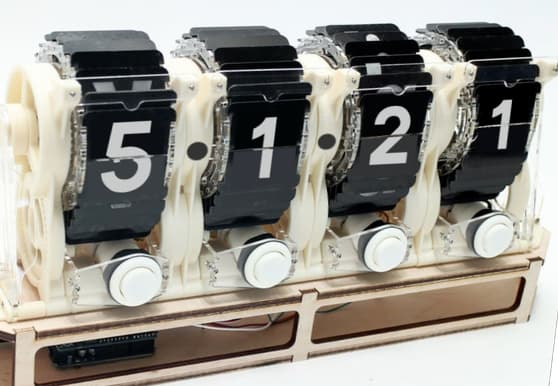 Congratulations to Sylvain Comte for his winning design for the banner for this release (here are the other entries).
This is a bug fix release that resolves issues introduced in the recent Release 5.1.20.
tc-btn-invisibletv-story-list variable@Jermolene would like to thank the contributors to this release who have generously given their time to help improve TiddlyWiki:
See GitHub for detailed change history of this release
 Congratulations to Thomas Elmiger for his winning design for the banner for this release (here are the other entries).
Plugins can now be loaded or deleted dynamically, without requiring a reload – as long as they don't contain any JavaScript modules. Plugins that require a reload are indicated in the plugin chooser in $:/ControlPanel.
The plugin listing and the plugin chooser in the control panel feature several improvements:
This release sees several improvements to the client-server configuration:
See the pull request on GitHub for more details.
Added a new filter operator for comparing numbers, strings, dates and version numbers. For example:
[[2]compare:number:eq[3]][[2]compare:number:lt[3]][[2]compare:number:eq[2]]=1.2 =1.8 =2.3 =3.4 =7.2 +[compare:number:gt[1.5]compare:number:lt[2.5]][[1]compare:number:gt[2]then[yes]else[no]]throttle.refresh field[is[binary]] operand for the is OperatorpublishFilter in save templates – see SavingMechanism.webm and .ogg video files.woff2 font files/ if none specified@Jermolene would like to thank the contributors to this release who have generously given their time to help improve TiddlyWiki:
See GitHub for detailed change history of this release
 Congratulations to Atronoush for his winning design for the banner for this release (here are the other entries).
emptyMessage attributes.tid exporter when there is more than one tiddler to export.tid files that do not have a type field<<colour>> macro)type field input in the Edit TemplateNew capabilities:
New filter run prefixes:
New operators:
Other improvements:
extended the mechanism for Customising Tiddler File Naming to:
th-make-tiddler-path hook for low-level control of tiddler path constructionisEditableFile attribute allowing files to be saved back to their original locationth-saving-tiddler hook to include information about the draft tiddler (see https://tiddlywiki.com/dev/#Hook%3A%20th-saving-tiddler)<$element> widget to add a hook so that plugins can intercept DOM node creationtm-navigate eventactions and explicitState attributestm-login message to introduce visual separationstory.js to remove dependency on wiki.js for story start up and navigatorextended the JSZip Plugin with the ability to dynamically create Zip files, and thus to conveniently build multi-file static sites within the browser
added the new Consent Banner Plugin plugin helps make websites that are compliant with "cookie legislation" such as the EU General Data Protection Regulation. It presents a banner inviting the user to accept or reject cookies, keeping track of their consent in local storage so that the banner can be hidden on subsequent visits.
By default, content embedded with <iframe>, <embed> and <object> is blocked unless the user consents to accept cookies.
Consent status is available via a configuration tiddler so that it is possible to construct content that behaves differently depending upon whether consent has been granted. As an example, a macro is provided for embedding YouTube videos that automatically uses the youtube-nocookie.com variant of video URLs unless the user has accepted cookies.
Please note that using this plugin does not guarantee compliance with any particular legislation. You will need to understand the technical issues specific to your situation, and if necessary seek legal advice.
<a> elementse.toggleComment being undefined with CodeMirror Sublime keymaprel="noopener noreferrer" to external linkssaveTiddler() method of syncadaptors$tw.wikiContent-Type HTTP header sent as Content-typeplugin-priority field to the TiddlyWeb plugin so that language plugins can override its language strings$:/temp tiddlers were being saved in single file wikissortan filter operator when used with date fields# charactertc-dirty class not appearing on external windowsstatic.tiddler.html template to make rendered tiddlers full-width@Jermolene would like to thank the contributors to this release who have generously given their time to help improve TiddlyWiki:
See GitHub for detailed change history of this release
addprefix and addsuffix operatorslist-links macro to display caption field if presenteach operator to work with missing tiddlerstm-home message wasn't navigating to a tiddler, causing problems in zoomin storyviewtimeline macroThese changes are only relevant to people using TiddlyWiki under Node.js
@Jermolene would like to thank the contributors to this release who have generously given their time to help improve TiddlyWiki:
See GitHub for detailed change history of this release
This is a small release with documentation improvements and some important bug fixes from Release 5.1.3.
These changes are only relevant to people using TiddlyWiki under Node.js
@Jermolene would like to thank the contributors to this release who have generously given their time to help improve TiddlyWiki:
See GitHub for detailed change history of this release
timeline macro to be able to use different date fieldssearch operator to allow a field to be specifiedThese changes are only relevant to people using TiddlyWiki under Node.js
tc-popup-handle.@Jermolene would like to thank the contributors to this release who have generously given their time to help improve TiddlyWiki:
See GitHub for detailed change history of this release
has and field operatorsThese changes are only relevant to people using TiddlyWiki under Node.js
$tw.utils.each so that the loop can be broken out of@Jermolene would like to thank the contributors to this release who have generously given their time to help improve TiddlyWiki:
See GitHub for detailed change history of this release
This is an hot fix release with the following change over Release 5.1.6:
See GitHub for detailed change history of this release
This release includes many improvements to the documentation for TiddlyWiki. Many thanks to everyone who has helped out, but especially to our prodigious new contributor Astrid Elocson.
position: sticky (such as Safari and Firefox)<p> tags)<iframe> elementsThese changes are only relevant to people using TiddlyWiki under Node.js
@Jermolene would like to thank the contributors to this release who have generously given their time to help improve TiddlyWiki:
See GitHub for detailed change history of this release
An experimental plugin to add a simple "Powered by TiddlyWiki" banner to your site. It is included in this prerelease but will not be on the main tiddlywiki.com wiki.
It is now possible to arrange the main window so that the sidebar has a fixed width and the story river expands to fill the remaining space.
To switch it on, visit Theme Tweaks in the $:/ControlPanel Appearance tab and use the following options:
A new setting in $:/ControlPanel Settings tab allows the toolbar button style to be chosen from the following options:
Plugins can add new style options.
An experimental new tiddler toolbar button opens a single tiddler in a separate pop-up browser window. The tiddler will be dynamically updated just as in the main window. There are several uses:
There's a new core palette "Solar Flare", contributed by Rustem Akbulatov (@nameanyone).
There are new options for controlling the position in the story river of newly opened tiddlers. Visit the Settings tab of $:/ControlPanel and look for "Tiddler Opening Behaviour".
Two new hidden settings for advanced configuration:
Added VarsWidget for setting multiple variables in one operation:
<$vars greeting="Hi" me={{!!title}} sentence=<<helloworld>>>
<<greeting>>! I am <<me>> and I say: <<sentence>>
</$vars>\begin/\end environments, including support for array, matrix, pmatrix, bmatrix, vmatrix, and Vmatrix\sqrt arguments, e.g. \sqrt[3]{x}\phantom\#, \&$name and $value attributes<kbd> elements such as escape and enter/.-position: relative; to example scrollable widget styles@Jermolene would like to thank the contributors to this release who have generously given their time to help improve TiddlyWiki:
See GitHub for detailed change history of this release
 Congratulations to Frank. B for his winning design for the banner for this release (here are the other entries).
The major change in this release is that the format used to store tiddlers in TiddlyWiki's HTML file has changed from an HTML DIV-based format to a new JSON-based format. The consequences of this change are far-reaching. They are thus the primary rationale for bumping the version number from v5.1.x to v5.2.0:
Firstly, the characters that can be used in field names are now unrestricted (just like tiddler titles), making it possible to use fieldnames like My^Field or ☃️. This has become possible because every other part of TiddlyWiki was already capable of dealing with unrestricted field names apart from saving as an HTML file.
Secondly, external tools that read, write or otherwise process TiddlyWiki HTML files will need modification to understand the new store area format. The details are documented in the /dev wiki.
For more details, see ticket #5708 on GitHub.
It is now possible to drag and drop an image file directly into the tiddler text editor. A popup allows the incoming image tiddler to be renamed, and then [img[title]] is automatically inserted into the tiddler text at the insertion point.
It is now possible to embed actions within the body of the ActionCreateTiddlerWidget, and those actions can directly access the title of the newly created tidddler via the variable createTiddler-title, and the title of the corresponding draft in the variable createTiddler-draftTitle. The old $savetitle and $savedrafttitle attributes are now deprecated.
<$button>
<$action-createtiddler $basetitle="Homemade Button" tags="$:/tags/PageControls" text={{$:/state/new-button-caption}}>
<$action-navigate $to=<<createTiddler-title>>/>
</$action-createtiddler>
Create a new non-functional page control button and open the tiddler
</$button>For more details:
Two long-standing limitations of TiddlyWiki's macro syntax have been resolved.
First, it is now possible to nest macro calls within the parameters to other macros. For example:
<<mymacro arg:"""nested <<macro>> call""">>Second, macro parameters can now be used within filter expressions. For example:
[<qualify "$:/state/mydata">addsuffix[-]addsuffix<now "YYYY MM DDD hh:mm:ss">]This simple-sounding change has several important consequences:
The first consequence is that it makes the TranscludeWidget much more efficient, and improves the performance of the refresh cycle.
The second consequence resolves a long-standing difficulty for many users: it is now possible to use an EditWidget to edit another field of the same tiddler. Previously, the edit widget would not work properly in such cases because it would be refreshed on every keypress, leading to the current editing caret/selection position being lost.
As sometimes happens, the third consequence is that constructions that relied on the old, buggy behaviour may no longer work as expected. A common example of such a construction is an invocation of a JavaScript macro. The problem stems from the fact that JavaScript macros are designed to be as simple as possible from the developers perspective, being pure functions that have no side effects, and that always return the same value for the same parameters. In particular, JavaScript macros cannot participate in TiddlyWiki's refresh mechansim, so they cannot force themselves to be updated when underlying data changes (for situations where such processing is needed, JavaScript widgets should be used instead of JavaScript macros).
However, developers have sometimes worked around this limitation by using the TranscludeWidget to force refreshing of a macro invocation when a particular tiddler changes. The newer, more selective behaviour means that sometimes such widgets will avoid a refresh that was previously relied upon to update the JavaScript macro.
For end users, if an upgrade to v5.2.0 causes problems then consult the discussion Forums to see if other users have encountered the same problem, and make a new posting if needed.
extended (and here) the ListWidget with an optional counter attribute specifying a variable to contain the numeric index of each list item. This is useful for creating a list of numbered items, and for detecting the first and last entries in a list
extended action widget execution with an optional new mode that ensures that all widgets are refreshed before invocation – see ActionWidget Execution Modes. This resolves a long-standing inconsistency in the way that ActionWidgets are executed, making them behave much more like a conventional programming language
improved the HTML comment syntax to enable it to be used before and in between pragmas such as macro definitions. This makes it much easier to provide documentation within complex wikitext tiddlers
fixed size of dropzone when story river is empty. For a long time, TiddlyWiki confusingly wouldn't recognise a drag and drop operation if the story river was empty
tm-import-tiddlers message has been sent, and to specify an optional contentTypesFilter which determines which content types are accepted by the dropzone.image/vnd.microsoft.icon content typetext/html./files/ folderimportTiddler object before any tiddlers are importeddecodeURIComponent()wiki.search() methodstopPropagation attribute and new syntax for specifying actionstc-btn-invisible class[all[shadows]] sometimes returning overridden shadow tiddlers@Jermolene would like to thank the contributors to this release who have generously given their time to help improve TiddlyWiki:
 @8d1h
@8d1h @Arlen22
 @BlueGreenMagick
 @BramChen
 @BurningTreeC
 @cdruan
 @clutterstack
 @CodaCodr
 @dixonge
 @donmor
 @felixhayashi
 @FlashSystems
 @flibbles
 @FND
@FND @hoelzro
 @jeremyredhead
 @joebordes
 @joshuafontany
 @kookma
 @laomaiweng
 @leehawk787
 @Marxsal
 @morosanuae
 @neumark
 @NicolasPetton
 @OdinJorna
 @pmario
 @rryan
 @saqimtiaz
 @simonbaird
 @slaymaker1907
 @sobjornstad
 @twMat
 @xcazin
See GitHub for detailed change history of this release
 Congratulations to Mohammad Rahmani and Elise Springer for their winning design for the banner for this release (here are the other entries).
The cascade mechanism provides a flexible way to choose between multiple options. Crucially, it is done in a way that makes it simple for plugins to tweak the logic or add their own options.
Some of the things that can be done with cascades are:
There are two parts to these changes. The underpinning is a new Cascade Filter Run Prefix that takes a list of filters and runs them in order, returning the result of the first one to return a value.
The second part is a series of improvements based on this new filter cascade mechanism. Conditional logic that was previously hidden within core templates can now be extended and tweaked much more easily than before.
Choosing the following elements of the core user interface is now handled with cascades:
The cascades can be inspected in $:/ControlPanel under Info -> Advanced -> Cascades.
See Cascades for more information.
The LetWidget is an improved alternative to the existing VarsWidget. It is recommended to use the new LetWidget instead of the VarsWidget in all circumstances.
The chief advantage is that the LetWidget performs the variable assignments in the same order as they are written, and permits references to earlier assignments. For example, here we swap the values of two variables:
<$let temp=<<foo>> foo=<<bar>> bar=<<temp>>>
...
</$let>focus-editor operation to WidgetMessage: tm-edit-text-operation@Jermolene would like to thank the contributors to this release who have generously given their time to help improve TiddlyWiki:
See GitHub for detailed change history of this release
 Congratulations to Elise Springer for her winning design for the banner for this release (here is the competition thread).
This is a major upgrade to the latest version of highlight.js. The new version has many improvements, including better support for Fortran.
The WidgetMessage: tm-open-window now supports an optional windowID parameter so that opened windows can be closed with the new WidgetMessage: tm-close-window message. There is also a new WidgetMessage: tm-close-all-windows message which closes all secondary windows.
To improve readability, it is now possible to use newlines as whitespace within filtered transcluded attributes of HTML elements and widgets. For example:
<span class={{{
[<currentTiddler>addsuffix[-primaryList]]
:except[<searchListState>get[text]]
:and[then[]else[tc-list-item-selected]]
}}}>This was a long standing bug that manifested itself in several ways.
The root cause was that the order in which tiddlers were enumerated depended upon the order in which they had been added to the store.
The effect was that lists based on enumerating tiddlers would show different results depending upon whether new tiddlers were added since the wiki was reloaded.
For example, adding a new tiddler with a given tag previously caused the new tiddler to appear at the bottom of the tag pill listing for that tag. Saving and reloading the wiki would reorder the list to put the new tiddler in the correct position.
The fix ensures that the enumeration order remains consistent.
<span> and <div> elementsTiddlyWiki's core page layout has historically included several instances of inline <span> elements containing block <div> elements, something that is technically invalid HTML. In practice, browsers have always handled these cases leniently to make the page work but it has also been unhelpful for developers to encountering invalid HTML constructions in their first interactions with TiddlyWiki.
The immediate prompt for starting to fix these issue now is that Chrome v100 includes a change that causes some of these misnested elements to be rendered correctly visually but to be unclickable in some situations. (The change is reverted in Chrome v102, but it still makes sense to fix it)
<div style.color={{!!color}}>)-, +, ~, : or other character with a special meaning in filtersdefault attribute changes@Jermolene would like to thank the contributors to this release who have generously given their time to help improve TiddlyWiki:
See GitHub for detailed change history of this release
 Congratulations to feedthegood for their winning design for the banner for this release (here is the competition thread and the voting thread).
[](). If any text is selected, it will be inside the square brackets: [text](){!!title} in a filter with no currentTiddler variable settv-widgetnode-width and tv-widgetnode-height\whitespace trim for improved readability. The work was split into a number of PRs: #6257, #6265, #6269, #6270, #6272, #6275, #6276, #6587, #6600, #6604, #6611storyTiddler variable@Jermolene would like to thank the contributors to this release who have generously given their time to help improve TiddlyWiki:
See GitHub for detailed change history of this release
 Congratulations to dmikh for their winning design for the banner for this release (here is the competition thread and the voting thread).
After the release of v5.2.5, we found some backwards compatibility issues with the stylesheet changes in #7039 and #6910. We have therefore decided to make a rapid bug fix Release 5.2.5 to resolve these issues, and all users should upgrade to the new version.
New Twitter Archivist plugin to import the tweets and associated media from a Twitter Archive as individual tiddlers.
added new GenesisWidget that allows the dynamic construction of another widget, where the name and attributes of the new widget can be dynamically determined, without needing to be known in advance
added (and here) new operators for reading and formatting JSON data: jsonget Operator, jsonindexes Operator, jsontype Operator, jsonextract Operator and format Operator
Improvements to the following translations:
Improvements to the translation features of TiddlyWiki itself:
<empty string> message--test command in order to cause the tests to be runwiki.getTiddler()@Jermolene would like to thank the contributors to this release who have generously given their time to help improve TiddlyWiki:
See GitHub for detailed change history of this release
 Congratulations to dmikh for their winning design for the banner for this release (here is the competition thread and the voting thread).
This is a bug fix release intended to resolve backwards compatibility issues discovered in v5.2.4. See this GitHub ticket for the background.
The issues are entirely cosmetic stylesheet changes, and do not affect the functionality of TiddlyWiki. However, we encourage all users to upgrade to this new version for consistency.
Since v5.2.5 replaces v5.2.4 that was only released for a week, here is the release note for v5.2.4.
See GitHub for detailed change history of this release
Congratulations to dmikh for their winning design for the banner for this release (here is the competition thread and the voting thread).
After the release of v5.2.5, we found some backwards compatibility issues with the stylesheet changes in #7039 and #6910. We have therefore decided to make a rapid bug fix Release 5.2.5 to resolve these issues, and all users should upgrade to the new version.
New Twitter Archivist plugin to import the tweets and associated media from a Twitter Archive as individual tiddlers.
added new GenesisWidget that allows the dynamic construction of another widget, where the name and attributes of the new widget can be dynamically determined, without needing to be known in advance
added (and here) new operators for reading and formatting JSON data: jsonget Operator, jsonindexes Operator, jsontype Operator, jsonextract Operator and format Operator
Improvements to the following translations:
Improvements to the translation features of TiddlyWiki itself:
<empty string> message--test command in order to cause the tests to be runwiki.getTiddler()@Jermolene would like to thank the contributors to this release who have generously given their time to help improve TiddlyWiki:
See GitHub for detailed change history of this release
 Congratulations to StS for their winning design for the banner for this release (here is the competition thread and the voting thread).
Improvements to the following translations:
<$data> widget to override existing tiddler fields$:/Import tiddler$ HTML entityfocusSelectFromStart and focusSelectFromEnd attributes to give better control over text selection* that are illegal in Windows filenames<iframe> instead of the older <embed>.tid files with fieldnames containing hash characters by saving such tiddlers in .json formattoc-caption macro for Table-of-Contents Macros$type attribute is blank or missingisBlock flag to the generated widgettc-storyview-zoomin-tiddler in Zoomin story viewimportTitle and autoOpenOnImport options for WidgetMessage: tm-import-tiddlers_canonical_uri field as .tid files@Jermolene would like to thank the contributors to this release who have generously given their time to help improve TiddlyWiki:
See GitHub for detailed change history of this release
 Congratulations to StS for their winning design for the banner for this release (here is the competition thread and the voting thread).
This is a bug fix release intended to resolve a backwards compatibility issue discovered in v5.2.6. See this GitHub ticket for the background.
The issue is that trailing newlines within a macro definitions were being ignored, which affected whether the content were parsed in inline or block mode.
Since v5.2.7 replaces v5.2.6 that was only released for less than a week, here is the release note for v5.2.6.
See GitHub for detailed change history of this release
Congratulations to StS for their winning design for the banner for this release (here is the competition thread and the voting thread).
Improvements to the following translations:
<$data> widget to override existing tiddler fields$:/Import tiddler$ HTML entityfocusSelectFromStart and focusSelectFromEnd attributes to give better control over text selection* that are illegal in Windows filenames<iframe> instead of the older <embed>.tid files with fieldnames containing hash characters by saving such tiddlers in .json formattoc-caption macro for Table-of-Contents Macros$type attribute is blank or missingisBlock flag to the generated widgettc-storyview-zoomin-tiddler in Zoomin story viewimportTitle and autoOpenOnImport options for WidgetMessage: tm-import-tiddlers_canonical_uri field as .tid files@Jermolene would like to thank the contributors to this release who have generously given their time to help improve TiddlyWiki:
See GitHub for detailed change history of this release
 Congratulations to vilc for their winning design for the banner for this release (here is the competition thread).
This release introduces a number of significant improvements and new features related to some of TiddlyWiki's most fundamental components: macros, widgets, operators and transclusion. v5.3.0 also contains several other bug fixes and improvements.
added The motivation of these changes is to fix one of TiddlyWiki 5's early design flaws: the reliance on macros using textual substitution as the primary way to modularise and reuse wikitext and filters.
Experience has shown that while macros are a good match for a small number of tasks, they are brittle and error prone for many common operations. See Macro Pitfalls for a discussion of the problems that accompany this approach. Over the years we have introduced mitigations for the worst problems but these have come at a cost of increased complexity.
The changes in this release provide powerful new ways to achieve common tasks, and unlock completely new capabilities that were previously impossible in wikitext.
The approach taken by this release is to add new functionality by extending and augmenting the system without disturbing existing functionality. All of these changes are thus intended to be backwards compatible. While they represent a new field of opportunities for wikitext authors, it is possible for authors to ignore all these new features and continue to use TiddlyWiki 5 in the way that they have always done.
These changes lay the groundwork for macros and related features to be deprecated (which is the point at which users are advised not to use old features, and instead given clear pointers to the equivalent modern functionality).
added The new transclusion architecture is not by itself sufficient to enable us to fully deprecate macros yet. To handle most of the remaining use cases this release adds convenient new ways of using textual substitution without having to create a macro:
Firstly, the new text substitution syntax for widget attributes allows widget attributes to be assigned the value of a string with certain placeholders being replaced by their processed contents. For example:
attr=`Current tiddler is $(currentTiddler)$`attr=```There are ${ [tag[Done]count[]] }$ completed tasks```Secondly, the new substitute operator allows the same textual substitutions to be performed via a filter operator with the addition of positional parameters that use placeholders of the form $1$, $2$, $3$ etc.
[[https://$1$/$(currentTiddler)$]substitute<domain-name>]added new WidgetMessage: tm-http-request for performing HTTP requests in WikiText. This opens up some exciting new opportunities:
updated CamelCase linking is now disabled by default for new wikis. (Note that this documentation wiki has CamelCase linking explicitly enabled because much of the old content was written relying on them).
Improvements to the following translations:
data-tag-title attribute to all tag pills, allowing easier Custom tag pill stylescreated or modified)filepath source attribute to tiddlywiki.files Files@Jermolene would like to thank the contributors to this release who have generously given their time to help improve TiddlyWiki:
See GitHub for detailed change history of this release
 Congratulations to vilc for their winning design for the banner for this release (here is the competition thread).
This release comes only a few weeks after v5.3.0. The motivation for the release is to swiftly fix some issues that have emerged with v5.3.0. There are also some other improvements included in this release, notably the ability to access binary resources over HTTP – the demo downloads a random image or video of a dog.
widget.destroy() method because of performance concerns (see https://github.com/TiddlyWiki/TiddlyWiki5/pull/7468)text/plain that manifested itself as extremely slow export timesImprovements to the following translations:
@Jermolene would like to thank the contributors to this release who have generously given their time to help improve TiddlyWiki:
See GitHub for detailed change history of this release
 Congratulations to catter-fly for their winning design for the banner for this release (here is the competition thread).
added a new shortcut syntax for concisely expressing if-then-else logic. This is the first of a new type of wikitext syntax based on tokens delimited with <% and %>. We plan to introduce other structures using the same format such as a "case" statement.
These new token-based shortcuts allow a richer structure and expressivity than existing features such as widgets or pragmas. For example:
<%if [<animal>match[Elephant]] %>
It is an elephant
<%elseif [<animal>match[Giraffe]] %>
It is a giraffe
<%else%>
It is completely unknown
<%endif%>Behind the scenes, the conditional shortcut syntax is rendered as the equivalent ListWidgets.
added support for <$list-template> and <$list-empty> as immediate children of the $ListWidget widget to specify the list item template and/or the empty template.
This new feature is designed to replace a common pattern of using the emptyMessage attribute of the ListWidget to render complex wikitext that thus has to be quoted. Working with wikitext within quotes is awkward and error prone. The new structure can be somewhat faster because it allows the empty message to be parsed in advanced of rendering.
For example:
<$list filter=<<filter>>>
<$list-template>
<$text text=<<currentTiddler>>/>
</$list-template>
<$list-empty>
None!
</$list-empty>
</$list>Note that the emptyMessage and template attributes take precedence if they are present.
added a join attribute to the $ListWidget widget to insert a short piece of text between list items. This is both easier to use and faster than using the counter attribute for the same purpose. So if your list looked like this:
<$list filter=<<filter>> counter="counter" variable="item">
<$text text=<<item>>/><$list filter="[<counter-last>match[no]]" variable="ignore"><$text text=", "/></$list>
</$list>You can replace it with:
<$list filter=<<filter>> variable="item" join=", "><$text text=<<item>>/></$list>If the joiner text that you need is long and awkward to write in an attribute, you can use the new <$list-join> widget. Like <$list-template> and <$list-empty>, it must be an immediate child of the $ListWidget:
<$list filter=<<filter>> variable="item"><$text text=<<item>>/><$list-join>, and <em>also</em> let's not forget </$list-join></$list>added jsonset Operator for setting values within JSON objects
extended QR Code plugin to be able to read QR codes and a number of other bar code formats
Improvements to the following translations:
$floating attribute to Dynannotate Plugin to support popups that do not disappear when another part of the screen is clicked. Instead they have to dismissed manuallydata-* attributes and style.* attributes to be applied to the generated DOM nodes. This is useful for passing data to the EventCatcherWidgetpackage.json@Jermolene would like to thank the contributors to this release who have generously given their time to help improve TiddlyWiki:
See GitHub for detailed change history of this release
 Congratulations to catter-fly for their winning design for the banner for this release (here is the competition thread).
This is a bug fix release to address a number of bugs that were introduced with Release 5.3.2.
Since v5.3.3 replaces v5.3.2 after only a couple of weeks, here is the release note for v5.3.2.
See GitHub for detailed change history of this release
Congratulations to catter-fly for their winning design for the banner for this release (here is the competition thread).
added a new shortcut syntax for concisely expressing if-then-else logic. This is the first of a new type of wikitext syntax based on tokens delimited with <% and %>. We plan to introduce other structures using the same format such as a "case" statement.
These new token-based shortcuts allow a richer structure and expressivity than existing features such as widgets or pragmas. For example:
<%if [<animal>match[Elephant]] %>
It is an elephant
<%elseif [<animal>match[Giraffe]] %>
It is a giraffe
<%else%>
It is completely unknown
<%endif%>Behind the scenes, the conditional shortcut syntax is rendered as the equivalent ListWidgets.
added support for <$list-template> and <$list-empty> as immediate children of the $ListWidget widget to specify the list item template and/or the empty template.
This new feature is designed to replace a common pattern of using the emptyMessage attribute of the ListWidget to render complex wikitext that thus has to be quoted. Working with wikitext within quotes is awkward and error prone. The new structure can be somewhat faster because it allows the empty message to be parsed in advanced of rendering.
For example:
<$list filter=<<filter>>>
<$list-template>
<$text text=<<currentTiddler>>/>
</$list-template>
<$list-empty>
None!
</$list-empty>
</$list>Note that the emptyMessage and template attributes take precedence if they are present.
added a join attribute to the $ListWidget widget to insert a short piece of text between list items. This is both easier to use and faster than using the counter attribute for the same purpose. So if your list looked like this:
<$list filter=<<filter>> counter="counter" variable="item">
<$text text=<<item>>/><$list filter="[<counter-last>match[no]]" variable="ignore"><$text text=", "/></$list>
</$list>You can replace it with:
<$list filter=<<filter>> variable="item" join=", "><$text text=<<item>>/></$list>If the joiner text that you need is long and awkward to write in an attribute, you can use the new <$list-join> widget. Like <$list-template> and <$list-empty>, it must be an immediate child of the $ListWidget:
<$list filter=<<filter>> variable="item"><$text text=<<item>>/><$list-join>, and <em>also</em> let's not forget </$list-join></$list>added jsonset Operator for setting values within JSON objects
extended QR Code plugin to be able to read QR codes and a number of other bar code formats
Improvements to the following translations:
$floating attribute to Dynannotate Plugin to support popups that do not disappear when another part of the screen is clicked. Instead they have to dismissed manuallydata-* attributes and style.* attributes to be applied to the generated DOM nodes. This is useful for passing data to the EventCatcherWidgetpackage.json@Jermolene would like to thank the contributors to this release who have generously given their time to help improve TiddlyWiki:
See GitHub for detailed change history of this release
 Congratulations to duarte.framos for their winning design for the banner for this release (here is the competition thread).
added several new features that together allow interactive learning tours to be created and presented in TiddlyWiki.
The demo TiddlyWiki interactive tour can be seen at https://tiddlywiki.com/tour
The new features include:
added new Geospatial Plugin that adds new primitives to the TiddlyWiki platform to enable non-developers to build sophisticated interactive geospatial applications.
The Geospatial Plugin incorporates a number of third party libraries and online services:
Try it out at https://tiddlywiki.com/plugins/tiddlywiki/geospatial/
$testcase Widgetadded new $testcase widget that is intended to solve a problem with the examples that we feature in the documentation. The existing macros are workable for simple, self-contained examples, but can be hard to follow in cases where the examples use additional tiddlers. The $testcase widget displays complete, self-contained interactive examples showing the output together with a tabbed display of the constituent tiddlers that produce it:
This test case shows an elaborate way to calculate 2+2 involving multiple tiddlers
| title | Output |
The sum is 4
The payload tiddlers for a test case are specified with the $data widget. Test cases are run as an independent, self-contained nested wiki in a similar way to the Innerwiki Plugin, but are much more lightweight. The disadvantage is that test cases are rendered as part of the main page, and so any styling changes will leak out to the rest of the page.
Test cases can also specify the raw HTML of the expected result which causes them to be executed as tests, with success or failure indicated by an icon:
This test case intentionally fails (in order to show how failures are displayed). The expected result is set to <p>The sum is not 8.</p>, but the result computes to <p>The sum is 4.</p>
<p>The sum is not 84.</p>| title | Output |
The sum is 4.
The easiest way to use the $testcase is by creating TestCaseTiddlers using the new CompoundTiddlers format. There are also many test cases to view in the TiddlyWiki test edition at https://tiddlywiki.com/test.html
This release also includes improvements to the following translations:
to attribute changestiddlywiki.files files on Windows\whitespace trimwidget.getVariableInfo() to always return a params property@Jermolene would like to thank the contributors to this release who have generously given their time to help improve TiddlyWiki:
See GitHub for detailed change history of this release
 Congratulations to duarte.framos for their winning design for the banner for this release (here is the competition thread).
This is a bug fix release to address a number of bugs that were introduced with Release 5.3.4.
$filter attribute specifies a missing tiddler@Jermolene would like to thank the contributors to this release who have generously given their time to help improve TiddlyWiki:
Since v5.3.5 replaces v5.3.4 after only a couple of weeks, here is the release note for v5.3.4.
See GitHub for detailed change history of this release
Congratulations to duarte.framos for their winning design for the banner for this release (here is the competition thread).
added several new features that together allow interactive learning tours to be created and presented in TiddlyWiki.
The demo TiddlyWiki interactive tour can be seen at https://tiddlywiki.com/tour
The new features include:
added new Geospatial Plugin that adds new primitives to the TiddlyWiki platform to enable non-developers to build sophisticated interactive geospatial applications.
The Geospatial Plugin incorporates a number of third party libraries and online services:
Try it out at https://tiddlywiki.com/plugins/tiddlywiki/geospatial/
$testcase Widgetadded new $testcase widget that is intended to solve a problem with the examples that we feature in the documentation. The existing macros are workable for simple, self-contained examples, but can be hard to follow in cases where the examples use additional tiddlers. The $testcase widget displays complete, self-contained interactive examples showing the output together with a tabbed display of the constituent tiddlers that produce it:
This test case shows an elaborate way to calculate 2+2 involving multiple tiddlers
| title | Output |
The sum is 4
The payload tiddlers for a test case are specified with the $data widget. Test cases are run as an independent, self-contained nested wiki in a similar way to the Innerwiki Plugin, but are much more lightweight. The disadvantage is that test cases are rendered as part of the main page, and so any styling changes will leak out to the rest of the page.
Test cases can also specify the raw HTML of the expected result which causes them to be executed as tests, with success or failure indicated by an icon:
This test case intentionally fails (in order to show how failures are displayed). The expected result is set to <p>The sum is not 8.</p>, but the result computes to <p>The sum is 4.</p>
<p>The sum is not 84.</p>| title | Output |
The sum is 4.
The easiest way to use the $testcase is by creating TestCaseTiddlers using the new CompoundTiddlers format. There are also many test cases to view in the TiddlyWiki test edition at https://tiddlywiki.com/test.html
This release also includes improvements to the following translations:
to attribute changestiddlywiki.files files on Windows\whitespace trimwidget.getVariableInfo() to always return a params property@Jermolene would like to thank the contributors to this release who have generously given their time to help improve TiddlyWiki:
See GitHub for detailed change history of this release
 Congratulations to pmario for their winning design for the banner for this release (here is the competition thread).
This release includes improvements to the following translations:
improved the translators edition with various fixes and updates
This release includes several fixes and improvements to the TestCaseWidget, its default template, and the related DataWidget and CompoundTiddlers format. These features were first introduced in Release 5.3.4 and are undergoing continuous improvement as we work on integrating them more widely across the system.
$compound-filter attribute for the DataWidget that allows other compound tiddlers to be imported. There is also a companion import-compound field for the TestCaseWidget templatetext/vnd.tiddlywiki-multiple to the editor type dropdown⁠ which can be useful for joining HTML elements without an unwanted linebreak{% %} and {= =} are reserved for external tooling, and will never be recognised by TiddlyWiki itselftext and searchstart/end properties to table row and cell elements@Jermolene would like to thank the contributors to this release who have generously given their time to help improve TiddlyWiki:
See GitHub for detailed change history of this release
This is a minor bug fix release before introducing the major changes planned for v5.4.0. The changes planned for that release do involve some minor breaks in backwards compatibility so this release is intended to be a stable point for users before they upgrade.
added The new TiddlyWiki Surveys edition at https://tiddlywiki.com/surveys.html is a home for surveys and interviews with the TiddlyWiki community. There will be a new 2025 survey soon, but in the meantime you can read the results of the Great Viral TiddlyWiki Interview Project from 2010.
addedThe new Wiki Information tab in the control panel provides a convenient way to view and copy key configuration information about your wiki. This is useful for debugging and support purposes. Find it in $:/ControlPanel under the "Info" tab.
plugin-priority fieldlang attribute of the root <html> element_canonical_uri field@Jermolene would like to thank the contributors to this release who have generously given their time to help improve TiddlyWiki:
See the detailed change history on GitHub and other releases.
 Congratulations to
Christian Byron
for their winning design for the banner for this release (here is the
discussion).
Congratulations to
Christian Byron
for their winning design for the banner for this release (here is the
discussion).
This is a bug fix release for TiddlyWiki Release 5.3.7 that fixes problems introduced in that release.
See the detailed change history on GitHub and other releases.
 Congratulations to
Peter
for their winning design for the banner for this release (here is the
discussion).
Congratulations to
Peter
for their winning design for the banner for this release (here is the
discussion).
Release v5.4.0 deliberately and forensically loosens backwards compatibility to clear the path for significant new features and fundamental improvements to be made in the future.
See the project plan for full details.
This PR extends the handling of macro/procedure/function invocationsmade via the <<..>> shortcut syntax to allow dynamic parameters instead of just static strings. To indicate the new syntax the colon that usually separates a parameter name from its value is replaced by an equals sign. For example:
<<mymacro param={{Something}}>>
<div class=<<mymacro param={{Something}}>>>
<div class=<<mymacro param={{{ [<myvar>addprefix[https:] }}}>>>
<div class=<<mymacro param={{{ [<innermacro p={{Something}}>addprefix[https:] }}}>>>Note that the new syntax obviates the need for <$transclude $variable=...> constructions in many cases.
The extended syntax allows parameter values to be passed as transclusions, filter expressions or nested invocations in three settings:
See Calls for more details and examples.
( now starts a multi value variable operand.Two filter operators take a field name in the suffix position: regexp and search. Up to 5.3.8 such a field name could contain round brackets, for example:
[regexp:_cd-work(s)[(?i)suite]]
[search:_cd-work(s)[suite]]In 5.4.0 the new (varname) operand syntax for Multi-Valued Variables makes ( start an operand. The parser now splits such a field name at the (, so the filter no longer matches.
This will not be fixed. The two readings of field(x), a field named field(x) versus the field field with the operand (x), are genuinely ambiguous, so ( and ) are reserved in filter operator names and suffixes from 5.4.0 onwards.
Workaround: do not use ( or ) in field names that are referenced as a filter operator suffix. Rename the field, for example _cd-works.
This PR introduces a new filter run prefix :let that assigns the result of the filter run to a variable that is made available for the remaining filter runs of the filter expression. It solves the problem that previously it was impossible to compute values for filter operator parameters; parameters could only be a literal string, text reference or variable reference.
This PR also introduces multi-valued variables, the ability to store a list of results in a variable, not just a single string. They can be assigned with the new :let filter run prefix, or the existing <$let> widget. The full list of values can be retrieved using round brackets instead of the usual angle brackets. In all other contexts only the first item in the list is used as the variable value.
Introduces Background Actions that are triggered whenever there is a change to the results of a specified filter.
Building on that, it also introduces a new Media Query Tracker Mechanism that can track the results of any CSS media query (not just dark mode), storing the results in a shadow $:/info/... tiddler
These improvements were cherrypicked from #8702 - Colour Handling Improvements when it was deferred until v5.5.0.
This is an internal change that will only be of direct interest to plugin developers but will form the basis of future user-facing features. For example:
See the detailed change history on GitHub and other releases.
Congratulations to
Peter
for their winning design for the banner for this release (here is the
discussion).
Release v5.4.1 addresses regressions and bugs introduced in the v5.4.0 release.
See the detailed change history on GitHub and other releases.
Release v5.5.0 is under development.
See Release Notes and Changes Internals for a detailed breakdown of the tiddlers that make up a release note.
Release notes describe the changes in a release, and the impact of those changes. They comprise the following information:
5.4.0)Change notes describe a discrete change within a release. Change note comprise the following information:
Valid change note types are as follows:
Valid change categories are as follows:
Impact notes describe the impact of a particular change. There can be multiple impact notes for a given change. They comprise the following information:
Valid impact types are as follows:
Release notes describe the changes in a release, and the impact of those changes.
Release note fields:
caption - the plain version number (eg 5.4.0)created - in DateFormatmodified - in DateFormatreleased - in DateFormat – only present if the release has been publishedtags - must include ReleaseNotestitle - the title of the release note (eg Release 5.4.0)description - a brief description of the releasetext - see belowThe text of the release note should consist of the definition of a variable release-introduction followed by the invocation of the releasenote procedure. For example:
\define release-introduction()
Release v5.4.0 includes major improvements in a number of areas. See the [[project plan|https://github.com/orgs/TiddlyWiki/projects/4]] for more details.
\end release-introduction
<<releasenote 5.4.0>>Change notes describe a discrete change within a release. Change note fields:
title - by convention titles are formed $:/changenotes/<version>/<unique identifier>. The unique identifier is typically the primary GitHub PR or issue like #1234 or a GitHub commit ID such as 98f850609d29bc36ded83f90c0d5be231649254btags - must include $:/tags/ChangeNotechange-type - the type of change as a single string; see here for valid valueschange-category - the category of the change; see here for valid valuestext - full description of the changedescription - brief description of the changerelease - the release with which this change note is associated (eg 5.4.0)github-links - a list of the GitHub links associated with this changegithub-contributors - a list of the GitHub handles of the developers responsible for the PR/commitsImpact notes describe the impact of a particular change. There can be multiple impact notes for a given change.
Impact note fields:
title - by convention, the title of the associated change note with /deprecations/ and a unique ID appended $:/changenotes/5.4.0/#8702/deprecations/darkmode-info-tiddlerchangenote - the title of the associated change notecreated - in DateFormatmodified - in DateFormattags - must include $:/tags/ImpactNotedescription - a brief description of the impactimpact-type - the type of impact; see here for valid valuestext - description of the impact if requiredSummary sections are curated via lists stored in fields on the tiddler $:/tw5.com/releases/info/summary-lists.
Each field is named <section>/<release> and contains a list of change note tiddler titles, for example:
highlights/5.4.0big-bug-fixes/5.4.0clearing-the-decks/5.4.0New releases of TiddlyWiki and TiddlyDesktop are announced via the official discussion groups and Twitter
The prerelease of the next version of TiddlyWiki can be found at https://tiddlywiki.com/prerelease for testing and review purposes.
See the TiddlyWiki Archive to download older versions.
Here are the details of recent releases of TiddlyWiki5. See TiddlyWiki5 Versioning for details of how releases are named.
npm install -g tiddlywiki@5.3.0
Released TBA
See the detailed change history on GitHub and other releases.
Release v5.5.0 is under development.
<h2><$link to=<<currentTab>>><$view tiddler=<<currentTab>> field="title"/></$link></h2>
^^Released <$view tiddler=<<currentTab>> field="released" format="date" template="DDth MMM YYYY at 0hh:0mm">TBA</$view>^^
<$transclude tiddler=<<currentTab>> />
| purpose | treating each input title as a number, return the remainder when divided by the numeric value of the parameter |
|---|---|
| input | a selection of titles |
| parameter | N=a number |
| output | the input as numbers, but with each replaced by the remainder when dividing it by N |
Learn more about how to use Filters
Introduced in v5.1.20 See Mathematics Operators for an overview.
[[23]remainder[3]]=1 =2 =3 =4 +[remainder[2]]| purpose | remove a list of titles specified in the parameter from the input |
|---|---|
| input | a list of items |
| suffix | an integer N, defaulting to all |
| parameter | array=an array of items to remove |
| output | items removed from current list that appear at the head of the parameter array |
! output | items removed from current list that appear at the tail of the parameter array |
These examples make use of the Days of the Week tiddler.
[list[Days of the Week]] +[remove[Tuesday Wednesday Thursday]][list[Days of the Week]] +[remove:3[Monday Wednesday Friday Saturday]][list[Days of the Week]] +[!remove:2{Days of the Week!!list}]| purpose | filter the input titles by how they start, deleting that prefix |
|---|---|
| input | a selection of titles |
| suffix | the removeprefix operator uses a rich suffix, see below for details |
| parameter | S=a string of characters |
| output | those input titles that start with S, but with those characters discarded |
Learn more about how to use Filters
The removeprefix operator uses an extended syntax that permits multiple flags to be passed:
[removeprefix:<flag list>[<parameter>]]The available flags are:
[[My Cat]] [[Your Garden]] [[My Favourite Armchair]] +[removeprefix[My ]][[My Cat]] [[Your Garden]] [[My Favourite Armchair]] +[removeprefix:caseinsensitive[my ]]| purpose | filter the input titles by how they end, deleting that suffix |
|---|---|
| input | a selection of titles |
| suffix | the removesuffix operator uses a rich suffix, see below for details |
| parameter | S=a string of characters |
| output | those input titles that end with S, but with those characters discarded |
Learn more about how to use Filters
The removesuffix operator uses an extended syntax that permits multiple flags to be passed:
[removesuffix:<flag list>[<parameter>]]The available flags are:
SIMPLEX Googolplex Complex +[removesuffix[plex]]SIMPLEX Googolplex Complex +[removesuffix:caseinsensitive[plex]]Render individual tiddlers identified by a filter and save the results to the specified files.
Optionally, the title of a template tiddler can be specified. In this case, instead of directly rendering each tiddler, the template tiddler is rendered with the "currentTiddler" variable set to the title of the tiddler that is being rendered.
A name and value for an additional variable may optionally also be specified.
--render <tiddler-filter> [<filename-filter>] [<render-type>] [<template>] [ [<name>] [<value>] ]*[is[tiddler]addsuffix[.html]], which uses the unchanged tiddler title as the filenametext/html (the default) returns the full HTML text and text/plain just returns the text content (ie it ignores HTML tags and other unprintable material)By default, the filename is resolved relative to the output subdirectory of the edition directory. The --output command can be used to direct output to a different directory.
Notes:
--render "[[Motovun Jack.jpg]]"[encodeuricomponent[]addprefix[static/]] applies URI encoding to each title, and then adds the prefix static/--render command is a more flexible replacement for both the --rendertiddler and --rendertiddlers commands, which are deprecatedExamples:
--render '[!is[system]]' '[encodeuricomponent[]addprefix[tiddlers/]addsuffix[.html]]' – renders all non-system tiddlers as files in the subdirectory "tiddlers" with URL-encoded titles and the extension HTML--render '.' 'tiddlers.json' 'text/plain' '$:/core/templates/exporters/JsonFile' 'exportFilter' '[tag[HelloThere]]' – renders the tiddlers tagged "HelloThere" to a JSON file named "tiddlers.json"
Deprecated fromv5.1.15(seeRenderCommand).
(Note: The --rendertiddler command is deprecated in favour of the new, more flexible --render command)
Render an individual tiddler as a specified ContentType, defaulting to text/html and save it to the specified filename.
Optionally the title of a template tiddler can be specified, in which case the template tiddler is rendered with the "currentTiddler" variable set to the tiddler that is being rendered (the first parameter value).
A name and value for an additional variable may optionally also be specified.
--rendertiddler <title> <filename> [<type>] [<template>] [<name>] [<value>]By default, the filename is resolved relative to the output subdirectory of the edition directory. The --output command can be used to direct output to a different directory.
Any missing directories in the path to the filename are automatically created.
For example, the following command saves all tiddlers matching the filter [tag[done]] to a JSON file titled output.json by employing the core template $:/core/templates/exporters/JsonFile.
--rendertiddler "$:/core/templates/exporters/JsonFile" output.json text/plain "" exportFilter "[tag[done]]"Deprecated fromv5.1.15(seeRenderCommand).
(Note: The --rendertiddlers command is deprecated in favour of the new, more flexible --render command)
Render a set of tiddlers matching a filter to separate files of a specified ContentType (defaults to text/html) and extension (defaults to .html).
--rendertiddlers '<filter>' <template> <pathname> [<type>] [<extension>] ["noclean"]For example:
--rendertiddlers '[!is[system]]' $:/core/templates/static.tiddler.html ./static text/plainBy default, the pathname is resolved relative to the output subdirectory of the edition directory. The --output command can be used to direct output to a different directory.
Any files in the target directory are deleted unless the noclean flag is specified. The target directory is recursively created if it is missing.
| purpose | replace marker with N trailing items |
|---|---|
| input | a list of items |
| suffix | an integer N, defaulting to 1 |
| parameter | marker=the item to be used as a marker |
| output | re-ordered list of items |
These examples make use of the Days of the Week tiddler.
[list[Days of the Week]] Last +[replace[Wednesday]][list[Days of the Week]] Last +[replace:2[Tuesday]][list[Days of the Week]] [[Yesterday]] [[Today]] [[Tomorrow]] +[replace:3[Tuesday]]You can report bugs or problems with TiddlyWiki via our discussion groups. If you have a GitHub account then you can raise an issue there:
https://github.com/TiddlyWiki/TiddlyWiki5/issues/new
Unless you are already familiar with GitHub, it's usually easiest to report problems through the discussion groups.
We use GitHub Issues to manage bug reports and feature requests for TiddlyWiki. To maintain their effectiveness we endeavour to have as few open issues as possible.
Open issues should be actionable: generally either a reproducible bug report, or a specific feature request. From the perspective of the core developers, the issues list behaves like a shared todo list. Every item on the list requires a little bit of attention each time we check the list.
GitHub Issues are not very good for managing ideas that are not immediately actionable. Better to use the TiddlyWiki discussion groups for open ended questions, or speculative discussions of new features.
Before creating a GitHub issue it is good etiquette to search through the existing issues to see whether the problem has already been reported. If a search isn't practical, don't worry too much; GitHub makes it easy to merge existing issues.
When you do create an issue, remember that for effective debugging, we need as much information as possible. At a minimum, please try to include:
Consider also adding screenshots if it makes things clearer.
There's a lot of good material on the web about bug reports:
The resolvepath macro takes a relative path and an absolute path. It interprets the former relative to the latter, and returns the absolute equivalent of the former.
Folders in the paths are delimited by /.
The special folder name . denotes the current folder, and .. denotes the parent folder.
If the absolute path indicates a folder, it needs to end with /. Anything after the final / is treated as an arbitrary filename within the intended path, and is discarded.
If no absolute path is supplied, the relative path is returned unchanged, except that anything after the final / is discarded.
The return value is a path, but does not end with /.
<<resolvepath "./backup" "http://example.com/store.php">><<resolvepath "backup" "http://example.com/store.php">><<resolvepath "../backup" "http://example.com/store.php">><<resolvepath "../jpg/Motovun_Jack.jpg" "http://example.com/resources/images/png/">><<resolvepath "../jpg/../png/Motovun_Jack.png">><<resolvepath "jpg/Motovun_Jack.jpg">>The Community Links Aggregator is the preferred way to share and discover community resources.
These links were largely collected before the aggregator was created, and are retained for historical purposes.
The latest news, articles, resources and examples.
TW5-Graph is a framework to integrate TiddlyWiki with existing graphing and visualization engines (such as Vis-Network). The plugin allows for easy and sophisticated graphs to represent your tiddlers, or whatever else you want.
It is the spiritual successor to TiddlyMap.
With TW5-Graph you can:
There's loads TW5-Graph can do for you. Check out its demo website here.
Or visit its source code here.
A collection of articles covering integration with Fargo, Font Awesome and Google Calendar, and tips for managing task lists. The original site is missing, but a link to an archive is provided.
https://web.archive.org/web/20221015011644/http://blog.jeffreykishner.com/tiddlywiki/
I have become a regular user of TiddlyWiki and have become so accustomed to using Font Awesome icons in Fargo that I wanted to incorporate the icons into my wikis as well.
These are prepackaged editions created by the TiddlyWiki Community. These are TiddlyWikis with added plugins and configurations to facilitate a certain use-case. These are great starting points if you want to quickly jump into TiddlyWiki and start using it without spending too much time configuring yourself.
Lifelong knowledge, deep in Mind.
Tidme uses advanced Incremental Learning concepts to make it your powerful second brain for acquiring lifelong knowledge.
A adaptation of TiddlyWiki perfect for using as a Notebook sysetem.
https://postkevone.github.io/tiddlystudy/
Tiddly Research is a free and local note-taking environment based on TiddlyWiki
Core Features:
- Bidirectional note linking on multiple levels
- Tags
- Linked references
- Unlinked references
- Transclusions
- Bullet point based hierarchical note taking structure
- Integration with the spaced repetition flashcards tool Anki
- TODOs
- and more
A adaptation of TiddlyWiki perfect for using as a Notebook sysetem.
https://github.com/bmann/drift-tiddlywiki-template/tree/master/drift
Drift is an adaptation of TiddlyWiki with the goal of helping you Collect. Organise. and Grow. your ideas while keeping tab on how they interconnect together and fluidly Drift from one to another.
The 2 main components of Drift are TWCrosslinks and DailyNotes so you never miss an idea
Drift was inspired by TiddlyBlink / Stroll and adapted to fit my needs.
Project & todo management for TiddlyWiki.
https://github.com/ThaddeusJiang/Projectify
Projectify is a TiddlyWiki plugin for managing projects & todo lists, inspired by products like Todoist and Basecamp.
Projectify features:
Note: The original site, https://projectify.wiki, no longer exists. The provided site is a maintained fork, though not by the original creator.
An adaptation of the TiddlyWiki powered GTD® system formerly known as MonkeyGTD for TiddlyWiki version 5.
GSD5 is a Getting-Thing-Done tool for TiddlyWiki5 based off the mGSD classic TiddlyWiki.
NoteSelf is your personal, private, customisable, Evernote-like experience. You want cloud? Fine! You don't? Fine too! It's all yours, It's your decision! Why not be a bit selfish?
NoteSelf is the perfect place to store your ideas, notes, thoughts, tips, tricks, recipes... whatever you want to put into it! NoteSelf will store, index, and make it easily searchable, so you will find it instantly whenever you need it!
You already know and love Evernote, we know it. It is comfortable, it syncs, has search capabilities... Wow, it's almost perfect, but what about:
- Privacy - Everything is stored on the Evernote's servers!
- Customisation - If you don't like the interface of Evernote, there's nothing you can do
NoteSelf is built on top of TiddlyWiki, a powerful, free, highly customisable and open-source personal wiki. We took the best of it, it's powerful customisation system, and mixed it with one of the best embedded databases available, PouchDb, for bringing the synchronisation capabilities you need.
A collection of references for testing concepts around TiddlyWiki 5...
This is PMario's playground with ramblings about TiddlyWiki and related stuff.
It basically is a "jump off" page to various TiddlyWiki sites, that show editions, themes and plugins.
An early release of an edition of TiddlyWiki customised for rigorous, academic notetaking.
http://tw5.scholars.tiddlyspot.com/
TiddlyWiki for Scholars is a personal customisation of TiddlyWiki 5.0.13-beta I made for note-taking from readings, but it can be useful for other purposes. The idea behind this adaptation is to show and to allow creating relevant data related to the current tiddler without leaving the tiddler.
Task & Delegation Tracking, Meetings & Agenda Items, Project Roles, Progress & Status Updates, Reference Items, Tickler Calendar, Conversation Logging, Book Notes & Library, and More!
https://web.archive.org/web/20181114094516/http://cardo.wiki/#Joe%20Cardo:%5B%5BJoe%20Cardo%5D%5D
Cardo is a standalone, browser-based tool that can be used as a simple task manager, or as a complex Project Management system (and indeed, I do use it this way in my daily work) as well as a fully Wiki-ized personal knowledge store. It runs completely independently in the browser, even without an Internet connection, making it possible to carry around on a USB stick, or to use on the morning commute.
A adaptation of TiddlyWiki perfect for using as a Notebook sysetem.
https://giffmex.org/stroll/stroll.html
Stroll is a TiddlyWiki adaptation imitating certain features of Roam to help users easily see connections between their notes and navigate between them. Features include:
- bi-directional links,
- autocompletion when linking,
- renaming of links upon changing tiddler titles,
- side-by-side editing of multiple notes.
GitHub Saver is a step by step tutorial that shows how to integrate Tiddlywiki 5 and GitHub Pages to create websites hosted on https://github.com/.
https://kookma.github.io/TW5-GitHub-Saver/
This instruction is based on Tiddlywiki single html file model, while it can use subfolder for extra materials like images, audios, videos, pdfs,... in separate folders.
Stephan Hradek's growing catalogue of tips, tutorials, and other resources. Stephan has also developed several plugins and macros that you can find at http://tiddlystuff.tiddlyspot.com/.
http://tw5magick.tiddlyspot.com/
Some things in TiddlyWiki seem like Magic. As my preferred nick is Skeeve, I felt that TW5 Magick is a proper name for this collection of some of the "magic" tricks one can do with TiddlyWiki.
TW-Scripts is one of the most comprehensive collections of solutions for Tiddlywiki 5.
https://kookma.github.io/TW-Scripts/
TW-Scripts includes:
An extensive tutorial for getting started with TiddlyWiki. Recommended
https://www.youtube.com/playlist?list=PLzZCajspPU_UjFn0uy-J9URz0LP4zhxRK
This tutorial is aimed at giving you a basic foundation so that you can start using TiddlyWiki right away. Here we take a look at the technology behind Tiddlywiki, how to install it and create your first Tiddler.
RegExp in Tiddlywiki contains practical use cases of regular expression in Tiddlywiki.
http://tw-regexp.tiddlyspot.com/
The regular expression is a way to describe complex search patterns using sequences of characters .
RegExp in Tiddlywiki has four main parts
| purpose | discard the first N input titles |
|---|---|
| input | a selection of titles |
| parameter | N=an integer, defaulting to 1 |
| output | all but the first N input titles |
These examples make use of the Days of the Week tiddler.
[list[Days of the Week]rest[]][list[Days of the Week]rest[0]][list[Days of the Week]rest[3]]Z Y X W V U T S R Q P O +[rest[5]]The Résumé Builder edition of TiddlyWiki gets you started with a simple way to create a professional resume that you can save to the web or print.
The reveal widget hides or shows its content depending upon the value of a state tiddler.
The content of the <$reveal> widget is displayed according to the rules given above.
| Attribute | Description |
|---|---|
state | A TextReference containing the state |
stateTitle | A title containing the state, without TextReference. Gets preferred over the state attribute if both are set |
stateField | A field name which is used to look for the state, if the attribute stateTitle is present |
stateIndex | An index which is used to look for the state, if the attribute stateTitle is present |
default | Default value to use when the state tiddler is missing |
tag | Overrides the default HTML tag (<div> in block mode or <span> in inline mode) |
type | The type of matching performed, see below |
text | The text to match when the type is match, nomatch, lt, gt, lteq or gteq |
class | An optional CSS class name to be assigned to the HTML element |
style | An optional CSS style attribute to be assigned to the HTML element |
position | The position used for the popup when the type is popup.Can be left, above, aboveleft, aboveright, right, belowleft, belowright or below. Also see Popup Clamping Example |
positionAllowNegative | Set to yes to allow computed popup positions to be negative relative to their container or the document window (for absolutely positioned popups). Defaults to no |
clamp | Set to right, bottom or both to prevent a popup to overflow its container, see below |
animate | Set to yes to animate opening and closing. Defaults to no |
retain | Set to yes to force the content to be retained even when hidden. Defaults to no |
updatePopupPosition | Introduced in v5.1.23Set to yes to update the popup position when the state tiddler is updated. Defaults to no |
type AttributeThe type of the widget determines the condition for the content being displayed:
match: the content is displayed if the state tiddler matches the text attribute valuenomatch: the content is displayed if the state tiddler doesn't match the text attribute valuepopup: the content is displayed as a popup as described in the PopupMechanismlt: the content is displayed if the state tiddler contains an integer with a value less than the text attribute valuegt: the content is displayed if the state tiddler contains an integer with a value greater than the text attribute valuelteq: the content is displayed if the state tiddler contains an integer with a value less than or equal to the text attribute valuegteq: the content is displayed if the state tiddler contains an integer with a value greater than or equal to the text attribute valuePopups can be forced not to overflow their container (when relatively positioned) or the document window (when absolutely positioned). The popup's container is the nearest ancestor element with CSS positioning (position: relative, absolute, fixed, or sticky).
Overflow to the left or top is prevented by setting positionAllowNegative to no (the default). Clamping to the right and bottom is achieved by setting clamp to right, bottom or both.
Two distinct buttons toggle the state of the tiddler value. The reveal widget displays its content for one of the two states.
| title | Output |
Two distinct buttons toggle the state of the tiddler value. Two reveal widgets. The first displays the button to show the content. The second displays both the content and the button to hide the content.
| title | Output |
When the button is clicked, the tiddler specified by the popup attribute is filled with the click coordinates. The reveal widget uses these coordinates to position the popup content.
| title | Output |
The state attribute of the reveal widget can use the text reference syntax to refer to a specific field. In this example if the field jeremy contains the text tiddlywiki, then the reveal widget's content will be displayed.
| title | Output |
| jeremy | tiddlywiki |
TiddlyWiki!
This example demonstrates the use of positionAllowNegative and clamp to clamp a popup inside its parent container.
clamp=
position=
| purpose | reverse the order of the input titles |
|---|---|
| input | a selection of titles |
| parameter | none |
| output | the input, in reverse order |
These examples make use of the Days of the Week tiddler.
[list[Days of the Week]reverse[]]TiddlyWiki was first released in 2013, 9 years after the original TiddlyWiki Classic. Since then there have been 41 releases, making TiddlyWiki steadily more flexible and reliable. We have ambitious plans for the future as well: v5.4.x, v5.5.x, and eventually TWXX.
Our version numbering follows the form v5.x.0. TiddlyWiki is currently on v5.5.0-prerelease, and so we are currently working towards v5.4.0.
There is a detailed project plan on GitHub, but the major milestones are planned as follows:
| purpose | rounds a list of numbers to the nearest integer |
|---|---|
| input | a selection of titles |
| output | rounds each of the input numbers to the nearest integer |
Learn more about how to use Filters
Introduced in v5.1.20 See Mathematics Operators for an overview.
[[1.6]round[]][[-1.6]round[]]=-1.2 =-2.4 =3.6 =4.8 =5.1 +[round[]]Safe mode provides a way to disabling most customisations in TiddlyWiki. This is useful because if TiddlyWiki is customised incorrectly it can be rendered inoperable. A particular issue is that some customisations break when upgrading to a newer core version of TiddlyWiki (especially during the beta).
Safe mode is enabled in the browser by starting TiddlyWiki with the URL hash set to the string #:safe. For example:
Safe mode triggers two changes:
SAFE: , thus restoring the underlying shadow tiddlerA report tiddler is displayed that allows you to inspect the tiddlers that were renamed.
| purpose | filter the input by date |
|---|---|
| input | a selection of titles |
| suffix | F=the name of a date field, defaulting to modified |
| parameter | D=a date, in the format YYYYMMDD |
| output | those input tiddlers in which field F has the value D, ignoring time |
Learn more about how to use Filters
If D is not a valid date, the output is empty.
D may include a time of day, but this is ignored.
[sameday[20140410]][sameday:created[20140410]]This is a paragraph.
My name is Jeremy and my age is 21.
This is a demonstration alert.
Note that the trashcan icon deletes the tiddler containing this alert. You can also remove it by opening the tiddler SampleAlert and editing it to remove the tag $:/tags/Alert.
This is an example modal containing the following message:
This is a notification!
This is the fourth of our sample tabs.
This is the first of our sample tabs.
This is the third of our sample tabs.
This is the second of our sample tabs.
This is sampletag1.
This is sampletag2.
thisTiddler: SampleTemplate
currentTiddler: SampleTemplate
This is a test tiddler called SampleTidlerFirst. It is used in DiffTextWidget. You can modify its content.
This test tiddler is called SampleTiddlerSecond. It is used in DiffTextWidget. You can edit its content.
| Name: | |
| Rank: |
Variable 'something' contains:
This is another modal wizard dialogue, stored in the tiddler SampleWizard2.
You can .
This example tiddler is used to illustrate some of the Filter Operators.
Saves individual tiddlers identified by a filter in their raw text or binary format to the specified files.
--save <tiddler-filter> <filename-filter>[is[tiddler]], which uses the unchanged tiddler title as the filenameBy default, the filename is resolved relative to the output subdirectory of the edition directory. The --output command can be used to direct output to a different directory.
Notes:
--save "[[Motovun Jack.jpg]]"[encodeuricomponent[]addprefix[static/]] applies URI encoding to each title, and then adds the prefix static/--save command is a more flexible replacement for both the --savetiddler and --savetiddlers commands, which are deprecatedExamples:
--save "[!is[system]is[image]]" "[encodeuricomponent[]addprefix[tiddlers/]]" – saves all non-system image tiddlers as files in the subdirectory "tiddlers" with URL-encoded titlesDeprecated fromv5.1.15(seeSaveCommand).
(Note: The --savetiddler command is deprecated in favour of the new, more flexible --save command)
Saves an individual tiddler in its raw text or binary format to the specified filename.
--savetiddler <title> <filename>By default, the filename is resolved relative to the output subdirectory of the edition directory. The --output command can be used to direct output to a different directory.
Any missing directories in the path to the filename are automatically created.
An extension for Mozilla Firefox that smoothes out some of the friction from TiddlyWiki's built-in HTML5 saver, making it almost as easy to use as TiddlyFox once it is set up correctly.
Deprecated fromv5.1.15(seeSaveCommand).
(Note: The --savetiddlers command is deprecated in favour of the new, more flexible --save command)
Saves a group of tiddlers in their raw text or binary format to the specified directory.
--savetiddlers <filter> <pathname> ["noclean"]By default, the pathname is resolved relative to the output subdirectory of the edition directory. The --output command can be used to direct output to a different directory.
The output directory is cleared of existing files before saving the specified files. The deletion can be disabled by specifying the noclean flag.
Any missing directories in the pathname are automatically created.
This plugin causes TiddlyWiki to continuously download (as a JSON file) the contents of any tiddler that is manually changed by any of several means:
Where appropriate, separate 'before' and 'after' files are downloaded. Configured correctly, the browser will download the files silently in the background, and they can be used as a backup in case of accidental data loss.
Introduced in v5.1.20 Saves the current wiki as a wiki folder, including tiddlers, plugins and configuration:
--savewikifolder <wikifolderpath> [<filter>] [ [<name>=<value>] ]*[all[tiddlers]]tiddlywiki.info fileThe following options are supported:
Note that both explodePlugins options will produce wiki folders that build the exact same original wiki. The difference lies in how plugins are represented in the wiki folder.
A common usage is to convert a TiddlyWiki HTML file into a wiki folder:
tiddlywiki --load ./mywiki.html --savewikifolder ./mywikifolderSave the plugin to the tiddlers directory of the target wiki folder:
tiddlywiki --load ./mywiki.html --savewikifolder ./mywikifolder explodePlugins=noThe built-in TiddlySpot saver can also be used to save changes to a simple PHP script that you can run on most hosting providers.
This code hasn't been updated in several years. If you have difficulty with it, consider using TW Receiver instead
TiddlyHome_0.1.2.zip from https://code.google.com/archive/p/bidix/downloadsstore.php from under the unzipped subdirectory _th\lib$USERS = array( 'UserName1'=>'Password1', etc) and replace Username1 and Password1 with your desired username and passwordThe control panel Saving tab includes the following configuration options:
| Name | Description |
|---|---|
| Server URL | The full URL to the store.php file on your server |
| Upload filename | The filename used to save the TiddlyWiki (defaults to index.html) |
| Upload directory | The relative path from store.php to the directory used for saving the file |
| Backup directory | The relative path from store.php to the directory used for backups |
As your TW file increases in size, you may need to modify your .htaccess or htaccess file (depending on system) to increase the value of the maximum upload and/or post size. Check with your Web Host Provider for your particular settings. Be sure also to make backups before experiementing. On some systems, the settings might look like:
php_value upload_max_filesize 4M
php_value post_max_size 6MIf you get an error message regarding split(), you may need to change references to split in store.php to function explode .
The Tiddloid and Tiddloid Lite app are Android apps that makes it possible to edit and save changes to TiddlyWiki HTML files.
.html or .htm extension of the files to be imported.Tiddlywiki can save changes to the filesystem without downloading a new file each time each time using the File System Access API.
The API used by this saver works in most Chromium based browsers. See caniuse for up to date information on browser support.
Link: https://github.com/btheado/tiddlystow
Tiddlystow saves TiddlyWiki files locally using the browser file system API (Chrome-based browsers currently). This is a simple web page for loading a local TiddlyWiki file and storing it back to the same local file requiring no plugins or extensions.
The iPad/iPhone app Quine 2 makes it possible to view, edit and then save changes to TiddlyWiki5 on iOS. Download it here.
Instructions for use:
Note that Quine is published independently of TiddlyWiki
See the Introducing TiddlyDesktop Video

TiddlyHost.com is a hosting service for TiddlyWiki created by Simon Baird. Once you sign up and confirm your email you can create "sites", (i.e. TiddlyWikis), with support for online saving. Sites can be private or public, and you can optionally list them on the taggable and searchable TiddlyHost Hub where they'll be discoverable by others.
Unlike TiddlySpot, TiddlyHost is secure, open source, and has proper support for TiddlyWiki5. It also allows uploading existing TiddlyWiki files, supports TiddlyWikiClassic, and lets you claim ownership of your TiddlySpot sites. For more information see the FAQ and the About page.
If you find Tiddlyhost useful, please consider donation or sponsorship.

TiddlySpot.com is a hosting service for TiddlyWiki created in 2006 by Simon Baird and Daniel Baird.
In early 2021 it was superseded by TiddlyHost, a new, secure, modern reimagining of TiddlySpot. Creating new sites on TiddlySpot is no longer supported, (though sites created in 2020 or earlier are still functional).
Note that your password is sent unencrypted when using TiddlySpot. From the FAQ:
Is Tiddlyspot secure?
No. Tiddlyspot does not use SSL/https, so all TiddlySpot web traffic is vulnerable to packet sniffing. This means your password and site data could be intercepted by a malicious third party. For this reason, please don't keep sensitive information in your TiddlySpot site, and don't use a password that you use for other web sites.
In case you run into this error when uploading a freshly upgraded local TiddlyWiki to TiddlySpot:
Error: NS_ERROR_DOM_BAD_URI: Access to restricted URI denied
The upgrade operation falls foul of a security restriction in Firefox. Until this can be resolved, we suggest using Chrome.
See also: Upgrading
See its readme about details of TidGi's design decisions, here is a brief summary:

TiddlyWiki can save changes directly to a GitHub repository in the single file configuration.
Saving to a Git service is configured in the $:/ControlPanel in the Git Service Saver tab under the Saving tab. The following settings are supported:
Jermolene/TiddlyWiki5main (GitHub) or master (GitLab)"/Notes
For a more detailed info about the GitHub saver see: GitHub Saver Tutorial by Mohammad
This is a minimal server using Ruby Webrick. It just serves up files from the same folder and handles saving.
Once running, just point your web browser at http://localhost:8000 to view the folder listing, and click on your wiki html file.
See the script at:
https://gist.github.com/jimfoltz/ee791c1bdd30ce137bc23cce826096da
A local mini binary server for TiddlyWiki5 that saves and backups wikis and uploads files for TiddlyWiki, inspired by tw5-server.rb .
tw5server provides features of:
[img[images/*.png]]);Download executable binary at the github.com tw5-server.
tw5server -a:192.168.0.10 -p:8000 -d:./ -b:backup
-h usage help
-a address, defautl localhost
-p port, default 8000
-d directory to servering, default `current dir`
-b backup directory name, default `backup`
-l log saving messages to stdout
Backups auto-clean strategy:
Keep all backups in current month, keep only the newest one for previous months.In Unix/Linux, maybe first chmod +x tw5server), then run it.
For Android version, run it in Termux, or some other terminals.
Then go to http://localhost:8000 (or other address:port specified in command) in your web browser, and click on your wiki html file.
If hosted on a WebDAV-enabled server, TiddlyWiki will automatically save changes via HTTP for TiddlyWiki's created after 2016. If you created your wiki before Feb 16 2016 you'll need to Upgrade to enable WebDAV.
Lightweight, portable and easy to use solutions
rclone serve webdav some_directory_containing_tiddlywiki_filescopyparty -v .::rwd:c,daw to serve the current folder and visit http://[::1]:3923/ to use TiddlyWikidaw volflag to allow copyparty to overwrite existing files..aspx extensionMany NAS or Subversion servers support WebDAV out of the box. Setting up your own server might take some effort though:
Several WebDAV hosting services tested (box.com, swissdisk.com) don't support accessing HTML files via a webbrowser, so they won't work with TiddlyWiki. However, The GMX mediacenter (www.gmx.net) has been reported as working with WebDAV with a free account.
Koofr is a cloud service that emphasizes privacy. To use their webdav services, sign up for an account at koofr.eu . Then go to preferences on their web app. Then password from the menu on the left. Scroll down to App Passwords. Use some name like 'tiddlywiki' and generate a password. Despite what it says, save the password somewhere.
You will probably need to rename your file extension to .aspx. Then upload your file on some path, preferably without spaces to their site. Then in the browser link to the site with an address like:
https://app.koofr.net/dav/Koofr/myfile.aspx
When you do, an authentication dialog will come up. Use your email address that you used to sign up and the password you just generated to login.
You should be able to load the file and save changes back in place.
pCloud is cloud service with servers in Europe and the United States. When you sign up, you need to select which server location is best for you. Then in your web browser, sign in to the service. Upload the file you wish to access via the browser interface. Then, in another tab, open either
https://webdav.pcloud.comif your servers are in the U.S. or
https://ewebdav.pcloud.comif your servers are in Europe.
A file navigation page should come up. Navigate to your file and open in your browser. You should be able create and save changes.
Polly is a batch file system using Windows PowerShell to restore TiddlyWiki files from a specified download directory to their original home directory.
Effectively, this becomes a new way to save your files, but with these features:
It should be able to run anywhere that PowerShell runs, including Windows, Linux, and Mac.
This is the default method of saving if no other method is installed. It uses your browser's built-in "download a file" handler, and has the advantage of working on almost all desktop browsers, and many mobile browsers.
If the button doesn't work save this link: https://tiddlywiki.com/empty.htmlYour browser may ask you to accept the download before it begins
.html or .htm extensionTip: most browsers have an option to prompt each time for the download location. This allows you to select the existing version of the file and replace it.
TW Receiver is a TiddlyWiki plugin and PHP script used for saving to a PHP based server.
It's features include simple automated backups, stale Instance Overwrite Protection, challenge digest authentication (enhanced security), and data integrity signing (enhanced security).
The SavingMechanism is the mechanism by which TiddlyWiki generates a new HTML file and stores it. It is different from the sync mechanism, which is concerned with synchronising changes to individual tiddlers back to a server (see https://tiddlywiki.com/dev/#SyncAdaptorModules for more details).
The following steps are involved:
$:/core/templates/tiddlywiki5.html$(publishFilter)$ that allows the filter to be customised via a global variableYou might expect that TiddlyWiki's architecture as a SinglePageApplication would make it unsuitable for large amounts of data. In fact, TiddlyWiki users regularly work with files that are tens or even over a hundred megabytes without problems - and successful experiments have been done up into the gigabytes.
See performance tips for large wikis.
The TiddlyWiki5 repository contains several scripts in the bin folder that you can use to automate common tasks, or as a useful starting point for your own scripts. See Scripts for building tiddlywiki.com for details of the scripts used to build and release https://tiddlywiki.com/.
All the scripts expect to be run from the root folder of the repository.
serve: serves tw5.com./bin/serve.sh -h
./bin/serve.sh [edition dir] [username] [password] [host] [port]Or:
./bin/serve.cmd -h
./bin/serve.cmd [edition dir] [username] [password] [host] [port]This script starts TiddlyWiki5 running as an HTTP server, defaulting to the content from the tw5.com-server edition. By default, the Node.js serves on port 8080. If the optional username parameter is provided, it is used for signing edits. If the password is provided then HTTP basic authentication is used. Run the script with the -h parameter to see online help.
To experiment with this configuration, run the script and then visit http://127.0.0.1:8080 in a browser.
Changes made in the browser propagate to the server over HTTP (use the browser developer console to see these requests). The server then syncs changes to the file system (and logs each change to the screen).
test: build and run testsThis script runs the test edition of TiddlyWiki on the server to perform the server-side tests and to build test.html for running the tests in the browser.
lazy: serves tw5.com with lazily loaded images./bin/lazy.sh <username> [<password>]Or:
./bin/lazy.cmd <username> [<password>]This script serves the tw5.com-server edition content with LazyLoading applied to images.
The scrollable widget wraps its content in a scrollable frame. The user can scroll the contents with the mouse or with touch gestures. Code can use the WidgetMessage: tm-scroll to programmatically scroll specific DOM nodes into view.
The content of the <$scrollable> widget is displayed within a pair of wrapper DIVs. If the inner DIV is larger then it scrolls within the outer one. CSS is used to specify the size of the outer wrapper.
| Attribute | Description |
|---|---|
| class | The CSS class(es) to be applied to the outer DIV |
| fallthrough | See below |
| bind | New in v5.3.2 Optional title of tiddler to which the scroll position should be bound |
Binding the scroll position to a tiddler automatically copies the scroll coordinates into the scroll-left and scroll-top fields after scrolling occurs. Conversely, setting those field values will automatically cause the scrollable to scroll if it can.
These examples require the following CSS definitions from $:/_tw5.com-styles:
.tc-scrollable-demo {
border: 1px solid <<colour message-border>>;
background-color: <<colour message-background>>;
padding: 1em;
height: 400px;
position: relative;
}This wiki text shows how to display a list within the scrollable widget:
<$scrollable class='tc-scrollable-demo'>
<$list filter='[tag[Reference]]'>
<$view field='title'/>: <$list filter='[all[current]links[]sort[title]]' storyview='pop'>
<$link><$view field='title'/></$link>
</$list>
</$list>
</$scrollable>
That renders as:
Concepts: TiddlyWiki
Definitions: Concepts TiddlyWiki
WikiText: Editor toolbar Formatting in WikiText Formatting text in TiddlyWiki Markdown
SystemTags:
Filters: $:/AdvancedSearch CountWidget Filter Syntax History ListWidget TiddlyWiki Title Selection Transclusion in WikiText
Commands: Using TiddlyWiki on Node.js
Mechanisms: TiddlyWiki
Developers: Contributing
Core Classes: $:/ControlPanel Utility Classes
Core CSS Variables: $:/core/stylesheets/custom-properties Writing stylesheets in vanilla CSS
Core Functions: Functions
Core Macros: Macros
Core Messages:
Core Procedures: Procedures
Core Variables: Variables
Core Widgets:
Current scroll position: 0, 100
<$scrollable class='tc-scrollable-demo' bind='$:/my-scroll-position'>
<$list filter='[tag[Reference]]'>
<$view field='title'/>: <$list filter='[all[current]links[]sort[title]]' storyview='pop'>
<$link><$view field='title'/></$link>
</$list>
</$list>
</$scrollable>
That renders as:
Concepts: TiddlyWiki
Definitions: Concepts TiddlyWiki
WikiText: Editor toolbar Formatting in WikiText Formatting text in TiddlyWiki Markdown
SystemTags:
Filters: $:/AdvancedSearch CountWidget Filter Syntax History ListWidget TiddlyWiki Title Selection Transclusion in WikiText
Commands: Using TiddlyWiki on Node.js
Mechanisms: TiddlyWiki
Developers: Contributing
Core Classes: $:/ControlPanel Utility Classes
Core CSS Variables: $:/core/stylesheets/custom-properties Writing stylesheets in vanilla CSS
Core Functions: Functions
Core Macros: Macros
Core Messages:
Core Procedures: Procedures
Core Variables: Variables
Core Widgets:
| purpose | filter the input by searching tiddler content |
|---|---|
| input | a selection of titles |
| suffix | the search operator uses a rich suffix, see below for details |
| parameter | one or more search terms, separated by spaces, or a literal search string |
| output | those input tiddlers in which all of the search terms can be found in the value of field F |
! output | those input tiddlers in which not all of the search terms can be found |
Learn more about how to use Filters
Introduced in v5.1.18 The search filter operator was significantly enhanced in 5.1.18. Earlier versions do not support the extended syntax and therefore do not permit searching multiple fields, or the literal or casesensitive options.
The search operator uses an extended syntax that permits multiple fields and flags to be passed:
[search:<field list>:<flag list>[<parameter>]]tags, text and title if blank* instead of the field list causes the search to be performed across all fields available on each tiddler- reverses the order so that the search is performed on all fields except the listed fieldswords if blank)This example searches the fields title and caption for a case-sensitive match for the literal string :
[search:title,caption:literal,casesensitive[The first]]The available flags are:
A B matches A Bregexp operator.[!is[system]search[table]][all[shadows]search[table]][search:caption[arch]]arch in their caption field[search:*[arch]]arch in any field[search:-title,caption[arch]]arch in any field except title and caption[!is[system]search[the first]][!is[system]search::literal[the first]][!is[system]search::literal,casesensitive[The first]][search:caption,description:casesensitive,words[arch]]arch in their caption or description fields[search:tags:some[how test]]tags[search:tags:some,casesensitive[how test]]tags[search:tags,title:some,anchored[how test]]tags and title| purpose | returns each item in the list, replacing within each title the string specified by the first parameter with the second parameter |
|---|---|
| input | a selection of titles |
| suffix | the search-replace operator uses a rich suffix, see below for details |
| parameter | the search-replace operator requires 2 parameters, see below for details |
| output | the input titles with the search string replaced with the replacement string |
Learn more about how to use Filters
The search-replace operator uses an extended syntax that allows for multiple suffixes and parameters to be passed:
[search-replace:<flag list>:<regexp-mode>[<search-term>],[<replacement>]]Replace one string with another:
[[The quick brown fox jumps over the lazy dog]search-replace[dog],[cat]]Replace all matches of a regular expression:
\define myregexp() e|o
[[Hello There]search-replace:g:regexp<myregexp>,[]]Replace all matches of a string irrespective of case:
[[Hello There]search-replace:gi[H],[]]You can also use regular expression capture groups in the replacement string:
\define names() (\w+)\s(\w+)
[[John Smith]search-replace::regexp<names>,[$2,$1]]You can reference the portion of the input that matches the regular expression with $&:
[[John Smith]search-replace::regexp[John .*],[His name is $&]][[This is an exciting feature]search-replace::regexp[exciting],[amazing and $&]]To replace everything but a match using a regular expression and the multiline (m) flag:
\define myregexp2() ^(?!Unlike).*$
[[HelloThere]get[text]search-replace:gm:regexp<myregexp2>,[]]You can use the search-replace Operator in combination with the sortsub Operator to ignore stop words like "A" and "The" at the beginning of titles when sorting. (Note for example that "A Tale of Two Cities" sorts under "T" rather than "A")
[enlist<book-list>sortsub<compare-without-stopwords>]You can also customise the listing so that "A Tale of Two Cities" is listed as "Tale of Two Cities, A" but still links to the correct tiddler.
<ul>
<$list filter="[enlist<book-list>sortsub<compare-without-stopwords>]">
<li><$link><$text text={{{[<currentTiddler>search-replace:i:regexp[(^The |A )(.*)],[$2, $1]]}}}/></$link></li>
</$list>
</ul>That renders as:
Searching is fast and flexible in TiddlyWiki.
Typing text into the search box in the sidebar will turn up a list of all the tiddlers that contain that text.
Clicking on the magnifying glass icon to the right of the search box will open $:/AdvancedSearch. This tiddler contains four tabs:
Searchwikis plugin uses index (dataTiddler) to search multiple external Tiddlywikis.
https://kookma.github.io/TW-Searchwikis/
It has two parts
Then one master wiki can host many index tiddlers and lets to search several external wikis through index tiddlers.
Searchwikis enable to have a central wiki and search all other wikis from one place.
This is an example tiddler. SeeTable-of-Contents Macros (Examples).
Lorem ipsum dolor sit amet, consectetur adipisicing elit, sed do eiusmod tempor incididunt ut labore et dolore magna aliqua. Ut enim ad minim veniam, quis nostrud exercitation ullamco laboris nisi ut aliquip ex ea commodo consequat. Duis aute irure dolor in reprehenderit in voluptate velit esse cillum dolore eu fugiat nulla pariatur. Excepteur sint occaecat cupidatat non proident, sunt in culpa qui officia deserunt mollit anim id est laborum.
This is an example tiddler. SeeTable-of-Contents Macros (Examples).
Lorem ipsum dolor sit amet, consectetur adipisicing elit, sed do eiusmod tempor incididunt ut labore et dolore magna aliqua. Ut enim ad minim veniam, quis nostrud exercitation ullamco laboris nisi ut aliquip ex ea commodo consequat. Duis aute irure dolor in reprehenderit in voluptate velit esse cillum dolore eu fugiat nulla pariatur. Excepteur sint occaecat cupidatat non proident, sunt in culpa qui officia deserunt mollit anim id est laborum.
This is an example tiddler. SeeTable-of-Contents Macros (Examples).
Lorem ipsum dolor sit amet, consectetur adipisicing elit, sed do eiusmod tempor incididunt ut labore et dolore magna aliqua. Ut enim ad minim veniam, quis nostrud exercitation ullamco laboris nisi ut aliquip ex ea commodo consequat. Duis aute irure dolor in reprehenderit in voluptate velit esse cillum dolore eu fugiat nulla pariatur. Excepteur sint occaecat cupidatat non proident, sunt in culpa qui officia deserunt mollit anim id est laborum.
This is an example tiddler. SeeTable-of-Contents Macros (Examples).
Lorem ipsum dolor sit amet, consectetur adipisicing elit, sed do eiusmod tempor incididunt ut labore et dolore magna aliqua. Ut enim ad minim veniam, quis nostrud exercitation ullamco laboris nisi ut aliquip ex ea commodo consequat. Duis aute irure dolor in reprehenderit in voluptate velit esse cillum dolore eu fugiat nulla pariatur. Excepteur sint occaecat cupidatat non proident, sunt in culpa qui officia deserunt mollit anim id est laborum.
Important
It's important that this tiddler has no "child" to be able to visually test every possible toc code-path.
This is an example tiddler. SeeTable-of-Contents Macros (Examples).
Lorem ipsum dolor sit amet, consectetur adipisicing elit, sed do eiusmod tempor incididunt ut labore et dolore magna aliqua. Ut enim ad minim veniam, quis nostrud exercitation ullamco laboris nisi ut aliquip ex ea commodo consequat. Duis aute irure dolor in reprehenderit in voluptate velit esse cillum dolore eu fugiat nulla pariatur. Excepteur sint occaecat cupidatat non proident, sunt in culpa qui officia deserunt mollit anim id est laborum.
This is an example tiddler. SeeTable-of-Contents Macros (Examples).
Lorem ipsum dolor sit amet, consectetur adipisicing elit, sed do eiusmod tempor incididunt ut labore et dolore magna aliqua. Ut enim ad minim veniam, quis nostrud exercitation ullamco laboris nisi ut aliquip ex ea commodo consequat. Duis aute irure dolor in reprehenderit in voluptate velit esse cillum dolore eu fugiat nulla pariatur. Excepteur sint occaecat cupidatat non proident, sunt in culpa qui officia deserunt mollit anim id est laborum.
A simple technique for adding tag-based cross references to the default view template.
See also: - is a feature to generate a "See also:" section after the tiddler text, somewhat like in Wikipedia articles.
The output of a Filter Step depends on its operator:
A good example of a constructor is title. The output of [title[A]title[B]] is just B. But the field operator is a modifier, so [title[A]field:title[B] outputs nothing at all.
The following filter Operators are tagged :
Most filter Operators are either selection modifiers or Selection Constructors.
Within the exceptional category are a tiny minority that usually act as selection modifiers, but which can construct a fresh selection under special conditions — namely, whenever their parameter is specified with a selection constructor.
The select widget displays a popup menu based on a HTML select element. The popup (or dropdown) contains a list of items defined by <option> and <optgroup> elements.
Every time the user selects a new value in the menu, the selected value is written to the text of a specified tiddler field or index and any ActionWidgets within the actions attribute are triggered. Conversely, if the tiddler value is changed independently the select widget is automatically updated to reflect the new value.
In multiple selection mode, the list of selected values is bound to the specified tiddler field or index. Browsers generally use the ctrl or cmd keys for multiple selection.
For example, this select widget displays a list of the tags in this wiki:
<$select tiddler=<<qualify 'select-demo'>> default='HelloThere'>
<$list filter='[all[shadows+tiddlers]tags[]sort[title]]'>
<option value=<<currentTiddler>>><$view field='title'/></option>
</$list>
</$select>That renders as:
The state tiddler currently contains:
See the text change as you switch entries in the select widget. Try changing the value of the state tiddler and see the select widget change. Notice how the select widget only displays an entry if there is a precise match with the tiddler text.
The content of the <$select> widget should be one or more HTML <option> or <optiongroup> elements that provide the available values.
| Attribute | Description |
|---|---|
| tiddler | The title of the tiddler containing the value to be displayed/modified by the select widget (defaults to the current tiddler) |
| field | The field name for the value in the current tiddler (defaults to "text") |
| index | The index of a property in a DataTiddler (takes precedence over the field attribute) |
| class | CSS classes to be assigned to the HTML select element |
| tooltip | Optional tooltip |
| default | Default value to be used if the tiddler, field or index specifies a missing value |
| multiple | If present, switches to multiple selection mode |
| size | The number of rows to display in multiple selection mode |
| actions | A string containing ActionWidgets to be triggered when the key combination is detected |
| focus | Introduced in v5.2.4 Optional. Set to "yes" to automatically focus the HTML select element after creation |
| tabindex | New in v5.3.1 Optional. Sets the tabindex attribute of the HTML select element to the given value |
| disabled | New in v5.3.7 Optional. Set to "yes" to disable select input. Defaults to "no". |
| data-* | New in v5.3.2 Optional data attributes to be assigned to the HTML element |
| style.* | New in v5.3.2 Optional CSS properties to be assigned to the HTML element |
This example sets the title of the current wiki $:/SiteTitle to one of a list of book titles:
<$select tiddler='$:/SiteTitle' tooltip='Choose a new site title'>
<option>A Tale of Two Cities</option>
<option>A New Kind of Science</option>
<option>The Dice Man</option>
</$select>That renders as:
To display a default value that is also disabled, effectively functioning as a placeholder, the following form can be used. Note that the targeted field must be empty, or not exist, for the placeholder to show in the widget:
<$select tiddler='New Tiddler' field='text' default='Choose a new text'>
<option disabled>Choose a new text</option>
<option>A Tale of Two Cities</option>
<option>A New Kind of Science</option>
<option>The Dice Man</option>
</$select>That renders as:
In this example the value attribute has been used to specify the text that should be used as the value of the entry instead of the display text.
<$select tiddler='$:/SiteTitle'>
<option value='cities'>A Tale of Two Cities</option>
<option value='science'>A New Kind of Science</option>
<option value='dice'>The Dice Man</option>
</$select>That renders as:
Entries in the list can be grouped together with the <optgroup> element
<$select tiddler='$:/SiteTitle'>
<optgroup label='Fiction'>
<option value='cities'>A Tale of Two Cities</option>
<option value='dice'>The Dice Man</option>
</optgroup>
<optgroup label='Non-fiction'>
<option value='science'>A New Kind of Science</option>
<option value='recursive'>The Recursive Universe</option>
</optgroup>
</$select>That renders as:
The ListWidget can be used to generate the options for a select widget. For example, here we combine a select widget listing all the tiddlers tagged TableOfContents with a transclusion to display the text of the selected one.
<$select tiddler='$:/generated-list-demo-state'>
<$list filter='[tag[TableOfContents]]'>
<option><$view field='title'/></option>
</$list>
</$select>
<$tiddler tiddler={{$:/generated-list-demo-state}}>
<$transclude mode='block'/>
</$tiddler>That renders as:
This example uses a nested pair of list widgets. The outer one generates the <optgroup> elements, and the inner one generates <option> elements:
<$select tiddler='$:/generated-list-demo-nestedstate' field='type' default='text/vnd.tiddlywiki'>
<$list filter='[all[shadows+tiddlers]prefix[$:/language/Docs/Types/]each[group]sort[group]]'>
<optgroup label={{!!group}}>
<$list filter='[all[shadows+tiddlers]prefix[$:/language/Docs/Types/]group{!!group}] +[sort[description]]'>
<option value={{!!name}}><$view field='description'><$view field='title'/></$view> (<$view field='name'/>)</option>
</$list>
</optgroup>
</$list>
</$select>That renders as:
This example uses the multiple keyword to specify that we should be able to select multiple items.
<$select tiddler='$:/generated-list-demo-state' field='testing' multiple size='8'>
<$list filter='[tag[TableOfContents]]'>
<option><$view field='title'/></option>
</$list>
</$select><br />
<$list filter='[list[$:/generated-list-demo-state!!testing]]'>
<$view field='title' /><br />
</$list>
That renders as:
This example uses the actions attribute to apply days of the week as tags to the current tiddler.
<$select tiddler='$:/generated-list-demo-state' field='actions-test'
actions='<$action-listops $field="myfield" $tags={{$:/generated-list-demo-state!!actions-test}}/>'
>
<$list filter='[list[Days of the Week]]'>
<option><$view field='title'/></option>
</$list>
</$select>
That renders as:
Semantic colors are set of CSS to apply colorful theme to individual tiddlers for categorisation purpose.
https://kookma.github.io/TW-Semantic-Colors/
Tiddlywiki "semantic colors" has two objectives:
| purpose | returns each item in the list with the first letter capitalised |
|---|---|
| input | a selection of titles |
| output | the input titles with each first letter capitalised |
[[abc def ghi jkl]sentencecase[]][[abc deF gHi jKL]sentencecase[]][[abc deF gHi jKL]lowercase[]sentencecase[]][tag[HelloThere]sentencecase[]]Deprecated fromv5.1.18(seeListenCommand).
Note that the --server command is now deprecated in favour of the new ListenCommand.
See WebServer for details of TiddlyWiki's web server functionality.
Legacy command to serve a wiki over HTTP.
--server <port> <root-tiddler> <root-render-type> <root-serve-type> <username> <password> <host> <path-prefix> <debug-level>The parameters are:
If the password parameter is specified then the browser will prompt the user for the username and password. Note that the password is transmitted in plain text so this implementation should only be used on a trusted network or over HTTPS.
For example:
--server 8080 $:/core/save/all text/plain text/html MyUserName passw0rdThe username and password can be specified as empty strings if you need to set the hostname or pathprefix and don't want to require a password.
--server 8080 $:/core/save/all text/plain text/html "" "" 192.168.0.245Using an address like this exposes your system to the local network. For information on opening up your instance to the entire local network, and possible security concerns, see the WebServer tiddler at TiddlyWiki.com.
To run multiple TiddlyWiki servers at the same time you'll need to put each one on a different port. It can be useful to use an environment variable to pass the port number to the Node.js process. This example references an environment variable called "MY_PORT_NUMBER":
--server MY_PORT_NUMBER $:/core/save/all text/plain text/html MyUserName passw0rdTermux is and open source android application providing limited Unix environment enabling users to install Node.js and npm modules in android. Users can install and run TiddlyWiki on Node.js using Termux.
apt update
apt upgrade
apt install nodejs
npm install -g tiddlywikitermux-setup-storagecd storage/shared
tiddlywiki mynewwiki --init server
tiddlywiki mynewwiki --listenNote that this command is experimental and may change or be replaced before being finalised
Sets the specified field of a group of tiddlers to the result of wikifying a template tiddler with the currentTiddler variable set to the tiddler.
--setfield <filter> <fieldname> <templatetitle> <rendertype>The parameters are:
The setmultiplevariables widget assigns values to multiple variables where the names and values of the variables are specified as separate filter.
The content of the <$setmultiplevariables> widget is the scope for the value assigned to the variable.
| Attribute | Description |
|---|---|
| $names | Filter evaluating to the names of a list of variables to assign |
| $values | Filter evaluating to the values corresponding to the list of names specified in $names |
Here is an example of a convoluted way to display the values of the fields of the tiddler "HelloThere":
<$setmultiplevariables $names="[[HelloThere]fields[]addprefix[demo-]]" $values="[[HelloThere]fields[]] :map[[HelloThere]get<currentTiddler>]">
<ol>
<$list filter="[variables[]prefix[demo-]sort[]]">
<li>
''<$text text={{{ [<currentTiddler>removeprefix[demo-]] }}}/>'': <$text text={{{ [<currentTiddler>getvariable[]] }}}/>
</li>
</$list>
</ol>
</$setmultiplevariables>That renders as:
"favicons" are small icons that most browsers display to help users identify websites. Note that all browsers support bitmap images, but only certain modern browsers support SVG format icons.
When TiddlyWiki starts up in the browser it looks for a tiddler called $:/favicon.ico and dynamically uses it as the favicon for the page. If you modify the image then the favicon changes instantly to reflect it.
Introduced in v5.1.23 To set an external image as the favicon, assign the URL to the _canonical_uri field of the $:/favicon.ico tiddler.
On the server, the ServerCommand will serve the tiddler $:/favicon.ico at the path /favicon.ico.
Note that the palette DarkPhotos is provided to make the sidebar more readable on dark background images.
The <$setvariable> widget is a synonym for <$set/>; see SetWidget for more details.
The set variable widget assigns a value to a specified variable. The new value of the variable is available to the content within the set variable widget.
The content of the <$set> widget is the scope for the value assigned to the variable.
| Attribute | Description |
|---|---|
| name | The name of the variable to assign (defaults to "currentTiddler") |
| value | The value to assign to the variable if the filter attribute is missing or not empty |
| tiddler | Introduced in v5.1.15 Optional title of the tiddler from which to read the value |
| subtiddler | Introduced in v5.1.16 Optionally specifies the title of a subtiddler within a plugin tiddler identified by the tiddler attribute |
| field | Introduced in v5.1.15 Optional field of the tiddler from which to read the value (only used if tiddler is used) |
| index | Introduced in v5.1.15 Optional index of the tiddler from which to read the value (only used if tiddler is used) |
| filter | An optional filter to be evaluated and assigned to the variable (see "Filtered List Variable Assignment" below). The variable can be used with the enlist operator |
| select | Introduced in v5.1.14 An optional zero-based index of the item to return from the filter output (see below) |
| emptyValue | The value to assign to the variable if the specified value is missing or empty (see below) |
The simplest way of using set variable widget assigns a string to a variable. The following example assigns a literal string
<$set name="myVariable" value="Some text"> <$text text=<<myVariable>>/> </$set>That renders as:
Some text
Both the name and value attributes can be transcluded. For example:
<$set name=anotherVariable value="myVariable"> <$set name=<<anotherVariable>> value={{$:/language/DefaultNewTiddlerTitle}}> <$text text=<<myVariable>>/> </$set> </$set>That renders as:
New Tiddler
This form of the set variable widget chooses one of two specified values according to whether a filter evaluates to an empty list. Here's an example that sets a variable according to whether the current tiddler is called "myMagicTitle":
<$set name="myVariable" filter="[all[current]field:title[myMagicTitle]]" value="It's magic" emptyValue="It's not magic"> <$text text=<<myVariable>>/> </$set>That renders as:
It's not magic
This form of the set variable widget evaluates the filter and assigns the result to the variable as a space-separated list (using double square brackets for titles containing spaces).
<$set name="myVariable" filter="[tag[HelloThere]]"> <$text text=<<myVariable>>/> </$set>That renders as:
[[A Gentle Guide to TiddlyWiki]] [[Discover TiddlyWiki]] [[Some of the things you can do with TiddlyWiki]] [[Ten reasons to switch to TiddlyWiki]] [[What happened to the original TiddlyWiki?]] Donations [[Funding TiddlyWiki]] [[Open Collective]]
Introduced in v5.1.14 This form of the set variable widget evaluates the filter and assigns the specified result to the variable as a single item (ie, not using double square brackets for titles containing spaces).
<$set name="myVariable" filter="[tag[HelloThere]]" select="0"> <$text text=<<myVariable>>/> </$set>That renders as:
A Gentle Guide to TiddlyWiki
Introduced in v5.1.15 This form of the set variable widget obtains the value to assign to the variable from a value in a tiddler field or index. For example:
<$set name="myVariable" tiddler="HelloThere" field="list"> <$text text=<<myVariable>>/> </$set>That renders as:
[[A Gentle Guide to TiddlyWiki]] [[Discover TiddlyWiki]] [[Some of the things you can do with TiddlyWiki]] [[Ten reasons to switch to TiddlyWiki]] Examples [[What happened to the original TiddlyWiki?]]
The example above could also be written as <$set name="myVariable" value={{HelloThere!!list}}>. The advantage of using the tiddler attribute is that the tiddler title and field or index can themselves be computed. For example:
<$set name="myTiddler" value="HelloThere"> <$set name="myVariable" tiddler=<<myTiddler>> field={{$:/docs/anyField!!field}}> <$text text=<<myVariable>>/> </$set> </$set>That renders as:
[[A Gentle Guide to TiddlyWiki]] [[Discover TiddlyWiki]] [[Some of the things you can do with TiddlyWiki]] [[Ten reasons to switch to TiddlyWiki]] Examples [[What happened to the original TiddlyWiki?]]
There are times when it makes sense to use the features of the SetWidget rather than procedures or functions to create global variables. This can be accomplished by placing the set variable widget in a tiddler that is tagged $:/tags/Global. If multiple variables are required, the set variable widget can be nested as shown here:
<$set name="myGlobalVariable" value="I am global"> <$set name="myOtherGlobalVariable" value="I am also a global variable."> </$set> </$set>
| purpose | apply sha256 hash to a string |
|---|---|
| input | a selection of titles |
| parameter | L=the number of characters to return, up to a maximum of 64 |
| output | the base64 encoded sha256 of the input, truncated to the specified length |
Learn more about how to use Filters
Introduced in v5.1.14[[test]sha256[]][[test]sha256[64]]| purpose | select the plugin titles that contain the input shadows |
|---|---|
| input | a selection of shadow titles |
| parameter | none |
| output | the plugins that contain the input tiddlers |
Learn more about how to use Filters
Each input title is processed in turn. If it denotes a shadow tiddler, the title of its plugin tiddler is dominantly appended to the output. Non-shadow tiddlers contribute nothing to the output.
[[$:/core/copyright.txt]shadowsource[]]$:/core/copyright.txt $:/plugins/tiddlywiki/railroad/parser.js +[shadowsource[]]ShadowTiddlers are tiddlers that are loaded from Plugins at the wiki startup. Unlike ordinary tiddlers, they don't appear in most lists.
A ShadowTiddler can be overridden with an ordinary tiddler of the same name. This leaves the shadow tiddler intact but the plugin will use the overriding tiddler in its place, effectively allowing users to modify the behaviour of plugins.
Users are cautioned against overriding shadow tiddlers because if the shadow tiddler is changed in a plugin update, the overriding tiddler may no longer perform as intended. To remedy this, the overriding tiddler may be modified or deleted. If the overriding tiddler is deleted, then the plugin falls back to using the original shadow tiddler.
A full list of shadow tiddlers can be found in the sidebar in the "More" -> "Shadows" tab
This experimental plugin provides tools to share tiddlers via URLs, comprising:
See the demo at https://tiddlywiki.com/share
You can work on a TiddlyWiki file in Dropbox and publish a URL that anyone can use to see a read-only view of the file.
https://www.dropbox.com/s/<gobbledegook>/mywiki.html
https://dl.dropboxusercontent.com/s/<gobbledegook>/mywiki.html
The result is a "secret" URL that you can send to other people to enable them to see the wiki.
Enter a generated URL here and you can copy and paste the secret URL:
https://dl.dropboxusercontent.com/s/<gobbledegook>/mywiki.html (open)
There are a number of ways that you can share tiddlers or your whole TiddlyWiki:
Shiraz plugin is a very small in size and framework to create stylish contents in Tiddlywiki.
https://kookma.github.io/TW-Shiraz/
Shiraz plugin contains extended markups, macros, styles, and many customisation to empty Tiddlywiki and can be used as a starter kit.
Some of Shiraz features are:
Adding Shiraz plugin to any Tiddlywiki converts it to a full production tool. Shiraz uses modified CSS classes from Bootstrap.
Shortcut prefixes are commonly used by advanced users because they are fast to type but they are harder to read by less experienced users. That's why named prefixes have been created, which are more verbose. Shortcut and named filter run prefixes are interchangeable as shown in the table below.
If a run has:
+, it receives the filter output so far as its input; its output then replaces all filter output so far and forms the input for the next run-, output titles are removed from the filter's output (if such tiddlers exist)~, Introduced in v5.1.18 if the filter output so far is an empty list then the output titles of the run are dominantly appended to the filter's output. If the filter output so far is not an empty list then the run is ignored.=, Introduced in v5.1.20 output titles are appended to the filter's output without de-duplication.=>, New in v5.4.0 the accumulated results from all previous runs are assigned as a multi-valued variable whose name is the first result of this run. The accumulated results are then cleared.In technical / logical terms:
| Run | Equivalent named prefix | Interpretation | Output |
|---|---|---|---|
[run] | :or[run] | de-duplicated union of sets | ... OR run |
+[run] | :and[run] | accumulation of filter steps | ... AND run |
-[run] | :except[run] | difference of sets | ... AND NOT run |
~[run] | :else[run] | else | ... ELSE run |
=[run] | :all[run] | union of sets without de-duplication | ... OR run |
=>[run] | :let[run] | New in v5.4.0 assign results to a variable | ... LET run |
The input of a run is normally a list of all the non-shadow tiddler titles in the wiki (in no particular order).
But the + prefix can change this:
| Prefix | Input |
-, ~, =, :intersection or none | [all[]] tiddler titles, unless otherwise determined by the first filter operator |
+, :filter, :map, :reduce,:sort | the filter output of all previous runs so far |
Precisely because of varying inputs, be aware that both prefixes - and + do not behave inverse to one another!
For example, in both of the following, $:/baz will only be removed if it actually exists:
To understand why, consider the input for both final runs with their - prefix.
In order to remove $:/baz in any case, existing or not, simply use the + prefix with negated filter operators:
For the difference between + and :intersection, see Intersection Filter Run Prefix (Examples).
To create a new filter run prefix, create a Javascript module with a module-type of filterrunprefix.
Compiled filter expressions are cached for performance. The cache holds up to 2000 entries and is reset in its entirety when this limit is exceeded.
New in v5.3.6 – The show-filter-count macro creates an element, that shows a counter and a button to open the provided filter string in $:/AdvancedSearch
<<show-filter-count filter:"[tag[HelloThere]]">> -- The number and the icon is click-ableThat renders as:
– The number and the icon is click-able
<<show-filter-count filter:"[has[author]sort[]]">> -- The number and the icon is click-ableThat renders as:
– The number and the icon is click-able
Also see: $:/core/ui/ControlPanel/TiddlerFields
| purpose | return -1, 0 or 1 for a list of numbers according to whether each number is negative, zero, or positive |
|---|---|
| input | a selection of titles |
| output | replaces each input number with -1, 0 or 1 according to whether the number is negative, zero, or positive |
Learn more about how to use Filters
Introduced in v5.1.20 See Mathematics Operators for an overview.
[[1.6]sign[]][[-1.6]sign[]][[0]sign[]]Create a GitHub pull request to add your name to cla-individual.md or cla-entity.md, with the date in the format (YYYY/MM/DD).
step by step
tiddlywiki-comJeremy Ruston, @Jermolene, 2011/11/22Sometimes you want to protect individual tiddlers from accidental changes, either from yourself or guests to your TiddlyWiki file. Here's a couple simple approaches. Note that these do not provide hardened protection against a wilful attack.
Create a tiddler with the following contents and tag it as $:/tags/Stylesheet :
[data-tags*="Locked"] button[title="Edit this tiddler"] {display: none;}If your TW language isn't English, then you'll need to change the text in 'title="...."' to whatever the text is when you hover over the edit button.
Now any tiddler you tag as "Locked" will have the edit button hidden. To get it back you will need to open the stylesheet tiddler and change "none" to "inline".
$:/ and then paste the original title.Now you can view the contents of your original tiddler, but to edit them you will have to find the the tiddler with the $:/ prefix.
A simple game built with TiddlyWiki, introduced in this post.
http://zorklike.tiddlyspot.com
I decided to see if it was possible to make some sort of game using only the core tiddlywiki with no plugins or javascript. I made a very bare bones zork/interactive fiction type game. It is currently the simplest thing I could make and claim it was a game, but I may add on to it in the future. It uses the 5.1.5 prerelease because the action-setfield widget saved lots of work making macros.
One goal of this is to use nothing besides what is contained in the core tiddlywiki, so there is no javascript and no plugins.
| purpose | calculate the sine value of a list of angles (given in radians) |
|---|---|
| input | a selection of titles |
| output | the sine of the input angles (numeric value between -1 and 1) |
Learn more about how to use Filters
Introduced in v5.1.21 See Mathematics Operators for an overview.
[[2]sin[]]=1 =2 =3 =4 +[sin[]]A single file application is a web application where all of the assets are delivered in a single static file. This means that it can be downloaded and used offline without losing functionality. It can also be hosted on almost any type of web server.
TiddlyWiki is an unusual single file application because it stores its data within the same file, and is capable of saving changes to itself.
Every single file application must also by definition be a SinglePageApplication, but the converse is not true.
As defined by Wikipedia, a SinglePageApplication is a web application that presents itself as a single HTML document that dynamically loads additional content as the user browses the site. Frequently, single page applications are carefully designed to hide their nature, appearing and functioning as an ordinary static website by respecting the address bar and the back/forward navigation controls.
Unusually, TiddlyWiki is also a SingleFileApplication.
Slider is a plugin to create an ordered set of tiddlers also called Trail.
https://kookma.github.io/TW-Slider/
A trail can be used to create a sequence of selected contents like step by step tutorial, guided help, lessons and similar.
The slider plugin user interface contains three sections
New in v5.3.0 The $slot widget is used within transcluded content to mark "slots" that the transcluding widget can fill with the $fill widget.
See the $transclude widget for details.
The content of the $slot widget is used as a fallback for the slot content if the corresponding $fill widget is not found.
| Attribute | Description |
|---|---|
| $name | The name of the slot being defined |
| $depth | Optional number indicating how deep the $slot widget is compared to the matching $fill widget as measured by the number of nested transclude widgets (defaults to 1). Transclude widgets whose $fillignore attribute is set to yes are ignored, and do not affect the depth count |
When content contains quotes, passing it through attributes and parameters can be challenging. However, passing the content using the $fill widget content eliminates the need to wrap it in quotes, making the process easier.
If a variable named bold_slot contains the following $slot definition:
<b>
<$slot $name="body"/>
</b>
then the slot can be filled using this variable transclusion:
<$transclude $variable=bold_slot>
<$fill $name=body>
"""
some text
using [[Hard Linebreaks in WikiText]]
syntax
"""
</$fill>
</$transclude>
That renders as:
some text
using Hard Linebreaks in WikiText
syntax
If a variable named table_slot contains the following $slot definition:
|!depth|!slot1|!slot2|
|1|<$slot $name=slot1/>|<$slot $name=slot2/>|
|2|<$slot $name=slot1 $depth=2>missing</$slot>|<$slot $name=slot2 $depth=2>missing</$slot>|
then the slot values can be filled at different transclusion depths:
<$transclude $variable=table_slot $mode=block>
<$fill $name=slot1>outer1</$fill>
<$fill $name=slot2>outer2
<$transclude $variable=table_slot $mode=block>
<$fill $name=slot1>inner1</$fill>
<$fill $name=slot2>inner2</$fill>
</$transclude>
</$fill>
</$transclude>
That renders as:
| depth | slot1 | slot2 | ||||||||||||||||||
|---|---|---|---|---|---|---|---|---|---|---|---|---|---|---|---|---|---|---|---|---|
| 1 | outer1 | outer2
| ||||||||||||||||||
| 2 | missing | missing |
The slot1 slot is filled at both depths with a simple string (outer1 and outer2). For slot2, the outer instance is a simple string but the inner instance recursively transcludes the same table_slot variable again. The recursion ends at the third transclusion call since both "inner" slots are filled with simple strings.
| purpose | returns each item in the list in a human-readable form for use in URLs or filenames |
|---|---|
| input | a selection of titles |
| output | the input titles transformed so that they only contain lower case letters, numbers, periods, dashes and underscores |
Learn more about how to use Filters
Introduced in v5.1.23 The transformation applied by the slugify operator follows these steps:
Note that it is possible for more than one title to slugify to the same string. The duplicateslugs can be used to alert authors to any clashes.
| purpose | sort the input titles by the result of evaluating this filter run for each item |
|---|---|
| input | the filter output of all previous runs so far |
| suffix | S=the :sort filter run prefix uses a rich suffix, see below for details |
| output | output titles replace the output of previous filter runs |
Each input title from previous runs is passed to this run in turn. The filter run transforms the input titles into the form needed for sorting. For example, the filter run [length[]] transforms each input title in to the number representing its length, and thus sorts the input titles according to their length.
Note that within the filter run, the currentTiddler variable is set to the title of the tiddler being processed. This permits filter runs like :sort:number[{!!value}divide{!!cost}] to be used for computation. The value of currentTiddler outside the run is available in the variable ..currentTiddler.
The :sort S filter run prefix uses an extended syntax that allows for multiple suffixes, some of which are required:
:sort:<type>:<flaglist>[...filter run...]
string and alphanumeric).Also see: sortsub Operator
Sort by title length:
[all[tiddlers]] :sort:number[length[]] +[limit[10]]Sort by title length reversed:
[all[tiddlers]] :sort:number:reverse[length[]] +[limit[10]]Sort by text length:
[all[tiddlers]] :sort:number[get[text]length[]] +[limit[10]]Sort by newest of modified dates:
[tag[Field Operators]] :sort:date[get[modified]else[19700101]] +[limit[10]]Sort by title:
[tag[Field Operators]] :sort:string:casesensitive[get[caption]] +[limit[10]]Sort by title in reverse order:
[tag[Field Operators]] :sort:string:casesensitive,reverse[get[caption]] +[limit[10]]Sort as text with case sensitivity:
Apple Banana Orange Grapefruit guava DragonFruit Kiwi apple orange :sort:string:casesensitive[{!!title}]Sort as text ignoring case:
Apple Banana Orange Grapefruit guava DragonFruit Kiwi apple orange :sort:string:caseinsensitive[{!!title}]| purpose | sort the input by text field |
|---|---|
| input | a selection of titles |
| parameter | F=the name of a field, defaulting to title |
| output | the input, sorted into ascending order by field F, treating field values as text |
! output | the input, likewise sorted into descending order |
These examples make use of the Days of the Week tiddler.
[list[Days of the Week]sort[]][list[Days of the Week]!sort[]]one two Three four +[sort[]][prefix[Tiddl]sort[text]][has[created]sort[created]limit[10]]| purpose | sort the input by text field considering them as alphanumerics |
|---|---|
| input | a selection of titles |
| parameter | F=the name of a field, defaulting to title |
| output | the input, sorted into ascending order by field F, treating field values as alphanumerics |
! output | the input, likewise sorted into descending order |
Learn more about how to use Filters
The difference between uppercase and lowercase letters is ignored.
These examples make use of the Apple tiddler.
Try the following example with sort instead of sortan
[list[Apple]sortan[]][list[Apple]!sortan[]]App-10-A App-9-B App-10-B App-9-A +[sortan[]]| purpose | sort the current list in the order of the list referenced in the parameter |
|---|---|
| input | a list of items |
| suffix | New in v5.5.0 optional: end to place items missing from order after the listed ones. If omitted they are placed first |
| parameter | order=a list specifying the order in which to sort the current list |
| output | all items sorted by the order list, with unlisted items placed first, or last with the end suffix |
These examples make use of the Days of the Week tiddler.
10 6 4 9 3 2 8 +[sortby[1 2 3 4 5 6 7 8 9 10]]Friday Tuesday Monday Thursday Sunday +[sortby{Days of the Week!!list}]1 Mon 5 Fri 4 Tue Sun 2 +[sortby{Days of the Week!!short}]1 Mon 5 Fri 4 Tue Sun 2 +[sortby:end{Days of the Week!!short}]| purpose | sort the input by text field, treating upper and lower case as different |
|---|---|
| input | a selection of titles |
| parameter | F=the name of a field, defaulting to title |
| output | the input, sorted into ascending order by field F, treating field values as text |
! output | the input, likewise sorted into descending order |
These examples make use of the Days of the Week tiddler.
one two Three four +[sortcs[]]one two Three four +[!sortcs[]]| purpose | sort the input by the result of evaluating a subfilter for each item |
|---|---|
| input | a selection of titles |
| suffix | T=the type used for the comparison (string, number, integer, date, version), defaulting to string |
| parameter | S=a subfilter to be evaluated |
| output | the input, sorted into ascending order by the result of evaluating subfilter S |
! output | the input, sorted into reverse order by the result of evaluating subfilter S |
Learn more about how to use Filters
Each item in the list of input titles is passed to the subfilter in turn. The subfilter transforms the input titles into the form needed for sorting. For example, the subfilter [length[]] transforms each input title in the number representing its length, and thus sorts the input titles according to their length.
Note that within the subfilter S, the currentTiddler variable is set to the title of the tiddler being processed. This permits subfilters like [{!!value}divide{!!cost}] to be used for computation.
The value of currentTiddler outside the subfilter is available in the variable ..currentTiddler. Introduced in v5.2.0
The suffix T determines how the items are compared and can be:
Also see: Sort Filter Run Prefix
These examples make use of the following variables:
[length[]][get[text]else[]length[]][get[modified]else[19700101]][sortsub:number<compare-by-title-length>limit[10]][!sortsub:number<compare-by-title-length>limit[10]][sortsub:number<compare-by-text-length>limit[10]][!sortsub:number<compare-by-text-length>limit[10]][tag[Field Operators]sortsub:date<compare-by-newest-of-modified-and-created-dates>]You can use the search-replace Operator in combination with the sortsub Operator to ignore stop words like "A" and "The" at the beginning of titles when sorting. (Note for example that "A Tale of Two Cities" sorts under "T" rather than "A")
[enlist<book-list>sortsub<compare-without-stopwords>]You can also customise the listing so that "A Tale of Two Cities" is listed as "Tale of Two Cities, A" but still links to the correct tiddler.
<ul>
<$list filter="[enlist<book-list>sortsub<compare-without-stopwords>]">
<li><$link><$text text={{{[<currentTiddler>search-replace:i:regexp[(^The |A )(.*)],[$2, $1]]}}}/></$link></li>
</$list>
</ul>That renders as:
Because TiddlyWiki is of British origin, its English documentation uses British spelling in preference to US spelling.
Words like "customise" are spelled "-ise", not "-ize". Words like "colour" will also be spelled using UK English unless they are being used for reserved words in code, such as in CSS or JavaScript.
Standard technical acronyms are written in upper case, without dots: "HTML", not "html" or "H.T.M.L."
Avoid arbitrarily abbreviating words and sentences. But the following abbreviations are acceptable:
| Abbreviation | Meaning | Notes |
|---|---|---|
| e.g. | for example | with a dot after each letter |
| i.e. | that is to say | with a dot after each letter |
| etc | and so on | without a dot |
| purpose | returns each item in the list split into separate strings according to the specified separator S; duplicates are not removed |
|---|---|
| input | a selection of titles |
| parameter | S=The substring at which to split each title |
| output | the input titles split into separate items according to the specified separator S |
Learn more about how to use Filters
Note that in some circumstances the split operator will include blank items in the list of results. For example,
[[the band thethe are the best the]split[the]]The following results are returned:
["", " band ", "", " are ", " best ", ""]Where it might be expected that the results would be:
[" band ", " are ", " best "]The blank items mark the boundaries between matches. If they are not required they can be removed with the blank category of the is Operator: [[the band thethe are the best the]split[the]!is[blank]].
The reason that the blank items can be useful is that they allow search and replace operations to be constructed from a combination of the split Operator or splitregexp Operator and the join Operator. For example:
[[the band thethe are the best the]split[the]join[every]][[a b c d e]split[ ]][[Mississippi]split[i]]| purpose | select a delimited prefix from each input title |
|---|---|
| input | a selection of titles |
| parameter | S=a string of characters marking the end of the prefix |
| output | the prefix, up to and including S, of each input title |
Learn more about how to use Filters
Each input title is processed in turn.
S contributes everything up to and including S.S simply contributes itself to the output.Contributions are dominantly appended to the output.
The table-of-contents macros use this operator with / as the parameter.
2015-01-26 2014-07-19 2013 +[splitbefore[-]][[green trees]splitbefore[ee]]| purpose | returns each item in the list split into separate strings according to the specified regular expression R |
|---|---|
| input | a selection of titles |
| suffix | flags: m for multiline mode, i for case-insensitive mode |
| parameter | R=The regular expression at which to split each title |
| output | the input titles split into separate items according to the specified regular expression R |
Learn more about how to use Filters
[[the band thethe are the best the]splitregexp[the]]The following results are returned:
["", " band ", "", " are ", " best ", ""]Where it might be expected that the results would be:
[" band ", " are ", " best "]The blank items mark the boundaries between matches. If they are not required they can be removed with the blank category of the is Operator: [[the band thethe are the best the]splitregexp[the]!is[blank]].
The reason that the blank items can be useful is that they allow search and replace operations to be constructed from a combination of the split Operator or splitregexp Operator and the join Operator. For example:
[[nobody, really; wants; to see -- all this \punctuation]splitregexp[,|;|-|\\]join[...]]Syntax errors in the regular expression will cause the filter to return an error message. For example:
[[the cat sat on the mat]splitregexp[\]]The splitregexp operator is intended to be used as described above. If the regexp contains capture groups those groups will be included into the output.
| ⚠Warning: Don't do it this way! | |
Somewhat more useful may be this code.
\procedure re() (colou?red)
\procedure str() Some coloured text
{{{ [<str>splitregexp<re>join[, ]] }}}a=b-c=d-e +[splitregexp[=|-]]| purpose | treating each input title as a number, compute their standard-deviation |
|---|---|
| input | a selection of titles |
| output | the standard-deviation of the input as numbers |
Learn more about how to use Filters
Introduced in v5.2.0 See Mathematics Operators for an overview.
=1 =3 =4 =5 +[standard-deviation[]]Note that if there is no input the operator returns NaN
[title[NotATiddler]get[price]] +[standard-deviation[]]The Stanford Javascript Crypto Library is a project by the Stanford Computer Security Lab to build a secure, powerful, fast, small, easy-to-use, cross-browser library for cryptography in Javascript.
TiddlyWiki executes any ActionWidgets found in tiddlers with the following system tags during startup:
The initial startup actions are useful for customising TiddlyWiki according to environmental factors such as the screen size. For example, the following action widgets when placed in a tiddler tagged $:/tags/StartupAction/Browser will cause the sidebar to be hidden by default when the screen width is less than 1000 pixels:
<$reveal type="lt" state="$:/info/browser/screen/width" text="3000">
<$action-setfield $tiddler="$:/state/sidebar" $value="no"/>
</$reveal>
<$reveal type="gteq" state="$:/info/browser/screen/width" text="3000">
<$action-setfield $tiddler="$:/state/sidebar" $value="yes"/>
</$reveal>Introduced in v5.1.20 This example switches to the language plugin matching the language reported by the browser:
<$action-setfield $tiddler="$:/language" text={{{ [[$:/languages/en-GB]] [plugin-type[language]sort[description]removeprefix[$:/languages/]] +[prefix{$:/info/browser/language}] ~[[en-GB]] +[addprefix[$:/languages/]] }}}/>Note that global macros are not available within initial startup action tiddlers by default. If you need to access them then you'll need to explicitly include them with an Pragma: \import at the top of the tiddler:
\import [subfilter{$:/core/config/GlobalImportFilter}]Introduced in v5.1.23 Post-render startup actions occur after the TiddlyWiki user interface has been rendered. This makes it possible to perform actions that depend on the rendered display (such as displaying modals).
The StateMechanism in TiddlyWiki is at the heart of how complex user interfaces can be built from WikiText.
In the browser, the TiddlyWiki display is produced by dynamically rendering the tiddler $:/core/ui/PageTemplate. Through various transclusions and other widgets it renders the entire user interface. The dynamic rendering is accomplished by a mechanism called "binding": any changes to the tiddlers in the store are dynamically reflected in the browser display.
The stack of templates that make up the TiddlyWiki display are complex but we'll focus on the line that displays the main story column:
<$list filter="[list[$:/StoryList]]" history="$:/HistoryList" template="$:/core/ui/ViewTemplate" editTemplate="$:/core/ui/EditTemplate" storyview={{$:/view}} />Breaking down the attributes applied to the list widget:
list field of the tiddler $:/StoryList. If a tiddler is added or removed from that list then it is automatically reflected in the displayed listThe $:/StoryList tiddler is an example of a StateTiddler: a tiddler that is used to hold the state of the user interface. Changes to the user interface are made indirectly, by changing the underlying state tiddlers, and letting TiddlyWiki ripple the changes through the user interface.
Note how this approach makes the open tab in the sidebar very easy to implement: it is just another list widget referencing the same state tiddler, but with a different template:
<$list filter="[list[$:/StoryList]]" history="$:/HistoryList" storyview="pop">
<$button message="tm-close-tiddler" class="tc-btn-invisible tc-btn-mini">×</$button> <$link/>
</$list>Now consider the implementation of the info panel within the tiddler template. We want to be able to toggle the info panel open and closed, which means that we must track its current state in a tiddler.
However, we can't track the state in a tiddler called, say, $:/InfoPanelState because every tiddler would share the same state; changing the value of the tiddler would affect all tiddlers displayed in the story.
The solution is to dynamically generate a unique title for each state tiddler that we need. We need to ensure that the same state tiddler title is generated each time a user interface element is rendered. To do that, we append together tokens representing each of the stack of transclusions that led to the current rendering location. Then that string of symbols is hashed to a simple numeric value.
The process of generating a state tiddler title is encapsulated in the qualify macro.
The "story river" (sometimes abbreviated to "story") is the sequence of tiddlers in the main column of the display.
"Story tiddler template" refers to the template used to display a tiddler within the story river.
The core story tiddler template can be found in $:/core/ui/StoryTiddlerTemplate
The Story Tiddler Template Cascade is used to choose the template to be used for a particular tiddler. By default, the edit template is used for tiddlers in draft mode, and the view template used otherwise.
See also:
The story tiddler template cascade is a cascade used to choose which Story Tiddler Template should be used for a particular tiddler.
The default story tiddler template cascade consists of:
You can see the current settings for the story tiddler template cascade in $:/ControlPanel under the Info -> Advanced -> Cascades -> Story Tiddler tab.
When a tiddler is viewed or edited, then within its branch of the widget tree, the storyTiddler variable contains the title of that tiddler.
The default view template and edit template initialise storyTiddler to the value of the currentTiddler variable. This in turn will have been set by a $list widget in the relevant part of the page template.
storyTiddler is undefined outside the story river, such as in the sidebar.
<ol>
<$list filter="[prefix[J]]">
<li><<currentTiddler>>, <<storyTiddler>></li>
</$list>
</ol>| purpose | select the names of all the story views |
|---|---|
| input | ignored |
| parameter | none |
| output | the name of each story view |
[storyviews[]]Learn more about how to use Filters
String operators are filter operators that interact with strings.
| purpose | apply JavaScript string encoding to a string, see also the similar jsonstringify |
|---|---|
| input | a selection of titles |
| suffix | R=Introduced in v5.1.23 optionally, the keyword rawunicode |
| output | the input with JavaScript string encodings applied |
Learn more about how to use Filters
Introduced in v5.1.14The following substitutions are made:
| Character | Replacement | Condition |
|---|---|---|
\ | \\ | Always |
" | \" | Always |
' | \' | Always |
| Line feed (0x0a) | \n | Always |
| Carriage return (0x0d) | \r | Always |
| Characters from 0x00 to 0x1f, except listed above | \x## where ## is two hex digits | Always |
| Characters from 0x80 to 0xffff | \u#### where #### is four hex digits | If rawunicode suffix is not present (default) |
| Characters from 0x80 to 0xffff | Introduced in v5.1.23 Unchanged | If rawunicode suffix is present |
Introduced in v5.1.23 If the suffix rawunicode is present, Unicode characters above 0x80 (such as ß, ä, ñ or 🎄) will be passed through unchanged. Without the suffix, they will be substituted with \u codes, which was the default behavior before 5.1.23. Characters outside the Basic Multilingual Plane, such as 🎄 and other emojis, will be encoded as a UTF-16 surrogate pair, i.e. with two \u sequences.
Compare the encoding of quotes and control characters in the first example with the analogue example for the jsonstringify operator.
[[Backslash \, double quote ", single quote ', tab , line feed
]] +[stringify[]][[Accents and emojis -> äñøßπ ⌛🎄🍪🍓 without suffix]] +[stringify[]][[Accents and emojis -> äñøßπ ⌛🎄🍪🍓 with rawunicode suffix]] +[stringify:rawunicode[]]TiddlyWiki5 provides several features to help you structure information as tiddlers, and model the relationships between them:
CSS styles and classes can be applied to inline or block content wrapped in @@double at signs@@. Classes can be applied to certain block WikiText elements.
Inline content wrapped in @@double at signs@@ without specifying style or class will be assigned the tc-inline-style class and displayed as highlighted text. The foreground and background colours of the highlighted text are defined as highlight-background and highlight-foreground in the current palette.
@@Highlighted text@@That renders as:
Highlighted text
... and the underlying HTML is:
<p><span class="tc-inline-style">Highlighted text</span></p>Multiple style attributes, e.g. color, each followed by ; semicolon can be introduced immediately after the opening @@, without spaces in between.
@@color:steelblue;background-color:lightcyan;Text with custom style@@That renders as:
Text with custom style
... and the underlying HTML is:
<p><span style="color:steelblue;background-color:lightcyan;">Text with custom style</span></p>Similarly, styles can be applied to block content. Wrapping block content in @@ without specifying style or class has no effect.
@@background-color:lightcyan;
* Item one
* Item two
@@
That renders as:
... and the underlying HTML is:
<ul style="background-color:lightcyan;"><li>Item one</li><li>Item two</li></ul>The following coloured-text and coloured-bg classes are defined in this tiddler for demonstration purposes:
.coloured-text {color: darkkhaki;}
.coloured-bg {background-color: cornsilk;}Multiple classes, each prefixed with ., can be introduced immediately after the opening @@, followed by a space. This works both for inline and block content:
@@.coloured-text.coloured-bg Inline content with two assigned classes@@That renders as:
Inline content with two assigned classes
... and the underlying HTML is:
<p><span class=" coloured-text coloured-bg ">Inline content with two assigned classes</span></p>@@.coloured-bg
* Block content
* With one assigned class
@@That renders as:
... and the underlying HTML is:
<ul class="coloured-bg"><li>Block content</li><li>With one assigned class</li></ul>Multiple classes and styles can be applied simultaneously. In case of inline content, the styles have to be defined first, followed by the classes.
@@font-size:1.5em;.coloured-text.coloured-bg Text with custom style and classes@@That renders as:
Text with custom style and classes
... and the underlying HTML is:
<p><span class=" coloured-text coloured-bg " style="font-size:1.5em;">Text with custom style and classes</span></p>In case of block content, the styles and classes can be defined in a single line after the opening @@ identically as for the inline content, or in separate lines, each beginning with @@:
@@font-size:1.5em;
@@.coloured-text
@@.coloured-bg
* Block content
* With custom style and classes
@@That renders as:
... and the underlying HTML is:
<ul class="coloured-text coloured-bg" style="font-size:1.5em;"><li>Block content</li><li>With custom style and classes</li></ul>In a similar way classes, but not styles, can be applied to those block WikiText elements that are introduced through characters on the beginning of the line. The classes prefixed with . are specified immediately after the special characters, followed by a space.
!!!.coloured-bg Heading with a custom background class.
* Standard list element.
*.coloured-bg List element with a custom background colour class.
*.coloured-text List element with a custom text colour class.
*.coloured-bg.coloured-text List element with both of the custom classes.
That renders as:
... and the underlying HTML is:
<h3 class="coloured-bg">Heading with a custom background class.</h3><ul><li>Standard list element.</li><li class="coloured-bg">List element with a custom background colour class.</li><li class="coloured-text">List element with a custom text colour class.</li><li class="coloured-bg coloured-text">List element with both of the custom classes.</li></ul>The following stylesheet macros are documented separately:
All these macros are defined in the $:/core/macros/CSS tiddler.
| purpose | select titles from the parameter interpreted as a filter expression |
|---|---|
| input | a selection of titles passed as input to the subfilter |
! input | a selection of titles passed as input to the subfilter |
| parameter | S=a filter expression |
| output | the selection of titles returned from the subfilter S |
! output | those input titles that are not returned from the subfilter S |
Learn more about how to use Filters
Introduced in v5.1.18 Note that the subfilter operator was introduced in version 5.1.18 and is not available in earlier versions.
<$set name="myFilter" value="[tag[one]]">
<$list filter="[all[tiddlers]subfilter<myFilter>]">
...The subfilter operator will act as a constructor whenever the filter defined by its parameter is a constructor. Otherwise, it will act as a modifier.
Literal filter parameters can be used, but such cases are better rewritten without using subfilter:
[subfilter[one two three]addsuffix[!]]one two three +[addsuffix[!]]The subfilter operator can be used to dynamically define parts of a filter run. This is useful for sharing a common pieces of a filter across multiple filters.
For example, this variable:
[has[modified]!sort[modified]limit[5]]can be used in one filter like this:
[tag[Filter Operators]subfilter<recent-mods>addsuffix[!]][tag[Filter Operators]has[modified]!sort[modified]limit[5]addsuffix[!]]and in another similar filter like this:
[tag[ActionWidgets]subfilter<recent-mods>addprefix[!]]Variables are not the only way to define dynamic subfilters. Text references can be used to load a subfilter from a tiddler field (see also Filter Parameter):
[subfilter{$:/StoryList!!list}limit[5]][subfilter{$:/StoryList!!list}subfilter<recent-mods>]Anyone associated with the TiddlyWiki community can submit a Community Card. The submission process currently involves making a GitHub pull request but we intend to provide a more user-friendly submission process in the future.
Pull requests to add or update a community card should be made against the tiddlywiki-com branch of the TiddlyWiki repository in the directory community/people.
The card should be a TiddlyWiki tiddler with the following fields:
| Field | Required | Description |
|---|---|---|
title | Yes | The username of the person represented by the card, starting with @ (e.g. @Jermolene). This is the title of the card and should be unique |
tags | Yes | The tags for the card, including Community/Person |
fullname | Yes | The full name of the person or group represented by the card |
avatar | Yes | The base64 representation of the 32x32 avatar image for the person represented by the card |
first-sighting | No | The date of the first sighting in the community of the person represented by the card. This should be in ISO 8601 format (YYYY-MM-DD) |
talk.tiddlywiki.org | Yes | The username of the person or group on the TiddlyWiki Talk forum |
github | No | The username of the person or group on GitHub |
linkedin | No | The URL of the LinkedIn profile for the person or group represented by the card |
flickr | No | The URL of the Flickr profile for the person or group represented by the card |
homepage | No | The URL of the homepage for the person or group represented by the card |
email | No | The email address of the person or group represented by the card |
text | Yes | The text of the card. This should include a brief description of the person or group represented by the card, and any other relevant information |
Community cards must observe the following rules. It is intended to enforce them with an automated script, but for the moment they will be manually checked.
title must be unique and start with @tags must include Community/Personfullname must be providedavatar must be a base64 representation of a 32x32 image, with a limit of 1KB. Squoosh is recommended for resizing and compressing imagesfirst-sighting should be in ISO 8601 format (YYYY-MM-DD)talk.tiddlywiki.org must be providedtext total size must not exceed 2KB| purpose | returns each item in the list, replacing within each title placeholders for filters, parameters and variables with their corresponding values |
|---|---|
| input | a selection of titles |
| parameter | the substitute operator optionally accepts a variable number of parameters, see below for details |
| output | the input titles with placeholders for filter expressions, parameter and variables replaced with their corresponding values |
Learn more about how to use Filters
The substitute operator replaces any placeholders in the input titles in the following order:
substitute operator| placeholder syntax | description |
$n$ | Text substitution of a parameter provided to the operator, where n is the position of the parameter starting with 1 for the first parameter. Unmatched placeholders pass through unchanged. |
$(varname)$ | Text substitution of a variable. Undefined variables are replaced with an empty string. |
${ filter expression }$ | Text substitution of the first result of evaluating a filter expression. In other words, if the filter returns multiple titles only the first one will be used. |
The following example uses a function definition and a function call with a filter expression
\function f.text() [[Hi, I'm $1$ and I live in $2$]substitute[Bugs Bunny],[Rabbit Hole Hill]]
<<f.text>>
That renders as:
Hi, I'm Bugs Bunny and I live in Rabbit Hole Hill
The following example uses a filtered transclusion with a filter expression creating a link and a text output.
link: {{{ [[Hi, I'm $1$ and I live in $2$]substitute[Bugs Bunny],[Rabbit Hole Hill]] }}}
text: <$text text={{{ [[Hi, I'm $1$ and I live in $2$]substitute[Bugs Bunny],[Rabbit Hole Hill]] }}}/>
That renders as:
link: Hi, I'm Bugs Bunny and I live in Rabbit Hole Hill
text: Hi, I'm Bugs Bunny and I live in Rabbit Hole Hill
The following example uses variable definitions "name", "address", a filtered transclusion assigned to a text-widget. The variables "name" and "address" are used as substitute parameters.
\procedure name() Bugs Bunny
\procedure address() Rabbit Hole Hill
<$text text={{{ [[Hi, I'm $1$ and I live in $2$]substitute<name>,<address>] }}}/>
That renders as:
Hi, I'm Bugs Bunny and I live in Rabbit Hole HillThe following examples use the variables "name" and "address" and directly substitute the with the attribute substitution syntax.
\procedure name() Bugs Bunny
\procedure address() Rabbit Hole Hill
<$text text=`Hi, I'm $(name)$ and I live in $(address)$`/>
That renders as:
Hi, I'm Bugs Bunny and I live in Rabbit Hole HillThe following example uses a procedure, that defines the text with substitution placeholders. $(field)$ is defined as a variable. ${ ... }$ is filtered substitution placeholder.
\procedure field() modified
\procedure sentence() This tiddler was last $(field)$ on ${[{!!modified}format:date[DDth MMM YYYY]]}$
<$text text={{{ [<sentence>substitute[]] }}}/>
---
<$text text=`This tiddler was last $(field)$ on ${[{!!modified}format:date[DDth MMM YYYY]]}$`/>
That renders as:
This tiddler was last modified on 21st October 2025Substituted attribute values can use two different styles of quoting:
attr=`value`attr=```value```The value of the attribute will be the text denoted by the backticks with any of the placeholders for filter expressions and variables substituted with their corresponding values. Filter expression placeholders are substituted before variable placeholders, allowing for further variable substitution in their returned value.
| placeholder syntax | description |
$(varname)$ | Text substitution of a variable. Undefined variables are replaced with an empty string. |
${ filter expression }$ | Text substitution with the first result of evaluating the filter expression. |
<$text text=`Hello there this is the tiddler "$(currentTiddler)$"`/>That renders as:
Hello there this is the tiddler "Substituted Attribute Values"
<$text text=`This tiddler is titled "$(currentTiddler)$" and was last modified on ${[{!!modified}format:date[DDth MMM YYYY]]}$`/>That renders as:
This tiddler is titled "Substituted Attribute Values" and was last modified on 21st October 2025
<$let hash={{{ [<currentTiddler>encodeuricomponent[]] }}}>
<a href=`http://tiddlywiki.com/#$(hash)$`>this tiddler on tiddlywiki.com</a>
</$let>That renders as:
this tiddler on tiddlywiki.com
... and the underlying HTML is:
<p>
<a href="http://tiddlywiki.com/#Concatenating%20variables%20to%20create%20a%20URL">this tiddler on tiddlywiki.com</a>
</p>See: Substituted Attribute Values
<$let hash={{{ [<currentTiddler>encodeuricomponent[]] }}}>
<a href=`${ [{!!base-url}] }$#$(hash)$`>this tiddler on tiddlywiki.com</a>
</$let>That renders as:
this tiddler on tiddlywiki.com
... and the underlying HTML is:
<p>
<a href="#Concatenating%20a%20text%20reference%20to%20create%20a%20URL">this tiddler on tiddlywiki.com</a>
</p>| purpose | select all fields present in the selected tiddlers within a plugin |
|---|---|
| input | a selection of tiddler titles |
| parameter | P=the title of a plugin |
| output | all field names present in the selected tiddlers within the plugin named P |
[[$:/core/copyright.txt]subtiddlerfields[$:/core]]| purpose | treating each input title as a number, subtract from each the numeric value of the parameter |
|---|---|
| input | a selection of titles |
| parameter | N=a number |
| output | the input as numbers, but with N subtracted from each one |
Learn more about how to use Filters
Introduced in v5.1.20 See Mathematics Operators for an overview.
[[23]subtract[19]]=1 =2 =3 =4 +[subtract[4]]
@Jermolene
The Succession Team is responsible for ensuring that personnel changes do not impact access to the external infrastructure used by the project.
| purpose | filter the input titles by how they end |
|---|---|
| input | a selection of titles |
| suffix | the suffix operator uses a rich suffix, see below for details |
| parameter | S=a string of characters |
| output | those input titles that end with S |
! output | those input tiddlers that do not end with S |
Learn more about how to use Filters
The suffix operator uses an extended syntax that permits multiple flags to be passed:
[suffix:<flag list>[<parameter>]]The available flags are:
[suffix[.jpg]][suffix:caseinsensitive[.JPG]][tag[task]!suffix[ing]]| purpose | produce the sum of the input numbers |
|---|---|
| input | a selection of titles |
| output | the result of adding together the input as numbers |
Learn more about how to use Filters
Introduced in v5.1.20 See Mathematics Operators for an overview.
=1 =2 =3 =4 =5 +[sum[]][tag[HelloThere]get[text]length[]sum[]]This example tiddler is used to illustrate some of the Filter Operators.
The system tag $:/tags/AboveStory marks elements to be placed at the top of the story river
The following tiddlers are tagged with
| caption | |
|---|---|
| $:/core/ui/AboveStory/tw2-plugin-check | $:/core/ui/AboveStory/tw2-plugin-check |
The system tag $:/tags/AdvancedSearch marks search elements
The following tiddlers are tagged with
| caption | |
|---|---|
| $:/core/ui/AdvancedSearch/Filter | Filter |
| $:/core/ui/AdvancedSearch/Shadows | Shadows |
| $:/core/ui/AdvancedSearch/Standard | Standard |
| $:/core/ui/AdvancedSearch/System | System |
The system tag $:/tags/AdvancedSearch/FilterButton marks filter buttons
The following tiddlers are tagged with
| caption | |
|---|---|
| $:/core/ui/AdvancedSearch/Filter/FilterButtons/clear | $:/core/ui/AdvancedSearch/Filter/FilterButtons/clear |
| $:/core/ui/AdvancedSearch/Filter/FilterButtons/delete | $:/core/ui/AdvancedSearch/Filter/FilterButtons/delete |
| $:/core/ui/AdvancedSearch/Filter/FilterButtons/dropdown | $:/core/ui/AdvancedSearch/Filter/FilterButtons/dropdown |
| $:/core/ui/AdvancedSearch/Filter/FilterButtons/export | $:/core/ui/AdvancedSearch/Filter/FilterButtons/export |
The system tag $:/tags/Alert marks alerts
The system tag $:/tags/BelowStory marks elements to be placed at the bottom of the story river
The system tag $:/tags/ClassFilters/PageTemplate marks filters evaluated to dynamically add their output as CSS classes to the page template.
The system tag $:/tags/ClassFilters/TiddlerTemplate marks filters evaluated to dynamically add their output as CSS classes to the tiddler template.
The variables available are within each filter:
storyTiddler: the tiddler in the story for which the filter should be evaluated.currentTiddler: the tiddler holding the filter definition being evaluated.The system tag $:/tags/ControlPanel marks control panel tabs
The following tiddlers are tagged with
| caption | |
|---|---|
| $:/core/ui/ControlPanel/Appearance | Appearance |
| $:/core/ui/ControlPanel/Info | Info |
| $:/core/ui/ControlPanel/KeyboardShortcuts | Keyboard Shortcuts |
| $:/core/ui/ControlPanel/Plugins | Plugins |
| $:/core/ui/ControlPanel/Saving | Saving |
| $:/core/ui/ControlPanel/Settings | Settings |
The system tag $:/tags/ControlPanel/Advanced marks control panel advanced tabs
The following tiddlers are tagged with
| caption | |
|---|---|
| $:/core/ui/ControlPanel/Cascades | Cascades |
| $:/core/ui/ControlPanel/EditorTypes | Editor Types |
| $:/core/ui/ControlPanel/LoadedModules | Loaded Modules |
| $:/core/ui/ControlPanel/Parsing | Parsing |
| $:/core/ui/ControlPanel/SocialCard | Social Media Card |
| $:/core/ui/ControlPanel/Stylesheets | Stylesheets |
| $:/core/ui/ControlPanel/TestCases | Test Cases |
| $:/core/ui/ControlPanel/TiddlerFields | Tiddler Fields |
The system tag $:/tags/ControlPanel/Appearance marks control panel appearance tabs
The following tiddlers are tagged with
| caption | |
|---|---|
| $:/core/ui/ControlPanel/Palette | Palette |
| $:/core/ui/ControlPanel/StoryView | Story View |
| $:/core/ui/ControlPanel/Theme | Theme |
| $:/core/ui/ControlPanel/Toolbars | Toolbars |
| $:/snippets/LayoutSwitcher | Layout |
| $:/themes/tiddlywiki/vanilla/themetweaks | Theme Tweaks |
The system tag $:/tags/ControlPanel/Info marks control panel info tabs
The following tiddlers are tagged with
| caption | |
|---|---|
| $:/core/ui/ControlPanel/Advanced | Advanced |
| $:/core/ui/ControlPanel/Basics | Basics |
| $:/core/ui/ControlPanel/WikiInformation | Wiki Information |
The system tag $:/tags/ControlPanel/Plugins marks elements to be placed under "Plugins" tab in $:/ControlPanel
The following tiddlers are tagged with
| caption | |
|---|---|
| $:/core/ui/ControlPanel/Plugins/Installed/Languages | Languages (0) |
| $:/core/ui/ControlPanel/Plugins/Installed/Plugins | Plugins (17) |
| $:/core/ui/ControlPanel/Plugins/Installed/Themes | Themes (9) |
The system tag $:/tags/ControlPanel/Saving marks saving configurations
The following tiddlers are tagged with
| caption | |
|---|---|
| $:/core/ui/ControlPanel/Saving/DownloadSaver | Download Saver |
| $:/core/ui/ControlPanel/Saving/General | General |
| $:/core/ui/ControlPanel/Saving/Gitea | Gitea Saver |
| $:/core/ui/ControlPanel/Saving/GitHub | GitHub Saver |
| $:/core/ui/ControlPanel/Saving/GitLab | GitLab Saver |
| $:/core/ui/ControlPanel/Saving/TiddlySpot | TiddlyHost Saver |
The system tag $:/tags/ControlPanel/Settings marks control panel settings tabs
The following tiddlers are tagged with
The system tag $:/tags/ControlPanel/SettingsTab marks elements to be placed under "Settings" tab in $:/ControlPanel
The following tiddlers are tagged with
The system tag $:/tags/ControlPanel/Toolbars marks control panel toolbar customisation tabs
The following tiddlers are tagged with
| caption | |
|---|---|
| $:/core/ui/ControlPanel/Toolbars/EditorToolbar | Editor Toolbar |
| $:/core/ui/ControlPanel/Toolbars/EditToolbar | Edit Toolbar |
| $:/core/ui/ControlPanel/Toolbars/PageControls | Page Toolbar |
| $:/core/ui/ControlPanel/Toolbars/ViewToolbar | View Toolbar |
| $:/plugins/tiddlywiki/menubar/config | Menu Bar |
The system tag $:/tags/EditorToolbar marks the editor toolbar buttons
The following tiddlers are tagged with
The system tag $:/tags/EditorTools can be used to include non-button UI elements in the edit mode tiddler toolbar. For buttons see SystemTag: $:/tags/EditToolbar.
The following tiddlers are tagged with
| caption | |
|---|---|
| $:/core/ui/EditorToolbar/file-import | $:/core/ui/EditorToolbar/file-import |
The system tag $:/tags/EditPreview marks custom preview panes
The following tiddlers are tagged with
| caption | |
|---|---|
| $:/core/ui/EditTemplate/body/preview/diffs-current | differences from current |
| $:/core/ui/EditTemplate/body/preview/diffs-shadow | differences from shadow (if any) |
| $:/core/ui/EditTemplate/body/preview/output | output |
| $:/plugins/tiddlywiki/internals/EditTemplate/body/preview/parse-tree | parse tree |
| $:/plugins/tiddlywiki/internals/EditTemplate/body/preview/raw | raw HTML |
| $:/plugins/tiddlywiki/internals/EditTemplate/body/preview/widget-tree | widget tree |
The system tag $:/tags/EditTemplate marks the edit template
The following tiddlers are tagged with
| caption | |
|---|---|
| $:/ContributionBanner | $:/ContributionBanner |
| $:/core/ui/EditTemplate/body | $:/core/ui/EditTemplate/body |
| $:/core/ui/EditTemplate/controls | $:/core/ui/EditTemplate/controls |
| $:/core/ui/EditTemplate/fields | $:/core/ui/EditTemplate/fields |
| $:/core/ui/EditTemplate/shadow | $:/core/ui/EditTemplate/shadow |
| $:/core/ui/EditTemplate/tags | $:/core/ui/EditTemplate/tags |
| $:/core/ui/EditTemplate/title | $:/core/ui/EditTemplate/title |
| $:/core/ui/EditTemplate/type | $:/core/ui/EditTemplate/type |
| $:/core/ui/ViewTemplate/classic | $:/core/ui/ViewTemplate/classic |
The system tag $:/tags/EditToolbar marks the edit mode tiddler toolbar
The following tiddlers are tagged with
| caption | |
|---|---|
| $:/core/ui/Buttons/cancel | cancel |
| $:/core/ui/Buttons/delete | delete |
| $:/core/ui/Buttons/save | ok |
The system tag $:/tags/Exporter marks the exporters
The following tiddlers are tagged with
| caption | |
|---|---|
| $:/core/templates/exporters/CsvFile | CSV file |
| $:/core/templates/exporters/JsonFile | JSON file |
| $:/core/templates/exporters/StaticRiver | Static HTML |
| $:/core/templates/exporters/TidFile | TID text file |
The system tag $:/tags/Filter marks filters in advanced search sample filter dropdown
The following tiddlers are tagged with
| caption | |
|---|---|
| $:/core/Filters/AllTags | All tags except system tags |
| $:/core/Filters/AllTiddlers | All tiddlers except system tiddlers |
| $:/core/Filters/Drafts | Draft tiddlers |
| $:/core/Filters/Missing | Missing tiddlers |
| $:/core/Filters/Orphans | Orphan tiddlers |
| $:/core/Filters/OverriddenShadowTiddlers | Overridden shadow tiddlers |
| $:/core/Filters/RecentSystemTiddlers | Recently modified tiddlers, including system tiddlers |
| $:/core/Filters/RecentTiddlers | Recently modified tiddlers |
| $:/core/Filters/SessionTiddlers | Tiddlers modified since the wiki was loaded |
| $:/core/Filters/ShadowTiddlers | Shadow tiddlers |
| $:/core/Filters/StoryList | Tiddlers in the story river, excluding $:/AdvancedSearch |
| $:/core/Filters/SystemTags | System tags |
| $:/core/Filters/SystemTiddlers | System tiddlers |
| $:/core/Filters/TypedTiddlers | Non wiki-text tiddlers |
The system tag $:/tags/Global marks global definitions that are made available everywhere.
The following tiddlers are tagged with
| caption | |
|---|---|
| $:/HireJeremy/definitions | $:/HireJeremy/definitions |
| $:/tiddlywiki/community/cards/Procedures | $:/tiddlywiki/community/cards/Procedures |
| $:/tw5.com/releases/procedures | $:/tw5.com/releases/procedures |
| WidgetMessage: tm-http-request Example - Basic Authentication | WidgetMessage: tm-http-request Example - Basic Authentication |
| WidgetMessage: tm-http-request Example - Random Dog | WidgetMessage: tm-http-request Example - Random Dog |
| WidgetMessage: tm-http-request Example - Zotero | WidgetMessage: tm-http-request Example - Zotero |
The system tag $:/tags/Global/View marks definitions that are only made available within the main view templates and the preview panel.
The system tag $:/tags/Global/View/Body marks definitions that are only made available within the main view template bodies and the preview panel.
The system tag $:/tags/Image marks core images. An overview of system icons can be found in the Icon Gallery
The following tiddlers are tagged with
| caption | |
|---|---|
| $:/core/icon | $:/core/icon |
| $:/core/images/add-comment | $:/core/images/add-comment |
| $:/core/images/advanced-search-button | $:/core/images/advanced-search-button |
| $:/core/images/auto-height | $:/core/images/auto-height |
| $:/core/images/blank | $:/core/images/blank |
| $:/core/images/bold | $:/core/images/bold |
| $:/core/images/cancel-button | $:/core/images/cancel-button |
| $:/core/images/chevron-down | $:/core/images/chevron-down |
| $:/core/images/chevron-left | $:/core/images/chevron-left |
| $:/core/images/chevron-right | $:/core/images/chevron-right |
| $:/core/images/chevron-up | $:/core/images/chevron-up |
| $:/core/images/clone-button | $:/core/images/clone-button |
| $:/core/images/close-all-button | $:/core/images/close-all-button |
| $:/core/images/close-button | $:/core/images/close-button |
| $:/core/images/close-others-button | $:/core/images/close-others-button |
| $:/core/images/copy-clipboard | $:/core/images/copy-clipboard |
| $:/core/images/delete-button | $:/core/images/delete-button |
| $:/core/images/discord | $:/core/images/discord |
| $:/core/images/done-button | $:/core/images/done-button |
| $:/core/images/down-arrow | $:/core/images/down-arrow |
| $:/core/images/download-button | $:/core/images/download-button |
| $:/core/images/edit-button | $:/core/images/edit-button |
| $:/core/images/erase | $:/core/images/erase |
| $:/core/images/excise | $:/core/images/excise |
| $:/core/images/export-button | $:/core/images/export-button |
| $:/core/images/file | $:/core/images/file |
| $:/core/images/fixed-height | $:/core/images/fixed-height |
| $:/core/images/fold-all-button | $:/core/images/fold-all-button |
| $:/core/images/fold-button | $:/core/images/fold-button |
| $:/core/images/fold-others-button | $:/core/images/fold-others-button |
| $:/core/images/folder | $:/core/images/folder |
| $:/core/images/full-screen-button | $:/core/images/full-screen-button |
| $:/core/images/github | $:/core/images/github |
| $:/core/images/gitter | $:/core/images/gitter |
| $:/core/images/globe | $:/core/images/globe |
| $:/core/images/heading-1 | $:/core/images/heading-1 |
| $:/core/images/heading-2 | $:/core/images/heading-2 |
| $:/core/images/heading-3 | $:/core/images/heading-3 |
| $:/core/images/heading-4 | $:/core/images/heading-4 |
| $:/core/images/heading-5 | $:/core/images/heading-5 |
| $:/core/images/heading-6 | $:/core/images/heading-6 |
| $:/core/images/help | $:/core/images/help |
| $:/core/images/home-button | $:/core/images/home-button |
| $:/core/images/import-button | $:/core/images/import-button |
| $:/core/images/info-button | $:/core/images/info-button |
| $:/core/images/input-button | $:/core/images/input-button |
| $:/core/images/italic | $:/core/images/italic |
| $:/core/images/language | $:/core/images/language |
| $:/core/images/layout-button | $:/core/images/layout-button |
| $:/core/images/left-arrow | $:/core/images/left-arrow |
| $:/core/images/line-width | $:/core/images/line-width |
| $:/core/images/link | $:/core/images/link |
| $:/core/images/linkify | $:/core/images/linkify |
| $:/core/images/list | $:/core/images/list |
| $:/core/images/list-bullet | $:/core/images/list-bullet |
| $:/core/images/list-number | $:/core/images/list-number |
| $:/core/images/locked-padlock | $:/core/images/locked-padlock |
| $:/core/images/mail | $:/core/images/mail |
| $:/core/images/mastodon | $:/core/images/mastodon |
| $:/core/images/menu-button | $:/core/images/menu-button |
| $:/core/images/minus-button | $:/core/images/minus-button |
| $:/core/images/mono-block | $:/core/images/mono-block |
| $:/core/images/mono-line | $:/core/images/mono-line |
| $:/core/images/network-activity | $:/core/images/network-activity |
| $:/core/images/new-button | $:/core/images/new-button |
| $:/core/images/new-here-button | $:/core/images/new-here-button |
| $:/core/images/new-image-button | $:/core/images/new-image-button |
| $:/core/images/new-journal-button | $:/core/images/new-journal-button |
| $:/core/images/opacity | $:/core/images/opacity |
| $:/core/images/open-window | $:/core/images/open-window |
| $:/core/images/options-button | $:/core/images/options-button |
| $:/core/images/paint | $:/core/images/paint |
| $:/core/images/palette | $:/core/images/palette |
| $:/core/images/permalink-button | $:/core/images/permalink-button |
| $:/core/images/permaview-button | $:/core/images/permaview-button |
| $:/core/images/picture | $:/core/images/picture |
| $:/core/images/plugin-generic-language | $:/core/images/plugin-generic-language |
| $:/core/images/plugin-generic-plugin | $:/core/images/plugin-generic-plugin |
| $:/core/images/plugin-generic-theme | $:/core/images/plugin-generic-theme |
| $:/core/images/plus-button | $:/core/images/plus-button |
| $:/core/images/preview-closed | $:/core/images/preview-closed |
| $:/core/images/preview-open | $:/core/images/preview-open |
| $:/core/images/print-button | $:/core/images/print-button |
| $:/core/images/quote | $:/core/images/quote |
| $:/core/images/refresh-button | $:/core/images/refresh-button |
| $:/core/images/right-arrow | $:/core/images/right-arrow |
| $:/core/images/rotate-left | $:/core/images/rotate-left |
| $:/core/images/save-button | $:/core/images/save-button |
| $:/core/images/save-button-dynamic | $:/core/images/save-button-dynamic |
| $:/core/images/size | $:/core/images/size |
| $:/core/images/spiral | $:/core/images/spiral |
| $:/core/images/stamp | $:/core/images/stamp |
| $:/core/images/standard-layout | $:/core/images/standard-layout |
| $:/core/images/star-filled | $:/core/images/star-filled |
| $:/core/images/storyview-classic | $:/core/images/storyview-classic |
| $:/core/images/storyview-pop | $:/core/images/storyview-pop |
| $:/core/images/storyview-zoomin | $:/core/images/storyview-zoomin |
| $:/core/images/strikethrough | $:/core/images/strikethrough |
| $:/core/images/subscript | $:/core/images/subscript |
| $:/core/images/superscript | $:/core/images/superscript |
| $:/core/images/tag-button | $:/core/images/tag-button |
| $:/core/images/theme-button | $:/core/images/theme-button |
| $:/core/images/timestamp-off | $:/core/images/timestamp-off |
| $:/core/images/timestamp-on | $:/core/images/timestamp-on |
| $:/core/images/tip | $:/core/images/tip |
| $:/core/images/transcludify | $:/core/images/transcludify |
| $:/core/images/twitter | $:/core/images/twitter |
| $:/core/images/underline | $:/core/images/underline |
| $:/core/images/unfold-all-button | $:/core/images/unfold-all-button |
| $:/core/images/unfold-button | $:/core/images/unfold-button |
| $:/core/images/unlocked-padlock | $:/core/images/unlocked-padlock |
| $:/core/images/up-arrow | $:/core/images/up-arrow |
| $:/core/images/video | $:/core/images/video |
| $:/core/images/warning | $:/core/images/warning |
| $:/plugins/tiddlywiki/tour/tour-button-icon | $:/plugins/tiddlywiki/tour/tour-button-icon |
| $:/tiddlywiki/community/icons/person | $:/tiddlywiki/community/icons/person |
| $:/tiddlywiki/community/icons/project-team | $:/tiddlywiki/community/icons/project-team |
| $:/tiddlywiki/community/icons/team | $:/tiddlywiki/community/icons/team |
The system tag $:/tags/ImportPreview marks preview types for the import listing
The following tiddlers are tagged with
| caption | |
|---|---|
| $:/core/ui/ImportPreviews/Diff | Diff |
| $:/core/ui/ImportPreviews/DiffFields | Diff (Fields) |
| $:/core/ui/ImportPreviews/Fields | Fields |
| $:/core/ui/ImportPreviews/Text | Text |
| $:/core/ui/ImportPreviews/TextRaw | Text (Raw) |
The system tag $:/tags/KeyboardShortcut defines the tagged Tiddler as a Keyboard Shortcut Tiddler, a container for actions that get triggered when its corresponding Keyboard Shortcut Descriptor in its key field matches a keyboard combination executed by the User
The following tiddlers are tagged with
| caption | |
|---|---|
| $:/core/ui/KeyboardShortcuts/advanced-search | $:/core/ui/KeyboardShortcuts/advanced-search |
| $:/core/ui/KeyboardShortcuts/change-sidebar-layout | $:/core/ui/KeyboardShortcuts/change-sidebar-layout |
| $:/core/ui/KeyboardShortcuts/menubar-search | $:/core/ui/KeyboardShortcuts/menubar-search |
| $:/core/ui/KeyboardShortcuts/new-image | $:/core/ui/KeyboardShortcuts/new-image |
| $:/core/ui/KeyboardShortcuts/new-journal | $:/core/ui/KeyboardShortcuts/new-journal |
| $:/core/ui/KeyboardShortcuts/new-tiddler | $:/core/ui/KeyboardShortcuts/new-tiddler |
| $:/core/ui/KeyboardShortcuts/open-control-panel | $:/core/ui/KeyboardShortcuts/open-control-panel |
| $:/core/ui/KeyboardShortcuts/refresh | $:/core/ui/KeyboardShortcuts/refresh |
| $:/core/ui/KeyboardShortcuts/save-wiki | $:/core/ui/KeyboardShortcuts/save-wiki |
| $:/core/ui/KeyboardShortcuts/sidebar-search | $:/core/ui/KeyboardShortcuts/sidebar-search |
| $:/core/ui/KeyboardShortcuts/switcher | $:/core/ui/KeyboardShortcuts/switcher |
| $:/core/ui/KeyboardShortcuts/toggle-sidebar | $:/core/ui/KeyboardShortcuts/toggle-sidebar |
The system tag $:/tags/Layout marks alternative page layouts that can be switched to.
The system tag $:/tags/Macro marks global macros. It is now deprecated in favour of SystemTag: $:/tags/Global.
The following tiddlers are tagged with
| caption | |
|---|---|
| $:/cards/procedures | $:/cards/procedures |
| $:/core/macros/colour-picker | $:/core/macros/colour-picker |
| $:/core/macros/copy-to-clipboard | $:/core/macros/copy-to-clipboard |
| $:/core/macros/CSS | $:/core/macros/CSS |
| $:/core/macros/deprecated | $:/core/macros/deprecated |
| $:/core/macros/diff | $:/core/macros/diff |
| $:/core/macros/dumpvariables | $:/core/macros/dumpvariables |
| $:/core/macros/export | $:/core/macros/export |
| $:/core/macros/image-picker | $:/core/macros/image-picker |
| $:/core/macros/keyboard-driven-input | $:/core/macros/keyboard-driven-input |
| $:/core/macros/lingo | $:/core/macros/lingo |
| $:/core/macros/list | $:/core/macros/list |
| $:/core/macros/show-filter-count | $:/core/macros/show-filter-count |
| $:/core/macros/tabs | $:/core/macros/tabs |
| $:/core/macros/tag | $:/core/macros/tag |
| $:/core/macros/tag-picker | $:/core/macros/tag-picker |
| $:/core/macros/testcase | $:/core/macros/testcase |
| $:/core/macros/thumbnails | $:/core/macros/thumbnails |
| $:/core/macros/timeline | $:/core/macros/timeline |
| $:/core/macros/toc | $:/core/macros/toc |
| $:/core/macros/translink | $:/core/macros/translink |
| $:/core/macros/tree | $:/core/macros/tree |
| $:/edition/tw5.com/dropbox-url.js | $:/edition/tw5.com/dropbox-url.js |
| $:/editions/tw5.com/doc-macros | $:/editions/tw5.com/doc-macros |
| $:/editions/tw5.com/operator-macros | $:/editions/tw5.com/operator-macros |
| $:/editions/tw5.com/style-guide-macros | $:/editions/tw5.com/style-guide-macros |
| $:/editions/tw5.com/variable-macros | $:/editions/tw5.com/variable-macros |
| $:/editions/tw5.com/version-macros | $:/editions/tw5.com/version-macros |
| $:/editions/tw5.com/wikitext-macros | $:/editions/tw5.com/wikitext-macros |
| $:/plugins/tiddlywiki/dynaview/macros | $:/plugins/tiddlywiki/dynaview/macros |
| WidgetMessage: tm-http-request Example - Random Dog | WidgetMessage: tm-http-request Example - Random Dog |
| WidgetMessage: tm-http-request Example - Zotero | WidgetMessage: tm-http-request Example - Zotero |
The system tag $:/tags/Macro/View marks macros that are only made available within the main view templates and the preview panel. It is now deprecated in favour of SystemTag $:/tags/Global/View.
The system tag $:/tags/Macro/View/Body marks macros that are only made available within the main view template bodies and the preview panel. It is now deprecated in favour of SystemTag $:/tags/Global/View/Body.
The system tag $:/tags/Manager/ItemMain marks the tiddler manager. $:/Manager
The following tiddlers are tagged with
| caption | |
|---|---|
| $:/Manager/ItemMain/Fields | Fields |
| $:/Manager/ItemMain/RawText | Raw text |
| $:/Manager/ItemMain/WikifiedText | Wikified text |
The system tag $:/tags/Manager/ItemSidebar marks the tiddler manager
The following tiddlers are tagged with
| caption | |
|---|---|
| $:/Manager/ItemSidebar/Colour | Colour |
| $:/Manager/ItemSidebar/Icon | Icon |
| $:/Manager/ItemSidebar/Tags | Tags |
| $:/Manager/ItemSidebar/Tools | Tools |
The system tag $:/tags/MoreSideBar marks tabs in the 'more' sidebar
The following tiddlers are tagged with
| caption | |
|---|---|
| $:/core/ui/MoreSideBar/All | All |
| $:/core/ui/MoreSideBar/Drafts | Drafts |
| $:/core/ui/MoreSideBar/Explorer | Explorer |
| $:/core/ui/MoreSideBar/Missing | Missing |
| $:/core/ui/MoreSideBar/Orphans | Orphans |
| $:/core/ui/MoreSideBar/Plugins | Plugins |
| $:/core/ui/MoreSideBar/Recent | Recent |
| $:/core/ui/MoreSideBar/Shadows | Shadows |
| $:/core/ui/MoreSideBar/System | System |
| $:/core/ui/MoreSideBar/Tags | Tags |
| $:/core/ui/MoreSideBar/Types | Types |
The system tag $:/tags/MoreSideBar/Plugins marks Sidebar: More: Plugins tab
The following tiddlers are tagged with
| caption | |
|---|---|
| $:/core/ui/MoreSideBar/Plugins/Languages | Languages |
| $:/core/ui/MoreSideBar/Plugins/Plugins | Plugins |
| $:/core/ui/MoreSideBar/Plugins/Theme | Themes |
The system tag $:/tags/PageControls marks the page control tools in the sidebar
The following tiddlers are tagged with
The system tag $:/tags/PageTemplate marks the main page elements
The following tiddlers are tagged with
| caption | |
|---|---|
| $:/core/ui/PageTemplate/alerts | $:/core/ui/PageTemplate/alerts |
| $:/core/ui/PageTemplate/drafts | $:/core/ui/PageTemplate/drafts |
| $:/core/ui/PageTemplate/pluginreloadwarning | $:/core/ui/PageTemplate/pluginreloadwarning |
| $:/core/ui/PageTemplate/sidebar | $:/core/ui/PageTemplate/sidebar |
| $:/core/ui/PageTemplate/story | $:/core/ui/PageTemplate/story |
| $:/plugins/tiddlywiki/help/HelpPanel | $:/plugins/tiddlywiki/help/HelpPanel |
| $:/plugins/tiddlywiki/menubar/menu | $:/plugins/tiddlywiki/menubar/menu |
| $:/plugins/tiddlywiki/powered-by-tiddlywiki/banner | $:/plugins/tiddlywiki/powered-by-tiddlywiki/banner |
| $:/plugins/tiddlywiki/tour/panel | $:/plugins/tiddlywiki/tour/panel |
The system tag $:/tags/Palette marks colour palettes
The following tiddlers are tagged with
| caption | |
|---|---|
| $:/palettes/Blanca | A clean white palette to let you focus |
| $:/palettes/Blue | A blue theme |
| $:/palettes/ContrastDark | High contrast and unambiguous (dark version) |
| $:/palettes/ContrastLight | High contrast and unambiguous (light version) |
| $:/palettes/CupertinoDark | A macOS inspired dark palette |
| $:/palettes/DarkPhotos | Good with dark photo backgrounds |
| $:/palettes/DesertSand | A desert sand palette |
| $:/palettes/FlexokiDark | An inky color scheme for prose and code |
| $:/palettes/FlexokiLight | An inky color scheme for prose and code |
| $:/palettes/GruvboxDark | Retro groove color scheme |
| $:/palettes/Muted | Bright tiddlers on a muted background |
| $:/palettes/Nord | An arctic, north-bluish color palette. |
| $:/palettes/Rocker | A dark theme |
| $:/palettes/SolarFlare | Warm, relaxing earth colours |
| $:/palettes/SolarizedDark | Precision dark colors for machines and people |
| $:/palettes/SolarizedLight | Precision colors for machines and people |
| $:/palettes/SpartanDay | Cold, spartan day colors |
| $:/palettes/SpartanNight | Dark spartan colors |
| $:/palettes/Twilight | Delightful, soft darkness. |
| $:/palettes/Vanilla | Pale and unobtrusive |
The system tag $:/tags/PluginLibrary marks the plugin library
The following tiddlers are tagged with
| caption | |
|---|---|
| $:/config/LocalPluginLibrary | Official TiddlyWiki Plugin Library (Prerelease Local) |
| $:/config/OfficialPluginLibrary | Official TiddlyWiki Plugin Library (Prerelease) |
The system tag $:/tags/RawMarkup marks plain text tiddlers to be included as raw markup at the bottom of the <head> section in the generated HTML file.
Note that the wiki must be saved and reloaded in order for a raw markup tiddler to take effect.
The system tag $:/tags/RawMarkupWikified marks wikified tiddlers to be included as raw markup at the bottom of the <head> section in the generated HTML file.
Note that the wiki must be saved and reloaded in order for a raw markup tiddler to take effect. Also note that global macros are not available by default within raw markup tiddlers; you can use the ImportVariablesWidget to explicitly import them.
The following tiddlers are tagged with
| caption | |
|---|---|
| $:/core/templates/social-metadata | $:/core/templates/social-metadata |
Introduced in v5.1.18 The system tag $:/tags/RawMarkupWikified/BottomBody marks wikified tiddlers to be included as raw markup at the bottom of the <body> section in the generated HTML file.
Note that the wiki must be saved and reloaded in order for a raw markup tiddler to take effect. Also note that global macros are not available by default within raw markup tiddlers; you can use the ImportVariablesWidget to explicitly import them.
Introduced in v5.1.18 The system tag $:/tags/RawMarkupWikified/TopBody marks wikified tiddlers to be included as raw markup at the top of the <body> section in the generated HTML file.
Note that the wiki must be saved and reloaded in order for a raw markup tiddler to take effect. Also note that global macros are not available by default within raw markup tiddlers; you can use the ImportVariablesWidget to explicitly import them.
The following tiddlers are tagged with
| caption | |
|---|---|
| $:/SplashScreen | $:/SplashScreen |
Introduced in v5.1.18 The system tag $:/tags/RawMarkupWikified/TopHead marks wikified tiddlers to be included as raw markup at the top of the <head> section in the generated HTML file.
Note that the wiki must be saved and reloaded in order for a raw markup tiddler to take effect. Also note that global macros are not available by default within raw markup tiddlers; you can use the ImportVariablesWidget to explicitly import them.
The system tag $:/tags/RawStaticContent marks raw content to be saved into the TW code
The system tag $:/tags/RemoteAssetInfo marks plugin import handling
The system tag $:/tags/SearchResults marks customised search results
The following tiddlers are tagged with
| caption | |
|---|---|
| $:/core/ui/DefaultSearchResultList | List |
The system tag $:/tags/ServerConnection marks plugin import handling
The system tag $:/tags/SideBar marks sidebar tabs
The following tiddlers are tagged with
| caption | |
|---|---|
| $:/core/ui/SideBar/More | More |
| $:/core/ui/SideBar/Open | Open |
| $:/core/ui/SideBar/Recent | Recent |
| $:/core/ui/SideBar/Tools | Tools |
| TableOfContents | Contents |
The system tag $:/tags/SideBarSegment marks sidebar segments
Note: You can rearrange the segments by drag-and-dropping the titles inside the tag pill
The following tiddlers are tagged with
| caption | |
|---|---|
| $:/_tw5.com/netlify-build-badge | $:/_tw5.com/netlify-build-badge |
| $:/core/ui/SideBarSegments/page-controls | $:/core/ui/SideBarSegments/page-controls |
| $:/core/ui/SideBarSegments/search | $:/core/ui/SideBarSegments/search |
| $:/core/ui/SideBarSegments/site-subtitle | $:/core/ui/SideBarSegments/site-subtitle |
| $:/core/ui/SideBarSegments/site-title | $:/core/ui/SideBarSegments/site-title |
| $:/core/ui/SideBarSegments/tabs | $:/core/ui/SideBarSegments/tabs |
| Hire Jeremy Sidebar Segment | Hire Jeremy Sidebar Segment |
The system tag $:/tags/StartupAction marks actions executed on all platforms
The following tiddlers are tagged with
| caption | |
|---|---|
| $:/plugins/tiddlywiki/tour/startup-actions | $:/plugins/tiddlywiki/tour/startup-actions |
The system tag $:/tags/StartupAction/Browser marks actions only executed when running in the browser
The system tag $:/tags/StartupAction/Node marks actions only executed when running under Node.js
The system tag $:/tags/Stylesheet marks that a tiddler should be applied as a CSS stylesheet
The following tiddlers are tagged with
| caption | |
|---|---|
| $:/_tw_shared/styles | $:/_tw_shared/styles |
| $:/_tw5.com-styles | $:/_tw5.com-styles |
| $:/_tw5.com/CustomStoryTiddlerTemplateDemo/Styles | $:/_tw5.com/CustomStoryTiddlerTemplateDemo/Styles |
| $:/_tw5.com/prerelease-styles | $:/_tw5.com/prerelease-styles |
| $:/cards/styles | $:/cards/styles |
| $:/editions/tw5.com/doc-styles | $:/editions/tw5.com/doc-styles |
| $:/HireJeremy/styles | $:/HireJeremy/styles |
| $:/plugins/tiddlywiki/codemirror/addon/dialog/dialog.css | $:/plugins/tiddlywiki/codemirror/addon/dialog/dialog.css |
| $:/plugins/tiddlywiki/codemirror/lib/codemirror.css | $:/plugins/tiddlywiki/codemirror/lib/codemirror.css |
| $:/plugins/tiddlywiki/codemirror/styles | $:/plugins/tiddlywiki/codemirror/styles |
| $:/plugins/tiddlywiki/dynannotate/styles | $:/plugins/tiddlywiki/dynannotate/styles |
| $:/plugins/tiddlywiki/dynaview/styles | $:/plugins/tiddlywiki/dynaview/styles |
| $:/plugins/tiddlywiki/help/styles | $:/plugins/tiddlywiki/help/styles |
| $:/plugins/tiddlywiki/highlight/highlight.css | $:/plugins/tiddlywiki/highlight/highlight.css |
| $:/plugins/tiddlywiki/highlight/styles | $:/plugins/tiddlywiki/highlight/styles |
| $:/plugins/tiddlywiki/internals/styles | $:/plugins/tiddlywiki/internals/styles |
| $:/plugins/tiddlywiki/menubar/styles | $:/plugins/tiddlywiki/menubar/styles |
| $:/plugins/tiddlywiki/powered-by-tiddlywiki/styles | $:/plugins/tiddlywiki/powered-by-tiddlywiki/styles |
| $:/plugins/tiddlywiki/railroad/railroad-diagrams.css | $:/plugins/tiddlywiki/railroad/railroad-diagrams.css |
| $:/plugins/tiddlywiki/tour/styles | $:/plugins/tiddlywiki/tour/styles |
| $:/SavingThumbnailsStyles | $:/SavingThumbnailsStyles |
| $:/themes/tiddlywiki/snowwhite/base | $:/themes/tiddlywiki/snowwhite/base |
| $:/themes/tiddlywiki/vanilla/base | $:/themes/tiddlywiki/vanilla/base |
| $:/tiddlywiki/community/cards/Styles | $:/tiddlywiki/community/cards/Styles |
| $:/tw5.com/releases/styles | $:/tw5.com/releases/styles |
| Custom data-styles | Custom data-styles |
The system tag $:/tags/TagDropdown marks tags dropdown sorting
The system tag $:/tags/TextEditor/Snippet marks text snippets
The following tiddlers are tagged with
| caption | |
|---|---|
| $:/language/Snippets/FunctionDefinition | Function definition |
| $:/language/Snippets/ListByTag | List of tiddlers by tag |
| $:/language/Snippets/MacroDefinition | Macro definition |
| $:/language/Snippets/ProcedureDefinition | Procedure definition |
| $:/language/Snippets/Table4x3 | Table with 4 columns by 3 rows |
| $:/language/Snippets/TableOfContents | Table of Contents |
The system tag $:/tags/TiddlerInfo marks tiddler info panel tabs
The following tiddlers are tagged with
| caption | |
|---|---|
| $:/core/ui/TiddlerInfo/Advanced | Advanced |
| $:/core/ui/TiddlerInfo/Fields | Fields |
| $:/core/ui/TiddlerInfo/List | List |
| $:/core/ui/TiddlerInfo/Listed | Listed |
| $:/core/ui/TiddlerInfo/References | Backlinks |
| $:/core/ui/TiddlerInfo/Tagging | Tagging |
| $:/core/ui/TiddlerInfo/Tools | Tools |
| $:/editions/tw5.com/TiddlerInfo/Sources | Sources |
The system tag $:/tags/TiddlerInfo/Advanced marks tabs under the advanced tiddler tab
The following tiddlers are tagged with
| caption | |
|---|---|
| $:/core/ui/TiddlerInfo/Advanced/CascadeInfo | $:/core/ui/TiddlerInfo/Advanced/CascadeInfo |
| $:/core/ui/TiddlerInfo/Advanced/PluginInfo | $:/core/ui/TiddlerInfo/Advanced/PluginInfo |
| $:/core/ui/TiddlerInfo/Advanced/ShadowInfo | $:/core/ui/TiddlerInfo/Advanced/ShadowInfo |
The system tag $:/tags/TiddlerInfoSegment marks tiddler info panel segments
The system tag $:/tags/ToolbarButtonStyle marks the style of the buttons
The following tiddlers are tagged with
| caption | |
|---|---|
| $:/core/buttonstyles/Borderless | Borderless |
| $:/core/buttonstyles/Boxed | Boxed |
| $:/core/buttonstyles/Rounded | Rounded |
The system tag $:/tags/TopLeftBar marks the top left bar
The system tag $:/tags/TopRightBar marks the top right bar
The following tiddlers are tagged with
| caption | |
|---|---|
| $:/core/ui/TopBar/menu | $:/core/ui/TopBar/menu |
The system tag $:/tags/ViewTemplate identifies the individual segments that are displayed as part of the view template
The following tiddlers are tagged with
| caption | |
|---|---|
| $:/_tw5.com/external-links-view-template | $:/_tw5.com/external-links-view-template |
| $:/core/ui/ViewTemplate/body | $:/core/ui/ViewTemplate/body |
| $:/core/ui/ViewTemplate/classic | $:/core/ui/ViewTemplate/classic |
| $:/core/ui/ViewTemplate/lazy-loading | $:/core/ui/ViewTemplate/lazy-loading |
| $:/core/ui/ViewTemplate/subtitle | $:/core/ui/ViewTemplate/subtitle |
| $:/core/ui/ViewTemplate/tags | $:/core/ui/ViewTemplate/tags |
| $:/core/ui/ViewTemplate/title | $:/core/ui/ViewTemplate/title |
| $:/core/ui/ViewTemplate/unfold | $:/core/ui/ViewTemplate/unfold |
| $:/editions/tw5.com/empty-tag-node-template | $:/editions/tw5.com/empty-tag-node-template |
| $:/editions/tw5.com/filter-run-template | $:/editions/tw5.com/filter-run-template |
| $:/editions/tw5.com/operator-template | $:/editions/tw5.com/operator-template |
| $:/editions/tw5.com/systemtag-template | $:/editions/tw5.com/systemtag-template |
The system tag $:/tags/ViewTemplate/Subtitle identifies the individual segments that are displayed as the tiddler subtitle
The following tiddlers are tagged with
| caption | |
|---|---|
| $:/core/ui/ViewTemplate/subtitle/modified | $:/core/ui/ViewTemplate/subtitle/modified |
| $:/core/ui/ViewTemplate/subtitle/modifier | $:/core/ui/ViewTemplate/subtitle/modifier |
The system tag $:/tags/ViewToolbar marks the view mode tiddler toolbar
The following tiddlers are tagged with
| caption | |
|---|---|
| $:/core/ui/Buttons/clone | clone |
| $:/core/ui/Buttons/close | close |
| $:/core/ui/Buttons/close-others | close others |
| $:/core/ui/Buttons/delete | delete |
| $:/core/ui/Buttons/edit | edit |
| $:/core/ui/Buttons/export-tiddler | export tiddler |
| $:/core/ui/Buttons/fold | fold tiddler |
| $:/core/ui/Buttons/fold-bar | fold-bar |
| $:/core/ui/Buttons/fold-others | fold other tiddlers |
| $:/core/ui/Buttons/info | info |
| $:/core/ui/Buttons/more-tiddler-actions | more |
| $:/core/ui/Buttons/new-here | new here |
| $:/core/ui/Buttons/new-journal-here | new journal here |
| $:/core/ui/Buttons/open-window | open in new window |
| $:/core/ui/Buttons/permalink | permalink |
| $:/core/ui/Buttons/permaview | permaview |
System tags are used to give special behaviour to tiddlers.
These are the system tags defined by the TiddlyWiki core:
| can be seen at: tiddlywiki prerelease see: top left page control bubble | |
| help panel "videos" tab | |
| can be seen at: tiddlywiki prerelease. see: Tiddler toolbar | |
| used by the translators edition | |
| twitter plugin | |
| see: tiddlywiki prerelease | |
| tiddlywiki test suite |
Tiddlers are classified as system tiddlers if their title starts with the special string $:/. The only difference from ordinary tiddlers is that they are hidden from most searches and lists in the sidebar. (In particular, system tiddlers are shown in the "More/System" list).
System tiddlers provide a simple way to hide the internal components of TiddlyWiki so that they don't clutter things up, getting in the way of the users content.
Many of the system tiddlers follow the convention of using further slashes to delineate the components of the title. For example: $:/config/BitmapEditor/LineWidth.
You don't need to create your own system tiddlers, but it can be useful when customising TiddlyWiki. For example, if you create a custom palette you might call it $:/_MyPalette so that (a) it is hidden from searches/lists and (b) it will appear at the top of the system tiddler list for easy reference.
toc-tabbed-internal-nav
Table CSS classes, captions, headers and footers can be specified as special pseudo-rows. The following example:
|myclass anotherClass|k assigns the CSS classes "myclass" and "anotherClass" to the table|This is a caption |c gives the table the caption "This is a caption"|Header|Header|h adds a header row of cells with the text "Header"|Footer|Footer|f adds a footer row of cells with the text "Footer"|myclass anotherClass|k
|This is a caption |c
|Cell1 |Cell2 |
|Cell3 |Cell3 |
|Header|Header|h
|Footer|Footer|f
That renders as:
| Cell1 | Cell2 |
| Cell3 | Cell3 |
| Header | Header |
| Footer | Footer |
| cell one | cell two |
| cell three | cell four |
TiddlyWiki provides several macros for generating a tree of tiddler links by analysing tags:
toctoc-expandabletoc-selective-expandabletoc-tabbed-internal-nav and toc-tabbed-external-navThe difference between the last two has to do with what happens when the user clicks a link in the right-hand panel:
toc-tabbed-internal-navtoc-tabbed-external-navThe top level of the tree consists of the tiddlers that carry a particular tag, known as the root tag. Tiddlers tagged with any of those make up the next level down, and so on.
At each level, the tiddlers can be ordered by means of the list field of the parent tag tiddler. They can also be ordered by the macro's sort parameter.
The tree displays the caption field of a tiddler if it has one, or the tiddler's title otherwise.
Each tiddler in the tree is normally displayed as a link. To suppress this, give the tiddler a toc-link field with the the value no. In the examples, the SecondThree tiddler is set up like this. Clicking such a tiddler in the tree causes its branch to expand or collapse.
Introduced in v5.1.23 By default, the links open the tiddlers making up the table of contents. Alternatively, if the tiddler contains a target field then its contents will be used as the target of the link.
The table of contents is generated as an HTML ordered list. The <ol> elements always have the class tc-toc. Expandable trees have the additional class tc-toc-expandable. Selectively expandable trees (including those in the two-panel browser) have tc-toc-selective-expandable.
To make a table of contents appear in the sidebar, see How to add a new tab to the sidebar.
tag parameter is "missing" or "an empty" string, the curretTiddler variable is usedsort[title]These two parameters are combined into a single filter expression like this:
[tag[$tag$]$sort$]
toc-tabbed-internal-nav and toc-tabbed-external-nav take additional parameters:
$:/temp/toc/selectedTiddler. It is recommended that this be a system tiddlersubfilter. Eg: exclude:"HelloThere [[Title with spaces]]" or exclude:"[has[excludeTOC]]". Where the former will exclude two tiddlers and the later would exclude every tiddler that has a field excludeTOC independent of its value.[prefix[H]] is a shortcut for [all[tiddlers]prefix[H]], which can have a performance impact, if used carelessly. So use $:/AdvancedSearch -> Filters tab to test the exclude parameterTo change the icons used by the Table-of-Contents macros, redefine the macros toc-open-icon and toc-closed-icon. This setting works for all toc-macro variants.
toc-open-icon: \define toc-open-icon() $:/core/images/down-arrow toc-closed-icon: \define toc-closed-icon() $:/core/images/right-arrow The default settings can be overwritten in your code using the define-pragma or the let-widget. The $let widget can be used, if you have multiple table of contents macros in one tiddler, that need different icons.
Define new icons using a pragma
\define toc-open-icon() $:/core/images/fold-button
\define toc-closed-icon() $:/core/images/folder
...Define new icons using the let-widget
<$let toc-open-icon="$:/core/images/fold-button" toc-closed-icon="$:/core/images/folder">
...
</$let>Learn more at Examples
These examples derive tables of contents from the root tag Contents. See Table-of-Contents Macros for details on how to use the Table-of-Contents Macros to make your own structured table-of-contents.
You can explore the same structure with these clickable tag pills:
The tabbed example uses the real TableOfContents of this documentation instead.
<div class="tc-table-of-contents">
<<toc "Contents">>
</div><div class="tc-table-of-contents">
<<toc tag:"Contents" level:"1">>
</div><div class="tc-table-of-contents">
<<toc tag:"Contents" level:"2">>
</div><div class="tc-table-of-contents">
<<toc tag:"Contents" level:"4">>
</div>toc-level-indicator macro. \define toc-level-indicator()
<!-- remove the indicator -->
\end
<div class="tc-table-of-contents">
<<toc tag:"Contents" level:"1">>
</div>TiddlyWiki5 formats tables using vertical bar | characters. Exclamation marks ! are used to indicate header cells.
|!Cell1 |!Cell2 |
|Cell3 |Cell3 |
That renders as:
| Cell1 | Cell2 |
|---|---|
| Cell3 | Cell3 |
Table cell alignment is controlled by inserting space characters before and/or after the cell content. For example:
|Left aligned content |
| Right aligned content|
| Centred content |
|+++ a very wide column so we can see the alignment +++|
That renders as:
| Left aligned content |
| Right aligned content |
| Centred content |
| +++ a very wide column so we can see the alignment +++ |
Vertical alignment of cells is done by inserting either a ^ for top alignment or a , for bottom alignment as the first character of a cell. The normal horizontal alignment is still possible. For example:
|^top left |^ top center |^ top right|
|middle left | middle center | middle right|
|,bottom left |, bottom center |, bottom right|The example renders as:
| :: | ::::::::::::::::::::::::::: | ::::::::::::::::::::::::::: | ::::::::::::::::::::::::::: | :: |
| :: :: | top left | top center | top right | :: :: |
| :: :: | middle left | middle center | middle right | :: :: |
| :: :: | bottom left | bottom center | bottom right | :: :: |
| :: | ::::::::::::::::::::::::::: | ::::::::::::::::::::::::::: | ::::::::::::::::::::::::::: | :: |
If you need to have a ^or a , as the first character of a left aligned cell, you can use HTML escaping:
^ | ^ |
, | , |
To merge a table cell with the one above, use the special cell text ~. To merge a cell with the one to its left use the text <. To merge one to its right use >. For example:
|Cell1 |Cell2 |Cell3 |Cell4 |
|Cell5 |Cell6 |Cell7 |<|
|Cell5 |~|Cell7 |Cell8 |
|>|Cell9 |Cell10 |Cell11 |
That renders as:
| Cell1 | Cell2 | Cell3 | Cell4 |
| Cell5 | Cell6 | Cell7 | |
| Cell5 | Cell7 | Cell8 | |
| Cell9 | Cell10 | Cell11 | |
Table CSS classes, captions, headers and footers can be specified as special pseudo-rows. The following example:
|myclass anotherClass|k assigns the CSS classes "myclass" and "anotherClass" to the table|This is a caption |c gives the table the caption "This is a caption"|Header|Header|h adds a header row of cells with the text "Header"|Footer|Footer|f adds a footer row of cells with the text "Footer"|myclass anotherClass|k
|This is a caption |c
|Cell1 |Cell2 |
|Cell3 |Cell3 |
|Header|Header|h
|Footer|Footer|f
That renders as:
| Cell1 | Cell2 |
| Cell3 | Cell3 |
| Header | Header |
| Footer | Footer |
More examples can be found at: Tables in WikiText CSS Utility Classes
WikiText tables can be styled by applying CSS classes. For basic information on wiktext tables and how to style them, see Tables in WikiText.
Table CSS classes, captions, headers and footers can be specified as special pseudo-rows. The following example:
|myclass anotherClass|k assigns the CSS classes "myclass" and "anotherClass" to the table|This is a caption |c gives the table the caption "This is a caption"|Header|Header|h adds a header row of cells with the text "Header"|Footer|Footer|f adds a footer row of cells with the text "Footer"|myclass anotherClass|k
|This is a caption |c
|Cell1 |Cell2 |
|Cell3 |Cell3 |
|Header|Header|h
|Footer|Footer|f
That renders as:
| Cell1 | Cell2 |
| Cell3 | Cell3 |
| Header | Header |
| Footer | Footer |
As seen above, the resulting table is left aligned and grows to fit the content. This is the browser default layout behaviour for tables. To get another behaviour, various CSS classes can be added into the "k row".
Introduced in v5.2.4 The following outlines a few predefined CSS classes intended to make it simpler to style HTML block-elements and wikitext tables.
tc-center | Centres a block-element to the middle of the container |
tc-max-width | Expands a block-element to use the maximum width of the container |
tc-max-width-80 | Sets the width of a block-element to use 80% of the maximum container width. This setting is useful with the tc-center class |
tc-edit-max-width | Expands TextWidgets to use the maximum available width. See ControlPanel -> Info -> Basics |
tc-first-link-nowrap | Ensures that any links in the first table column will never wrap to the next line |
tc-clearfix | New in v5.3.6 This class can be used to prevent elements, that have a class="tc-float-right" from overflowing their container elements. tc-clearfix is already assigned to all major ViewTemplate and EditTemplate elements. So it only needs to be used where the default does not work out of the box. |
tc-table-no-border | Removes the borders of a table |
tc-first-col-min-width | The first column of a table will take up minimal possible width. It adapts to the content |
tc-table-wrapper | New in v5.3.6 A class to be applied to a div element outside the table to prevent table from overflowing |
The following examples apply the style classes to tables but the "General Utility Classes" can as well be used on DIVs or other HTML block elements
To center a table horizontally, use tc-center:
|tc-center|k
|This is a caption |c
|Cell1 |Cell2 |
|Cell3 |Cell4 |
|Header|Header|h
|Footer|Footer|f
That renders as:
| Cell1 | Cell2 |
| Cell3 | Cell4 |
| Header | Header |
| Footer | Footer |
To add empty left and right margins to a table that is otherwise full-tiddler-width, you can use tc-max-width-80
|tc-center tc-max-width-80|k
|This is a caption |c
|Cell1 |<<.lorem>> |
|<<.lorem>> |Cell4 |
|Header|Header|h
That renders as:
| Cell1 | Lorem ipsum dolor sit amet, consectetur adipisicing elit, sed do eiusmod tempor incididunt ut labore et dolore magna aliqua. Ut enim ad minim veniam, quis nostrud exercitation ullamco laboris nisi ut aliquip ex ea commodo consequat. Duis aute irure dolor in reprehenderit in voluptate velit esse cillum dolore eu fugiat nulla pariatur. Excepteur sint occaecat cupidatat non proident, sunt in culpa qui officia deserunt mollit anim id est laborum. |
| Lorem ipsum dolor sit amet, consectetur adipisicing elit, sed do eiusmod tempor incididunt ut labore et dolore magna aliqua. Ut enim ad minim veniam, quis nostrud exercitation ullamco laboris nisi ut aliquip ex ea commodo consequat. Duis aute irure dolor in reprehenderit in voluptate velit esse cillum dolore eu fugiat nulla pariatur. Excepteur sint occaecat cupidatat non proident, sunt in culpa qui officia deserunt mollit anim id est laborum. | Cell4 |
| Header | Header |
To expand a table to full tiddler width, use tc-max-width
|tc-max-width|k
|Header|Header|h
|Cell1 |Cell2 |
|Cell3 |Cell4 |
That renders as:
| Header | Header |
| Cell1 | Cell2 |
| Cell3 | Cell4 |
The following example shows a simple "form" where the first columns width is adjusted to its content by means of tc-first-col-min-width
|tc-max-width tc-first-col-min-width|k
|Header|Header|h
|Cell1 |<$edit-text tiddler="$:/temp/test-table-input" tag="input" field="test"/> |
|Cell3 |<$edit-text tiddler="$:/temp/test-table-input" field="text"/> |
That renders as:
| Header | Header |
| Cell1 | |
| Cell3 |
Here, the previous "form" is styled further to give the TextWidgets full width by adding the class tc-edit-max-width
|tc-max-width tc-first-col-min-width tc-edit-max-width|k
|Header|Header|h
|Cell1 |<$edit-text tiddler="$:/temp/test-table-input" tag="input" field="test"/> |
|Cell3 |<$edit-text tiddler="$:/temp/test-table-input" field="text"/> |
That renders as:
| Header | Header |
| Cell1 | |
| Cell3 |
The following is a table with maximum width. It contains TextWidgets with maximum width. The first column is set to be minimum width. Further, all links in the first column are set to not line break (wrap) regardless of window resize.
|tc-max-width tc-first-col-min-width tc-edit-max-width tc-table-no-border tc-first-link-nowrap|k
| Cell1|<$edit-text tiddler="$:/temp/test-table-input" tag="input" field="test"/> |
|^ [[Link to a tiddler]]<br>some more text|<$edit-text tiddler="$:/temp/test-table-input" field="text"/> |
That renders as:
| Cell1 | |
| Link to a tiddler some more text |
You will need to create your own stylesheet. See Using Stylesheets. The idea is to create rules using :nth-of-type(even/odd). For example:
.myclass tbody tr:nth-of-type(even) { background-color: <<color tiddler-editor-fields-even>>; }
.myclass tbody tr:nth-of-type(odd) { background-color: <<color tiddler-editor-fields-odd>>; }The tabs macro presents a selection of tiddlers as a set of tabs that the user can switch between.
The tabs display the caption field of a tiddler if it has one, or the tiddler's title otherwise. If specified, the tabs display the tooltip field of a tiddler as the respective button tooltip.
By default the tabs are arranged horizontally above the content. To get vertical tabs, set the class parameter to tc-vertical.
$:/state/tab. It is recommended that this be a system tiddlerdiv elements. Multiple classes can be separated with spacescurrentTab variable and the currentTiddler variable from outside the tabs macro is available in the save-currentTiddlerWithin the template, the title of the selected tab is available in the currentTab variable.
The currentTiddler variable is not affected by the tabs macro. This can put you in trouble if the list of tabs includes tiddlers that depend on the value of the currentTiddler, for example tiddlers listing children based on its own name. To overcome this problem you can make use of the currentTab variable, which can be used in a TemplateTiddler such as the following:
<$tiddler tiddler=<<currentTab>>>
<$transclude mode="block" />
</$tiddler><<tabs "SampleTabOne SampleTabTwo SampleTabThree SampleTabFour" "SampleTabOne" "$:/state/tab1">><<tabs "[tag[sampletab]]" "SampleTabTwo" "$:/state/tab2" "tc-vertical">><<tabs "[tag[sampletab]nsort[order]]" "SampleTabThree" "$:/state/tab3" "tc-vertical">>The following example sets the default tab to be the first tiddler selected in the filter and makes the saved state non-persistent (by using "$:/temp/"):
<$set name=tl filter="[tag[sampletab]nsort[order]]">
<$transclude $variable=tabs tabsList=<<tl>> default={{{[enlist<tl>]}}} state="$:/temp/state/tab" class="tc-vertical"/>
</$set>New in v5.4.0 Dynamic parameters can be used to specify the default tab:
<<tabs "[tag[sampletab]nsort[order]]" default={{{[tag[sampletab]nsort[order]]}}} state="$:/temp/state/tab" class="tc-vertical">>The tag macro generates a tag pill for a specified tag. Clicking the tag pill opens a dropdown. This can be compared to the tag-pill Macro which also features other parameters.
tc-tag-missingtc-tag-existsTo define the tc-tag-missing class a stylesheet tiddler needs to be created. The default font-style for missing tiddler links is italic, so it's used for the example code below. Eg:
title: myTagsStylesheet
tag: $:/tags/Stylesheet
.tc-tag-missing {
font-style: italic;
}<<tag>><<tag Concepts>>The Following tag can be shown with a font-style: italic if the corresponding stylesheet exists. See: tag Macro
<<tag "Does not exist">>If a list widget generates multiple tag macros for the same tag, clicking any of them opens dropdowns on all of them, as in the example below. This is usually unwanted.
<$list filter="[tag[HelloThere]]">
* <$link/> is tagged with: <$list filter="[<currentTiddler>tags[]]"> <<tag>> </$list>
</$list>Adding the counter="transclusion" attribute to the list widget that generates multiple identical tag macros causes each of them to be identified as a unique one. Clicking on any of them opens only a single dropdown.
<$list filter="[tag[HelloThere]]" counter="transclusion">
* <$link/> is tagged with: <$list filter="[<currentTiddler>tags[]]"> <<tag>> </$list>
</$list>A slightly more performant option is to use the variable="transclusion" attribute in the list widget. In this case, the variable <<transclusion>> has to be used inside the list widget instead of the <<currentTiddler>> .
<$list filter="[tag[HelloThere]]" variable="transclusion">
* <$link to=<<transclusion>>/> is tagged with: <$list filter="[<transclusion>tags[]]"> <<tag>> </$list>
</$list>| purpose | filter the input by tag |
|---|---|
| input | a selection of titles |
| suffix | S=Introduced in v5.1.14 optional strict flag |
| parameter | T=the title of a tag |
| output | those input tiddlers that have tag T |
! output | those input tiddlers that do not have tag T |
Learn more about how to use Filters
The output is sorted using the tag's list field and the tiddlers' list-before and list-after fields.
The behaviour when T is empty depends on the settings of the S optional suffix:
T is missing and S is either missing or set to "loose", then the output of tag is empty, and the output of !tag is a copy of the input.T is missing and S is set to "strict", then the output of both tag and !tag is a copy of the input[tag[task]][tag[task]!tag[done]][!tag[task]][all[shadows]tag[$:/tags/Stylesheet]]Learn more about how to use Filters
Tag operators are filter operators that interact with strings.
The tag-picker macro generates a combination of a text box and a button that allows a tag to be selected and added.
tag contains the title of the selected tag.tags.currentTiddler.[tags[]] which creates a list of all existing tags. If the tag list should come from a different source the filter should look similar to eg: [<listSource>get[field-name]enlist-input[]]. See examples.[tags[]sort[]]. This change allows a custom sort order, since sort[] is not hardcoded into the tag-picker macro anymore. Add tags to this tiddler's ''tags'' field (selecting from a list of all tags): <<tag-picker>>
$:/temp/test/tag-picker ''tags'': <$text text={{{ [[$:/temp/test/tag-picker]get[tags]enlist-input[]join[, ]else[n/a]] }}}/>
Add tags to the $:/temp/test/tag-picker ''tags'' field (selecting from a list of all tags): <<tag-picker tiddler:"$:/temp/test/tag-picker">>
$:/temp/test/tag-picker ''foo'': <$text text={{{ [[$:/temp/test/tag-picker]get[foo]enlist-input[]join[, ]else[n/a]] }}}/>
Add tags to the $:/temp/test/tag-picker ''foo'' field (selecting from a list of all tags): <<tag-picker tagField:"foo" tiddler:"$:/temp/test/tag-picker">>
\procedure listSource() $:/temp/test/tag-picker
$:/temp/test/tag-picker foo: <$text text={{{ [[$:/temp/test/tag-picker]get[foo]enlist-input[]join[, ]else[n/a]] }}}/><br>
$:/temp/test/tag-picker bar: <$text text={{{ [[$:/temp/test/tag-picker]get[bar]enlist-input[]join[, ]else[n/a]] }}}/>
Add tags to the ''bar'' field, selecting from values in ''foo'' field of $:/temp/test/tag-picker: <<tag-picker tagField:"bar" tagListFilter:"[<listSource>get[foo]enlist-input[]]" tiddler:"$:/temp/test/tag-picker">>
\procedure listSource() $:/temp/test/tag-picker
\procedure listSourceField() foo
\procedure addNewTagToSource()
<$action-listops $tiddler=<<listSource>> $field=<<listSourceField>> $subfilter='[<listSource>get<listSourceField>enlist-input[]] [<tag>trim[]]'/>
\end
$:/temp/test/tag-picker foo: <$text text={{{ [[$:/temp/test/tag-picker]get[foo]enlist-input[]join[, ]else[n/a]] }}}/><br>
$:/temp/test/tag-picker ''bar'': <$text text={{{ [[$:/temp/test/tag-picker]get[bar]enlist-input[]join[, ]else[n/a]] }}}/>
Add tags to ''bar'' field, selecting from values in ''foo'' field of $:/temp/test/tag-picker: <$macrocall $name="tag-picker" tagField="bar" tagListFilter="[<listSource>get<listSourceField>enlist-input[]]" tiddler="$:/temp/test/tag-picker" actions=<<addNewTagToSource>>/>
The tag-pill macro generates a static tag pill showing a specified tag, but without the dropdown action provided by the tag Macro.
$button$button.This example displays the Community tag as a clickable element with no dropdown:
<<tag-pill Community>>This example displays the Definitions tag as an unclickable, but still-styled, big element with no dropdown:
<<tag-pill Definitions element-tag:"big" element-attributes:"inert">>\procedure tag-actions()
<$action-confirm $message="test"/>
\end
<$transclude $variable="tag-pill" tag="asdf" element-tag="$button" actions=<<tag-actions>>/>
Tagging is a way of organising tiddlers into categories. For example, if you had tiddlers representing various individuals, you could tag them as friend, family, colleague etc to indicate these people's relationships to you.
A tag is in fact just a tiddler (or a potential tiddler), and it can have tags of its own. You can add any number of tags to the same tiddler.
See Creating and editing tiddlers for instructions on how to tag.
By tagging your tiddlers, you can view, navigate and organise your information in numerous additional ways:
There are two more things you can do with tags:
You can use the tag manager, found on the Tags tab under More in the sidebar, to change the colour of a tag's pill or add an icon to the pill.
By default, tagged tiddlers are listed in alphabetical order.
If you want any other order, add a list field to the tag tiddler, and set its value to be a list of the tiddlers in that order.
The list field doesn't have to mention all of the tiddlers. See the precise rules TiddlyWiki uses to order tagged tiddlers.
| purpose | find the tiddlers that have the input tags |
|---|---|
| input | a selection of tags |
| parameter | none |
| output | the titles of any tiddlers that carry the input tags |
Learn more about how to use Filters
Each input tag is processed in turn. The list of tiddlers carrying that tag is generated, sorted, and then dominantly appended to the operator's overall output.
[[task]tagging[]][tag[task]]Concepts task +[tagging[]][all[current]tagging[]]Tags are used to organise tiddlers into categories.
For more details see: Tagging
| purpose | select all tags of the input tiddlers |
|---|---|
| input | a selection of titles |
| parameter | none |
| output | all the tags carried by the input tiddlers |
Learn more about how to use Filters
Each input title is processed in turn. The corresponding tiddler's tags are retrieved (in order of appearance in the tags field) and then dominantly appended to the operator's output.
A tag tiddler is any tiddler that is in use as a tag.
The Tagging tab on the InfoPanel of a tag tiddler shows which tiddlers are tagged with the tag tiddler.
A tag can be used without a corresponding tag tiddler.
| purpose | calculate the tangent value of a list of angles (given in radians) |
|---|---|
| input | a selection of titles |
| output | the tangent of the input angles |
Learn more about how to use Filters
Introduced in v5.1.21 See Mathematics Operators for an overview.
[[2]tan[]]=1 =2 =3 =4 +[tan[]]TiddlyWiki5 can be used as a simple task management system without further customisation.
The idea is that tasks be tagged task, with those that are completed also tagged done. In this way it is straightforward to generate task lists.
<$list filter="[!has[draft.of]tag[task]!tag[done]sort[created]]">
<$checkbox tag="done"> <$link/></$checkbox><br>
</$list>
That renders as:
<$list filter="[!has[draft.of]tag[task]tag[done]sort[created]]">
<$checkbox tag="done"> ~~<$link/>~~</$checkbox><br>
</$list>
That renders as:
This is a version of the TaskManagementExample enhanced with the ability to drag and drop the task list to re-order them.
The list uses a the itemTemplate TaskManagementExampleDraggableTemplate tiddler, which you will also need to experiment yourself.
//Drag the tasks to re-order them//
<<list-tagged-draggable tag:"task" subFilter:"!has[draft.of]!tag[done]" itemTemplate:"TaskManagementExampleDraggableTemplate" emptyMessage:"You don't have any active tasks">>
That renders as:
Drag the tasks to re-order them
//(Listed in reverse order of completion)//
<$list filter="[!has[draft.of]tag[task]tag[done]sort[modified]]">
<div>
<$checkbox tag="done"> ~~<$link/>~~</$checkbox>
</div>
</$list>
That renders as:
(Listed in reverse order of completion)
When writing an instruction tiddler, start by planning a route through the information you wish to present. This should be a simple, logical, direct progression of thoughts, with no backtracking or forward references. Use this approach even within individual sentences: always proceed from cause to effect, from the old or known to the new or unknown.
Keep sentences short and simple. A clear technical sentence seldom contains more than one idea. It therefore avoids parenthetical information. Similarly, keep paragraph structure simple. A flat presentation is often easier to understand than a hierarchical one.
It is often possible to simplify a sentence without changing its meaning, merely by adjusting its vocabulary or grammatical structure. "Execution of the macro is performed" just means "The macro runs". "Your expectation might be..." just means "You might expect...".
Prefer the active voice by default: "Jane creates a tiddler" rather than "a tiddler is created by Jane". The passive voice can be useful if you want the reader to focus on the action itself or its result: "a tiddler is created". But it can often be clearer to proceed from cause to effect and say "this creates a tiddler" in the active voice.
Documentation often presents two items that are parallel either by similarity or by difference. The reader will more easily detect such a pattern if you use the same sentence or phrase structure for both. But this must be balanced with the need to avoid monotony.
Prefer precise instructions over woolly descriptions. If something has a name, use it. If something lacks a name, give it a tiddler.
A template tiddler is not actually a type of tiddler, it is a role in which a tiddler can be used.
Templates are a way to re-use chunks of WikiText.
Transcluding through a template extends the basic functionality of Transclusion by combining two tiddlers:
The best example of templating is the main story river in TiddlyWiki. Each tiddler in the story river is rendered through a ViewTemplate that specifies how each field is to be rendered.
See Transclusion with Templates for details.
Temporary tiddlers are tiddlers that will be discarded when TiddlyWiki is saved. Under default configuration of the SavingMechanism (more specifically, the filter in $:/core/save/all), these are tiddlers prefixed with $:/temp/. This prefix makes them SystemTiddlers as well.
One example usage of temporary tiddlers is storing the search queries. The query typed in the $:/AdvancedSearch is stored in $:/temp/advancedsearch.
Test case tiddlers encapsulate one or more tiddlers that can be displayed as a $testcase: an independent embedded wiki that can be used for testing or learning purposes.
Test case tiddlers are formatted as CompoundTiddlers, allowing them to contain multiple tiddlers packed into one.
Test case tiddlers have the following fields:
| Field | Description |
|---|---|
type | Needs to be set to text/vnd.tiddlywiki-multiple |
tags | Test cases are tagged $:/tags/wiki-test-spec. Test cases that intentionally fail are tagged $:/tags/wiki-test-spec-failing |
description | Descriptive heading for the test, intended to make it easy to identify the test |
display-format | Optional, defaults to wikitext. Set to plaintext to cause the output to be rendered as plain text |
import | New in v5.3.6 A filter string that defines a list of tiddlers to import |
import-compound | New in v5.3.6 A filter string that defines a list of compound tiddlers to import. See: $data widget |
Test case tiddlers with the appropriate tag are shown in the $:/ControlPanel -> Advanced -> Test Cases
Some payload tiddlers are set aside for special purposes:
| Tiddler | Description |
|---|---|
| Narrative | Narrative description of the test, intended to explain the purpose and operation of the test |
| Output | The tiddler that produces the test output |
| ExpectedResult | HTML of expected result of rendering the Output tiddler |
| Description | Set to the text of the description field, if the field exists |
Also see: TestCaseWidget, DataWidget
The $testcase widget is designed to present interactive example test cases that are useful for learning and testing. It functions by creating an independent subwiki loaded with the specified payload tiddlers and then rendering a specified template from within the subwiki. The $testcase widget can optionally also be used to run and verify test results within the subwiki.
This makes it possible to run independent tests that also serve as documentation examples.
The $testcase widget can be used directly as documented below, but it is generally easier to create TestCaseTiddlers. These are special CompoundTiddlers that can contain multiple payload tiddlers making up a test case.
Here is an example of a test case showing the default split view with the source tiddlers on the left and the tiddler titled Output rendered on the right.
This test case demonstrates transclusion of and links to other tiddlers.
Notice also that clicking on links within the output pane will switch to the tab containing that tiddler.
The text of the payload tiddlers listed on the left are editable, with the results being immediately reflected in the preview pane on the right. However, if the $testcase widget is refreshed then the modifications are lost.
There is a dropdown menu at the top right of the menu that has two options:
The green tick at the top left of a test case indicates that a test has been set up and that it passes.
If the test fails, a red cross is shown, and there is a display of the differences between the actual results and the expected results:
This test case intentionally fails (in order to show how failures are displayed). The expected result is set to <p>The sum is not 8.</p>, but the result computes to <p>The sum is 4.</p>
<p>The sum is not 84.</p>| title | Output |
The sum is 4.
The $testcase widget creates a lightweight TiddlyWiki environment that is a parasite of the main wiki. Because it is not a full, independent TiddlyWiki environment, there are some important limitations:
$testcase widget is refreshedIf these limitations are a problem, the Innerwiki Plugin offers the ability to embed a fully independent subwiki via an <iframe> element, but without the testing related features of the $testcase widget.
The content of the <$testcase> widget is not displayed but instead is scanned for $data widgets that define the payload tiddlers to be included in the test case.
| Attribute | Description |
|---|---|
template | Optional title of the template used to display the test case (defaults to $:/core/ui/testcases/DefaultTemplate). Note that custom templates will need to be explicitly added to the payload |
testOutput | Optional title of the tiddler whose output should be subject to testing (note that both testOutput and testExpectedResult must be provided in order for testing to occur) |
testExpectedResult | Optional title of the tiddler whose content is the expected result of rendering the output tiddler (note that both testOutput and testExpectedResult must be provided in order for testing to occur) |
testActions | Optional title of the tiddler containing actions that should be executed before the test occurs |
testHideIfPass | If set to "yes", hides the $testcase widget if the test passes |
class | New in v5.3.7 Optional CSS classes in addition to the default tc-test-case class |
The payload tiddlers are the tiddler values that are loaded into the subwiki that is created to run the tests. They are created via $data widgets within the body of the <$testcase> widget. The $:/core plugin is automatically included in the payload.
The template attribute defaults to $:/core/ui/testcases/DefaultTemplate
The default test case template assigns special meanings to a number of payload tiddlers:
| Tiddler | Description |
|---|---|
| Description | Descriptive heading for the test, intended to make it easy to identify the test |
| Narrative | Narrative description of the test, intended to explain the purpose and operation of the test |
| Output | The tiddler that produces the test output |
| ExpectedResult | HTML of expected result of rendering the Output tiddler |
The test case wiki will inherit variables that are visible to the $testcase widget itself. The default template uses several variables that can be set by the user:
| Variable | Description |
|---|---|
linkTarget | Causes the test case description to be rendered as a link to the current tiddler |
displayFormat | Defaults to "wikitext", can also be "plaintext" to force plain text display |
testcaseTiddler | Title of the tiddler to be used as a link target for the testcase description |
A custom template can be specified for special purposes. For example, the provided template $:/core/ui/testcases/RawJSONTemplate just displays the payload tiddlers in JSON, which can be used for debugging purposes.
The $testcase widget makes the following variables available within the rendered template:
| Variable | Description |
|---|---|
transclusion | A hash that reflects the names and values of all the payload tiddlers. This makes it easier for test case templates to create unique state tiddler titles using the qualify Macro or QualifyWidget |
payloadTiddlers | JSON array of payload tiddler fields |
outputHTML | The actual output HTML if running tests |
expectedHTML | The expected output HTML if running tests |
testResult | The tests result if running tests (may be "pass" or "fail") |
Here is an example of setting up a test case that includes expected test results:
| title | Output |
<p>84</p>| title | Output |
4
The TiddlyWiki is the best software I've ever found for organising my ideas.
It's well worth spending an hour or so playing with it to see how it can help you. This will be time well-spent and will change how you think and how you organise your ideas.
TiddlyWiki gets a Gearhead rating of 6 out of 5 (it's that good).
Finding code that works flawlessly after just two or three years is magical enough but after seven years?!
TiddlyWiki was featured on Product Hunt on April 17th 2020, rising to become the #2 product of the day.
The TiddlyWiki is the best software I've ever found for organising my ideas.
It's well worth spending an hour or so playing with it to see how it can help you. This will be time well-spent and will change how you think and how you organise your ideas.
TiddlyWiki gets a Gearhead rating of 6 out of 5 (it's that good).
Finding code that works flawlessly after just two or three years is magical enough but after seven years?!
TiddlyWiki was featured on Product Hunt on April 17th 2020, rising to become the #2 product of the day.
The Text-Slicer edition of TiddlyWiki contains tools to help advanced users slice long texts up into individual tiddlers.
A TextReference is a general purpose way to describe a fragment of text as either a field of a tiddler, or an index within a data tiddler.
In different situations, text references can be used to retrieve values, or to specify a value that should be modified.
A TextReference consists of several parts:
!!)##)Most of the parts of a text reference can be optional:
tiddlerTitle - the title field of the specified tiddlertiddlerTitle!!field - a tiddler field (eg, modified, modifier, type etc)!!field - a field of the current tiddlertiddlerTitle##propertyIndex - extracts a named property from DataTiddlersText references can be used in several places:
<$list filter="[tag{MyTag!!name}]"/>)<$widget attrib={{Title!!description}}/>){{MyTiddler!!title}})state attribute of the RevealWidget and the LinkCatcherWidgetThe text widget displays plain text without parsing it as WikiText, opposite of WikifyWidget.
The content of the <$text> widget is not used.
| Attribute | Description |
|---|---|
| text | The text to display |
<$vars string="//italic//">
* <<string>>
* <$text text=<<string>>/>
</$vars>
That renders as:
The text-test field of this tiddler has a field value: <$text text={{!!text-test}}/>
It displays in its normal WikiText format as: {{!!text-test}}
That renders as:
The text-test field of this tiddler has a field value: e=mc^^2^^
It displays in its normal WikiText format as: e=mc2
Every so often, TiddlyWiki users report heart-rending tales of personal data loss on the discussion groups:
My entire TiddlyWiki has just been wiped out when Firefox crashed during saving a tiddly.
https://groups.google.com/d/topic/tiddlywiki/oG2L7OXhUoI/discussion
Last time I used it was last night at home on my Windows 7 desktop, hit the check mark to stop editing my last entry, it then saves via TiddlyFox and I eject my USB drive. I came to work this morning, plugged in my USB, enter my TW5 password and it doesn't want to open after several attempts. I browse to my TW5 html file and notice that my file size is no longer 3MB.. instead it is 80KB. This leads me to believe I lost everything.
https://groups.google.com/d/topic/tiddlywiki/SXStDJ0ntGI/discussion
Don't let it happen to you!
Backup your data!
TiddlyWiki is a very flexible, customisable system that puts you firmly in charge of your own data. Every care is taken in TiddlyWiki's development to ensure that it is a safe place to preserve your most valuable data but the ultimate responsibility to reduce the risk of data loss falls to users.
The best way to make sure that your data is safe is to practise a rigorous system of backups:
This is a personal account of the story of TiddlyWiki, its origins and its evolution since it was first released on 20th September 2004.
Back in 1997 a colleague introduced me to Ward Cunningham's original wiki. I was impressed that something so powerful could fit into just 700 lines of Perl, and fascinated by the radical reimagining of security and permissions. Like many other developers, I took every opportunity I could to try out various wikis, and to explore their use at work.
The allure of the wiki for me was the feeling that it could eventually disrupt the prevailing paradigm of print-oriented documents and emails.
After watching people use wikis for a few years, I noticed that power users made extensive use of the ability to open multiple wiki pages at once in several browser tabs, making it easier for them to compare and review pages, to copy text between them and to act as a sort of queue of pages yet to be read.
I felt that this ability to manipulate multiple pages at once was central to the ability to refactor a wiki, and it is generally accepted that a wiki that is lovingly refactored tends to be more useful. And yet, standard wiki user interfaces have always been designed exclusively for the presentation and manipulation of single pages at once.
All of these thoughts came together when I saw GMail in April 2004, which used Ajax cleverly to blend individual emails into threaded conversations.
I started experimenting with HTML and JavaScript to explore the idea further. I'd had virtually no experience of either, just having put together some static pages and simple ASP sites in previous lives. Getting my head around these client-side technologies was painful; like everyone else, I was horrified to discover how appalling were the incompatibilities and inconsistencies of web programming.
So, in September 2004 I released a primitive first version of TiddlyWiki. It was the smallest possible thing that demonstrated the idea: it was a simple, self-contained static 48KB HTML file.
The downside of writing the first version of TiddlyWiki in this way was that it made it completely impractical to use for editing - when you click 'save changes' it just pops up a window showing the data that would be saved if it were possible for an HTML page to write to the file system.
Much of the early feedback was that TiddlyWiki was neat, but that it would be more useful when it was possible to properly save changes. I was a little frustrated, as I thought I knew that it was impossible for an HTML file running in the browser to save changes to the local file system.
Within a few months I saw an experimental Firefox extension that enabled TiddlyWiki to save changes in the browser. Examining the code, I realised that the APIs that it used to write to the file system were actually available in ordinary HTML files - as long as they were loaded via a file:// URI.
I adapted the Firefox code into the core of TiddlyWiki, and soon added a similar ability for Internet Explorer (making use of an old ActiveX control that Microsoft distributed with Internet Explorer).
A major milestone in the growth of TiddlyWiki was the creation of "GTDTiddlyWiki" by Nathan Bowers. He took the vanilla TiddlyWiki product and adapted it for the specific application of keeping track of tasks using the popular Getting Things Done methodology. GTDTiddlyWiki was an immediate hit, being enthusiastically greeted on websites like LifeHacker.
Over the next couple of years TiddlyWiki continued to grow in popularity, and gained new features and capabilities. Within a year I was able to support myself by performing bespoke development work on TiddlyWiki, notably working with wiki pioneer SocialText on the ability to synchronise changes with an online server
In May 2007, BT acquired Osmosoft, my consultancy company. It was an unusual decision to acquire a company with a single employee and a tiny trickle of revenue - Osmosoft didn't even own the intellectual property in TiddlyWiki since I had handed it over to UnaMesa to assure its future for the community.
BT's motivation was to help them understand community-based ecosystems. I joined the organisation as "Head of Open Source Innovation", taking responsibility for open source governance, and providing advice and expertise on how to participate in open soure communities.
I built a team in BT under the name Osmosoft. Our purpose was to evangelise the benefits of open source, and to help other teams realise those benefits in practice. We also found that it was necessary to evangelise the use of the web in general, and web standards in particular.
Our approach was to focus on showing rather than telling. We worked with the TiddlyWiki community to extend the ecosystem and we built numerous internal systems for BT (some based on TiddlyWiki and some not).
Osmosoft's chief contribution to the TiddlyWiki community was the creation of TiddlyWeb and TiddlySpace. TiddlyWeb was a robust, internet scale server for tiddlers that could also compose TiddlyWiki views of those tiddlers. TiddlySpace was an attempt to package TiddlyWeb into a more directly usable form.
By the end of 2011 I was increasingly feeling that I would be better placed to realise the potential of TiddlyWiki outside of the corporate confines BT. Accordingly, I left and started work as an independent developer, primarily working on a brand new reboot of TiddlyWiki in the shape of TiddlyWiki5.
I worked on new release of TiddlyWiki from November 2011. As a programmer, working on "version 2.0" of something that I had already written is a very attractive proposition. It means that the requirements were fully understood, allowing me to focus on evolving the architecture needed to support the desired functionality.
Back in 2014, shortly after TiddlyWiki5 was first released, I wrote:
Now that TiddlyWiki5 has finally left "beta" status behind, my hope is that it will have a long life. Because it only uses standard features of HTML5 and Node.js, there is no reason why it cannot be fully operational for many years to come. My goal is for it to last for at least 25 years.
As I write this, TiddlyWiki5 is 44% of the way to that goal. With the support and enthusiasm of the community I am confident the project will continue to thrive and evolve.
| purpose | replace any input to this filter run with its output, only evaluating the run when there is any input |
|---|---|
| input | all tiddler titles (only evaluated when the output from previous runs is non-empty) |
| output | the output of this filter run replaces the output of previous runs unless it is an empty list (see below) |
The :then filter run prefix is used to replace the result of all previous filter runs with its output.
If the result of all previous runs is an empty list, the :then prefixed filter run is not evaluated.
If the output of a :then prefixed filter run is itself an empty list, the result of all previous filter runs is passed through unaltered.
:then run prefix versus the then operatorThe major difference between the then operator and a :then prefixed filter run is that the operator will replace each item of the input Title List with its parameter while :then will replace the whole input list with the result of its run.
:then Filter Run Prefix | then Operator |
|---|---|
[tag[WikiText]] :then[[true]] | [tag[WikiText]then[true]]To make them equivalent, additional filter steps may be added: [tag[WikiText]count[]compare:number:gt[0]then[true]] |
Then Filter Run Prefix (Examples)
Also see: Else Filter Run Prefix | then Operator and else Operator
The :then filter run prefix can be used to avoid the need for nested ListWidgets or Macro Definitions in WikiText.
<$edit-text field="search" placeholder="Search title"/>
<$let searchTerm={{!!search}}>
<$list filter="[<searchTerm>minlength[3]] :then[!is[system]search:title<searchTerm>]" template="$:/core/ui/ListItemTemplate"/>
</$let>That renders as:
The :then filter run prefix can be combined with the :else prefix to create conditional filters. In this example, the fields used in searchSubfilter for searching depend on the value of $:/temp/searchFields and the sort order used by sortSubfilter depends on the value of $:/temp/searchSort. Checkboxes are used to set the values of these tiddlers.
Since the then and else operators cannot call subfilters or perform additional filter steps, they cannot be used for such applications.
<$checkbox tiddler="$:/temp/searchSort"
field="text"
checked="chrono" unchecked="alpha" default="alpha">
Sort chronologically (newest first)
</$checkbox><br/>
<$checkbox tiddler="$:/temp/searchFields"
field="text"
checked="title" unchecked="default" default="title">
Search <<.field title>> only
</$checkbox><p/>
<$let searchSubfilter="[{$:/temp/searchFields}match[default]] :then[search[prefix]] :else[search:title[prefix]]"
sortSubfilter="[{$:/temp/searchSort}match[chrono]] :then[!nsort[modified]] :else[sort[title]]"
limit=10 >
<$list filter="[all[tiddlers]!is[system]subfilter<searchSubfilter>subfilter<sortSubfilter>first<limit>]">
<$link/> (<$text text={{{ [{!!modified}format:date[YYYY-0MM-0DD]] }}} />)<br/>
</$list>
<$list filter="[all[tiddlers]!is[system]subfilter<searchSubfilter>rest<limit>count[]]">
... and <<currentTiddler>> more.
</$list>
</$let>That renders as:
| purpose | replace input titles by a constant string |
|---|---|
| input | a selection of titles |
| parameter | T=a string |
| output | the input titles with each one replaced by the string T |
Learn more about how to use Filters
Introduced in v5.1.20 See Conditional Operators for an overview.
Also see: else Operator | Then Filter Run Prefix and Else Filter Run Prefix
[[HelloThereMissing]is[missing]then[yes]][[HelloThere]is[missing]then[yes]]This is an example tiddler. SeeTable-of-Contents Macros (Examples).
Lorem ipsum dolor sit amet, consectetur adipisicing elit, sed do eiusmod tempor incididunt ut labore et dolore magna aliqua. Ut enim ad minim veniam, quis nostrud exercitation ullamco laboris nisi ut aliquip ex ea commodo consequat. Duis aute irure dolor in reprehenderit in voluptate velit esse cillum dolore eu fugiat nulla pariatur. Excepteur sint occaecat cupidatat non proident, sunt in culpa qui officia deserunt mollit anim id est laborum.
This is an example tiddler. SeeTable-of-Contents Macros (Examples).
Lorem ipsum dolor sit amet, consectetur adipisicing elit, sed do eiusmod tempor incididunt ut labore et dolore magna aliqua. Ut enim ad minim veniam, quis nostrud exercitation ullamco laboris nisi ut aliquip ex ea commodo consequat. Duis aute irure dolor in reprehenderit in voluptate velit esse cillum dolore eu fugiat nulla pariatur. Excepteur sint occaecat cupidatat non proident, sunt in culpa qui officia deserunt mollit anim id est laborum.
This is an example tiddler. SeeTable-of-Contents Macros (Examples).
Lorem ipsum dolor sit amet, consectetur adipisicing elit, sed do eiusmod tempor incididunt ut labore et dolore magna aliqua. Ut enim ad minim veniam, quis nostrud exercitation ullamco laboris nisi ut aliquip ex ea commodo consequat. Duis aute irure dolor in reprehenderit in voluptate velit esse cillum dolore eu fugiat nulla pariatur. Excepteur sint occaecat cupidatat non proident, sunt in culpa qui officia deserunt mollit anim id est laborum.
This is an example tiddler. SeeTable-of-Contents Macros (Examples).
Lorem ipsum dolor sit amet, consectetur adipisicing elit, sed do eiusmod tempor incididunt ut labore et dolore magna aliqua. Ut enim ad minim veniam, quis nostrud exercitation ullamco laboris nisi ut aliquip ex ea commodo consequat. Duis aute irure dolor in reprehenderit in voluptate velit esse cillum dolore eu fugiat nulla pariatur. Excepteur sint occaecat cupidatat non proident, sunt in culpa qui officia deserunt mollit anim id est laborum.
New in v5.3.0 The thisTiddler variable is set by the $transclude widget to contain the title of the tiddler that was transcluded. This means that within transclusions thisTiddler will contain the title of the transcluded tiddler. It is not affected by macros, which means that within a macro thisTiddler will contain the title of the tiddler from which the macro was invoked. Intermediate, nested macro calls are ignored.
There are two key usages for thisTiddler:
Compare storyTiddler and currentTiddler.
The first example shows how thisTiddler works whithin transcluded template. Here the SampleTemplate is a template for demonstration.
{{||SampleTemplate}}The second example shows thisTiddler in the body of tiddler and inside a macro.
<$text text=<<thisTiddler>>/>\define example() <$text text=<<thisTiddler>>/>
<<example>>
The thumbnail macro is used to create linkable thumbnail panels. An alternative thumbnail-right macro uses the same parameters, but floats to the right of its container.
280157Here is an example of the thumbnail-right macro used to create a video thumbnail that floats to the right of the text
<<thumbnail-right link:"Introduction Video" image:"Introduction Video Thumbnail.jpg" caption:"Introduction to ~TiddlyWiki" icon:"{{$:/core/images/video}}" color:"red">>
Lorem ipsum dolor sit amet, consectetur adipiscing elit, sed do eiusmod tempor incididunt ut labore et dolore magna aliqua. Ut enim ad minim veniam, quis nostrud exercitation ullamco laboris nisi ut aliquip ex ea commodo consequat. Duis aute irure dolor in reprehenderit in voluptate velit esse cillum dolore eu fugiat nulla pariatur. Excepteur sint occaecat cupidatat non proident, sunt in culpa qui officia deserunt mollit anim id est laborum.This example tiddler is used to illustrate some of the Filter Operators.
before and afterThese examples make use of the Days of the Week tiddler.
[list[Days of the Week]before{!!title}][list[Days of the Week]after{!!title}]The tiddler colour cascade is a cascade used to choose which colour should be used for a particular tiddler tag and icon.
Core tiddler colour cascades can be found in $:/core/macros/tag, $:/core/ui/Components/tag-link, $:/core/ui/EditTemplate/tags, $:/core/ui/TagPickerTagTemplate, $:/core/ui/TagTemplate and $:/core/ui/ViewTemplate/title
The default tiddler tag colour cascade consists of:
You can see the current settings for the tiddler colour cascade in $:/ControlPanel under the Info -> Advanced -> Cascades -> Tiddler Colour tab.
Tiddler Commander plugin, in short Commander is a unique tool for batch operations on tiddlers.
https://kookma.github.io/TW-Commander/
Commander has many features including:
The tiddler icon cascade is a cascade used to choose which icon should be used for a particular tiddler.
The core tiddler icon cascade can be found in $:/core/ui/TiddlerIcon
The default tiddler icon cascade consists of:
You can see the current settings for the tiddler icon cascade in $:/ControlPanel under the Info -> Advanced -> Cascades -> Tiddler Icon tab.
In accordance with the Philosophy of Tiddlers, documentation tiddlers are typically short and interlinked.
When a tiddler seems as if it needs to contain subheadings, this is often a sign that it should in fact be split into several tiddlers. But it is reasonable for a reference tiddler to consist of an untitled introductory section followed by a titled section of details.
Consistency of terminology is essential if the reader is not to become confused. Consistent typography and punctuation lend a professional quality to the documentation. Macros can improve the consistency and maintainability of the text.
Use numbered lists for step-by-step instructions, and bullet points for lists whose order is arbitrary. Use a definition list in preference to a bulleted list if each bulleted item would begin with a term and a colon. If at all possible, avoid burdening the reader with a nested list.
Use a table when information naturally falls into three or more columns, and also for lists of parameters, attributes, etc in reference tiddlers.
Avoid periods at the end of list items, headings and table cell text.
The documentation describes the current reality of TiddlyWiki. Avoid discussing future aspirations.
Many documentation tiddlers, especially the reference ones, are concerned with a single concept. Their titles should be succinct noun phrases like List Widget or Tiddler Fields.
Each of the main words of such a title begins with a capital letter. Minor words such as "and", "or", "the", "to" and "with" do not.
Tags also follow this pattern.
Titles of this kind are plural if they denote a category of items, e.g. Keyboard Shortcuts or Tiddler Fields. Such titles are used to tag more specific tiddlers within the category.
Where a concept is an item rather than a category, its tiddler has a singular title, e.g. List Widget, tag Operator.
Start a title with its most distinctive part. For instance, the tiddlers documenting the filter operators have titles like addprefix Operator. This helps the reader scan a list of links to find a particular tiddler.
Avoid starting a title with the word "the".
In the past, many tiddlers had CamelCase titles. This is gradually being phased out of the documentation to improve readability. CamelCase titles should no longer be used, even for tags, except in cases like JavaScript where that is the standard spelling.
Instruction tiddlers often have longer titles that can be more complicated than just a noun phrase, e.g. Ten reasons to switch to TiddlyWiki. These titles use sentence case, i.e. only the first word (and any proper names) starts with a capital letter.
How-to tiddlers have titles that begin with "How to", e.g. How to edit a tiddler. Avoid titles like Editing tiddlers, because a less fluent English speaker could misunderstand that as the name of a category of tiddlers.
TiddlerFields are name:value pairs that make up a tiddler. Field names may contain any combination of characters (prior to v5.2.0, fields were constrained to be lowercase letters, digits or the characters - (dash), _ (underscore) and . (period)).
The standard fields are:
| Field Name | Description |
|---|---|
title | The unique name of a tiddler |
text | The body text of a tiddler |
modified | The date and time at which a tiddler was last modified |
modifier | The tiddler title associated with the person who last modified a tiddler |
created | The date a tiddler was created |
creator | The name of the person who created a tiddler |
tags | A list of tags associated with a tiddler |
type | The content type of a tiddler |
list | An ordered list of tiddler titles associated with a tiddler – see ListField |
caption | The text to be displayed on a tab or button |
Other fields used by the core are:
| Field Name | Description |
|---|---|
class | Introduced in v5.1.16 The CSS class applied to a tiddler when rendering it. Also used for Modals |
code-body | Introduced in v5.2.1 The view template will display the tiddler as code if set to yes |
color | The CSS color value associated with a tiddler |
description | The descriptive text for a plugin, or a modal dialogue |
draft.of | For draft tiddlers, contains the title of the tiddler of which this is a draft |
draft.title | For draft tiddlers, contains the proposed new title of the tiddler |
footer | The footer text for a modal |
hide-body | The view template will hide bodies of tiddlers if set to yes |
icon | The title of the tiddler containing the icon associated with a tiddler |
library | Indicates that a tiddler should be saved as a JavaScript library if set to yes |
list-after | If set, the title of the tiddler after which this tiddler should be added to the ordered list of tiddler titles, or at the end of the list if this field is present but empty |
list-before | If set, the title of a tiddler before which this tiddler should be added to the ordered list of tiddler titles, or at the start of the list if this field is present but empty |
name | The human readable name associated with a plugin tiddler |
plugin-priority | A numerical value indicating the priority of a plugin tiddler |
plugin-type | The type of plugin in a plugin tiddler |
stability | The development status of a plugin: deprecated, experimental, stable, or legacy |
source | The source URL associated with a tiddler |
subtitle | The subtitle text for a modal |
throttle.refresh | If present, throttles refreshes of this tiddler |
toc-link | Suppresses the tiddler's link in a Table of Contents tree if set to no |
_canonical_uri | The full URI of an external image, audio, or html file |
The TiddlyWebAdaptor uses a few more fields:
| Field Name | Description |
|---|---|
bag | The name of the bag from which a tiddler came |
revision | The revision of the tiddler held at the server |
_is_skinny | If present, indicates that the tiddler text field must be loaded from the server |
Details of the fields used in this TiddlyWiki are shown in the control panel under the Info tab >> Advanced sub-tab >> Tiddler Fields
Tiddlers can be stored in text files in several different formats. Files containing single tiddlers can also have an auxiliary .meta file formatted as a sequence of name:value pairs:
title: TheTitle
modifier: someoneThese files consist of a sequence of lines containing name:value pairs, a blank line and then the text of the tiddler. For example:
title: MyTiddler
modifier: Jeremy
This is the text of my tiddler.Note that many text editors require that files include a terminating newline. If you want to avoid including the terminating newline in the text of the tiddler you can use this alternative syntax:
title: MyTiddler
modifier: Jeremy
text: This is the text of my tiddler.The ContentType application/x-tiddler is used internally for these files
<DIV> .tiddler filesIn TiddlyWiki 5, *.tiddler files look like this:
<div title="AnotherExampleStyleSheet" modifier="blaine" created="201102111106" modified="201102111310" tags="examples" creator="psd">
<pre>Note that there is an embedded <pre> tag, and line feeds are not escaped.
And, weirdly, there is no HTML encoding of the body.</pre>
</div>These *.tiddler files are not exactly the same as the tiddlers inside a TiddlyWiki HTML file where they are HTML encoded.
Older *.tiddler files more closely matched the store format used by TiddlyWiki at the time:
<div tiddler="AnotherExampleStyleSheet" modifier="JeremyRuston" modified="200508181432" created="200508181432" tags="examples">This is an old-school .tiddler file, without an embedded <pre> tag.\nNote how the body is "HTML encoded" and new lines are escaped to \\n</div>The ContentType application/x-tiddler-html-div is used internally for these files
These files are a straightforward array of hashmaps of name:value properties. All field values must be specified as strings.
For example:
[
{
"title": "First Tiddler",
"text": "Text of first tiddler",
"tags": "one two [[t h r e e]]"
},{
"title": "Second Tiddler",
"text": "Text of second tiddler",
"modified": "20150216171751154"
}
]The ContentType application/json is used internally for these files.
Note that JSON files that do not conform to the tiddler structure will instead be imported as a single tiddler containing the JSON data.
The new format for TiddlyWiki HTML files embeds the tiddlers in JSON format within a script tag:
<script class="tiddlywiki-tiddler-store" type="application/json">[
{"title": "A","text": "One"},
{"title": "B","text": "Two"}
]</script>TiddlyWiki Classic and TiddlyWiki 5 prior to version v5.2.0 stored tiddlers encoded in <DIV> format.
For TiddlyWiki to import an unencrypted DIV-based HTML file, it requires a <div id="storeArea"> containing tiddler DIVs as explained above. For example:
<div id="storeArea">
<div created="20130302085406905" modified="20130302084548184" tags="Examples" title="A tiddler title">
<pre>HTML encoded text of tiddler
</pre>
</div>
<div created="20140315085406905" modified="20140321084548184" tags="One Two [[Three with Space]]" title="Another title" customfield="field value">
<pre>Text of this tiddler
</pre>
</div>
</div>Links are regions of a tiddler that can be clicked to cause navigation to a different tiddler. The navigation behaviour is determined by the current StoryView; the classic TiddlyWiki view displays the story as a linear sequence of tiddlers.
Holding the control or command key while clicking on a tiddler link opens the target tiddler but doesn't navigate to it. This can be a useful way of queueing up tiddlers to be read later.
Links are useful for modelling organic relationships between tiddlers, and particularly for expressing the navigational paths between tiddlers.
The InfoPanel lists incoming links to a tiddler in the tab References.
Filters can include the following filter operators that work with links:
[links[]] - returns the titles of the tiddlers that are linked from the currently selected tiddler(s)[backlinks[]] - returns the titles of the tiddlers that link to the currently selected tiddler(s)TiddlyWiki5 alters the appearance of tiddler links to convey additional information about the target of the link:
| Link description | Link appearance |
|---|---|
| To a tiddler that exists | LikeThis |
| To a tiddler that doesn't exist | LikeThis |
| To a shadow tiddler that has not been overridden | LikeThis |
| To a shadow tiddler that has been overridden by an ordinary tiddler | LikeThis |
External links are shown like this: https://tiddlywiki.com/ or like this.
Tiddlers are the fundamental units of information in TiddlyWiki. Tiddlers work best when they are as small as possible so that they can be reused by weaving them together in different ways.
A "tiddler" is an informal British word meaning a small fish, typically a stickleback or a minnow. Other systems have analogous concepts with generic names like "items", "entries", "entities", "nodes" or "records". TiddlyWiki takes the view that it is better to be confusingly distinctive than confusingly generic.
Internally, tiddlers are a list of uniquely named values called fields. The only field that is required is the title field, but useful tiddlers also have a text field, and some or all of the standard fields listed in TiddlerFields.
Tiddlers are ubiquitous in TiddlyWiki. They are used to store everything from JavaScript code modules to the settings and state associated with the user interface.
The TiddlerWidget is used to set a value for the current tiddler variable, valid within the scope of the TiddlerWidget.
| Attribute | Description |
|---|---|
| tiddler | The title of the tiddler to become the new current tiddler |
The tiddler widget assigns several useful CSS classes to variables that it creates:
tc-tiddler-exists or...tc-tiddler-missing depending on whether the tiddler existstc-tiddler-shadow if the tiddler is a shadow tiddler tc-tiddler-system if the tiddler is a system tiddlertc-tagged-{tagname},tc-tagged-introductiontc-tagged-%24%3A%2Ftags%2FMacro. See How to apply custom styles by tag for more detailsYou can use these variables like this:
<$tiddler tiddler="MyOtherTiddler">
<div class=<<missingTiddlerClass>>>
<$transclude/>
</div>
</$tiddler>See also $:/core/ui/ViewTemplate.
TiddlyBucket - Save to AWS or Google Storage using Go
This tool replicates the TiddlyWeb backend API and can read and write the tiddler files to a local directory like the canonical TiddlyWiki5 app. But, in addition, it can do the same with a given a Google Cloud Storage bucket or AWS S3 bucket. Written in the Go programming language
An extension application for Google Chrome that enables TiddlyWiki to save changes directly to the file system.
BuggyJay's TiddlyClip browser extension for Firefox permits clipping of text and graphics from web pages:
http://tiddlyclip.tiddlyspot.com
TiddlyClip allows parts of webpages to be clipped into a TiddlyWiki, and consists of two parts, the browser addon and the TiddlyWiki plugin. The addon is completely memoryless, any configuration is determined by the current TiddlyWiki that the user has select to work with (we say that the addon is docked to the TiddlyWiki). TiddlyClip is designed to work (in a basic mode) without configuration. Once the addon and plugin are installed, all the user has to do is select which TW to dock to.
TiddlyDesktop is an app for working with TiddlyWiki files (both TiddlyWikiClassic and TiddlyWiki version 5). It can be installed on Windows, Mac OS X or Linux. It is compatible with TiddlyWiki version 5 and the older TiddlyWikiClassic.
See the Introducing TiddlyDesktop Video
This brief introduction shows how to install and use TiddlyDesktop:
TiddlyDesktop is based on the OpenSource project NW.js. The source is on GitHub:
https://github.com/TiddlyWiki/TiddlyDesktop/
See TiddlyDesktop Releases and How to Customize TiddlyDesktop
The latest release of TiddlyDesktop can be found at https://github.com/TiddlyWiki/TiddlyDesktop/releases/latest, or you can see a list of all releases.
An add-on for Google Drive that allows TiddlyWiki files stored there to be opened and saved directly
To find more information, go to the github page of this project: https://github.com/tiddlydrive/tiddlydrive.github.io
I made an app that lets one edit TiddlyWiki files saved in your Google drive and then saving them back automagically. The page is here https://chrome.google.com/webstore/detail/tiddly-drive/oaphhjhbbabdjnpjpiliepphpmnioolo but I think you need to add it from the Google Drive web interface.
I even added an optional ability to save with ctrl + s hotkeys.
Joshua's launch post
TiddlyFox was an extension for older versions of Firefox that allowed standalone TiddlyWiki files to save their changes directly to the file system.
TiddlyFox is now obsolete due to its incompatibility with the latest versions of Firefox - see TiddlyFox Apocalypse. There are many alternatives to TiddlyFox, but none that work in precisely the same way – see GettingStarted for details.
On 14th November 2017 Mozilla released Firefox 57, a major new version with many improvements and security enhancements. However, in amongst those improvements are some fundamental changes to Firefox's security model with the unfortunate effect of making it impossible for TiddlyFox to function.
TiddlyFox will remain available for people who continue to use older versions of Firefox, but anyone upgrading to the new version will need to choose a new way to handle saving changes with TiddlyWiki.
Happily, several new ways of working with TiddlyWiki now exist so that users have many alternative choices – see GettingStarted for details. The demise of TiddlyFox has provoked several of these recent developments and thus may well ultimately be good for the community.
There is a discussion thread on the TiddlyWiki forums about these developments.
Firefox was first released in November 2004, a few months after the first version of TiddlyWiki. It was in many ways the Millenium Falcon to Microsoft's Death Star (in the shape of Internet Explorer). IE had by then enjoyed more than 5 years as the dominant browser, leading many in the web community to be frustrated that Microsoft's self-serving extensions to HTML had become de facto standards at the expense of innovation that might benefit the web community as a whole.
Firefox quickly became successful because it managed to render web pages with close enough compatibly with Internet Explorer while offering a superior user experience. A large part of the promise of that user experience was the ability for any user to customise every aspect of the browser. Two innovations were behind this:
These two conditions enabled a vibrant ecosystem of Firefox add-ons, many of them extremely popular. In many cases, innovations that were first seen in browser add-ons later became integrated into the browser itself, most notably the web debugger Firebug which was eventually cloned by all the browser manufacturers.
Firefox continued to be extremely popular until Google joined the development of the rival WebKit browser to make Chrome. Google took a very different approach to the trade offs of making a browser, focusing on improving security at the expense of almost all other considerations. They pioneered approaches such as isolating each tab in its own process that were quickly adopted by all other major browsers.
Google's approach precluded them adopting Mozilla's free-for-all approach to add-ons. Instead of having access to the entire browser environment and filing system, add-ons in Chrome see only a restricted subset of what is going on within the browser, and enjoy little or no access to the resources of the host machine.
It was inevitable that Mozilla would eventually adopt Google's approach to browser security vis-a-vis add-ons. There is a point at which it wouldn't be responsible for Mozilla to be releasing a browser that had knowingly worse security than the market leader.
Some of the fecundity of the TiddlyWiki ecosystem stems from the adoption of the above two principles from Firefox:
Those two characteristics present similar security challenges to TiddlyWiki as they did to Firefox. A TiddlyWiki that was primarily focused on security would need to curtail those abilities.
Innovation on new browser-based user interfaces and capabilities has now shifted from browser extensions to a new generation of frameworks that simplify creation of a custom browser based on an off-the-shelf open source HTML rendering engine. TiddlyDesktop uses nwjs, while Beaker Browser uses an alternative called Electron.
Tiddlyhost.com is a hosting service for TiddlyWiki created by Simon Baird. Once you sign up and confirm your email you can create "sites", (i.e. TiddlyWikis), with support for online saving. Sites can be private or public, and you can optionally list them on the taggable and searchable Tiddlyhost Hub where they'll be discoverable by others.
Unlike TiddlySpot, Tiddlyhost is secure, open source, and has proper support for TiddlyWiki5. It also allows uploading existing TiddlyWiki files, supports TiddlyWikiClassic, and lets you claim ownership of your TiddlySpot sites. For more information see the FAQ and the About page.
An interactive network visualisation plugin based on Vis.js. A demo that also contains installation instructions can be found here: http://tiddlymap.org. The plugin's GitHub repository can be found here.
TiddlyMap is a TiddlyWiki plugin that allows you to link your wiki-topics (tiddlers) in order to create clickable graphs. By creating relations between your topics you can easily do the following:
- Create concept maps and quickly manifest your ideas in tiddlers.
- Create task-dependency graphs to organise and describe your tasks.
- Visualise your topic structures to get an immediate grasp of topics and relations.
In general you may create, visualise and describe any network-structure you have in mind.
TiddlyPWA turns TiddlyWiki 5 into an offline-first Progressive Web App with encrypted local persistent storage and efficient synchronization with a self-hosted server that can easily be hosted for free.
An extension to the Node.js configuration of TiddlyWiki that adds support for static attachments and for working with multiple wikis at the same time.
https://github.com/Arlen22/TiddlyServer
TiddlyServer 2.0 takes the server command of TiddlyWiki on NodeJS and adds it to a static file server. This means you can load and serve any TiddlyWiki data folder in the same way you can serve a single file TiddlyWiki.
But you don't need to serve files and folders from just one place, you can serve them from multiple places anywhere on your harddrive (literally anywhere NodeJS can stat, readdir, and readFile). You can even organise them into virtual folders (aka aliases in Apache and mounts in Express).
The main point, of course, is that you can actually edit your files, not just look at them. Single file TiddlyWikis use the put saver, which needs to be patched using a bookmarklet included on the index page. The instructions for this are below under the heading "One thing that needs to be noted".
And, of course, you can edit data folder tiddlywikis just like you were running node tiddlywiki.js data –server, except that you run it on the path that you found it at (e.g. http://localhost/personal/notes/). You can have as many data folders open as you want, they don't conflict (though they will each take memory).
Data folders store individual tiddlers instead of entire wikis. They take less disk space as they also do not store the core and plugins. This means they also save much quicker, especially over the internet. They also save immediately (within 10 seconds or so) and they save drafts.
Tiddlyshow is a small application of Tiddlywiki for presentation and slideshow. It can also be used as a plugin.
https://kookma.github.io/Tiddlyshow/
Tiddlyshow contains the following features
TiddlySpace was a public TiddlyWiki hosting service that operated from 2010 until 2016.
TiddlySpace, and the underlying TiddlyWeb, was originally sponsored by Osmosoft at BT.
TiddlyWeb is a reference implementation for an interface to put Tiddlers on the web using the Bags and Recipes model.
It was created by a team led by Chris Dent at Osmosoft under BT from 2008 to 2012.
TiddlyWeb can be used to host TiddlyWiki and TiddlyWiki5 wikis, making the individual tiddlers available over a flexible HTTP API.
Other implementations of the API include:
The web server API uses tiddlers in a special format originally designed for TiddlyWeb:
For example, consider the following tiddler:
{
"title": "HelloThere",
"tags": "FirstTag [[Second Tag]]",
"my-custom-field": "Field value"
}In transit over the API, the tiddler would be converted to the following format:
{
"title": "HelloThere",
"tags": "FirstTag [[Second Tag]]",
"fields": {
"my-custom-field": "Field value"
}
}TiddlyWebAdaptor is a component of TiddlyWiki on Node.js. It provides the means to synchronise changes to tiddlers from the browser to a server, and from the server to the browser. It can be found in the plugin $:/plugins/tiddlywiki/tiddlyweb.
TiddlyWebAdaptor was designed to be compatible both with TiddlyWeb and with TiddlyWiki's own built-in server mechanism. The Bags and Recipes model is fully supported by TiddlyWeb, but TiddlyWiki's built-in server only supports a simplified model with a single bag and a single recipe.
TiddlyWiki is a rich, interactive tool for manipulating complex data with structure that doesn't easily fit into conventional tools like spreadsheets or wordprocessors.
TiddlyWiki is designed to fit around your brain, helping you deal with the things that won't fit. The fundamental idea is that information is more useful and reusable if we cut it up into the smallest semantically meaningful chunks – tiddlers – and give them titles so that they can be structured with links, tags, lists and macros. Tiddlers use a WikiText notation that concisely represents a wide range of text formatting and hypertext features. TiddlyWiki aims to provide a fluid interface for working with tiddlers, allowing them to be aggregated and composed into longer narratives.
People love using TiddlyWiki. Because it can be used without any complicated server infrastructure, and because it is open source, it has brought unprecedented freedom to everyone to keep their precious information under their own control.
TiddlyWiki was originally created by @Jermolene and is now a thriving open source project with a busy Community of independent developers.
We've held a number of livestreams to celebrate twenty years of TiddlyWiki. You can watch the recordings here:
Over on GitHub, we celebrated the contributors to TiddlyWiki by asking them for their reflections on the anniversary. We received some interesting and thoughtful responses. For example, this from @FND:
TiddlyWiki had an immeasurable, enduring influence not just on my career, such as it is, but also on my values: To this day, I regularly find myself referring back to fundamental concepts TiddlyWiki instilled in me - many of which are often forgotten or ignored elsewhere. Having this background thus helps me keep my bearings working in this industry, whether it's worshipping at the altar of technical complexity or even just remembering humans exist in the world of technology.By TiddlyWiki, I mean people. It was an immense privilege interacting with and learning from this community and the group Jeremy built around it. It also helps reminding myself that this privilege was afforded to me by sheer happenstance; I hope to be paying it forward.
Some recent podcasts featuring TiddlyWiki:
You can watch the livestream from 20th September 2014 celebrating the tenth anniversary of TiddlyWiki here:
Older versions of TiddlyWiki are available in the archive:
| Version | Released | Lifetime | Summary | Download |
|---|---|---|---|---|
| v5.4.1 | 10th Jul 2026 | Current | Release v5.4.1 addresses regressions and bugs introduced in the v5.4.0 release. | Complete | Empty |
| v5.4.0 | 20th Apr 2026 | 81 days | Multi Valued Variables, Nested Procedure Calls, Background Actions, New Wikitext Serializer, Bugfixes and much more | Complete | Empty |
| v5.3.8 | 7th Aug 2025 | 257 days | Bugfix release for 5.3.7 | Complete | Empty |
| v5.3.7 | 7th Jul 2025 | 31 days | $:/ControlPanel Wiki Information Tab, Updated CodeMirror Plugins to v5.65.19, Support AVIF Images and Bug Fixes | Complete | Empty |
| v5.3.6 | 15th Nov 2024 | 234 days | Improved Geospatial Plugin, Markdown Plugin, TestCaseWidget, Usability and Bug fixes | Complete | Empty |
| v5.3.5 | 10th Jul 2024 | 129 days | Bugfix release for v5.3.4 | Complete | Empty |
| v5.3.4 | 27th Jun 2024 | 13 days | Testcase Widget, Tour Plugin, Geospatial Plugin, transcludes- backtranscludes operators, ... | Complete | Empty |
| v5.3.3 | 23rd Dec 2023 | 188 days | Bugfix release for v5.3.2 | Complete | Empty |
| v5.3.2 | 13th Dec 2023 | 11 days | Conditional Shortcut Syntax, ListWidget Improvements | Complete | Empty |
| v5.3.1 | 20th Aug 2023 | 115 days | Bug fix release for v5.3.0 | Complete | Empty |
| v5.3.0 | 1st Jul 2023 | 50 days | Parameterised transclusions, procedures, functions, custom widgets | Complete | Empty |
| v5.2.7 | 26th Mar 2023 | 98 days | Bug fix release for v5.2.6 | Complete | Empty |
| v5.2.6 | 20th Mar 2023 | 6 days | Markdown improvements, indentable pragmas, accessible save wiki button | Complete | Empty |
| v5.2.5 | 19th Dec 2022 | 91 days | Hot fix release for v5.2.4 | Complete | Empty |
| v5.2.4 | 13th Dec 2022 | 7 days | Hot fixes for v5.2.3, Twitter archivist plugin, GenesisWidget, JSON read operators, nested macro definitions | Complete | Empty |
| v5.2.3 | 2nd Aug 2022 | 134 days | Minor fixes and improvements | Complete | Empty |
| v5.2.2 | 25th Mar 2022 | 130 days | Minor bug fix release | Complete | Empty |
| v5.2.1 | 8th Dec 2021 | 108 days | Filter cascades, LetWidget, trigonometric operators | Complete | Empty |
| v5.2.0 | 3rd Oct 2021 | 66 days | JSON store area, nestable macros, counter attribute for ListWidget, MessageCatcherWidget | Complete | Empty |
| v5.1.23 | 24th Dec 2020 | 284 days | Switchable page templates, EventCatcherWidget, Rename during import, many plugin and filter improvements | Complete | Empty |
| v5.1.22 | 15th Apr 2020 | 253 days | Dynamic plugin loading, compare operator, new plugins: Menubar, Freelinks, Dynannotate, Share | Complete | Empty |
| v5.1.21 | 10th Sep 2019 | 219 days | Bug fix release for v5.1.20 | Complete | Empty |
| v5.1.20 | 9th Aug 2019 | 33 days | New conditional, mathematics and string operators, GitHub Saver, save wiki folder command, Innerwiki Plugin | Complete | Empty |
| v5.1.19 | 20th Dec 2018 | 232 days | Bug fix release for v5.1.18 | Complete | Empty |
| v5.1.18 | 6th Dec 2018 | 15 days |
Global keyboard shortcuts, HTTP server improvements, support for splash screens, ~ filter run prefix, external JS support
|
Complete | Empty |
| v5.1.17 | 12th May 2018 | 208 days | Minor bug fix release | Complete | Empty |
| v5.1.16 | 25th Apr 2018 | 17 days | Dynaview Plugin, import previews, DiffTextWidget, rotate left in bitmap editor, StartupActions | Complete | Empty |
| v5.1.15 | 13th Nov 2017 | 163 days | Explorer tab, whitespace pragma, save and render commands | Complete | Empty |
| v5.1.14 | 26th Apr 2017 | 202 days | Drag and drop improvements, initial RTL support, plugins for XLSX import, QR Codes, BibTeX, Google Analytics, Twitter | Complete | Empty |
| v5.1.13 | 25th Jul 2016 | 276 days | Bug fix release for v5.1.12 | Complete | Empty |
| v5.1.12 | 13th Jul 2016 | 12 days | Editor toolbars, improved bitmap editor, Internals plugin, WikifyWidget | Complete | Empty |
| v5.1.11 | 30th Jan 2016 | 165 days | Bug fix release for v5.1.10 | Complete | Empty |
| v5.1.10 | 7th Jan 2016 | 23 days | Text slicer, fold/unfold, performance optimisations, translations, external text tiddlers | Complete | Empty |
| v5.1.9 | 3rd Jul 2015 | 189 days | Fluid-fixed layout, vars widget, open in new window | Complete | Empty |
| v5.1.8 | 17th Apr 2015 | 77 days | Plugin library, Railroad Plugin, sticky titles, 7 new translations | Complete | Empty |
| v5.1.7 | 19th Dec 2014 | 119 days | Hot fix release for v5.1.7 | Complete | Empty |
| v5.1.6 | 19th Dec 2014 | 1 day | Minor bug fix release for v5.1.5 | Complete | Empty |
| v5.1.5 | 26th Nov 2014 | 24 days | Export button, more ActionWidgets, Danish and Greek translations | Complete | Empty |
| v5.1.4 | 22nd Oct 2014 | 35 days | Dragging links into text boxes, coloured errors and warnings under Node.js | Complete | Empty |
| v5.1.3 | 20th Oct 2014 | 2 days |
Journals, ActionWidgets, addprefix and addsuffix operators, "includeWikis"
|
Complete | Empty |
| v5.1.2 | 27th Sep 2014 | 24 days | Minor fixes | Complete | Empty |
| v5.1.1 | 22nd Sep 2014 | 6 days | KaTeX Plugin | Complete | Empty |
| v5.1.0 | 20th Sep 2014 | 2 days | First non-beta release | Complete | Empty |
The first TiddlyWiki Camp Paris was held on Saturday 6th June 2015.
Bienvenue sur le site du TiddlyWiki Camp. Un évènement pour rencontrer la communauté de ce logiciel Open Source, libre et gratuit. Découvrez ce bloc note personnel polyvalent et adoptez-le pour gérer votre quotidien !
Originally built by Jeremy Ruston and now maintained by Arlen Beiler, TiddlyWiki Cloud (formerly known as TiddlyWiki in the Sky for Dropbox) is an online service that lets you edit TiddlyWiki documents directly in your own Dropbox using just a browser.
It works with TiddlyWiki 5. As for TiddlyWiki Classic, the mainstream loader does not work, and a newer loader may work.
TiddlyWiki Docs PR Maker is a special edition of tiddlywiki.com designed to help you contribute to and improve the documentation. https://edit.tiddlywiki.com
All changes made to the documentation can be very easily submitted to GitHub – the pull request will be automatically made, hence the "PR Maker" name of the edition.
You will need to create a free GitHub account and sign the Contributor License Agreement before using the Docs PR Maker. You can find more details about contributing to the documentation here.
The TiddlyWiki European Meetup 2017, Oxford, on June 10th and 11th 2017.
For more details:
The TiddlyWiki community has held many Google Hangouts over the years. They are announced in the TiddlyWiki Google group.
Past Hangouts are archived in this YouTube playlist:
The term "TiddlyWiki in the Sky for TiddlyWeb" was used to refer to the ability for content to be synchronised between TiddlyWiki running in the browser and a TiddlyWeb server. This configuration should still work but is no longer commonly used.
Welcome to the TiddlyWiki Marketplace. This new forum is designed to provide a space for individuals and organizations to offer commercial products and services that are built around TiddlyWiki:
The TiddlyWiki Newsletter is a collection of news, announcements and discussions from the TiddlyWiki community.
Subscribe here:
The newsletter is produced by a small team of volunteers. We would welcome your help. See TiddlyWiki Newsletter Team.
@Christian_Byron
The Newsletter Team is responsible for producing the TiddlyWiki Newsletter. We would love to have your help if you would like to get involved.
The newsletter is intended for TiddlyWiki end users who do not track all the discussions on https://talk.tiddlywiki.org/.
Coverage of developer topics such as JavaScript and intricate wikitext should be handled thoughtfully to avoid alienating the core audience of end users.
Subscribing to the newsletter is intended to give people confidence that they will not miss any important developments.
Using TiddlyWiki in the Node.js configuration requires more technical knowledge than the single file configuration. There are several important areas with respect to security and privacy.
.tid files. Just as with the single file configuration, these are just ordinary files, and so can be used with third party tools that provide encryption.This brief screencast shows how to setup Firefox for Android so you can save changes to TiddlyWiki:
Running TiddlyWiki on Node.js brings several important benefits over and above the single file version:
For more information see:
Links to the TiddlyWiki community elsewhere on the web.
Members of the TiddlyWiki community who are involved in the development of TiddlyWiki and the running of the project are invited to create a Community Card so that they can be included in project plans and organisation charts. Community Cards can also showcase their interests and activities in the TiddlyWiki community.
Please note that Community Cards are a new initiative started in September 2025. There is further work required to complete the team and people information.
Please don't try to depend on the pre-release for anything important – you should use the latest official release from https://tiddlywiki.com.
All of the changes in this pre-release are provisional until it is released and they become frozen by our backwards compatibility policies. This is the perfect time to raise questions or make suggestions. Please open a ticket at GitHub or make a post at https://talk.tiddlywiki.org/.
The pre-release is also available as an empty wiki ready for reuse.
See the detailed change history on GitHub and other releases.
Release v5.5.0 is under development.
TiddlyWiki is unique in that ordinary people can use it securely and privately without any special training. The key is that TiddlyWiki is just a text file, or a folder of files, so everything that you may already know about how to keep your documents and images private can be applied to TiddlyWiki. Also, because your TiddlyWiki data is stored in simple text files, you can be confident that it will still be securely accessible in the decades to come.
TiddlyWiki can be used in two main configurations:
The security and privacy implications of the two configurations are different:
As a practical matter, using TiddlyWiki in the single file configuration depends upon keeping that file secure and private. You can employ the same tools that you use to keep your other documents and images secure. In most cases, the simplest solution will be to use an existing file storage service such as Google Drive, Apple's iCloud, or Dropbox. Many people already rely on the privacy and security of these services. There are also open source alternatives such as Syncthing that can allow you to synchronise files between your devices without using a third party service.
You may also wish to use additional layers of security. TiddlyWiki in the single file configuration offers built-in encryption using an industry standard encryption library to provide AES 128-bit encryption in CCM mode. All the data within the file is encrypted and cannot be accessed without entering the correct password. Your password is never stored in the file: if it is lost or forgotten, your data cannot be decrypted. Instructions can be found in Encryption.
It is important to understand that TiddlyWiki's built in encryption is our best endeavour to offer privacy and usability. However, the encryption feature has not been subject to the kind of rigorous third party testing that characterises secure services like Signal or Syncthing. Cautious users may wish to use TiddlyWiki's built in encryption as an extra layer of security, but should take care not to rely on it as one would rely on industry standard encryption solutions that have been rigorously tested in a variety of situations.
Using TiddlyWiki in the Node.js configuration requires more technical knowledge than the single file configuration. There are several important areas with respect to security and privacy.
.tid files. Just as with the single file configuration, these are just ordinary files, and so can be used with third party tools that provide encryption.An important aspect of TiddlyWiki's security and privacy claims is that they can be readily confirmed by anyone with basic technical skills. For example, the network monitoring tools built into most browsers allow you to verify that TiddlyWiki doesn't send any data to other servers. Similarly, you can open a TiddlyWiki HTML file in an editor and verify that your data is readily accessible.
There are also third party tools from the community that extend TiddlyWiki's built in encryption:
If security and privacy are important to you then you need to take the best available advice, and the best place for that is specialist organisations that focus on this area.
The Electronic Frontier Foundation (EFF) in the US is well respected, and their advice would be a good place to start. It emphasises basics such as dealing with passwords and two factor authentication, but also explains more advanced topics such as making a security plan, and how to set up a device securely.
The TiddlyWiki Project is the coordinated, ongoing effort to maintain and improve TiddlyWiki, and to support the TiddlyWiki community.
Please note that Community Cards are a new initiative started in September 2025. There is further work required to complete the team and people information.
@Jermolene
The project team is responsible for the overall TiddlyWiki project, its vision, mission and values, and ensuring that it meets the needs of the community.
Areas of responsibility include:
@Jermolene
The core team is responsible for the maintenance and development of the TiddlyWiki core and official plugins.
title: Quality Assurance Team
The Quality Assurance Team is responsible for ensuring the quality and reliability of TiddlyWiki releases. This includes reviewing code submissions, testing new features, identifying bugs, and verifying that fixes are effective.
@kjharcombe
The Infrastructure Team is responsible for maintaining and improving the infrastructure that supports the TiddlyWiki project. This includes the hosting, deployment, and management of the TiddlyWiki websites and services, as well as the tools and systems used by the TiddlyWiki community.
The infrastructure includes:
The MultiWikiServer development repository is at https://github.com/TiddlyWiki/MultiWikiServer
@Jermolene
The Succession Team is responsible for ensuring that personnel changes do not impact access to the external infrastructure used by the project.
@pmario
The Developer Experience Team improves the experience of software contributors to the TiddlyWiki project. This includes enhancing documentation, streamlining contribution processes, and providing tools and resources to help developers effectively contribute to TiddlyWiki.
Tools and resources managed by the Developer Experience Team include:
@Christian_Byron
The Newsletter Team is responsible for producing the TiddlyWiki Newsletter. We would love to have your help if you would like to get involved.
The newsletter is intended for TiddlyWiki end users who do not track all the discussions on https://talk.tiddlywiki.org/.
Coverage of developer topics such as JavaScript and intricate wikitext should be handled thoughtfully to avoid alienating the core audience of end users.
Subscribing to the newsletter is intended to give people confidence that they will not miss any important developments.
@BurningTreeC
The TiddlyDesktop development repository is at https://github.com/TiddlyWiki/TiddlyDesktop
Here are the details of recent releases of TiddlyWiki5. See TiddlyWiki5 Versioning for details of how releases are named.
npm install -g tiddlywiki@5.3.0
Released TBA
See the detailed change history on GitHub and other releases.
Release v5.5.0 is under development.
As a practical matter, using TiddlyWiki in the single file configuration depends upon keeping that file secure and private. You can employ the same tools that you use to keep your other documents and images secure. In most cases, the simplest solution will be to use an existing file storage service such as Google Drive, Apple's iCloud, or Dropbox. Many people already rely on the privacy and security of these services. There are also open source alternatives such as Syncthing that can allow you to synchronise files between your devices without using a third party service.
You may also wish to use additional layers of security. TiddlyWiki in the single file configuration offers built-in encryption using an industry standard encryption library to provide AES 128-bit encryption in CCM mode. All the data within the file is encrypted and cannot be accessed without entering the correct password. Your password is never stored in the file: if it is lost or forgotten, your data cannot be decrypted. Instructions can be found in Encryption.
It is important to understand that TiddlyWiki's built in encryption is our best endeavour to offer privacy and usability. However, the encryption feature has not been subject to the kind of rigorous third party testing that characterises secure services like Signal or Syncthing. Cautious users may wish to use TiddlyWiki's built in encryption as an extra layer of security, but should take care not to rely on it as one would rely on industry standard encryption solutions that have been rigorously tested in a variety of situations.
@BurningTreeC
The TiddlyDesktop development repository is at https://github.com/TiddlyWiki/TiddlyDesktop
An extensive tutorial for getting started with TiddlyWiki. Recommended
https://www.youtube.com/playlist?list=PLzZCajspPU_UjFn0uy-J9URz0LP4zhxRK
This tutorial is aimed at giving you a basic foundation so that you can start using TiddlyWiki right away. Here we take a look at the technology behind Tiddlywiki, how to install it and create your first Tiddler.
A tiddlywiki.files JSON file in a sub-folder within a TiddlyWiki folder overrides the usual logic for recursively scanning the folder for tiddler files. Instead, the tiddlywiki.files file specifies instructions for loading tiddlers from specific files and folders.
The format of the file is an object with two optional properties:
Note that significant enhancements to tiddlywiki.files processing were introduced in Release 5.1.14.
Both the tiddlers and directories sections of tiddlywiki.files files include the ability to override or customise the values of fields with a fields object.
Each field can be specified as either a string or array value to be assigned directly to the field, or Introduced in v5.1.14 an object describing how to generate the value for the field. The object contains the following properties:
The file specifications in the tiddlers array support the following properties:
tiddlywiki.files file)true, the file will be treated as a tiddler file and deserialised to extract the tiddlers. Otherwise, the raw content of the file is assigned to the text field without any parsingtext fieldNote that providing a prefix here is equivalent to setting thetextfield of the fields object to{"prefix":"<prefixvalue>"}.
Directory specifications in the directories array may take the following forms:
tiddlywiki.files file). The directory is recursively searched for tiddler filestiddlywiki.files file). Note that by default the directory is not recursively searched; sub-directories are ignored unless the searchSubdirectories flag is set to true (see below).true, the file will be treated as a tiddler file and deserialised to extract the tiddlers. Otherwise, the raw content of the file is assigned to the text field without any parsingtrue, changes to the tiddler be saved back to the original file. The tiddler will be saved back to the original filepath as long as it does not generate a result from the $:/config/FileSystemPath filters, which will override the final filepath generated if a result is returned from a filter.true, all subdirectories of the path are searched recursively for files that match the (optional) filesRegExp. If no filesRegExp is provided, all files in all subdirectories of the path are loaded. Tiddler titles generated via the source attribute filename (see above) will only include the filename, not any of the subdirectories of the path. If this results in multiple files with loaded with the same tiddler title, then only the last file loaded under that tiddler title will be in memory. In order to prevent this, you can use the filepath attribute instead of filename. Alternately, you can include multiple directory objects and customise the title field with a prefix or suffix alongside the source attribute.Fields can also be overridden for particular files by creating a file with the same name plus the suffix .meta – see TiddlerFiles.
These example tiddlywiki.files must be placed in their own sub-directory of the wiki folder.
There are also several examples of tiddlywiki.files files in the main TiddlyWiki 5 GitHub repository.
This example retrieves all the files with the extension .pdf from a folder specified by a relative path. This path starts with "../../../" indicating 3 directory levels above the folder holding this config file. Each tiddler is set up for LazyLoading with the following fields:
application/pdf$:/tags/AttachedFile{
"directories": [
{
"path": "../../../input/pdfs",
"filesRegExp": "^.*\\.pdf$",
"isTiddlerFile": false,
"fields": {
"title": {"source": "basename-uri-decoded"},
"created": {"source": "created"},
"modified": {"source": "modified"},
"type": "application/pdf",
"tags": ["$:/tags/AttachedFile"],
"text": "",
"_canonical_uri": {"source": "filename", "prefix": "pdfs/"}
}
}
]
}This example retrieves all the files with the extension .txt from a folder specified by a relative path. This folder is within the wiki's base directory, and the current config file is in a directory within the wiki's "tiddlers/" directory. So, in this case the path starts with "../../" to traverse upwards two directory levels, and then down into the "externalnotes/" directory. Each tiddler is set up with the following fields:
text/plain[[note]] [[externalnote]] [[.txt]] (using array notation){
"directories": [
{
"path": "../../externalnotes",
"filesRegExp": ".+\\.txt",
"isTiddlerFile": false,
"isEditableFile": true,
"fields": {
"title": {"source": "basename-uri-decoded"},
"created": {"source": "created"},
"modified": {"source": "modified"},
"type": "text/plain",
"tags": ["note", "externalnote", ".txt"]
}
}
]
}This will load all text files in the ../../externalnotes/ directory into the wiki as individual tiddlers. These can be a collection of snippets in various markup-languages. Then, the type field of each of these tiddlers can be changed to match their languages For example, "text/vnd.tiddlywiki" for wikitext, or "text/markdown" for markdown files. Then, using $:/config/FileSystemPaths and $:/config/FileSystemExtentions tiddlers with the following lines we can cause any changes to these tiddlers to be saved back to the directory they started from, and also as "*.txt" files with accompanying "*.txt.meta" files. These meta files will be generated as required, and will then over-ride any fields generated from the config tiddlywiki.files file (such as the tiddler's type field) when the server is restarted.
From the examples in Customising Tiddler File Naming we see that the final [!tag[externalnote]addprefix[wiki/]] filter in the $:/config/FileSystemPaths tiddler excludes all tiddlers tagged with externalnotes (that have not matched an earlier filter). These tiddlers have their filepath retrieved from the $:/config/OriginalTiddlerPaths generated upon boot startup.
Then, the [tag[.txt]then[.txt]] filter in the $:/config/FileSystemExtensions tiddler forces all these tiddlers to be saved back to disk as *.txt and accompanying *.txt.meta files (overriding the normal tiddler-type to file-type mapping). In this case, allowing the snippets of Tiddlywiki wikitext or markdown-text to be saved back to "text" *.txt files.
This example imports all the image files in the files directory and all its subdirectories as external-image tiddlers, and tags them based on their filepath. Each tiddler is set up with the following fields:
image/jpeg. There is currently no way to infer the correct ContentType of the image tiddler from the file, but image/jpeg tiddlers should render correctly even with png or gif images. As an alternative, you could create separate definitions for jpg, png, and gif files with the image/jpeg, image/png, and image/gif types respectively.files in this case). Eg, images in files/photos will be tagged with photos, those in files/photos/family will be tagged with both photos and family, and those in the root files directory will have no tags.{
"directories": [
{
"path": "../../files/",
"filesRegExp": "^.*\\.(?:jpg|jpeg|png|gif)$",
"isTiddlerFile": false,
"searchSubdirectories": true,
"fields": {
"title": {"source": "basename-uri-decoded"},
"created": {"source": "created"},
"modified": {"source": "modified"},
"type": "image/jpeg",
"tags": { "source": "subdirectories" },
"text": "",
"_canonical_uri": { "source": "filepath", "prefix": "files/" }
}
}
]
}TiddlyWikiFolders are configured with a single tiddlywiki.info file in the root of the wiki folder. It should contain a JSON object comprising the following properties:
The entries in the includeWikis array can be either a string specifying the relative path to the wiki, or an object with the following fields:
Note that the build targets of included wikis are merged if a target of that name isn't defined in the current tiddlywiki.info file.
Configuration options include:
For example:
{
"plugins": [
"tiddlywiki/tiddlyweb",
"tiddlywiki/filesystem"
],
"includeWikis": [
{"path": "../tw5.com", "read-only": true}
],
"build": {
"index": [
"--render","$:/core/save/all","index.html","text/plain"],
"favicon": [
"--save", "$:/favicon.ico", "favicon.ico",
"--save", "$:/green_favicon.ico", "static/favicon.ico"]
},
"config": {
"retain-original-tiddler-path": true
}
}TiddlyWiki5 can be used to build older 2.x.x versions of TiddlyWikiClassic from their constituent components. Doing so involves these features:
tiddlywiki/classictools plugin, containing a deserializer module which allows tiddlers to be loaded from TiddlyWiki 2.x.x .recipe filesstripcomments format for the ViewWidget, which strips single line JavaScript comments starting //#stripTitlePrefix='yes' attribute of the FieldsWidget, which removes prefixes wrapped in curly braces from the title attribute{tiddler}HelloThere would be transformed to HelloThereTiddlyWikiClassic is built from the command line by running TiddlyWiki on Node.js. A typical usage would be:
node ../../tiddlywiki.js \
--verbose \
--load <path_to_recipe_file> \
--rendertiddler $:/core/templates/tiddlywiki2.template.html <path_to_write_index_file> text/plain \
|| exit 1TiddlyWiki5 is a reboot of TiddlyWiki for the next 25 years. It is a complete interactive wiki in JavaScript that can be run in the browser or on the server under Node.js.
The TiddlyWiki repository can be found at GitHub.
Each release of TiddlyWiki5 is identified by a version number that complies with a variant of Semantic Versioning 2.0.0 standard.
According to the standard:
Given a version number MAJOR.MINOR.PATCH, increment the:
MAJOR version when you make incompatible API changes,
MINOR version when you add functionality in a backwards-compatible manner, and
PATCH version when you make backwards-compatible bug fixes.
Additional labels for pre-release and build metadata are available as extensions to the MAJOR.MINOR.PATCH format.While in alpha TiddlyWiki5 uses the pre-release label "alpha", for example:
5.0.1-alphaEach new alpha or beta release will bump the PATCH version number. This breaks the strict semantics of versioning because PATCH increments are supposed to be reserved for compatible changes.
Note that prior to 5.0.1-alpha, TiddlyWiki5 used version numbers formatted as 5.0.0-alpha.19. The change was made to enable the upgrade mechanism to recognise plugin updates from the version information.
During development when a new release is being prepared, the pre-release label is set to prerelease.
Version numbers
TiddlyWiki5 uses the version information attached to plugins for determining which of two plugins is more recent during an upgrade or import. The pre-release label is ignored when performing these comparisons.

"TiddlyWiki Classic" refers to versions prior to 5.0, before TiddlyWiki was completely rewritten. TiddlyWiki Classic is still actively maintained at:
As well as traditional single file wikis, TiddlyWiki on Node.js supports wikis that are stored as a folder of individual tiddler files.
Wiki folders can contain the following files and folders:
Only the tiddlywiki.info file is required; everything else is optional. Any files and folders not listed above are ignored.
To be usable in the browser, plugins just need to be included in the wiki. For wikis that are generated on the server, TiddlyWikiFolders can contain a tiddlywiki.info file that identifies the plugins to be included in this wiki:
{
"plugins": [
"tiddlywiki/slider",
"tiddlytools/chooser"
]
}Plugins names refer to plugin folders listed in TiddlyWiki5's root plugins folder. Plugins can also be included manually by copying them into the plugins subfolder of the wiki.
tiddlers folderAll the TiddlerFiles in the tiddlers folder are read into the wiki at startup. Sub-folders are scanned recursively for TiddlerFiles. Newly created tiddlers are stored in TiddlerFiles directly beneath the tiddlers folder, unless configured otherwise.
The default processing for sub-folders within the tiddlers folder can be overridden by providing a JSON file called tiddlywiki.files – see tiddlywiki.files Files.
Lifelong knowledge, deep in Mind.
Tidme uses advanced Incremental Learning concepts to make it your powerful second brain for acquiring lifelong knowledge.
The timeline macro returns a list of tiddlers in reverse chronological order of modification (or some other date field), grouped by day.
DDth MMM YYYYtag[MyTag]modifiedThe tiddlers are selected by means of a filter expression, into which the subfilter and limit parameters are spliced as follows:
[!is[system]$subfilter$has[$dateField$]!sort[$dateField$]limit[$limit$]eachday[$dateField$]]
<<timeline format:"DD/MM/YYYY">><<timeline limit:30 subfilter:"tag[Definitions]" format:"DD/MM/YYYY">>Timelines plugin is for creating vertical and horizontal timeline and sequences.
https://kookma.github.io/TW-Timelines/
The content or description and data of events are stored in individual tiddlers.
Timelines contain two timeline macros and two sequence macros. A sequence macro shows event contents in sequence not necessarily in chronological order. The order can be determined by tag or list field or other methods.
Timimi is a web-extension accompanied by a native host that allows you to save and backup your standalone HTML tiddlywiki files anywhere in your hard-drive. Once installed, you can save the tiddlywiki files without any extra steps, like the original Tiddlyfox addon.
https://ibnishak.github.io/Timimi/
As of version 2.1, Timimi supports the following browsers
It is also reported to work seamlessly in chrome based browsers like Brave and Vivaldi.
Timimi also provides users with 4 backup strategies, viz:
The Tinka plugin provides the ability to create and modify plugins in the browser, without requiring the use of Node.js.
See https://github.com/TinkaPlugin/Tinka for the GitHub repo.
https://tinkaplugin.github.io/
This is a Control Panel extension that aims to simplify the plugin creation and editing process. After installing, you will find a new tab in your control panel that makes creating and modifying plugins a little bit easier.
The minimum requirement for a valid tiddler is a unique title.
Learn more at: Tiddlers
A title list is a line of text that presents one or more tiddler titles, strung together with a space between each one and the next.
If a title contains a space, it needs double square brackets around it:
GettingStarted [[Discover TiddlyWiki]] Upgrading
Title lists are used in various places, including PermaLinks and the ListField.
They are in fact the simplest case of a filter, and are thus a way of expressing a selection of titles.
See also:
| purpose | select a single title |
|---|---|
| input | ignored |
! input | a selection of titles |
| parameter | T=a tiddler title |
| output | a selection containing only T |
! output | the input, but with tiddler T filtered out if it exists in the wiki |
Learn more about how to use Filters
[title[An Example]] can be shortened to [[An Example]], because title is the default filter operator. Consequentially, [!title[An Example]] can be shortened to [![An Example]].
title is a constructor (except in the form !title), but field:title is a modifier.
New in v5.4.0 If the operand is quoted with round brackets then the title operator returns the complete list of titles assigned to the multi-valued variable. When negated, the title operator with multi-valued operands returns all the titles that are not present in the operand list.
[title[HelloThere]][[HelloThere]]HelloThere[title[HelloThere]] [title[Filter Operators]][[HelloThere]] [[Filter Operators]]HelloThere [[Filter Operators]][tag[Filters]] +[!title[Filter Operators]][tag[Filters]] +[![Filter Operators]][tag[Filters]] -[[Filter Operators]]A title selection is an ordered set of tiddler titles (or similar strings), in which no title appears more than once.
Title selections are important in filter processing.
The simplest way to write one down is as a title list.
| purpose | returns each item in the list with each word capitalised |
|---|---|
| input | a selection of titles |
| output | the input titles with each word capitalised |
[[abc def ghi jkl]titlecase[]][[abc deF gHi jKL]titlecase[]][[abc deF gHi jKL]lowercase[]titlecase[]][tag[HelloThere]titlecase[]]Todolist is a small pure wikitext plugin, contain all tools to work with todo list.
https://kookma.github.io/TW-Todolist/
With Todolist, easily organise and prioritise your tasks and projects so you’ll always know exactly what to work on next.
Todolist creates custom UI and lets you to add new items, set priority, done/undone items, archive, delete. Using Todolist plugin it is possible to create several todo lists in one Tiddlywiki.
| purpose | toggle the title specified in the parameter in the input |
|---|---|
| input | a list of items |
| parameter | the toggle operator accepts 1 or more parameters, see below for details |
| output | the input list with the title specified in the parameter toggled |
Learn more about how to use Filters
The toggle operator requires at least one parameter and can accept additional optional parameters. With a second optional parameter it can be used to toggle between a pair of titles:
[toggle[<title1>],[<title2>]]With more than two parameters, the toggle behaves similar to the cycle and can be used to cycle through a list of values. Note that all parameters should be unique.
These examples make use of the Days of the Week tiddler.
[list[Days of the Week]] +[toggle[Wednesday]]To toggle a tag in a tiddler:
<$action-listops $tiddler="target" $tags="+[toggle[done]]" />To toggle a title in a field:
<$action-listops $tiddler="target" $field="my-field" $subfilter="+[toggle[done]]" />To toggle between a value pair:
<$action-listops $tiddler="target" $field="my-field" $subfilter="+[toggle[todo],[done]]" />The tour plugin allows interactive learning tours to be created and presented in TiddlyWiki.
The demo TiddlyWiki interactive tour can be seen at https://tiddlywiki.com/tour
Transcluded attribute values are indicated with double curly braces around a TextReference. For example:
attr={{tiddler}}
attr={{!!field}}
attr={{tiddler!!field}}| purpose | find the titles transcluded by each input title |
|---|---|
| input | a selection of titles |
| parameter | none |
| output | the titles which the input tiddlers hard-transclude |
Learn more about how to use Filters
New in v5.3.4 Each input title is processed in turn. The corresponding tiddler's list of transclusions is generated, in the order in which they appear in the tiddler's text, and dominantly appended to the operator's overall output.
[[Images in WikiText]transcludes[]]Transclusion is the underlying mechanism for many higher level wikitext features, such as procedures, functions, custom widgets and macros.
The $transclude widget dynamically includes the content from another tiddler or variable, rendering it as if the transclude widget were replaced by the target content.
The $transclude widget can be used to render content of any type: wikitext, images, videos, etc.
| Attribute | Description | |
|---|---|---|
| (modern) | (legacy) | |
| $variable | - | Name of the variable to transclude. Eg: Name of procedures, functions, custom widgets and macros |
| $tiddler | tiddler | The title of the tiddler to transclude (defaults to the current tiddler) |
| $field | field | The field name of the current tiddler (defaults to "text"; if present takes precedence over the index attribute) |
| $index | index | The index of a property in a DataTiddler |
| $subtiddler | subtiddler | Optional SubTiddler title when the target tiddler is a plugin (see below) |
| $mode | mode | Override the default parsing mode for the transcluded text to "block" or "inline" |
| $type | – | Optional ContentType used when transcluding variables, indexes or fields other than the text field |
| $output | - | ContentType for the output rendering (defaults to text/html, can also be text/plain or text/raw) |
| $recursionMarker | recursionMarker | Set to no to prevent creation of Legacy Transclusion Recursion Marker (defaults to yes) |
| $fillignore | - | Set to yes to make this transclusion invisible to the $depth attribute of the $slot widget (defaults to no) |
| {attributes not starting with $} | – | Any other attributes that do not start with a dollar are used as parameters to the transclusion |
| {other attributes starting with $} | – | Other attributes starting with a single dollar sign are reserved for future use |
| {attributes starting with $$} | – | Attributes starting with two dollar signs are used as parameters to the transclusion, but with the name changed to use a single dollar sign |
The $transclude widget can be used in two modes:
$transclude widget, and incorporates the functionality of the $macrocall widget. It is indicated by the presence of at least one attribute starting with a dollar sign $$Modern mode is recommended for use in new applications.
Here is a complete example showing the important features of the $transclude widget:
\procedure myproc(name,age)
My name is <<name>> and my age is <<age>>.
\end
<$transclude $variable="myproc" name="James" age="19"/>\procedure defines a variable as a procedure with two parameters, name and age$transclude widget specifies the variable to transclude, and values for the parameters.The basic operation of the $transclude widget is as follows:
<$transclude/> | Transcludes the text field of the current tiddler |
<$transclude $variable="alpha"/> | Transcludes the variable "alpha" (note that procedures, custom widgets and macros are all special types of variable) |
<$transclude $tiddler="foo"/> | Transcludes the text field of the tiddler "foo" |
<$transclude $field="bar"/> | Transcludes the field "bar" of the current tiddler |
<$transclude $index="beta"/> | Transcludes the index "beta" of the current tiddler |
<$transclude $tiddler="foo" $index="beta"/> | Transcludes the index "beta" of the tiddler "foo" |
Named string parameters can be passed to the $transclude widget. They are made available as variables within the transcluded text. Parameters are only supported in modern mode.
When invoking a transclusion, parameters are specified as additional attributes that do not start with a dollar sign $:
<$transclude $tiddler="MyTiddler" firstParameter="One" secondParameter="Two"/>To pass parameters whose names start with a dollar sign $, prefix them with an extra $. For example, to pass a parameter called $tiddler:
<$transclude $tiddler="MyTiddler" $$tiddler="One"/>There are several different ways to declare parameters within a transclusion:
$parameters widgetAn example of declaring parameters with the $parameters widget:
<$parameters firstParameter="default" secondParameter="another default">
Parameters are available here as the variables <<firstParameter>> and <<secondParameter>>.
</$parameters>The Pragma: \parameters can be used as a shortcut syntax for declaring parameters. For example:
\parameters (firstParameter:"default",secondParameter:"another default")
Parameters are available here as the variables <<firstParameter>> and <<secondParameter>>.Transcluded content can define special named locations called slots. At the point of transclusion, blocks of wikitext can be passed to the $transclude widget to fill those slots.
Slots work very similarly to parameters except that they can contain structured wikitext, and not just plain text. The primary advantage of slots over parameters is that the contents do not need to be wrapped in quotation symbols, making it much simpler to pass complex structures.
For example, here we transclude the tiddler "Example" while using the $fill widget to pass wikitext blocks to fill the slots called "positive" and "negative":
<$transclude $tiddler="Example">
<$fill $name="positive">
<h1>This is positive</h1>
</$fill>
<$fill $name="negative">
<h3>This is negative</h3>
</$fill>
</$transclude>The tiddler "Example" uses the $slot widget to specify the slots to be filled:
<ol>
<li><$slot $name="positive"/></li>
<li><$slot $name="negative"/></li>
</ol>The output will be equivalent to:
<ol>
<li>
<h1>This is positive</h1>
</li>
<li>
<h3>This is negative</h3>
</li>
</ol>See $slot for more examples.
The TranscludeWidget uses the special slot ts-missing to specify the content to be rendered if the transclusion target is not defined (i.e. a missing tiddler or a missing field).
For example:
<$transclude $tiddler="MissingTiddler">
<$fill $name="ts-missing">
This content is displayed if `MissingTiddler` is missing.
</$fill>
<$fill $name="other">
This content is passed to the transclusion as the slot value `other`
</$fill>
</$transclude>If no slots values are specified within the $transclude widget then the entire content of the widget is used as the missing content.
For example:
<$transclude $tiddler="MissingTiddler">
This content is displayed if `MissingTiddler` is missing.
</$transclude>TiddlyWiki parses text in two modes:
Usually, the mode is determined by whether the transclude widget itself has been parsed in block or inline mode. This can be overridden with the mode attribute.
For example, consider tiddler "A" with this content:
# Item one
#<$transclude tiddler="B"/>
# Item twoAnd a tiddler "B" with this content:
# Item one - a
# Item one - bThe result will be something like this:
This can be fixed by amending tiddler "A":
# Item one
#<$transclude tiddler="B" mode="block"/>
# Item twoSee also these other examples.
The transclude widget allows access to the individual tiddlers stored within a plugin.
The following example will transclude the core version of the tiddler $:/DefaultTiddlers even if it has been overridden:
Wikipedia: TransclusionIn computer science, transclusion is the inclusion of part or all of an electronic document into one or more other documents by reference via hypertext.
In TiddlyWiki: Transclusion is the process of referencing one tiddler "A" from another tiddler "B" such that the content of "A" appears to be a part of "B".
Copying and pasting content creates multiple copies of the same content in several different places. With transclusion, there can be a single copy and a special instruction in "B" which indicates the point at which content should be inserted from tiddler "A".
Note that if the content of "A" is modified then the modification automatically appears in "B". This makes it easier to maintain repetitive content, by allowing every piece to be written in a single place, but viewed from many.
The concept of transclusion plays an important role in the Philosophy of Tiddlers because it is the primary way in which small items of content are combined.
To learn more:
The power of WikiText comes from the ability to use the content of one tiddler inside another one. This ability takes several different forms that can easily be confused.
The main distinction is between a transclusion and a textual substitution:
Transclusion in WikiText describes the basics of transclusion. For example:
{{MyTiddler}}As described in HTML in WikiText, you can also transclude tiddler field values as attributes of HTML elements and widgets. For example:
<$text text={{MyTiddler}}/>As described in Introduction to filter notation, you can also transclude tiddler field values using the filter syntax. For example:
{{{ [tag{TiddlerContainingMyTag}] }}}Variables that were defined with parameter or variable substitution are referred to as "macros". The value of a variable/macro can be transcluded with the syntax:
<<myMacro param:"Value of parameter">>As described in HTML in WikiText, you can also transclude a variable as the value of an attribute of HTML elements and widgets. For example:
<$text text=<<myMacro>>/>As described in Introduction to filter notation, you can also transclude a variable as the value of a filter parameter using the filter syntax. For example:
{{{ [tag<myMacro>] }}}Textual substitution occurs when the value of a macro/variable is used. It is described in Substituted Attribute Values and substitute Operator
The key difference between substitution and transclusion is that substitution occurs before WikiText parsing. This means that you can use substitution to build WikiText constructions. Transclusions are processed independently, and cannot be combined with adjacent text to define WikiText constructions.
To include some content from TiddlerA into TiddlerB, edit the latter to include the following text:
This is the content of TiddlerA: {{TiddlerA}}The result is that the content of the text field (i.e. the main content) of TiddlerA is rendered within TiddlerB.
The notation {{TiddlerA}} is a shortcut for {{TiddlerA!!text}}. This is because the default field for transclusion is text, but any other field can be used explicitly. For example, you can print the last time TiddlerA was modified using:
TiddlerA was modified on {{TiddlerA!!modified}}By omitting the tiddler title, the transclusion notation can also be used to display the content of a field from the current tiddler, for example:
The current tiddler was modified on {{!!modified}}Notice that using {{!!text}} or {{}} causes an error (Recursive transclusion error in transclude widget), because it does not make sense to include the content of the current tiddler into the content of the current tiddler (that is, into itself). Whenever you encouter this error message, it means that you are trying to include something into itself, directly or indirectly (for example if tiddler A transcludes tiddler B which transcludes tiddler C which, in turn, transcludes tiddler A).
In TiddlyWiki, transclusions are not limited to including raw content like the above. To learn about more advanced uses of transclusion, see Transclusion with Templates.
See also:
You can incorporate the content of one tiddler within another using the Transclusion notation:
{{MyTiddler}} transcludes a single tiddler{{MyTiddler||TemplateTitle}} displays the tiddler through a specified TemplateTiddler{{||TemplateTitle}} displays the specified template tiddler without altering the current tiddler{{MyTiddler|Parameter}} transcludes a single tiddler with a single parameter{{MyTiddler||TemplateTitle|Parameter|SecondParameter}} transcludes a single tiddler through a specified TemplateTiddler with two parametersYou can also use a TextReference instead of a tiddler title:
{{MyTiddler!!field}} transcludes a specified field of a tiddler{{!!field}} transcludes a specified field of the current tiddler{{MyTiddler##index}} transcludes a specified indexed property of a DataTiddler{{##index}} transcludes a specified indexed property of the current DataTiddlerA similar syntax can be used to generate or transclude a list of tiddlers matching a specified filter:
{{{ [tag[mechanism]] }}}
{{{ [tag[mechanism]]||TemplateTitle }}}In contrast to Filtered Attribute Values, all items matching the filter are transcluded and not only the first.
The WikiText transclusion syntax generates a TiddlerWidget wrapped around a TranscludeWidget. For example, {{MyTiddler||TemplateTitle}} generates the following pair of widgets:
<$tiddler tiddler="MyTiddler">
<$transclude $tiddler="TemplateTitle"/>
</$tiddler>The filtered transclusion syntax {{{ [tag[mechanism]] }}} generates the following widgets
<$list filter="[tag[mechanism]]">
<$link />
</$list>or, when used with a template, {{{ [tag[mechanism]]||TemplateTitle }}} expands to
<$list filter="[tag[mechanism]]">
<$transclude tiddler="TemplateTitle" />
</$list>New in v5.4.0 The ((var)) syntax can be used inline to display the values of a multi-valued variable, joined with a comma and space by default:
((myvar))
((myvar||:))The optional || delimiter specifies a custom separator string.
New in v5.4.0 The (((filter))) syntax displays the results of a filter expression inline, joined with a comma and space by default:
((( [all[tiddlers]sort[]] )))
((( [all[tiddlers]sort[]] ||: )))The optional || delimiter specifies a custom separator string. This is the inline display counterpart to the filtered transclusion {{{ }}} syntax.
See also:
The transclusion variable is set by the $transclude widget to a string that identifies the position of that widget within the widget tree.
TiddlyWiki's core uses it to detect recursive transclusion. It is also used to implement the qualify macro.
The string has the following syntax:
Many of the five items are often blank.
In the sidebar, the value of transclusion is:
{|$:/core/ui/PageTemplate/sidebar|||}
When the tiddler HelloThere is displayed in the story river, transclusion is set to:
{HelloThere|HelloThere|||}
This example shows how to distinguish between the sidebar and other environments:
We are
<$list
filter="[<transclusion>prefix[{|$:/core/ui/PageTemplate/sidebar|||}]]"
emptyMessage="in the story river.">
in the sidebar.
</$list>In the sidebar, this would show We are in the sidebar instead.
In Transclusion Basic Usage we have seen how to include the content of a tiddler A into a tiddler B. Now suppose that tiddler A contains:
@@background-color:yellow;
Hello, my title is {{!!title}}
@@This makes tiddler A display its title with a yellow background (see Styles and Classes in WikiText to learn about CSS style). Imagine that you want to display the title in the same way in tiddler B. But you don't want to copy/paste the style instructions, because you might want to change the background colour later and you want to keep it consistent among tiddlers. This looks like a typical case of transclusion, so let's try to transclude tiddler A in tiddler B the usual way with {{A}}. You should see the following content in tiddler B:
Hello, my title is A
The style is applied as expected, but the title is wrong: we want {{!!title}} to refer to the target tiddler B, and not the source tiddler A.
The solution is to use a template. In this case, the source tiddler A is called the TemplateTiddler, and it is applied to tiddler B using the notation {{||A}}. The difference is that any TextReference which does not refer explicitly to a specific tiddler is applied to the current tiddler, that is, the target tiddler. As a result, tiddler B now looks as expected:
Hello, my title is B
Transcluding via a template is like applying a mask: assuming that the source tiddler contains generic references (like eye holes in a mask), these will be replaced with the target tiddlers values (like the eyes of the person who wears the mask).
A template can be applied to any tiddler, not necessarily the current one. This is achieved using the full notation {{<target>||<template>}}. The default <target> is the current tiddler (this is what we used in the above example).
You can apply the system template $:/core/ui/TagTemplate to a tag in order to see it as a tag pill with a drop-down menu:
{{Transclusion||$:/core/ui/TagTemplate}}is rendered as
See also:
There is a special edition of TiddlyWiki that simplifies creating and maintaining translations:
Note that no knowledge of Node.js or GitHub is required.
You can translate TiddlyWiki on Node.js, type tiddlywiki editions/translators --listen and visit http://127.0.0.1:8080/ in your browser.
See https://tiddlywiki.com/dev for technical details of creating and maintaining translations.
The translation mechanism of TiddlyWiki manages and switches between language plugins that provide translations of the TiddlyWiki user interface. The developer site at https://tiddlywiki.com/dev/ explains how translators can create and submit translations for TiddlyWiki.
The title of the current language plugin is read from the tiddler $:/language. If the selected plugin changes then any displayed translatable text automatically changes.
Translation plugins are bundles of tiddlers that each contain an independent translatable string. The strings are transcluded as needed.
Translatable strings are generally in the namespace $:/language/, for example:
The translink macro returns a frame with the title and transcluded text of a chosen tiddler. The title links to the transcluded tiddler.
If the chosen tiddler is missing, an appropriate message will be shown instead of the transcluded text.
This is the default macro used when excising text and replacing it with a macro.
block<<translink "Philosophy of Tiddlers">><<translink "Philosophy of Tiddlers" inline>><<translink Foo>>The concept behind Trashbin plugin is to have a simple mechanism to move deleted tiddlers to Trashbin and be able to restore them later if required.
https://kookma.github.io/TW-Trashbin/
The trash (also known as the Recycle Bin in Microsoft Windows) is a temporary storage for tiddlers that have been deleted in a Tiddlywiki by the user, but not yet permanently erased.
Typically, a trash bin is presented as a special storage, allowing the user to browse deleted (removed) tiddlers, undelete those that were deleted by mistake, or delete them permanently (either one by one, or by the "Empty Trash" function).
<<tree prefix:"$:/">><<tree prefix:"tree-macro-example-" separator:"-">>Triggering widgets are a type of widget which can trigger ActionWidgets. Typically these widgets (such as the ButtonWidget) will trigger actions based on interaction from the user.
The following triggering widgets are provided:
See ActionWidgets for more information and examples of how TriggeringWidgets and ActionWidgets work together.
| purpose | returns each item in the list with whitespace, or a given character string, trimmed from the start and/or end |
|---|---|
| input | a selection of titles |
| suffix | T=Introduced in v5.1.23 prefix to trim from the start only, suffix to trim from the end only. If omitted (default), trim from both start and end |
| parameter | S=Introduced in v5.1.23 a string of characters |
| output | the input titles with S, or whitespace if S is not specified, trimmed from the start and/or end |
Learn more about how to use Filters
Introduced in v5.1.23The trim filter allows a parameter specifying a string to trim.
[[ a b ]trim[]addprefix[-]addsuffix[-]][[ abc ]] [[def ]] [[ ghi]] +[trim[]addprefix[-]addsuffix[-]][[ abc ]] [[def ]] [[ ghi]] +[trim:prefix[]addprefix[-]addsuffix[-]][[ abc ]] [[def ]] [[ ghi]] +[trim:suffix[]addprefix[-]addsuffix[-]]abacus baobab +[trim[ab]]abacus baobab +[trim:prefix[ab]]abacus baobab +[trim:suffix[ab]]A personal website built with TiddlyWiki.
TriTarget.org is a name I came up with in high school. I was big into computer programming and wanted a company name that was kinda catchy. When I made a few programs in BASIC I would brand them with TriTarget as a way to show off my company (Even though I didn't have one).
| purpose | truncates a list of numbers to their integer part, removing any fractional part |
|---|---|
| input | a selection of titles |
| output | truncates each of the input numbers to their integer part, removing any fractional part |
Learn more about how to use Filters
Introduced in v5.1.20 See Mathematics Operators for an overview.
[[1.6]trunc[]][[-1.6]trunc[]]=-1.2 =-2.4 =3.6 =4.8 =5.1 +[trunc[]]This example tiddler is used to illustrate some of the Filter Operators.
Here are some webpages with tips and tutorials related to TiddlyWiki.
GitHub Saver is a step by step tutorial that shows how to integrate Tiddlywiki 5 and GitHub Pages to create websites hosted on https://github.com/.
https://kookma.github.io/TW5-GitHub-Saver/
This instruction is based on Tiddlywiki single html file model, while it can use subfolder for extra materials like images, audios, videos, pdfs,... in separate folders.
Stephan Hradek's growing catalogue of tips, tutorials, and other resources. Stephan has also developed several plugins and macros that you can find at http://tiddlystuff.tiddlyspot.com/.
http://tw5magick.tiddlyspot.com/
Some things in TiddlyWiki seem like Magic. As my preferred nick is Skeeve, I felt that TW5 Magick is a proper name for this collection of some of the "magic" tricks one can do with TiddlyWiki.
TW-Scripts is one of the most comprehensive collections of solutions for Tiddlywiki 5.
https://kookma.github.io/TW-Scripts/
TW-Scripts includes:
An extensive tutorial for getting started with TiddlyWiki. Recommended
https://www.youtube.com/playlist?list=PLzZCajspPU_UjFn0uy-J9URz0LP4zhxRK
This tutorial is aimed at giving you a basic foundation so that you can start using TiddlyWiki right away. Here we take a look at the technology behind Tiddlywiki, how to install it and create your first Tiddler.
RegExp in Tiddlywiki contains practical use cases of regular expression in Tiddlywiki.
http://tw-regexp.tiddlyspot.com/
The regular expression is a way to describe complex search patterns using sequences of characters .
RegExp in Tiddlywiki has four main parts
An enormous collection of tips beautifully curated by Tobias Beer. It is actually a collection of sites, with sub-sites dedicated to topics such as filtering (http://tobibeer.github.io/tw/filters/).
http://tobibeer.github.io/tb5/
A collection of references and sandbox for testing concepts around TiddlyWiki 5...
A guide in Russian to creating an online shop with TiddlyWiki. No serverside code is needed, instead orders are handled by Disqus.
This wiki gives examples for various filters and their use in the list widget
http://tobibeer.github.io/tw/filters/#Filter%20Examples
This wiki gives examples for various filters and their use in the list widget. A good starting point to understand what filters yield which results also is test-filters.js.
A Spanish guide to using TiddlyWiki on Android.
http://3palmeras.wordpress.com/2014/11/05/microblogging-con-tiddlywiki/
Tiddlywiki software is prodigious based on javascript which is capable of holding a notepad that can be edited with Internet Explorer or function as a full blog, contained in a single file.
Translation by Google Translate
A guide (in French) to using TiddlyWiki on the BiblioBox, a variation of the PirateBox mobile communication and file sharing system.
I've known TiddlyWiki since its beginning in 2004. For personal or professional needs, I used it regularly for notepad staff in 2007 and 2012. But I admit I ignored the tool during the past two years. And then I said yesterday: but why not put TiddlyWiki on a BiblioBox? Because it is a single HTML file with javascript. In addition I knew the existence of a server version for saving online amendments.
Hand optimised from a translation by Google Translate
Tips and guides for using TiddlyWiki.
http://techlifeweb.com/tw5tribalknowledge.html
I never used Node.js until a couple weeks ago when I wanted to try a TW5 installation on Node and expand my knowledge a bit. I figured someone else may be in the same boat so I wrote it all down
A guide to creating a baby journal with TiddlyWiki.
http://a-penguin-in-redmond.blogspot.co.uk/2014/02/creating-baby-journal-with-tiddlywiki-5.html
Keeping a journal about your baby is fun. It allows you to keep track of those events in your baby's life and development that are most important to you, and to tell them in your own words. [...]
There are plenty of online services that can help to keep such a diary, but you need to have an internet connection to access them, and you have to trust them to keep your data safe.
An introduction to TiddlyWiki in Japanese.
A gamers guide to using TiddlyWiki.
http://helugame.wordpress.com/2013/09/07/shining-ark-7-using-tiddlywiki/
I’ve been using TiddlyWiki for this game mainly to record the monsters’ locations and the items that they drop. This is so that when I need a certain item to upgrade/create weapons, I can quickly look it up; which monsters drop it and which quests have those monsters.
As I play the game, as I encounter new information, I just input them into my Shining Ark TiddlyWiki. It’s like I’m building a wiki from scratch. The reason why I don’t just use online wikis is that 1) it’s too easy to get spoiled and 2) sometimes online wikis provide too much information (who cares about the non-gameplay related descriptions that can be found in the game, etc).
The tv-adjust-heading-level variable allows the level of headings to be adjusted. It is interpreted as a positive or negative number (e.g. "2" or "-3") that is added to the heading level for display.
Note that if the resulting heading level is less than 1 then level 1 is used instead. This means that specfiying a large negative adjustment factor will reset all headings to display as level 1. Similarly, heading levels larger than 6 are clamped to the maximum HTML heading level of 6.
! This is a Level 1 Heading
This is a paragraph.
<$vars tv-adjust-heading-level="-2">
{{Sample Headings 3,4,5}}
</$vars>
!! This is a Level 2 heading
<$vars tv-adjust-heading-level="-1">
{{Sample Headings 4,5,6}}
</$vars>
!!! This is written as a Level 3 heading
!!!! This is written as a Level 4 heading
!!!!! This is written as a Level 5 heading
!!!! This is written as a Level 4 heading
!!!!! This is written as a Level 5 heading
!!!!!! This is written as a Level 6 heading
<$transclude tiddler="Sample Headings 1,2,3" mode="block"/>The tv-auto-open-on-import variable controls whether the tm-import-tiddlers message causes the tiddler $:/Import (which lists the pending imports) to open in the story river.
By default, the tiddler is opened. But if this variable has the value no, it isn't.
An example of setting this variable to no can be found in the upgrade plugin within the TiddlyWiki Upgrade Wizard. People can drag their wiki files onto the wizard without triggering the normal import display.
New in v5.3.0 The tv-config-static variable is set to yes within static rendering templates, and is unset in other contexts.
It is useful for selectively hiding or showing content depending on whether a rendering is static or interactive.
The tv-config-toolbar-icons variable controls whether toolbar buttons display icons.
It can be set to yes or no prior to transcluding such a button.
The standard page template sets it to the value found in $:/config/Toolbar/Icons, with the result that this becomes the default for the whole page. The user can adjust this default by using a tickbox on the Settings tab of the Control Panel.
See also tv-config-toolbar-text.
The tv-config-toolbar-text variable controls whether toolbar buttons display text.
It can be set to yes or no prior to transcluding such a button.
The standard page template sets it to the value found in $:/config/Toolbar/Text, with the result that this becomes the default for the whole page. The user can adjust this default by using a tickbox on the Settings tab of the Control Panel.
See also tv-config-toolbar-icons.
Introduced in v5.1.15 The tv-filter-export-link variable controls the value of the href attribute on the HTML a element generated by the $link widget. If defined, it takes precedence over the tv-wikilink-template Variable.
The variable is treated as a filter that is given the target tiddler title as input. The filter is evaluated and the first result is used as the href attribute.
For example:
\define tv-filter-export-link() [encodeuricomponent[]encodeuricomponent[]addsuffix[.html]]See also the tv-get-export-link variable, which dominates over this one.
The tv-get-export-image-link variable controls the value of the src attribute on the HTML img element generated by the $image widget when the value of its source attribute is not the title of a tiddler.
The variable should be a function with the following parameter:
source attribute – equivalent to the image name specified in the shorthand syntax [img[source]]The ability to override image URIs in this way can be useful when one is using the Node.js configuration to export a static version of a wiki.
This example fetches the TiddlyWiki icon
\function tv-get-export-image-link(src) [[https://www.tiddlywiki.com/$(src)$]substitute[]]
[img[favicon.ico]]Also see:
The tv-get-export-link variable controls the value of the href attribute on the HTML a element generated by the $link widget.
The variable should be a macro with the following parameter:
See also tv-wikilink-template. If both that variable and this one exist, this one dominates.
The tv-get-export-path variable specifies the full pathname to which the rendertiddlers Node.js command writes each tiddler.
The variable should be implemented as a JavaScript macro with the following parameter:
If no such macro exists, the tiddlers are written to files whose names are percent-encoded, in the command's output folder.
The tv-history-list variable is assigned by the NavigatorWidget to contain the title of the tiddler containing the current history list.
Compare tv-story-list.
The tv-show-missing-links variable defines if missing links within the scope of the variable are rendered as links or not.
Globally, the variable is set within the PageTemplate and can be changed in the $:/ControlPanel under Settings - Show missing links to tiddlers
If tv-show-missing-links is set to no, missing links are rendered as plain text
If tv-show-missing-links is set to yes, missing links are rendered as wiki-links
The tv-story-list variable is assigned by the NavigatorWidget to contain the title of the tiddler containing the current story list.
Compare tv-history-list.
The tv-tiddler-preview variable indicates whether content is being rendered in a tiddler preview panel.
The value is yes within the preview panel, and undefined elsewhere.
The tv-wikilink-template variable controls the value of the href attribute on the HTML a element generated by the $link widget. The tv-filter-export-link, if defined, it takes precedence over the tv-wikilink-template variable.
The variable is treated as if it was a macro with the following parameters:
uri_encoded parameter but percent-encoded again, i.e. with its % characters further converted to %25\define tv-wikilink-template() ../tiddlers/$uri_encoded$.html
The variable defaults to #$uri_encoded$.
See also the tv-get-export-link variable, which dominates over this one.
This example shows a way of giving links a tooltip derived from the target tiddler's caption field:
\procedure tv-wikilink-tooltip()
<$transclude field="tooltip">(<$transclude field="caption"/>)</$transclude>
\end
Here is a link to [[backlinks Operator]] with a custom tooltip.Here is a standard link for comparison.
The tv-wikilinks variable controls the behaviour of the $link widget.
The widget normally produces a link to a tiddler. But if this variable has the value no, the widget suppresses the link and simply displays the text that would otherwise have served as the link.
You can suppress links for a whole tiddler by placing the following line at the start of the tiddler's text:
\define tv-wikilinks() no
This variable has no effect on external links, as those do not involve the $link widget.
HelloThere,
[[HelloThere]],
<$link to="HelloThere">is //this// a link?</$link><$set name="tv-wikilinks" value="no">
HelloThere,
[[HelloThere]],
<$link to="HelloThere">is //this// a link?</$link>
</$set>TW-Scripts is one of the most comprehensive collections of solutions for Tiddlywiki 5.
https://kookma.github.io/TW-Scripts/
TW-Scripts includes:
This experimental plugin adds the ability to display WikiText written for the original Classic version of TiddlyWiki.
Google-Firebase hosted version of TiddlyWiki5.
https://github.com/neumark/tw5-firebase
I've been using TiddlyWiki5 with Google Firebase for over a year now. It's stable enough to use on a daily basis. There's a detailed walkthrough of how to create your own instance with lots of screenshots. The entire process takes less than 30 minutes: https://neumark.github.io/tw5-firebase/
Please consider this version a proof of concept rather than a polished product! My focus was on multi-device or small-team collaboration:
- Basic authorisation (bags have an access policy determining who can read / write them).
- Multiple wikis can be hosted under a single firebase account.
- It uses Firebase's built-in social auth to log in users.
- Tiddlers are written individually with locking, preventing users overwriting each others' updates.
TW5-Graph is a framework to integrate TiddlyWiki with existing graphing and visualization engines (such as Vis-Network). The plugin allows for easy and sophisticated graphs to represent your tiddlers, or whatever else you want.
It is the spiritual successor to TiddlyMap.
With TW5-Graph you can:
There's loads TW5-Graph can do for you. Check out its demo website here.
Or visit its source code here.
TiddlyWiki5 Packaged with the multi-user plugin in a single executable file.
https://github.com/OokTech/TW5-SingleExecutable
Tiddlywiki, node js, multiuser plugin - all packaged into a single file so user can just download the file and run it and not have to install anything else. Versions available for windows, osx, and linux.
A collection of hints and tips, musings and proposals from long-time TiddlyWiki contributor Mat Goldman.
http://twaddle.tiddlyspot.com/
This is Mat's, a.k.a <:-) little man-cave in the TiddlyVerse.
Most TW development is, understandably, based on the premise that "Improve code ➔ Better TW". TWaddle is also about developing TW but from the perspective that Bigger community ⇄ Better TW. Thus, TWaddle looks more to people issues - how to attract them, how to make them stick with TW etc.
I'm not a programmer but I am a TW enthusiast so I tiddlefiddle enough to make the occasional discovery of something cool. Given the amount of words I utter, it is also a mere numbers game before I say something that makes sense. TWaddle is intended to capture these eventualities.
The CommunitySearch wiki aggregates many public wikis from the community. It is updated automatically every day. At the time of writing, more than 5000 tiddlers are indexed, thus giving access to the largest known collection of TW content.
It lets you search for some specific content among a preselected list of wikis. The indexed content is mostly focused on TW usage, so you would typically use this search system to find information about a particular aspect of TiddlyWiki. Say for example that you want to learn how to make a table of content, type "table of content" in the CommunitySearch box (also accessible in the default tiddler GettingStarted). The search results are links to various wikis, and point directly to the specific tiddlers containing your request.
The CommunitySearch wiki also lets you:
Single File Tiddlywiki5 executable
https://ihm4u.github.io/twexe/
This plugin adds a <$twitter> widget that can embed a variety of entities from twitter.com:
An authentication proxy for your TiddlyWiki.
https://github.com/stevenleeg/twproxy
One of my favorite aspects of TiddlyWiki has been that it's web-based, making it possible for me to access my wiki from everywhere (especially my phone). That being said, I'm a bit paranoid, so I was left a bit unsatisfied with the tiddlywiki server's HTTP basic auth for protecting my wiki. ~23 commits later, I've created something called twproxy that I'd like to share with you all today, as I'm hoping somebody other than myself will find it useful.
Essentially it is a simple proxy that puts your wiki behind a username, password, and optional 2-factor auth prompt. This gives you added security in addition to the ability to remember your credentials past one browsing session (I was getting sick and tired of typing my username/password in over and over using basic auth).
WikiText can include blocks of text that are rendered with an explicit ContentType like this:
$$$image/svg+xml
<svg xmlns="http://www.w3.org/2000/svg" width="150" height="100">
<circle cx="100" cy="50" r="40" stroke="black" stroke-width="2" fill="green" />
</svg>
$$$
That renders as:

It is also possible to abbreviate the ContentType to a file extension. For example:
$$$.svg
<svg xmlns="http://www.w3.org/2000/svg" width="150" height="100">
<circle cx="100" cy="50" r="40" stroke="black" stroke-width="2" fill="red" />
</svg>
$$$
That renders as:

Unknown types render as plain text
$$$text/unknown
Some plain text, which will not be //formatted//.
$$$
That renders as:
Some plain text, which will not be //formatted//.A render type can also be specified, causing a particular text rendering to be displayed. For example:
$$$text/vnd.tiddlywiki>text/html
This is ''some'' wikitext
$$$
That renders as:
<p>This is <strong>some</strong> wikitext</p>
$$$text/vnd.tiddlywiki>text/plain
This is ''some'' wikitext
$$$
That renders as:
This is some wikitext
$$$text/csv
a,b,c
1,2,3
4,5,6
aye,bee,cee
10,22,42
$$$
That renders as:
| a | b | c |
|---|---|---|
| 1 | 2 | 3 |
| 4 | 5 | 6 |
| aye | bee | cee |
| 10 | 22 | 42 |
Use the documentation macros to keep the text maintainable in the face of change.
Be wary of arbitrarily applying raw bold or italic markup in a sentence. If there's a suitable macro, use that instead. If there isn't a suitable macro, write one or request one.
Use simple backticks (`...`) for fragments of WikiText, but not for the names of things like fields and widgets. These have their own macros.
To keep things clean and simple, quotation marks and apostrophes should be straight ', not curly ’, and the ellipsis should be three separate dots ... rather than ….
Use " as the primary quotation mark, reserving ' for the rare case of a nested quotation.
Avoid using a single hyphen - as sentence punctuation. Instead, use a double hyphen – which TiddlyWiki renders as an en-dash – with a space on either side.
Items in lists and tables should only end with a full stop (period in US English) if they are complete sentences. They should have no trailing punctuation otherwise.
It is very rarely necessary to use an exclamation mark in professional documentation.
The UnaMesa Association, a 501(c)(3) non-profit, helps entrepreneurs strengthen communities, improve health, and increase well-being. Located in Palo Alto, CA, we incubate projects such as the Magical Bridge Foundation and InPlay that translate technology into better social services and new ways of connecting within and across communities. Our overarching goal is to work with networks of social enterprises to develop shared technologies and frameworks for appropriately valuing interactions and relationships in healthcare, education, social services and related domains that recieve short shrift in today's transaction based marketplace. In our view, the purpose of "impact accounting" should be to drive innovations in health, education, social services by making visible which opportunities and experiences are most meaningful in the lives of individuals and families.
UnaMesa holds the intellectual property rights in TiddlyWiki for the benefit of the community, ensuring that it always remains available under the present permissive license. It has supported the TiddlyWiki open source project since 2006.
If you want to follow the steps side by side you can .
Follow these instructions when using TiddlyWiki as a standalone, single file wiki.
Follow these instructions when using TiddlyWiki with client-server Node.js configuration:
tiddlywiki.info file (it is in JSON format) and locate the plugins and themes section (see below){
"plugins": [
"tiddlywiki/codemirror"
],
"themes": [
"tiddlywiki/vanilla",
"tiddlywiki/snowwhite"
]
}| purpose | remove all duplicate items from the current list |
|---|---|
| input | a list of items |
| parameter | ignored |
| output | a list of unique items |
To remove duplicate entries from a list where deduplication has been prevented using the filter run prefix =:
=[[E]] =[[A]] =[[B]] =[[C]] =[[C]] =[[D]] =[[C]] +[unique[]]Extract the payload tiddlers from a plugin, creating them as ordinary tiddlers:
--unpackplugin <title>| purpose | discard any input titles that have tags |
|---|---|
| input | a selection of titles |
| parameter | none |
| output | those input tiddlers that have no tags |
! output | those input tiddlers that have at least one tag |
Learn more about how to use Filters
A tiddler is deemed to have no tags if it:
tags fieldtags field[untagged[]][all[shadows]untagged[]][list[HelloThere]!untagged[]]| purpose | rounds a list of numbers to the next integer with largest absolute value, that is, away from zero |
|---|---|
| input | a selection of titles |
| output | rounds each of the input numbers to the next integer with largest absolute value, that is, away from zero |
Learn more about how to use Filters
Introduced in v5.1.20 See Mathematics Operators for an overview.
[[1.6]untrunc[]][[-1.6]untrunc[]]=-1.2 =-2.4 =3.6 =4.8 =5.1 +[untrunc[]]The unusedtitle macro returns an unused title. Optionally you can provide a base title to generate the new title.
It uses the same method as the create new tiddler button, a number is appended to the end of the base name.
New Tiddler. separator:"-". Defaults to a space: " ". If you need an empty separator use the template!$basename$$separator$$count$$count:4$:4 represents the number of digits<<unusedtitle template:"$count:2$-new">><<unusedtitle baseName:"new" template:"$count:2$-$basename$">><<unusedtitle baseName:"new" separator:"-" template:"$count:2$$separator$$basename$">><<unusedtitle startCount:"10" baseName:"new" separator:"-" template:"$count:2$$separator$$basename$">>
Show the code
\define testCreate()
<$action-createtiddler $basetitle=<<unusedtitle template:"$count:2$-new">>/>
\end
\define testCreate1()
<$action-createtiddler $basetitle=<<unusedtitle baseName:"new" separator:"-" template:"$count:2$$separator$$basename$">>/>
\end
\define testNew()
<$action-sendmessage $message="tm-new-tiddler" title=<<unusedtitle baseName:"new" template:"$count:2$-$basename$">> />
\end
\define testStartCount()
<$action-createtiddler $basetitle=<<unusedtitle startCount:"10" baseName:"new" separator:"-" template:"$count:2$$separator$$basename$">>/>
\end
```
<<unusedtitle template:"$count:2$-new">>
```
<$button actions=<<testCreate>> >
<$action-setfield $tiddler="$:/state/tab/sidebar--595412856" text="$:/core/ui/SideBar/Recent"/>
Create Tiddler
</$button>
```
<<unusedtitle baseName:"new" template:"$count:2$-$basename$">>
```
<$button actions=<<testNew>>>
<$action-setfield $tiddler="$:/state/tab/sidebar--595412856" text="$:/core/ui/SideBar/Recent"/>
New Tiddler
</$button>
```
<<unusedtitle baseName:"new" separator:"-" template:"$count:2$$separator$$basename$">>
```
<$button actions=<<testCreate1>>>
<$action-setfield $tiddler="$:/state/tab/sidebar--595412856" text="$:/core/ui/SideBar/Recent"/>
Create Tiddler
</$button>
```
<<unusedtitle startCount:"10" baseName:"new" separator:"-" template:"$count:2$$separator$$basename$">>
```
<$button actions=<<testStartCount>>>
<$action-setfield $tiddler="$:/state/tab/sidebar--595412856" text="$:/core/ui/SideBar/Recent"/>
Create Tiddler
</$button>
---
<details>
<summary>Show the code</summary>
<pre><code><$view><pre><code>
</details>
<<unusedtitle>><<unusedtitle separator:"-">><<unusedtitle baseName:"anotherBase">><<unusedtitle baseName:"About" separator:"-">><<unusedtitle baseName:"Count" startCount:"3">><<unusedtitle template:"$count:2$-test">>Working buttons can be found at: unusedtitle Macro (Examples 1). You'll have to examine the code to see, what's going on.
$:/UpgradeLibrary that contains the latest compatible versions of all plugins in the library$:/Import that is typed as a "pending import"There are regular releases of TiddlyWiki with bug fixes and improvements. It's a good idea to keep up to date by regularly upgrading to the latest version.
The process described here is for upgrading standalone TiddlyWiki files. There is a different procedure for upgrading TiddlyWiki on Node.js.
When upgrading, please remember the The First Rule of Using TiddlyWiki:
You are responsible for looking after your own data; take care to make backups, especially when upgrading the TiddlyWiki core
This process will work on most desktop browsers. Note that none of your personal data leaves your browser with this process.
This will download a file called upgrade.html to your computer. This file is the upgrade of your old file. You may need to open the location where upgrade.html was downloaded, rename upgrade.html with the name of the old file you are upgrading, and replace the old file by moving the new file in its place.
You can also download https://tiddlywiki.com/upgrade.html locally and perform the same drag-and-drop procedure to upgrade your files.
The following error occurs when trying to perform the online upgrade procedure using Firefox:
Error while saving:
Error:NS_ERROR_DOM_BAD_URI: Access to restricted URI denied
The upgrade operation falls foul of a security restriction in Firefox. Until this can be resolved, we suggest either using the offline upgrader, or using Chrome to perform the upgrade:
It is possible for a customisation applied in a previous version to break when upgraded to the latest version. There are two techniques you can use to help track down issues:
You can see which shadow tiddlers have been overridden in the Filter tab of advanced search. Select "Overridden shadow tiddlers" from the dropdown.
If you've installed TiddlyWiki on Node.js on the usual way, when a new version is released you can upgrade it with this command:
npm update -g tiddlywikiOn Mac or Linux you'll need to add sudo like this:
sudo npm update -g tiddlywiki| purpose | returns each item in the list as uppercase |
|---|---|
| input | a selection of titles |
| output | the input titles with each lowercase letter replaced by the equivalent uppercase letter |
[[Abc]uppercase[]][tag[HelloThere]uppercase[]]A URI (also often known as a URL) is a string of characters used to specify the location of a resource such as a web page.
By default, when running TiddlyWiki on Node.js, the server exposes the wiki at the URI formed from the protocol, host and port - for example, http://127.0.0.1:8080/.
There are two steps to running the wiki at a custom path like http://127.0.0.1:8080/path/to/my/wiki/:
/path/to/my/wiki as the pathprefix argument of the ServerCommand$:/config/tiddlyweb/host that contains $protocol$//$host$/path/to/my/wiki/By default, TiddlyWiki's WebServer serves resources over the insecure HTTP protocol. The risk is minimal if it is only being used within a private, trusted network but in many situations it is desirable to use a secure HTTPS connection.
HTTPS requires the server to be configured with a certificate via a "cert" file and a "key" file, configured via the tls-cert and tls-key parameters.
Introduced in v5.2.2 The optional tls-passphrase parameter allows the server to use certificate files that have been generated with a passphrase/password.
Certificates can be obtained from a certification authority such as https://letsencrypt.org/, or you can create a self-signed certificate for internal testing.
To create the required certificate files with the popular openssl utility:
openssl req -newkey rsa:2048 -new -nodes -keyout mywikifolder/key.pem -out mywikifolder/csr.pem
openssl x509 -req -days 365 -in mywikifolder/csr.pem -signkey mywikifolder/key.pem -out mywikifolder/server.crt
tiddlywiki mywikifolder --listen username=joe password=bloggs tls-key=key.pem tls-cert=server.crtIf using a tls-passphrase to generate the certificate files, the commands would change as below:
-nodes flag, which specifies "no encryption"TLS_PASSPHRASE in the -passout and -passin parameters in the below commands with your chosen string.This is the simplest, but least secure method, of passing a passphrase to the certificate utility. See this Stack Exchange anwser on openssl certificates and the openssl and openssl-passphrase-options page in the openssl utility documentation.
openssl req -newkey rsa:2048 -passout pass:TLS_PASSPHRASE -new -keyout mywikifolder/key.pem -out mywikifolder/csr.pem -passout pass:TLS_PASSPHRASE
openssl x509 -req -days 365 -in mywikifolder/csr.pem -signkey mywikifolder/key.pem -out mywikifolder/server.crt -passin pass:TLS_PASSPHRASE
tiddlywiki mywikifolder --listen username=joe password=bloggs tls-key=key.pem tls-cert=server.crt tls-passphrase=TLS_PASSPHRASEYou can use links (normally displayed as blue text) to navigate from one tiddler to another. Clicking on a link to any tiddler will take you to that tiddler. If the tiddler is closed, it will be opened. The wonderful thing about TiddlyWiki is that it makes links to tiddlers as accessible as possible. There are links everywhere! Here are the key places where you can find links to tiddlers in TiddlyWiki:
{{{ [tag[mountain]] }}} to a tiddler will insert a list of all tiddlers tagged with mountain.The first steps to changing the appearance of TiddlyWiki are to choose and apply:
In addition to the control panel, custom styles can be defined by tagging a tiddler $:/tags/Stylesheet. Try creating a custom stylesheet now with the following content in order to change the page background colour to red:
body.tc-body {
background: red;
}You can then use your own styles and classes in WikiText.
Custom stylesheets are applied independently from theme stylesheets. Therefore, it is often necessary for the css rules in your custom stylesheet to be more specific than those of the theme you want to override. For example, html body.tc-body is more specific than body.tc-body.
Usually it is best to use the type text/css for stylesheets. This treats them as plain stylesheets, and ensures that TiddlyWiki doesn't apply any wiki processing to them.
If you wish to use macros and transclusions in your stylesheets you should instead use the default WikiText type text/vnd.tiddlywiki. This allows full WikiText processing to be performed. Here is an example:
\rules only filteredtranscludeinline transcludeinline macrodef macrocallinline html
body.tc-body pre {
<<box-shadow "inset 0 1px 0 #fff">>
}The \rules pragma at the top of the tiddler restricts the WikiText to just allow macros and transclusion. This avoids mistakenly triggering unwanted WikiText processing.
A stylesheet tiddler is processed such that it is first wikified and then the text portion of the ouput is extracted to apply as the CSS. Any HTML tags you will use in your stylesheet are thus ignored. For example, HTML elements generated by the RevealWidget will not affect the output. As in the following example, you can wrap CSS rules in <pre> tags to display them as a codeblock without affecting processing, including handling the inner macro.
\rules only filteredtranscludeinline transcludeinline macrodef macrocallinline html
<pre>body.tc-body pre {
<<box-shadow "inset 0 1px 0 #fff">>
}
</pre>The TiddlyWiki core provides several global macros that are helpful in constructing stylesheets.
TiddlyWiki5 allows you to use SVG to display vector graphics in two ways:
image/svg+xml are interpreted as SVG images, and displayed and transcluded as self-contained <img> elements with the SVG embedded as a data URI in the src attribute.You can embed an SVG image tiddler using the ordinary transclusion syntax:
{{Motovun Jack.jpg}}You can also use Typed Blocks in WikiText to embed an inline SVG tiddler.
The implications of the image being rendered within an <img> element are that it is sandboxed; it can't use CSS styles from the parent document, for example. Neither can the image use WikiText features like transclusion.
The other way to use SVG is to embed the <svg> element directly. For example:
Note that inline SVG elements don't need an <?xml version="1.0"?> directive.
You can include simple text strings in SVG images using the <text> element:
HTML or WikiText content can be included within inline SVG images using the <foreignObject> element. For example:
When embedding SVG elements you can also use WikiText features like transclusion. For example, here is an SVG circle with the radius set to the value in the tiddler $:/SVGExampleRadius:
You can edit the value of the radius here:
This demo shows how to use SVG to render transcluded text along a path. Enter some text in the textbox below to try it out; view the source to see how it is done.
You can use a special template to externalise TiddlyWiki's core code into a separate file. This configuration allows the browser to cache the core for improved efficiency.
TiddlyWiki in the single file configuration ordinarily packs everything into a single file: your data, and the JavaScript, CSS and HTML comprising TiddlyWiki itself. This lack of dependencies is usually very convenient: it means that it is impossible for the parts of a TiddlyWiki to become separated, and enormously improves the chances of it still functioning in the future.
However, there is some inefficiency in this arrangement because the core code is repeatedly loaded and saved every time the content of the wiki is saved. This inefficiency is partially ameliorated when working in the client server configuration because once the wiki is loaded by the browser the synchronisation process only transmits individual tiddlers back and forth to the server.
The remaining inefficiency when working in the client server configuration is that the single page wiki that is initially loaded will contain a copy of the entire core code of TiddlyWiki, making it impossible for the browser to cache it.
The mechanism is activated by setting the root-tiddler parameter to $:/core/save/all-external-js. This template externalises TiddlyWiki's core JavaScript into a separate file. For example, the following command will start your server with caching enabled. It will transfer the wiki with two GET requests, and the core can be cached by the browser.
tiddlywiki YOUR_WIKI_FOLDER --listen 'root-tiddler=$:/core/save/all-external-js' use-browser-cache=yesThe provided edition server-external-js contains all the configuration necessary to use the external JavaScript template. Here is an example:
tiddlywiki ./myNewWiki --init server-external-js
tiddlywiki ./myNewWiki --build listenThe above commands perform the following:
To customise your --build listen command, see tiddlywiki.info Files and ListenCommand.
You can use the "external-js" template with your single file wiki, but this requires that you have TiddlyWiki's core JavaScript saved alongside your HTML file. You may prefer this configuration, for example, if you have several wikis on a WebDav server. (See: Saving via WebDAV)
If you start your TiddlyWiki server in the "external-js" configuration, snapshots you save from the wiki will also have the external-js configuration.
You can click on the "cloud" button and choose Save snapshot for offline use. The html wiki you saved will have a reduced file size compared to a regular snapshot because the TiddlyWiki core code has been externalised. However, to be able to use this wiki, you must also have a copy of TiddlyWiki's core JavaScript in the same directory; see below for instructions for obtaining it
The "server-external-js" edition lets you save the snapshot from the command line:
tiddlywiki YOUR_WIKI_FOLDER --build indexThe files external-5-x-x.html and tiddlywikicore-5.x.x.js will be saved in your wiki folder's output directory.
For advanced users
Export the TiddlyWiki core JavaScript code for running with external JavaScript:
You can also run the following command to obtain the core JavaScript. The file tiddlywikicore-5.x.x.js will be saved in theoutput directory of your wiki folder:
tiddlywiki YOUR_WIKI_FOLDER \
--render '$:/core/templates/tiddlywiki5.js' \
'[[tiddlywikicore-]addsuffix<version>addsuffix[.js]]' \
'text/plain'The "server-external-js" edition has a shortcut for the BuildCommand to do the same thing:
tiddlywiki YOUR_WIKI_FOLDER --build tiddlywikicoreBefore you proceed, backup your wiki first! Follow the steps below to upgrade a single-file wiki with the external JavaScript template:
$:/config/SaveWikiButton/Template by deleting any custom copy. Save your wiki and you are done. $:/config/SaveWikiButton/Template still contains $:/core/save/offline-external-js. Modify if necessary.Any files in the subfolder files of the wiki folder will be available via the route \files\<uri-encoded-filename>. For example: http://127.0.0.1:8080/files/Motovun%20Jack.jpg
This can be useful for publishing large files that you don't want to incorporate into the main wiki (PDFs, videos, large images, etc.).
Static files can be referenced directly:
[ext[./files/a-big-document.pdf]] - to make a link to a PDF[img[./files/a-big-image.png]] - to embed an imageAlternatively, the _canonical_uri field can be used to reference the files as external tiddlers.
If WebServer Parameter: use-browser-cache is used, these files will be cached by the client's browser to save on bandwidth. In this case, the cache busting strategy can be used to make sure the client always has the latest updated files.
https://javascript.plainenglish.io/what-is-cache-busting-55366b3ac022
Cache Busting
There are a couple different ways of changing the names of files so that they will load when they change. One way is to use version numbers and have them somewhere in the file name when loading. You could have a subdirectory for every version,
v1/index.jsv2/index.css. You could also have the version in queries in the URLs,index.js?v1,index.css?v2.Another way is to change the name of the file,
index.v1.js,index.v2.css. These ways are not as manageable because this can become very hard once you have a ton of files that are being changed.A more popular and manageable way is to keep hashes inside the file names. Hashes, if you don’t know, are fixed length character representations of any content and they are irreversible, meaning you can get the hash from the file but you can’t get the file from the hash. Hashes are perfect for this, because when a file changes its hash will change, so if we keep the hash inside the filename
index.[someHashHere].jsbrowsers will detect it and load it instead of an old file.
TiddlyWiki's experimental single tiddler per page, read-only view uses a simplified page layout, and implements links between tiddlers, but there are no other interactive features. Compared to a full TiddlyWiki user interface, it is very lightweight and usable even over very slow connections.
Alongside serving the full interactive wiki at the path / (e.g. http://127.0.0.1:8080/), TiddlyWiki serves each tiddler at the path /<url-encoded-tiddler-title>. For example:
Ordinary, non-system tiddlers are rendered through a special view template while system tiddlers are rendered through a template that returns the raw text of the rendered output. In this way ordinary tiddlers can be browsed by end users while system tiddlers can be included in their raw form to use them as JS, HTML or CSS templates. Additionally these defaults can be overwritten on a per tiddler basis by specifying the _render_type and _render_template fields accordingly.
The templates are controlled by these parameters:
TiddlyWiki5 can be used to produce documentation for GitHub projects. It lets you maintain a single set of documentation as a TiddlyWikiFolder containing separate tiddler files under source code control, and then use it to produce readme.md files for inclusion in project folders, or HTML files for storage in GitHub Pages. Both features are demonstrated by TiddlyWiki5 itself.
readme.md filesWhen displaying the contents of a folder GitHub will look for a readme.md file and display it. Note that it will not display full HTML files in this way, just static MarkDown files (this is a security measure). Happily MarkDown permits a safe subset of HTML, and thus to generate a readme.md file that is suitable for GitHub it is just necessary for TiddlyWiki5 to generate the content of the <body> element of an HTML document, and give it the appropriate filename.
This is done with this command:
--rendertiddler ReadMe ./readme.md text/htmlIt saves the tiddler ReadMe to the file ./readme.md in the text/html format.
By default, tiddler links will be rendered as <a> links to a relative URI consisting of the title of the tiddler. This behaviour can be overridden by defining the macro tv-wikilink-template, as is done at the top of the tiddler ReadMe:
\define tv-wikilink-template() https://tiddlywiki.com/static/$uri_doubleencoded$.htmlSee the LinkWidget for more details.
In this example, tiddler links are rendered as links to the static rendering of tw5.com.
TiddlyWiki5 includes a set of commands for use on the command line to perform an extensive set of operations based on TiddlyWikiFolders, TiddlerFiles.
For example, the following command loads the tiddlers from a TiddlyWiki HTML file and then saves one of them in static HTML:
tiddlywiki --verbose --load mywiki.html --render ReadMe ./readme.htmlRunning tiddlywiki from the command line boots the TiddlyWiki kernel, loads the core plugins and establishes an empty wiki store. It then sequentially processes the command line arguments from left to right. The arguments are separated with spaces.
Introduced in v5.1.20 First, there can be zero or more plugin references identified by the prefix + for plugin names or ++ for a path to a plugin folder. These plugins are loaded in addition to any specified in the TiddlyWikiFolder.
The next argument is the optional path to the TiddlyWikiFolder to be loaded. If not present, then the current directory is used.
The commands and their individual arguments follow, each command being identified by the prefix --.
tiddlywiki [+<pluginname> | ++<pluginpath>] [<wikipath>] [--<command> [<arg>[,<arg>]]]For example:
tiddlywiki --version
tiddlywiki +plugins/tiddlywiki/filesystem +plugins/tiddlywiki/tiddlyweb mywiki --listen
tiddlywiki ++./mygreatplugin mywiki --listenIntroduced in v5.1.18 Commands such as the ListenCommand that support large numbers of parameters can use NamedCommandParameters to make things less unwieldy. For example:
tiddlywiki wikipath --listen username=jeremy port=8090See Commands for a full listing of the available commands.
The utility plugin objective is to provide set of tools for developers and authors.
https://kookma.github.io/TW-Utility/
These tools include simple transclusions, show raw contents of tiddlers, author tools, wikitext macros, show fields in view mode, etc.
Introduced in v5.2.4 The following outlines a few predefined CSS classes intended to make it simpler to style HTML block-elements and wikitext tables.
tc-center | Centres a block-element to the middle of the container |
tc-max-width | Expands a block-element to use the maximum width of the container |
tc-max-width-80 | Sets the width of a block-element to use 80% of the maximum container width. This setting is useful with the tc-center class |
tc-edit-max-width | Expands TextWidgets to use the maximum available width. See ControlPanel -> Info -> Basics |
tc-first-link-nowrap | Ensures that any links in the first table column will never wrap to the next line |
tc-clearfix | New in v5.3.6 This class can be used to prevent elements, that have a class="tc-float-right" from overflowing their container elements. tc-clearfix is already assigned to all major ViewTemplate and EditTemplate elements. So it only needs to be used where the default does not work out of the box. |
tc-table-no-border | Removes the borders of a table |
tc-first-col-min-width | The first column of a table will take up minimal possible width. It adapts to the content |
tc-table-wrapper | New in v5.3.6 A class to be applied to a div element outside the table to prevent table from overflowing |
Variable attribute values are indicated with double angle brackets around a macro invocation. For example:
<div title=<<MyMacro "Brian">>>
...
</div>The behaviour of variables invoked via widget attributes is not the same as when they are invoked via normal wikitext. In addition, the behaviour depends on how the variable is declared:
| how declared | behaviour |
|---|---|
| \define | Textual substitution of parameters is performed on the body text. No further processing takes place. The result after textual substitution is used as the attribute's value |
$set, $let, $vars, \procedure, \widget | Body text is retrieved as-is and used as the attribute's value. |
| \function | When a function (e.g. .myfun) is invoked as <div class=<<.myfun>>/>, it is a synonym for <div class={{{[function[.myfun]]}}}/>. As with any filtered transclusion (i.e. triple curly braces), all results except the first are discarded. That first result is used as the attribute's value. Note that functions are recursively processed even when invoked in this form. In other words a filter expression in a function can invoke another function and the processing will continue |
New in v5.4.0 Using the multi-valued variable attribute syntax ((var)) instead of <<var>> passes the complete list of values to the attribute rather than just the first value. This is primarily useful for passing multi-valued variables to procedure and function parameters via the TranscludeWidget.
| how declared | how parameters are defined | accessing parameter values in the body |
|---|---|---|
| \define | () | $param$, <<__param__>> |
$parameters or \parameters | <<param>> | |
$set, $let, $vars | $parameters or \parameters | <<param>> |
| \procedure, \widget | (), $parameters or \parameters | <<param>> |
| \function | () | <param> |
| javascript macros | exports.params javascript property array | passed as normal javascript function parameter and so accessed as a normal javascript variable |
These examples are meant to provide insight into the various ways of defining and using parameters. In many cases they do not illustrate best practices.
\define mp1(a1) $a1$ - <<__a1__>>
\define mp2() <$parameters a1><<a1>></$parameters>
\define mp3()
\parameters(a1)
<<a1>>
\end
|<<mp1 foo>>|<<mp2 foo>>|<<mp3 foo>>|
<$set name="sp1" value="<$parameters a1><<a1>></$parameters>">
<$set name="sp2" value="""
\parameters(a1)
<$parameters a1><<a1>></$parameters>
""">
<$vars vp1="<$parameters a1><<a1>></$parameters>" vp2="""
\parameters(a1)
<$parameters a1><<a1>></$parameters>
""">
<$let lp1="<$parameters a1><<a1>></$parameters>" lp2="""
\parameters(a1)
<$parameters a1><<a1>></$parameters>
""">
|<<sp1 foo>>|<<sp2 foo>>|
|<<vp1 foo>>|<<vp2 foo>>|
|<<lp1 foo>>|<<lp2 foo>>|
</$let>
</$vars>
</$set>
</$set>
\procedure pp1(a1) <<a1>>
\procedure pp2() <$parameters a1><<a1>></$parameters>
\procedure pp3()
\parameters(a1)
<<a1>>
\end
\procedure wp1(a1) <<a1>>
\widget wp2() <$parameters a1><<a1>></$parameters>
\widget wp3()
\parameters(a1)
<<a1>>
\end
|<<pp1 foo>>|<<pp2 foo>>|<<pp3 foo>>|
|<<wp1 foo>>|<<wp2 foo>>|<<wp3 foo>>|
\function fp1(a1) [<a1>]
|<<fp1 foo>>|$set, $let, $vars, \procedure, \widget, \function all create variables. If the same name is used, then later define will overwrite earlier definedfunction filter operator parameter - only variables defined using \function can be called using the function operator<$widget/> syntax ONLY if the name starts a dollar sign. Without the dollar sign prefix, defining variables using \widget is no different than using \procedure.New in v5.4.0 In ordinary usage, variables contain a single snippet of text. With the introduction of Multi-Valued Variables it is possible to store a list of multiple values in a single variable. When accessed in the usual way, only the first value is returned, but using round brackets instead of the usual angle brackets retrieves the complete list of values. This makes the existence of multi-valued variables invisible unless you specifically need to use them.
Variables are defined by widgets. Several core widgets define variables, the most common being the $let, $set and $list widgets.
The values of variables are available to descendant widgets, including transcluded content. For example, within each tiddler in the main story river the variable currentTiddler is set to the title of the tiddler.
Variables can also be overwritten by descendent widgets defining variables of the same name, thus binding a different snippet to that name for the scope of the children of the widget.
There are several special kinds of variable that extend their basic capabilities:
Note that these special kinds of variable can only be created with the associated shortcut definition syntax.
For a more detailed comparison of these special kinds of variables, see Variable Usage.
The following core widgets are commonly used to define variables:
$let widget – the easiest way to define multiple variables$set widget – the most flexible way to define a single variable$parameters widget – used to declare parameter variables within procedures and custom widgets$list widget – defines a loop variable and optional counter variable$setmultiplevariables widget – allows creation of multiple variables at once where the names and values are not known in advanceOnce a variable is defined there are several ways to access it.
Transcluding a variable renders the text contents of the variable as if it replaced the call. It is a shortcut syntax for the $transclude widget with the $variable attribute.
<<varname>>Parameters can be passed to the transclusion as follows:
<<varname "This is a parameter">>
<<varname param:"This is a parameter">>
<<varname param:"This is a parameter" second:"Another parameter">>The handling of these parameters depends on the kind of variable:
$param$ with the values passed to the macro for those parameters (see Macro Parameter Handling for the details)The parameters are ignored for other kinds of variable.
Before the text of a macro is used, the special markers $(variable)$ are replaced with the values of the named variable.
Variables can be used as the value of attributes of widgets or HTML elements:
<div class=<<varname>>>Parameters can be passed:
<div class=<<varname "This is a parameter">>>
...
<div class=<<varname param:"This is a parameter">>>
...
<div class=<<varname param:"This is a parameter" second:"Another parameter">>>
...The handling of these parameters depends on the kind of variable:
$param$ with the values passed to the macro for those parameters (see Macro Parameter Handling for the details)The parameters are ignored for other kinds of variable.
Variables can be accessed within Filters using angle brackets to quote the name:
[<varname>]Parameters can be passed in the usual way:
[<varname "This is a parameter">]
[<varname param:"This is a parameter">]
[<varname param:"This is a parameter" second:"Another parameter">]
...dumpvariables macro lists all variables that are available at that position in the widget tree<$set name=animal value=zebra>
<<animal>>
</$set>The \define pragma below defines a macro called tags-of-current-tiddler. The macro returns the value of the tiddler's tags field, and can be accessed from anywhere else in the same tiddler (or in any tiddler that imports it).
\procedure tags-of-current-tiddler() {{!!tags}}
The tags are: <<tags-of-current-tiddler>>This example uses the backlinks operator to list all tiddlers that link to this one.
<<list-links filter:"[<currentTiddler>backlinks[]]">>| purpose | select the names of all the actively defined variables |
|---|---|
| input | ignored |
| parameter | none |
| output | the names of all the actively defined variables |
Learn more about how to use Filters
Introduced in v5.1.20 The primary purpose of the variables operator is to implement the dumpvariables Macro:
\define dumpvariables()
\whitespace trim
<ul>
<$list filter="[variables[]]" variable="varname">
<li>
<strong><code><$text text=<<varname>>/></code></strong>:<br/>
<$codeblock code={{{ [<varname>getvariable[]] }}}/>
</li>
</$list>
</ul>
\end
[variables[]prefix[colour]]| purpose | treating each input title as a number, compute their variance |
|---|---|
| input | a selection of titles |
| output | the variance of the input as numbers |
Learn more about how to use Filters
Introduced in v5.2.0 See Mathematics Operators for an overview.
1 3 4 5 +[variance[]]Note that if there is no input the operator returns NaN
[title[NotATiddler]is[tiddler]get[price]] +[variance[]]The $vars widget allows multiple variables to be set in one operation. In some situations it can result in simpler code than using the more flexible $set widget. It differs from the $let in that variables cannot interfere with the evaluation of other variables within the same $vars.
The content of the $vars widget is the scope for the value assigned to the variable.
| Attribute | Description |
|---|---|
| {attributes not starting with $} | Each attribute name specifies a variable name. The attribute value is assigned to the variable |
Attributes will not interfere with the evaluation of other attributes. So if one attribute sets currentTiddler, and another attribute uses currentTiddler in its evaluation, it will use the value of currentTiddler that exists outside the widget's scope.
Consider a case where you need to set multiple variables.
Using the $vars widget, this situation may be handled in the following way:
\define helloworld() Hello world!
<$vars greeting="Hi" me={{!!title}} sentence=<<helloworld>>>
<<greeting>>! I am <<me>> and I say: <<sentence>>
</$vars>In contrast, here is the same example using the $set widget:
<$set name="greeting" value="Hi" >
<$set name="me" value={{!!title}} >
<$set name="sentence" value=<<helloworld>> >
<<greeting>>! I am <<me>> and I say: <<sentence>>
</$set>
</$set>
</$set>It should be noted that this widget differs from the $set widget in the following ways:
Triggers verbose output, useful for debugging
--verboseVersion number: <<version>>The following TiddlyWiki videos are available.
The aim is to curate a series of videos to guide people through getting up and running with TiddlyWiki. Contributions are welcome.
The view template body cascade is a cascade used by the default view template to choose the template for displaying the tiddler body.
The default view template body cascade consists of:
You can see the current settings for the view template body cascade in $:/ControlPanel under the Info -> Advanced -> Cascades -> View Template Body tab.
The view template title cascade is a cascade used by the default view template to choose the template for displaying the tiddler title.
The core view template title cascade can be found in $:/core/ui/ViewTemplate/title
The default view template title cascade consists of:
$:/ then use the template $:/core/ui/ViewTemplate/title/system which causes the $:/ prefix to be displayed in pale textYou can see the current settings for the view template title cascade in $:/ControlPanel under the Info -> Advanced -> Cascades -> View Template Title tab.
The view widget displays the contents of a tiddler field in a specified format.
The content of the <$view> widget is displayed if the field or property is missing or empty.
| Attribute | Description |
|---|---|
| tiddler | The title of the tiddler (defaults to the current tiddler) |
| field | The name of the field to view (defaults to "text") |
| index | The name of the index to view |
| format | The format for displaying the field (see below) |
| template | Optional template string used when the format attribute is set to "date" |
| subtiddler | Optional SubTiddler title when the target tiddler is a plugin (see below) |
| mode | Introduced in v5.1.15 Optional transclusion parsing mode for wikified formats. May be "inline" or "block" (the default) |
The following formats can be specified in the format attribute:
| Format | Description |
|---|---|
| text | Plain text (default) |
| htmlencoded | The field is displayed with HTML encoding. |
| htmltextencoded | Introduced in v5.2.0 The field is displayed with HTML encoding, only double quotes (") are not escaped. This creates a more compact htmlencoding appropriate for html text content, but not for attributes. |
| urlencoded | The field is displayed with URL encoding |
| doubleurlencoded | The field is displayed with double URL encoding |
| htmlwikified | The field is wikified according to the mode attribute and the resulting HTML returned as plain text (ie HTML elements will appear in plain text) |
| plainwikified | The field is wikified according to the mode attribute and the text content of the resulting HTML returned as plain text (ie HTML elements will be removed) |
| htmlencodedplainwikified | The field is wikified according to the mode attribute and the text content of the resulting HTML returned as HTML encoded plain text (ie HTML elements will be removed) |
| date | The field is interpreted as a UTC date and displayed according to the DateFormat specified in the template attribute |
| relativedate | The field is interpreted as a UTC date and displayed as the interval from the present instant |
| stripcomments | The field is interpreted as JavaScript source code and any lines beginning \\# are stripped |
| jsencoded | The field is displayed as a JavaScript encoded string |
To display the field content as regular WikiText, for example with working links, use the TranscludeWidget instead.
The view widget allows access to the individual tiddlers stored within a plugin.
The following example will view the core version of the tiddler $:/DefaultTiddlers even if it has been overridden:
<$view tiddler="$:/core" subtiddler="$:/DefaultTiddlers"/>
That renders as:
GettingStartedTo transclude a subtiddler with codeblock visual style, wrap it with pre, and set the mode and format attributes:
<pre>
<$view tiddler="$:/core" subtiddler="$:/core/ui/ControlPanel/ViewTemplateTags" mode=block format=text/>
</pre>
That renders as:
\define lingo-base() $:/language/ControlPanel/ViewTemplateTags/
<<lingo Hint>>
{{$:/tags/ViewTemplateTagsFilter||$:/snippets/ListTaggedCascade}}
Given this Saturday example tiddler:
| tiddler | raw content | rendered content |
|---|---|---|
| Saturday | <<.this-is-operator-example>> | This example tiddler is used to illustrate some of the Filter Operators. |
Here is how <$view tiddler=Saturday format=<<format>>/> renders for each format:
| format | renders as |
|---|---|
| text | <<.this-is-operator-example>> |
| htmlencoded | <<.this-is-operator-example>> |
| htmltextencoded | <<.this-is-operator-example>> |
| urlencoded | %3C%3C.this-is-operator-example%3E%3E%0A |
| doubleurlencoded | %253C%253C.this-is-operator-example%253E%253E%250A |
| htmlwikified | <p>This example tiddler is used to illustrate some of the <a class="tc-tiddlylink tc-tiddlylink-resolves" href="#Filter%20Operators">Filter Operators</a>.</p> |
| plainwikified | This example tiddler is used to illustrate some of the Filter Operators. |
| htmlencodedplainwikified | This example tiddler is used to illustrate some of the Filter Operators. |
| stripcomments | <<.this-is-operator-example>> |
| jsencoded | <<.this-is-operator-example>>\n |
An interactive timeline visualisation plugin based on Vis.js. A demo can be found here: http://kixam.github.io/TW5-visjsTimeline/.
vis.js Timeline is a TiddlyWiki plugin that allows you to link your wiki-topics (tiddlers) in order to create clickable timelines. This project is a direct continuation of emkay's plugin.
Block transclusions are shown in red, and inline transclusions are shown in green.
Most browsers provide Web Developer Tools that include a JavaScript console. In Chrome and Firefox it can be opened via the Tools menu, or by pressing Ctrl + Shift + J (Cmd + Shift + J on a Mac).
When running under Node.js, TiddlyWiki includes a simple HTTP/HTTPS web server that allows you to use it from any browser running on the same machine or over a network.
The web server listens for requests coming over the network, and performs the following actions in turn:
The web server is started with the ListenCommand (which supersedes the older ServerCommand). All the NamedCommandParameters are optional, so the simplest form is:
tiddlywiki mywikifolder --listenVisit http://127.0.0.1:8080/ to access the wiki. Access is anonymous, so anyone can read or write to the wiki.
This will typically be available only to users on the local machine. For information on how to open the instance to the local network see the Web Server host parameter entry.
Adding username and password parameters enforces basic authentication for both reading and writing:
tiddlywiki mywikifolder --listen username=test password=tsetVisiting the wiki will prompt for a username and password, and access is denied if they do not match the provided credentials.
This example adds the authorization parameters readers and writers to grant read access to anonymous users, but require authentication as "joe" in order to gain write access.
Note that anonymous users can trigger a username/password prompt by visiting the route\login-basic(eg http://127.0.0.1:8080/login-basic).
tiddlywiki mywikifolder --listen "readers=(anon)" writers=joe username=joe password=bloggsNote the double quotes that are required for parameters containing special characters.
The full list of available optional parameters is:
Further information on usage of the integrated WebServer:
Delete a tiddler
DELETE /bags/default/tiddlers/{title}Parameters:
Headers:
TiddlyWiki in order for the request to succeed, unless WebServer Parameter: csrf-disable is set to yesResponse:
Forces the server to request basic authentication login, and then redirects to the root
GET /login-basicRequests an basic authentication from the browser, and redirects to the root if successful.
Parameters:
Response:
Location: /
WWW-Authenticate: Basic realm="Please provide your username and password to login to <servername>"
Gets an array of all raw non-system tiddlers, excluding the text field.
GET /recipes/default/tiddlers.jsonParameters:
In order to avoid denial of service attacks with malformed filters in the default configuration the only filter that is accepted is the default filter "[all[tiddlers]!is[system]sort[title]]"; attempts to use any other filter will result in an HTTP 403 error.
To enable a particular filter, create a tiddler with the title "$:/config/Server/ExternalFilters/" concatenated with the filter text, and the text field set to "yes". For example, the TiddlyWeb plugin includes the following shadow tiddler to enable the filter that it requires:
title: $:/config/Server/ExternalFilters/[all[tiddlers]] -[[$:/isEncrypted]] -[prefix[$:/temp/]] -[prefix[$:/status/]] -[[$:/boot/boot.js]] -[[$:/boot/bootprefix.js]] -[has[plugin-type]field:platform[server]] -[[$:/library/sjcl.js]] -[[$:/core]]
text: yesIt is also possible to configure the server to accept any filter by creating a tiddler titled $:/config/Server/AllowAllExternalFilters with the text "yes". This should not be done for public facing servers.
Response:
Content-Type: application/jsonBody: array of all non-system tiddlers in TiddlyWeb JSON tiddler format
Get the favicon for the wiki from the tiddler $:/favicon.ico
GET /favicon.icoParameters:
Response:
Content-Type: image/x-iconBody: image data from the tiddler $:/favicon.ico
Get the content of a static file. See using the integrated static file server
GET /files/<pathname>Parameters:
Headers:
bytes=start-end. Supports partial content delivery for media streaming.Response:
Content-Type: <content-type>(determined from file extension)Content-Length: <file-size>Accept-Ranges: bytesBody: complete file data
Content-Type: <content-type>(determined from file extension)Content-Length: <range-size>Content-Range: bytes <start>-<end>/<total-size>Accept-Ranges: bytesBody: requested byte range data
Gets a rendering of the specified tiddler. See using the read-only single tiddler view for more details.
GET /{title}Parameters:
Response:
Content-Type: <content-type>Body: tiddler rendering
Get server status information
GET /statusParameters:
Response:
Content-Type: application/jsonBody: see below
The JSON data returned comprises the following properties:
{recipe: "default"}For example:
{
"username": "",
"anonymous": true,
"read_only": false,
"space": {
"recipe": "default"
},
"tiddlywiki_version": "5.1.18"
}Gets the raw fields of a tiddler
GET /recipes/default/tiddlers/{title}Parameters:
Response:
Content-Type: application/jsonBody: tiddler in TiddlyWeb JSON tiddler format
Get the main wiki
GET /The wiki is composed by rendering the tiddler identified in the root-tiddler parameter with the render type in the root-render-type parameter. This is then served with the content type from the root-serve-type parameter.
Parameters:
Response:
Content-Type: text/htmlBody: data retrieved from file
Saves the raw fields of a tiddler
PUT /recipes/default/tiddlers/{title}The body should be in TiddlyWeb JSON tiddler format.
Parameters:
Headers:
TiddlyWiki in order for the request to succeed, unless WebServer Parameter: csrf-disable is set to yesResponse:
Content-Type: text/plainEtag: "default/<title>/<changecount>:"
Authentication is the process of identifying the current user. TiddlyWiki supports three types of authentication:
Authorization is the process of determining which resources may be accessed by a particular user. It occurs after authentication has determined the identity of the user. TiddlyWiki's WebServer implements a simple authorization scheme which permits independent control of who has administrator access to the server, and read and write access to a wiki.
The WebServer parameters admin, readers and writers each contain a comma separated list of principals (which is to say, either usernames or certain special tokens) which should have read or write access respectively.
The available special tokens are:
At this time, no server functions are restricted to admin authorized users in the unmodified Tiddlywiki server. Third party plugins can leverage this to restrict routes or commands to a subset of authorized users.
Read-only mode is engaged when the current user is not authorized to write to the current wiki.
User interface features concerned with creating or editing content are disabled in read-only mode:
The tiddler $:/status/IsReadOnly is set to yes when read-only mode is engaged.
These example use the credentials parameter to specify the location of a file containing usernames and passwords.
In the first example, read access is permitted for the users "joe" and "mary", with write access restricted to "mary":
tiddlywiki mywikifolder --listen credentials=myusers.csv readers=joe,mary writers=maryIn the following example, read access is granted to all authenticated users, but only "mary" is granted write access:
tiddlywiki mywikifolder --listen credentials=myusers.csv "readers=(authenticated)" writers=maryIn the following example, read and write access is granted to all authenticated users, but only "mary" is granted admin access:
tiddlywiki mywikifolder --listen credentials=myusers.csv "readers=(authenticated)" "writers=(authenticated)" admin=maryBasic authentication is a standard mechanism for servers to instruct browsers to prompt the user for credentials. It is recommended to use it in association with HTTPS due to the way that it passes unencrypted passwords over the network.
Basic authentication is activated if credentials are specified via the username/password or credentials parameters.
If WebServer Authorization is configured to allow access by both anonymous and authenticated users then by default users will not be prompted for credentials, and will be given anonymous access. To force a password prompt visit the route /login-basic (for example, http://127.0.0.1:8080/login-basic).
Header authentication is a web integration technique enabling external entities to securely pass details of the authenticated user to an application.
Header authentication is activated if is configured via the authenticated-user-header
Header authentication is commonly used for "single sign on" in corporate environments. When doing header authentication, the user is not prompted for a username and password on TiddlyWiki. Instead, the user is required to login at a SSO proxy server. When the user authenticates themselves to the SSO proxy server, the proxy server redirects the user request to the TiddlyWiki server with this additional request header containing the username. Then TiddlyWiki server is able to use the value of this request header to identify the user.
Introduced in v5.2.2 The web server configuration parameter admin is used to specify the security principals with administrator access to the WebServer. Does not accept the (anon) special token. See WebServer Authorization for more details.
The web server configuration parameter anon-username provides an optional username for signing edits from anonymous users.
Without this parameter, anonymous users will be given a blank username.
The web server configuration parameter authenticated-user-header activates header authentication by specifying the name of the HTTP header field that will be used to pass the username to TiddlyWiki.
For example, if the authenticated-user-header is set to X-Authenticated-User, then the HTTP request must include a header field X-Authenticated-User with a value that is the username:
X-Authenticated-User: JeremyRustonNew in v5.3.0 Value of this header field should be URI-encoded before transit on the client (using encodeURIComponent JS function or encodeuricomponent Operator), and will be URI-decoded by the server.
The web server configuration parameter credentials contains the pathname of a CSV file containing a list of username/password combinations. Using the credentials parameter activates WebServer Basic Authentication.
The CSV file must contain a header row and columns labelled username and password. For example:
username,password
jane,do3
andy,sm1th
roger,m00reNotes:
The web server configuration parameter csrf-disable causes the usual cross-site request forgery checks to be disabled. This might be necessary in unusual or experimental configurations.
Setting csrf-disable to yes disables the CSRF checks; no (or any other value) enables them.
The only currently implemented check is the use of a custom header called x-requested-with that must contain the string TiddlyWiki in order for write requests to succeed.
The web server configuration parameter debug-level determines the level of debugging information printed to the console:
The web server configuration parameter host is the IP address on which the server listens. The most common settings are:
Note: Using 0.0.0.0 or n.n.n.n in a public environment (e.g. coffee shop, library, airport) is inadvisable as it will expose your system to possible intrusion.
The web server configuration parameter password, is used with its companion username as a shortcut for setting user credentials for WebServer Basic Authentication.
The web server configuration parameter path-prefix can be used to set an optional prefix for all paths served.
This example causes the server to serve from http://127.0.0.1/MyApp instead of the default http://127.0.0.1/.
tiddlywiki mywikifolder --listen "path-prefix=/MyApp"Notes:
path-prefix parameter should be omitted or set to the empty string, and not to \ as might be expectedThe web server configuration parameter port specifies the TCP port on which the server will listen for connections. The default value is 8080.
The port parameter accepts two types of value:
This example configures the server to listen on port 8090:
tiddlywiki mywikifolder --listen port=8090This example configures the server to listen on the port specified in the environment variable THE_PORT:
tiddlywiki mywikifolder --listen port=THE_PORTThe web server configuration parameter readers is used to specify the security principals with read access to the wiki. See WebServer Authorization for more details.
Introduced in v5.2.2 The web server configuration parameter required-plugins is used to specify the plugins required to start the WebServer. It take a comma seperated list of plugin titles. The WebServer will issue a warnign in the console if the required plugins are not loaded. This parameter defaults to $:/plugins/tiddlywiki/filesystem,$:/plugins/tiddlywiki/tiddlyweb.
The web server configuration parameter root-render-type determines the way that the root wiki tiddler is rendered:
text/plain (default) – the plain text content of the output is rendered (i.e. HTML elements are ignored)text/html – the full HTML content of the output is rendered (i.e. including HTML elements)The web server configuration parameter root-serve-type determines the content type with which the root wiki tiddler is rendered. The default is text/html.
The web server configuration parameter root-tiddler determines the title of the tiddler that is rendered as the root wiki. The default setting is $:/core/save/all.
The web server configuration parameter system-tiddler-render-template is used to specify the template for serving system tiddlers in the read-only single tiddler view. The default value is $:/core/templates/wikified-tiddler which renders the tiddler raw, without any special viewing template.
The web server configuration parameter system-tiddler-render-type is used to specify the render type for serving system tiddlers in the read-only single tiddler view. The default value is text/plain, causing the raw text of rendered system tiddlers to be returned. Alternatively, text/html can be used to cause the full HTML of the rendered tiddlers to be returned.
The web server configuration parameter tiddler-render-template is used to specify the template for serving ordinary, non-system tiddlers in the read-only single tiddler view. The default value is $:/core/templates/server/static.tiddler.html which renders tiddlers in a lightweight page with a simple sidebar.
The web server configuration parameter tiddler-render-type is used to specify the render type for serving ordinary, non-system tiddlers in the read-only single tiddler view. The default value is text/html, causing the full HTML of the rendered output to be returned. Alternatively, text/plain can be used to cause the raw text of rendered system tiddlers to be returned.
The optional web server configuration parameter tls-cert contains the pathname to the certificate file required when running the web server under HTTPS. The pathname is taken relative to the wiki folder.
See Using HTTPS for details.
The optional web server configuration parameter tls-key contains the pathname to the key file required when running the web server under HTTPS. The pathname is taken relative to the wiki folder.
See Using HTTPS for details.
Introduced in v5.2.2 The optional web server configuration parameter tls-passphrase contains the "certificate passphrase", a string used to decrypt the certificate file used when running the web server under HTTPS.
See Using HTTPS for details.
The web server configuration parameter use-browser-cache=yes activates 200 OK browser caching via the Cache-Control header and a smart a Etag header:
hash object.request:response (for example: json text or an image binary) to the hash object.headers of the response to the hash object.encoding value, adds the encoding to the hash object.contentDigest javascript variable, and saves it as an Etag: "<<contentDigest>>" header.If the incoming request contains a header named if-none-match, then the server will check the generated Etag against all values.
If any if-none-match value DOES match the current Etag, the server will send a 304 NOT MODIFIED response with the current response headers, instead of the data with a 200 OK response.
This saves bandwidth, as the client can be sure they have already received the exact data and has it in their current cache.
If use-browser-cache=no (or any other value including null), then the server will return a Cache-Control: no-store header by default.
If any customer server route module defines custom Cache-Control header behavior, then the server will pass that header through instead of the default.
The web server configuration parameter username, in conjunction with its companion password:
Serve anonymous users, setting the username to "joe":
tiddlywik mywikifolder --listen anon-username=joeRestrict access to the user "joe" with a password of "secret":
tiddlywik mywikifolder --listen username=joe password=secretThe web server configuration parameter writers is used to specify the security principals with write access to the wiki. See WebServer Authorization for more details.
The following configuration parameters are supported by the integrated WebServer:
This example tiddler is used to illustrate some of the Filter Operators.
Use it to keep your to-do list, to plan an essay or novel, or to organise your wedding. Record every thought that crosses your brain, or build a flexible and responsive website.
For more information, please select a topic:
The original Classic version of TiddlyWiki is still available at:
https://classic.tiddlywiki.com.
Note that the current version of TiddlyWiki is not fully backwards compatible with TiddlyWikiClassic. Content can be imported but will need massaging to adapt to the new WikiText format. A tw2parser plugin is under development that will allow faithful display of most content created for TiddlyWikiClassic:
A cross platform server application that can save tiddlers to a local database
https://gitlab.com/opennota/widdly
a minimal self-hosted app, written in Go, that can serve as a backend for a personal TiddlyWiki.
Attributes of HTML elements and widgets can be specified in several different ways:
| attribute type | syntax |
| literal | single, double or triple quotes or no quotes for values without spaces |
| transcluded | double curly braces around a text reference |
| variable | double angle brackets around a macro or variable invocation |
| filtered | triple curly braces around a filter expression |
| substituted | single or triple backticks around the text to be processed for substitutions |
| multi-valued variable | double round brackets around a variable name |
Literal attribute values can use several different styles of quoting:
attr='value')attr="value")attr="""value""")attr=value)Literal attribute values can include line breaks. For example:
<div data-address="Mouse House,
Mouse Lane,
Rodentville,
Ratland."/>By using triple-double quotes you can specify attribute values that contain single double quotes. For example:
<div data-address="""Mouse House,
"Mouse" Lane,
Rodentville,
Ratland."""/>Transcluded attribute values are indicated with double curly braces around a TextReference. For example:
attr={{tiddler}}
attr={{!!field}}
attr={{tiddler!!field}}Variable attribute values are indicated with double angle brackets around a macro invocation. For example:
<div title=<<MyMacro "Brian">>>
...
</div>The behaviour of variables invoked via widget attributes is not the same as when they are invoked via normal wikitext. In addition, the behaviour depends on how the variable is declared:
| how declared | behaviour |
|---|---|
| \define | Textual substitution of parameters is performed on the body text. No further processing takes place. The result after textual substitution is used as the attribute's value |
$set, $let, $vars, \procedure, \widget | Body text is retrieved as-is and used as the attribute's value. |
| \function | When a function (e.g. .myfun) is invoked as <div class=<<.myfun>>/>, it is a synonym for <div class={{{[function[.myfun]]}}}/>. As with any filtered transclusion (i.e. triple curly braces), all results except the first are discarded. That first result is used as the attribute's value. Note that functions are recursively processed even when invoked in this form. In other words a filter expression in a function can invoke another function and the processing will continue |
New in v5.4.0 Using the multi-valued variable attribute syntax ((var)) instead of <<var>> passes the complete list of values to the attribute rather than just the first value. This is primarily useful for passing multi-valued variables to procedure and function parameters via the TranscludeWidget.
Filtered attribute values are indicated with triple curly braces around a Filter Expression. The value will be the first item in the resulting list, or the empty string if the list is empty.
Introduced in v5.2.2 To improve readability, newlines can be included anywhere that whitespace is allowed within filtered attributes.
This example shows how to add a prefix to a value:
<$text text={{{ [<currentTiddler>addprefix[$:/myprefix/]] }}} />Substituted attribute values can use two different styles of quoting:
attr=`value`attr=```value```The value of the attribute will be the text denoted by the backticks with any of the placeholders for filter expressions and variables substituted with their corresponding values. Filter expression placeholders are substituted before variable placeholders, allowing for further variable substitution in their returned value.
| placeholder syntax | description |
$(varname)$ | Text substitution of a variable. Undefined variables are replaced with an empty string. |
${ filter expression }$ | Text substitution with the first result of evaluating the filter expression. |
<$text text=`Hello there this is the tiddler "$(currentTiddler)$"`/>That renders as:
Hello there this is the tiddler "Substituted Attribute Values"
<$text text=`This tiddler is titled "$(currentTiddler)$" and was last modified on ${[{!!modified}format:date[DDth MMM YYYY]]}$`/>That renders as:
This tiddler is titled "Substituted Attribute Values" and was last modified on 21st October 2025
<$let hash={{{ [<currentTiddler>encodeuricomponent[]] }}}>
<a href=`http://tiddlywiki.com/#$(hash)$`>this tiddler on tiddlywiki.com</a>
</$let>That renders as:
this tiddler on tiddlywiki.com
... and the underlying HTML is:
<p>
<a href="http://tiddlywiki.com/#Concatenating%20variables%20to%20create%20a%20URL">this tiddler on tiddlywiki.com</a>
</p>See: Substituted Attribute Values
<$let hash={{{ [<currentTiddler>encodeuricomponent[]] }}}>
<a href=`${ [{!!base-url}] }$#$(hash)$`>this tiddler on tiddlywiki.com</a>
</$let>That renders as:
this tiddler on tiddlywiki.com
... and the underlying HTML is:
<p>
<a href="#Concatenating%20a%20text%20reference%20to%20create%20a%20URL">this tiddler on tiddlywiki.com</a>
</p>See: Substituted Attribute Values
New in v5.4.0 Multi-valued variable attribute values are indicated with double round brackets around the variable name. This passes the complete list of values of a multi-valued variable to the attribute, rather than just the first value.
<$transclude $variable="myproc" items=((myvar))/>This is the multi-valued counterpart to the Variable Attribute Values syntax <<var>>, which only returns the first value for backwards compatibility. The relationship mirrors the existing convention in filter operands where <var> returns a single value and (var) returns all values.
When ((var)) is used on a widget attribute that does not support multi-valued variables (such as the text attribute of the TextWidget), only the first value is used:
<$text text=((myvar))/>The primary use case for this syntax is passing multi-valued variables through the $transclude pipeline to procedures and functions:
\procedure showItems(itemList)
<$text text={{{ [(itemList)join[-]] }}}/>
\end
<$let items={{{ [all[tiddlers]sort[]] }}}>
<$transclude $variable="showItems" itemList=((items))/>
</$let>In this example, the complete list of tiddler titles stored in items is passed to the itemList parameter of the showItems procedure.
Widget documentation generally consists of
The Content and Attributes section should describe how the content of the widget is used, followed by a table of the possible attributes, each with a short description of a single sentence. The attribute names in the table and elsewhere in the tiddler should be rendered with the .attr macro. The .from-version macro should be used as first item in the description to designate the version at which a parameter became available.
A subsection should be used for parameters that need an extended description, possibly with separate examples. When there are more than 2 such subsection necessary, the subsections should be split into their own tiddlers, and the .doc-tabs macro should be used to transclude them into the widget documentation tiddler as tabs.
.doc-tabs macro is used without parameters.doc-tabs macro must not be used more than once within a single documentation tiddlerdescription field set to tabcaption contains the tab button text. It should be as short as possible. For the attribute name, the .attr macro should be used in the captionIn the attribute table, the .widget-attr-link macro can be used to turn attributes into a button that activates the respective tab. The .widget-attr-link macro is used like this
<<.widget-attr-link text:<display text> target:<title of corresponding tiddler> >>Elsewhere, the .doc-tab-link macro can be used to activate the respective tab
<<.doc-tab-link text:<display text> target:<title of corresponding tiddler> tooltip:<tooltip to show when hovering over the button> class:<additional classes> >>The parameters tooltip and class are optional.
Both link macros scroll to the tab group additionally to setting the selected tab. They can also be used within the tab contents tiddlers themselves. If a tab tiddler is opened outside the tab group, doc-tab-link will open the tiddler containing the tab group if it is not yet open, and scroll to its tab group if it is.
The tm-add-field message is handled by the FieldManglerWidget. It adds the specified field with a blank value if the field doesn't already exist.
| Name | Description |
|---|---|
| param | Name of field to add |
The add field message is usually generated with the ButtonWidget, and is handled by the FieldManglerWidget.
The tm-add-tag message is handled by the FieldManglerWidget. It adds the specified tag.
| Name | Description |
|---|---|
| param | Name of tag to add |
The add tag message is usually generated with the ButtonWidget, and is handled by the FieldManglerWidget.
The autosave wiki message causes the current saver module to perform a background save if it is required.
The autosave wiki message should be generated whenever changes are made to the store. For example, the navigator widget generates the autosave wiki message as part of its handling of the WidgetMessage: tm-save-tiddler, WidgetMessage: tm-delete-tiddler and WidgetMessage: tm-perform-import.
The autosave wiki message is handled by the TiddlyWiki core SyncMechanism which invokes the current SaverModule. Not all SaverModules can handle autosaving.
The tm-browser-refresh message refreshes the page, causing the re-initialisation of any plugin tiddlers. It does not require any properties on the event object.
The refresh message is usually generated with the ButtonWidget and is handled by the core.
The tm-clear-password message clears the current password from the password vault, clearing the $:/isEncrypted tiddler. See EncryptionMechanism for details.
This message is typically generated with the ButtonWidget, and is handled by the core itself.
The tm-close-all-windows message closes all additional browser window that were opened with tm-open-window.
The tm-close-window message is best generated with the ActionSendMessageWidget, which in turn is triggered by a widget such as the ButtonWidget. It is handled by the core itself.
<$button>Close All Windows
<$action-sendmessage
$message="tm-close-all-windows"
/>
</$button>
That renders as:
The tm-close-window message closes an additional browser window that was opened with tm-open-window. Specify which window to close by setting the value of param to the string used as windowID when opening the window.
| Name | Description |
|---|---|
| param {default param} | String used as windowID when opening the window |
The tm-close-window message is best generated with the ActionSendMessageWidget, which in turn is triggered by a widget such as the ButtonWidget. It is handled by the core itself.
<$button>Open Window
<$action-sendmessage
$message="tm-open-window"
$param="$:/temp/openme"
template="SampleWindowTemplate"
windowTitle="My Window Title"
width="400"
height="500"
windowID="window1"
something="I just flew in on a variable, and boy is my Hashmap tired." />
</$button>
<$button>Close Window
<$action-sendmessage
$message="tm-close-window"
$param="window1"
/>
</$button>
That renders as:
The "copy to clipboard" message attempts to copy the specified text to the clipboard. If it succeeds, the tiddler $:/language/Notifications/CopiedToClipboard/Succeeded is displayed as a notification. If the browser doesn't permit the operation, the tiddler $:/language/Notifications/CopiedToClipboard/Failed is displayed instead.
It requires the following properties on the event object:
| Name | Description |
|---|---|
| param | Text to be copied to the clipboard |
| successNotification | New in v5.3.4 Optional title of tiddler containing notification to be used if the operation succeeds |
| failureNotification | New in v5.3.4 Optional title of tiddler containing notification to be used if the operation fails |
This message is usually generated with the ButtonWidget. It is handled by the TiddlyWiki core.
This example copies the current time to the clipboard:
<$button message="tm-copy-to-clipboard" param=<<now>>>
Copy date to clipboard
</$button>That renders as:
The download file message causes the current saver module to prompt the user to download the result of parsing a specified template tiddler as a file. It requires the following properties on the event object:
| Name | Description |
|---|---|
| param | Title of a tiddler to use as a template for the new tiddler |
| {any other params} | Any other parameters are made available as variables within the context of the widget message. |
The following variable names have special behaviour:
| Name | Description |
|---|---|
| filename | Filename for the downloaded file (note that this is a hint to the browser, and the actual filename used may be different) |
| type | New in v5.3.7 Content type for the downloaded file |
The download file message is usually generated with the ButtonWidget.
The download file message is handled by the TiddlyWiki core SyncMechanism which invokes the current SaverModule.
A tm-edit-bitmap-operation invokes one of the available operations on a surrounding bitmap editor. Therefore the message has to be dispatched within the editor in order for it to catch it. The following properties on the event object are required:
| Name | Description |
|---|---|
| param | Name of the operation to be executed, see below for a list of possible operations |
| {any other params} | Any other parameters are made available as variables within the context of the widget message. |
The tm-edit-bitmap-operation message is usually generated by a ButtonWidget or an ActionWidget and is handled by the surrounding bitmap editor.
At this point the following bitmap operations have been implemented:
| Name | Description | ||||||
|---|---|---|---|---|---|---|---|
| resize | Resizes the image to the specified width and height. Parameters include:
| ||||||
| clear | Clears the contents of the image and fills it with a solid colour. Parameters include:
|
An example can be seen in $:/core/ui/EditorToolbar/size-dropdown:
<$button>
<$action-sendmessage
$message="tm-edit-bitmap-operation"
$param="resize"
width={{$config-title$/new-width}}
height={{$config-title$/new-height}}
/>
...
Resize
</$button>A tm-edit-text-operation invokes one of the available operations on a surrounding text editor. Therefore the message has to be dispatched within the editor in order for it to catch it. The following properties on the event object are required:
| Name | Description |
|---|---|
| param | Name of the operation to be executed, see below for a list of possible operations |
| {any other params} | Any other parameters are made available as variables within the context of the widget message. |
The tm-edit-text-operation message is usually generated by a ButtonWidget or an ActionWidget and is handled by the surrounding text editor.
At this point the following text operations have been implemented:
| Name | Description | ||||||||||
|---|---|---|---|---|---|---|---|---|---|---|---|
| excise | Excises the currently selected text into a new tiddler and replaces it with a link, a macro or a transclude of the new tiddler. Parameters include:
| ||||||||||
| replace-all | Replaces all contents of the editor with the provided text.
| ||||||||||
| replace-selection | Replaces the current selection with the provided text.
| ||||||||||
| prefix-lines | Prefixes the currently selected line(s) with the provided character. If a line is already prefixed by the provided prefix, the prefix is removed instead.
Example Setting character=" | ||||||||||
| wrap-lines | Surrounds the selected lines with the provided
| ||||||||||
| wrap-selection | Surrounds the current selection with the provided
| ||||||||||
| save-selection | Saves the text of the current selection into the provided
| ||||||||||
| make-link | Creates a wiki text link to the tiddler specified in
| ||||||||||
| insert-text | Inserts the text specified in
| ||||||||||
| focus-editor | Introduced in v5.2.0 Simply focuses the Text Editor |
An example can be seen in $:/core/ui/EditorToolbar/bold:
<$action-sendmessage
$message="tm-edit-text-operation"
$param="wrap-selection"
prefix="''"
suffix="''"
trimSelection="yes"
/>The tm-focus-selector message sets the focus to the DOM element identified by the selector in the param parameter.
| Name | Description |
|---|---|
| param | Selector identifying the DOM element to be focussed |
| {any other params} | Any other parameters to be passed to the focus() method as variables. |
The tm-fold-all-tiddlers message folds all tiddlers in the current story list.
Internally, it sets the text of all of the state tiddlers corresponding to tiddlers in the story river to "hide". The state tiddler titles are formed by prefixing the tiddler title with a prefix that defaults to $:/state/folded/.
| Name | Description |
|---|---|
| foldedStatePrefix | Prefix for the state tiddler in which the fold state is stored. Defaults to $:/state/folded |
The tm-fold-all-tiddlers message is usually generated with the ButtonWidget and is handled by the surrounding NavigatorWidget.
The tm-fold-other-tiddlers message folds all tiddlers in the current story list, except the one specified in the param parameter. It does so by setting the text of a state tiddler to either "show" or "hide", according to the fold state.
| Name | Description |
|---|---|
| param | Title of the tiddler that should be ignored by the fold operation. |
| foldedStatePrefix | Prefix for the state tiddler in which the fold state is stored. |
The tm-fold-other-tiddlers message is usually generated with the ButtonWidget and is handled by the surrounding NavigatorWidget.
The tm-fold-tiddler message toggles the value of a state tiddler. It does so by setting the text of a state tiddler to either "show" or "hide", according to the fold state.
| Name | Description |
|---|---|
| param | ignored ... foldedState must be used |
| foldedState | State tiddler in which the fold state is stored |
The tm-fold-tiddler message is usually generated with the ButtonWidget and is handled by the surrounding NavigatorWidget.
The core $:/core/ui/ViewTemplate defines a global variable folded-state, that is used with every tiddler. It's created like this:
\define folded-state()
$:/state/folded/$(currentTiddler)$
\endThe fullscreen message is used to enter, exit or toggle the "fullscreen" mode of the browser, if it supports it. It uses the following properties on the event object:
| Name | Description |
|---|---|
| param | enter to enter full screen mode, exit to exit it, otherwise toggle the full screen status |
The fullscreen message is handled by the TiddlyWiki core.
<$button message="tm-full-screen">
Full screen toggle
</$button>
<$button message="tm-full-screen" param="enter">
Full screen enter
</$button>
<$button message="tm-full-screen" param="exit">
Full screen exit
</$button>That renders as:
The tm-home message closes any open tiddlers and re-opens the default tiddlers set in $:/DefaultTiddlers. It also remove any permalink from the browser address bar. It does not require any properties on the event object.
The home message is usually generated with the ButtonWidget and is handled by the core.
The tm-http-cancel-all-requests message is used to cancel all outstanding HTTP requests initiated with WidgetMessage: tm-http-request.
Note that the state tiddler $:/state/http-requests contains a number representing the number of outstanding HTTP requests in progress.
It does not take any parameters.
The tm-http-request message is used to make an HTTP request to a server.
It uses the following properties on the event object:
| Name | Description |
|---|---|
| param | Not used |
| {any other params} | Any other parameters are made available as variables within the context of the widget message. See below. |
The following parameters are used:
| Name | Description |
|---|---|
| method | HTTP method (eg "GET", "POST") |
| body | String data to be sent with the request |
| binary | New in v5.3.1 Set to "yes" to cause the response body to be treated as binary data and returned in base64 format |
| useDefaultHeaders | New in v5.3.4 Defaults to true. Set to "false" to prevent default headers from being added. This can be helpful when dealing with apis that restrict header fields. |
| query-* | Query string parameters with string values |
| header-* | Headers with string values |
| password-header-* | Headers with values taken from the password store |
| password-query-* | Query string parameters with values taken from the password store |
| basic-auth-username | New in v5.3.4 Optional username for HTTP basic authentication |
| basic-auth-username-from-store | New in v5.3.4 Optional username for HTTP basic authentication, specified as the name of the entry in the password store containing the username |
| basic-auth-password | New in v5.3.4 Optional password for HTTP basic authentication |
| basic-auth-password-from-store | New in v5.3.4 Optional password for HTTP basic authentication, specified as the name of the entry in the password store containing the password |
| bearerAuthToken | New in v5.3.6 Optional plain text token for HTTP bearer authentication |
| basic-auth-password-from-store | New in v5.3.6 Optional token for HTTP bearer authentication, specified as the name of the entry in the password store containing the token |
| var-* | Variables to be passed to the completion and progress handlers (without the "var-" prefix) |
| bind-status | Title of tiddler to which the status of the request ("pending", "complete", "error") should be bound |
| bind-progress | Title of tiddler to which the progress of the request (0 to 100) should be bound |
| oncompletion | Action strings to be executed when the request completes |
| onprogress | Action strings to be executed when progress is reported |
The following variables are passed to the completion handler:
| Name | Description |
|---|---|
| status | HTTP result status code (see MDN) |
| statusText | HTTP result status text |
| error | Error string |
| data | Returned data |
| headers | Response headers as a JSON object |
The following variables are passed to the progress handler:
| Name | Description |
|---|---|
| lengthComputable | Whether the progress loaded and total figures are valid - "yes" or "no" |
| loaded | Number of bytes loaded so far |
| total | Total number bytes to be loaded |
Note that the state tiddler $:/state/http-requests contains a number representing the number of outstanding HTTP requests in progress.
Use the oncompletion attribute to store the results of a method="GET" request
| title | Output |
Use the oncompletion attribute to store the results of a method="POST" request. Use the body attribute to send data
| title | Output |
Use the bind-status and bind-progress attributes to watch the intermediate state of a slow response
| title | Output |
| status | |
|---|---|
| progress % |
Use the bind-status and bind-progress attributes to watch progress of data which arrives a little at a time
| title | Output |
| status | |
|---|---|
| progress % |
Send a request to a url which simulates a 504 HTTP response in order to illustrate what an error response looks like
| title | Output |
Another error response example. This one sends a GET to a URL which only allows POST
| title | Output |
The tm-load-plugin-from-library message load the specified tiddler or plugin from the specified plugin library.
| Name | Description |
|---|---|
| title | Title of the tiddler or plugin to be loaded into the current wiki |
| url | Url specifying the plugin library from which the tiddler or plugin is to be loaded. |
The following snippet will install the CodeMirror plugin from the official plugin library:
<$button>
<$action-sendmessage $message="tm-load-plugin-from-library" title="$:/plugins/tiddlywiki/codemirror" url="https://tiddlywiki.com/library/v5.1.11/index.html"/>
Install CodeMirror
</$button>The tm-load-plugin-from-library message is usually generated with the ButtonWidget and is handled by the core itself.
The tm-load-plugin-library message loads the specified plugin library and imports information about the contained plugins in temporary tiddlers.
| Name | Description |
|---|---|
| url | Url specifying the plugin library to be loaded. |
| infoTitlePrefix | Prefix to the temporary tiddlers being created, containing information about the plugins the plugin library offers. Defaults to $:/temp/RemoteAssetInfo/ |
The following snippet will load the official plugin library:
<$button>
<$action-sendmessage $message="tm-load-plugin-library" infoTitlePrefix="$:/temp/RemoteAssetInfo/" url="https://tiddlywiki.com/library/v5.1.11/index.html"/>
Load official plugin library
</$button>The tm-load-plugin-library message is usually generated with the ButtonWidget and is handled by the core itself.
The login message prompts the user for a username and password and attempts to login to the current serverside host. The tiddler $:/status/IsLoggedIn reflects the current login status with the values "yes" or "no", and $:/status/UserName reflects the current username.
The login message is handled by the TiddlyWiki core SyncMechanism which invokes the current SyncAdaptorModule (typically the tiddlywiki/tiddlywebadaptor plugin).
Introduced in v5.1.23 The login message can optionally accept parameters called username and password that immediately attempts to login with the specified credentials without displaying the prompt
The logout message attempts to log the user out of the current serverside host. The tiddler $:/status/IsLoggedIn reflects the current login status with the values "yes" or "no", and $:/status/UserName reflects the current username.
The logout message is handled by the TiddlyWiki core SyncMechanism which invokes the current SyncAdaptorModule (typically the tiddlywiki/tiddlywebadaptor plugin).
| Name | Description |
|---|---|
| param | Title of the tiddler to be displayed |
| {any other params} | Any other parameters are made available as variables within the context of the widget message. |
| rootwindow | Introduced in v5.1.18 yes or true will always display a modal in the wiki-root-window |
The modal message is usually generated with the ButtonWidget. The modal message is handled by the TiddlyWiki core.
Fields within the tiddler being displayed in the modal can be used to customise its appearance.
The "currentTiddler" variable is set to the title of the modal tiddler, but can be overridden by specifying a different value in paramObject.
Here is an example of displaying a modal and passing parameters to it:
(Note how all parameters to action-sendmessage other than $param and $message are available as variables within the modal.)
Your name: <$edit-text tiddler="$:/temp/yourName" tag="input" default="Your name"/>
Your message:
<$edit-text tiddler="$:/temp/yourMessage" default="Your message"/>
<$button>
<$action-sendmessage $message="tm-modal" $param="SampleModal" yourName={{$:/temp/yourName}} yourMessage={{$:/temp/yourMessage}}/>
Click me!
</$button>That renders as:
Your name:
Your message:
The tm-navigate message inserts the specified tiddler into the story and puts it at the top of the history stack. If the tiddler is not already present in the story then it will be positioned immediately after the tiddler specified in event.navigateFromTitle.
The navigate message requires the following properties on the event object:
| Name | Description |
|---|---|
| navigateTo | Title of the tiddler that is being navigated |
| navigateFromTitle | Title of the tiddler from which the navigation was initiated |
| navigateFromClientRect | Bounding rectangle in client page coordinates of the element initiating the navigation |
| navigateFromClientTop | Y coordinate of top edge of bounding client rectangle |
| navigateFromClientLeft | X coordinate of left edge of bounding client rectangle |
| navigateFromClientWidth | Width of bounding client rectangle |
| navigateFromClientRight | X coordinate of right edge of bounding client rectangle |
| navigateFromClientBottom | Y coordinate of bottom edge of bounding client rectangle |
| navigateFromClientHeight | Height of bounding client rectangle |
| navigateSuppressNavigation | true causes the new tiddler to only be added to the story, and not the history stack. This suppresses the scrolling associated with navigating to a tiddler |
The navigate message can be generated by the LinkWidget, the ActionNavigateWidget and the ButtonWidget, and is handled by the NavigatorWidget.
The notify message briefly displays a specified tiddler as a small alert in the upper right corner of the page. It requires the following properties on the event object:
| Name | Description |
|---|---|
| param | Title of the tiddler to be displayed |
| {any other params} | Any other parameters are made available as variables to the notify message. |
The notify message is handled by the TiddlyWiki core.
The tm-open-external-window message opens an external link eg: "https://tiddlywiki.com" in a new browser window. If no parameters are specified, it opens the help tiddler. Any additional parameters passed via the paramObject are being provided as variables to the new window.
| Name | Description |
|---|---|
| param | URL of the tiddler to be opened in a new browser window, defaults to the TiddlyWiki help |
| {any other params} | Any other parameters are made available as variables to the window. See below. |
parmObject
| Name | Description | Important |
|---|---|---|
| windowName | If a parameter is provided it can be used to open different links in the same window eg: _tiddlywiki. Default is empty, so every link opens a new window. | The behaviour is influenced by user settings in the browser and the browsers default behavior! |
| windowFeatures | This parameter needs to be provided as a single string. eg: "height=400, width=600". For detailed description about possible parameters see: Mozilla Help |
The tm-open-external-window message is usually generated with the ButtonWidget or ActionSendMessageWidget and is handled by the core itself.
Examples
<$button>
<$action-sendmessage $message="tm-open-external-window" $param="https://tiddlywiki.com" windowName="_tiddlywiki" windowFeatures="height=500, width=900"/>
Open ~TiddlyWiki - Action
</$button>
<$button>
<$action-sendmessage $message="tm-open-external-window" $param="https://developer.mozilla.org/en-US/docs/Web/API/Window/open" windowName="_tiddlywiki" windowFeatures="height=400, width=600"/>
Open Mozilla Help - Action
</$button>
<$button message="tm-open-external-window" param="https://tiddlywiki.com" >
Open ~TiddlyWiki - Button
</$button>That renders as:
The tm-open-window message opens a tiddler in a new browser window. If no parameters are specified, the current tiddler is opened in a new window. Similiar to tm-modal any additional parameters passed via the paramObject are provided as variables to the new window.
| Name | Description |
|---|---|
| param {default param} | Title of the tiddler to be opened in a new browser window, defaults to currentTiddler if empty |
| template | Template in which the tiddler will be rendered |
| windowTitle | Title string for the opened window |
| width | Width of the new browser window |
| height | Height of the new browser window |
| left | Introduced in v5.2.2 Optional, left position of new browser window |
| top | Introduced in v5.2.2 Optional, top position of new browser window |
| windowID | Introduced in v5.2.2 Optional, unique string used to identify the widow. Can be used with WidgetMessage: tm-close-window to close the window. Defaults to the value of param |
| {any other params} | Any other parameters are made available as variables within the new window |
The tm-open-window message is best generated with the ActionSendMessageWidget, which in turn is triggered by a widget such as the ButtonWidget. The message is handled by the core itself.
<$button>Open Window
<$action-sendmessage
$message="tm-open-window"
$param="$:/temp/openme"
template="SampleWindowTemplate"
windowTitle="My Window Title"
width="640"
height="480"
something="This is my new window. There are many like it, but this one is mine." />
</$button>
That renders as:
The tm-permalink message changes the browser address bar to form a permalink to a specified tiddler, defaulting to the current tiddler. The resulting link will be copied to the clipboard.
The permalink message supports the following properties on the event object:
| Name | Description |
|---|---|
| param | Title of the tiddler to be permalinked |
| tiddlerTitle | The current tiddler (used by default if the tiddler title isn't specified in the param) |
| successNotification | New in v5.3.4 Optional title of tiddler containing notification to be used if the operation succeeds |
| failureNotification | New in v5.3.4 Optional title of tiddler containing notification to be used if the operation fails |
The permalink message can be generated by the ButtonWidget, and is handled by the story mechanism.
The tm-permaview message changes the browser address bar to form a permaview that specifies all the open tiddlers in the main story river, and the tiddler to be navigated, defaulting to the current tiddler.
The permaview message supports the following properties on the event object:
| Name | Description |
|---|---|
| param | Title of the tiddler to be navigated within the permaview |
| tiddlerTitle | The current tiddler (used by default if the tiddler title isn't specified in the param) |
| successNotification | New in v5.3.4 Optional title of tiddler containing notification to be used if the operation succeeds |
| failureNotification | New in v5.3.4 Optional title of tiddler containing notification to be used if the operation fails |
The permaview message can be generated by the ButtonWidget, and is handled by the story mechanism.
Introduced in v5.1.14 The tm-print message causes the browser to display the print dialog for the current page. It does not require any properties on the event object.
The print message is usually generated with the ButtonWidget and is handled by the core.
The tm-remove-field message is handled by the FieldManglerWidget. It removes the specified field.
| Name | Description |
|---|---|
| param | Name of field to remove |
The remove field message is usually generated with the ButtonWidget, and is handled by the FieldManglerWidget.
The tm-remove-tag message is handled by the FieldManglerWidget. It removes the specified tag.
| Name | Description |
|---|---|
| param | Name of tag to remove |
The remove tag message is usually generated with the ButtonWidget, and is handled by the FieldManglerWidget.
The save wiki message causes the current saver module to perform a full save operation. The save operation can involve user interaction. It requires the following properties on the event object:
| Name | Description |
|---|---|
| param | Title of a tiddler to use as a template for rendering the wiki (defaults to $:/core/save/all) |
| {any other params} | Any other parameters are made available as variables to use for the rendering. |
The save wiki message is usually generated by the ButtonWidget.
The save wiki message is handled by the TiddlyWiki core SyncMechanism which invokes the current SaverModule.
The tm-scroll message causes the surrounding scrollable container to scroll to the specified DOM node into view. The tm-scroll is handled in various places in the core itself, but can also be handled by a ScrollableWidget.
| Name | Description |
|---|---|
| target | Target DOM node the scrollable container should scroll to (note that this parameter can only be set via JavaScript code) |
| selector | Introduced in v5.1.23 Optional string CSS selector as an alternate means of identifying the target DOM node |
| animationDuration | Introduced in v5.2.2 Optional number specifying the animation duration in milliseconds for the scrolling. Defaults to the global animation duration. |
The server refresh message attempts to synchronise the latest changes to the current serverside host.
The server refresh message is handled by the TiddlyWiki core SyncMechanism which invokes the current SyncAdaptorModule (typically the tiddlywiki/tiddlywebadaptor plugin).
The tm-set-password message prompts the user for a new password and stores it in the password vault, replacing any existing password. It also sets the $:/isEncrypted tiddler. See EncryptionMechanism for details.
This message is typically generated with the ButtonWidget, and is handled by the core itself.
The tm-unfold-all-tiddlers message unfolds all tiddlers in the current story list. It does so by setting the text of all state tiddlers to: "show".
| Name | Description |
|---|---|
| foldedStatePrefix | Prefix for the state tiddler in which the fold state is stored. |
The tm-unfold-all-tiddlers message is usually generated with the ButtonWidget and is handled by the surrounding NavigatorWidget.
The tm-unload-plugin-library message unloads the specified plugin library and deletes associated temporary tiddlers.
| Name | Description |
|---|---|
| url | Url specifying the plugin library to be unloaded |
Unloading a plugin library deletes the following tiddlers:
$:/temp/ServerConnection/ + <url>$:/temp/RemoteAssetInfo/ + <url> + /The tm-unload-plugin-library message is usually generated with the ButtonWidget and is handled by the core itself.
TiddlyWiki's display is driven by an underlying collection of widgets. These are organised into a tree structure: each widget has a parent widget and zero or more child widgets.
TiddlyWiki generates this widget tree by parsing the WikiText of tiddlers. Each component of the WikiText syntax, including even the trivial case of ordinary text, generates a corresponding widget. The widget tree is an intermediate representation that is subsequently rendered into the actual display.
Widgets are analogous to elements in an HTML document. Indeed, HTML tags in WikiText generate dedicated element widgets.
Each class of widget contributes a specific ability to the overall functionality, such as the ability to display an image or a button, to call a macro or transclude text from elsewhere, or to mark a piece of text as a heading.
The more specialised widgets use a general-purpose widget syntax as their only possible WikiText representation.
Widgets provide rich functionality within WikiText. They have the same syntax as HTML elements, but the tag name always starts with $. For example:
<$button message="tm-navigate" to="HelloThere">Open ~HelloThere</$button>
Note that widgets inherit all the features of HTML in WikiText:
attr=<<myMacro>>)attr={{MyTiddler!!field}})attr={{{ [filter[op]] }}})See HTML in WikiText for more details.
The available widgets include:
"Wikification" is a general term for the dynamic process of converting tiddlers containing WikiText into the HTML DOM representation needed by the browser, and updating that representation if the underlying tiddlers change.
It is composed of several distinct steps:
This mechanism is used in the browser to build TiddlyWiki's main interactive page. At startup, the tiddler $:/core/ui/PageTemplate is parsed and rendered to the DOM, recursively pulling in other tiddlers to build the entire user interface. Any user interactions – following a link, clicking a button, or typing in a text box – trigger a change in the tiddler store which then automatically propagates through the widget tree. For example, if the user clicks a link to navigate to a new tiddler, the following steps take place:
The performance of the entire wikification process is critical. If the refresh cycle takes more than about 400ms then the user will notice a delay between their actions and the effects. See Performance for some discussion of how to optimise performance.
The rendering process is also aggressively reused in other parts of TiddlyWiki, both in the browser and on the server:
The $wikify widget parses and renders a string of text and assigns the result to a specified variable. The new value of the variable is available to the content within the $wikify widget.
The content of the $wikify widget is the scope for the value assigned to the variable.
| Attribute | Description |
|---|---|
| name | The name of the variable to assign |
| text | The text to parse and render |
| type | The ContentType of the text (defaults to text/vnd.tiddlywiki) |
| mode | The parse mode: block (the default) or inline |
| output | Keyword indicating the desired output type, defaulting to text (see below) |
The available output types are:
| Keyword | Description |
|---|---|
| text | Return the plain text of the rendered output (ie HTML tags are omitted) |
| formattedtext | Return the plain text with simple text formatting of the rendered output (ie HTML tags are omitted) |
| html | Return the rendered HTML of the output |
| parsetree | Return a formatted JSON representation of the parse tree |
| widgettree | Return a formatted JSON representation of the widget tree |
If you use $wikify, you can get the rendered output and use it as a value.
| title | Output |
white text on purple is a good contrast
If you try to directly use a widget as a value, you will instead get the raw wikitext of the widget and not the rendered value.
<p><span style="color:white<$transclude $variable="contrastcolour" target={{target}} fallbackTarget=<<fallbackTarget>> colourA={{colourA}} colourB={{colourB}} />;background:purple;">↲
white text on purple is a good contrast↲
</span></p>| title | Output |
> colourA={{colourA}} colourB={{colourB}} />;background:purple;"> white text on purple is a good contrast
If you use wikify, you can calculate an accurate word count.
| title | Output |
Word count = 3
If a tiddler transclude some content, or use widgets to generate content, filters that try to calculate the word count won’t be accurate: they will instead count the raw text words.
<p>Word count = 35</p>| title | Output |
Word count = 5
You can use $wikify to copy your wikitext as a formated HTML.
| title | Output |
<h2 class="">A nice list</h2><ul><li>Item 1</li><li>Item 2</li><li>Item 3</li></ul>The core svg icons use a parameter widget, making their use in stylesheets impossible without wikify.
| title | Output |
WikiText is a concise, expressive way of typing a wide range of text formatting, hypertext and interactive features. It allows you to focus on writing without a complex user interface getting in the way. It is designed to be familiar for users of Markdown but with more of a focus on linking and the interactive features.
WikiText can also be inserted to the text field using the Editor toolbar buttons.
See Formatting in WikiText and Formatting text in TiddlyWiki for an introduction to WikiText.
The following elements of WikiText syntax are built into the core:
This is a rough diagram whose lines mostly correspond to the parser mode transitions described below:
By default the parser starts in block mode. However, a tiddler can instead be transcluded with inline mode in which case block mode WikiText will not be recognised.
At the start of text only, the parser will also recognise any pragma mode WikiText.
At the start of text, the parser will recognise any pragma. If none are found then it will move to inline or block mode depending on the transclusion mode. If any pragma are found then it will continue looking for pragma until it finds one or more blank lines not followed by the start of a new pragma.
When the parser encounters most block mode start punctuation it transitions to inline mode. This means he text enclosed by most block mode constructs will be parsed using inline mode.
However, there are a few constructs whose enclosed text is parsed using block mode:
When the start punctuation for these are encountered, the enclosed text will continue to be parsed in block mode.
Horizontal rules are another special case. They do not enclose any text, so there is no opportunity for the parser to transition to inline mode.
Opening widget or HTML tags provide another way the parser can transition. When such a tag is not followed by a blank line, then the contents enclosed by the tag will be parsed in inline mode. See the HTML examples.
A blank line after an open html tag allows block mode punctuation to be recognised
| title | Output |
The open tag blank line "trick" also works inside of punctuation only recognised in inline mode (such as Formatting in WikiText):
A blank line after an open html tag allows block mode punctuation to be recognised even when the html is embedded within inline punctuation (bold here).
| title | Output |
Block mode punctuation is not recognised when HTML open tag is not followed by a blank line
| title | Output |
Tables in WikiText is one construct for which the open tag blank line "trick" cannot work. In order for the parser to recognise a table row, the entire row must be on a single line.
Adding a blank link after an open tag within a table cell causes the row to span mulitple lines and the parser ceases to be able to recognise it as a table row.
|table row|all on|one line|is recognised|That renders as:
| table row | all on | one line | is recognised |
A blank line after an open html tag cannot work when used inside table syntax since each row of a table must be all on one line
| title | Output |
|For a blank line after open tag|
The only way to get block mode punctuation recognised in wikitext tables is to use $transclude with mode = block.
|Nested table:|<$transclude tiddler="table-example" mode=block/>|That renders as:
| Nested table: |
|
Note that $macrocall does not have a similar mode attribute and the content of macro definitions can only be parsed in inline mode
Unlike the table wiki syntax, the less convenient <table>, <tr>, <td> html tags can use a blank line
to get block mode punctuation regognised inside of table cells.
| title | Output |
|
|
With the macro boringtable defined as:
|cell one|cell two|
|cell three|cell four|| wiki text | renders as | |||||
|---|---|---|---|---|---|---|
| 1 | |
| ||||
| 2 | |
| ||||
| 3 | |
| ||||
| 4 | |
| ||||
| 5 | |
|
The list syntax is recognised in block mode and the enclosed contents are parsed using inline mode. When the parser encounters a wikitext macro call it will use the current parse mode to parse the contents of the macro. The contents of the macro contains table syntax which is only recognised in block mode.
Therefore, in #1 above the table syntax is not recognised. In #2 above, the blank line after the open div tag moves the parser back into block mode, the macro call inherits it and the table is recognised.
When calling macros using the widget, the parse mode will be inline (#3 and #4 above) unless it is written as an open tag with a following blank line (#5 above).
These examples have slightly different behavior. In the previous section, the macro calls were enclosed within list items. In these examples, the macro calls are at the top level:
| wiki text | renders as | |||||
|---|---|---|---|---|---|---|
| 1 | |
| ||||
| 2 | |
| ||||
| 3 | | |cell one|cell two| |cell three|cell four| | ||||
| 4 | | |cell one|cell two| |cell three|cell four| | ||||
| 5 | |
|
Of these examples, only the two $macrocall tags which are not followed by a blank line are parsed using inline mode.
Given the tiddler table-example defined with these contents:
|cell one|cell two|
|cell three|cell four|| wiki text | renders as | |||||
|---|---|---|---|---|---|---|
| 1 | |
| ||||
| 2 | |
| ||||
| 3 | |
| ||||
| 4 | |
| ||||
| 5 | |
| ||||
| 6 | |
|
The list syntax is recognised in block mode and the enclosed contents are parsed using inline mode. When the parser encounters a wikitext transclusion it will use the current parse mode to parse the contents of the transcluded tiddler. The contents of the example tiddler contains table syntax which is only recognised in block mode.
Therefore, in #1 above the table syntax is not recognised. In #2 above, the blank line after the open div tag moves the parser back into block mode, the transcluded text inherits it and the table is recognised.
When transcluding tiddlers using the widget, the parse mode will be inline (#3 and #4 above) unless it is written as an open tag with a following blank line (#5 above).
In these examples, the transclusions are at the top level instead of enclosed in list items:
| wiki text | renders as | |||||
|---|---|---|---|---|---|---|
| 1 | |
| ||||
| 2 | |
| ||||
| 3 | | |cell one|cell two| |cell three|cell four| | ||||
| 4 | | |cell one|cell two| |cell three|cell four| | ||||
| 5 | |
| ||||
| 6 | | |cell one|cell two| |cell three|cell four| |
Of these examples, only the two $transclude tags which are not followed by a blank line and the widget call using mode=inline are parsed using inline mode.
In order to display Tiddlers (usually the text field), the WikiText parser reads and interprets the content and applies WikiText rules. The parser has three modes:
The parser transitions between these modes based on the text it encounters. In addition, there are places where the parser ignores WikiText punctuation. The parser mode can also be set directly with the Pragma: \parsermode.
The word joiner (WJ) is a Unicode format character which is used to indicate that line breaking should not occur at its position. It does not affect the formation of ligatures or cursive joining and is ignored for the purpose of text segmentation. It is encoded since Unicode version 3.2 (released in 2002) as U+2060 WORD JOINER (⁠).
If you want to contribute to TiddlyWiki's development, rather than installing TiddlyWiki in the usual way, you can work directly with the GitHub repository.
Mario Pietsch has created a short video introduction.
npm link (Windows) or sudo npm link (Mac/Linux) to tell npm to use this copy of the repo as the globally installed oneAfter this procedure you can work with TiddlyWiki5 via npm as though it were installed in the usual way with npm install -g tiddlywiki.
See also Scripts for TiddlyWiki on Node.js.
Mario Pietsch has created a short video tutorial on working with the TiddlyWiki5 GitHub repository.
Information to help you get started using TiddlyWiki:
New in v5.4.0 Before v5.4.0, theme developers have to mix wikitext syntax with CSS syntax when writing stylesheets to intergrate Tiddlywiki color palettes and theme settings. With the introduction of Core CSS Variables in v5.4.0, theme developers can intergrate most Tiddlywiki palettes with vanilla CSS.
Tiddlywiki's custom properties for colors are prefixed --tpc-. Before v5.4.0, theme developers have to use the following wikitext to get a color value of a palette:
.tag {
background: <<colour tag-background>>;
}Since v5.4.0, theme developers can use the following CSS to get the palette color:
.tag {
background: var(--tp-color-tag-background);
}See Core CSS Variables for the available CSS variables. Before v5.4.0, theme developers have to use macros with filters to get and process theme settings:
.tc-sidebar-header {
padding: 14px;
min-height: 32px;
margin-top: {{$:/themes/tiddlywiki/vanilla/metrics/storytop}};
transition: min-height {{$:/config/AnimationDuration}}ms ease-in-out, padding-top {{$:/config/AnimationDuration}}ms ease-in-out, padding-bottom {{$:/config/AnimationDuration}}ms ease-in-out;
}Since v5.4.0, the theme settings are also available as the CSS variables, so theme developers can use the following code:
.tc-sidebar-header {
padding: 14px;
min-height: 32px;
margin-top: var(--tp-story-top);
transition: min-height var(--tp-animation-duration) ease-in-out, padding-top var(--tp-animation-duration) ease-in-out, padding-bottom var(--tp-animation-duration) ease-in-out;
}CSS variables can only be used in rules, while wikitext can be used everywhere. See this example:
Old way of using wikitext in media query definitions:
\define sidebarbreakpoint()
<$text text={{$:/themes/tiddlywiki/vanilla/metrics/sidebarbreakpoint}}/>
\end
@media (min-width: <<sidebarbreakpoint>>) {
/* CSS rules */
}While using CSS variables in media quert definitions doesn't work at all:
@media (min-width: var(--tp-sidebar-breakpoint)) {
/* Doesn't work */
}
Xememex is a multiuser TiddlyWiki from Intertwingled Innovations. It allows large groups of people to work together on intertwingled wikis that can share content. It is implemented as a serverless application on Amazon Web Services.
The largest customer implementation has hundreds of online wikis with thousands of users. See https://manuals.annafreud.org/
Xememex is currently only available under commercial terms from Intertwingled Innovations. Contact Jeremy Ruston at Intertwingled Innovations for more details.
The XLSX Utilities edition of TiddlyWiki contains tools to work with .XLSX spreadsheets generated by applications like Microsoft Excel and Google Sheets. It can be used in the browser or under Node.js.
| purpose | select the Zth input title |
|---|---|
| input | a selection of titles |
| parameter | Z=an integer, defaulting to 0 |
| output | the Zth input title |
Learn more about how to use Filters
Z is zero-based. In other words, zth[0] has the same effect as nth[1] and the first operator.
These examples make use of the Days of the Week tiddler.
[list[Days of the Week]zth[]][list[Days of the Week]zth[5]]